Softimage Resources: plugins, scripts, compounds and shaders
All 1119 entries of the Softimage Resources as a simple list, 401–450 on this page. To search and filter by tags, use the interactive Resources page.
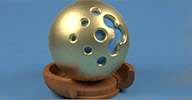 LuXSI 1.2 winAll interop renderer cppsrc
 Updated February 2013, now available for 64 bit systems. LuXSI is an exporter for
Luxrender, a physically based and unbiased rendering engine available @luxrender.net. LuxRender is free software - both for personal and commercial use - and is licensed
under the GPL.
For 1.2 updates, see the luxrender forum thread linked below. The old 1.0 thread is available here. Support Pedro by giving him feedback on the exporter.
 Related plugins: LuXSI (by Michael Gangolf)
local backup: LuXSI_1.2_Release_7z_repackaged.xsiaddon (Does not include LuxRender binary files)
For 1.2 updates, see the luxrender forum thread linked below. The old 1.0 thread is available here. Support Pedro by giving him feedback on the exporter.
Related plugins: LuXSI (by Michael Gangolf)
local backup: LuXSI_1.2_Release_7z_repackaged.xsiaddon (Does not include LuxRender binary files)
ICE Tetris osAll ICE scene
A little game-in-a-compound as demonstrated here. One of Oleg's first attempts at ICE from 2011 [..] but I did it a long time ago when I had no big ICE experience and also a new
nodes from 2012 xsi, and some glitches are possible.
local backup: ICE Tetris.xsicompound
local backup: ICE Tetris.xsicompound
author youtube channel: GBOTFX
 Cloud Scene osAll scene
 [..] you will obviously need the latest version of Holger's BA_essentials shader pack installed. Here is a render of this scene as well. think the fractal speed is too
fast and the lookup table cell size could be lowered to reduce flicker but its just
a simple setup to test the new feature of 'World drag'.
Mentioned render: here.
local backup: simplecloud_enhanced_plus.scn
Mentioned render: here.
local backup: simplecloud_enhanced_plus.scn
author site: https://sites.google.com/site/tekanoice / si-community thread
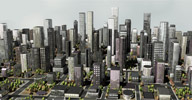 City Builder osAll python modeling
 Updated September 2012 — This python script generates a procedural city. From
the cgchannel link below:
You can get it at my site, under the SCRIPTING link: www.lalancelot.com. To Run: Unzip the file (city_builder_3_03.py) Copy this file into your plugin directory (Example: C:UsersLancelotAutodeskSoftimage_2010Applicat ionPlugins) Restart Softimage In MODEL menu, GET -> PRIMITIVE -> POLYGON MESH -> CITY BUILDER
You will get a property page where you will be able to enter all city's properties and then generate it. On my old computer, it took 1H30 to generate a 2km by 3km city. And beware that the vegetation merge at the end takes a while. Copyright: Use as you wish, at your own risk. Enjoy!
local backup: city_builder_3_03.py (copy to USER/WrkGrp folder/Application/Plugins)
You can get it at my site, under the SCRIPTING link: www.lalancelot.com. To Run: Unzip the file (city_builder_3_03.py) Copy this file into your plugin directory (Example: C:UsersLancelotAutodeskSoftimage_2010Applicat ionPlugins) Restart Softimage In MODEL menu, GET -> PRIMITIVE -> POLYGON MESH -> CITY BUILDER
You will get a property page where you will be able to enter all city's properties and then generate it. On my old computer, it took 1H30 to generate a 2km by 3km city. And beware that the vegetation merge at the end takes a while. Copyright: Use as you wish, at your own risk. Enjoy!
local backup: city_builder_3_03.py (copy to USER/WrkGrp folder/Application/Plugins)
author site: http://www.lalancelot.com (archive) / download: /scripts.html (archive) / cg-channel thread
BackGrid osAll ICE js modeling
A python script for Softimage with an ICE compound to produce volume render images.
— Un script python pour Softimage avec un "compound" ICE pour produire des images
de rendu volumique.
MS Word .doc/.txt documentation archive included. Videos available: Volume Rendering using ICE from Softimage / FireFly 001 (also see next entry)
local backup: BackGrid.xsicompound Back_GridPlugin.py (copy .py file to USER/WrkGrp folder/Application/Plugins) BackGrid-Instructions.zip
MS Word .doc/.txt documentation archive included. Videos available: Volume Rendering using ICE from Softimage / FireFly 001 (also see next entry)
local backup: BackGrid.xsicompound Back_GridPlugin.py (copy .py file to USER/WrkGrp folder/Application/Plugins) BackGrid-Instructions.zip
Firefly osAll ICE particle python
Two ICE compounds to produce firefly like movement inside a geometry. — Deux
ICE compounds pour produire des mouvement de mouches a feu dans la geometrie.
MS Word .doc/.txt documentation included in the archive. Videos available: Firefly 003 (howto screenshot) / Firefly with master (howto screenshot)
local backup: Firefly.xsicompound Firefly with Master.xsicompound Firefly-Instructions.zip
MS Word .doc/.txt documentation included in the archive. Videos available: Firefly 003 (howto screenshot) / Firefly with master (howto screenshot)
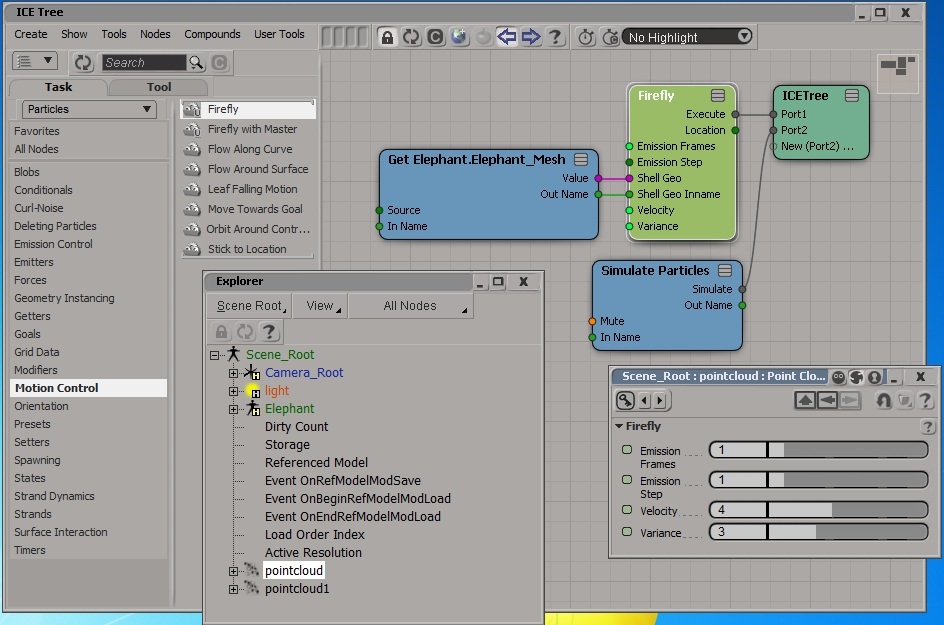
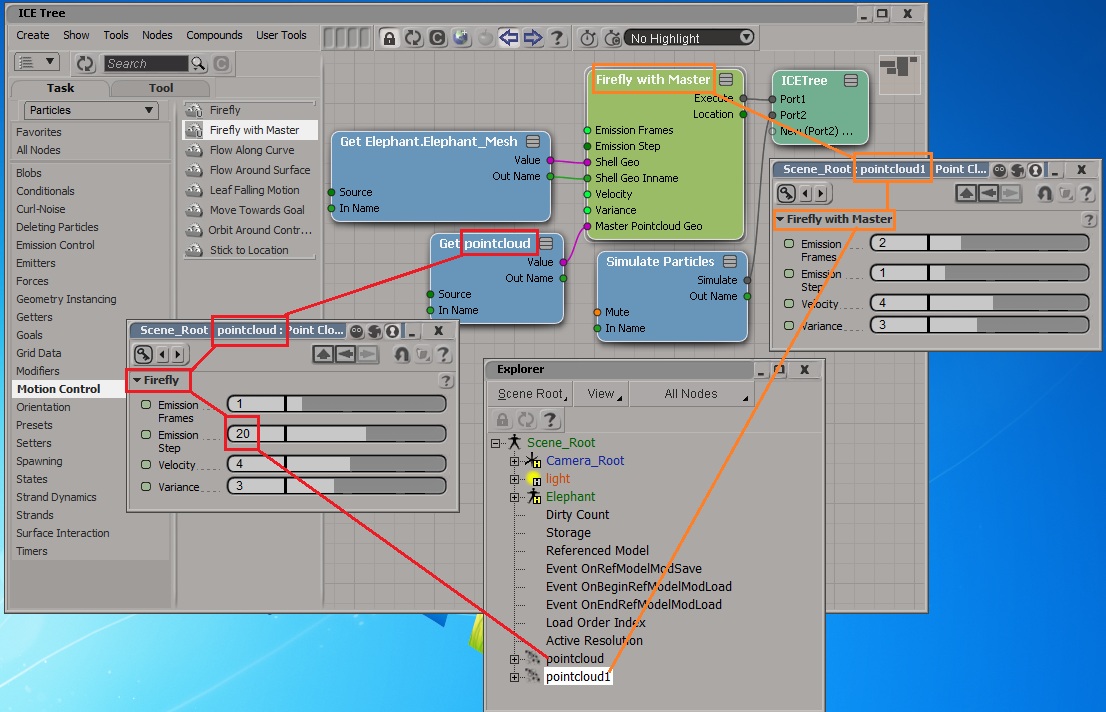
local backup: Firefly.xsicompound Firefly with Master.xsicompound Firefly-Instructions.zip
Bomb osAll js modeling
A JScript to be use with Softimage XSI to explode geometries. — Un 'Jscript'
pour exploser une geometrie dans Softimage XSI.
local backup: Bomb_1_01.js (run in script editor)
local backup: Bomb_1_01.js (run in script editor)
Add Points from Strands osAll strands ICE particle render
This is an elaboration of an approach described by Stefano and Mathieu on the SItoA
mailing list, for creating instances on each strand point of a source pointcloud.
The Arnold renderer always lofts instances along strands, so if explicit instances
for each strand point are desired, this workaround is necessary. Additions: support
for motion blur and size profiles.
Usage: Create a new point cloud and place this compound in an unsimulated ICE tree. Add source pointcloud name, and if instances are desired connect them to the "shape" attribute as you would for a regular emitter.
local backup: Add Points from Strand Source.xsicompound example_explicitStrandInstances.scn
Usage: Create a new point cloud and place this compound in an unsimulated ICE tree. Add source pointcloud name, and if instances are desired connect them to the "shape" attribute as you would for a regular emitter.
local backup: Add Points from Strand Source.xsicompound example_explicitStrandInstances.scn
author site: http://andy.moonbase.net
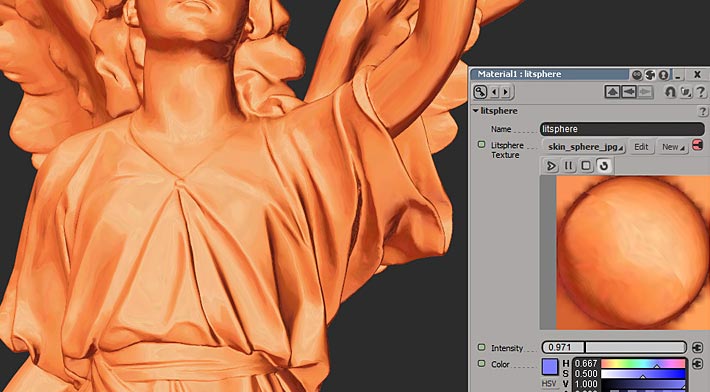 Matcap shader for Softimage osAll shader mentalray
 [..] I've banged together a Matcap (archive) shader (aka litsphere) in metaSL which works in the Softimage High Quality viewport.
You know how in Zbrush models look kind of like clay or other materials as you work
on them? That's Matcap shading.
It's provided "as-is" but since its metaSL it should work for everyone regardless of graphics card as well as look the same in HQ/real time, and mental ray. That's the theory, anyway.
local backup: litsphere_packaged.xsiaddon"
It's provided "as-is" but since its metaSL it should work for everyone regardless of graphics card as well as look the same in HQ/real time, and mental ray. That's the theory, anyway.
local backup: litsphere_packaged.xsiaddon"
 Wheel Rig osAll ICE deformer rigging scene
 Played a little with 'interactive playback' simulation environment mode. Some simple
ICE Kinematics and some ICE mesh and nurb deformation — and here we have quite
useful auto-rotated wheel rig. I used to do it with ScOps before, but it's much easy
and comfortable to built such things with ICE.
Note. If you hide nulls in viewport, it becomes a little bit buggy (but doesn't stop
working at all:) ) . Strange but true.
Workflow video by the author is available.
local backup: Autorotation_wheels_ice.scn
Workflow video by the author is available.
local backup: Autorotation_wheels_ice.scn
author site: http://staplex.ru / download: /?p=556
 Whirlpool Compound osAll ICE scene fluids
 Disclaimer: This is from the resourcedump thread on si-community.com so »some restrictions may apply« (but usually don't)
[..] from an original SeExpr (archive) expression kindly provided by Taikomatsu from here. the whirlpool compound needs some deformation to the grid beforehand to see the effect. in the example video above I've used Amaan's AAOcean to deform the grid but in my example scene I quickly made some waves with turbulence node (attached) I've doubled it up and changed the global scales to make the waves more interesting. I think the actual maths involved is called a Logarithmic Spiral.
Demonstrated here. Local Backup contains the scene file and the Turbulence node mentioned above, and the main Whirlpool compound.
local backup: Whirlpool.xsicompound turb waves.xsicompound whirlpool_seExpr_math_turbwaves2.scn
[..] from an original SeExpr (archive) expression kindly provided by Taikomatsu from here. the whirlpool compound needs some deformation to the grid beforehand to see the effect. in the example video above I've used Amaan's AAOcean to deform the grid but in my example scene I quickly made some waves with turbulence node (attached) I've doubled it up and changed the global scales to make the waves more interesting. I think the actual maths involved is called a Logarithmic Spiral.
Demonstrated here. Local Backup contains the scene file and the Turbulence node mentioned above, and the main Whirlpool compound.
local backup: Whirlpool.xsicompound turb waves.xsicompound whirlpool_seExpr_math_turbwaves2.scn
author site: https://sites.google.com/site/tekanoice
Whirlpool Alternative and Ridged Turbulence osAll ICE scene fluids
Disclaimer: This is from the resourcedump thread on si-community.com so »some restrictions may apply« (but usually don't)
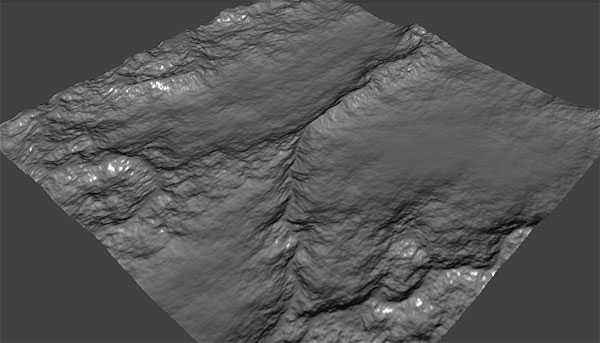
Rob Chapman posted a cool whirlpool deformer to the "Resource Dump" on SI-Community. Since I had been doing a lot with logarithmic spirals recently I decided to make one from scratch and compare the two. [..] Instead of using Rob's wave deformer, since it's fun to share it out there's a "ridged turbulence" compound in there. Here's what it looks like when used as a deformer: (Image).
local backup: whirlpool.scn
Rob Chapman posted a cool whirlpool deformer to the "Resource Dump" on SI-Community. Since I had been doing a lot with logarithmic spirals recently I decided to make one from scratch and compare the two. [..] Instead of using Rob's wave deformer, since it's fun to share it out there's a "ridged turbulence" compound in there. Here's what it looks like when used as a deformer: (Image).
local backup: whirlpool.scn
author site: http://andy.moonbase.net
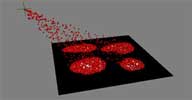 Color Goal osAll ICE
 Disclaimer: This is from the resourcedump thread on si-community.com so »some restrictions may apply« — but usually
don't!
Color Goal compounds: you can use texture map alpha, brightness or weightmap values to define your particle goal locations.
local backup: Get Color Goal Position.xsicompound Init Color Goal.xsicompound Set Color Goal.xsicompound how-to screenshot
Color Goal compounds: you can use texture map alpha, brightness or weightmap values to define your particle goal locations.
local backup: Get Color Goal Position.xsicompound Init Color Goal.xsicompound Set Color Goal.xsicompound
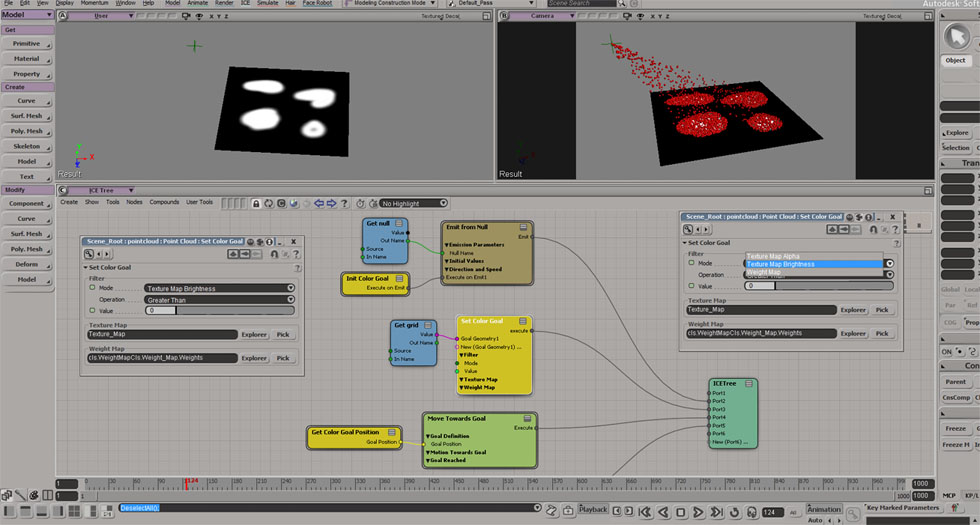 how-to screenshot
author site: http://iceduous.blogspot.com
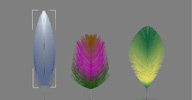 Feather Builder osAll ICE
 Disclaimer #1: This is from the resourcedump thread on si-community.com so »some restrictions may apply« (but usually don't)
Disclaimer #2: There is a new plugin FC Feather available. Click on the author name
above to quickly reach its rray.de entry.
only works on straight curves and generates perfect mirrored feather barbs. It has some neat PPG logic for toggling fcurves UI display on/off.
local backup: Feather Builder.xsicompound
only works on straight curves and generates perfect mirrored feather barbs. It has some neat PPG logic for toggling fcurves UI display on/off.
local backup: Feather Builder.xsicompound
author site: http://iceduous.blogspot.com
 ICE Dart Throw osAll ICE scene scatter
 Disclaimer: This is from the resourcedump thread on si-community.com so »some restrictions may apply« (but usually don't)
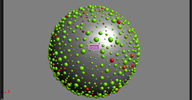
ICE Dart Throw scene: a very basic dart throwing algorithm in ice. The icetree is simulated, so one can easily to see and understand what's going on. Red particles are newborn particles..
local backup: ICE_dart_throw.scn
ICE Dart Throw scene: a very basic dart throwing algorithm in ice. The icetree is simulated, so one can easily to see and understand what's going on. Red particles are newborn particles..
local backup: ICE_dart_throw.scn
author site: http://iceduous.blogspot.com
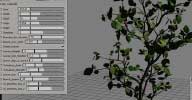 StrandTree Meshed Model osAll ICE strands scene vegetation
 Disclaimer: This is from the resourcedump thread on si-community.com so »some restrictions may apply« (but usually don't)
Strandtree meshed model: strandtree compounds packed into a ready-to-go geometry model. It has the main compound parameters exposed on the "Tree Controls" property. A script is provided (as annotation property) if you want to freeze the model (maintain uvs + leaf color variation). Just copy/paste and run.
If you dive into the objects' icetrees you will see tweakable/fixed groups. Tweakable can be changed as you will, fixed are for nodes already linked on the main pset or that don't have to be touched. The model is exported at very low iterations so that it can load faster. (warning, can become terrible slow with many iterations!)
local backup: StrandTree_Meshed.emdl
Strandtree meshed model: strandtree compounds packed into a ready-to-go geometry model. It has the main compound parameters exposed on the "Tree Controls" property. A script is provided (as annotation property) if you want to freeze the model (maintain uvs + leaf color variation). Just copy/paste and run.
If you dive into the objects' icetrees you will see tweakable/fixed groups. Tweakable can be changed as you will, fixed are for nodes already linked on the main pset or that don't have to be touched. The model is exported at very low iterations so that it can load faster. (warning, can become terrible slow with many iterations!)
local backup: StrandTree_Meshed.emdl
author site: http://iceduous.blogspot.com
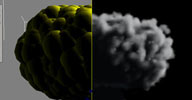 Fake Vorticity osAll ICE
 Disclaimer: This is from the resourcedump thread on si-community.com so »some restrictions may apply« (but usually don't)
only works on straight curves and generates perfect mirrored feather barbs. It has some neat PPG logic for toggling fcurves UI display on/off.
local backup: fake_vorticity.scn
only works on straight curves and generates perfect mirrored feather barbs. It has some neat PPG logic for toggling fcurves UI display on/off.
local backup: fake_vorticity.scn
author site: http://iceduous.blogspot.com
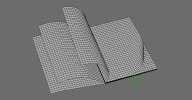 Procedural Book osAll ICE particle strands scene
 Disclaimer: This is from the resourcedump thread on si-community.com so »some restrictions may apply« (but usually don't)
As name says, it drives all deformations, using one scalar value. Here this is movement along X axis, of null called "timer". In setup, first step is getting a bounding box of book. Next step is a small procedural bend node, center and radius of bending is modulated, according to rotation of papers. Last step is rotation of papers.
Requirements: a bunch of perfectly planar planes in one mesh, distributed along local Y axis. Local Z is axis of rotation. Setup automatically adapts to bounding box size. Any additional deformation should go after this ICE tree - that is, above in stack. Plain scale - rotate - translate is OK.
I've added few comments about parameters. Setup is already animated. For assigning materials, I think the best way is to use just one image with "mosaic" of smaller ones, together with appropriate UV - somewhat easier to manage in 2d app.
local backup: book_lister.emdl
As name says, it drives all deformations, using one scalar value. Here this is movement along X axis, of null called "timer". In setup, first step is getting a bounding box of book. Next step is a small procedural bend node, center and radius of bending is modulated, according to rotation of papers. Last step is rotation of papers.
Requirements: a bunch of perfectly planar planes in one mesh, distributed along local Y axis. Local Z is axis of rotation. Setup automatically adapts to bounding box size. Any additional deformation should go after this ICE tree - that is, above in stack. Plain scale - rotate - translate is OK.
I've added few comments about parameters. Setup is already animated. For assigning materials, I think the best way is to use just one image with "mosaic" of smaller ones, together with appropriate UV - somewhat easier to manage in 2d app.
local backup: book_lister.emdl
author site: http://www.matkovic.com
Volume of tetrahedron osAll ICE scene
Disclaimer: This is from the resourcedump thread on si-community.com so »some restrictions may apply« (but usually don't)
Calculates volume of smallest possible closed mesh, or just a volume between four points, in somewhat ICE-ish way. For each point position, knowing positions of another three. Could be usable for filling the volume between by clones, or whatever else.
local backup: tetrahedra_volume.emdl
Calculates volume of smallest possible closed mesh, or just a volume between four points, in somewhat ICE-ish way. For each point position, knowing positions of another three. Could be usable for filling the volume between by clones, or whatever else.
local backup: tetrahedra_volume.emdl
author site: http://www.matkovic.com
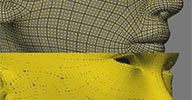 Fill Quads osAll ICE particle strands scene
 Disclaimer: This is from the resourcedump thread on si-community.com so »some restrictions may apply« (but usually don't)
ICE compound, emits particles evenly from each polygon, trying to keep the same particle size, also trying to fill polygon area as much possible. Number of rows and columns in one polygon, is determined by desired global count per mesh. In case of all rectangles, it should be able to do 1:1 covering. I made a prototype a while ago, for purpose of hair emitter - but emitting from triangles was a more robust solution for hair system.
Requirements: 1: polygon mesh, created only of quads (for triangles or five or more sides, it does something unwanted) 2: nice, unfolded UV projection on mesh - this is used for orientation. Let's say, "unique UV" in SI should be fine 3: ICE node on emitter mesh, with "initialize polymesh emitter" node - same as one from Kristinka Hair
Limitations: 1: it works properly only with quads 2: "polygons" in UV projection should be convex - usually they are with mentioned "unique UV", unfold, or like. 3: for now, in order to find vector for orientation, it interpolates between two sides of polygon. Taking a vector from possible tangent map, could do a nicer alignment.
I've added a few additional options, possible this node could be used for procedurally animated "self - building" structures. There's "compensate pivot" which moves center of rotation to the side of particle. There's also "delete interior" for look of rivets on hull... "Max x Max" forces equal count for each polygon. X and Y moving is relative, 1 is distance to neighboring particle. "Smooth normal", if activated, calls interpolated point normal, off is non-interpolated surface geometric normal - second should be better for walls, buildings or like.
local backup: fill_quads.emdl
ICE compound, emits particles evenly from each polygon, trying to keep the same particle size, also trying to fill polygon area as much possible. Number of rows and columns in one polygon, is determined by desired global count per mesh. In case of all rectangles, it should be able to do 1:1 covering. I made a prototype a while ago, for purpose of hair emitter - but emitting from triangles was a more robust solution for hair system.
Requirements: 1: polygon mesh, created only of quads (for triangles or five or more sides, it does something unwanted) 2: nice, unfolded UV projection on mesh - this is used for orientation. Let's say, "unique UV" in SI should be fine 3: ICE node on emitter mesh, with "initialize polymesh emitter" node - same as one from Kristinka Hair
Limitations: 1: it works properly only with quads 2: "polygons" in UV projection should be convex - usually they are with mentioned "unique UV", unfold, or like. 3: for now, in order to find vector for orientation, it interpolates between two sides of polygon. Taking a vector from possible tangent map, could do a nicer alignment.
I've added a few additional options, possible this node could be used for procedurally animated "self - building" structures. There's "compensate pivot" which moves center of rotation to the side of particle. There's also "delete interior" for look of rivets on hull... "Max x Max" forces equal count for each polygon. X and Y moving is relative, 1 is distance to neighboring particle. "Smooth normal", if activated, calls interpolated point normal, off is non-interpolated surface geometric normal - second should be better for walls, buildings or like.
local backup: fill_quads.emdl
author site: http://www.matkovic.com
LuxRays Renderer osAll renderer cppsrc
Disclaimer: This is from the resourcedump thread on si-community.com so »some restrictions may apply« (but usually don't)
Development of this LuxRays renderer integration stopped in 2011, but with its source code available it should help someone interested in custom renderer integration get started. Here is a video demonstration.
local backup: workgroup_LuxRays.zip (workgroup) lux_dans_softimage.zip (sources)
Development of this LuxRays renderer integration stopped in 2011, but with its source code available it should help someone interested in custom renderer integration get started. Here is a video demonstration.
local backup: workgroup_LuxRays.zip (workgroup) lux_dans_softimage.zip (sources)
author on vimeo
Diamond-Square Terrain Generator osAll ICE js modeling
Disclaimer: This is from the resourcedump thread on si-community.com so »some restrictions may apply« (but usually don't)
Here's a rather dreadful implementation of the "diamond-square" algorithm for generating terrain. It's painfully slow just at the point where detail gets interesting, in part because it has a big whopping repeat with counter node right in the middle of it. It might be a good example of how not to approach modeling stuff procedurally in ICE, other than that I can't see any use for it. :P
If someone was to build a proper implementation of the diamond-square algorithm I'd love to see it, it's perhaps the simplest kind of iterative model there is so it might be a good example to use to show how to go about this kind of thing (this isn't it lol).
local backup: example_diamondSquareTerrain.scn how-to screenshot
Here's a rather dreadful implementation of the "diamond-square" algorithm for generating terrain. It's painfully slow just at the point where detail gets interesting, in part because it has a big whopping repeat with counter node right in the middle of it. It might be a good example of how not to approach modeling stuff procedurally in ICE, other than that I can't see any use for it. :P
If someone was to build a proper implementation of the diamond-square algorithm I'd love to see it, it's perhaps the simplest kind of iterative model there is so it might be a good example to use to show how to go about this kind of thing (this isn't it lol).
local backup: example_diamondSquareTerrain.scn
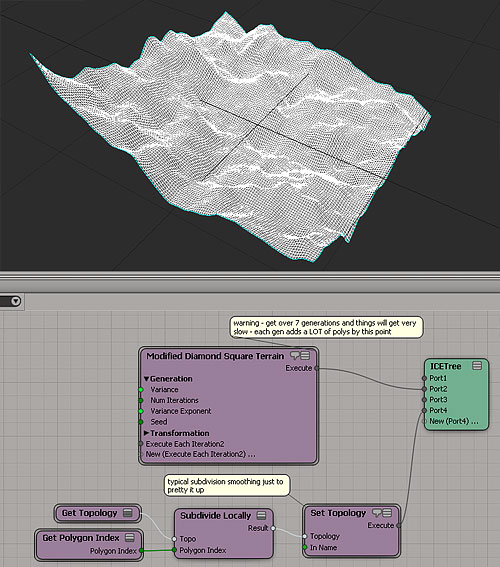 how-to screenshot
author site: http://andy.moonbase.net
 Taper Deform osAll ICE deformer modeling
 Disclaimer: This is from the resourcedump thread on si-community.com so »some restrictions may apply« (but usually don't)
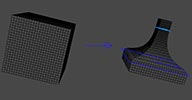
Unlike most of the examples, I built this specifically to show how a deformer can be constructed with simple visual guides. So the good news is that it's all nicely commented. This example shows the structure of a deformation, some tricks for making viewport guides, and the taper function itself (originally published by Alan Barr, it's quite simple).
The down side is that I didn't want to get into matrix transforms for the example, so this implementation is only on the object's local Y axis. This limits it's production value (not that there's a great need for another taper deformer.) It's an example, not a tool — adding in the transforms to make the taper axis arbitrary isn't too difficult, but as I was making this I realized it was going to make the entire thing unreadable and that I was out of time — I have paying work I need to get to. ^_^ So here it is, as-is. Cheers.
local backup: Taper Deform Along Local Y.xsicompound example_yAxis_TaperDeform.scn example_TaperDeform2.scn
Unlike most of the examples, I built this specifically to show how a deformer can be constructed with simple visual guides. So the good news is that it's all nicely commented. This example shows the structure of a deformation, some tricks for making viewport guides, and the taper function itself (originally published by Alan Barr, it's quite simple).
The down side is that I didn't want to get into matrix transforms for the example, so this implementation is only on the object's local Y axis. This limits it's production value (not that there's a great need for another taper deformer.) It's an example, not a tool — adding in the transforms to make the taper axis arbitrary isn't too difficult, but as I was making this I realized it was going to make the entire thing unreadable and that I was out of time — I have paying work I need to get to. ^_^ So here it is, as-is. Cheers.
local backup: Taper Deform Along Local Y.xsicompound example_yAxis_TaperDeform.scn example_TaperDeform2.scn
 Greeble Push in ICE osAll ICE deformer modeling scatter
 Disclaimer: This is from the resourcedump thread on si-community.com so »some restrictions may apply« (but usually don't)
It works fine, so why am I putting it in a "public rubbish bin" rather than releasing it with fanfare? Well, I'm not particularly proud of it lol. Here are some reasons why this isn't awesome: It's a "push" style deformer, meaning it doesn't create geometry it just deforms it. That kinda blows, it means you have to start with a very dense mesh. In fact, this is the main reason why I haven't released the loads of terrain stuff I've got hanging around — I haven't come up with a good way to make the geometry as I go and add detail only where it's needed that isn't too slow. This is just worley noise hooked to a push deform structure and a repeat node. I was sure a zillion people were going to do it, in fact I'm amazed I haven't seen this compound done better from someone else. Surely we have some Star Wars fans somewhere messing with ice? I never bothered to add in a control to decrease the amplitude of the noise per generation. This would be easy enough to sort out but I never got around to it. The deformer respects normals, but the noise itself is spatial, in other words it doesn't "flow" along the surface, which would be nice. Note the sphere shape in the video, instead of looking like the death star it reveals this spatial, circular character of the worley noise.
But it's hardly doing any good sitting on my hard drive so here you go — consider it an example of how to iterate a push deformer. Try turbulence instead of worley noise and it will look a little terrain like. Change the worley noise and you can make some crater-like looks. So it sucks, but in a kinda fun way. Hope it's of use to someone.
A video demonstration is available.
local backup: example_worleyGreebles.scn how-to screenshot
It works fine, so why am I putting it in a "public rubbish bin" rather than releasing it with fanfare? Well, I'm not particularly proud of it lol. Here are some reasons why this isn't awesome: It's a "push" style deformer, meaning it doesn't create geometry it just deforms it. That kinda blows, it means you have to start with a very dense mesh. In fact, this is the main reason why I haven't released the loads of terrain stuff I've got hanging around — I haven't come up with a good way to make the geometry as I go and add detail only where it's needed that isn't too slow. This is just worley noise hooked to a push deform structure and a repeat node. I was sure a zillion people were going to do it, in fact I'm amazed I haven't seen this compound done better from someone else. Surely we have some Star Wars fans somewhere messing with ice? I never bothered to add in a control to decrease the amplitude of the noise per generation. This would be easy enough to sort out but I never got around to it. The deformer respects normals, but the noise itself is spatial, in other words it doesn't "flow" along the surface, which would be nice. Note the sphere shape in the video, instead of looking like the death star it reveals this spatial, circular character of the worley noise.
But it's hardly doing any good sitting on my hard drive so here you go — consider it an example of how to iterate a push deformer. Try turbulence instead of worley noise and it will look a little terrain like. Change the worley noise and you can make some crater-like looks. So it sucks, but in a kinda fun way. Hope it's of use to someone.
A video demonstration is available.
local backup: example_worleyGreebles.scn
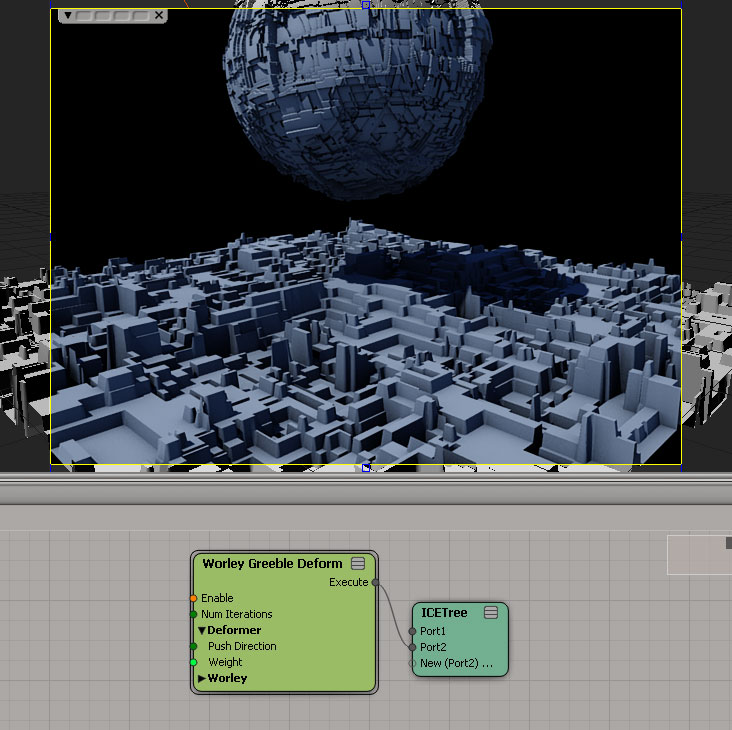 how-to screenshot
author site: http://andy.moonbase.net
Animate Camera Interest osAll
Disclaimer: This is from the resourcedump thread on si-community.com so »some restrictions may apply« (but usually don't)
On another thread there was a question about using ICE to add random movement to a spotlight interest. Here's a scene which should help, it animates a camera interest to have random but smooth motion.
local backup: example_ICE_AnimateCamInterest.scn
On another thread there was a question about using ICE to add random movement to a spotlight interest. Here's a scene which should help, it animates a camera interest to have random but smooth motion.
local backup: example_ICE_AnimateCamInterest.scn
author site: http://andy.moonbase.net
Squash and Stretch Deformer osAll ICE deformer secondary motion
Disclaimer: This is from the resourcedump thread on si-community.com so »some restrictions may apply« (but usually don't)
An ICE Squash-and-Stretch deformer. Available video: Compound Demonstration.
local backup: gb Squash and Stretch.xsicompound
An ICE Squash-and-Stretch deformer. Available video: Compound Demonstration.
local backup: gb Squash and Stretch.xsicompound
author site: http://gustavoeb.com.br (archive)
 Collide Deformer osAll ICE deformer secondary motion
 Disclaimer: This is from the resourcedump thread on si-community.com so »some restrictions may apply« (but usually don't)
An ICE Collide deformer. Available video: Compound Demonstration.
local backup: gb Colide Deformer.xsicompound
An ICE Collide deformer. Available video: Compound Demonstration.
local backup: gb Colide Deformer.xsicompound
author site: http://gustavoeb.com.br (archive)
Tornado Force osAll ICE deformer
Disclaimer: This is from the resourcedump thread on si-community.com so »some restrictions may apply« (but usually don't)
Tornado force based on Bradley Gabe's videos. Available video: Compound Demonstration.
local backup: gb Tornado Force.xsicompound
Tornado force based on Bradley Gabe's videos. Available video: Compound Demonstration.
local backup: gb Tornado Force.xsicompound
author site: http://gustavoeb.com.br (archive)
Export MDD from Object Sequence osAll js interop workflow
Disclaimer: This is from the resourcedump thread on si-community.com so »some restrictions may apply« (but usually don't)
This plugin (Found under File->Export) exports/converts a selection of objects to the MDD PointOven format which can be streamed from disk using the factory MDD reader. Objects must all have the same topology.
local backup: ExportMDDFromObjects.xsiaddon
This plugin (Found under File->Export) exports/converts a selection of objects to the MDD PointOven format which can be streamed from disk using the factory MDD reader. Objects must all have the same topology.
local backup: ExportMDDFromObjects.xsiaddon
author site: rray.de
 rcBisect osAll js modeling workflow
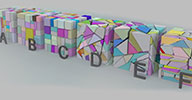
 This one does split a polygon mesh obj into two parts using a random plane, then closes
both parts. This is already all it does. When used repeatedly it can be used to shatter
an object. Gets installed in Create->Polymesh menu.
For more details, see the usage tips inside the si-community thread.
local backup: rcBisect.xsiaddon
For more details, see the usage tips inside the si-community thread.
local backup: rcBisect.xsiaddon
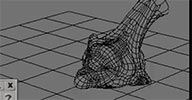 Meshless Deformations in ICE osAll ICE deformer
 Disclaimer: This is from the resourcedump thread on si-community.com so »some restrictions may apply« (but usually don't)
I've tried to clean it up as much as possible. There's some very agricultural ICE hacking in there. Possibly someone might find some use for it. I never had the time to explore it further. It's based on the paper: Meshless Deformations Using Shape matching here: MeshlessDeformations_SIG05.pdf (archive)
Available video: Compound Demonstration.
local backup: shape_matching_resourcedump.scn
I've tried to clean it up as much as possible. There's some very agricultural ICE hacking in there. Possibly someone might find some use for it. I never had the time to explore it further. It's based on the paper: Meshless Deformations Using Shape matching here: MeshlessDeformations_SIG05.pdf (archive)
Available video: Compound Demonstration.
local backup: shape_matching_resourcedump.scn
author site: http://julianjohnsonsblog.blogspot.com
Get Closest Filtered points osAll ICE
Disclaimer: This is from the resourcedump thread on si-community.com so »some restrictions may apply« (but usually don't)
A compound that gets ONLY the closest points in the current pointcloud/geometry that have a »true« boolean. It's much much faster than rifling through arrays. Hopefully someone will find this useful. It works by temporarily moving the filtered points up and away on the Y axis, then the remaining points look in the area where the filtered ones got moved to. Then filtered ones are moved back to their original location. The temporary moving of them is nothing to be concerned about because you wont see it and it doesnt affect simulation.
local backup: Get closest filtered points.xsicompound
A compound that gets ONLY the closest points in the current pointcloud/geometry that have a »true« boolean. It's much much faster than rifling through arrays. Hopefully someone will find this useful. It works by temporarily moving the filtered points up and away on the Y axis, then the remaining points look in the area where the filtered ones got moved to. Then filtered ones are moved back to their original location. The temporary moving of them is nothing to be concerned about because you wont see it and it doesnt affect simulation.
local backup: Get closest filtered points.xsicompound
Mitsuba Exporter winAll interop renderer cppsrc
Disclaimer: This is from the resourcedump thread on si-community.com so »some restrictions may apply« (but usually don't)
This is the result of my adaptation of the exporter of Softimage to LuxRender (LuXSI) to export scenes of Softimage to Mitsuba. It even has more code of LuXSI that needs to be cleaned, but it is already functional. Exist compiled versions for win32 and win64* and, it has been proved with SI2012 win32 and Mod Tool 7.5 win32. https://bitbucket.org/povman/mitxsi/downloads (archive)
Visit the wiki page, for more information about the state of the exporter: https://bitbucket.org/povman/mitxsi/wiki/Home (archive)
(1) The version x64, it does not include the dll's of shaders, see https://bitbucket.org/povman/mitxsi/src/10f3e4a992919eca28d1b32ba4e90af670b84242/shaders?at=default
No local backup since I assume most people will want to use the 64 bit version. It would have to be built using the existing sources on bitbucket first. If you do, please submit the DLLs using the "suggest a plugin" form above.
This is the result of my adaptation of the exporter of Softimage to LuxRender (LuXSI) to export scenes of Softimage to Mitsuba. It even has more code of LuXSI that needs to be cleaned, but it is already functional. Exist compiled versions for win32 and win64* and, it has been proved with SI2012 win32 and Mod Tool 7.5 win32. https://bitbucket.org/povman/mitxsi/downloads (archive)
Visit the wiki page, for more information about the state of the exporter: https://bitbucket.org/povman/mitxsi/wiki/Home (archive)
(1) The version x64, it does not include the dll's of shaders, see https://bitbucket.org/povman/mitxsi/src/10f3e4a992919eca28d1b32ba4e90af670b84242/shaders?at=default
No local backup since I assume most people will want to use the 64 bit version. It would have to be built using the existing sources on bitbucket first. If you do, please submit the DLLs using the "suggest a plugin" form above.
author link: https://bitbucket.org/povman/mitxsi/wiki/Home (archive)
Rotating Polygons randomly in ICE osAll ICE
Just answering a question on how to rotate polygons, using one of their edges as the
pivot.
Demonstration
local backup: Rotate Polygons.xsicompound
Demonstration
local backup: Rotate Polygons.xsicompound
author site: http://www.digipiction.de / download: /compounds...Rotate Polygons.xsicompound (archive)
LK Skinner 1.2 osAll ICE deformer bind
This compound binds points of a target mesh to those nearby on a source mesh. Can
be used in a lot of scenarios, e.g. binding a high detail mesh to a lowres simulation
mesh, or workflows such as shown in this video which demonstrates Leo's upcoming LK Lightning 2.0 (see his site).
Usage: Create a simulated ICE tree on the »target« mesh, connect this compound. Connect the »source« object to the compound's deformers inputs.
local backup: LK-Skinner12.xsicompound
Usage: Create a simulated ICE tree on the »target« mesh, connect this compound. Connect the »source« object to the compound's deformers inputs.
local backup: LK-Skinner12.xsicompound
author site: http://leonardkoch.com/ / source: mailing list @google groups
Curve Retopo Tool osAll ICE topo compilation
a prototype of curve based retopo tool, it's rough because user should make some adjustments
since it's not that precise but it does what it says [..] Requirements: Tested on Softimage 2012 SP1 x64 and Softimage 2013 x64. Installation: 1. Drag-n-drop *.xsiaddon file into the viewport, refresh the compounds list or restart
Softimage 2. Install Byungchul Kang's CnD_NormalizedCurve addon Usage: Select the mesh, go to View -> Toolbars -> Retopo Tools, click on "Initialize" button
and enable Sketch curve tool (Model -> Curve -> Sketch)
local backup: Retopo_Tools.xsiaddon
local backup: Retopo_Tools.xsiaddon
author site: http://procedural.tumblr.com / si-community thread
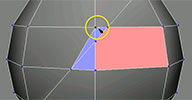 TopoColors osAll python ICE
 TopoColors is an addon for Softimage to visualize the »topological« state
of the current polygon mesh, or, put in simpler words, to temporarily color all polygons
according to the number of neighboring vertices (which results in a blueish color
for Tris, a greenish color for Quads and a reddish color for NGons. To achieve this
it places an ICETree in the Animation part of the construction stack and loads, if
it hasn? been loaded into the scene yet, a Matlib, containing the temporary materials
for Tris, Quads and NGons. While modeling the colors keep getting updated. Install the xsiaddon & RESTART Softimage (you should preferably install this in the
User Addon location, as some Workgroup installs mysteriously fail, while others equally
mysteriously do function.) [..]
Continue reading in the pdf file provided here.
Topocolors beautifully operates »live« on the mesh and doesn't interfere at all with the modeling process, even when doing complex modeling operations — as long as »Freeze Modeling« is used instead of »Freeze«, which would delete the TopoColors ICE operator.
local backup: TopoColors1.2.xsiaddon
Continue reading in the pdf file provided here.
Topocolors beautifully operates »live« on the mesh and doesn't interfere at all with the modeling process, even when doing complex modeling operations — as long as »Freeze Modeling« is used instead of »Freeze«, which would delete the TopoColors ICE operator.
local backup: TopoColors1.2.xsiaddon
author site: si-community.com / download: si-community thread
BG_ActionFindReplace osAll python workflow
A python tool that does a string search/replace on all Action Sources' »target«
parameters. The PPG UI lets you preview the replace operation.
This was posted on the Softimage mailing list in response to David Gallagher inquiring about how to map the pose of an older version of his character to a new one that has a slightly different naming scheme.
local backup: BG_ActionFindReplace.xsiaddon (packaged for drag and drop)
This was posted on the Softimage mailing list in response to David Gallagher inquiring about how to map the pose of an older version of his character to a new one that has a slightly different naming scheme.
local backup: BG_ActionFindReplace.xsiaddon (packaged for drag and drop)
 Offset Animation on Transform osAll python rigging
 This little script mimics the 3ds Max behaviour of offsetting an animated object when
it is transformed. This only happens when the option is toggled though... havent battle
tested it, but it seems to support layers, hierarchies and ik behaviour just fine
:)
note 1: you can toggle offset on under Preferences > Custom > Offset Curves, or through the included toolbar. You can also dock the toolbar in your interface, like i did in the video note 2: this was done in SI2013, cant guarantee compatibility with anything else.
Available video: Plugin Demonstration.
local backup: Offset Curves.xsiaddon
note 1: you can toggle offset on under Preferences > Custom > Offset Curves, or through the included toolbar. You can also dock the toolbar in your interface, like i did in the video note 2: this was done in SI2013, cant guarantee compatibility with anything else.
Available video: Plugin Demonstration.
local backup: Offset Curves.xsiaddon
 LK Lightning 1.51 osAll strands ICE vegetation
 New version from November 11th, 2012 - update details (archive) - LK Lightning is a tool-set for the creation of non-simulated strand-dynamics with
quite a few tools dedicated to the creation of lightning effects. LKL is made up of
35 ice-nodes and compounds which sort themselves into 5 different categories, Emission,
Control, Splitting, Stopping and Styling. While it's interface is ICE, it doesn't
require the user to have any knowledge of ICE whatsoever, which makes it very artist-friendly.
Overall I've taken great care to make this as production and artist-friendly as possible.
Everything is built so that it behaves very predictable and controlled, doesn't jump
around or give the artist using it any »wtf«-moments. All parameters are
animate-able and give you immediate feedback. No more enter parameters, press simulate,
hate it and repeat. What you see is what you get.
The new version contains many improvements, including support for motion blur. Old version video is available here, new version here. Note: with LK Lightning 2.0, there is a new commercial version out with many new features.
local backup: LK Lightning 1.5.1.xsiaddon LK Lightning 1.5.1 2012SAP.xsiaddon
The new version contains many improvements, including support for motion blur. Old version video is available here, new version here. Note: with LK Lightning 2.0, there is a new commercial version out with many new features.
local backup: LK Lightning 1.5.1.xsiaddon LK Lightning 1.5.1 2012SAP.xsiaddon
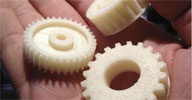 whGear win64 modeling
 This release is obsolete since whGear (now whCogwheel) has become part of the new
whXsiSuite release — Procedurally create gears using this 64 bit C++ plugin. Dozens of parameters
accessible from a property page let you configure every conceivable aspect of the
created gear. A video demonstration by the author is available.
Requirement: Visual C++ Redistributable f??isual Studio 2012 Install: Copy the DLL into your favorite plugin folder, Open SoftImage|XSI 2012 64bit Windows version, Select the DLL in the plugin manager, You'll find whGear in Primitive->Polygon Mesh
Visit my website for updates or stuff [..] BTW: If you use whGear it in production or other very cool stuff, it would be nice to get a line into your credits :-) thanks! -Wolfgang Hurst
local backup: whGear.xsiaddon
Requirement: Visual C++ Redistributable f??isual Studio 2012 Install: Copy the DLL into your favorite plugin folder, Open SoftImage|XSI 2012 64bit Windows version, Select the DLL in the plugin manager, You'll find whGear in Primitive->Polygon Mesh
Visit my website for updates or stuff [..] BTW: If you use whGear it in production or other very cool stuff, it would be nice to get a line into your credits :-) thanks! -Wolfgang Hurst
local backup: whGear.xsiaddon
author site: http://www.whurst.net / download: /2013/02/whgear/
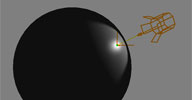 Place Specular Highlights osAll customtool
 The tool allows the user to select any pre-existing light, lightroot or object in
the scene and that object will be manipulated. If no light or object is selected a
spotlight will be created. This means existing VRay and Arnold lights are now supported.
The main features of v0.9b are now: Place specular highlights from lights directly where you position cursor over an
object Place any object, not just lights, along the reflection vector Place multiple objects simultaneously Original distance(s) to incident point is/are retained Distance to point can be manipulated with the Shift key The cursor can be placed back on the 'specular' point by holding down Shift + CTRL.
local backup: jj_SpecularPlaceTool.v0.9.xsiaddon
local backup: jj_SpecularPlaceTool.v0.9.xsiaddon
author site: http://julianjohnsonsblog.blogspot.com / download: /2013/01/place-specular-highlights.html
Filter Points by Distance osAll ICE topo
I'm trying to merge points using ICE much as you would using »Model->Modify->Poly.
Mesh->Filter Points«. I'm new to the whole ICE Topo workflow/mindset and I think
I've bashed my brains at this problem for long enough today, does anyone have any
clues on how I might achieve this? ,
Julian Johnson posted this very fast executing compound in response to the quoted inquiry by Dan Yargici.
local backup: Filter All Points By Distance.xsicompound
Julian Johnson posted this very fast executing compound in response to the quoted inquiry by Dan Yargici.
local backup: Filter All Points By Distance.xsicompound
author site: http://julianjohnsonsblog.blogspot.com / download: @author site / question: @mailing list discussion
Convex Hull using CGAL osAll ICE topo cppsrc
Although Guillaume Laforge has posted the definitive Convex Hull (archive) node for ICE, I thought it would be an interesting exercise to try and hook into
the CGAL geometry library and see if it was possible to use their Convex Hull (Qhull) algorithm in an ICE node.
It turned out to be relatively straightforward. The Addon and C++ source is here (archive) (2013SP1, 64bit only. Only tested on a couple of machines, let me know if there are
any floating dependencies I may have missed).
local backup: jj_Convex_Hull.xsiaddon
local backup: jj_Convex_Hull.xsiaddon
author site: http://julianjohnsonsblog.blogspot.com / download: /../convex-hull-using-cgal-library.htm
Local Tweak osAll ICE deformer workflow controllers
Anyone knows or has a compound that basically deforms a mesh with a null, or several
nulls?
The idea is to use these nulls as secondary deformers after the mesh gets deformed
by a regular envelope to do simple corrections.
Responding to this question by Nuno Conceicao about ICE secondary deformation using Nulls, Matt Morris posted this compound written by Eric Thivierge.
Possibly related: The article »Facial Animation, The Static KineState, and Dorritos?« (archive) by Steven Caron which was posted to softimageblog.com back in 2007.
local backup: LocalTweak.1.1.xsicompound
Responding to this question by Nuno Conceicao about ICE secondary deformation using Nulls, Matt Morris posted this compound written by Eric Thivierge.
Possibly related: The article »Facial Animation, The Static KineState, and Dorritos?« (archive) by Steven Caron which was posted to softimageblog.com back in 2007.
local backup: LocalTweak.1.1.xsicompound
author site: http://www.ethivierge.com / question: @mailing list discussion
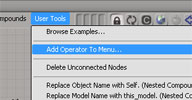 Add ICE Operators to Menus osAll ICE workflow
 The User Tools menu in an ICE Tree view has an Add Operator to Menu command that adds
your compounds to menus, so you can apply them to the selected object. ?dd Operators
to Menu?is implemented in VBScript in %XSI_HOME%AddonsICEUserToolsApplicationPluginsICEUserTools.vbs.
Unfortunately, this command wasn? updated after 2011 Advantage Pack, so it doesn? know about the new ICE toolbar and menu structure.
So, here? a Python version that adds ICE operators to either the Particles > Create or Deform > Create menus in the ICE toolbar. When you apply the operators, they will be applied to all selected objects.
local backup: AddICEOperatorsToMenus.xsiaddon
Unfortunately, this command wasn? updated after 2011 Advantage Pack, so it doesn? know about the new ICE toolbar and menu structure.
So, here? a Python version that adds ICE operators to either the Particles > Create or Deform > Create menus in the ICE toolbar. When you apply the operators, they will be applied to all selected objects.
local backup: AddICEOperatorsToMenus.xsiaddon
author link: http://xsisupport.wordpress.com / download: ..your-ice-operators-to-menus
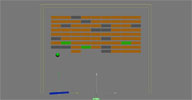 ICE BrickBreaker osAll ICE particle
 A clone of the classic Breakout game written in ICE. For a demonstration, see this video. Vincent's new site linked below features his 2012 Showreel.
local backup: vu_ICE_BrickBreaker.xsicompound
local backup: vu_ICE_BrickBreaker.xsicompound
author site: http://vincentullmann.com (archive)
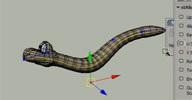 stAlign_Mesh_on_Curve osAll ICE deformer rigging
 A compound that works similarly to »Deform by Curve« but with variable twist along the curve and scaling relative to curve length. [..] Note that when curve makes U-turn around upvector axis, mesh "flips" - turns
on 180 degrees around curve. So it's not enough for a real worm rig (there are some
solutions for this), but quite useful in many other cases so I used it in real projects
a couple of times.
Visit the author's page for his rigging and animation portfolio. Workflow video by the author is available.
local backup: stAlign_Mesh_On_Curve_AxisUpVect.xsicompound
Visit the author's page for his rigging and animation portfolio. Workflow video by the author is available.
local backup: stAlign_Mesh_On_Curve_AxisUpVect.xsicompound
author site: http://staplex.ru / download: /?p=524
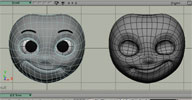 stFlip_Shape osAll ICE workflow symmetry
 ICE compound for flipping shapes. Doesn't need a Symmetry Template Map. Create ICE
tree, insert compound, connect to tree, plug the shape's name into Shape In Name port
and play with options.. You can freeze the tree after it's set up — the shape
will stay flipped (but it will freeze Copy Shape operator too!).
Workflow video by the author is available.
local backup: stFlip_Shape.xsicompound
Workflow video by the author is available.
local backup: stFlip_Shape.xsicompound
author site: http://staplex.ru / download: /?p=258
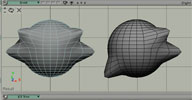 stMirror_Shape osAll ICE workflow symmetry
 ICE compound for mirroring shapes. Doesn't need a Symmetry Template Map. Create ICE
tree, insert compound, connect to tree, plug the shape's name into Shape In Name port
and play with options.. You can freeze the tree after it's set up — the shape
will stay mirrored (but it will freeze Copy Shape operator too!).
Workflow video by the author is available.
local backup: stMirror_Shape.xsicompound
Workflow video by the author is available.
local backup: stMirror_Shape.xsicompound
author site: http://staplex.ru / download: /?p=226