Softimage Resources: plugins, scripts, compounds and shaders
All 1119 entries of the Softimage Resources as a simple list, 951–1000 on this page. To search and filter by tags, use the interactive Resources page.
Kinetic Energy osAll ICE
This is a Kinetic Energy compound that lets you apply this type of energy to a lot
of different attributes. It should be handy for more realistic vfx work.
local backup: Kinetic Energy.xsicompound readme.txt
local backup: Kinetic Energy.xsicompound readme.txt
author site: http://www.genecrucean.com
 Advanced Proximity Map osAll ICE
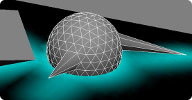
 With this compound you can influence the object's weightmap by its distance to another
geometry (Polymesh or Nurbs). The compound calculates vertices and surfaces by their
distance to the geometry in the ICE tree. Check out the controls for the radius and
the falloff strength for individual settings.
local backup: Advanced Proximity Map.xsicompound readme.txt
local backup: Advanced Proximity Map.xsicompound readme.txt
author site: http://ewok1.com
 Proximity Weight Accumulate osAll ICE
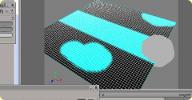
 Adds to a weight map from proximity to another geometry and fades this value over
time. This version also adds values to an already existing weight map, connected to
'Original weight map'. For a longer period of time to accumulate, you need to increase
'time before fade' value.
local backup: proximity_weight_accumulate.1.3.xsicompound
local backup: proximity_weight_accumulate.1.3.xsicompound
 Proximity Weight Fade osAll ICE
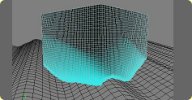
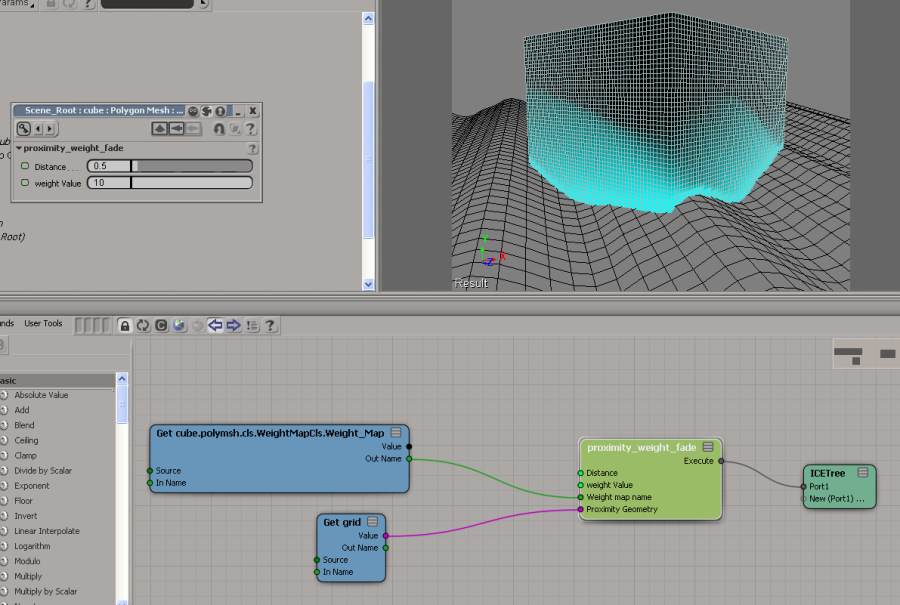
 Adds to a weight map based on proximity to geometry then fades it out over time. think
wetness map. for this compound to work the object must have a weight map connected.
Many thanks to Patrick Boucher, as there is no way I would have got this compound
to work without his assistance.
local backup: proximity_weight_fade.xsicompound readme-fade.txt usage screenshot
local backup: proximity_weight_fade.xsicompound readme-fade.txt usage screenshot
author site: https://sites.google.com/site/tekanoice
CM_RotationPivot osAll ICE
This ICE compound allows for the rotation of a point about any arbitrary input position,
which can act as a dynamic pivot.
local backup: CM_RotationPivot.xsicompound readme.txt
local backup: CM_RotationPivot.xsicompound readme.txt
author link: n/a - cgportfolio@cgsociety
 ThicknessMap osAll ICE
 An ICE compound that returns the thickness of a mesh.
local backup: ThicknessMap.1.1.xsicompound readme-thickness.txt
local backup: ThicknessMap.1.1.xsicompound readme-thickness.txt
author on vimeo
 SmoothMap osAll ICE
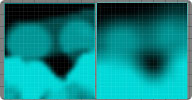
 An ICE compound to smooth/blur a weight map. Edit the compound for more information.
local backup: SmoothMap.1.1.xsicompound readme.txt
local backup: SmoothMap.1.1.xsicompound readme.txt
author on vimeo
PlanarTextureProjection with ICE osAll ICE
Quick example of doing a planar projection using ICE - because you can.
local backup: PlanarTextureProjection.xsicompound
local backup: PlanarTextureProjection.xsicompound
author link: n/a
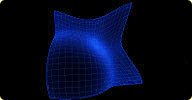 Density osAll ICE
 This calculates mesh density in the object coordinate space. With the default settings,
all edge lengths >1 produce a density value of 0; as the edge lengths get closer to
0, the density value will approach 1.
local backup: Density.xsicompound
local backup: Density.xsicompound
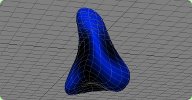 Curvature osAll ICE surface property
 This is an ICE compound node that computes surface curvature for a polygon mesh. You
get positive output values for convex (outward) curvature, negative ones for concave
(inward) curvature. Includes an update by Harry Bardak, who exposed the mode parameter.
local backup: Curvature.1.1.xsicompound
local backup: Curvature.1.1.xsicompound
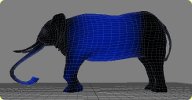 Tension osAll ICE surface property
 Part of »rray's Surface Property ICE nodes« . Measures surface tension.
Tension can be used as source data for various rendering and deforming effects like
blending of a wrinkle texture map or a squash-and-stretch effect (shown in example
Tension-squash-and-stretch.scn).
Consists of two compounds: »tension from« computes and stores the average edge lengths of each point's connected edges. »tension to« computes the average edge lengths again (placed at a higher point in the stack, i.e. executed later) and compares them to the results stored earlier by »from«.
The difference is processed so it best represents the local surface tension at each point. Every deform in the stack between »from« and »to« gets registered by the »to« node and is output as the scalar tension value for the points. The UI has an fcurve that lets you further control the output of »tension to«. X is the computed tension (negative X is compression). Y is output. If you don't want tension values to go above 1 or below -1 use the default f curve which clips off tension values above and below these values.
For measuring only stretching, move the first key to (0,0) and leave the second at (1,1). For compression-only move the first key to (-1,1) and the second key to (0,0). For accessing tension values from the render tree, you'll have to go through a weight map (ICE attributes can't be accessed for polygon meshes currently). This is demonstrated in Tension-rendering.scn
Note: When rendering, tension values look much better (are smoothed) when the mesh is subdivided (+)
local backup: rraysSurfPropNodes.zip
Consists of two compounds: »tension from« computes and stores the average edge lengths of each point's connected edges. »tension to« computes the average edge lengths again (placed at a higher point in the stack, i.e. executed later) and compares them to the results stored earlier by »from«.
The difference is processed so it best represents the local surface tension at each point. Every deform in the stack between »from« and »to« gets registered by the »to« node and is output as the scalar tension value for the points. The UI has an fcurve that lets you further control the output of »tension to«. X is the computed tension (negative X is compression). Y is output. If you don't want tension values to go above 1 or below -1 use the default f curve which clips off tension values above and below these values.
For measuring only stretching, move the first key to (0,0) and leave the second at (1,1). For compression-only move the first key to (-1,1) and the second key to (0,0). For accessing tension values from the render tree, you'll have to go through a weight map (ICE attributes can't be accessed for polygon meshes currently). This is demonstrated in Tension-rendering.scn
Note: When rendering, tension values look much better (are smoothed) when the mesh is subdivided (+)
local backup: rraysSurfPropNodes.zip
author site: rray.de
DeleteOverLappingParticles osAll ICE particle
It is often useful to make sure your particles do not overlap. This simple compound
will delete particles that overlap within a certain distance. It has a simple rule
to decide which of the overlapping particles to keep. There's also a debug option
to show you which particles it will remove.
local backup: DeleteOverLappingParticles.xsicompound
local backup: DeleteOverLappingParticles.xsicompound
author site: n/a
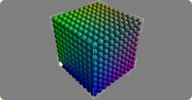 SimpleCubeSet osAll ICE particle voxelize
 This compound does the same thing as the Particle Cube but instead of using the XSI
primitive it generates the points inside the compound. It is a good starting point
for creating procedural layouts using groups of particles within a cloud. Particles
created in the set have a GroupID so you can have multiple-sets per cloud.
local backup: SimpleCubeSet.xsicompound
local backup: SimpleCubeSet.xsicompound
author site: n/a
Reset ICE Simulation Initial State osAll ICE js
This plug-in lets you remove the initial state set on particle simulations in ICE.
It will add a menu item called »Reset Initial State« in the Simulation
> ICE > Edit menu. It assumes you have used the set initial state command to create
an initial state for your simulation.
local backup: ResetICESimInitStatePlugin.js
local backup: ResetICESimInitStatePlugin.js
author site: n/a
Get Bounding Box Center osAll ICE
This is a simple compound that returns the center of the bounding box of the current
object (self).
local backup: Get Bounding Box Center.xsicompound
local backup: Get Bounding Box Center.xsicompound
author site: n/a
 Twist osAll ICE deformer
 Twists an object around an axis. You can either use a default twist axis (X, Y or
Z) or use a manipulator such as a null to define it.
This is the exact same deformation as the built-in twist deformation found in XSI with all the advantages ICE has to offer: multi-threaded, open for modification, etc.
You can easily add this compound to a menu by using Add Operator to Menu found in the User Tools menu of the ICE Tree view. If called from a menu, you will be automatically prompted to pick a manipulator object (optional).
local backup: Twist.xsicompound
This is the exact same deformation as the built-in twist deformation found in XSI with all the advantages ICE has to offer: multi-threaded, open for modification, etc.
You can easily add this compound to a menu by using Add Operator to Menu found in the User Tools menu of the ICE Tree view. If called from a menu, you will be automatically prompted to pick a manipulator object (optional).
local backup: Twist.xsicompound
author link: n/a
Emit From Location osAll ICE particle
This compound emits new particles from any location on a surface or curve. Plug this
compound's Emit output into the ICETree node. This compound should be plugged in to
the first port of the ICETree node because you usually need to emit particles before
any other node or compound can be evaluated.
Locations can be generated by the geometry query nodes. For example, by using a raycast node, you could cast a ray on a geometry and emit from that intersection point. You can also use this node to emit from every point of a geometry by connecting a Get Data node on the PointLocation attribute of the emitter (e.g. »Cube.PointLocation«) to the Emit Location port.
local backup: Emit from Location.xsicompound
Locations can be generated by the geometry query nodes. For example, by using a raycast node, you could cast a ray on a geometry and emit from that intersection point. You can also use this node to emit from every point of a geometry by connecting a Get Data node on the PointLocation attribute of the emitter (e.g. »Cube.PointLocation«) to the Emit Location port.
local backup: Emit from Location.xsicompound
author link: n/a
Particle Alpha based on Age with FCurve osAll ICE particle
This compound lets you set the transparency of particles based on an FCurve and its
age percentage. Handy for making particles fade in and out, among other things.
local backup: Particle Alpha based on Age with FCurve.xsicompound
local backup: Particle Alpha based on Age with FCurve.xsicompound
author link: n/a
Bounce off Surface with Friction osAll ICE particle
A minor augmentation to the »Bounce off Surface« compound that adds fake
rotational friction to change the reflection angle off the surface.
local backup: Bounce off Surface with Friction.xsicompound
local backup: Bounce off Surface with Friction.xsicompound
author link: n/a
Random Integer osAll ICE
Generates a random integer between min and max using a cheesy two-iteration LCG pseudo-random
number generator.
local backup: Random Integer.xsicompound
local backup: Random Integer.xsicompound
author link: n/a
 Evaluate Cubic Bezier Curve osAll ICE
 Takes a set of cubic bezier control points and evaluates a single point — or
multiple, if fed an array into the »T« port. Can be used with the »Fit
Cubic Bezier Curve« compound.
 this addon is now included in Phil's ICE Pack.
local backup: Fit Evaluate Cubic Bezier Curve.xsicompound
this addon is now included in Phil's ICE Pack.
local backup: Fit Evaluate Cubic Bezier Curve.xsicompound
author link: n/a
Fit Cubic Bezier Curve osAll ICE Takes an array attribute of Vector2/3/4 points and fits a cubic bezier curve onto
them, resulting in another array of points that can be used with »Evaluate Cubic
Bezier Curve«. Great for smoothing a set of points, like a spine or a tail.
this addon is now included in Phil's ICE Pack.
local backup: Fit Cubic Bezier Curve.xsicompound
this addon is now included in Phil's ICE Pack.
local backup: Fit Cubic Bezier Curve.xsicompound
author link: n/a
Remove Duplicates osAll ICE
Simple Compound that removes duplicates in an array. E.g.: 12,3,3,3,3,6,6,4 becomes
12,3,6,4 — It only eliminates uninterrupted sequences, i.e. in 13,4,7,4,2 the
»4« will not be eliminated. For eliminating all dupes, see the Deduplicate compound. Works for any data type.
Usage example: Can be used in conjunction with Halfdan's Bezier tools in order to eliminate double or triple points that would break the computation otherwise.
local backup: Remove Duplicates.xsicompound
Usage example: Can be used in conjunction with Halfdan's Bezier tools in order to eliminate double or triple points that would break the computation otherwise.
local backup: Remove Duplicates.xsicompound
author site: rray.de
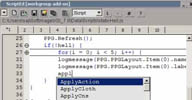 ScriptEd winAll workflow
 An alternative to the regular script editor that ships with XSI on the Softimage community
web site. Brief feature summary follows: Syntax highlighting, Split screen editing,
Code folding, Multiple tabs, Autocompletion etc.
local backup: ScriptEd.xsiaddon / doc backup
local backup: ScriptEd.xsiaddon / doc backup
author site: http://www.sajjadamjad.com / download: /plugins.html
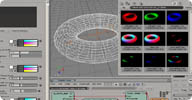 SJ_MultiMat win32 shader mentalray
 sj_multi_mat is a standard diffuse/specular shader, but outputting a separate color
for each of the lights in the Light List array.
local backup: sj_multimat.zip
local backup: sj_multimat.zip
author link: n/a
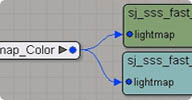 SJ_SSS (Fast Skin Split) osAll shader mentalray
author link: n/a
 Sound Analyser osAll cppsrc workflow
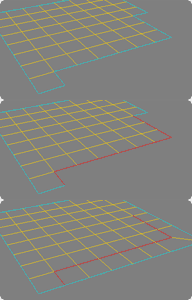 JJ_SmartQuad osAll python
 JJ_SmartQuad is based on the classic Lightwave SmartQuad plugin that would create
a single planar quad from three selected vertices. JJ_SmartQuad extends the idea (with
a huge nod to Seneca's SmartQuad modo script) so that you can create/recreate either
a single quad or whole rows of quads from vertex or edge selections.
local backup: jj_smartquadPlugin.py
local backup: jj_smartquadPlugin.py
JJ_Catmull osAll rigging python
JJ_Catmull is a rudimentary Catmull-Rom curve tool for XSI. Unlike the built-in curve
types, this plugin constructs a curve from selected Nulls and ensures that the curve
passes through each null directly - unlike the control points of regular cubic and
quadratic beziers. A Catmull-Rom spline has local control. This means that modifying
one control point only affects the part of the curve near that control point. It can't
possibly match the functionality of in-built curve types but in certain circumstances
it can be useful for rigging where you need a smooth, simple curve that always passes
through specific points. For modeling tasks, the operator can evenly space points
along the curve (unlike the parametric placement of points on the in-built curve types)
which makes it useful for extrusions etc. where you might need regularly spaced polygons.
Benefits: Create a smooth curve that passes through all control points Tangent controls for the start and end points 'Live', even spacing of control points - by length or by no. of segments
There's a screen capture of the plugin in action here
local backup: jj_catmull_1_0_0.py
Benefits: Create a smooth curve that passes through all control points Tangent controls for the start and end points 'Live', even spacing of control points - by length or by no. of segments
There's a screen capture of the plugin in action here
local backup: jj_catmull_1_0_0.py
author link: http://www.exch.demon.co.uk/jj_catmull.htm (archive)
JJ_CamResize osAll python workflow
JJ_CamResize is a tool to either overscan or underscan a pre-existing camera. With
jj_CamResize you can add pixels to either the top or bottom of an existing camera
whilst the original camera view maintains its resolution. A common use for an overscanned
camera is if you need an oversized plate in order to composite some 2D camera shake
etc.
Alternatively, you can 'underscan' your camera which enables you to zoom into any area of your camera's view while retaining the same point of view as your original camera - great for checking smaller objects in the distance or simply checking up on textures from the camera's viewpoint but at a much higher resolution.
Related plugins: Kettle Overscan
local backup: jj_camresize_1_0_0.py
Alternatively, you can 'underscan' your camera which enables you to zoom into any area of your camera's view while retaining the same point of view as your original camera - great for checking smaller objects in the distance or simply checking up on textures from the camera's viewpoint but at a much higher resolution.
Related plugins: Kettle Overscan
local backup: jj_camresize_1_0_0.py
author link: http://www.exch.demon.co.uk/jj_CamResize.htm (archive)
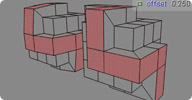 MoveNormal osAll js workflow
 It moves/offstes the selected faces in the direction off the faceNormal. The left
cube is with a push operator, the right is with the scripted »moveNormal«
operator.
local backup: MoveNormal.xsiaddon
local backup: MoveNormal.xsiaddon
author link: n/a

 Booltrace osAll cppsrc shader mentalray
 Render meshes as though they were an intersected boolean.
local backup: BinaryIris.xsiaddon (includes all of Alan's shaders) boolTraceSrc.zip (source code)
local backup: BinaryIris.xsiaddon (includes all of Alan's shaders) boolTraceSrc.zip (source code)
author profile @linkedIn
 DepthMirror osAll shader mentalray
 DepthMirror is a reflection falloff shader. The strength of the reflectivity can be
altered based on the object's distance from the reflective surface.
local backup: BinaryIris.xsiaddon (includes all of Alan's shaders)
local backup: BinaryIris.xsiaddon (includes all of Alan's shaders)
author profile @linkedIn
 GenieTail osAll shader mentalray
 This shader volumetrically renders particles. It can also create additional particles
at rendertime.
local backup: BinaryIris.xsiaddon (includes all of Alan's shaders)
local backup: BinaryIris.xsiaddon (includes all of Alan's shaders)
author profile @linkedIn
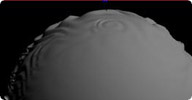 InciDents osAll shader mentalray
 incidence shader that ignores displacement on a geometry. Can thus be used to modulate
displacement height according to incidence. Do not use this to replace the standard
XSI incidence shader in scenarios which don't require displacement as this shader
is approximately 15% slower.
local backup: BinaryIris.xsiaddon (includes all of Alan's shaders)
local backup: BinaryIris.xsiaddon (includes all of Alan's shaders)
author profile @linkedIn
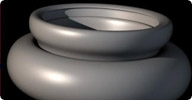 OrenNayarWolff osAll cppsrc shader mentalray
 OrenNayarWolff is an implementation of the Oren-Nayar-Wolff illumination model combined
with a custom specular model which aims to make rim lighting easy.
local backup: BinaryIris.xsiaddon (includes all of Alan's shaders) orenSrc.zip (source code)
local backup: BinaryIris.xsiaddon (includes all of Alan's shaders) orenSrc.zip (source code)
author profile @linkedIn
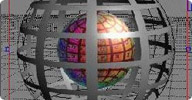 RayHistory osAll shader mentalray
 This shader checks to see if the current ray was ever either reflected or refracted.
The example above shows rayHistory being used to make a reflection only environment
map.
local backup: BinaryIris.xsiaddon (includes all of Alan's shaders)
local backup: BinaryIris.xsiaddon (includes all of Alan's shaders)
author profile @linkedIn
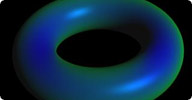 Thickness osAll shader mentalray
 This shader returns the thickness of objects. It correctly handles intersections when
used to create thickness passes.
local backup: BinaryIris.xsiaddon (includes all of Alan's shaders)
local backup: BinaryIris.xsiaddon (includes all of Alan's shaders)
author profile @linkedIn
 UVWblur win32 texturing shader mentalray
 Alpha version of a blur node. It takes a color input and will blur it. This is not
included in Alan's BinaryIris collection and is only available for 32 bit Windows.
local backup: uvwBlur.xsiaddon
local backup: uvwBlur.xsiaddon
author profile @linkedIn
 BHairy winAll shader mentalray hair
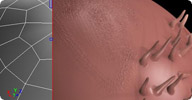 Binder winAll bind
 rendertime bind hires models to lowres cages as a displacement alternative (animation).
Link to instructions from the original zip file.
local backup: Binder.xsiaddon
local backup: Binder.xsiaddon
author link: http://www.shaders.moederogall.com (archive)
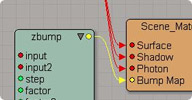 ZBump winAll shader mentalray
 Bump mapping shader. Just plug a texture or two into the inputs. As of XSI 6.01, zbump is included with Softimage XSI as the new bump node.
local backup: zbump.zip
As of XSI 6.01, zbump is included with Softimage XSI as the new bump node.
local backup: zbump.zip
author link: http://www.shaders.moederogall.com (archive)
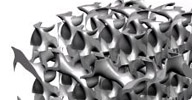 Solidvolume winAll shader mentalray
 render 3d texture as a solid model. uses procedural input or volumetric datasets (See
volume loader below). It can do limited non-solid ray-marching but you probably want
to check out Binary Alchemy Volume shaders if you want something production-worthy
for that.
local backup: solidvolume.zip
local backup: solidvolume.zip
author link: http://www.shaders.moederogall.com (archive)
 Volume Loader win32 shader mentalray render
 Loads 3D volumetric datasets (such as medical cross-sectional imaging data). This
can then be rendered using Solid Volume (»Direct Volume Rendering«).
local backup: volumeloader.zip
local backup: volumeloader.zip
author link: http://www.shaders.moederogall.com (archive)
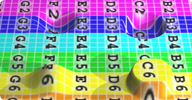 Parallax winAll shader mentalray
 fake displacement. fails on object edges (try alan/incidents on those). It seems like
it's usually slower than displacement.
local backup: Parallax7.zip (This shader has been updated with a 64 bit version)
local backup: Parallax7.zip (This shader has been updated with a 64 bit version)
author link: http://www.shaders.moederogall.com (archive)
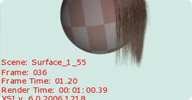 Framestamp 2 win32 shader mentalray
 output shader which will overlay text. Options include frame number, time, and render
time; current date and time; XSI and MR versions; scene name; as well as arbitrary
text input.
local backup: FrameStamp2.zip
local backup: FrameStamp2.zip
author link: http://www.shaders.moederogall.com (archive)
 Vector Displacement winAll shader mentalray
 generate and apply displacement maps which displace in arbitrary directions, not just
along the surface normal. Link to instructions from the original zip file.
local backup: VectorDisplace.xsiaddon
local backup: VectorDisplace.xsiaddon
author link: http://www.shaders.moederogall.com (archive)
 Vertex Color Tools winAll workflow
 full control over objects' vertex colors using a variety of tools.
local backup: vertexcolortools.zip test
local backup: vertexcolortools.zip test
author link: http://www.borderliner.it (archive)