Softimage Resources: plugins, scripts, compounds and shaders
All 1119 entries of the Softimage Resources as a simple list, 601–650 on this page. To search and filter by tags, use the interactive Resources page.
 ConvexHull win64 ICE topo cppsrc scene
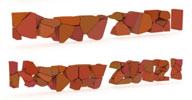
 ICE node which outputs the convex hull topology from a set of input points. Short
demo video available here
local backup: ConvexHull.rar
local backup: ConvexHull.rar
 ICE Attribute to Component Selection osAll ICE js workflow
 Following a request by Matt Lowery on the Softimage Mailing List, I'm hoping of you fine people has a script that will tag all the points on one poly
mesh that are inside another poly mesh. I'm also hoping that you'll share said script...
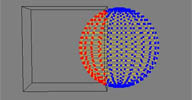
Fabricio Chamon posted this script. usage: define an attribute called »select« in your object's icetree (boolean per point, edge or polygon) > select object and run. (sometimes you have to run it twice, in the second time it will work. not sure why, maybe it has to do with some attribute initialization thing). In your case the (very simple) logic would be a point in volume defining the attribute. (image follows)
local backup: ICE_Attr_To_Component_Selection.zip
Fabricio Chamon posted this script. usage: define an attribute called »select« in your object's icetree (boolean per point, edge or polygon) > select object and run. (sometimes you have to run it twice, in the second time it will work. not sure why, maybe it has to do with some attribute initialization thing). In your case the (very simple) logic would be a point in volume defining the attribute. (image follows)
local backup: ICE_Attr_To_Component_Selection.zip
Add Particles to Models and Instances osAll ICE particle
This compound is in response to a thread on XSIBase. You can add a particle attached
to each object in models/instances.
Create a group containing the objects inside of the model. (ie. ObjectGroup) Create a group containing the model and instances. (ie. InstanceGroup).
I tested animating the position and rotation of the objects, model, and instances.
local backup: DW_ColorBlendModes.xsicompound
local backup: DW_ColorBlendModes.xsicompound
author site: n/a / si-community thread
 MX_CurveDeform winAll modeling curves
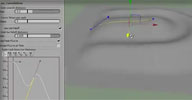
 V1.0 Pre-Release. Deforms geometry by a curve - improves upon the factory curve deformer
by adding various options like restrict to cluster, falloff profile curve.
Videos available on YouTube for base version,
additional features of beta 3,
additional features of
prerelease part 1 and
prerelease part 2
All videos embedded and more information available on the author download page.
local backup: mx_curvedeform_v_1_0_pre_release.rar
All videos embedded and more information available on the author download page.
local backup: mx_curvedeform_v_1_0_pre_release.rar
author site: http://maxfoxlab.com (archive) / download: /mx_crvdeform.html (archive) / si-community thread
 Essential Geo winAll modeling curves
 by Eric Cosky / Bounding Box Games. The video presentation on YouTube (archive) shows...
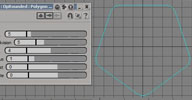
A run through of the twelve geometry (polygon) primitives provided by the free addin »Essential Geo« for Softimage. These are mostly single-poly objects expected to be used as basic building blocks of more complex geometry and are well suited for extrusion. Most parameters can be animated and the responsiveness of C++ based code provides for fast feedback while you experiment with the settings. The geometry primitives include: Arc Capsule Fractal Ring Fractal Strip Gear Mesh (Ring) Gear Strip Rounded Poly Rounded Rect Smooth Star Transform Strip Wave Strip
If you have Softimage, please enjoy this plugin with our compliments. More information can be found at www.boundingboxgames.com/tools/essgeo
local backup: EssGeo.xsiaddon
A run through of the twelve geometry (polygon) primitives provided by the free addin »Essential Geo« for Softimage. These are mostly single-poly objects expected to be used as basic building blocks of more complex geometry and are well suited for extrusion. Most parameters can be animated and the responsiveness of C++ based code provides for fast feedback while you experiment with the settings. The geometry primitives include: Arc Capsule Fractal Ring Fractal Strip Gear Mesh (Ring) Gear Strip Rounded Poly Rounded Rect Smooth Star Transform Strip Wave Strip
If you have Softimage, please enjoy this plugin with our compliments. More information can be found at www.boundingboxgames.com/tools/essgeo
local backup: EssGeo.xsiaddon
author site: http://www.cosky.com / company: http://www.boundingboxgames.com / download: /tools/essgeo (archive) / si-community thread
PLND Deformers osAll ICE deformer strands curves
A set of four ICE deformers by renowned Polynoid studio. Included are: Deform by Curve (Copy and) Deform by Strand Deform Strand by Wave Deform Curve by Wave
The curve deforms improve upon the factory deforms with features such as twist and push. See the download link for more details. Video presentation available (archive).
Make sure to visit Polynoid's blog monophyl.com for interesting ICE insights and videos.
local backup: PLND_Deform_Stuff.zip
The curve deforms improve upon the factory deforms with features such as twist and push. See the download link for more details. Video presentation available (archive).
Make sure to visit Polynoid's blog monophyl.com for interesting ICE insights and videos.
local backup: PLND_Deform_Stuff.zip
author company: http://www.polynoid.tv / company blog: http://monophyl.com
 Normalized Curve win64 ICE curves workflow
 This custom compound lets you access evenly parameterized curve data from ICE as shown
in this screenshot.
Make sure to have a look at the author's blog and his video collection for a lot of interesting ICE/VFX/technical information (korean - english translation by google here)
local backup: CnD_NormalizedCurve.xsiaddon
Make sure to have a look at the author's blog and his video collection for a lot of interesting ICE/VFX/technical information (korean - english translation by google here)
local backup: CnD_NormalizedCurve.xsiaddon
 Wave Curl osAll ICE deformer scene fluids
 Version 2.0. This compound uses Nulls to control and create the wavy deforms. The nulls can be
scaled to stretch the wave out or bulge them into more toon-like waves. I put a scene
together, and left the compound open for people to explore. Take note that the ICE
tree should be under post-simulation. Works nicely in conjunction with Amaan Akram's
aaOcean Suite.
local backup: Wave_Curl_2.xsicompound
local backup: Wave_Curl_2.xsicompound
 Gerstner Waves osAll ICE commercial fluids
 A compound from the creator of the Softimage Blog. Gerstner waves come from František Josef Gerstner who in 1804 first published
his »Theory of waves«. The Gerstner wave compound for XSI implements Gerstner's
algorithms to produce ocean wave surfaces that are animateable and user controllable.
You can see the Gerstner waves in action on Softimage Blog at the following posts: Gerstner Waves 102, Gerstner Waves 101, Gertsner waves in ICE
The purchase price of this set of 4 compounds is 40$ US and includes 3 private compounds which implement the internal mathematics of the system as well as one public compound which adds usability features above and beyond the single simple wave. For more information go to the purchase link.
You can see the Gerstner waves in action on Softimage Blog at the following posts: Gerstner Waves 102, Gerstner Waves 101, Gertsner waves in ICE
The purchase price of this set of 4 compounds is 40$ US and includes 3 private compounds which implement the internal mathematics of the system as well as one public compound which adds usability features above and beyond the single simple wave. For more information go to the purchase link.
author link: Softimage Blog / Softimage Blog purchase link
Pass Preset Manager osAll js workflow
This tool can be used to Manage pass presets between different scenes Create groups from the scene selection — These groups are moved into the specific
Pass and Partition.
Introductory video.
local backup: ToolsPass_Julien.xsiaddon Doc_ToolsPass_JulienSilvestre.pdf
Introductory video.
local backup: ToolsPass_Julien.xsiaddon
Doc_ToolsPass_JulienSilvestre.pdf
author site: http://silvestrejulien.blogspot.com
 DepthRGB automation tool osAll shader mentalray js workflow
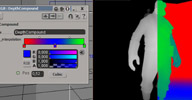
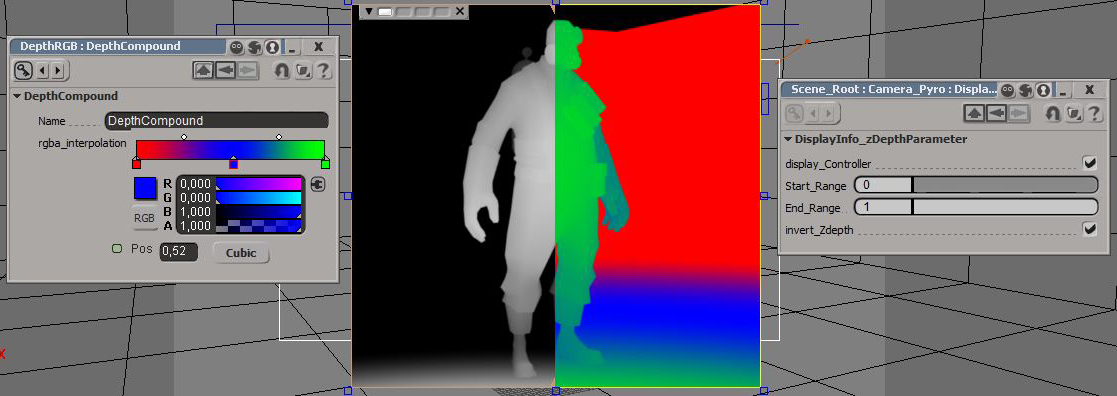
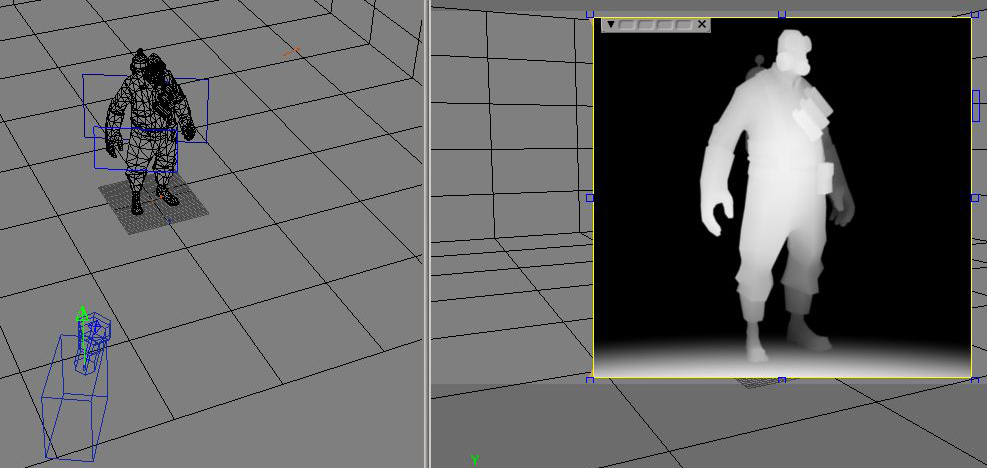
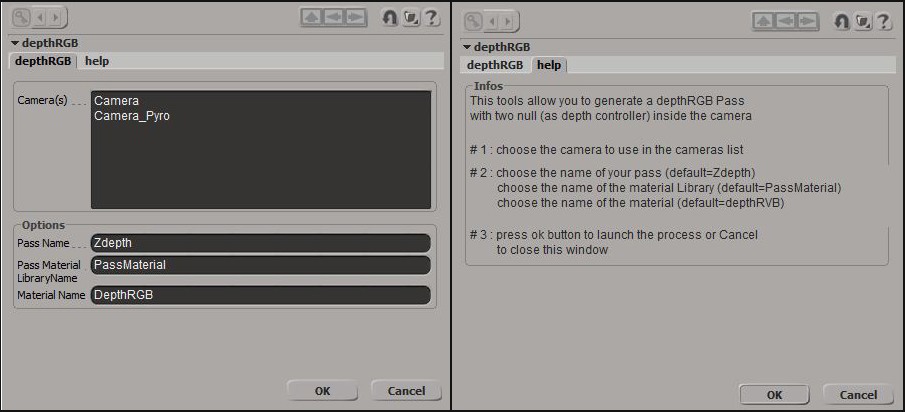
 This tools allow you to generate a depthRGB Pass. Two nulls (as depth controller)
and a custom property are created inside the camera. The color of the depth can be
modified directly in the shader build by the script.
Introductory video.
local backup: DepthRGB.xsiaddon usage screenshots: 1 2 3
Introductory video.
local backup: DepthRGB.xsiaddon usage screenshots: 1 2 3
author site: http://silvestrejulien.blogspot.com / download: /2014/11/depthrgb-for-softimagementalray.html
MultiDepthRGB osAll shader mentalray js workflow
This tools allow you to: generate a MultidepthRGB Pass in different RenderChannel
with two null (as depth controller) for each Render Channel inside the camera.
local backup: MultiDepthRGB.xsiaddon
local backup: MultiDepthRGB.xsiaddon
author site: http://silvestrejulien.blogspot.com
 Image I/O from ICE win64 ICE scene shadingworkflow workflow
 Originally developed for testing his Implosia FX toolset, Mr. Core recently released
these compounds that let you import and export image (.BMP/.TIFF/.PNG/.JPG) and mesh
files (.OBJ, UV not yet supported) within ICE.
For image handling, this package includes the Build PCloud from Image compound that converts the output array from the IFX Read Image node into a pointcloud, which can be further modified by ICE and then written back to an image file through the factory build array from set node plugged into IFX Write Image. This allows a PixelParticles-like workflow (see the PixelParticles description further below), for example for image manipulations inside ICE.
 The local backup archive contains all files collected from the si-community thread
(see below) including some additional compounds by Fabricio Chamon which handle file
name/format string conversions. To install, copy the .xsicompound files into the Data/Compounds
folder of the USER or a workgroup/addon directory. The .dll file goes into the Plugins subfolder —
a demo scene file is included.
The local backup archive contains all files collected from the si-community thread
(see below) including some additional compounds by Fabricio Chamon which handle file
name/format string conversions. To install, copy the .xsicompound files into the Data/Compounds
folder of the USER or a workgroup/addon directory. The .dll file goes into the Plugins subfolder —
a demo scene file is included.
Related plugins: Pixel Particles, Image ICE Node
local backup: ImageIO_packed_1.0.zip
For image handling, this package includes the Build PCloud from Image compound that converts the output array from the IFX Read Image node into a pointcloud, which can be further modified by ICE and then written back to an image file through the factory build array from set node plugged into IFX Write Image. This allows a PixelParticles-like workflow (see the PixelParticles description further below), for example for image manipulations inside ICE.
The local backup archive contains all files collected from the si-community thread
(see below) including some additional compounds by Fabricio Chamon which handle file
name/format string conversions. To install, copy the .xsicompound files into the Data/Compounds
folder of the USER or a workgroup/addon directory. The .dll file goes into the Plugins subfolder —
a demo scene file is included.
Related plugins: Pixel Particles, Image ICE Node
local backup: ImageIO_packed_1.0.zip
ICE Orient to Screen osAll ICE
The ICE compound forces an object to always face the input camera. I suppose it's
most useful in conjunction with textured grids.
Video demonstration available here (archive).
local backup: CG Orient to Screen.xsicompound
Video demonstration available here (archive).
local backup: CG Orient to Screen.xsicompound
author site: http://www.digipiction.de / download: /compounds...to Screen.xsicompound
Resize Strands osAll ICE strands scene
Following a request on the Softimage mailing list, Alan Fregtman posted this compound which lets you
resize (scale) all strands after emission/deformation.
local backup: Resize_Strands.1.0.xsicompound
local backup: Resize_Strands.1.0.xsicompound
author link: http://darkvertex.com / download: /hlinked/...1.0.xsicompound
 Rock Generator osAll ICE topo shader mentalray
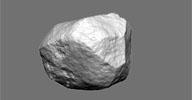
 AKA FC Rock. A procedural rock generator and an accompanying render tree compound
for high res bump details. Based on Sascha Henrichs' workflow as demonstrated here.
Noise types: level 1: cellular (overall rock shape) level 2: fractal (erosions) level 3: turbulence (high frequency displacement).
Demo video. More details available in the si-community thread.
local backup: FC Rock.zip
Noise types: level 1: cellular (overall rock shape) level 2: fractal (erosions) level 3: turbulence (high frequency displacement).
Demo video. More details available in the si-community thread.
local backup: FC Rock.zip
author site: http://iceduous.blogspot.com / download @ si-community thread
 Relax Particles osAll deformer ICE particle scatter
 This compound works similarly to the factory »Relax« deform, but operates
on particles instead of mesh points. Helps maintain an evenly-spaced particle distribution
over an object surface. A number of options are available such as max number of points,
cutoff, iteration count, repulsion, attraction, and an »evenness« color
gradient.
Video demonstration available here, use case video.
local backup: Relax Particles.xsicompound
Video demonstration available here, use case video.
local backup: Relax Particles.xsicompound
Trim Strands by Volume osAll ICE strands hair
Little helper compound for hair grooming. Makes easy to retain hair inside a volume
or trim to a specified silhouette. Stored under Particles > Strands.
Usage screenshot
Related plugins: Kristinka Hair (Cut by Geo Volume)
local backup: Trim Strands by Volume.xsicompound
Usage screenshot
 Related plugins: Kristinka Hair (Cut by Geo Volume)
local backup: Trim Strands by Volume.xsicompound
author site: http://iceduous.blogspot.com / download /p/ice-compounds-plugins.html / si-community thread
 RGBA Smooth Keyer osAll shader mentalray shadercompound
 Isolates a color based on either it being inside an RGBA color range, or using key
color+HSV tolerance values. Works similarly to the built-in RGBA_Keyer node, but works
in HSV space and allows not only a boolean output (inside/outside of color range),
but also a gradient output depending on a falloff around the user defined color range.
Installed in Render Tree/Image Processing/Processing. Compound format, so it can be easily modified.
Some more information in the si-community thread.
local backup: RGBA_Smooth_Keyer.1.6.xsirtcompound
Some more information in the si-community thread.
local backup: RGBA_Smooth_Keyer.1.6.xsirtcompound
 YafaRay for Softimage win32 renderer cppsrc
 Version beta 0.2. Exporter for the free open-source YafaRay raytracing engine.
Have a look at the ongoing development thread (archive) at the yafaray forums for a detailed feature overview.
local backup: YafaRayforXSI_beta_02.zip
Have a look at the ongoing development thread (archive) at the yafaray forums for a detailed feature overview.
local backup: YafaRayforXSI_beta_02.zip
AI Filter Edges by Angle osAll ICE
Applied to a polygon mesh, filters edges by the angle between adjacent polygons. Also
see the si-community discussion.
local backup: Filter Edges by Angle.xsicompound
local backup: Filter Edges by Angle.xsicompound
author site: n/a / si-community thread
Build Set from Array osAll ICE
Very helpful little node that I use for literally every complex work with points and
topology. For example you can use array of points to filter positions by them and
move stuff around. Instead of »Get Point ID« you can use any topology
attribute sets to work in topo contexts. If you know a better way to create set from
array - let me know.
local backup: Build Set from Array.xsicompound
local backup: Build Set from Array.xsicompound
author site: http://procedural.tumblr.com / download @ si-community thread
AutoZoom osAll ICE workflow
AutoZoom is a Softimage ICE compound that automatically controls the given camera's
field-of-view (FOV). It zooms to the given target(s) until the target(s) fill the
frame, in a user-defined way. [..]
Remember, this compound does not direct the camera to the target, it only zooms to it . You will most probably want to use it in conjunction with a camera direction constraint, pointing at the same object(s) that the compound will zoom to [..] (Hint: emTools 1.1 CenterOfGeometry)
Continue reading here (online documentation, for download link see below).
local backup: AutoZoom_v1_3.zip
Remember, this compound does not direct the camera to the target, it only zooms to it . You will most probably want to use it in conjunction with a camera direction constraint, pointing at the same object(s) that the compound will zoom to [..] (Hint: emTools 1.1 CenterOfGeometry)
Continue reading here (online documentation, for download link see below).
local backup: AutoZoom_v1_3.zip
author site: http://www.animatethis.gr (archive) / download: /downloads/...AutoZoom_v1_3.zip (archive) / si-community thread
 UV Edit by Mesh osAll vbs shadingworkflow workflow
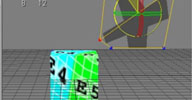
 This script enables an interesting UV editing workflow. It creates a flat mesh formed
by the UVs of an existing texture projection of a different mesh and links the XY
positions of the flat mesh to the original texture UVs. This allows for example the
use of a lattice deformer for UV editing as demonstrated here (archive)
The author is a very active Softimage plugin developer, yet his work seems rather
unknown. Please have a look at his scripts page here (archive) (japanese - english translation by google here), his blog and his vimeo page linked below. This plugin was spotted by Martin Yara.
local backup: XBuvEditByMesh.zip
The author is a very active Softimage plugin developer, yet his work seems rather
unknown. Please have a look at his scripts page here (archive) (japanese - english translation by google here), his blog and his vimeo page linked below. This plugin was spotted by Martin Yara.
local backup: XBuvEditByMesh.zip
author blog: http://xb1080.blog105.fc2.com (archive) / download: /blog-entry-97.html / author @ vimeo (archive)
 xproc osAll js vbs workflow
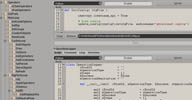
 xproc is a hierarchical scripting manager which works within the explorer window of
Softimage|XSI.
It's aim is to help cg artists to develop their tools using the XSI object model and
to embed scripts with the scenes and models they are supposed to work with.
The recursive hierarchical management was done to bring object programation principles
to the cg artists scripting methods.
To install the addon, simply drag'n'drop it into XSI, this will install in user mode.
It also works as a workgroup addon [..]
Continue reading here (archive) (online documentation, for download link see below).
local backup: xproc.xsiaddon
Continue reading here (archive) (online documentation, for download link see below).
local backup: xproc.xsiaddon
author link: http://hnegadi.myftp.org (archive) / download: /resources.html (archive) / author @ imdb
 HPrimitives osAll js
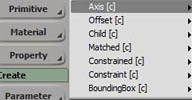
 Registers a custom command and menu entries to provide a faster way to add primitives
matched on the selection. Very useful for rigging. All menu entries can be found in
the Get>Primitive menu of XSI regular toolbars.
Available Adding modes are: Axis: Matched primitive becomes selection's parent Offset: Matched primitive becomes selection's child and all selection's children parent Child: Matched primitive becomes selection's child Matched: Matched primitive shares selection's parent Constraint: Matched primitive shares selection's parent and constrains it Constrained: Matched primitive shares selection's parent and is constrained on it. Constrained: Matched primitive shares selection's parent and is constrained on it. BoundingBox: Puts a BoundingBox around selection. Input Selection can either be 3dObjects or SubComponents. [..]
local backup: HPrimitives.zip
Available Adding modes are: Axis: Matched primitive becomes selection's parent Offset: Matched primitive becomes selection's child and all selection's children parent Child: Matched primitive becomes selection's child Matched: Matched primitive shares selection's parent Constraint: Matched primitive shares selection's parent and constrains it Constrained: Matched primitive shares selection's parent and is constrained on it. Constrained: Matched primitive shares selection's parent and is constrained on it. BoundingBox: Puts a BoundingBox around selection. Input Selection can either be 3dObjects or SubComponents. [..]
local backup: HPrimitives.zip
author link: http://hnegadi.myftp.org (archive) / download: /resources.html (archive) / author @ imdb
HCapture osAll python
Captures Softimage|XSI viewports and encode h264 .mov files on the fly. This XSI|Plugin
is a workaround for win64 applications which don't have access to Quicktime. It works
alongside with HandBrake for encoding and VLC for playback.
local backup: HCapture.zip
local backup: HCapture.zip
author link: http://hnegadi.myftp.org (archive) / download: /resources.html (archive) / author @ imdb
HxmlEnvelope osAll python
Registers custom commands and menu entries to import/export envelope information to
xml files. Exporter filters 0% deformers. Menu Entries: Animate > Envelope > HxmlEnvelope, Custom Commands: HxmlEnvelopesExport( sFilePath, cInputObjetcts, bVerbose, bSelect ) HxmlEnvelopesImport( sFilePath, cInputObjetcts, bVerbose, bFreeze, bSelect, bRemove,
bCleanup )
local backup: HxmlEnvelope.zip
local backup: HxmlEnvelope.zip
author link: http://hnegadi.myftp.org (archive) / download: /resources.html (archive) / author @ imdb
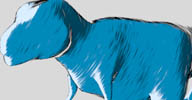 CM Toony shader osAll shader mentalray shadercompound
 A while back I made a material preset for creating a toony hatched effect, but the
shader tree was a bit complex to tweak. So I've remade it and squeezed it into a compound,
exposing only the main features, which makes it much easier to use. [..]
Setup: Create two spatial projections scaled to 1,30,30, first constrained to lightsource, second constrained to camera. Edit compound, copy the two texture nodes on the left and paste outside. Inside each, set texture space to the projections you just created, connect nodes to the ink/fill ports of the CM_Toony_One compound.
Related plugins: Dotted Hatch
local backup: CM_Toony_One.xsirtcompound
Setup: Create two spatial projections scaled to 1,30,30, first constrained to lightsource, second constrained to camera. Edit compound, copy the two texture nodes on the left and paste outside. Inside each, set texture space to the projections you just created, connect nodes to the ink/fill ports of the CM_Toony_One compound.
Related plugins: Dotted Hatch
local backup: CM_Toony_One.xsirtcompound
author blog: http://dot3d.blogspot.com
 PyQt For Softimage osAll python cppsrc workflow
 Utilize Nokia's powerful QT user interface library (archive) from within Softimage Python scripts. To install, first download PyQt from riverbankcomputing.co.uk (For example if you're using Softimage 2013 SP1/Win64 with preinstalled Python: Download
PyQt4-4.10-gpl-Py2.6-Qt4.8.4-x64.exe from here and install into Program Files/Autodesk/Softimage 2013 SP1/Application/Python — for 2014+ use the Python 2.7/x64 version) — Then install this plugin.
Qt for Softimage is included in PyQtForSoftimage plugin/github project.
Quoting Simon Anderson from the Softimage Mailing List: If you want to know how to use Qt theres a great free pdf called Rapid GUI Programming with Python and Qt (archive). if you want an example of how this PyQt version works, look under plugins > PyQtForSoftimage(addon) > Plugins > right click on PyQt_Example and click edit. you can see how there code works. alls you have to do is create your class and then instantiate that class and input the sianchor. the benefits of PyQt is that you can create much more robust and prettier UI's, ui's that have images, videos, ability to draw on images. the variables can be global, unlike PPG's where global lists and dictionaries dont really work. the tables are much more robust, you can have colours and import buttons where needed... its heaven :D We have a tracking system that uses an SQL database, and with the ability of Qt we can make the artists interface amazing, simple and have very specific information. Animations and pose libraries can have videos and images on buttons :D. We have had this stuff all half developed and then we hit the bugs that came with a normal direct import but with PyQtForSoftimage its 100% reliable so far with our tests that where bombing out everything seems to be very sturdy!
There's more information about this plugin in the mailing list thread linked below.
For example, here's a tip by Simon on how to refresh the QT UI without restarting Softimage. Also, Atsushi
Tsugaruya has a lot of interesting tips and tutorials on his blog »AsCensSioN« (Click here for a japanese - english translation).
local backup: PyQtForSoftimage_beta5.xsiaddon
Quoting Simon Anderson from the Softimage Mailing List: If you want to know how to use Qt theres a great free pdf called Rapid GUI Programming with Python and Qt (archive). if you want an example of how this PyQt version works, look under plugins > PyQtForSoftimage(addon) > Plugins > right click on PyQt_Example and click edit. you can see how there code works. alls you have to do is create your class and then instantiate that class and input the sianchor. the benefits of PyQt is that you can create much more robust and prettier UI's, ui's that have images, videos, ability to draw on images. the variables can be global, unlike PPG's where global lists and dictionaries dont really work. the tables are much more robust, you can have colours and import buttons where needed... its heaven :D We have a tracking system that uses an SQL database, and with the ability of Qt we can make the artists interface amazing, simple and have very specific information. Animations and pose libraries can have videos and images on buttons :D. We have had this stuff all half developed and then we hit the bugs that came with a normal direct import but with PyQtForSoftimage its 100% reliable so far with our tests that where bombing out everything seems to be very sturdy!
There's more information about this plugin in the mailing list thread linked below.
For example, here's a tip by Simon on how to refresh the QT UI without restarting Softimage. Also, Atsushi
Tsugaruya has a lot of interesting tips and tutorials on his blog »AsCensSioN« (Click here for a japanese - english translation).
local backup: PyQtForSoftimage_beta5.xsiaddon
author links: http://www.jobenayoun.com (archive), http://www.steven-caron.com, http://www.blur.com / Steven @ github / mailing list @google groups
 MM Matte Pass osAll js workflow
 This script will create all your necessary mattes at once, based on your selection.
There are many ways to create mattes for compositing. One possibility would be to
create several passes for each matte. Another one is to use shaders like this or mental rays object label channel, which randomly assign colors to each object.
MM_Matte_Pass has several advantages over those methods: Unlike passes: Easy to set
up. You just have to select all your objects in a specific way to create all the mattes
you need with one click. [..]
Follow the download link to continue reading.
local backup: MM_Matte_Pass.rar
Follow the download link to continue reading.
local backup: MM_Matte_Pass.rar
author blog: http://felixgeremus.com / download: /?p=85
 MM Depth Pass osAll js workflow
 MM_Depth_Pass creates a Depth Pass that can be used to create Depth of Field effects
in compositing. The main advantage of this script is that if gives precise control
over the depth range. Everybody who ever tried to create a proper depth pass with
the built-in preset pass knows that it's crap, and very hard to control. The other
option would be mental rays depth channel. The main problem with the channel comes
from the fact that it calculates the depth range for each frame, based on the scene
objects and independently from their distance to the camera. [..]
Follow the download link to continue reading.
local backup: MM_Depth_PassPlugin.rar
Follow the download link to continue reading.
local backup: MM_Depth_PassPlugin.rar
author blog: http://felixgeremus.com / download: /?p=64
MM Group osAll js workflow
MM_Group is a simple script to quickly group several objects under one null. The null
will be at the COG of all selected objects and in the same hierarchy as the first
selected object. Installation: Put the script into Applicationplugins of your user
or workgroup folder. Hit »Update All« in the plugin manager or restart
softimage. The script register a custom script command called MM_Group2 which you can bind to any key you like (I prefer using alt-g).
local backup: MM_Group2.rar
local backup: MM_Group2.rar
author blog: http://felixgeremus.com / download: /?p=118
 ICE Port Explorer osAll ICE python workflow
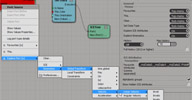
 CM_ICEPortExplorer is a set of customisable context menus to speed up ICE workflow.
It allows quick placement of your favourite ICE attributes onto Set Data or Get Data
ports.
Features include: Favourite ICE attributes - customisable list of your most often used attributes. Browse for any ICE and kinematics attributes available on a port. Can be split into alphabetic groups. Set port data type. Quickly clear the port or set it to »This.« Records a history of the most recently chosen attributes from the context menus. In Softimage 2012 even typed-in attributes can be recorded into the history menu. All menus can be disabled or switched between top level or sub-menus. Auto management of name conversion - choosing »pointvelocity« from the menu on an empty node will automatically resolve to »This.pointvelocity«. If the set data already has a connection or entry in the name field, the menus will try to resolve that as a scene object and display its ICE attributes.
Video here. Testimonials from the mailing list thread:
absolutely must have! downloading... —Fabricio Chamon
Echo previous comments... I'm already hooked on using it, and rapidly put it into my »kit bag« of stuff I take with me everywhere. —Andy Moorer
local backup: CM_ICEPortExplorer-1.03.xsiaddon
Features include: Favourite ICE attributes - customisable list of your most often used attributes. Browse for any ICE and kinematics attributes available on a port. Can be split into alphabetic groups. Set port data type. Quickly clear the port or set it to »This.« Records a history of the most recently chosen attributes from the context menus. In Softimage 2012 even typed-in attributes can be recorded into the history menu. All menus can be disabled or switched between top level or sub-menus. Auto management of name conversion - choosing »pointvelocity« from the menu on an empty node will automatically resolve to »This.pointvelocity«. If the set data already has a connection or entry in the name field, the menus will try to resolve that as a scene object and display its ICE attributes.
Video here. Testimonials from the mailing list thread:
absolutely must have! downloading... —Fabricio Chamon
Echo previous comments... I'm already hooked on using it, and rapidly put it into my »kit bag« of stuff I take with me everywhere. —Andy Moorer
local backup: CM_ICEPortExplorer-1.03.xsiaddon
author site: http://blog.blackredking.org (archive) / download: /?p=224 (archive) / mailing list @google groups
 Drag and Drop for ICE caches osAll ICE workflow
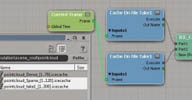
 CM_ICECacheDragDrop is a plugin that adds support for dragging and dropping of ICE
caches into a Softimage scene. Hopefully it removes a little bit of the monotony of
importing ICE cache files back into your scenes. After installing the plugin, you
may simply drag and drop .icecache or .PC2 files or sequences from a Softimage browser
or OS file explorer into a Softimage session. [..]
Visit author download page to continue reading.
Related plugins: ICE Cache Explorer
local backup: CM_ICECacheDragDrop_1.02.xsiaddon
Visit author download page to continue reading.
Related plugins: ICE Cache Explorer
local backup: CM_ICECacheDragDrop_1.02.xsiaddon
Curve U Value to Weightmap osAll ICE curves
Simple compound to setup gradient weightmaps with help of geo-curves.
See this video for usage details.
local backup: Curve U to Weights.xsicompound
See this video for usage details.
local backup: Curve U to Weights.xsicompound
author @ vimeo / download @google docs
Copy Weights and Color from instance to mesh osAll ICE
Version 2.0. Two simple compounds to transfer color and weight data from instanced geometry to
mesh. At this moment compound able to transfer weights from any amount of instanced
geometry to polymesh (generated with help of standard »Create Polygon Meshes
from Instance Shapes« compound). The only thing is very important: the order
of connected instances must be the same as connections in «Create Polygon Meshes
from Instance Shapes«
See this (V1.0) and this video (V2.0) for usage details.
local backup: Copy Weights from Instance.2.0.xsicompound Copy Color from Instance.xsicompound
See this (V1.0) and this video (V2.0) for usage details.
local backup: Copy Weights from Instance.2.0.xsicompound Copy Color from Instance.xsicompound
author @ vimeo / download @google docs
 Glue Mesh To Point Cloud osAll ICE deformer bind
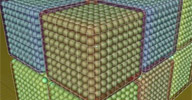
 Compound that binds a mesh to a point cloud, suitable, for example, for jelly-like
deformations. Binds each mesh point to four point cloud points for a reference frame.
Useful in conjunction with Lagoa, but also with other types of point clouds like those
generated by voxelization compounds.
The difference to the built-in advect compounds is that it doesn't emit a point cloud
point at each mesh point and bind it - but looks for closest points in an existing
point cloud and binds to those. See this (V1.0) and this video (V2.0) for usage details.
local backup: GlueToPointCloudLocalCoord.xsicompound
The difference to the built-in advect compounds is that it doesn't emit a point cloud
point at each mesh point and bind it - but looks for closest points in an existing
point cloud and binds to those. See this (V1.0) and this video (V2.0) for usage details.
local backup: GlueToPointCloudLocalCoord.xsicompound
SmartMorph osAll ICE deformer
Short description of how to use the compound: It will shape-deform a mesh based on
the distance of Nulls or Surface to the geometry of the mesh. Connect a Shape, a Group
of Nulls and/or a Polygon mesh, a Curve, a Group of Meshes, Curves or a combination
of both and add a default weightmap to see the influence range. Toggle between Null
or Mesh input with the »Toggle Nulls or Mesh« switch, and adjust the influence
range with the slider and fcurve.
[..] I created this SmartMorph compound based on a tutorial by Paul Smith aka Pooby.
local backup: SmartMorph.xsicompound
[..] I created this SmartMorph compound based on a tutorial by Paul Smith aka Pooby.
local backup: SmartMorph.xsicompound
author link: http://www.toonafish.nl / si-community thread
Islands To Clusters osAll python workflow
Creates a polygon cluster for each separate part (island) of a polygon mesh. To install,
put in a plugins folder. Registers a custom command named »IslandsToClusters«
Related plugins: JP_Separate, DafengIslandSeperation
local backup: IslandsToClusters.zip
Related plugins: JP_Separate, DafengIslandSeperation
local backup: IslandsToClusters.zip
Chain Generator osAll ICE
Instantiates a user-definable chain link object multiple times along the length of
a curve, rotating every other instance by 90 degrees. Includes chain animation controls.
See this video for usage instructions.
local backup: Chain Generator.1.1.xsicompound
local backup: Chain Generator.1.1.xsicompound
author blog: http://a-s-c-e-n-s-i-o-n.blogspot.com / download @vimeo
Kettle Overscan osAll python workflow
Kettle Overscan is a Softimage plugin I wrote aiming to simplify the process of over/underscanning
renders. It applies a property to the camera from which the user can overscan a render
by a given percentage or discrete pixel amount. Bugtested and refined at work, so
it carries the name, but they've graciously allowed me to share it with the community
:]. Usage: Select a camera and use the »Application.kettle_overscan_apply()« command.
The camera must be in use by a pass. Set the base width/height if necessary, and adjust
the overscan value. Hit the »Set Output Res To Passes« button, and you're
done [..]
Follow author link for more information and illustrated instructions.
Related plugins: JJ_CamResize
local backup: kettle_overscan.zip
Follow author link for more information and illustrated instructions.
Related plugins: JJ_CamResize
local backup: kettle_overscan.zip
Origin ICE Deformers osAll ICE deformer compilation
A collection of deformers, in part inspired by other 3D applications, translated into
ICE. Includes: ooSpherify, ooBend (in collaboration with Antton Tapani), ooBulge, ooPreserve, ooShrinkWrap, ooSimpleSmooth, ooWave, ooSwitchAxes
local backup: ooIceDeforms.zip
local backup: ooIceDeforms.zip
author on vimeo
Herbalizer osAll ICE particle
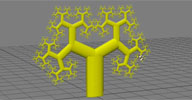 Recursive Tree osAll ICE particle vegetation
 Creates a stylized recursive tree. ICE Conversion of the Processing Recursive Tree example by Daniel Shiffman.
local backup: tree.xsicompound
local backup: tree.xsicompound
 Flipper osAll python
 Duplicates and flip an object at certain intervals. Based on the Autoplanes Transform 3DsMax script. A detailed video preview
local backup: Flipper.xsiaddon
local backup: Flipper.xsiaddon
author site: http://procedural.tumblr.com / download: /downloads/
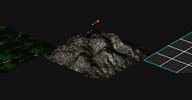 Fractal Landscape osAll topo ICE particle
 A set of compounds that creates a fractal landscape. Example of how to use it you
can watch here. Based on the new PPG Logic feature so SI 2012.5 SAP required
local backup: Fractal_Landscape.rar
local backup: Fractal_Landscape.rar
author site: http://procedural.tumblr.com / download: /downloads/
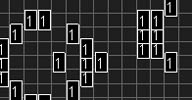 Life osAll python topo ICE particle
 Create an empty point cloud and add »Life« compound to it. You can use
toolbar for interactive adding selected points indexes. »Live« button
has a slowdown value inside that you can change to 0 to see actual speed. SI 2012
required. Have fun!
local backup: Life.xsiaddon
local backup: Life.xsiaddon
author site: http://procedural.tumblr.com / download: /downloads/
Fake SSS color on vertex with ICE osAll ICE
Fakes SSS by distance-to-light color computations. Needs a light connected and the
object's »Vertex Color Display« property in the OpenGL display panel set
to the »color« attribute. See mailing list post here. A video demo is available.
local backup: fake+vertex+SSS.xsicompound
local backup: fake+vertex+SSS.xsicompound
author site: https://sites.google.com/site/tekanoice / download @google groups