Softimage Resources: plugins, scripts, compounds and shaders
All 1119 entries of the Softimage Resources as a simple list, 701–750 on this page. To search and filter by tags, use the interactive Resources page.
Quickly insert and remove ICE pass through nodes osAll ICE workflow
A context menu plugin to quickly add or remove ICE pass through nodes.
Dave Barosin on the Softimage mailing list made the feature suggestion of a cool way
to quickly insert pass through nodes into an ICE graph, just by right-clicking on
a node. I thought I'd have a crack at it myself.
Just right-click on any wire coming out of a port to insert a pass through between that port and any or all connected ports. Or, right-click on a pass through node to remove it and re-establish the original connections.
Video documentation available here Updated to version 1.02 - improved port traversal. Updated to version 1.03 - works with Softimage 2011 and earlier
 Related plugins: ICE Workflow utilities, Navigate ICE Tree (with Hotkeys), Copying ICE nodes with
input connections
Related plugins: ICE Workflow utilities, Navigate ICE Tree (with Hotkeys), Copying ICE nodes with
input connections
local backup: CM_ICEPortPassthrough-1.03.xsiaddon
Just right-click on any wire coming out of a port to insert a pass through between that port and any or all connected ports. Or, right-click on a pass through node to remove it and re-establish the original connections.
Video documentation available here Updated to version 1.02 - improved port traversal. Updated to version 1.03 - works with Softimage 2011 and earlier
Related plugins: ICE Workflow utilities, Navigate ICE Tree (with Hotkeys), Copying ICE nodes with
input connections
local backup: CM_ICEPortPassthrough-1.03.xsiaddon
ICE Workflow utilities osAll ICE workflow
context menus for common ice workflow tasks, such as getting/setting data and data
type initialization.
Video documentation available here
Usage: right click any set data input port > get this data or: right click any get data node > set this data or: right click any node > get reference data (get data stored at all reference inputs) or: right click any set data input port > Init as... > [choose datatype from submenu]
Note from user face from the si-community thread: To get this plugin running on 2013, open the addon with a texteditor and change all descriptions like this. From: description="C:UsersFabricioAutodeskSoftimage_2012AddonsICE_WorkflowUtils etview_ICE_WorkflowUtils.txt" To: description="netview_ICE_WorkflowUtils.txt"
Related plugins: Quickly insert and remove ICE pass through nodes, Navigate ICE Tree (with Hotkeys),
Copying ICE nodes with input connections
local backup: ICE_WorkflowUtils.xsiaddon
Video documentation available here
Usage: right click any set data input port > get this data or: right click any get data node > set this data or: right click any node > get reference data (get data stored at all reference inputs) or: right click any set data input port > Init as... > [choose datatype from submenu]
Note from user face from the si-community thread: To get this plugin running on 2013, open the addon with a texteditor and change all descriptions like this. From: description="C:UsersFabricioAutodeskSoftimage_2012AddonsICE_WorkflowUtils etview_ICE_WorkflowUtils.txt" To: description="netview_ICE_WorkflowUtils.txt"
Related plugins: Quickly insert and remove ICE pass through nodes, Navigate ICE Tree (with Hotkeys),
Copying ICE nodes with input connections
local backup: ICE_WorkflowUtils.xsiaddon
Navigate ICE Tree (with Hotkeys) osAll ICE python workflow
Here's a plugin with two commands to navigate in and out of compounds in an ICE Tree
view. This is an alternative to using the tiny buttons in the ICE Tree view, which
you can assign a keyboard shortcut or something. Not sure if anyone's come up with
something similar before, but since in a fast search i found nothing, here you go.
Related plugins: Quickly insert and remove ICE pass through nodes, Copying ICE nodes with input connections,
ICE Workflow utilities
local backup: cNavigateIceTree.rar
Related plugins: Quickly insert and remove ICE pass through nodes, Copying ICE nodes with input connections,
ICE Workflow utilities
local backup: cNavigateIceTree.rar
ICE catmull clark subdivision osAll ICE topo
This compound increases mesh subdivision by one step by using the Catmull-Clark subdivision scheme. Can be applied several times in an ICE tree - but not from a repeat node.
local backup: CatmullClark_Subd.xsicompound
local backup: CatmullClark_Subd.xsicompound
author on vimeo / source: mailing list @google groups
 Final Gathering (fgmap) ice cache exporter osAll ICE
 From the addon's vimeo page:
Create ice particles, slap on a normal vector and color, export them as fgmap files final gathering can use. For science.
They need to be added to the attribute list in the order position, normal vector, color. Also, you can fiddle with the number of rays parameter under final gathering to force it to reload the current map file, otherwise it won't grab the exported one for the current frame.
It probably won't crash. Probably. Might have to lower the output chunk size if it does, but it should be fine. let me know. 32bit build untested. fgmap files have a few other weird options to mess with the color on one side of the point and ... like... rotate the outer part of it around somehow ... Those are just zeroed out.
local backup: fgmap_exp.zip
Create ice particles, slap on a normal vector and color, export them as fgmap files final gathering can use. For science.
They need to be added to the attribute list in the order position, normal vector, color. Also, you can fiddle with the number of rays parameter under final gathering to force it to reload the current map file, otherwise it won't grab the exported one for the current frame.
It probably won't crash. Probably. Might have to lower the output chunk size if it does, but it should be fine. let me know. 32bit build untested. fgmap files have a few other weird options to mess with the color on one side of the point and ... like... rotate the outer part of it around somehow ... Those are just zeroed out.
local backup: fgmap_exp.zip
author site: http://www.mayulive.com / download: http://www.mayulive.com/fgmap_exp/
Create Polymesh from Instance Shapes osAll ICE topo scene
This ICE modeling compound merges all of a pointcloud's instances into a single polygon
mesh, which may be frozen afterwards. UVs and Materials are preserved during the operation.
For a video SWF and some more information on the compound see the si-community thread.
Note that this addon is included in Guillaume's »ICE modeling tools«
collection.
local backup: CreatePolyMeshFromInstanceShape.zip
Note that this addon is included in Guillaume's »ICE modeling tools«
collection.
local backup: CreatePolyMeshFromInstanceShape.zip
author site: http://frenchdog.wordpress.com / si-community thread
ICE modeling tools compilation shadingworkflow osAll ICE strands topo
(V0.3.1) This compilation combines Guillaume's ICE modeling related tools, and provides
a UI integration for some of the tools.
Current highlights include the »Set Swimming Texture Projection« compound which allows UV swimming even with frozen UVs (some restrictions apply of course), and the already listed »Create Copies from Polygon Mesh« (2.0) and »Create Polymesh from Instance Shapes« (2.0) compounds.
The other compounds included are: Set Static UV State, Apply Slice Between Two Vertices, Apply Thickness, Cap Borders, Create Bullet Shattered Primitive, Create Extrusion Along Strands.2.0, Deform Strand Extrusion
Most parts of this toolset are now integrated in Softimage 2012.SAP
local backup: ICEModelingTools.0.3.1.xsiaddon
Current highlights include the »Set Swimming Texture Projection« compound which allows UV swimming even with frozen UVs (some restrictions apply of course), and the already listed »Create Copies from Polygon Mesh« (2.0) and »Create Polymesh from Instance Shapes« (2.0) compounds.
The other compounds included are: Set Static UV State, Apply Slice Between Two Vertices, Apply Thickness, Cap Borders, Create Bullet Shattered Primitive, Create Extrusion Along Strands.2.0, Deform Strand Extrusion
Most parts of this toolset are now integrated in Softimage 2012.SAP
local backup: ICEModelingTools.0.3.1.xsiaddon
author site: http://frenchdog.wordpress.com / si-community thread
Point CAM Constraint workflow osAll vbs
This »blast from the past« (2006) is an operator that constrains the points
of a polygon mesh to move only along the line-of-sight of a camera. This has the effect
of the points not moving inside the view of that camera, making it a good helper for
image based modeling - especially when having two cameras that are precisely matched
to their rotoscope images.
local backup: Point_CAM_CNS.xsiaddon
local backup: Point_CAM_CNS.xsiaddon
author site (down atm): http://www.gianfrancosgura.tv (archive)
SA Mesh Voxelizer osAll ICE voxelize
This addon lets you voxelize a mesh (create particles on a regular 3D grid).
Sajjad's instructions from his mailing list post are: 1. Make polymesh primitive (cone etc.) — 2. Make empty pointcloud — 3. Make ice tree on point cloud (modelling stack) — 4. Drag in compound and connect relevant bits.
local backup: SA_Mesh_Voxelizer.xsicompound
Sajjad's instructions from his mailing list post are: 1. Make polymesh primitive (cone etc.) — 2. Make empty pointcloud — 3. Make ice tree on point cloud (modelling stack) — 4. Drag in compound and connect relevant bits.
local backup: SA_Mesh_Voxelizer.xsicompound
author site: http://www.sajjadamjad.com
 Constraint along Strand osAll ICE strands
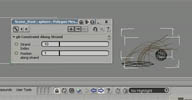
 In the middle of production I was faced with something I had not done yet. We had
to constraint a bunch of strands to the tip of another strand. As in the time we did
not have Syflex for ICE we decided to use ICE's own strand framework. Good for us
it was not hard arranging a bunch of nodes in order to get this constraint going.
All I had to do to share it online was to make it a little more flexible and scale
friendly. Here it is hope you like it.
A video introduction from the author is available here. Also he has a render tree video training unit available here for purchase from cmiVfx.
local backup: gb Constraint Along Strand.xsicompound
A video introduction from the author is available here. Also he has a render tree video training unit available here for purchase from cmiVfx.
local backup: gb Constraint Along Strand.xsicompound
 Sanity Check osAll python shadingworkflow workflow
 For those of you working with large scenes, or doing your best to squeeze every last
cycle out of your CPU performance, I present the following tool set to aid you in
your efforts: Sanity Check Self Installing Plugin Sanity Check Documentation
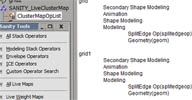
The basic idea behind these tools is they hunt down nodes in your scene that have live operators and place the found nodes into a Group. The Group also gets a Text property that lists all the nodes, their operators, and where they sit in the Construction History [..]
This is useful for a number of things. For one, you can quickly list weight maps, shapes, envelopes, UV maps, etc., that were edited but never frozen, and thus improve scene performance. You can check all the Modeling Stacks on your scene nodes prior to running the Freeze M operation, to make sure there weren't specific operators you needed to stay live.
The Custom Operator Search function allows you to hunt down and filter operators by Name, Type, and location in the Construction History. For example, you could find all scene nodes with ICE operators assigned to Secondary Shape Animation [..] contd. on the Mailing List link below
local backup: BG_SanityCheck.zip
The basic idea behind these tools is they hunt down nodes in your scene that have live operators and place the found nodes into a Group. The Group also gets a Text property that lists all the nodes, their operators, and where they sit in the Construction History [..]
This is useful for a number of things. For one, you can quickly list weight maps, shapes, envelopes, UV maps, etc., that were edited but never frozen, and thus improve scene performance. You can check all the Modeling Stacks on your scene nodes prior to running the Freeze M operation, to make sure there weren't specific operators you needed to stay live.
The Custom Operator Search function allows you to hunt down and filter operators by Name, Type, and location in the Construction History. For example, you could find all scene nodes with ICE operators assigned to Secondary Shape Animation [..] contd. on the Mailing List link below
local backup: BG_SanityCheck.zip
Create Copies from Polygon Mesh osAll ICE topo
From the creator of ICE modeling, this is a more efficient version of the Create Copies
from Polygon Mesh compound, accompanied by an interesting behind-the-scenes look at
its development. Going through this should be a good introduction to ICE modeling.
Quoting SI Head of Support Stephen Blair from his blog:
Basically, if you want to lots of duplicates, then you'll find Create Copies from Polygon Mesh to be a bit slow. That's because it uses Merge Topo Array, which is designed to handle the merging of meshes with different topologies. To duplicate an object, it's better to use Create Topo. To use Create Topo, you need two arrays: An array of vertex positions. An array of polygon descriptions. Guillaume goes through all this in his post, but here's my take, starting with the vertex position array.
[..] contd. on the xsisupport link below
Note that this addon is included in Guillaume's »ICE modeling tools«
collection.
local backup: Create Copies from Polygon Mesh.2.0.xsicompound
Basically, if you want to lots of duplicates, then you'll find Create Copies from Polygon Mesh to be a bit slow. That's because it uses Merge Topo Array, which is designed to handle the merging of meshes with different topologies. To duplicate an object, it's better to use Create Topo. To use Create Topo, you need two arrays: An array of vertex positions. An array of polygon descriptions. Guillaume goes through all this in his post, but here's my take, starting with the vertex position array.
[..] contd. on the xsisupport link below
Note that this addon is included in Guillaume's »ICE modeling tools«
collection.
local backup: Create Copies from Polygon Mesh.2.0.xsicompound
author site: http://frenchdog.wordpress.com / xsisupport link
 myRig osAll rigging
 myRig is a rig generating plugin. Have a look at the introduction video (part 1, part 2).
local backup: si_myRig_plugin.zip
local backup: si_myRig_plugin.zip
author blog: http://refnote.wordpress.com / download: /2011/05/17/myrig-auto... / si-community thread
 NanoMan Rig osAll rigging scene
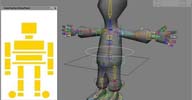
 Little-Man Rig with Synoptic and Heads-up display, Character Keyset + fullbody IK
Controllers.
local backup: Adib.rar (zipped project)
local backup: Adib.rar (zipped project)
author site: http://adib3d.com / download: http://www.creativecrash...c/nanoman-rig (archive) / si-community thread
 Mini Rig osAll rigging scene
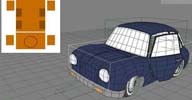
 Mini car rigged with synoptic view and heads-up display controllers.
Mini Rig and NanoMan Rig are plugins from 2007 that were recently spotted on CreativeCrash by HiraziBlue.
local backup: Adib_Car.rar (zipped project)
Mini Rig and NanoMan Rig are plugins from 2007 that were recently spotted on CreativeCrash by HiraziBlue.
local backup: Adib_Car.rar (zipped project)
author site: http://adib3d.com / download: http://www.creativecrash.../c/minirig (archive) / si-community thread
 Fractal in softimage ICE osAll ICE private scene
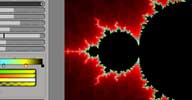
 Experiment with Mandelbrot/Julia and Mandelbar fractals inside Softimage ICE.
See Julien's blog and this and this video.
local backup: Fractal_Generator_PointCloud_JulienSilvestre.rar (zipped project and compounds)
See Julien's blog and this and this video.
local backup: Fractal_Generator_PointCloud_JulienSilvestre.rar (zipped project and compounds)
author site: http://silvestrejulien.blogspot.com
 ExtraLight osAll shader mentalray shadercompound
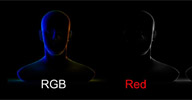
 (Formerly known as RimLight) Here is my experiment shader on how to create a rim light without using lights as
a way to optimize the render and the process for the compositing step. It can be very
useful to create a rimlight pass. You can create different rim lights: left, right,
top, bottom, back, front and you can set different options like rotation, spread,
smooth, fg contribution ... The shader works with the vector of the mesh and follows
the camera movement.
local backup: ExtraLight_JulienS.xsirtcompound RimLight_JulienS.xsirtcompound (old version)
local backup: ExtraLight_JulienS.xsirtcompound RimLight_JulienS.xsirtcompound (old version)
author site: http://silvestrejulien.blogspot.com
 Mia Expression Manager osAll js workflow
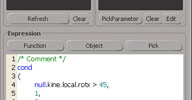
 Mia Expression Manager provides a number of features that allow batch-assisted application
of expressions to multiple objects/parameters.
Requires the XPOP plugin
Features: Apply, Remove expression batch, on parameter(s)'s object(s) Validate current expression with Validate button and before apply expression Auto-Complete and Keyword Highlighting Multi line & Tab Comments » /* -- */ « Search & Replace in Current Expression Registration of the layout and comment in the Expression commentary Menu Function with evolutive User category (store user expression in a .txt) Custom Plugin Activity Log zone Right click menu in explorer and Object parameter
Related plugins: Expression Manager, Edit multiple parameters
local backup: Mia_ExpressionManager.zip
Requires the XPOP pluginFeatures: Apply, Remove expression batch, on parameter(s)'s object(s) Validate current expression with Validate button and before apply expression Auto-Complete and Keyword Highlighting Multi line & Tab Comments » /* -- */ « Search & Replace in Current Expression Registration of the layout and comment in the Expression commentary Menu Function with evolutive User category (store user expression in a .txt) Custom Plugin Activity Log zone Right click menu in explorer and Object parameter
Related plugins: Expression Manager, Edit multiple parameters
local backup: Mia_ExpressionManager.zip
author site: http://www.felixlecha.com / download: /blog/index.php?id=6
 Binary Alchemy Fluid Alpha 0.03 osAll shader mentalray fluids
 This very fast fluid/cloud rendering shader can read directly from EMfluid volume
grids, Maya and Blender Cache files.
Here's a video created by Oliver Weingarten using this shader.
local backup: baVolume_v4alpha_0.03.zip
Here's a video created by Oliver Weingarten using this shader.
local backup: baVolume_v4alpha_0.03.zip
author link: http://www.binaryalchemy.de / si-community thread
Binary Alchemy Shader Collection 3.7 - Volumes osAll shader mentalray commercial fluids 'Shader Collection - Volumes' is a collection of 18 Mental Ray Shaders for different
kinds of volumetric renderings. Create volumes like Clouds, Dust, Smoke, Explosions,
Fire, Water, Nebulae... The main shader is the »Volume Cloud« Shader,
a highly speed-optimized volumetric raymarcher.
It is the fastest volume shader you can get for Mental Ray. Production-proven in many commercials, feature films (Alien Versus Predator 2, Poseidon, The Mist), game cinematics (Prince of Persia 3)...
The »Volume Cloud« shader is included as the default particle shader
in all Softimage versions that have ICE. Nevertheless this is a very mature package
and remains very interesting for all the other shaders it contains (For example Geometry_Mesh,
an adaptive solid volume shader, the mesh_distance shader, Maya versions of the shaders
etc...)
Price Tag is EUR 125 for 1 seat/Softimage, EUR 375 for 1 seat/Softimage+Maya, or EUR 250 upgrade to the newest SI+Maya Package.
It is the fastest volume shader you can get for Mental Ray. Production-proven in many commercials, feature films (Alien Versus Predator 2, Poseidon, The Mist), game cinematics (Prince of Persia 3)...
The »Volume Cloud« shader is included as the default particle shader
in all Softimage versions that have ICE. Nevertheless this is a very mature package
and remains very interesting for all the other shaders it contains (For example Geometry_Mesh,
an adaptive solid volume shader, the mesh_distance shader, Maya versions of the shaders
etc...)
Price Tag is EUR 125 for 1 seat/Softimage, EUR 375 for 1 seat/Softimage+Maya, or EUR 250 upgrade to the newest SI+Maya Package.
author link: http://www.binaryalchemy.de
Light Dome osAll workflow LightDome is a standalone application that reads HDRI light probe images and creates
a light rig from that image. The idea behind A_LightDome is to analyse the picture
and create only lights if it is necessary. It starts with about 650 light points on
the image and reduces them to less than 75. Then it exports all lights in a script
file. You have to load and execute that script file into your 3D Application (At the
moment only XSI is supported, but if anyone would like to write a simple script example
of his preferred 3d software, I could implement this script language). It creates
area lights with shadow and the bright lights with specularity enabled. After you
have loaded it into your 3D application you can fine-tune the intensity, saturation,
distance to origin...
Related plugins: Banty's Lightrig Import, Ambient Light Rig
local backup: BA_LightDome_1.3.05.zip
Related plugins: Banty's Lightrig Import, Ambient Light Rig
local backup: BA_LightDome_1.3.05.zip
author site: http://www.binaryalchemy.de/
 Royal Render osAll workflow shadingworkflow renderer commercial
 Royal Render is the powerful application to organize your render jobs for your render
farm. It's more than a tool to start frames on your farm, it's an advanced application
to manage, control and check your renders.
Royal Render has been shaped by the harsh realities of projects small and large. We constantly pursue improved workflow, meaningful features and better performance. We put ease of use up front, keeping innovative algorithms and complex architecture under the hood.
Price is EUR 295 for a 4-client package, EUR 1250 for a 12-client package, other
pricing options available (1 client includes all cores/CPUs of the workstation)
Royal Render has been shaped by the harsh realities of projects small and large. We constantly pursue improved workflow, meaningful features and better performance. We put ease of use up front, keeping innovative algorithms and complex architecture under the hood.
Price is EUR 295 for a 4-client package, EUR 1250 for a 12-client package, other
pricing options available (1 client includes all cores/CPUs of the workstation)
author site: http://www.royalrender.de
Xoliul Shader winAll shader mentalray
Feature-rich DX viewport shader, for XSI 7.5 only. New Version (GDT realtime shader)
available now. Developed by Laurens Corijn, converted to Softimage by Manticor. See
the author site for feature details.
local backup: Xoliul_shader_XSI.rar
local backup: Xoliul_shader_XSI.rar
author site: http://www.laurenscorijn.com / maya-max-version of the shader: /viewportshader
 KineMocap osAll workflow commercial
 Dominici Marco's Motion Capture plugin for Softimage based on the Microsoft Kinect
technology.
Price is €99 for a standalone license. Kinect device required, but no XBox 360 required.
Price is €99 for a standalone license. Kinect device required, but no XBox 360 required.
author site: http://www.kinemocap.com (archive)
Measure Tools osAll python curves workflow align measure
Rémy Alexandrian's set of python measuring tools. Measures angle, area, boundary
length, curve length, distance, summed distance.
local backup: RA_MeasureTools.zip
local backup: RA_MeasureTools.zip
author site: n/a
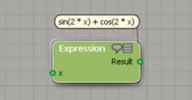 agMathParser osAll python ICE workflow math
 Converts a math expression/formula entered as text to a compounded ICE tree. Formula
gets inserted as a comment to the compound.
Supported functions: +, -, *, /, ^, %, sin, cos, tan, asin, acos, atan, sqrt, abs, min, max, floor, log, ln, PI, E
Gets installed into the ICE Tree->User Tools menu.
local backup: agMathParser1.1.xsiaddon
Supported functions: +, -, *, /, ^, %, sin, cos, tan, asin, acos, atan, sqrt, abs, min, max, floor, log, ln, PI, E
Gets installed into the ICE Tree->User Tools menu.
local backup: agMathParser1.1.xsiaddon
author site: El blog de Agedito / download: /blog/?p=134
Cartesian to / from polar coordinates osAll ICE
Two compounds that convert 2 scalars to 2 scalars (x, y to radius, angle) and vice-versa.
local backup: CartesianToPolar.xsicompound PolarToCartesian.xsicompound
local backup: CartesianToPolar.xsicompound PolarToCartesian.xsicompound
author site: El blog de Agedito / download: /blog/?p=97
Ext sin / cos osAll ICE
Two compounds that work like the built-in sin and cos nodes, but let the user choose
between radians / degree input format.
local backup: ext_cos.xsicompound ext_sin.xsicompound
local backup: ext_cos.xsicompound ext_sin.xsicompound
author site: El blog de Agedito / download: /blog/?p=97
Get / Set Coordinates osAll ICE
Two compounds: #1 gets a selected 3D vector component, #2 allows setting the selected
coordinate to a 3D vector using the modes: set, add, subtract, multiply, divide, zero,
none, abs and random.
local backup: Get coordinate.xsicompound Set coordinate.xsicompound
local backup: Get coordinate.xsicompound Set coordinate.xsicompound
author site: El blog de Agedito / download: /blog/?p=97
 MX Roundish winAll modeling
 Circularize a selection of polygons or edges using a variety of methods, including
a stick to surface option. Workflow video on youtube. Further usage instructions on author's page.
Related plugins: Circularize
local backup: mx_roundish_v10.xsiaddon
Related plugins: Circularize
local backup: mx_roundish_v10.xsiaddon
Custom Loft winAll curves modeling extrusion
Custom Loft is a simplified version of MX_Loft that uses a circle for the profile.
An added feature is that it can be used with multiple subcurves instead of a single
curve.
For the auto UV generation feature to work, the MX_UVW_node (archive) plugin must be installed (Download from the author site, or from the local backup
if down).
Related plugins: Power Extrude, TinyCurveExtrude, MX Loft, KP CurveTools, keyvis Curve Tools, ICE
Rope Rig
local backup: customloft1_v15_xsi75.xsiaddon mx_uvw_node_v05.xsiaddon
For the auto UV generation feature to work, the MX_UVW_node (archive) plugin must be installed (Download from the author site, or from the local backup
if down).
Related plugins: Power Extrude, TinyCurveExtrude, MX Loft, KP CurveTools, keyvis Curve Tools, ICE
Rope Rig
local backup: customloft1_v15_xsi75.xsiaddon mx_uvw_node_v05.xsiaddon
MX 4Sided winAll curves modeling
In Softimage XSI there is the integrated procedural mesh-object: Four-Sided. The four
closed-splines constructed polygonal object, dependent on these curves. I create an
object similar to, but has a different algorithm for creating the grid. The result
is a more uniform grid.
Have a look at an introductory video on youtube. For the auto UV generation feature to work, the MX_UVW_node (archive) plugin must be installed (Download from the author site, or from local backup if
down).
local backup: mx_4sided_v10.xsiaddon mx_uvw_node_v05.xsiaddon
Have a look at an introductory video on youtube.
For the auto UV generation feature to work, the MX_UVW_node (archive) plugin must be installed (Download from the author site, or from local backup if
down).
local backup: mx_4sided_v10.xsiaddon mx_uvw_node_v05.xsiaddon
MX FG_Shooter osAll workflow render
It is a tool for working with Final Gathering, when rendering with MentalRay. It allows
you to remove or minimize the noise in the image for animation.
(Flicker-free). The work tool is based on the shader mip_fgshooter. The tool allows
you to create a system of cameras that are used to calculate ray Final Gathering for
rendering. The link between cameras and shading by using ICE. [..] contd. on the author's site
Have a look at a quick start video on youtube. (Tool is in development)
local backup: mx_fgshooter_system_v0_7_beta.xsiaddon
Have a look at a quick start video on youtube. (Tool is in development)
local backup: mx_fgshooter_system_v0_7_beta.xsiaddon
MX Spot osAll js workflow render
This is a simple utility that allows you to accelerate work with Spot - standard light
source in XSI. The basic principle of operation - is the creation of the light source,
oriented along the normal to the previously created the polygon, and enabled Area
Light.
The size of the plane of the Area Light is created equal to the polygon on which to
create sources of light. [..] contd. on the author's site
Have a look at a quick start video on youtube.
local backup: get_mx_spot_v1_3.xsiaddon
Have a look at a quick start video on youtube.
local backup: get_mx_spot_v1_3.xsiaddon
MX Curve Tools osAll js curves workflow
This is a very small addon. It adds a toolbar with two commands. The first command
enables you to connect the splines on the object level, allowing you to create a spline
consisting of several subsplines — The second command performs the opposite
operation. It removes the selected subSpline of a set of splines in the object.
Have a look at an introductory video on youtube.
local backup: mx_curvetools_10_xsi75.xsiaddon
Have a look at an introductory video on youtube.
local backup: mx_curvetools_10_xsi75.xsiaddon
Ivo Tree osAll modeling js vegetation
Ivo Tree is a software package designed to create trees and other similar vegetation,
and their use in Softimage XSI. Ivo Tree consists of a program generator: Ivo Tree
Builder, and a connector for XSI, the Ivo Tree Addon. See the author's site for more
details.
Related plugins: StrandTree
local backup: ivotree.zip
Related plugins: StrandTree
local backup: ivotree.zip
author site: http://maxfoxlab.com (archive)
JP Separate osAll js modeling shatter workflow
JP_Separate provides XSI the same functionality as the Maya Separate command. It will
break a mesh with multiple disconnected mesh islands in the same mesh. The result
will generate separate meshes for each island in the original mesh.
Related plugins: DafengIslandSeperation, Islands To Clusters
local backup: JP_Separate.zip
Related plugins: DafengIslandSeperation, Islands To Clusters
local backup: JP_Separate.zip
source: The Area / author site: n/a
 Smart deformations osAll ICE deformer rigging workflow surface property secondary motion
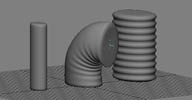
 Picks up deformations from either a »stretch« or a »squash«
version of a mesh, depending on local surface tension/compression. Can be used for
automatic wrinkle deforms or similar effects - works a lot like Maya's fstretch (See
this video).
Requires the Tension compound to be installed.
local backup: Smart_Deformations.xsicompound
Requires the Tension compound to be installed.
local backup: Smart_Deformations.xsicompound
author site: http://www.magmastream.de (archive)
Multi Set Color Compound osAll ICE shadingworkflow workflow
It's used to derive color, based on all sort of attributes from and to point clouds,
strands or geometry (CAV).
Currently it supports color from the following attributes: Motion, Depth, Density, Kinetic Energy, Acceleration, ID, Time, Age/AgePercentage, Height, Particle Size/ Strand Size, Mass, Orientation, State ID, Strandlength, Strandcount, Random (Random/Turbulence/Fractal/TC Graphs), Distance to Center of Pointcloud, Distance to Center of Mass, Distance to Center of Close Object, Distance to Volume of Close Object, Distance to Position, Distance to Strandcenter, Distance to UV (connect manually), Distance to Weightmap (Local/Close), Distance to Cluster (Local/Close) [not working on strands atm], Distance to Neighbors, Texture Map (Local/Close), Normal Map and Ambient Occlusion (Geometry only).
local backup: ColorInfoSwitch.zip
Currently it supports color from the following attributes: Motion, Depth, Density, Kinetic Energy, Acceleration, ID, Time, Age/AgePercentage, Height, Particle Size/ Strand Size, Mass, Orientation, State ID, Strandlength, Strandcount, Random (Random/Turbulence/Fractal/TC Graphs), Distance to Center of Pointcloud, Distance to Center of Mass, Distance to Center of Close Object, Distance to Volume of Close Object, Distance to Position, Distance to Strandcenter, Distance to UV (connect manually), Distance to Weightmap (Local/Close), Distance to Cluster (Local/Close) [not working on strands atm], Distance to Neighbors, Texture Map (Local/Close), Normal Map and Ambient Occlusion (Geometry only).
local backup: ColorInfoSwitch.zip
author site: n/a
 es_ToolpackS winAll rigging compilation
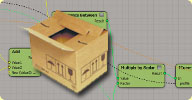
 A collection of compiled custom commands and operators, mostly for rigging. Comes
with 4 demo sample scenes. Introductory video.
es_CreateOrderedMesh - Create an ordered polygon mesh from the selected geometry points. Only works for clean quad topology, means no tris, star, pole, etc.
es_SkinOp - Applies tension based deformations on a polygon mesh object. Includes init command
es_ConnectSubD - Drive subdivided mesh with lower resolution mesh. The driven hi res mesh is the Catmull-Clark subdivision version of the driving mesh
es_CreateEye - Create an Eyeball geometry with es_EyeballOp assigned. Also create a Custom property for easier control.
es_LinkThigh - Link and setup provided leg elements. Apply the es_ThighOp and adjust the operator parameters value — See es_Create3BLeg script for more ideas about how to use this command.
es_Create3BLeg - A demonstration script about how to create a simple 3B leg setup from guide and call es_LinkThigh Command.
es_RelativePose - Constraint object transform locally by reading the driving object transform relative to a reference root object. The reference root object doesn't have to be the direct parent of the driving object.
es_SubdivideOp - Bulge and smooth geometry based on geometry tension.
local backup: es_ToolPackS.zip
es_CreateOrderedMesh - Create an ordered polygon mesh from the selected geometry points. Only works for clean quad topology, means no tris, star, pole, etc.
es_SkinOp - Applies tension based deformations on a polygon mesh object. Includes init command
es_ConnectSubD - Drive subdivided mesh with lower resolution mesh. The driven hi res mesh is the Catmull-Clark subdivision version of the driving mesh
es_CreateEye - Create an Eyeball geometry with es_EyeballOp assigned. Also create a Custom property for easier control.
es_LinkThigh - Link and setup provided leg elements. Apply the es_ThighOp and adjust the operator parameters value — See es_Create3BLeg script for more ideas about how to use this command.
es_Create3BLeg - A demonstration script about how to create a simple 3B leg setup from guide and call es_LinkThigh Command.
es_RelativePose - Constraint object transform locally by reading the driving object transform relative to a reference root object. The reference root object doesn't have to be the direct parent of the driving object.
es_SubdivideOp - Bulge and smooth geometry based on geometry tension.
local backup: es_ToolPackS.zip
 Blob Strokes osAll ICE modeling curves scatter
 Here's a small ICE compound used to generate these 'blob-strokes'. I had something
like this before, but I really wasn't so excited by the speed of generation. Now with
3delight, it's definitely feasible, updates are performed immediately. The compound
creates particles on curve list, evenly distributed, count is relative to particular
sub-curve length (still, you'll need to take care of curve re-parametrization). It's
also able to perform 'write on' on one-after-another subcurve (by sub-curve, or normalized
by sub-curve length). In short, you can 'draw' 3d strokes with it, by animating the
slider value. There are a few additional parameters. [..] contd. under si-community link
local backup: Emit Blobs From CurveList.xsicompound
local backup: Emit Blobs From CurveList.xsicompound
author site: http://www.matkovic.com / si-community thread
Arrow Null to vector osAll ICE workflow
Here's a very simple ICE compound that transforms a null object (best if set to display
as an arrow) into a vector for use in an ICE computations. This is great for controlling
particle emission or setting the orientation of a particle, with nice visual feedback.
local backup: Arrow Null to Vector.1.4.xsicompound
local backup: Arrow Null to Vector.1.4.xsicompound
Ctrl_Ghost_Settings winAll workflow shader mentalray
A mental ray geometry shader that lets you set options like IBL (Image Based Lighting)
and progressive rendering which are currently unsupported by the Softimage UI.
Related plugins: mr 3.8 Options Geoshader
local backup: ctrlGhostSettings.xsiaddon
Related plugins: mr 3.8 Options Geoshader
local backup: ctrlGhostSettings.xsiaddon
author link: n/a
Per Point to Array winAll ICE cppsrc
A compiled C++ node which concatenates (merges) per-point attributes (even arrays)
into per-object arrays. Just drop the *.dll files into your »c:users<Name>AutodeskSoftimage_XXXXApplicationPlugins«
folder and restart XSI.
local backup: PerPointToArray.rar
local backup: PerPointToArray.rar
author site: n/a / si-community thread
 Gear 1.1.0 osAll workflow python rigging rigtoolset
 GEAR is an open source project to provide a complete and production quality toolset
for rigging and animation inside Autodesk® Softimage®. It includes a lot of tools
to ease the rigging and animation process. The main focus of version 1.1 is the rigging
part. We wanted to be able to create and maintain production quality rigs easily.
A couple of tools also been created to ease the rigging process, helping the manipulation
of envelopes, shapes, weightmaps.
Anyone should be able to build custom rigs using GEAR. It has been designed to be
flexible and easy to use. Even non-riggers can create advanced rigging and animate
them easily. But the system is also open to further development so TDs can create
their own components and use them inside of the GEAR Rigging System. Also everything
is accessible through scripting with a complete API to automate as much as possible.
Please visit the author's page. Note that Jeremie has created three comprehensive video tutorial/feature showcases that are available here (archive) on his GEARS videos page.
local backup: gear_1.1.0.zip
Please visit the author's page. Note that Jeremie has created three comprehensive video tutorial/feature showcases that are available here (archive) on his GEARS videos page.
local backup: gear_1.1.0.zip
author site: http://www.jeremiepasserin.com (archive) / download: http://gear.jeremiepasserin.com (archive) / repository @github
ICE String to Particles osAll ICE scene text
Here's a fun trick for parsing an ICE string attribute, identifying the letters and
typing out the text with particles. Download the sample scene and [..] read more on the author's download page.
local backup: ICE_string_to_particles.zip
local backup: ICE_string_to_particles.zip
author link: http://darkvertex.com / download: /wp/2010...to-particles
XSIGradient winAll workflow
This allows the user to set a gradient background within the Softimage Viewport. Through
the Preferences the gradient colours can be altered and the effect can be enabled
and disabled.
Most of Mike's tools require the VC++ 2010 runtime libraries installed, which are available here (archive).
local backup: xsigradient.zip
Most of Mike's tools require the VC++ 2010 runtime libraries installed, which are available here (archive).
local backup: xsigradient.zip
author link: http://www.softmonkey.org
XSIRuleOfThirds winAll
This plug-in allows the user to see a 'tic-tac-toe' grid over their camera. By default
the lines are drawn evenly but this is user controllable. It also gives the ability
to block out any of the grid squares to help the user focus on a particular area of
the render/shot.
Most of Mike's tools require the VC++ 2010 runtime libraries installed, which are available here (archive).
local backup: xsiruleofthirds.zip
Most of Mike's tools require the VC++ 2010 runtime libraries installed, which are available here (archive).
local backup: xsiruleofthirds.zip
author link: http://www.softmonkey.org
XSIEnvelope winAll workflow
This is a suite of tools aimed at making the enveloping process a bit easier. This
allows the user to easily copy/paste point weights, cull affected points by distance
as various other options outlined in more detail in the info pdf.
Most of Mike's tools require the VC++ 2010 runtime libraries installed, which are available here (archive).
local backup: xsienvelope.zip
Most of Mike's tools require the VC++ 2010 runtime libraries installed, which are available here (archive).
local backup: xsienvelope.zip
author link: http://www.softmonkey.org
XSISelectionSets winAll workflow
A quick and convenient way to store and access selections. This also handles objects
within Model space as well as having a 'Mirror Selection' option.
Most of Mike's tools require the VC++ 2010 runtime libraries installed, which are available here (archive).
local backup: xsiselectionsets.zip
Most of Mike's tools require the VC++ 2010 runtime libraries installed, which are available here (archive).
local backup: xsiselectionsets.zip
author link: http://www.softmonkey.org