Softimage Resources: plugins, scripts, compounds and shaders
All 1119 entries of the Softimage Resources as a simple list, 451–500 on this page. To search and filter by tags, use the interactive Resources page.
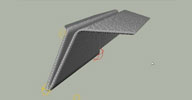 stBend_Paper osAll ICE deformer rigging
 ICE compound for bending paper effect. Inspired by Curriculum Vitae commercial. I was impressed by this video and thought of how could this compound
work.. and, I think, I got the idea. It's quite simple - guess, they used more complex
one in a real production - cause I didn't need any more from it, just checked the
idea.
Workflow video by the author is available.
local backup: stBend_Paper.xsicompound
Workflow video by the author is available.
local backup: stBend_Paper.xsicompound
author site: http://staplex.ru / download: /?p=383
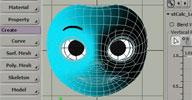 stLeft_Right_Weightmap osAll ICE workflow
 This compound calculates left and right-side weightmaps. One of the most-used compounds
— I always use it in a face rigging.
Workflow video by the author is available. Related: Tips & Tricks - ICE Gradient Weightmap Control by TD Survival.
local backup: stCalc_LeftRite_WM.xsicompound
Workflow video by the author is available. Related: Tips & Tricks - ICE Gradient Weightmap Control by TD Survival.
local backup: stCalc_LeftRite_WM.xsicompound
author site: http://staplex.ru / download: /?p=265
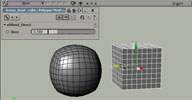 stBlend_Direct osAll ICE deformer rigging
 A simple compound that pins vertices of one mesh to another (objects must have the
same topology). It's really very simple and easy-to-build ICE trick, but I used it
a couple of times and then decided to make a compound to avoid building it again and
again. Quite useful in some specific cases..
Workflow video by the author is available.
local backup: stBlend_Direct.xsicompound
Workflow video by the author is available.
local backup: stBlend_Direct.xsicompound
author site: http://staplex.ru / download: /?p=457
 Triggerfish Feather Compounds scene osAll strands ICE
 A suite of Feather creation and animation compounds, demonstrated in this tutorial (login required) by Sue Sauer on the Autodesk® Area website. Developed by Emmy-Award nominated South African film studio Triggerfish
for their feature film »Adventures in Zambezia«.
A demo scene is available here ( direct link to .scn file for drag and drop). This suite/scene is for Softimage 2012; it is not confirmed to
work in higher versions.
direct link to .scn file for drag and drop). This suite/scene is for Softimage 2012; it is not confirmed to
work in higher versions.
local backup: TFfurandfeathers.xsiaddon
A demo scene is available here (
direct link to .scn file for drag and drop). This suite/scene is for Softimage 2012; it is not confirmed to
work in higher versions.
local backup: TFfurandfeathers.xsiaddon
Curves to Strands osAll ICE curves strands
I'd like to share a compound I made at Glassworks (with some great input from Julian Johnson) while working on the hair for this (youtube link)
It will create strands from curves, but crucially, it can also do it from a group of curves. Curves with subcurves are skipped (for now). [..]
Continue reading in the mailing list thread. Dan also posted a scene file ( direct link for drag and drop).
local backup: Create Strands from Curves.2.0.xsicompound
It will create strands from curves, but crucially, it can also do it from a group of curves. Curves with subcurves are skipped (for now). [..]
Continue reading in the mailing list thread. Dan also posted a scene file (
direct link for drag and drop).
local backup: Create Strands from Curves.2.0.xsicompound
author site: n/a / source: mailing list thread / download @google docs
 ICE Mud osAll ICE deformer fluids
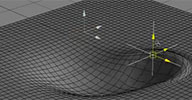
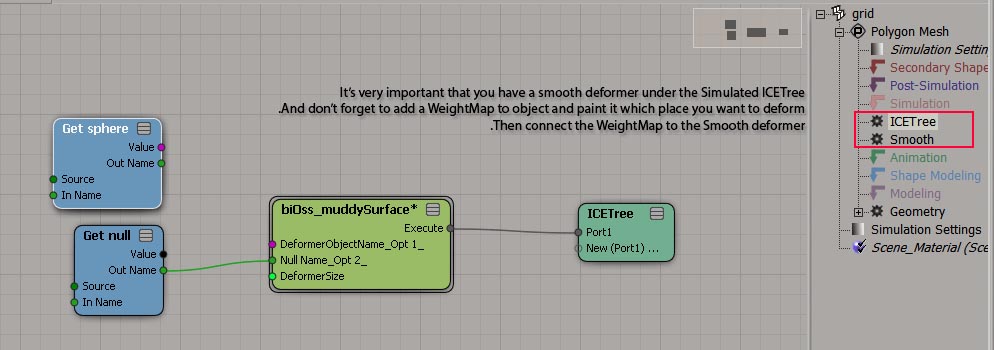
 It's a basic ice tree setup for simulating muddy fluid surface.
It has a smooth deformer in the simulation stack and the deformer connected to weightMap
(shown in this screenshot). Geometry's corner edges didn't painted with weightMap so when you play the animation
the actual geometry doesn't shrink.
local backup: biOss_muddySurface.xsicompound
local backup: biOss_muddySurface.xsicompound
 Raster Screen Simulator osAll shader mentalray shadercompound
 This is a mental ray shader which simulates the pixelization that occurs when viewing
all kinds of raster displays at a close-up range. A library of "pixel-images" for
recreating the looks of a variety of screens is provided with the addon. From the
download page: There are many options: Pixel Resolution of the simulated screen Color depth, for display from 3bit (8 colors) to 24bit (16M colors) distance visibility of gap between pixels distance visibility of RGB pattern and, on softimage : dead pixels, non uniform color chunks and some other picture
degradations.
See this video for a demonstration of this shader.
local backup: Image2screen.xsirtcompound
See this video for a demonstration of this shader.
local backup: Image2screen.xsirtcompound
author site: http://vadrouillegraphique.blogspot.com / download: /2012/11/image-2-screen-shader.html
Transfer Model to New Scene osAll workflow js
Junki's new plugin is also known as NyowbowToTatamiToSceneWaAtarashiiHouGaE.
Usage : Select Model(s) and launch this tool. It exports the models to your disk, then discards the current scene and starts a brand new scene, then imports the EMDL you've just exported into that new scene, then deletes the EMDL file from the disk with one click. Useful when you have to deal with somebody's scene and don't like the viewport settings, visibility and display settings etc but also don't want to bother change them back to default. You can just transfer the Models to a new scene with one click using this tool. Caution: this tool DISCARDS the current scene WITHOUT warning. So, SAVE before you launch the tool.
local backup: NyowbowToTatamiToSceneWaAtarashiiHouGaE.js
Usage : Select Model(s) and launch this tool. It exports the models to your disk, then discards the current scene and starts a brand new scene, then imports the EMDL you've just exported into that new scene, then deletes the EMDL file from the disk with one click. Useful when you have to deal with somebody's scene and don't like the viewport settings, visibility and display settings etc but also don't want to bother change them back to default. You can just transfer the Models to a new scene with one click using this tool. Caution: this tool DISCARDS the current scene WITHOUT warning. So, SAVE before you launch the tool.
local backup: NyowbowToTatamiToSceneWaAtarashiiHouGaE.js
author site: junkithejunkie.cocolog-nifty.com / download: ..WaAtarashiiHouGaE.html (archive) (google translation) / vimeo channel / dance with tori
 Wall of Lights osAll ICE tutorialfiles scene
 Part of the downloadable files from Ola's online tutorial Wall of lights - How to set up a wall of animated light bulbs: Nine out of ten times you?e overegging the pudding by adding actual light source to
the setup as you most likely could get away with a using really bright material on
the object. But there is that one time you do need it, and this apparently is it. [..]
Visit Ola's blog caffeineabuse for a lot of technical insight and tutorials like this one, most of them including ready-to-use project files.
local backup: Wall_of_Lights.zip (project)
Visit Ola's blog caffeineabuse for a lot of technical insight and tutorials like this one, most of them including ready-to-use project files.
local backup: Wall_of_Lights.zip (project)
author blog: http://caffeineabuse.blogspot.de / tutorial: /2012/11/wall-of-lights-how-to-set-up-wall-of.html
Particle Goals defined by Animated Maps osAll ICE tutorialfiles scene
Part of the downloadable files from Ola's online tutorial Using an animated map to define particle goals in Softimage: There? a slight difference depending on what map you?e using. A texture map is essentially
an image file connected to an object, and as such you need to tell ICE what to do
with this information before you can make use of it. First you need to convert the
RGB color of the image to a scalar value and store this information as a custom attribute. [..]
Visit Ola's blog caffeineabuse for a lot of technical insight and tutorials like this one, most of them including ready-to-use project files.
local backup: GoalLocation_using_AnimatedMaps.zip (project)
Visit Ola's blog caffeineabuse for a lot of technical insight and tutorials like this one, most of them including ready-to-use project files.
local backup: GoalLocation_using_AnimatedMaps.zip (project)
author blog: http://caffeineabuse.blogspot.de / tutorial: /2012/12/using-animated-map-to-define-particle.html
TLS Anim Tool osAll rigging scene
Also known as Feather Rig Helper. A simple addon to add some weighting to bones that control rotation of other chains.
It links the rotations of some controls bone chains to constrained chain to simplify
the animation of a feather like system.
Usage: You just need to select all your chains and add "CTRL" to the beginning of your control chains names and thats it ! It is package for softimage 2013 and i won't provide support for version below that.
local backup: TLS_ANIM_TOOL.xsiaddon
Usage: You just need to select all your chains and add "CTRL" to the beginning of your control chains names and thats it ! It is package for softimage 2013 and i won't provide support for version below that.
local backup: TLS_ANIM_TOOL.xsiaddon
author blog: http://www.tlhomme.com / download: /?page=projects&id=feather-rig-helper
Strand Spring osAll ICE kinematics curves strands secondary motion
An ICE Kinematics based setup that uses strand spring dynamics to drive a number of
kinematic chains. The process is half automated; Mittu demonstrates in this video (archive) how to go from sketching out the springs using curve drawing to the final simulated
chains. Mesh collision with the strands/springs is supported.
local backup: spring.zip
local backup: spring.zip
author site: rocketjump.skr.jp/softimage/52 (English by Google translate)
SI2AFX osAll python interop aftereffects workflow
A tool to transfer animation to After Effects. Quoted from the mailing list:
Put the scene-Camera and the nulls that you want to export into a group Select the group and run the script A .jsx script is created that you can run inside AfterFX. It creates a new Comp with Camera and Nulls Loosely based on an old Script from Helge Mathee's Mindthink-tools.
This one was spotted on si-community in a thread started by Werner asking for a lost script that transfers cameras, nulls and lights to AE.
Related: Some other tools were mentioned as well in that thread: ScreenInfo, junki's AEtoXSI script. A collada based workflow was proposed as well using this AE-Plugin: http://www.clintons3d.com/aecollada/index.html.
local backup: tv_SI2AFX.zip
Put the scene-Camera and the nulls that you want to export into a group Select the group and run the script A .jsx script is created that you can run inside AfterFX. It creates a new Comp with Camera and Nulls Loosely based on an old Script from Helge Mathee's Mindthink-tools.
This one was spotted on si-community in a thread started by Werner asking for a lost script that transfers cameras, nulls and lights to AE.
Related: Some other tools were mentioned as well in that thread: ScreenInfo, junki's AEtoXSI script. A collada based workflow was proposed as well using this AE-Plugin: http://www.clintons3d.com/aecollada/index.html.
local backup: tv_SI2AFX.zip
 Mental Ray String Options win64 shader mentalray cppsrc workflow
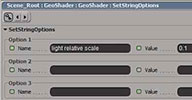
 Here's an addon which sets arbitrary mental ray string options.
Usage: create a geoshader primitive, apply this shader. The items are strings, interpreted internally this way: numbers only in string (394) -> sets an integer string option numbers and decimal point in string (232.1) -> set a float string option comma in the string (20,10.34,105.0) -> sets a vector2, 3 or 4 string option - depending on the # of commas string = on or true -> sets a boolean string option (true) string = off or false -> sets a boolean string option (false) in all other cases, or if the string is inside double quotes -> set a "string" string option
Source code is available from here
local backup: custStringOptions.xsiaddon
Usage: create a geoshader primitive, apply this shader. The items are strings, interpreted internally this way: numbers only in string (394) -> sets an integer string option numbers and decimal point in string (232.1) -> set a float string option comma in the string (20,10.34,105.0) -> sets a vector2, 3 or 4 string option - depending on the # of commas string = on or true -> sets a boolean string option (true) string = off or false -> sets a boolean string option (false) in all other cases, or if the string is inside double quotes -> set a "string" string option
Source code is available from here
local backup: custStringOptions.xsiaddon
author site: rray.de/xsi / si-community thread
 Texture instancing Shader V1.5 osAll shader mentalray shadingworkflow shadercompound
 Updated April 2013 with the ability to fetch the texture offset from an ICE attribute.
Previous update added texturable scale X/Y.
The basic function of this shader is to stamp an instance of the selected texture at each particle location on the shaded object.
The shader requires an ICE particle cloud as a texture placing source which has to have its material shared with the object. It has features such as: Modify texture base scaling and rotation, various lookup options for fractal-like patterns, random position offset in texture, rotation by ICE particle vector attribute, random rotation, orient towards a vector or a tangent map. Mental ray only. See the si-community thread for some interesting looking renders created by Rob Chapman.
Mad props to Paul Smith aka pooby for inventing this wonderful method. If you haven't already, check his videos page for loads of ICE inspiration. Btw Paul's first video introducing the method is here. Btw #2: Since, he's created two videos demonstrating this shader: Texture Instancing Shader (archive) and Lizard texinstancing (archive).
local backup: Texture Instancing.1.5.xsirtcompound
The basic function of this shader is to stamp an instance of the selected texture at each particle location on the shaded object.
The shader requires an ICE particle cloud as a texture placing source which has to have its material shared with the object. It has features such as: Modify texture base scaling and rotation, various lookup options for fractal-like patterns, random position offset in texture, rotation by ICE particle vector attribute, random rotation, orient towards a vector or a tangent map. Mental ray only. See the si-community thread for some interesting looking renders created by Rob Chapman.
Mad props to Paul Smith aka pooby for inventing this wonderful method. If you haven't already, check his videos page for loads of ICE inspiration. Btw Paul's first video introducing the method is here. Btw #2: Since, he's created two videos demonstrating this shader: Texture Instancing Shader (archive) and Lizard texinstancing (archive).
local backup: Texture Instancing.1.5.xsirtcompound
Basic Measure Tool win64 customtool align measure
The Basic Measure Tool measures the length of a line segment or a series of line segments.
In an alternative mode (middle mouse button to toggle), it measures the angle between
two lines. It is a custom tool that works fully interactively, with snapping to points/grids/etc.,
and without changing the scene.
local backup: BasicRuler.xsiaddon
local backup: BasicRuler.xsiaddon
Procedural Topo Pack osAll ICE topo compilation scatter
Updated Feb 2013 Various ICE topology compounds that I made for last months. Fully compatible with
SI 2012. After installation they can be found in Context, Interactive and Topology
categories of the Tool tab menu.
Contents: Build Array from Set Node (for Softimage 2012), Array to Edge Set, Array to Polygon Set, Array to Sample Set, Array to Vertex Set, Build Array per Edge, Build Array per Point, Build Array per Polygon, Build Array per Sample, Delete Topology, Disconnect Islands, Get Edge Position, Set Edge Position, Get Polygon Position, Set Polygon Position, Polygon Index to CAV, Vertex Index to CAV, Select Polygons Interactive, Slice to Pieces, To per Edge, To per Point, To per Polygon, To per Sample
The recent updates from the si-community thread linked below include: Greeble, Slice on Cubes, Extract Polygon Island, Split Edge Equally
local backup: ProceduralTopoPack.zip
Contents: Build Array from Set Node (for Softimage 2012), Array to Edge Set, Array to Polygon Set, Array to Sample Set, Array to Vertex Set, Build Array per Edge, Build Array per Point, Build Array per Polygon, Build Array per Sample, Delete Topology, Disconnect Islands, Get Edge Position, Set Edge Position, Get Polygon Position, Set Polygon Position, Polygon Index to CAV, Vertex Index to CAV, Select Polygons Interactive, Slice to Pieces, To per Edge, To per Point, To per Polygon, To per Sample
The recent updates from the si-community thread linked below include: Greeble, Slice on Cubes, Extract Polygon Island, Split Edge Equally
local backup: ProceduralTopoPack.zip
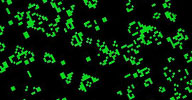 Game of Life winAll ICE strands scene
 A scene file from this video tutorial, recreating the rule based »game of life« in ICE. Inspired by this tutorial,
Rob Chapman has created this scene, which generates the shape of a Cassini Oval in ICE.
local backup: ice_cell_tutor3.scn ice_cell_tutor5.scn
local backup: ice_cell_tutor3.scn ice_cell_tutor5.scn
 ICE Multistrand Clumps winAll ICE strands scene
 A scene file from this video tutorial, inspired by Paul Smith's SIMPLEFUR technique. Starting from an empty scene, Nika demonstrates how to create clumped
strands as displayed in the thumbnail. (Update February 2013: There is a new video by Nika available on this topic)
local backup: strands.zip
local backup: strands.zip
author on vimeo
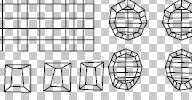 UV Stamp osAll shadingworkflow workflow
 Improved version of the factory stamp feature - generates an EPS file from a UV set
for import in applications such as Photoshop. Thanks to EPS being a vector file format,
files can be imported at any required resolution.
local backup: UVStamp.xsiaddon
local backup: UVStamp.xsiaddon
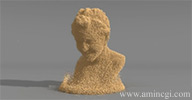 Sand with Softimage osAll ICE particle scene
 Amin shares a scene file demonstrating realistically behaving sand using Thiago Costa's
Lagoa system.
A demonstration video is available here (archive).
local backup: Sand_Simulation_Lagoa.scn
A demonstration video is available here (archive).
local backup: Sand_Simulation_Lagoa.scn
author site: http://amincgi.com (archive)
Spread Weight Compound winAll ICE
As demonstrated here, this compound lets existing areas with higher weights spread into areas with lower
weights.
local backup: CnD_Spread Weights.xsicompound
local backup: CnD_Spread Weights.xsicompound
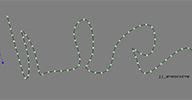 More Even Spacing osAll ICE python
 Softimage 2012 gave us the ability to create ICE Attributes directly via scripting
and populate them with data. Guillaume Laforge used this ability extensively in CrowdFX
and I've recently been using it as a mechanism to easily store large datasets in place
of Blobs (e.g. for storing animated curve data from Flame GMasks).
As a simple example, I created a script which takes an input curve and creates an ICE Attribute on that curve containing evenly-spaced point positions. The relationship is 'live' so you can manipulate the curve and alter the number of evenly spaced 'ICE' points. You could then go on to feed that ICE data into another ICE tree.
In the same archive I've also included a script to generate a 'real' curve with a live link to the original curve - the new curve has evenly spaced points* and can be any degree you choose and/or constrained to the original. (*This even spacing becomes more accurate the higher your resolution).
local backup: jj_even_curve_on_curve_v003.py jj_even_curve_on_curve_ICE_v002.py
As a simple example, I created a script which takes an input curve and creates an ICE Attribute on that curve containing evenly-spaced point positions. The relationship is 'live' so you can manipulate the curve and alter the number of evenly spaced 'ICE' points. You could then go on to feed that ICE data into another ICE tree.
In the same archive I've also included a script to generate a 'real' curve with a live link to the original curve - the new curve has evenly spaced points* and can be any degree you choose and/or constrained to the original. (*This even spacing becomes more accurate the higher your resolution).
local backup: jj_even_curve_on_curve_v003.py jj_even_curve_on_curve_ICE_v002.py
author site: http://julianjohnsonsblog.blogspot.com / download: /.../more-even-spacing.html
 Cumulative Array Sum osAll ICE math scene
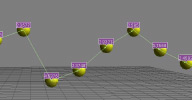
 This scene file/compound demonstrates how the »Generate Sample Set« node
can be used to avoid repeat loops in some scenarios.
Oleg Bliznuk, the author of Exocortex's Implosia FX, posted a tip for avoiding repeat loops a few months back using Generate Sample Set. It's a great tip and one which can generate good time savings over repeat loops. I wanted to test just how much of a saving the tip could provide by calculating a cumulative sum array i.e. given an array of integers, produce another array which gave you the cumulative sum of all elements in the array at any given point. [..]
Continue reading on Julian's download page linked below.
local backup: Array Cumulative Sum.xsicompound gen_sample_test.scn
Oleg Bliznuk, the author of Exocortex's Implosia FX, posted a tip for avoiding repeat loops a few months back using Generate Sample Set. It's a great tip and one which can generate good time savings over repeat loops. I wanted to test just how much of a saving the tip could provide by calculating a cumulative sum array i.e. given an array of integers, produce another array which gave you the cumulative sum of all elements in the array at any given point. [..]
Continue reading on Julian's download page linked below.
local backup: Array Cumulative Sum.xsicompound gen_sample_test.scn
author site: http://julianjohnsonsblog.blogspot.com / download: /.../using-generate-sample-set-to-avoid.html
ET Renamer 3.10 osAll python workflow
Updated November 2012. Formerly known as ET_Naming. This is a renaming utility that allows you to rename multiple objects, add suffixes
/ prefixes, strip underscores, and search and replace.
I've rewritten this from scratch with better python code. It also allows you to customize the nomenclature for each type of object. For instance you can change whether the system uses »con« instead of »ctrl« for the end token for a control object. Your changes will be saved for use in the future as well. The layout dynamically updates with the different functions, hiding any fields that aren't used in that particular function.
You can find the utility under the MCP panel in the Edit menu.
 This plugin is part of Eric's ET_Tools collection which he released here on github under an open source license. For a screenshot of an earlier version, have a look
here on creativecrash.com. The latest version offers both a PyQt and a standard PPG interface.
3.0 Video demo.
This plugin is part of Eric's ET_Tools collection which he released here on github under an open source license. For a screenshot of an earlier version, have a look
here on creativecrash.com. The latest version offers both a PyQt and a standard PPG interface.
3.0 Video demo.
local backup: ET_Naming_3.10.xsiaddon
I've rewritten this from scratch with better python code. It also allows you to customize the nomenclature for each type of object. For instance you can change whether the system uses »con« instead of »ctrl« for the end token for a control object. Your changes will be saved for use in the future as well. The layout dynamically updates with the different functions, hiding any fields that aren't used in that particular function.
You can find the utility under the MCP panel in the Edit menu.
This plugin is part of Eric's ET_Tools collection which he released here on github under an open source license. For a screenshot of an earlier version, have a look
here on creativecrash.com. The latest version offers both a PyQt and a standard PPG interface.
3.0 Video demo.
local backup: ET_Naming_3.10.xsiaddon
JV_Caustics osAll ICE fluids
This is a compound to simulate some simple caustic effects in ICE. Get a Grid Pointcloud
and a Grid polymesh and a deformed water surface. Place the pointcloud and the poly
grid on the same level and the water above them. Apply the Compound to the pointcloud
and connect the others appropriately. Voila.
local backup: JV_Caustics.xsicompound
local backup: JV_Caustics.xsicompound
author site: http://xsi.jankin.com
MAD_Physical_Sky win32 shader mentalray scene cppsrc
This is a mental ray shader based on the paper »A Practical Analytic Model for
Daylight« presented at Siggraph 1999 (http://www.cs.utah.edu/~shirley/papers/sunsky/sunsky.pdf (archive)).
Original Mental Ray shader created by Fredrik Brännbacka from http://www.madcrew.se (archive)
local backup: mad_physicalSky_v1.0.zip
Original Mental Ray shader created by Fredrik Brännbacka from http://www.madcrew.se (archive)
local backup: mad_physicalSky_v1.0.zip
author site: http://xsi.jankin.com
TR Sequencer 1.1 js winAll workflow
From the author's site: Open rendered sequence by defined program Explore rendered sequence Copy path of rendered sequence.
A video demo, also viewable on the download page. A testimony by bottleofram @si-community: Very nice plugin, btw. Really ties things together. Thanks for sharing.
local backup: TR_Sequencer_v1.1.xsiaddon
A video demo, also viewable on the download page. A testimony by bottleofram @si-community: Very nice plugin, btw. Really ties things together. Thanks for sharing.
local backup: TR_Sequencer_v1.1.xsiaddon
author site: http://sobexsi.blogspot.cz / download: /2012/11/tr-sequencer.html / si-community thread
TR Activate Camera js winAll workflow
From the author's site: One click solution how to set camera for all passes as render camera.
A video demo, also viewable on the download page.
local backup: TR_ActivateCamera.xsiaddon
A video demo, also viewable on the download page.
local backup: TR_ActivateCamera.xsiaddon
author site: http://sobexsi.blogspot.cz / download: /2012/08/tr-activate-camera.html
TR Merge js winAll workflow
From the author's site: Merge polymesh with original name and hierarchy position (merge only polygons clusters
it possible in case that you have assigned material per cluster)
for Softimage 2013 merge all types of clusters.
A video demo, also viewable on the download page.
local backup: TR_Merge.zip
A video demo, also viewable on the download page.
local backup: TR_Merge.zip
author site: http://sobexsi.blogspot.cz / download: /2012/08/trmerge.html
TR Extract js winAll workflow
From the author's site: Open rendered sequence by defined program Explore rendered sequence Copy path of rendered sequence (V1.1) bugfixes.
A video demo, also viewable on the download page.
local backup: TR_Extract.xsiaddon
A video demo, also viewable on the download page.
local backup: TR_Extract.xsiaddon
author site: http://sobexsi.blogspot.cz / download: /2012/08/trmerge.html
 Deform by UV osAll ICE deformer bind
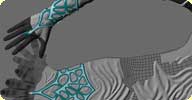
 This addon basically lets you »texture« an object using a second, more
or less flat object. This can be used for some interesting new modeling workflows
because a lot of structures such as folds, creases, scars and all sorts of repetitive
patterns are much easier to create using a flat layout first.
It takes a few steps to set this up, but everything is outlined in detail in the si-community thread (see below). Also see the »Deform by UV Plugin« by Constantine Tarasenkov which enables a one-click workflow for these compounds.
local backup: UV-deform.rar
It takes a few steps to set this up, but everything is outlined in detail in the si-community thread (see below). Also see the »Deform by UV Plugin« by Constantine Tarasenkov which enables a one-click workflow for these compounds.
local backup: UV-deform.rar
author site: http://www.matkovic.com / si-community thread
Plugin for »Deform by UV« osAll ICE deformer bind This is a usability plugin for Anto Matkovic's »Deform by UV« compounds, which basically let you »texture« an object using a
second, more or less flat object.
Two youtube videos recorded by spookymunky1 demonstrate the workflow: Modelling leg bindings in Softimage XSI using Deform by UV Compounds Part 1 and Part 2
local backup: UV-deform.rar
Two youtube videos recorded by spookymunky1 demonstrate the workflow: Modelling leg bindings in Softimage XSI using Deform by UV Compounds Part 1 and Part 2
local backup: UV-deform.rar
author site: http://procedural.tumblr.com / si-community thread
 Motion Trail Tool 1.5 osAll customtool cppsrc
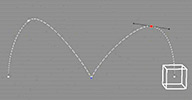
 With this custom tool you can visualize and edit trails of fcurve animated objects
directly in the viewport. As with all custom tools, this must be mapped to a hotkey.
The recent updates include these features: Fix Bug about neutral pose and pivot Fix Bug about keyboard shortcut Add option "Don't deselect when you click on empty space" Add option "Display only limited frames" Manipulator ( Global Translate only ) Insert Key by Middle Click Remove Key by shortcut Delete Break Tangents by shortcut O Auto Slope by shortcut Shift+A Context Menu by Right Click Fixed Bug ( when parent animate, it was weird ) Slope Size by shortcut PageUp and PageDown Change Custom Preference Faster than v1.2 ( maybe ).
See this thread for a discussion on v1 of this plugin. The author has since created his own thread on si-community (link below) to facilitate the upload of his updates - this new thread is also recommended for new posts.
local backup: MotionTrail_v1.5.zip
The recent updates include these features: Fix Bug about neutral pose and pivot Fix Bug about keyboard shortcut Add option "Don't deselect when you click on empty space" Add option "Display only limited frames" Manipulator ( Global Translate only ) Insert Key by Middle Click Remove Key by shortcut Delete Break Tangents by shortcut O Auto Slope by shortcut Shift+A Context Menu by Right Click Fixed Bug ( when parent animate, it was weird ) Slope Size by shortcut PageUp and PageDown Change Custom Preference Faster than v1.2 ( maybe ).
See this thread for a discussion on v1 of this plugin. The author has since created his own thread on si-community (link below) to facilitate the upload of his updates - this new thread is also recommended for new posts.
local backup: MotionTrail_v1.5.zip
 Double Helix DNA osAll ICE topo
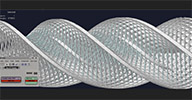
 A fast compound which procedurally generates a DNA helix molecule from a set of parameters.
Softimage 2012 and Constantine's Procedural Topo Pack are required.
local backup: Double_Helix_DNA.xsicompound
local backup: Double_Helix_DNA.xsicompound
author site: http://procedural.tumblr.com / si-community thread
 Fury 2 osAll commercial particle renderer
 Exocortex Fury 2 is a production proven particle renderer for Autodesk® Maya® and
Autodesk® Softimage® for Windows (with Linux and Mac OSX support coming soon.) Fury
2 leverages the full power of modern GPUs to deliver exceptional render times without
reducing your flexibility nor sacrificing your render quality.
Fury's architecture is designed around parallelizing the task of rendering millions of particles. Modern graphics processing units have many hundreds of streaming cores which can operate on large sets of data in parallel. By capitalizing on this technology, Fury is able to rasterize particles with motion blur, depth of field, emission and diffuse effects more than 20x times faster than alternatives. [..]
Continue reading on the product page. Price for 1 license is $399 ($299 until Oct 15th 12). Upgrade of SlipstreamVX's internal renderer from Fury 1 to Fury 2 is available for $299.
Fury's architecture is designed around parallelizing the task of rendering millions of particles. Modern graphics processing units have many hundreds of streaming cores which can operate on large sets of data in parallel. By capitalizing on this technology, Fury is able to rasterize particles with motion blur, depth of field, emission and diffuse effects more than 20x times faster than alternatives. [..]
Continue reading on the product page. Price for 1 license is $399 ($299 until Oct 15th 12). Upgrade of SlipstreamVX's internal renderer from Fury 1 to Fury 2 is available for $299.
company site: http://www.exocortex.com / product page: /plugins/fury2
 Realflow plugin winAll interop fluids
 The Softimage Realflow plugin is available for free with the (not time-limited) demo
version of NextLimit's Realflow. The plugin imports .bin, .sd, .rw, mesh and .rf5 proxy formats, and exports .bin
and .rw. The download of the Realflow demo version requires registration on the site
linked below.
This plugin also allows import and synchronization with the free spartaproject (archive) (Softimage workflow outlined here (archive)). Spartaproject is an external application that lets you import, modify and export
a plotted particle animation using sculpting strokes.
This plugin also allows import and synchronization with the free spartaproject (archive) (Softimage workflow outlined here (archive)). Spartaproject is an external application that lets you import, modify and export
a plotted particle animation using sculpting strokes.
company site: http://www.nextlimit.com / product page: http://www.realflow.com / si-community thread
psCustomFilters osAll ICE workflow
Here's a custom filter for selecting objects with ICE trees: psCustomFilters.xsiaddon.
The filter appears as Obj_w_ICETree in the filter list of the Select panel in the
MCP.
You can use this filter in the MCP Select panel (choose the filter and then press Ctrl+A to select all objects with an ICE tree). Or you could make a toolbar button with these snippets [..] (continued on the xsisupport blog page.)
local backup: psCustomFilters.xsiaddon
You can use this filter in the MCP Select panel (choose the filter and then press Ctrl+A to select all objects with an ICE tree). Or you could make a toolbar button with these snippets [..] (continued on the xsisupport blog page.)
local backup: psCustomFilters.xsiaddon
author link: http://xsisupport.wordpress.com / download: ..objects-with-ice-trees/
 .ASE Spline Importer for Softimage osAll strands python hair interop
 Here is the .ASE Importer for Softimage. Most excellent tool for importing hair Splines
as Curves into Softimage. Great for Grass, Hair, beards and many other hairy things!
This script was developed by Steven Caron for Lee Perry-Smith's HQ 3D scanning service Infinite-Realities for the purpose of importing Max Hair-Farm splines into Softimage for rendering with Arnold. For the result and some information on the workflow, see this page (archive).
This is a runnable script which outputs curves. For converting to strands, Florian Eberle's »FiberMesh to Strands« plugin might work.
local backup: simple_ase_importer.zip
This script was developed by Steven Caron for Lee Perry-Smith's HQ 3D scanning service Infinite-Realities for the purpose of importing Max Hair-Farm splines into Softimage for rendering with Arnold. For the result and some information on the workflow, see this page (archive).
This is a runnable script which outputs curves. For converting to strands, Florian Eberle's »FiberMesh to Strands« plugin might work.
local backup: simple_ase_importer.zip
author link: http://www.steven-caron.com & http://www.ir-ltd.net / download: /ase-spline-importer-for-softimage (archive)
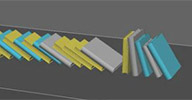 Book Shelves osAll scene ICE compilation scatter
 Spawned by the 3DSMax BookScatter plugin by Mourelas Konstantinos, the thread linked below from si-community's Community Projects forum features some interesting approaches to generating/simulating a bookshelf by
multiple authors.
Authors involved so far: caledonian_tartan, Piotrek Marczak and Anto Matkovic.
local backup: bookshelves.zip
Authors involved so far: caledonian_tartan, Piotrek Marczak and Anto Matkovic.
local backup: bookshelves.zip
author site: n/a / si-community thread
 Animation Manipulator osAll customtool
 Taro, the author of the Motion Trail tool, also recently released this tool which
combines the most used properties of the factory translation and rotation manipulators
in one tool.
See the si-community thread for a discussion on this tool.
local backup: AnimationManipulator_v1.0.zip
See the si-community thread for a discussion on this tool.
local backup: AnimationManipulator_v1.0.zip
author link: n/a / si-community thread
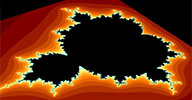 whFractalSuite winAll shader mentalray
 Calculates fractals and outputs the result as a normalized scalar from 0.0 (bailout)
to 1.0 (max iteration). A second component receives the scalar and decides what color
these points should have.
Result is a fractal - in realtime depends on render quality - texture that can plug into a regular shader like lambert, phong. You can use other texture shaders - like Vein, Grid - and plug it into the colors.
Available for SoftImage|XSI 2012 - 32bit and 64bit for Windows 100% working XSI 2012 - 64bit Windows Should Work - but not tested XSI 2012 - 32bit Windows Linux Version can follow
local backup: whFractalSuite_v1_Windows.zip
Result is a fractal - in realtime depends on render quality - texture that can plug into a regular shader like lambert, phong. You can use other texture shaders - like Vein, Grid - and plug it into the colors.
Available for SoftImage|XSI 2012 - 32bit and 64bit for Windows 100% working XSI 2012 - 64bit Windows Should Work - but not tested XSI 2012 - 32bit Windows Linux Version can follow
local backup: whFractalSuite_v1_Windows.zip
kCS IceRuler osAll rigging scene ICE align measure
V0.91b updated October 2012. ICE Based measuring and targeting tool compatible with
XSI 7 and above. Features of the measuring tool as listed on the author's website:
3 Distance Ruler, 1 Protractor Distance Measuring Ratio Measuring Axial Component Measuring Angle Measuring.
For more information visit the author's site and look at these introductory videos: v0.9 and v0.91 update.
local backup: kCS_Iceruler_091b.xsiaddon
For more information visit the author's site and look at these introductory videos: v0.9 and v0.91 update.
local backup: kCS_Iceruler_091b.xsiaddon
author blog: http://zoltanocsai.blogspot.hu / download: /2012/08/kcs-iceruler-091.html / si-community thread
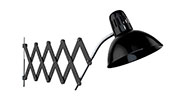 Accordion Lamp Rig osAll rigging tutorialfiles scene
 Part of the downloadable files from Ola's online tutorial Rigging an accordion lamp: The accordion lamp consists of a series of individual arms which are mounted in pairs
creating an X-Shape. Rotating any of the arms will cause all arms to rotate which
either expand or contract the lamp. Start by open the scene Accordion_Lamp.scn. The
scene consists of a number of null objects and the arms, which are parented under
the null representing their respective centre joint. [..]
Visit Ola's blog caffeineabuse for a lot of technical insight and tutorials like this one, most of them including ready-to-use project files.
local backup: AccordionLampRig.zip
Visit Ola's blog caffeineabuse for a lot of technical insight and tutorials like this one, most of them including ready-to-use project files.
local backup: AccordionLampRig.zip
author blog: http://caffeineabuse.blogspot.de / tutorial: /2012/08/rigging-accordion-lamp.html
Shape Blending using an image sequence osAll rigging tutorialfiles scene ICE
Part of the downloadable files from Ola's online tutorial Shape blending in ICE using an image sequence which demonstrates how to use ICE to dynamically mix shapes on an object, bypassing
the factory shape mixer/shape combiner nodes.
Visit Ola's blog caffeineabuse for a lot of technical insight and tutorials like this one, most of them including ready-to-use project files.
local backup: ShapeBlendingWithICE.zip
Visit Ola's blog caffeineabuse for a lot of technical insight and tutorials like this one, most of them including ready-to-use project files.
local backup: ShapeBlendingWithICE.zip
author blog: http://caffeineabuse.blogspot.de / tutorial: ../shape-blending-in-ice-using-image.html
Simulate Particles Advanced osAll js ICE
Oleg posted this on the mailing list in response to Johan Forsgren's question about
Particle simulations and time-warping: Has anyone done it without Caching everything out in say 250fps? Im working on a project
what needs a lot of speedramping and the high framerates/ simulation times is killing
me slowly from the inside out. Anyone figured out a different (faster/sloppier) way?
His reply: I guess you need to make your own simulation node to replace the factory one and output deltaTime parameter which is directly influences on simulation time. I have builded something like that a while ago and there are possible some glitches with usage of SimulateFrameFraction attribute, but for my purposes it was enough. Maybe it can help - just plug it instead of Simulate particles node.
local backup: Simulate Particles Advansed.xsicompound
His reply: I guess you need to make your own simulation node to replace the factory one and output deltaTime parameter which is directly influences on simulation time. I have builded something like that a while ago and there are possible some glitches with usage of SimulateFrameFraction attribute, but for my purposes it was enough. Maybe it can help - just plug it instead of Simulate particles node.
local backup: Simulate Particles Advansed.xsicompound
 Wheel Turn Op osAll rigging
 Part of the downloadable files from Andy's comprehensive Building A Car Rig tutorial, which was first published in the November 2008 issue of 3D World magazine.
The tutorial consists of the following parts: Stage 1: Introduction Stage 2: Setting up suspension dynamics Stage 3: Constructing the main rig Stage 4: Rigging the CoG (center of gravity) Stage 5: Adding pitching motion to body Stage 6: Attaching the 3D mesh to the rig Stage 7: Animation and Automatic Steering. See here for a demo.
local backup: CarRig_TutorialFiles.zip
The tutorial consists of the following parts: Stage 1: Introduction Stage 2: Setting up suspension dynamics Stage 3: Constructing the main rig Stage 4: Rigging the CoG (center of gravity) Stage 5: Adding pitching motion to body Stage 6: Attaching the 3D mesh to the rig Stage 7: Animation and Automatic Steering. See here for a demo.
local backup: CarRig_TutorialFiles.zip
author link: http://www.andynicholas.com / tutorial: /?p=1549
 Zybrand Grass 3 osAll ICE particle strands vegetation
 Updated August 2012. Hey everyone, I know there are already a few grass creation compounds out there but
I decided to add the one I am working on anyway to get some outside input. I am using
this project to expand my ICE knowledge and the grass compound is just a simple grass
painting tool for now.
how to use: First create the mesh which will emit the grass and apply two weight maps to it one called »weight map« and one called »Height map« Create empty point cloud and apply ICE tree Connect the Zybrand_Grass compound to the ICE tree and connect the emitter object to Geometry port If the grass compound is still red open the PPG and at the top pick the weight map .weights and then the height maps .weights Additionally to control the color through ICE connect the color attribute to the diffuse of the shader and set it to ColorAlongStrands (in the ICE tree the color along strands gets blended with the color variation of the particles, and that can all be controlled from the grass PPG)
A new walkthrough video tutorial is available here. For version 3 updates, more info and screenshots see the si-community thread.
local backup: zybrand/Zybrand_Grass_3.rar
how to use: First create the mesh which will emit the grass and apply two weight maps to it one called »weight map« and one called »Height map« Create empty point cloud and apply ICE tree Connect the Zybrand_Grass compound to the ICE tree and connect the emitter object to Geometry port If the grass compound is still red open the PPG and at the top pick the weight map .weights and then the height maps .weights Additionally to control the color through ICE connect the color attribute to the diffuse of the shader and set it to ColorAlongStrands (in the ICE tree the color along strands gets blended with the color variation of the particles, and that can all be controlled from the grass PPG)
A new walkthrough video tutorial is available here. For version 3 updates, more info and screenshots see the si-community thread.
local backup: zybrand/Zybrand_Grass_3.rar
author site: n/a / si-community thread
Collision Constraint Op osAll python deformer rigging
Updated/ported to C++/win64. Just a very basic collision detection custom operator for Softimage written in Python.
I've heard animators (or other departments after them ) complain so much about feet
not making contact with the ground because they don't have time to check due to super
tight deadlines. Anyway, it was a great exercise in trying to learn how custom operators
work and in the process I got a better understanding on Quaternion rotations. Just
copy to your workgroup or user »ApplicationPlugins« folder and restart
Softimage.
Introduction video. Visit Michor's blog displaying his traditionally inspired 3D character art.
local backup: CppCollisionConstrainOp.zip
Introduction video. Visit Michor's blog displaying his traditionally inspired 3D character art.
local backup: CppCollisionConstrainOp.zip
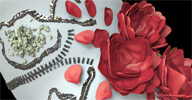 Mesh Paint v0.95 osAll customtool scatter cppsrc
 Updated September 2012 with straight/curved line drawing. Mesh Paint lets you paint
meshes or mesh instances interactively on the surface of another mesh. Not only for
placing rows of bolts but with every conceivable placement option like follow stroke,
stack clones, adjustable spacing, delete overlapping, alignment, randomization, size
falloff and mouse position interpolation (for evenly-spaced placement even when painting
quickly).
To-be-placed objects are organized in a list with the option of randomizing through the list, or cycling through the list while painting. There's also a »drop« mode for placing individual objects more precisely (like a simpler version of Piotrek's QuickPrimitive tool).
For more information, visit the si-community thread linked below. Videos available:
Introduction, and added features in v0.91 & v0.93. The roses in the thumbnail have been created with a combination of follow stroke/stack
clones/ramp scale, moving the mouse around in little circles. For regularly spaced
placement like the zipper in the thumbnail, turn off the »delete overlapping«
option. Source code available here (Check the thread for a newer version of this, too).
local backup: meshpaint_095.xsiaddon
To-be-placed objects are organized in a list with the option of randomizing through the list, or cycling through the list while painting. There's also a »drop« mode for placing individual objects more precisely (like a simpler version of Piotrek's QuickPrimitive tool).
For more information, visit the si-community thread linked below. Videos available:
Introduction, and added features in v0.91 & v0.93. The roses in the thumbnail have been created with a combination of follow stroke/stack
clones/ramp scale, moving the mouse around in little circles. For regularly spaced
placement like the zipper in the thumbnail, turn off the »delete overlapping«
option. Source code available here (Check the thread for a newer version of this, too).
local backup: meshpaint_095.xsiaddon