Softimage Resources: plugins, scripts, compounds and shaders
All 1119 entries of the Softimage Resources as a simple list, 551–600 on this page. To search and filter by tags, use the interactive Resources page.
F3 override osAll vbs
Overrides the F3 hotkey so that whenever a custom property is present under the currently
selected object that has »F3« in its name, that property is inspected
instead of displaying the transient explorer.
See the download page for more information. This addon is from 2003 but still works with current versions of Softimage.
local backup: F3_Override.v1.0.xsiaddon
See the download page for more information. This addon is from 2003 but still works with current versions of Softimage.
local backup: F3_Override.v1.0.xsiaddon
 Dominos Script osAll vbs
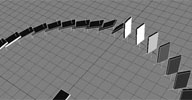
 Some tasks which involve numerous similar objects can quickly become a real nightmare,
if done by hand. Here we want to place and animate numerous dominos - 1000, 10000
even more - along a path, without dealing with each domino individually.
With the help of scripting, this can be done easily, giving us the ability to interact with the spacing and the timing of each instance. We can even choose an existing curve along which the dominos will be placed.
See the download page for a detailed walkthrough. This script is from 2001 but should still work with current versions of Softimage.
local backup: Dominos.v0.1.zip
With the help of scripting, this can be done easily, giving us the ability to interact with the spacing and the timing of each instance. We can even choose an existing curve along which the dominos will be placed.
See the download page for a detailed walkthrough. This script is from 2001 but should still work with current versions of Softimage.
local backup: Dominos.v0.1.zip
author site: http://www.grabiller.com (archive) / download: /site/content/wrk_dev_script_dominos_eng.html (archive)
 LightsRing Script osAll vbs
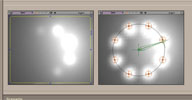
 When you want to animate many lights in a coherent way, this can quickly becomes a
tedious work.
With the help of scripting, this could be a lot easier. Here we want to create a ring of lights, then animate the intensity of each light in circular patterns, and be able to play with some other parameters like the 'hardness' of the intensity transition during rotation. This script has two sides, one for creating such setup, the other will help us to animate it with the help of customs parameters created specifically for this kind of animation.
See the download page for a detailed walkthrough. This script is from 2001 but should still work with current versions of Softimage.
local backup: LightsRing.zip
With the help of scripting, this could be a lot easier. Here we want to create a ring of lights, then animate the intensity of each light in circular patterns, and be able to play with some other parameters like the 'hardness' of the intensity transition during rotation. This script has two sides, one for creating such setup, the other will help us to animate it with the help of customs parameters created specifically for this kind of animation.
See the download page for a detailed walkthrough. This script is from 2001 but should still work with current versions of Softimage.
local backup: LightsRing.zip
author site: http://www.grabiller.com (archive) / download: /site/content/wrk_dev_script_lightsring_eng.html (archive)
 Highlight Script osAll vbs
 One of the strongness of virtual lighting is to be able to avoid real world constraints
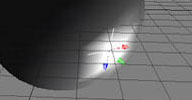
from a set. Here, we want to place precisely a 'specular highlight' on a surface.
Thanks to the power of the Softimage XSI constraints, I've created this little script which will help us to place this specular highlight precisely with the help of a null constrained on the surface of an object. It's possible to use this technic even with polygonal objects by 'ShrinkWrapping' a nurbs surface around it.
See the download page for a detailed walkthrough. This script is from 2001 but should still work with current versions of Softimage.
local backup: Highlight.v0.2.zip
Thanks to the power of the Softimage XSI constraints, I've created this little script which will help us to place this specular highlight precisely with the help of a null constrained on the surface of an object. It's possible to use this technic even with polygonal objects by 'ShrinkWrapping' a nurbs surface around it.
See the download page for a detailed walkthrough. This script is from 2001 but should still work with current versions of Softimage.
local backup: Highlight.v0.2.zip
author site: http://www.grabiller.com (archive) / download: /site/content/wrk_dev_script_highlight_eng.html
Camera Switcher Compound osAll ICE
I made a simple camera switcher Ice compound which helps me easily and quickly edit
my camera animations, and now I share this compound here. It also constrains the roll
and f.o.v. of camera. Enjoy!
See the download page for a screenshot. Vahan's 2013 demo reel (archive)
local backup: Sos_Cam_Switcher.xsicompound
See the download page for a screenshot. Vahan's 2013 demo reel (archive)
local backup: Sos_Cam_Switcher.xsicompound
author site: http://www.sosoyan.com / download: /../camera-switcher-ice-compound.html
Simple DoF_Ctrl osAll vbs
Here's simple interactive depth of field controller for Softimage. Instruction: 1. Download Plug-in from here (archive) 2. Copy it to your Softimage user plugins folder 3. With camera selected Get>Primitive>Camera>Camera Dof Ctrl 4. Enjoy!
See the download page for a usage video. Vahan's 2013 demo reel (archive)
local backup: SOS_Camera%20DoF%20CtrlPlugin.zip
See the download page for a usage video. Vahan's 2013 demo reel (archive)
local backup: SOS_Camera%20DoF%20CtrlPlugin.zip
author site: http://www.sosoyan.com / download: /..//simple-dofctrl-for-softimage.html
 Knit Strand Pro osAll ICE particle strands modeling fabric
 This plugin by Kristinka Hair author Anto Matkovic is a newer version of the 2009 release »Knit the Stand«,
which generates realistic procedural fabric by interweaving ICE strands following
the UV lines of a given NURBS surface. For increased realism it supports customizable
weaving patterns, position noise, tip flattening etc.
The new version adds some major features: better distribution, now strand size always fits between neighboring strands, whatever deformation is used lighter in render time: strand segments are generated sparingly, also there are built-in strand resolution attributes default is spread in X-Z plane. NURBS surface is optional, strands will fit to NURBS only if NURBS is connected diagonal distribution, like common fabrics. Should be much faster than old one. Fitting on strand size rely on simple, 'parallel' computation, not on geometry query by distance.
Thumbnail image above (large version) was created by Piotrek Marczak using the old version of this plugin. Follow the 5+ page thread on si-community (Note: The download of the new version is on page 4 of that thread).
local backup: knit_strand_pro.rar
The new version adds some major features: better distribution, now strand size always fits between neighboring strands, whatever deformation is used lighter in render time: strand segments are generated sparingly, also there are built-in strand resolution attributes default is spread in X-Z plane. NURBS surface is optional, strands will fit to NURBS only if NURBS is connected diagonal distribution, like common fabrics. Should be much faster than old one. Fitting on strand size rely on simple, 'parallel' computation, not on geometry query by distance.
Thumbnail image above (large version) was created by Piotrek Marczak using the old version of this plugin. Follow the 5+ page thread on si-community (Note: The download of the new version is on page 4 of that thread).
local backup: knit_strand_pro.rar
 AI Cut Geometry by Alpha osAll ICE topo modeling
 This ICE compound cuts polygon meshes by any stencil image/image alpha which is UV-projected
on them. Usage video is available here (archive), coproduced by MJD's friend Nour Almasri. This video by Fabricio Chamon shows how to create a cracked surface using FX Tree painting and
the AI Apply Thickness plugin (which is also written by MJD Boukhari).
This compound was introduced by MJD's coworker at AI-Production and si-community user eternal art in the thread linked below.
local backup: AI Cut Geometry By Alpha.xsicompound
This compound was introduced by MJD's coworker at AI-Production and si-community user eternal art in the thread linked below.
local backup: AI Cut Geometry By Alpha.xsicompound
author site: n/a / si-community thread
m|Scale2Fit osAll js modeling
Scales an object to fit a specified length. This length can be taken from another
object, points or specified manually.
Translate an object by their bounding box centers, regardless of their center position.
Introduction video available on vimeo.
local backup: mScale2Fit.js (run in script editor or toolbar button)
Introduction video available on vimeo.
local backup: mScale2Fit.js (run in script editor or toolbar button)
jhBatchie osAll workflow js render
Version 3.1. This is a popular toolset for batch rendering from both the Softimage
Command Prompt and from the GUI. The download page contains detailed usage instructions.
Note: Similar to Martin Yara's (Japanese/Google translation here) and ringpull's (Japanese (archive)/Google translation here) blogs, have a look at Junki's blog for hundreds of entries with ICE workflow tricks and plugins. (Japanese/Google translation here)!
local backup: jhBatchie31.xsiaddon
Note: Similar to Martin Yara's (Japanese/Google translation here) and ringpull's (Japanese (archive)/Google translation here) blogs, have a look at Junki's blog for hundreds of entries with ICE workflow tricks and plugins. (Japanese/Google translation here)!
local backup: jhBatchie31.xsiaddon
author site: junkithejunkie.cocolog-nifty.com / download: ../jhBatchie3.html (archive) / author @ vimeo
jhInSama osAll workflow js
Formerly known as jhInstancia. Replaces instances of a Model with copies/clones of
the original model. Installs itself as a submenu under Get->Model. Commands included are: Instance to Duplicate, Instance to Clone, Select Master from Instances, Select Instances
from Master, Select Instances from Instances, additional Options.
This tool has been updated since then. Substituting instance master is a new feature. Documentation (Japanese (archive)/Google translation here) Uninstall the previous version before installing the new one. You also need to manually delete the jhInstancia.Preset file from your user directory when you uninstall the previous one. e.g. C:users<your username>Softimage<XSI version>DataPreferences.
Note: The menu commands from the updated version »jhInSama« are in Japanese. They correspond to the same commands as listed above (Instance to Duplicate, Instance to Clone, ...)
local backup: InSama25.xsiaddon
This tool has been updated since then. Substituting instance master is a new feature. Documentation (Japanese (archive)/Google translation here) Uninstall the previous version before installing the new one. You also need to manually delete the jhInstancia.Preset file from your user directory when you uninstall the previous one. e.g. C:users<your username>Softimage<XSI version>DataPreferences.
Note: The menu commands from the updated version »jhInSama« are in Japanese. They correspond to the same commands as listed above (Instance to Duplicate, Instance to Clone, ...)
local backup: InSama25.xsiaddon
Get Scene Materials win64 ICE
2013+ only. Performs a substring search in the current material library and returns
a string array with the matching materials. This string array can be connected to
the ICE »Materials« attribute of a polygon mesh object - that way a material
can be dynamically selected per polygon using the »MaterialID« attribute.
Install by putting the dll file into any Softimage Plugins folder. Shared with permission by si-community user Nolan. See the thread linked below for a discussion of this addon and a screenshot explaining its usage.
local backup: ICESceneMaterials.zip
Install by putting the dll file into any Softimage Plugins folder. Shared with permission by si-community user Nolan. See the thread linked below for a discussion of this addon and a screenshot explaining its usage.
local backup: ICESceneMaterials.zip
author link: http://xsisupport.wordpress.com / si-community thread
Cluster to Weightmap osAll ICE
As the name implies it converts clusters to weightmaps. Whats nice though is that
it accepts all types of clusters (point,polygon,edge) and adds the ability to grow
and/or smooth the resulting weightmap. Remember that you have to create the weightmap
before you create the Icetree to make this work.
Go to the download page for a screenshot explaining the usage of this compound.
local backup: Cluster to Weightmap.xsicompound
Go to the download page for a screenshot explaining the usage of this compound.
local backup: Cluster to Weightmap.xsicompound
MM FilterSelection osAll ICE
[..] Simply selects everything in the current selection based on a filter preset.
Most common use would be to branch select a model and select all polygon meshes inside.
There is a »Deselect All Using Filter« command in the select menu which
does the exact opposite (no idea when you would need that) and a »Select All
Using Filter« but no »Select all using Filter, based on the current selection«.
So I decided to quickly write a small script which does the job: you can either select or branch select objects in your scene, run the command, and it will keep all VISIBLE objects in your selection which fit the currently selected filter. If you hold down shift, it will also select HIDDEN objects which match the filter.
To continue reading and for screenshots, go to the download page.
local backup: MM_FilterSelection.zip
So I decided to quickly write a small script which does the job: you can either select or branch select objects in your scene, run the command, and it will keep all VISIBLE objects in your selection which fit the currently selected filter. If you hold down shift, it will also select HIDDEN objects which match the filter.
To continue reading and for screenshots, go to the download page.
local backup: MM_FilterSelection.zip
author blog: http://felixgeremus.com / download: /?p=235
 MIA Material Advanced osAll shader mentalray
 (Updated Mar 2012) Mia_Material_Advanced is a shader phenomena which should solve most of your issues
with the standard Softimage implementation of the Architectural Material, facilitate
working with channels, plus add few additional nice features. Since I've spend quite
some time investigating the whole topic, I thought it might be a good idea to describe
the whole process on why I ended up writing my own spdl for the shader. [..]
Follow the download link to continue reading. Video (archive). Testimonials from the si-community thread:
Wow, thanks! This is great. I use it a lot and this looks like a great improvement. Thanks for sharing! —ActionART
Thanks alot. This solves some major headaches I had with mia in the past. Especially the highlight problem. —elhemp
local backup: Mia_Material_Advanced.xsiaddon
Follow the download link to continue reading. Video (archive). Testimonials from the si-community thread:
Wow, thanks! This is great. I use it a lot and this looks like a great improvement. Thanks for sharing! —ActionART
Thanks alot. This solves some major headaches I had with mia in the past. Especially the highlight problem. —elhemp
local backup: Mia_Material_Advanced.xsiaddon
 Create Copies along Curve osAll curves ICE
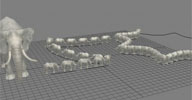
 I don't think there is an easy way to do this with the built-in topology compounds
plus it has some other nice features:
supports both open and closed curves nice controls to interactively position, scale and rotate your copies on the curve copies will be evenly spaced along the curve the copies nicely align to the curve, you shouldn't run into any problems with flipping normals on s-shaped curves. transfers UV's
Go to the download page for a screenshot explaining the usage of this compound.
local backup: Create Copies along Curve.2.0.xsicompound
supports both open and closed curves nice controls to interactively position, scale and rotate your copies on the curve copies will be evenly spaced along the curve the copies nicely align to the curve, you shouldn't run into any problems with flipping normals on s-shaped curves. transfers UV's
Go to the download page for a screenshot explaining the usage of this compound.
local backup: Create Copies along Curve.2.0.xsicompound
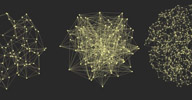 Neural Net osAll ICE strands
 Another take on motiongraphic's currently most popular effect: emits particles and
connects them with strands. This one is
pretty fast works both in a simulated and non-simulated environment two modes of strand creation: closest points & random turbulize and grow the strands
Go to the download page for a screenshot explaining the usage of this compound. Here's a video from that page.
local backup: Neural Net.2.1.xsicompound
pretty fast works both in a simulated and non-simulated environment two modes of strand creation: closest points & random turbulize and grow the strands
Go to the download page for a screenshot explaining the usage of this compound. Here's a video from that page.
local backup: Neural Net.2.1.xsicompound
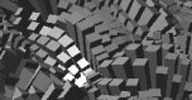 Emit from Polygons osAll ICE
 This compound is thought to be used in a non-simulated environment and the emitter
mesh should ideally consist of quads only. The idea behind this compound was to quickly
create coral like structures by emitting instances from polygon centers and scaling
them according to the polygon they've been emitted from. This helps to prevent instances
from penetrating each other, and also results in a more natural, organic look [..]
Go to the download page to read more about the usage of this compound.
local backup: Emit from Polygons.1.0.xsicompound
Go to the download page to read more about the usage of this compound.
local backup: Emit from Polygons.1.0.xsicompound
Quantize Values osAll ICE
This one is a bit techy, but proved useful to me. It takes a set or array of scalar
values and spits out quantized values based on a quantization step. An image (hopefully)
explains more than thousand words :)
Go to the download page for that image which explains the usage of this compound.
local backup: Quantize Values.xsicompound
Go to the download page for that image which explains the usage of this compound.
local backup: Quantize Values.xsicompound
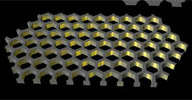 Honeycomb Plate osAll ICE topo fabric
 The author shares a workflow for constructing a piece of honeycomb using ICE modeling.
Other compounds used in the process are: honeycombs grid, cut by one polygon (both available in the vimeo link and in the local backup), Create Copies from Polygon Mesh, ICE Weld Points Compound (directly below) and AI Thickness.
Demo and the workflow steps are available here
local backup: honeycombs_grid.xsicompound cut_by_one_polygon.xsicompound
Demo and the workflow steps are available here
local backup: honeycombs_grid.xsicompound cut_by_one_polygon.xsicompound
ICE Weld Points Compound osAll ICE
This compound welds border points based on an input distance. Soft has a built-in
command called Filter Points for this, but the compound can be useful for when you
need to weld within an ICE tree.
Please note that the compound can become slow on big meshes. I don't use any Repeat nodes, but there is a Find in Array inside that becomes a bottleneck. Will want to figure out a way to improve this.
Video demonstration available here.
 Related plugins: Filter Points by Distance (for ALL points, not just border points).
local backup: CG Weld Points.xsicompound
Please note that the compound can become slow on big meshes. I don't use any Repeat nodes, but there is a Find in Array inside that becomes a bottleneck. Will want to figure out a way to improve this.
Video demonstration available here.
Related plugins: Filter Points by Distance (for ALL points, not just border points).
local backup: CG Weld Points.xsicompound
author site: http://www.digipiction.de / download: /compounds...CG Weld Points.xsicompound
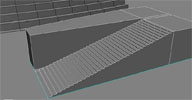 ICE Stair Generator Compound osAll ICE topo
 From this video's (archive) page: This compound turns an input polygon into stairs.
The stairs in the background of the scene were made using another iteration of the compound, which builds stairs along a curve. However, I haven't finished this one because I ended up not needing it.
Note: The author already has a collection of ICE modeling workflow related videos to be found on his vimeo page (archive).
local backup: CG Stair Generator.xsicompound
The stairs in the background of the scene were made using another iteration of the compound, which builds stairs along a curve. However, I haven't finished this one because I ended up not needing it.
Note: The author already has a collection of ICE modeling workflow related videos to be found on his vimeo page (archive).
local backup: CG Stair Generator.xsicompound
author site: http://www.digipiction.de / download: /compounds.../CG Stair Generator.xsicompound
 Dan's parametric equations and Topo Pack osAll compilation ICE topo math
 Daniel is continuing his research and exploration of parametric formulas that started
with the Parametric Formula plugin (available below) - now on the ICE modeling platform. To follow the development
of his endeavour, visit the si-community thread linked below, which also (on page
#2) contains the »Parametric Sandbox« compound which is a basis for custom
experimentation with parametric formulas.
The Topo Pack consists of 51 configurable figures and helper compounds like »Bohemian Dome«, »Conical Spiral Disk«, »Super Sphere« etc.
local backup: para_sbox_topopack.zip
The Topo Pack consists of 51 configurable figures and helper compounds like »Bohemian Dome«, »Conical Spiral Disk«, »Super Sphere« etc.
local backup: para_sbox_topopack.zip
 Quick Cache 2 osAll ICE particle python workflow
 This plugin helps you cache point clouds, meshes and curves in a quick and efficient
way [..]
The main feature of the new version is the ability to cache multiple particle clouds at once. Now it's more stable also, you can try to break it by selecting all objects around, push buttons in a chaotic manner and do crazy stuff with selections - it will work properly no matter what. Changelist: Caching is now works on ICE. Work in the production environment showed me that standard caching via Cache Manager is not working for complex simulated pointclouds. Cache loads within the one object now. It's achieved by the disabling construction stack logic that allows you to save original simulation ice trees and get a cached version speed on a preview and render at the same time. It's means that your shader and settings of the point cloud will be applied to cache also. Added »Folder« button that opens cache folders of the selected objects. Video is now recording to png mov format. This is the smallest and best quality video format that is available. You can disable video recording now if you want to. Added samples checkbox for subframe sampling of the simulated point clouds. Default settings of the ppg can be changed in a SIQC_Defaults.py file
Installation: copy »QuickCache« folder into »ApplicationPlugins« user folder and restart Softimage. To add it into a scene, go to Model -> Property -> QuickCache Introduction video at youtube.
local backup: QuickCache.rar
The main feature of the new version is the ability to cache multiple particle clouds at once. Now it's more stable also, you can try to break it by selecting all objects around, push buttons in a chaotic manner and do crazy stuff with selections - it will work properly no matter what. Changelist: Caching is now works on ICE. Work in the production environment showed me that standard caching via Cache Manager is not working for complex simulated pointclouds. Cache loads within the one object now. It's achieved by the disabling construction stack logic that allows you to save original simulation ice trees and get a cached version speed on a preview and render at the same time. It's means that your shader and settings of the point cloud will be applied to cache also. Added »Folder« button that opens cache folders of the selected objects. Video is now recording to png mov format. This is the smallest and best quality video format that is available. You can disable video recording now if you want to. Added samples checkbox for subframe sampling of the simulated point clouds. Default settings of the ppg can be changed in a SIQC_Defaults.py file
Installation: copy »QuickCache« folder into »ApplicationPlugins« user folder and restart Softimage. To add it into a scene, go to Model -> Property -> QuickCache Introduction video at youtube.
local backup: QuickCache.rar
 Constraint to Particles Extended osAll ICE particle python controllers
 Based on Guillaume Laforge's »Constrain To Particles« command that you
can find in Softimage ICE -> Kinematics/Effects panel by default. I rewrote it a bit
to simplify the process. Installation: copy ConstraintToParticlesExtended.py plugin
to your AutodeskSoftimage_2012_SP1ApplicationPlugins user folder. Now all you
need to create nulls and constrain them is select some points on desired objects and
run InstantiateNulls.py script.
local backup: ConstraintToParticlesExtended.rar
local backup: ConstraintToParticlesExtended.rar
author site: http://procedural.tumblr.com / download: /downloads/
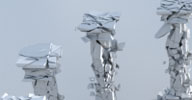 Implosia Tools 2.5 osAll python topo ICE particle shatter
 This was written for Implosia Version 1.1 and might not be compatible with the current release 4.6— A toolbar and compounds for Mr. Core Implosia FX ICE based shatter. Features: glass/bomb/weightmap
type of destruction, ability to make a different chunks from a shattered geometry
(method based on Implosia polyisland information, so it's quick and stable) and convert
chunks into pointcloud with shapes that repeats the original geometry. Installation:
drag-and-drop .xsiaddon file into viewport. Softimage 2012 and Implosia FX 1.1 required.
local backup: ImplosiaTools25.xsiaddon
local backup: ImplosiaTools25.xsiaddon
author site: http://procedural.tumblr.com / download: /downloads/
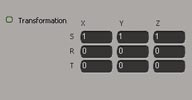 Environment Shader Fixup osAll js shader mentalray
 Installing this addon makes the Transformation parameter of the factory environment shader texturable, for example for ICE workflows
such as the one shown here on Stephen's eX-SI support blog.
This addon also demonstrates how to use the siOnCreateShaderDef callback to modify shader definitions where in older versions this could only be done by modifying SPDL files - explained in detail here.
local backup: EnvironmentShader_SPDL_fixup.xsiaddon
This addon also demonstrates how to use the siOnCreateShaderDef callback to modify shader definitions where in older versions this could only be done by modifying SPDL files - explained in detail here.
local backup: EnvironmentShader_SPDL_fixup.xsiaddon
author link: http://xsisupport.wordpress.com / download: ..transformation-parameter/
Philo's Animation Tools osAll python rigging compilation
A growing collection of tools thematically centered around the animation pipeline.
For updates and an educative writeup on the development of each of these tools, visit
the author's blog linked below.
So far included in the collection are: Keep Ref Keys (keeps only the keys on the target object for frames matching the source object's keyed frames) FCurve Interpolation (switches the interpolation of the selected object's transformation FCurves) Match All Transforms (Select the objects that you want to move — Run the script — When prompted, pick the target object that you want to match) Tracker Script/ICE Compound (ICE tracker that influences Nulls created and »glued« at selected points) Copy Animation (simplifies the process of copy/pasting animation from one object to another) Offset Keys (quickly move the keys in one direction or another using the current frame as a starting point)
local backup: animation_tools_031812.zip
So far included in the collection are: Keep Ref Keys (keeps only the keys on the target object for frames matching the source object's keyed frames) FCurve Interpolation (switches the interpolation of the selected object's transformation FCurves) Match All Transforms (Select the objects that you want to move — Run the script — When prompted, pick the target object that you want to match) Tracker Script/ICE Compound (ICE tracker that influences Nulls created and »glued« at selected points) Copy Animation (simplifies the process of copy/pasting animation from one object to another) Offset Keys (quickly move the keys in one direction or another using the current frame as a starting point)
local backup: animation_tools_031812.zip
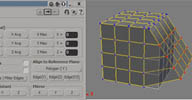 m|Aligner osAll js align measure
 V1.5 update It's a very simple plugin but I find it very useful, so I decided to share it here.
I called it mAligner. It basically aligns points, edges and objects. Aligns to global or local axis with the minimum selected value, maximum value, average
value and specified value Aligns equidistant distance (local or global axis) Aligns to Reference Plane from polygon or edge Mirror position and rotation from the first selected object to the second one.
I also included ringpull's Align Equidistant Clusters (archive) in the xsiaddon and a button linking to this script in the PPG.
Update to V1.5 includes: Support for aligning curve knots Align Object Centers. Instructions available on the download page (scroll down there for English instructions).
local backup: mAligner.xsiaddon
I also included ringpull's Align Equidistant Clusters (archive) in the xsiaddon and a button linking to this script in the PPG.
Update to V1.5 includes: Support for aligning curve knots Align Object Centers. Instructions available on the download page (scroll down there for English instructions).
local backup: mAligner.xsiaddon
author blog: http://myara.blog.fc2.com / download: /mAligner.html
 ICE Unify Normals Compound osAll ICE workflow
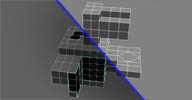
 We import CAD data at work, and it often has issues with inverted normals. So I tried
to make a compound that fixes the problem automatically.
Video demonstration available here (archive). (Note: The available version of the compound performs 10* faster than the version shown in the video)
local backup: CG Unify Normals.1.2.xsicompound
Video demonstration available here (archive). (Note: The available version of the compound performs 10* faster than the version shown in the video)
local backup: CG Unify Normals.1.2.xsicompound
author site: http://www.digipiction.de / download: /compounds...Unify Normals.1.2.xsicompound
ICE Remove Double Faces osAll ICE workflow
[..] we export OBJ files out of Microstation, and it doubles every face. I've attached
the compound I use to fix it. Since I need it so often, I've added it to my menu.
The performance is quite good. It removes all overlapping faces (not just doubled
ones, also tripled, quadrupled... ones).
local backup: CG+OBJ+Korrektur.xsicompound
local backup: CG+OBJ+Korrektur.xsicompound
author site: http://www.digipiction.de / download: mailing list @google groups
 Cartoon Rigs for Softimage osAll rigging
 On his website, CJ shares two cartoon rigs, Mark and Bob, ready to animate using a
common synoptic view with facial controls. The two download pages linked below include
video demos of the rigs.
Some new rigs (Jenny & Gene) appear to be in the works. All of CJ's rigs are shared under the creative commons Attribution-NonCommercial-ShareAlike license.
local backup: rigs.zip
Some new rigs (Jenny & Gene) appear to be in the works. All of CJ's rigs are shared under the creative commons Attribution-NonCommercial-ShareAlike license.
local backup: rigs.zip
author site: http://www.cjcow.net (archive) / download: /mark.html (archive), /bob.html / si-community thread
 Scatter Tools 1.1 osAll ICE particle scatter
 While creating my Iceland - Defender (archive) project I made several compounds to control the way objects are scattered in the
scene. Nothing special, usually just a few nodes combined into compounds with most
common controls but I believe some people might find them useful. At the beginning
I tried to make only one superscatter compound, but it became really huge so it was
better to split it into several nodes... btw, I have almost 700 000 instances in that
scene controlled by these compounds while working on my old laptop. ICE is soo amazing...
:)
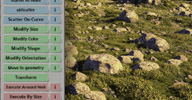
From updated version's (1.1) vimeo page: [..] i tried to make the workflow more consistent and also added a toolbar for people who don't want to use ICE nodes. well, you can do basic stuff with the toolbar, but eventually you will have to use ICE tree... (it would be possible to make that toolbar more powerful, but i'm really bad with python :) ) this is how it works now: first you scatter some objects (blue buttons), then you modify their attributes like size, shape, orientation... (green buttons) but usually, you want to do those modifications based on some rules (red buttons) cool thing is that you can combine those rules as you want [..] (cont'd on vimeo page)
V1.0 Video documentation still available here (archive). Video for 1.1 update available here
local backup: ScatterTools1_1.xsiaddon
From updated version's (1.1) vimeo page: [..] i tried to make the workflow more consistent and also added a toolbar for people who don't want to use ICE nodes. well, you can do basic stuff with the toolbar, but eventually you will have to use ICE tree... (it would be possible to make that toolbar more powerful, but i'm really bad with python :) ) this is how it works now: first you scatter some objects (blue buttons), then you modify their attributes like size, shape, orientation... (green buttons) but usually, you want to do those modifications based on some rules (red buttons) cool thing is that you can combine those rules as you want [..] (cont'd on vimeo page)
V1.0 Video documentation still available here (archive). Video for 1.1 update available here
local backup: ScatterTools1_1.xsiaddon
author site: http://www.milanvasek.com / author @ imdb / download: /ScatterTools1_1.xsiaddon (archive) / author blog: http://www.vfxarea.com
 agGradientBackground win64 python workflow
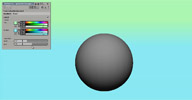
 My colleague Manu Linares asks to create a gradient background. Here it is [..] Installation: Install addon. Restart softimage Activate and configure at File/Preferences/Custom Preferences/agGradientBackground
Related plugins: XSIGradient
local backup: agGradientBackground1.0.xsiaddon
Related plugins: XSIGradient
local backup: agGradientBackground1.0.xsiaddon
author site: El blog de Agedito / download: /blog/?p=203
Resample Strands osAll ICE strands
Following a request by Darren Macpherson, Fabricio Chamon posted this compound on
the Softimage mailing list. Resample Strands makes strands with a low number of segments
smoother by interpolating along a bezier curve fitted on the original strand points.
This compound uses a constant number of points, but the point number could also be
controlled by the original strand length if this is to be considered.
Here's a mod of Fabricio's compound that adds the ability to output equally-spaced strand segments.
local backup: Resample+Strands+by+Bezier.xsicompound
Here's a mod of Fabricio's compound that adds the ability to output equally-spaced strand segments.
local backup: Resample+Strands+by+Bezier.xsicompound
author link: http://iceduous.blogspot.com/ / source: XSI mailing list @google groups
Restore Symmetry osAll ICE symmetry
Restores symmetry on an object with a symmetry map where the symmetry has been lost
accidentally. Lets the user pick which world-space half to copy symmetry from (+x,
-x, +y, ...)
A video introduction from the author is available here.
local backup: Restore Symmetry.xsicompound
A video introduction from the author is available here.
local backup: Restore Symmetry.xsicompound
TU Treads Generator osAll js scene
This scene file / script / video tutorial from 2009 demonstrates how to set up tank treads in XSI v5.11
local backup: TU_TreadsGenerator1.1.zip
local backup: TU_TreadsGenerator1.1.zip
author youtube channel: http://www.youtube.com/user/nyokirinboo/videos / video page: /watch?v=YFd8FbCKBr8
 Lens Ambient Occlusion osAll shadercompound shadingworkflow shader mentalray
 With that you can simply get a fast precomped preview of the Ambient Occlusion in
your scene through a lens shader (and with one click only). You can turn it on and
off. it doesn't need any additional performance when turned off, which is quite nice.
[..] To use the script you need place the compound in the RTCompounds location and
you also need to add (set WG_Path=\yourpathSI_WORKGROUP) to the softimage setenv.bat
OR simply change the path in the embedded toolbar script on Line 5.
local backup: LensAOpreview.zip
local backup: LensAOpreview.zip
author site: n/a
Extrude Curve Single and Multi Side osAll ICE
I know there are a bunch of good compound for doing extrusion of the curves already
(I'm using a Power Extrude add-on, check it out), but here I have a few ones that solves some specific type
of problems - first one is simply extrudes one side mesh that always faces to camera
and second one is defines where is left and right. Also no repeat or while nodes is
using, just ice logic, nothing fancy. Hope you find them useful, if not that's ok
too.
local backup: Extrude%20Curve%20Single%20and%20Multi%20Side.rar
local backup: Extrude%20Curve%20Single%20and%20Multi%20Side.rar
author site: http://procedural.tumblr.com / download @ si-community thread
Shell Scripts osAll modeling python
Some alternatives to the classic thickness plugins that work for special cases like
irregular polygons. For usage details and downloads, see the si-community thread linked
below.
local backup: shellscripts.zip
local backup: shellscripts.zip
author site: http://procedural.tumblr.com / download @ si-community thread
Key Pivot Tool osAll python animation
SI has a pivot transformations that can be keyed without using a Center operator.
The awkward thing for me is that this is done by changing the parameters values from
the ppg window and translation of the pivot happens relatively to local transformation
matrix of the object. So I wrote this handy little script that allow you to just pick
a position in space that would be a new pivot center of the current frame.
For usage details and downloads, see the si-community thread linked below.
local backup: keyPivotTool.zip
For usage details and downloads, see the si-community thread linked below.
local backup: keyPivotTool.zip
author site: http://procedural.tumblr.com / download @ si-community thread
 Koch Fractal osAll strands ICE
 An implementation of the Koch fractal curve in ICE as strands.
Demonstration video available here
local backup: Koch_fractal.xsicompound
Demonstration video available here
local backup: Koch_fractal.xsicompound
ET_SchematicTools osAll python workflow
I took a stab at using the new schematic object model additions for the schematic
view. Two new menu items in the Schematics View menu »Expand Positions«
and »Collapse Positions«. Also a custom command that you can use as well.
Arguments that the command takes is a scalar value for the percentage to move the
nodes from their average position and a boolean whether to move the child nodes or
not.
This plugin is part of Eric's ET_Tools collection which he released here on github under an open source license. For a screenshot, see here on creativecrash.
local backup: ET_SchematicTools_1.15.xsiaddon
This plugin is part of Eric's ET_Tools collection which he released here on github under an open source license. For a screenshot, see here on creativecrash.
local backup: ET_SchematicTools_1.15.xsiaddon
ET_AnimStore V2.22 osAll rigging workflow
Updated October 2012 with a fix for pose saving. I just posted my latest version of ET_AnimStore. Version two was totally reworked
and now supports storing animation and more:
Database driven for stability Password protected to ensure no accidental deletions Now able to store animation New pose / animation organization (Projects, Model Group, Sets)
Poses aren't locked to 1 character Clean util to remove defunct poses Deletion hierarchy; delete a project, and model group and sets delete with it.
Info from the first version: This plug-in allows you to store poses for a character and use them at a later time. Please watch the video below and download the plug-in as well. Please give me your feedback as I'm still trying to develop this to be as universal as possible.
Videos available: Intro, Create DB, Store & Apply Pose, Store & Apply Anim
This plugin is part of Eric's ET_Tools collection which he released here on github under an open source license.
local backup: ET_AnimStore_2.22.xsiaddon
Info from the first version: This plug-in allows you to store poses for a character and use them at a later time. Please watch the video below and download the plug-in as well. Please give me your feedback as I'm still trying to develop this to be as universal as possible.
Videos available: Intro, Create DB, Store & Apply Pose, Store & Apply Anim
This plugin is part of Eric's ET_Tools collection which he released here on github under an open source license.
local backup: ET_AnimStore_2.22.xsiaddon
XSI to AE osAll interop
This script was posted in this thread on the mailing list, following a request by Paul Griswold:
Here's a link to the script I have tooled around with: (dropbox link) (archive). It started off as Helge's script and I added some user functionality in. The zip file includes a sample scene. It's not polished and has RAM issues as Christian said. I keep meaning to re-write the XML component. I think it tries to load everything into RAM before writing any keyframes in AE and gets really bogged down. I have found that you can export stuff in smaller chunks or one element at a time and it still lines up in AE. I've done the Maya to AE(from Maya) before and it's nice that you can do it natively. Although, I think you would still want a script to setup the scene for you. By default it comes into AE as 1 unit = 1 pixel which is painful to work with. Several of the XSI->AE changes I made were in that area: Making what you are importing friendly to a normal AE comp.
local backup: XSI-AE_Test_Script.zip
Here's a link to the script I have tooled around with: (dropbox link) (archive). It started off as Helge's script and I added some user functionality in. The zip file includes a sample scene. It's not polished and has RAM issues as Christian said. I keep meaning to re-write the XML component. I think it tries to load everything into RAM before writing any keyframes in AE and gets really bogged down. I have found that you can export stuff in smaller chunks or one element at a time and it still lines up in AE. I've done the Maya to AE(from Maya) before and it's nice that you can do it natively. Although, I think you would still want a script to setup the scene for you. By default it comes into AE as 1 unit = 1 pixel which is painful to work with. Several of the XSI->AE changes I made were in that area: Making what you are importing friendly to a normal AE comp.
local backup: XSI-AE_Test_Script.zip
author site: n/a / mailing list thread @google groups
 GDT Realtime Shaders winAll shader mentalray scene
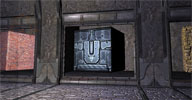
 DirectX viewport shader for game content development. From the XSIBase thread:
This shader is intended for game developers in the first place - where the 'coolness effect' is always more important than physical correctness. That's why I've placed it in this section. In this release, it represents a 'single layer material' type. A material that combines a single set of textures (layer) diffuse/spec/normal etc and are usually applied to most of static assets in games. My guess is, that it covers about 90% of needs. It's an equivalent of this material I use in Unreal engine 3.
[..] At the present state shader code provides the following features: Lambert/Half-labert shading Diffuse map/color Fresnel color Ambient color: blended with diffuse or blended with shading Specular reflections - added or multiplied with diffuse and 'ambient' specular Ambient occlusion map Emissive/constant - masked or unmasked Bump map Normal and detail normal Parallax offset Environment reflections- masked or unmasked Transparency - masked or unmasked Lightmap
local backup: gdtrt_shaders_and_demo_project.zip
This shader is intended for game developers in the first place - where the 'coolness effect' is always more important than physical correctness. That's why I've placed it in this section. In this release, it represents a 'single layer material' type. A material that combines a single set of textures (layer) diffuse/spec/normal etc and are usually applied to most of static assets in games. My guess is, that it covers about 90% of needs. It's an equivalent of this material I use in Unreal engine 3.
[..] At the present state shader code provides the following features: Lambert/Half-labert shading Diffuse map/color Fresnel color Ambient color: blended with diffuse or blended with shading Specular reflections - added or multiplied with diffuse and 'ambient' specular Ambient occlusion map Emissive/constant - masked or unmasked Bump map Normal and detail normal Parallax offset Environment reflections- masked or unmasked Transparency - masked or unmasked Lightmap
local backup: gdtrt_shaders_and_demo_project.zip
author site: http://www.mslaf.com
ICE Modeled Camera Grid osAll ICE
dynamically creates an ICE modeled grid and places it inside the camera frustum at
a specified distance from the camera. At the same time it creates an ICE-based texture
projection.
local backup: CamPlane.0.5.xsicompound camproj.scn
local backup: CamPlane.0.5.xsicompound camproj.scn
author site: http://julianjohnsonsblog.blogspot.com / download: /.../ice-modeled-camera-grid.html
 PhysX Fluid Simulation win64 ICE particle scene fluids
 This ICE compound wraps a CUDA implementation of the SPH fluid algorithm and allows
a very fast particle simulation of fluids on NVidia GPUs. A CPU mode is also available;
it is rather fast as well and not limited by the available GPU RAM.
CPU mode can be used as the default mode or as a fallback mode.
See the si-community thread linked below for details and tips on using this compound. Here's a test video by Tekano with 2 million particles.
local backup: Waterfall_FX.rar
See the si-community thread linked below for details and tips on using this compound. Here's a test video by Tekano with 2 million particles.
local backup: Waterfall_FX.rar
 BornMyWay osAll ICE
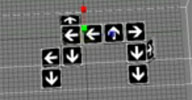
 In combination with instance animation, this compound creates an interesting motion-graphics
effect where animation travels along branching paths. See the video for further explanation.
Demonstration video available here
local backup: BornMyway.xsicompound
Demonstration video available here
local backup: BornMyway.xsicompound
FiberMesh to Strands osAll ICE curves strands
ICE node that converts an imported ZBrush (Ver. 4R2b or higher) fibermesh object/fiber
curves to ICE strands.
local backup: fe_FiberMeshToStrands.zip
local backup: fe_FiberMeshToStrands.zip
author site: http://florianeberle.com / source: XSI mailing list