Softimage Resources: plugins, scripts, compounds and shaders
All 1119 entries of the Softimage Resources as a simple list, 51–100 on this page. To search and filter by tags, use the interactive Resources page.
m|GridUV osAll js texturing
The m|GridUV functionality is now included in m|TextureEditor — This script aligns selected UV points in a grid pattern, optionally keeping the existing
row/column spacing. Demonstrated here.
Usage: Select the UVs you want to re-align (You can also select polygons when the script editor is open) Run the script, choose desired options (keep spacing, spacing ratio fix) Now pick a reference UV point That reference point will be used as the UV origin, as well as the origin for the edgeloops from which the spacings will be sampled if that option is chosen.
local backup:mGridUV.js
Usage: Select the UVs you want to re-align (You can also select polygons when the script editor is open) Run the script, choose desired options (keep spacing, spacing ratio fix) Now pick a reference UV point That reference point will be used as the UV origin, as well as the origin for the edgeloops from which the spacings will be sampled if that option is chosen.
local backup:mGridUV.js
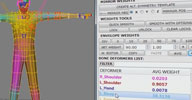 m|Skin python rigging workflow
 Previously released in late 2016 as »m|Skin Weight Spectrum«, this has
grown into a full featured alternative toolset for controlling and painting skin weights.
From the manual on skymill.co.jp (en (archive)/jp): mSkin is a Softimage Weights Tool that has been developed at Skymill for game production. The GUI has been designed based on Christopher Evan's skinWrangler, a Maya weights script. It's also using some functions from Jeremie Passerin's Gear, Alan Fregtman's blog and Gotetz's blog. It's currently been used in one of our projects and it is still a work in progress. It may be a little slow when dealing with tons of deformers and supports only one envelope. Use it at your own risk. It's been tested in Softimage 2013, 2014 and 2015.
Demonstration video available mSkin : Softimage Weights Tool
local backup:_mSkin.xsiaddon (requires pySide/PyQtForSoftimage) mSkin_WG.zip (workgroup with plugin and all required dependencies)
From the manual on skymill.co.jp (en (archive)/jp): mSkin is a Softimage Weights Tool that has been developed at Skymill for game production. The GUI has been designed based on Christopher Evan's skinWrangler, a Maya weights script. It's also using some functions from Jeremie Passerin's Gear, Alan Fregtman's blog and Gotetz's blog. It's currently been used in one of our projects and it is still a work in progress. It may be a little slow when dealing with tons of deformers and supports only one envelope. Use it at your own risk. It's been tested in Softimage 2013, 2014 and 2015.
Demonstration video available mSkin : Softimage Weights Tool
local backup:_mSkin.xsiaddon (requires pySide/PyQtForSoftimage) mSkin_WG.zip (workgroup with plugin and all required dependencies)
 OctaneRender for Softimage 3.0 renderer commercial win64
 Plugin V3.0RC2 released Oct 1st, 2017. Stephan Woermann AKA face continues his work on the Softimage integration of the unbiased GPU render engine
»OctaneRender«. He recently updated the plugin to version 3 which features improved ICE integration,
support for volumes and an upgrade to the latest OctaneRender core.
From the product page: [..] The release of the new OctaneRender 3, brings new state-of-the-art tools never seen before in any production renderer. Features include volumetric light field primitives and deep motion buffers for high frame rate VR rendering. The release also incorporates important industry standards for GPU rendering, including Open Shader Language (OpenSL) and OpenVDB for particle simulation. Use OctaneRender to create images of the highest possible quality at speeds up to 50x faster than CPU-based, unbiased renderers. Attached to your editing tools? No problem! Octane supports more than 21 plugins and has a fully interactive, real-time 3D editing viewport. And with Octane 3.0 we provide integration to a beta version of the new Octane Render Cloud to scale for all of your on-demand GPU compute needs..
A bundle with the (required) OctaneRender will cost $509; for OctaneRender owners, the plugin itself is $139. A demo is available here. Documentation is available here (yet to be updated to version 3). Many more details and videos are available on the forum pages linked below.
From the product page: [..] The release of the new OctaneRender 3, brings new state-of-the-art tools never seen before in any production renderer. Features include volumetric light field primitives and deep motion buffers for high frame rate VR rendering. The release also incorporates important industry standards for GPU rendering, including Open Shader Language (OpenSL) and OpenVDB for particle simulation. Use OctaneRender to create images of the highest possible quality at speeds up to 50x faster than CPU-based, unbiased renderers. Attached to your editing tools? No problem! Octane supports more than 21 plugins and has a fully interactive, real-time 3D editing viewport. And with Octane 3.0 we provide integration to a beta version of the new Octane Render Cloud to scale for all of your on-demand GPU compute needs..
A bundle with the (required) OctaneRender will cost $509; for OctaneRender owners, the plugin itself is $139. A demo is available here. Documentation is available here (yet to be updated to version 3). Many more details and videos are available on the forum pages linked below.
company site: http://home.otoy.com / purchase page: /render/octane-render/purchase / plugin forum post @otoy.com / si-community thread
 Arnold 5 osAll arnold commercial renderer
 Plugin V4.1 for Arnold 5.0.1.1 released Aug 9th 2017. From the Solid Angle site: Arnold is an advanced Monte Carlo ray tracing renderer built for the demands of feature-length
animation and visual effects. Originally co-developed with Sony Pictures Imageworks
and now their main renderer, Arnold is used at over 300 studios worldwide including
ILM, Framestore, MPC, The Mill and Digic Pictures. [..]
The Arnold 5 update is almost a complete rewrite of 4.X with improved sampling, completely rewritten shaders, VR camera support, simple OSL custom shader authoring, closures, light group AOVs. For a list of the over 100 updates and new features see this page: https://support.solidangle.com/display/A5SItoAUG/4.0
Pricing is currently at $995 for a floating perpetual license which includes all DCC plugins. Maintenance for around $180/year. A subscription option is available for $600/year or $65/month (and will be the only option starting May 2018!)
The Arnold 5 update is almost a complete rewrite of 4.X with improved sampling, completely rewritten shaders, VR camera support, simple OSL custom shader authoring, closures, light group AOVs. For a list of the over 100 updates and new features see this page: https://support.solidangle.com/display/A5SItoAUG/4.0
Pricing is currently at $995 for a floating perpetual license which includes all DCC plugins. Maintenance for around $180/year. A subscription option is available for $600/year or $65/month (and will be the only option starting May 2018!)
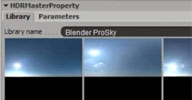 HDR Master win64 renderer
 This is a module for Sycles, the Softimage Cycles renderer integration. It lets you
quickly switch between different HDR environments using a contact sheet UI, as demonstrated
here: HDRMaster plugin demo.
This addon is part of the Sycles distribution
This addon is part of the Sycles distribution
download page: https://ssoftadd.github.io/syclesPage.html / all of Shekn's plugins / author on vimeo
 Floating Face Rig scene modeling rigging animation deformer ICE
 »Floating Face Rig« is exactly what it's named - a face rig which operates independently of any character
so it can be moved between characters as easily as a volume deformer widget. It uses
the concept of PointMagnets - ICE deformers that do something that could be described as a 'local volumetric
blend shape' (FXDude plans to release »PointMagnets« as a separate plugin later).
Be sure to visit the si-community thread - FXDude offers his support to help integrate the floating face rig there.
local backup:FloatingFaceRig-1.0.zip
Be sure to visit the si-community thread - FXDude offers his support to help integrate the floating face rig there.
local backup:FloatingFaceRig-1.0.zip
author site: n/a / si-community thread
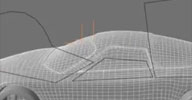 CookieCutter scene modeling ICE
 FXDude's latest release, a subdivision surface modeling helper: Can cut a target mesh by Scene Object outline, or by Curve Input, while fully supporting
getting Sub-D-ed, and outputs a very optimized mesh that remains very manageable (without
tons of extra subdivs at intersections).
Edge loops are always continuous and easily selectable for post local editing, or to make things like borders. Initially started with Pooby's recent "CutRaycast" method, which was in response to a request from McAxe. Circularize? eat your heart out :)
local backup:CookieCutter-1.0.zip
Edge loops are always continuous and easily selectable for post local editing, or to make things like borders. Initially started with Pooby's recent "CutRaycast" method, which was in response to a request from McAxe. Circularize? eat your heart out :)
local backup:CookieCutter-1.0.zip
author site: n/a / si-community thread
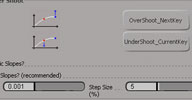 Oz_FcurveTools osAll js animation
 A toolset just added but long overlooked in this resource listing. »FCurveTools« offers a multitude of fcurve related tools such as overshoot/undershoot
next or current key, create automatic slopes, negative slope fix, normalize tangents,
copy/paste/offset animation, noise layer, time offsetter.
An overview and short documentation of all features is available here (archive).
local backup:Oz_FCurveTools.xsiaddon
An overview and short documentation of all features is available here (archive).
local backup:Oz_FCurveTools.xsiaddon
author blog: http://www.ozadi.com (archive) / download: ../docs/Oz_FCurveToolsPlugin.htm (jp) / si-community thread
DW_Vegas Lights osAll ICE
Creates evenly spaced bulbs (or rather ICE Particles which actual bulbs could be instanced
on) along an input curve and animates their colors so it appears as if the light chain
moves. Curve input is live - the curve can be animated or simulated. Also configurable:
colors of bulbs, number of bulbs, bulb spacing, bulbs travel 'speed'. Contains Julian
Johnson's ICE compound »Evenly spaced curve positions« as an embedded compound.
Usage: Connect to an unsimulated point cloud, connect a curve, hit play.
local backup:DW_VegasLights.xsicompound
Usage: Connect to an unsimulated point cloud, connect a curve, hit play.
local backup:DW_VegasLights.xsicompound
author site: n/a
 ZOIC os64 shader arnold
 ZOIC is an open-source camera shader for the Arnold renderer capable of simulating
some optically imperfect lens effects.
download @gumroad ('name a fair price'). The shader is not compiled for Arnold 5 yet - the existing sources and build instructions on the download page might help with that.
download @gumroad ('name a fair price'). The shader is not compiled for Arnold 5 yet - the existing sources and build instructions on the download page might help with that.
company site: http://zenopelgrims.com / plugin page: /zoic/
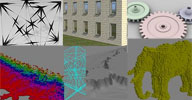 whXsiSuite win64 modeling compilation
 Wolfgang combined all of his plugins into one big plugin.
whNeuralNetwork: creates network like connections between particles which get thinner in areas of low particle density. User configurable with a custom parameter set (Note: wrong settings can lead to long calculation times) whFacade: Formerly known as whWall. This lets you create detailed house walls. The walls, holes and frames including the glass polygons are generated procedurally based on user defined parameters. Includes the option to duplicate the result on all four sides, in which case you can setup further variations of the user defined parameters. Finally you can create polygon clusters for the elements, allowing you to select groups like all frames on the right side, or other element groups. whCogwheel: Formerly known as whGear. Procedurally create gears. Dozens of parameters accessible from a property page let you configure every conceivable aspect of the created gear. A video demonstration is available. whPointGrid: Voxelizes a mesh
Also have a look at Wolfgang's whNvInfo tool which allows you to monitor the temperature / load of several available NVidia cards.
local backup:whXsiSuite-20170708-123321.zip
whNeuralNetwork: creates network like connections between particles which get thinner in areas of low particle density. User configurable with a custom parameter set (Note: wrong settings can lead to long calculation times) whFacade: Formerly known as whWall. This lets you create detailed house walls. The walls, holes and frames including the glass polygons are generated procedurally based on user defined parameters. Includes the option to duplicate the result on all four sides, in which case you can setup further variations of the user defined parameters. Finally you can create polygon clusters for the elements, allowing you to select groups like all frames on the right side, or other element groups. whCogwheel: Formerly known as whGear. Procedurally create gears. Dozens of parameters accessible from a property page let you configure every conceivable aspect of the created gear. A video demonstration is available. whPointGrid: Voxelizes a mesh
Also have a look at Wolfgang's whNvInfo tool which allows you to monitor the temperature / load of several available NVidia cards.
local backup:whXsiSuite-20170708-123321.zip
author site: http://www.whurst.net / download: ../2017/07/whxsisuite (archive) / si-community thread
 wh3DViewer win64 modeling
 wh3DViewer is a fast and simple 3D Model Viewer for the following 3D formats OBJ: Wavefront OBJICECACHE: Softimage ICEcache filesmzd: Mootzoid Geometry Cache Filesstl: Stereo Lithography Asciismd: Valve Studio MDLbsp: Valve Binary Space Partition
Also have a look at Wolfgang's whNvInfo tool which allows you to monitor the temperature / load of several available NVidia cards.
local backup:wh3DViewer-Windows-2014-09-23.zip
Also have a look at Wolfgang's whNvInfo tool which allows you to monitor the temperature / load of several available NVidia cards.
local backup:wh3DViewer-Windows-2014-09-23.zip
author site: http://www.whurst.net / download: ../wh3DViewer/
 Exocortex Implosia FX 4.6 osAll topo ICE particle shatter
 This plugin, which includes the most robust boolean solution for XSI, is now available
for free — Not to be confused with Oleg's Explosia FX, a fluid simulator— Exocortex ImplosiaFX enables advanced customizable fracturing/shattering as well as
robust, fast and scalable CSG boolean operations (using the Carve CSG library). ImplosiaFX builds upon the powerful ICE Modeling framework introduced in Autodesk®
Softimage® 2012 and is fully compatible with the rigid body simulation features of
Exocortex Momentum.
[..] Implosia FX enables you to fracture objects using three general fracturing algorithms: Continuous fractures, Iterative fractures [and] Voronoi fracturing. All of the fracturing styles are exposed via ICE Modelling nodes to enable maximum customization. We also provide a tool bar that allows for single-click fracturing [..] (Cont'd on the product page)
local backup:XSI_IFX_Workgroup_4.6_win64.zip XSI_IFX_Workgroup_4.6_linux64.zip ImplosiaFX4.6_sample_scenes.zip ImplosiaFX_documentation.pdf
[..] Implosia FX enables you to fracture objects using three general fracturing algorithms: Continuous fractures, Iterative fractures [and] Voronoi fracturing. All of the fracturing styles are exposed via ICE Modelling nodes to enable maximum customization. We also provide a tool bar that allows for single-click fracturing [..] (Cont'd on the product page)
local backup:XSI_IFX_Workgroup_4.6_win64.zip XSI_IFX_Workgroup_4.6_linux64.zip ImplosiaFX4.6_sample_scenes.zip ImplosiaFX_documentation.pdf
company site: http://exocortex.com / product page: http://www.exocortex.com/Plugins/ImplosiaFX / si-community thread
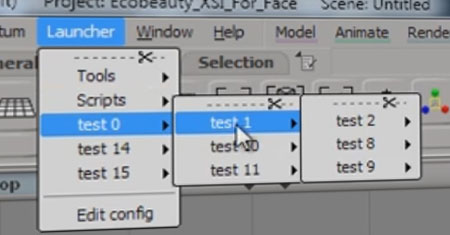 Fast Launcher python workflow
 A plugin from around 2013 — This plugin lets you start any document or program from inside Softimage. It has a
simple configuration file in which you can simple add/remove the menu entries. The
Plugin will run on Softimage 2012 x64 and above.
local backup:launcher.xsiaddon
For details see Fast Launcher for Softimage (archive) and Fast Launcher for Softimage: The next step (archive).
local backup:launcher.xsiaddon
For details see Fast Launcher for Softimage (archive) and Fast Launcher for Softimage: The next step (archive).
Softimage Right Side Panel UI, In QT osAll workflow
Softimage Right Panel UI, In QT (better description needed, please submit using the 'suggest new' button above)
local backup:Softimage_QTPanelWidget.zip
local backup:Softimage_QTPanelWidget.zip
XSI_OSD (OpenSubdiv) win64 renderer
An implementation of Pixar's OpenSubdivs for Softimage. Works in either of two modes: Create > Poly. Mesh > Apply XsiOSD leaves the cages as a separate object, allowing further topology modification/edge
crease weight/vertex crease weight tweaking on the cage orModify > Poly. Mesh > Apply XsiOSD operator applies OSD as a normal topology operator on the object, similar to the subdivide
polygons operator. Note this plugin doesn't support UVs.
Features: variable vertex/edge creasing/hard edgesSubdivision schemes: Catmark, BilinearBoundary interpolation: Sharpen edges, Sharpen edges and corners, offTriangle subdivision: catmark weights, smooth triangle weightsFVar lin. interp.: smooth everywhere, sharpen corners only, edge corner, edge and corner + propagate corner, sharpen all boundaries, bilinear creasing method: catmark rule, chaikin rule
local backup:XsiOSD_0.2.xsiaddon
Features: variable vertex/edge creasing/hard edgesSubdivision schemes: Catmark, BilinearBoundary interpolation: Sharpen edges, Sharpen edges and corners, offTriangle subdivision: catmark weights, smooth triangle weightsFVar lin. interp.: smooth everywhere, sharpen corners only, edge corner, edge and corner + propagate corner, sharpen all boundaries, bilinear creasing method: catmark rule, chaikin rule
local backup:XsiOSD_0.2.xsiaddon
download page: https://ssoftadd.github.io/xsiosdPage.html / all of Shekn's plugins / author on vimeo
PLY Importer win64 cppsrc importexport
This plugin allows you to import *.ply files into Softimage. It based on the rply
library for working with ply-format. The plugin recognizes the following properties:
vertex element: x, y, z as point positionsnx, ny, nz as point normalss, t as uv-coordinatesu, v as uv-coordinatesred, green, blue as vertex colorsr, g ,b as vertex colors
face element: vertex_indices as polygons points indices
local backup:STL_ExportPlugin.py
vertex element: x, y, z as point positionsnx, ny, nz as point normalss, t as uv-coordinatesu, v as uv-coordinatesred, green, blue as vertex colorsr, g ,b as vertex colors
face element: vertex_indices as polygons points indices
local backup:STL_ExportPlugin.py
download page: https://ssoftadd.github.io/plyimportPage.html / all of Shekn's plugins / author on vimeo
 UV2Location for meshes ICE deform scene
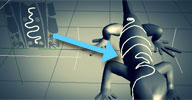
 This scene demonstrates how to use the 'reinterpret location' node to look up locations
and mesh attributes from positions in the uv space of an object. The scene creates
a 'UV clone' of a mesh, looks up closest locations on it and transfers attributes
(in this case point position) from the original object.
Used like this, it can "texture" an object with a mesh or a curve, similar to Anto's 'Deform by UV'. Keywords: UV to Location, UV
local backup:UVToLocation_for_polymeshes_2.zip
Used like this, it can "texture" an object with a mesh or a curve, similar to Anto's 'Deform by UV'. Keywords: UV to Location, UV
local backup:UVToLocation_for_polymeshes_2.zip
author site: rray.de/xsi / si-community thread
 Toonix ICE strands cpp scene
 A few years back, a little unnoticed at that time, Ben shared some of his ICE studies
and developments on his website.
This set of compounds uses ICE to create cartoon shading effects:
Toonix is a set of custom C++ ICE Nodes to generate Toon Lines, it supports Silhouette Detection, Boundary Detection,Intersection Detection(WIP) Crease Detection, Edge Cluster Detection, as well as experimental light and shadow approximation. It outputs on-the-fly polymesh geometry.
local backup:ToonixWorkgroup.rar
This set of compounds uses ICE to create cartoon shading effects:
Toonix is a set of custom C++ ICE Nodes to generate Toon Lines, it supports Silhouette Detection, Boundary Detection,Intersection Detection(WIP) Crease Detection, Edge Cluster Detection, as well as experimental light and shadow approximation. It outputs on-the-fly polymesh geometry.
local backup:ToonixWorkgroup.rar
author link: http://benmalartre.free.fr / download: ../docs.php?id=Toonix
 Cob Web ICE strands scene
 Ben shares some of his ICE studies and developments on his website. This scene contains an ICE tree that generates a cobweb procedurally.
Related Plugins: Aging cobwebs, ICE IK Solver Spider, ns_SpiderWeb
local backup:CobWeb.scn
Related Plugins: Aging cobwebs, ICE IK Solver Spider, ns_SpiderWeb
local backup:CobWeb.scn
author link: http://benmalartre.free.fr / download: ..&cat=2&active=CobWeb
ICE Face Rig ICE particles scene
Ben shares some of his ICE studies and developments on his website. This scene contains... A particle based facial rig I developed for an advertisment for Seed Animation Studio.
No documentation provided so some ICE dissection skills required.
local backup:ICEFace.scn
No documentation provided so some ICE dissection skills required.
local backup:ICEFace.scn
author link: http://benmalartre.free.fr / download: ..&cat=2&active=FaceRig
Ivy Generator ICE particles scene
Ivy generator is an early test using ICE. It's a growing and branching system, that
interacts with an environment object.
local backup:Ivy.scn
local backup:Ivy.scn
author link: http://benmalartre.free.fr / download: ..?id=0&cat=2&active=Ivy
Obstacle Avoidance ICE particles scene
Obstacle Avoidance is a sample flocking scene. Particles interacts with their neighbors,
following basic flocking rules. Plus they interact with the environment.
local backup:AvoidObstacle.scn
local backup:AvoidObstacle.scn
author link: http://benmalartre.free.fr / download: ..&active=AvoidObstacle
 Diffusion Aggregation ICE particles scene
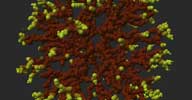
 Ben shares some of his ICE studies and developments on his website. This scene with a simulated ICE tree creates DLA (Diffusion Limited Aggregation) fractal like structures -
randomly moving particles successively attaching to first a few starting points, then
to each other. Depending on the parameters this results in a coral or lichen like
3D structure.
Related plugins: Andy Moorer's Diffusion Limited Aggregation
local backup:DiffusionAggregation.scn
Related plugins: Andy Moorer's Diffusion Limited Aggregation
local backup:DiffusionAggregation.scn
author link: http://benmalartre.free.fr / download: ..&cat=2&active=DiffusionAggregation
 PlayblastVR for Softimage win64 commercial renderer virtual-reality
 V1.4 updated November 2016 with fixes, support for new devices and a new sample scene
(Full Version History) — PlayblastVR is a new renderer for Softimage that creates hardware rendered panoramic
360° images using OpenGL. The PlayblastVR renderer allows you to create immersive
previz renderings of Softimage scenes in LatLong, fulldome, cylindrical, and cubic
panorama formats. PlayblastVR supports panoramic rendering output directly to YouTube
360 and Facebook 360 format movies with automatic metadata embedding, and to Google
Photosphere spherical panoramas. PlayblastVR can render Softimage scene elements such
as animated polygon and NURBS geometry, lights, ICE, hair and fur, cloth sims, and
procedurally generated shading networks.
After a PlayblastVR panoramic batch sequence rendering is complete it can be sent to an Oculus Rift or viewed using a video playback tool like DJV Viewer, Adobe SpeedGrade, Amateras Dome Player, Assimilate Scratch and Scratch Player, Kolor Eyes, Whirligig (archive), VLC, VLCwarp Player, RV, Live View Rift, and the Softimage Flipbook [..] Continue reading here. The full documentation is available here.
Supported panoramic formats: Angular FisheyeAngular Fisheye With 4:3 Ratio BackgroundAngular Fisheye with 16:9 Ratio BackgroundEquirectangular / LatLong / SphericalCube Map 3X2CylindricalCylindrical 270°Vertical Cross CubeHorizontal Cross CubeVertical Tee CubeHorizontal Tee CubeVertical Strip CubeHorizontal Strip CubeMental Ray Horizontal Strip Cube1
Testimonial by NSC Creative Supervisor Max Crow: I can assure you PlayblastVR is the VR tool for Softimage you have always wanted!
Price is $249 USD for a single user license. For other licensing options see the product page.
After a PlayblastVR panoramic batch sequence rendering is complete it can be sent to an Oculus Rift or viewed using a video playback tool like DJV Viewer, Adobe SpeedGrade, Amateras Dome Player, Assimilate Scratch and Scratch Player, Kolor Eyes, Whirligig (archive), VLC, VLCwarp Player, RV, Live View Rift, and the Softimage Flipbook [..] Continue reading here. The full documentation is available here.
Supported panoramic formats: Angular FisheyeAngular Fisheye With 4:3 Ratio BackgroundAngular Fisheye with 16:9 Ratio BackgroundEquirectangular / LatLong / SphericalCube Map 3X2CylindricalCylindrical 270°Vertical Cross CubeHorizontal Cross CubeVertical Tee CubeHorizontal Tee CubeVertical Strip CubeHorizontal Strip CubeMental Ray Horizontal Strip Cube1
Testimonial by NSC Creative Supervisor Max Crow: I can assure you PlayblastVR is the VR tool for Softimage you have always wanted!
Price is $249 USD for a single user license. For other licensing options see the product page.
author studio: http://www.doverstudios.com (archive) / author site: http://www.andrewhazelden.com / product page: /blog/ ... playblastvr-for-softimage/ / si-community thread
 Motion Tools 1.1 osAll ICE python
 Project moved to GitHub in Jul 2017 --- Motion Tools is a small collection of tools that aims to aid Motion Graphic work being
created inside Softimage. The idea is to create a workflow for the creation, distribution
and animation of instances as intuitive as the ones found in commercial solutions.
Since it is created ontop of ICE the tools have speed and combustibility considerably
superior to similar solutions.
Demo video available here. For demos of the previous beta versions, see here for v0.1, here for v0.2 and here for v0.3.
local backup:motiontools.zip
Demo video available here. For demos of the previous beta versions, see here for v0.1, here for v0.2 and here for v0.3.
local backup:motiontools.zip
randomXSISelectionExample osAll python workflow snippet
(From the github page) XSI Example: Random Component or Object Selections
from win32com.client import constants as c
import random
xsi = Application
XSIDialog = XSIFactory.CreateObject("XSIDial.XSIDialog")
def get_random_percentage(iterable, percentage):
amount = int( float(len(iterable)) * (percentage/100.0) )
return random.sample(iterable, amount)
[show more...]
author link: http://darkvertex.com / source: https://gist.github.com/...
evenCurves osAll python workflow snippet
(From the github page) Evenly distributed points on a Softimage curve
si = Application
def frange(x, y, jump):
'''
Like range() but with float values.
'''
while x < y:
yield x
x += jump
[show more...]
author link: http://darkvertex.com / source: https://gist.github.com/...
gatormulti osAll python workflow snippet
(From the github page) gator for multiple objects
xsi = Application
selected = xsi.Selection
sourceMesh = xsi.PickObject("Pick source (enveloped) mesh", "Pick source (enveloped)
mesh")("PickedElement")
if sourceMesh:
freezeMe = []
for targetMesh in selected:
if targetMesh.Envelopes.Count > 0:
xsi.RemoveFlexEnv(targetMesh)
[show more...]
author link: http://darkvertex.com / source: https://gist.github.com/...
purgeUnused osAll python workflow snippet
(From the github page) purge unused deformers
from time import clock
xsi = Application
def purgeUnusedDeformers(inColl):
c = clock()
for o in inColl:
if o.Envelopes.Count > 0:
env = o.Envelopes(0)
d = env.Deformers
w = env.Weights.Array
zeroWeightDeformers
= [deformer.FullName for deformer, weights in zip(d, w) if not any(weights)]
[show more...]
author link: http://darkvertex.com / source: https://gist.github.com/...
SaveCometWeights osAll importexport export python workflow snippet
(From the github page) XSI-to-Maya cometSaveWeights export (snippet)
"""
Alan Fregtman's SaveCometWeights for XSI -- http://darkvertex.com/
(snippet edition -- v1.1)
** USAGE:
1. Select one or more enveloped meshes and run this from the script editor.
2. You will have the weights saved as "WEIGHTS__objectname.txt" in Comet's SaveWeights
format
under the active XSI project directory.
3. In Maya, use Michael Comet's SaveWeights tool (melscript) to import the weights
file.
** NOTES:
[show more...]
author link: http://darkvertex.com / source: https://gist.github.com/...
Architectural Framebuffers osAll shader shadercompound mentalray
This is a rendertree compound that splits up the Architectural Shader over ALL the
framebuffer channels. Something similar has been done but I thought I'd try it myself
anyway.
What I've also done is created a couple of simple scripts that set up ALL the required channels so that all you need to do is plug in the RM_Architectural Splitter and hook it up like a normal mia_architecture node and your ready to render out a series on floating or non-floating point channels.
Look at the forum thread for more details and usage instructions.
local backup: RM_Architectural Splitter.xsirtcompound
What I've also done is created a couple of simple scripts that set up ALL the required channels so that all you need to do is plug in the RM_Architectural Splitter and hook it up like a normal mia_architecture node and your ready to render out a series on floating or non-floating point channels.
Look at the forum thread for more details and usage instructions.
local backup: RM_Architectural Splitter.xsirtcompound
author site: http://www.redmotion.com / download thread
 txManager osAll rendering workflow arnold
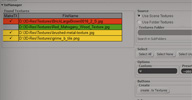
 A texture converter for Arnold's tx format. Arnold will accept almost any texture
format, but prefers its own tx format which supports tiling and mipmaps. This addon
provides a simple interface for managing and converting the textures in your scene
in a non-destructive way, inspired by MtoA's original txManager. Installed in Main Menu > File.
local backup: txManager_v06.py (copy to any Plugins folder)
local backup: txManager_v06.py (copy to any Plugins folder)
 Furax ICE strands hair modeling
 From the documentation linked below (red.): Furax is a set of ICE compounds for grooming hair using the surface/volume of a polygon
mesh guide. Furax was originally developed at Ellipsanime Studio and used on the TV
series »The Linkers and Boulle & Bill«. A Furax setup is composed of four
objects: a polymesh emitter, a polymesh cage, a guide point cloud and a render point
cloud. In the end, at rendering stage, only the render point cloud is used. We animate
the hair strands via simulation and/or rigging of the cage object. It's a solid but
not accurate framework for the animation of hair as it will be moved in packets instead
of per fiber.
Demo video (archive)
local backup: FuraxWorkgroup.rar Furax.scn (demo scene)
Demo video (archive)
local backup: FuraxWorkgroup.rar Furax.scn (demo scene)
author link: http://benmalartre.free.fr / download: /pages/docs.php?id=Furax (archive) / si-community thread
 Braid Setup osAll ICE strands hair scene modeling
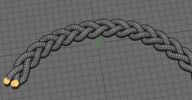
 Quote from the forum thread (see link section below): Here is typical rope braids ICE setup, if anyone is interested. I've used strand extrusions
from Melena to get polygons. Added a 'manual' setup with clones too, one yarn is enough
to define the pattern - should be interesting modeling exercise.
local backup: rope3yarns.emdl (drag and drop from netview)
local backup: rope3yarns.emdl (drag and drop from netview)
author site: http://www.matkovic.com / si-community thread
m|SlideRelaxBrush osAll js modeling
A one-click solution for setting up XSI for smooth/relax weightmap painting. Start
painting by selecting either the menu item Modify > Deform > m.Slide Relax Brush or the item with the same name inside an object's context menu.
From the si-community thread: This is a simple tool that uses a combination of Shrink Wrap, Relax, Gator and Weight Maps to relax a mesh without changing its shape, or at least, not by much. Something similar to slide edges. It also has an option to preserve UVs using Gator. It is very simple, but very useful for my modeling, I wish I had done this a long time ago.
Video demo on Youtube.
local backup: mSlideRelaxBrush.py (copy to any Plugins folder)
From the si-community thread: This is a simple tool that uses a combination of Shrink Wrap, Relax, Gator and Weight Maps to relax a mesh without changing its shape, or at least, not by much. Something similar to slide edges. It also has an option to preserve UVs using Gator. It is very simple, but very useful for my modeling, I wish I had done this a long time ago.
Video demo on Youtube.
local backup: mSlideRelaxBrush.py (copy to any Plugins folder)
author blog: http://myara.blog.fc2.com / si-community thread
 Preview Poses osAll workflow animation modeling deformer
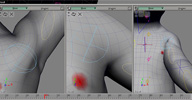
 A helper for envelope weight painting and modeling for animation. »Preview Poses«
lets you preview your mesh live in different poses while weight painting, modeling
(including topo changes) or shape editing. Installed in Sidebar (MCP) > Edit.
Usage: First make sure mesh and joints are inside a model structure Select the mesh you wish to preview, then run the command Add Preview Pose. This duplicates the model and creates an ICE deformed clone of the mesh inside the new model Move or branch select/isolate the duplicated model in a different viewport and pose as you wish. Any custom rig will keep working for the duplicated model if the rig was part of the master model.
Other commands available: (Note these might not work when using a custom rig - use stored actions on the controllers instead) Add Preview Pose from Base Pose: Creates a preview pose using the mesh base pose Preview Pose zero out: Sets the preview pose to the neutral position Preview Pose from Master: Changes the selected preview pose so it matches the master Preview Pose to Master: Changes the master pose so it matches the selected preview's
For more information, see the thread in the link section below.
local backup: AddPreviewPose.xsiaddon (drag-and-drop)
Usage: First make sure mesh and joints are inside a model structure Select the mesh you wish to preview, then run the command Add Preview Pose. This duplicates the model and creates an ICE deformed clone of the mesh inside the new model Move or branch select/isolate the duplicated model in a different viewport and pose as you wish. Any custom rig will keep working for the duplicated model if the rig was part of the master model.
Other commands available: (Note these might not work when using a custom rig - use stored actions on the controllers instead) Add Preview Pose from Base Pose: Creates a preview pose using the mesh base pose Preview Pose zero out: Sets the preview pose to the neutral position Preview Pose from Master: Changes the selected preview pose so it matches the master Preview Pose to Master: Changes the master pose so it matches the selected preview's
For more information, see the thread in the link section below.
local backup: AddPreviewPose.xsiaddon (drag-and-drop)
 XPOP v3.2 winAll python workflow custommenu
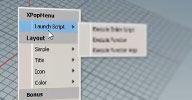
 Updated Oct 2016 with a Houdini rewrite by Julien Carmagnac. XPOP Menus are popup menus that are fully customizable via scripts, and can be used
with all scripting languages available in Softimage / Houdini
New features for XPOP 3.2: Underlined items Some new icons Icon caching Greyed out menu items Icon support (including Checkmark) Icon collection from axialis.com included Object oriented API (similar to Patrick Boucher's python extension for XPOP2) Section headers for more linear grouping than submenus Visual customization options: margins, spacing, font, fontsize, coloring
Julien's brand new XPOP for Houdini is available here. Junkie's Japanese version of the documentation is available here.
local backup: XPOP32.xsiaddon (drag-and-drop)
New features for XPOP 3.2: Underlined items Some new icons Icon caching Greyed out menu items Icon support (including Checkmark) Icon collection from axialis.com included Object oriented API (similar to Patrick Boucher's python extension for XPOP2) Section headers for more linear grouping than submenus Visual customization options: margins, spacing, font, fontsize, coloring
Julien's brand new XPOP for Houdini is available here. Junkie's Japanese version of the documentation is available here.
local backup: XPOP32.xsiaddon (drag-and-drop)
author link: http://rray.de/xsi/xpop/ / si-community thread
PlaySound winAll python workflow
This xsiaddon installs the custom command »PlaySound« which plays a sound
when called from a script (any language). It could be used for example as a notification
after some lengthy process is finished.
Possible Arguments for the command (argument type string): "Adara", "Alya", "Andromeda", "Aquila", "Arcturus", "Argon", "Atria", "Blip", "camera_click", "camera_focus", "Capella", "Carbon", "Centaurus", "Cesium", "CetiAlpha", "Chime", "Chord1", "Chord2", "Chord3", "Clear", "Click", "Dock", "Effect_Tick", "Element", "Error", "Girtab", "Good", "Helium", "Hello", "Hojus", "Hydra", "Ivory", "Keypress", "Krypton", "Light", "Lock", "LowBattery", "Machina", "Mira", "Modular", "Momentum", "Moto", "Natural", "Organic", "Orion", "Osmium", "Oxygen", "Pegasus", "Ping", "Platinum", "Pluck", "Pollux", "Procyon", "Pyxis", "Scarabaeus", "Shaula", "Snap", "Soft", "Solarium", "Sonar", "Spica", "Syrma", "Talitha", "Tejat", "Undock", "Unfold", "Vega", "VideoRecord", "WirelessChargingStarted", "Zeta" (collected by user kanttii on xda-developers.com)
local backup: PlaySound.xsiaddon
Possible Arguments for the command (argument type string): "Adara", "Alya", "Andromeda", "Aquila", "Arcturus", "Argon", "Atria", "Blip", "camera_click", "camera_focus", "Capella", "Carbon", "Centaurus", "Cesium", "CetiAlpha", "Chime", "Chord1", "Chord2", "Chord3", "Clear", "Click", "Dock", "Effect_Tick", "Element", "Error", "Girtab", "Good", "Helium", "Hello", "Hojus", "Hydra", "Ivory", "Keypress", "Krypton", "Light", "Lock", "LowBattery", "Machina", "Mira", "Modular", "Momentum", "Moto", "Natural", "Organic", "Orion", "Osmium", "Oxygen", "Pegasus", "Ping", "Platinum", "Pluck", "Pollux", "Procyon", "Pyxis", "Scarabaeus", "Shaula", "Snap", "Soft", "Solarium", "Sonar", "Spica", "Syrma", "Talitha", "Tejat", "Undock", "Unfold", "Vega", "VideoRecord", "WirelessChargingStarted", "Zeta" (collected by user kanttii on xda-developers.com)
local backup: PlaySound.xsiaddon
author site: rray.de/xsi / si-community thread
 ns_Version osAll python workflow
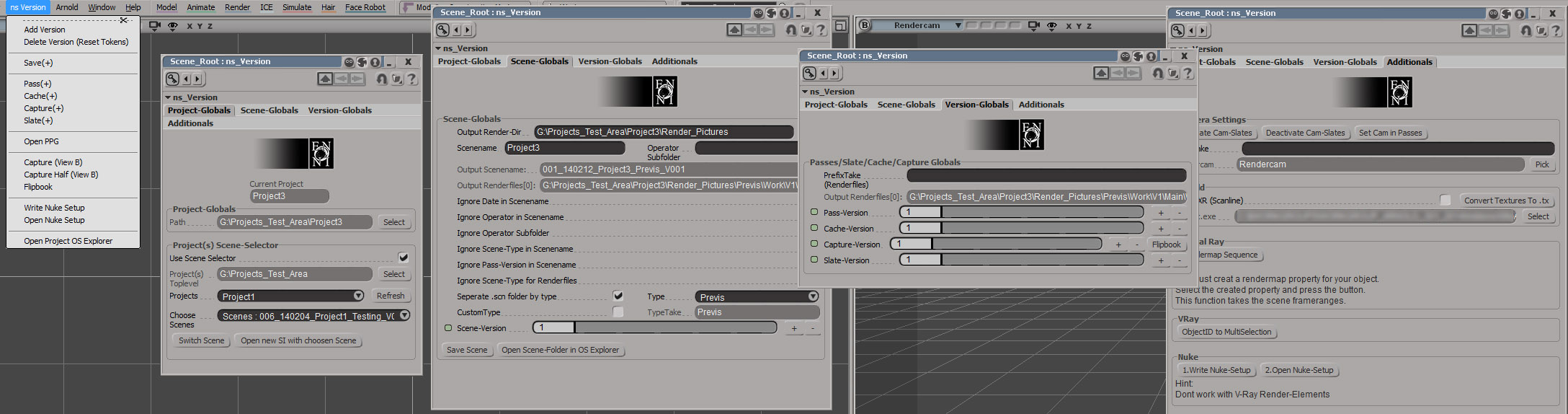
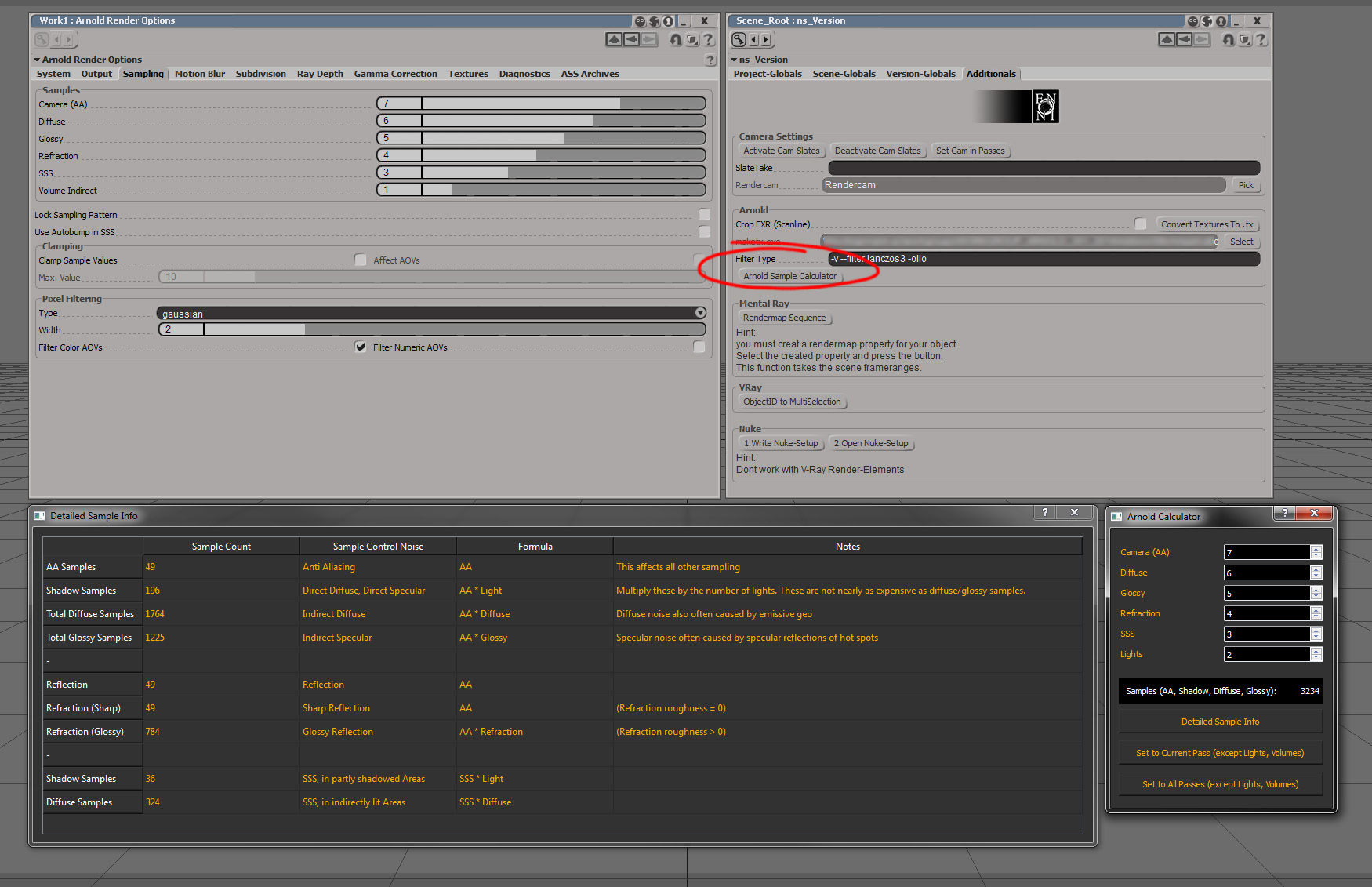
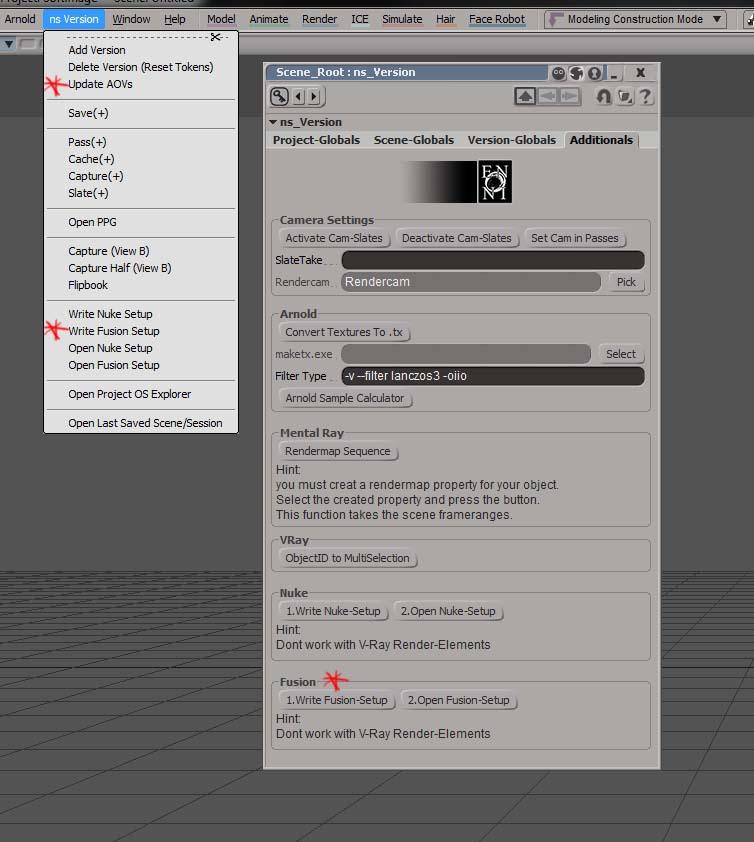
 v0.51 - updated Jan 2016 — The successor of Niclas' popular Simple Version Manager — ns_Version is a python script that allows you to version your scene related data.
That includes the XSI scene itself, renderpictures, captures & ICE caches. You can
organize it with a bunch of subfolder possibilities which placed it in the common
XSI scenefolder structure. There are also some handy tools/scripts included.
local backup: ns_Version_v051.xsiaddon (drag-and-drop) usage screenshots: 1 2 3
local backup: ns_Version_v051.xsiaddon (drag-and-drop) usage screenshots: 1 2 3
author site: http://www.enoni.de / author portfolio: /wp/?page_id=40 (archive) / download: /wp/?p=682
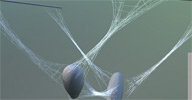 ns_SpiderWeb osAll ICE strands
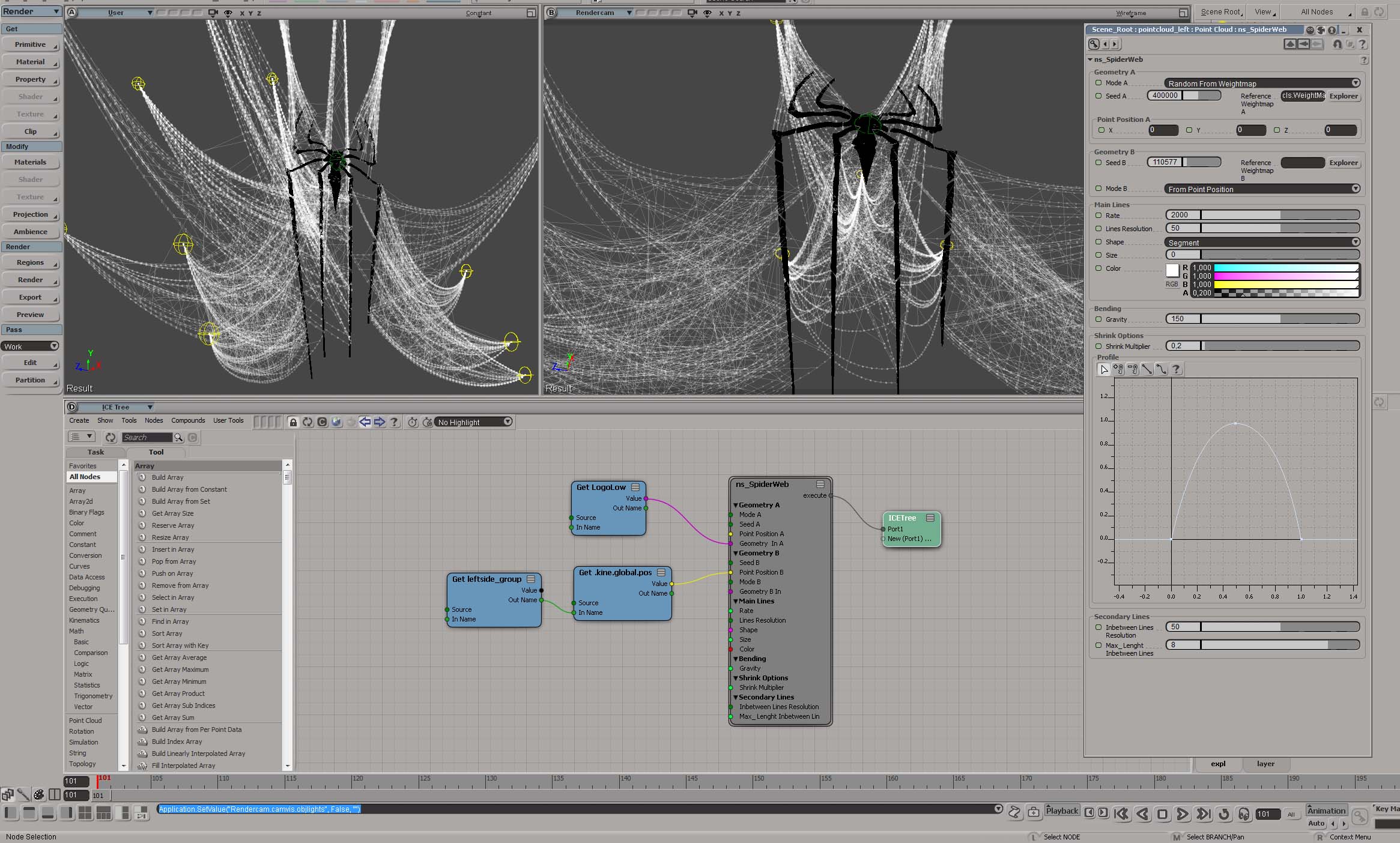
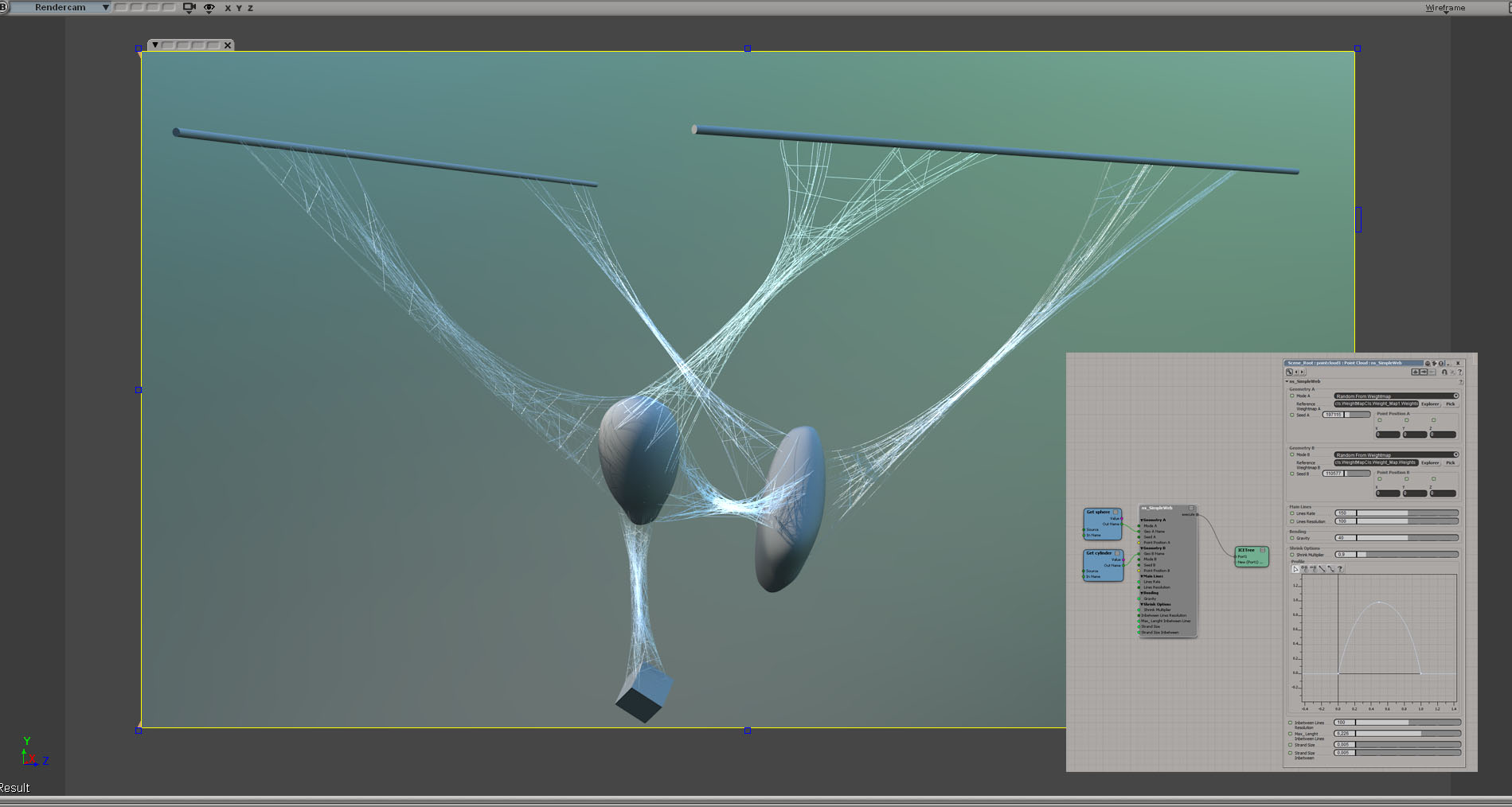
 Softimage ICE Compound to generate spiderweb-like strandforms (non-simulated).
Related plugins: Aging cobwebs, ICE IK Solver Spider.
local backup: ns_SpiderWeb.xsicompound (drag-and-drop) usage screenshots: 1 2
Related plugins: Aging cobwebs, ICE IK Solver Spider.
local backup: ns_SpiderWeb.xsicompound (drag-and-drop) usage screenshots: 1 2
author site: http://www.enoni.de / author portfolio: /wp/?page_id=40 (archive) / download: /wp/?p=676
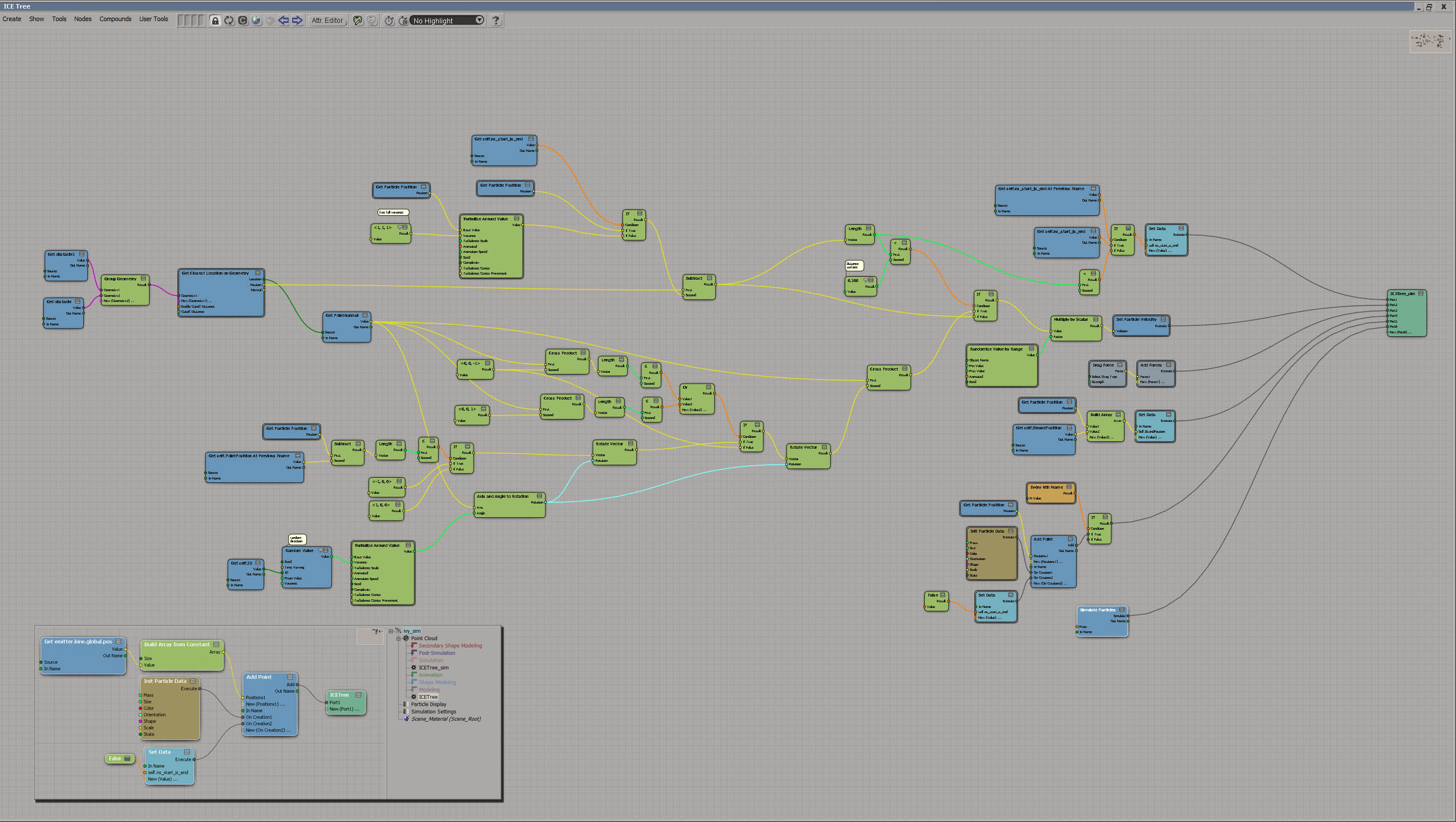
 ns_FlowerThing osAll ICE strands vegetation
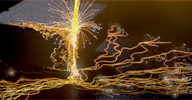
 A tiny spare-time project with some strand and particle parts. I rendered it in Redshift
with some little comp-work in Fusion..
See the result here: Flower...thing (archive).
local backup: ICE tree screenshot (DIY! - no download)
See the result here: Flower...thing (archive).
local backup: ICE tree screenshot (DIY! - no download)
author site: http://www.enoni.de / author portfolio: /wp/?page_id=40 (archive) / download: /wp/?p=1209
 ns_NurbsToWire osAll ICE strands
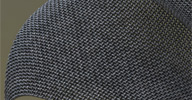
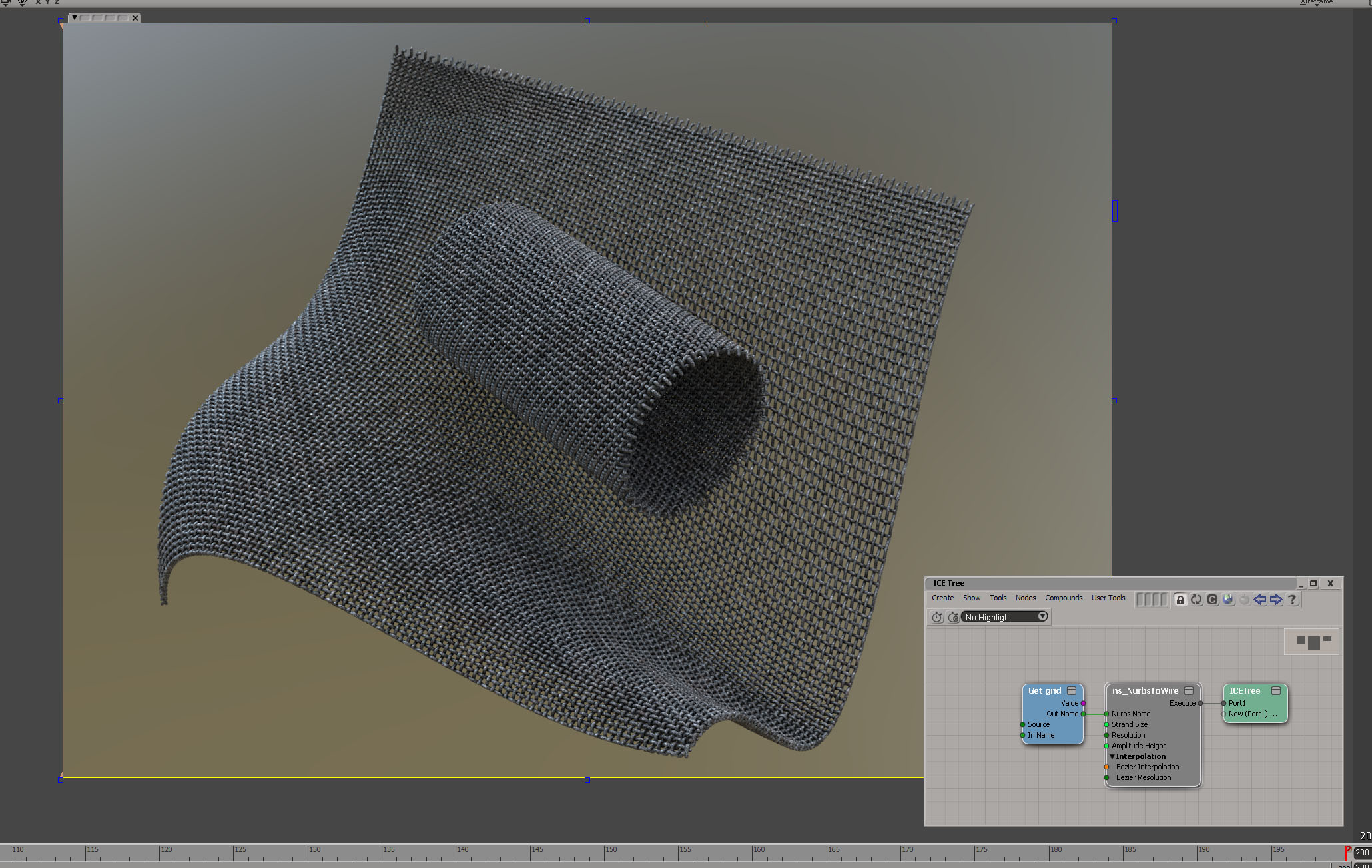
 ns_NurbsTo Wire compound is a solution to generate wire like structures (strands)
from a nurbs object.
Related plugins: LK Fabric, Knit Strand Pro, ICE Knitting, Strands Grid/Fence Mesh.
local backup: ns_NurbsToWire.xsicompound usage screenshot
Related plugins: LK Fabric, Knit Strand Pro, ICE Knitting, Strands Grid/Fence Mesh.
local backup: ns_NurbsToWire.xsicompound usage screenshot
author site: http://www.enoni.de / author portfolio: /wp/?page_id=40 (archive) / download: /wp/?p=674
 ns_Raygun osAll ICE strands
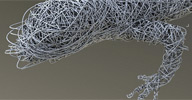
 ns_Raygun shoots "rays" (strands) with controllable bounces from a given emitter geometry
towards a obstacle.
Note: i recognized there is a issue if the environment-geo has no thickness and correct
normals.
Instruction video: ICE - ns_RayGun, Demo video: lizard Test
local backup: ns_RayGun.2.0.xsicompound RayGun_Lizard.scn (demo scene file)
Instruction video: ICE - ns_RayGun, Demo video: lizard Test
local backup: ns_RayGun.2.0.xsicompound RayGun_Lizard.scn (demo scene file)
author site: http://www.enoni.de / author portfolio: /wp/?page_id=40 (archive) / download: /wp/?p=672
 ns_Legolizer updated osAll ICE particles voxelize
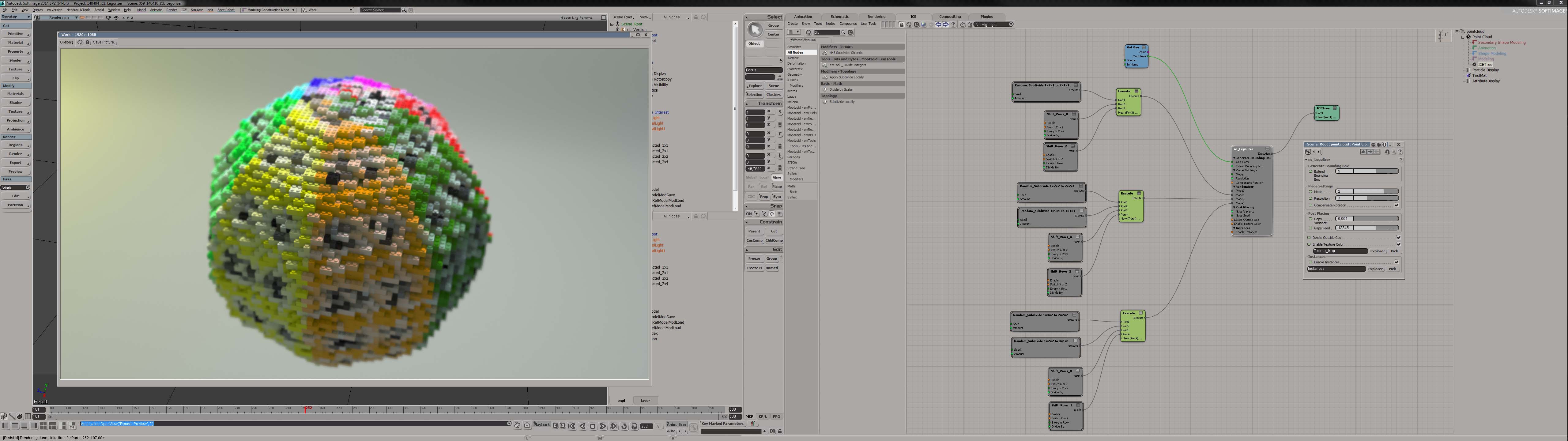
 ns_Legolizer compound generates, from a given geometry, a instanced pointcloud with
some variation of legopieces.
You can transfer textures/vertexcolors to instanced legopiece color.
Video demo here.
local backup: ns_Legolizer.emdl usage screenshot
Video demo here.
local backup: ns_Legolizer.emdl usage screenshot
author site: http://www.enoni.de / author portfolio: /wp/?page_id=40 (archive) / download: /wp/?p=670
ns_Redshift ID Handler osAll python rendering workflow redshift
After my last freelance job, with a lot of objects and materials, i decided to develop
a Python/PyQT plugin to organize PuzzleMatte IDs in Softimage with Redshift.
This can organize ObjectIDs (on meshes, pointclouds, groups), MaterialIDs and AOVs as well This script works with Redshift v1.3.15 and above This is not production approved. If you found some critical bugs feel free to contact me. — Features: organizing MaterialIDs, ObjectIDs, PuzzleMatte AOVs automatic generation of IDs and AOVs check functions (IDs <> AOVs) selection of objects/groups over IDs
local backup: ns_RedshiftIDHandler_v01.xsiaddon
This can organize ObjectIDs (on meshes, pointclouds, groups), MaterialIDs and AOVs as well This script works with Redshift v1.3.15 and above This is not production approved. If you found some critical bugs feel free to contact me. — Features: organizing MaterialIDs, ObjectIDs, PuzzleMatte AOVs automatic generation of IDs and AOVs check functions (IDs <> AOVs) selection of objects/groups over IDs
local backup: ns_RedshiftIDHandler_v01.xsiaddon
author site: http://www.enoni.de / author portfolio: /wp/?page_id=40 (archive) / download: /wp/?p=1341 (archive)
ns_GatherTextures osAll workflow rendering
A little Python/PyQT script that gather & copy Texture(s) from your Softimage/XSI
scene to specific folder. Some notes for ns_Gather Textures Version 0.1:
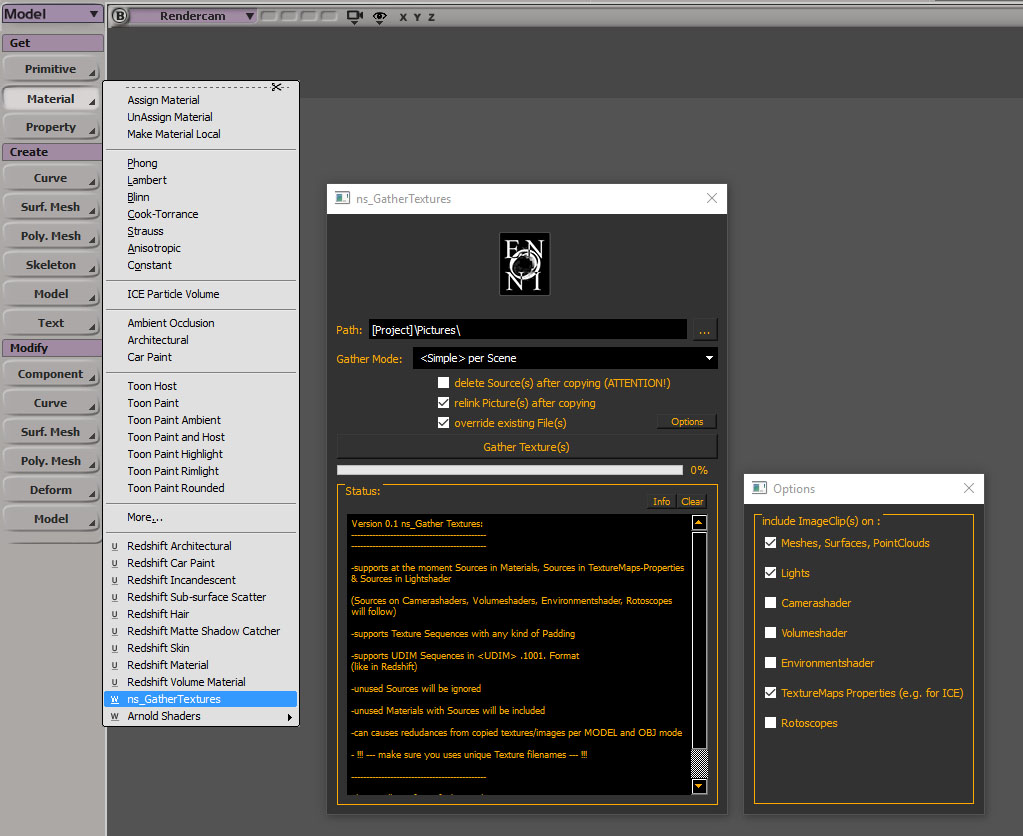
supports Sources in Materials, Sources in TextureMaps-Properties & Sources in Lightshader (Sources on Camerashaders, Volumeshaders, Environmentshader & Rotoscopes will follow) supports Texture Sequences with any kind of Padding supports UDIM Sequences in .1001. Format (like in Redshift) unused ImageClips will be ignored unused Materials with Sources will be included can causes redundancies from copied textures/images per MODEL and OBJ mode needed installations/descriptions for PyQT http://github.com/caron/PyQtForSoftimage - do you have installation problems with PyQTForSoftimage -> Softimage Mailinglist
Install the ns_GatherTextures_v01.xsiaddon in your favourite workgroup.
local backup: ns_GatherTextures_v01.xsiaddon usage screenshot
supports Sources in Materials, Sources in TextureMaps-Properties & Sources in Lightshader (Sources on Camerashaders, Volumeshaders, Environmentshader & Rotoscopes will follow) supports Texture Sequences with any kind of Padding supports UDIM Sequences in .1001. Format (like in Redshift) unused ImageClips will be ignored unused Materials with Sources will be included can causes redundancies from copied textures/images per MODEL and OBJ mode needed installations/descriptions for PyQT http://github.com/caron/PyQtForSoftimage - do you have installation problems with PyQTForSoftimage -> Softimage Mailinglist
Install the ns_GatherTextures_v01.xsiaddon in your favourite workgroup.
local backup: ns_GatherTextures_v01.xsiaddon usage screenshot
author site: http://www.enoni.de / author portfolio: /wp/?page_id=40 (archive) / download: /wp/?p=1406
ns_BruteForceVrayRender osAll rendering vray
Workaround for some bugs (like animated-textures, obsolete with Vray 3.0)
local backup: ns_BruteForceVrayRender.py.
local backup: ns_BruteForceVrayRender.py.
author site: http://www.enoni.de / author portfolio: /wp/?page_id=40 (archive) / download: /wp/?p=512
ns_SelectParents osAll workflow python
Selects parent objects of selected objects (supports multiple selections). Installed
in Sidebar (MCP) > Edit.
local backup: ns_SelectParents.py.
local backup: ns_SelectParents.py.
author site: http://www.enoni.de / download: /wp/?p=512
ns_TopNull osAll workflow python
ns_TopNull_To_ObjectSRT - Add parent nulls to the selected objects at the position of each object's center,
ns_TopNull_To_WorldCenter - Add parent nulls to the selected objects at the world center (both scripts support
multiple selections). Installed in Get > Primitive menu.
local backup: ns_TopNull_To_ObjectSRT.py ns_TopNull_To_WorldCenter.py
local backup: ns_TopNull_To_ObjectSRT.py ns_TopNull_To_WorldCenter.py
author site: http://www.enoni.de / download: /wp/?p=512