Softimage Resources: plugins, scripts, compounds and shaders
All 1119 entries of the Softimage Resources as a simple list, 251–300 on this page. To search and filter by tags, use the interactive Resources page.
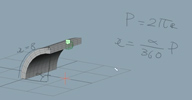 pb_BendWithRadius osAll ICE deform bend
 This compound wires into the factory Bend Op and uses the angle value to drive the
radius in such a way that the deformation always goes along the whole length of the
object- similar to 3DSMax's bend deformer. Demonstrated here (archive).
 Related plugin: »agBend« by Ángel Pavón
local backup: pb_BendWithRadius.xsicompound
Related plugin: »agBend« by Ángel Pavón
local backup: pb_BendWithRadius.xsicompound
author site: http://probiner.xyz / author site: http://probiner.xyz / author @ vimeo / si-community thread
Timewarp Cache Retimer osAll ICE retime
This is a retiming compound posted by softimage.ru forum (archive) user /voo-doo/ that does an fcurve controlled retiming of particle positions, rotations
and scale values.
Basic usage instructions as posted by the author: Create a basic emission on a grid Open Cache manager » Write Ice cache to the file Hide (or delete) original pointcloud Create a new empty pointcloud Assign Ice Tree (Simulated) Drop and connect a new Retime compound into Ice Tree Choose your Ice cache play with f-curve :)
Related plugins: »Cache Retime 1.2« by Rob Chapman
local backup: ICE_cache_Retimer_v1.51.xsicompound
Basic usage instructions as posted by the author: Create a basic emission on a grid Open Cache manager » Write Ice cache to the file Hide (or delete) original pointcloud Create a new empty pointcloud Assign Ice Tree (Simulated) Drop and connect a new Retime compound into Ice Tree Choose your Ice cache play with f-curve :)
Related plugins: »Cache Retime 1.2« by Rob Chapman
local backup: ICE_cache_Retimer_v1.51.xsicompound
 Forester win64 commercial strands vegetation
 3DQuakers (archive), one of the few providers of Softimage video training, proudly presents its first
Softimage plugin: [..] Forester is a procedural creation addon that renders the creation of natural
elements like trees, forests, grass and flowers a breeze! With its procedural approach,
Forester generates the geometry using ICE, making the creation and editing of elements
very straightforward. Forester is not aimed for technical directors, but for artists.
No ICE knowledge is required. In fact, Forester will add all the connections automatically,
so the user would only have to change the element parameters. Forester elements come
with lots of parameters to render the customization process very fast and intuitive.
Almost all geometry come with built-in UVs, called Space UVs, that fit perfectly over
the geometry, and render exactly the same way in Mental Ray and Arnold.
Pricing information: Forester v1 is launched with an introductory price of 159 USD, for single machine use. Additional licenses cost 100 USD per machine. Prices are subject to increase after the launch period.
Lots of documentation videos can be found here (archive)
Related plugins: TGen, LKLightning, StrandTree, Ivo Tree, Recursive Tree (click »vegetation«
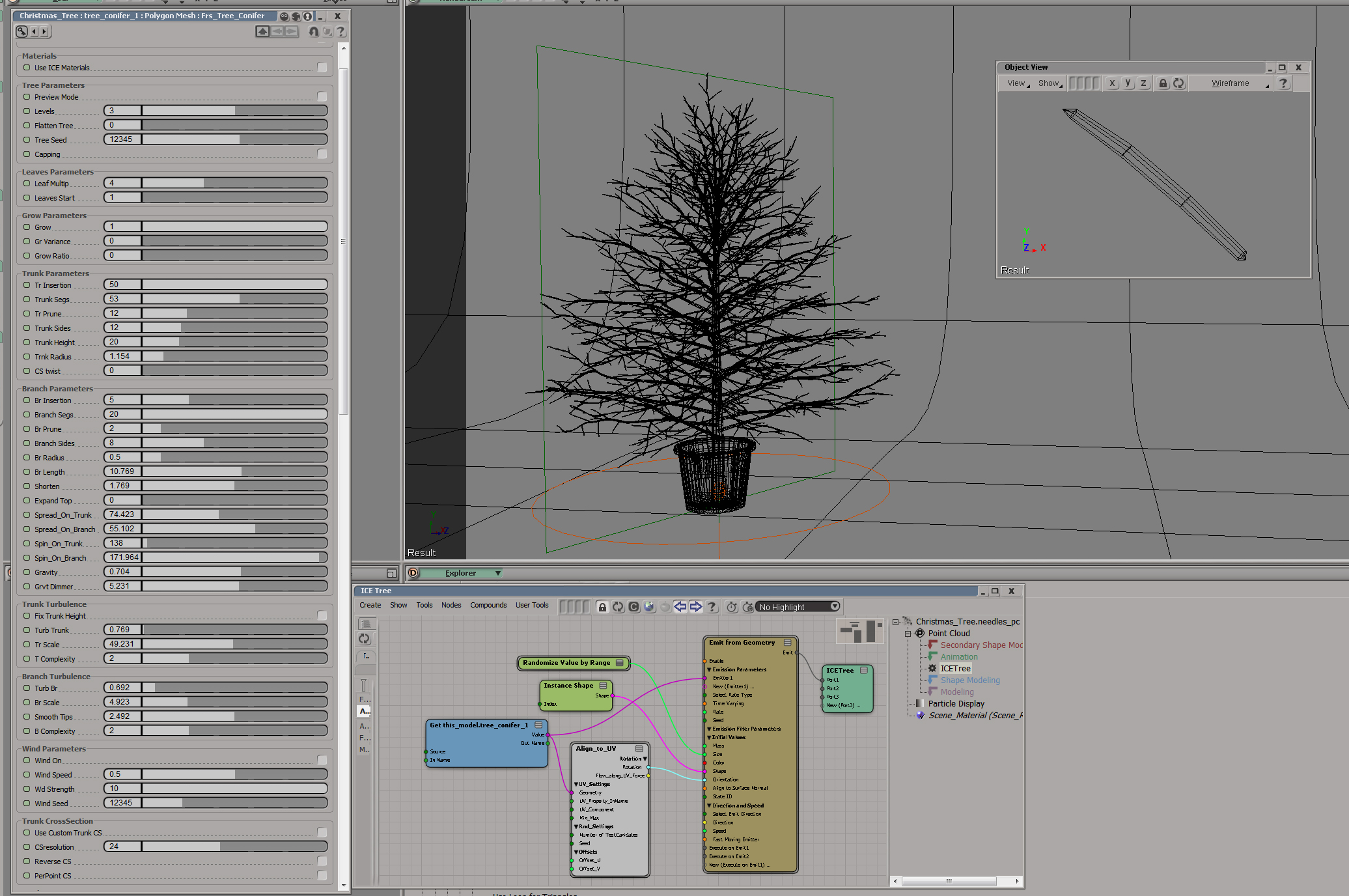
tag). Here is an xmas tree demo setup by Matt Morris: http://www.matinai.com/si/xmas_tree_settings.jpg
Pricing information: Forester v1 is launched with an introductory price of 159 USD, for single machine use. Additional licenses cost 100 USD per machine. Prices are subject to increase after the launch period.
Lots of documentation videos can be found here (archive)
Related plugins: TGen, LKLightning, StrandTree, Ivo Tree, Recursive Tree (click »vegetation«
tag). Here is an xmas tree demo setup by Matt Morris: http://www.matinai.com/si/xmas_tree_settings.jpg
author link: http://www.3dquakers.com/web / plugin: /forester-for-softimage-2/ (archive) / purchase: ..softimage-licensing (archive) / si-community thread
 SiScatter 2.0 osAll curves modeling ICE particle scatter vegetation
 A scattering plugin from Julien Carmagnac, author of »Instance On Curve«.
SiScatter offers a high level of control over the scatter placement:
This scatter tool distributes particles based on the »emTool _ Equal Distribution on Surface« Compound from Eric Mootz (thank you Eric !). I tweak this compound to work together with »Delete Particles Near to Boundaries Edges«, »remove closest geometry« and »remove inside filter« compounds.
This tool build an ICE Tree and create a custom property under the point cloud object to tweak all ICE parameters. So you can edit entirely your scattering without open your ICE Tree. List of available modifiers: color by gradient color by shape id color by texture map filter by boundary edge filter by closest geo filter by fractal filter by random [..]
Continue reading in the si-community thread. Video demo here.
local backup: siScatter.xsiaddon
This scatter tool distributes particles based on the »emTool _ Equal Distribution on Surface« Compound from Eric Mootz (thank you Eric !). I tweak this compound to work together with »Delete Particles Near to Boundaries Edges«, »remove closest geometry« and »remove inside filter« compounds.
This tool build an ICE Tree and create a custom property under the point cloud object to tweak all ICE parameters. So you can edit entirely your scattering without open your ICE Tree. List of available modifiers: color by gradient color by shape id color by texture map filter by boundary edge filter by closest geo filter by fractal filter by random [..]
Continue reading in the si-community thread. Video demo here.
local backup: siScatter.xsiaddon
 Strand Tree osAll ICE strands vegetation
 Updated April 2014 with a fix by Hans Adrian for Softimage 2014+. Strand Tree is a set of ICE compound nodes that allow the creation of plants and
trees. See the author site / the si-community discussion for documentation, example
scenes and videos.
Emitters: Emit Branches, Emit Leaves Grow Control: Even distribution grow, Random distribution grow Modifiers: Modify Branch Color by Iteration, Modify Branch Width by Iteration, Modify Particle Size by Iteration, Modify Value by Iteration, Modify Value by Normalized Strand Segment Debug: Debug Iteration Strand Effects: Deform Tree by Curve, Surface Grow Rendering: Tree Visibility Options, Use Geometry Branches Presets: Basic Tree, Pine Tree
Hans' interesting explanation for the Softimage 2014 fix: [..] I moved the »set data« node to outside of »Add point« node on creation. This is because whenever there is a »Add point« node, the custom attribute stored in points may be reset. This was the case with »self.__strandTree_NumBranchesPerIteration«, which was reset to 0. It caused division by 0 in »Even Distribution Grow« node and thus the whole compound does not work. To work around this, we need to set the custom attributes in per Object context, instead, so that those attributes will not reset when there is another »Add point« node.
Available: Softimage ICE Procedural Tree Generator, ICE Procedural Tree - Surface Grow and Tree simulation - wip.
local backup: StrandTree.xsiaddon (fixed version)
Emitters: Emit Branches, Emit Leaves Grow Control: Even distribution grow, Random distribution grow Modifiers: Modify Branch Color by Iteration, Modify Branch Width by Iteration, Modify Particle Size by Iteration, Modify Value by Iteration, Modify Value by Normalized Strand Segment Debug: Debug Iteration Strand Effects: Deform Tree by Curve, Surface Grow Rendering: Tree Visibility Options, Use Geometry Branches Presets: Basic Tree, Pine Tree
Hans' interesting explanation for the Softimage 2014 fix: [..] I moved the »set data« node to outside of »Add point« node on creation. This is because whenever there is a »Add point« node, the custom attribute stored in points may be reset. This was the case with »self.__strandTree_NumBranchesPerIteration«, which was reset to 0. It caused division by 0 in »Even Distribution Grow« node and thus the whole compound does not work. To work around this, we need to set the custom attributes in per Object context, instead, so that those attributes will not reset when there is another »Add point« node.
Available: Softimage ICE Procedural Tree Generator, ICE Procedural Tree - Surface Grow and Tree simulation - wip.
local backup: StrandTree.xsiaddon (fixed version)
author site: http://iceduous.blogspot.com / si-community thread
 CrowdFX - Move Within Two Curves osAll crowd ICE particle
 An ICE compound that makes a crowd follow a path defined by curves on either side.
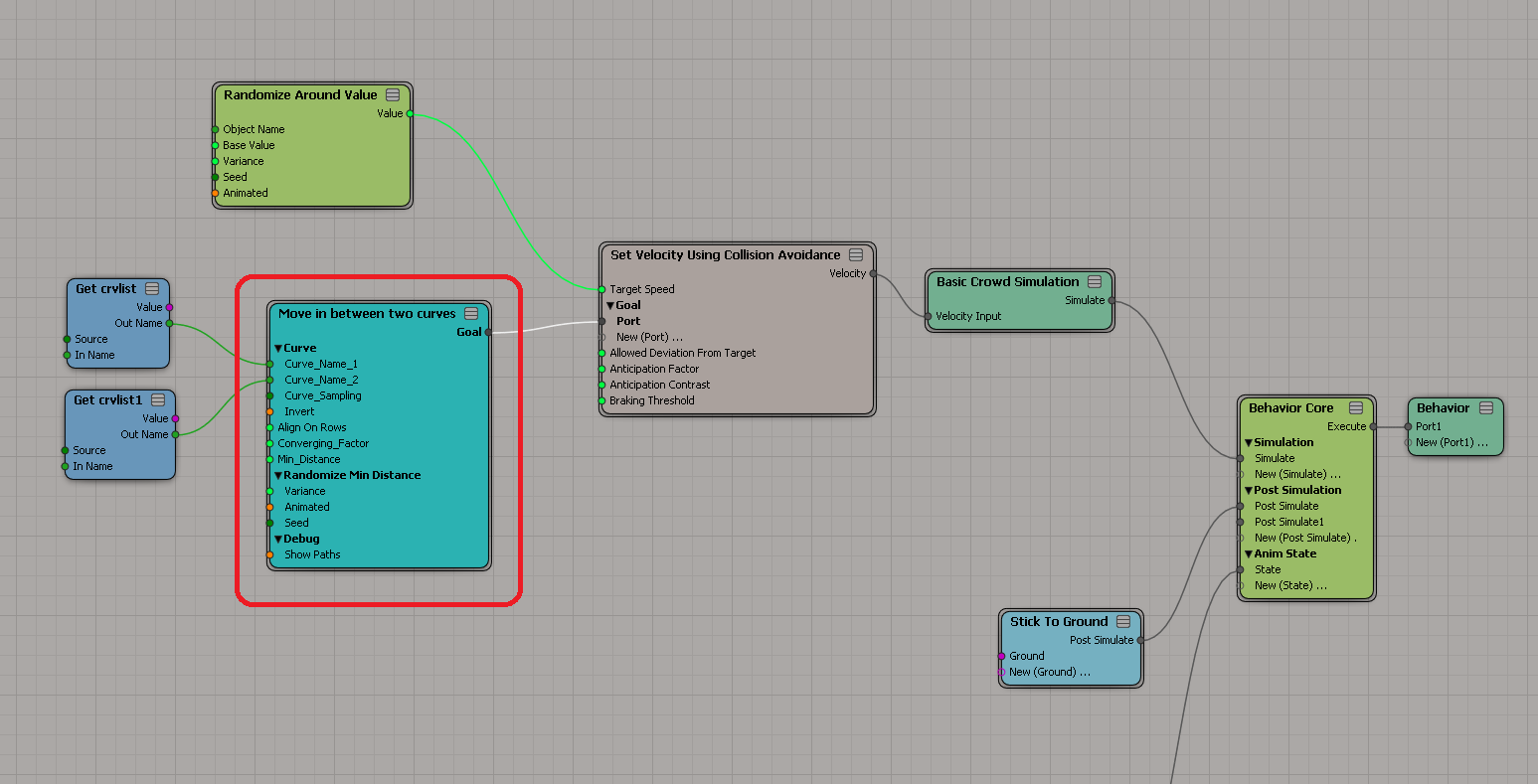
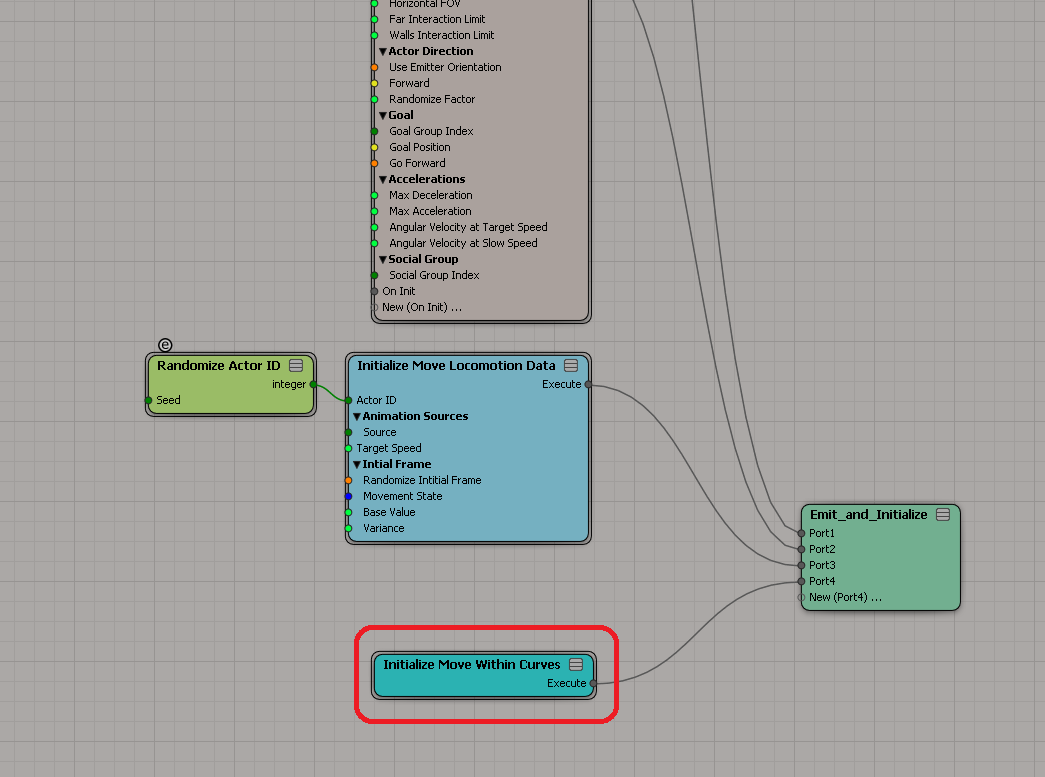
Usage instructions as posted on the mailing list: Create a new Crowd Scene Create two curves which will bound the crowd Put »Initialize Move Within Curves« compound in »Emit_and_Initialize« tree of the crowd — see attached »Emit and Initialize.PNG« Put »Move in between two curves« compound as Goal of the crowd in »Behavior« tree; use the two curves as input to the compound, with the left curve as Curve_Name_1 and right curve as Curve_Name_2 — see Behavior.PNG This compound works with and without terrain.
Additional material: A demo on youtube.
local backup: Initialize Move Within Curves.xsicompound Move in between two curves.xsicompound
Usage instructions as posted on the mailing list: Create a new Crowd Scene Create two curves which will bound the crowd Put »Initialize Move Within Curves« compound in »Emit_and_Initialize« tree of the crowd — see attached »Emit and Initialize.PNG« Put »Move in between two curves« compound as Goal of the crowd in »Behavior« tree; use the two curves as input to the compound, with the left curve as Curve_Name_1 and right curve as Curve_Name_2 — see Behavior.PNG This compound works with and without terrain.
Additional material: A demo on youtube.
local backup: Initialize Move Within Curves.xsicompound Move in between two curves.xsicompound
author site: n/a / source: mailing list @google groups / si-community thread
 CrowdFX - Group Behavior osAll crowd ICE particle
 An ICE compound for CrowdFX that makes groups avoid each other.
Usage instructions as posted on the mailing list: Create a new crowd scene with different social group ID Go to »Behavior« tree of Crowd Simulation Tree Replace »Set Velocity Using Collision Avoidance« with the attached compound »Set Velocity Using Group Collision Avoidance« (See Attached Group Behaviour.PNG) Tune »Far Interaction Limit« (found at »Emit_And_Initialize« tree > »Initialize Collision Avoidance«) for better result. Using 70 as the value seems to give overall best result for most cases.
Additional material: A demo on youtube.
local backup: Set Velocity Using Group Collision Avoidance.xsicompound
Usage instructions as posted on the mailing list: Create a new crowd scene with different social group ID Go to »Behavior« tree of Crowd Simulation Tree Replace »Set Velocity Using Collision Avoidance« with the attached compound »Set Velocity Using Group Collision Avoidance« (See Attached Group Behaviour.PNG) Tune »Far Interaction Limit« (found at »Emit_And_Initialize« tree > »Initialize Collision Avoidance«) for better result. Using 70 as the value seems to give overall best result for most cases.
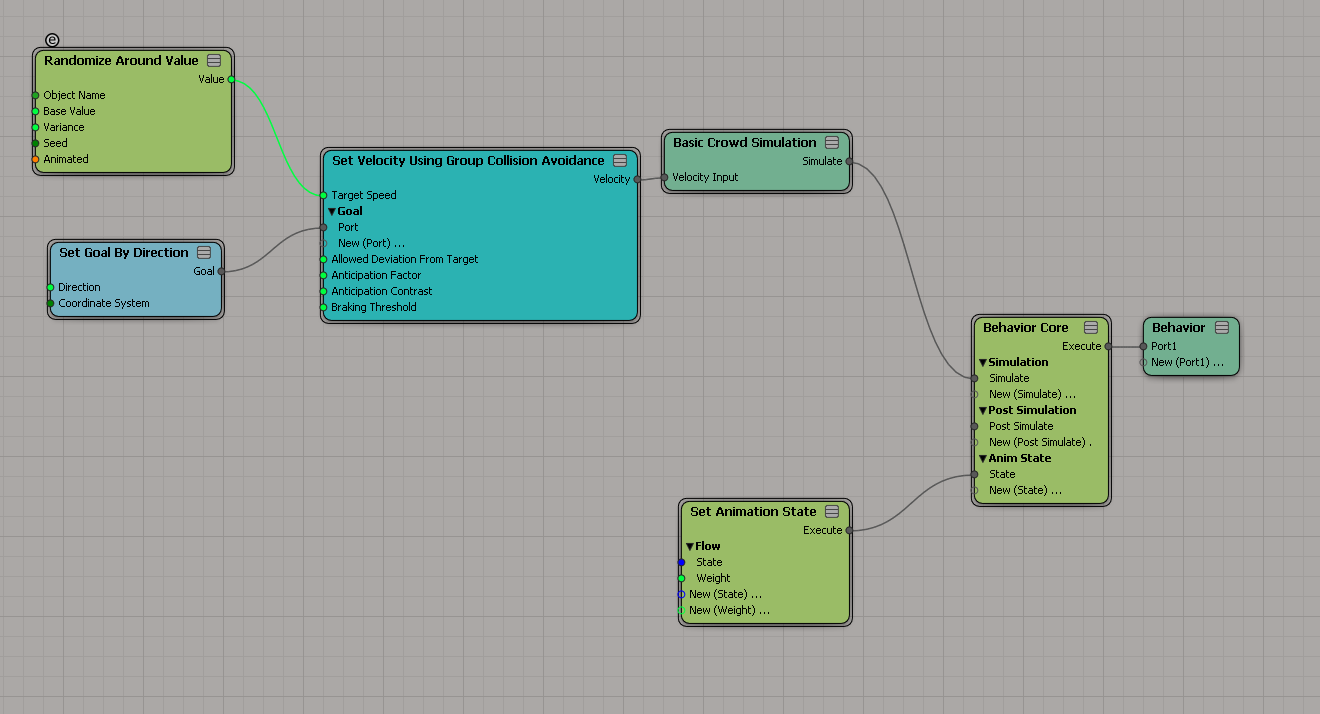
Additional material: A demo on youtube.
local backup: Set Velocity Using Group Collision Avoidance.xsicompound
author site: n/a / source: mailing list @google groups / si-community thread
 Vorlex on Verlet action osAll ICE scene
 Disclaimer: This is from the resourcedump thread on si-community.com so »some restrictions may apply« (but usually don't)
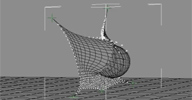
He shoots he scores. this one is for Mr. Spare. a pure ICE non robust solution for the eternal problem of Rigid bodies colliding on cloth with interaction and simulation therein. only ICE, Verlet and Vorlex were used in the making of this scene which can be found here. [..]
local backup: Deformation_Verlet_Cloth_net_vorlex_ball_rc.scn
He shoots he scores. this one is for Mr. Spare. a pure ICE non robust solution for the eternal problem of Rigid bodies colliding on cloth with interaction and simulation therein. only ICE, Verlet and Vorlex were used in the making of this scene which can be found here. [..]
local backup: Deformation_Verlet_Cloth_net_vorlex_ball_rc.scn
author site: https://sites.google.com/site/tekanoice
FaceRobot PoseTools rigging osAll
Attached you can find a very hasty plugin I did for mirroring poses on Face Robot,
is built in a very hacky way but I think it might be helpful for you, should work
with vanilla facerobot, and it's very bad naming conventions for control names.
Use at your own risk, I tested with Rock Falcon and it works. It works on selected controls, but there is a catch, it should be a control on the right side of the face, even if you are transferring from left to right or right to left (I told you very hacky made) also works in all controls if nothing is selected. It creates a menu on top of softimage, feel free to modify it.
local backup: oj_FR_PoseToolsPlugin.py
Use at your own risk, I tested with Rock Falcon and it works. It works on selected controls, but there is a catch, it should be a control on the right side of the face, even if you are transferring from left to right or right to left (I told you very hacky made) also works in all controls if nothing is selected. It creates a menu on top of softimage, feel free to modify it.
local backup: oj_FR_PoseToolsPlugin.py
N/A
Mirror FaceRobot Rig rigging osAll
This script mirrors any selected FaceRobot control. The initialization string for
the lookup table used in the script was built using the second script.
local backup: MirrorPose_Apply_02.py MirrorPoseBuildingLibrary_02.py (lookup building script)
local backup: MirrorPose_Apply_02.py MirrorPoseBuildingLibrary_02.py (lookup building script)
author site: http://probiner.xyz / author site: http://probiner.xyz / author @ vimeo / si-community thread
 Welding with ICE osAll ICE scene
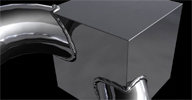
 I needed a logo that looked welded together, so created a very simple setup in Softimage
with ICE to automatically build the welding. The job didn't require any animation,
but this test shows what's possible. I was surprised how easy this was with ICE, very
simple indeed. [..]
Video demos: part 1, part 2.
local backup: welding-with-ice-2013.scn
Video demos: part 1, part 2.
local backup: welding-with-ice-2013.scn
author blog: http://dot3d.blogspot.com / author vimeo
Zoogloo Rigging Tools osAll vbs rendering
In the mailing list thread discussing cross-DCC rigging, Greg Maguire posted this
gem (The Softimage side of a cross-DCC rigging framework): I've been involved in building several rigging systems. So, much so that I co-founded
Zoogloo with Andy Buecker in 2006 to rig for studios. We worked on 25 different projects
over a three year period including, Spiderman3, Where The Wild Things Are, Happy Feet,
Thundercats and more. Because we worked on animated features, episodic television,
games and visual effects features and in Maya and in Softimage, we developed an in-house
rigging system that took a different approach to any rigging system at the time and
any that I have seen since.
Having worked at ILM and witnessed the size of the team that had to be hired to translate between maya and ILM's proprietary tools, we decided to go further up the chain and develop a higher level rigging tool. We would not translate between softwares, we would instead issue each package instructions that would be built natively. i.e. a node based editor to build connections between blocks of body parts. A block would have characteristics built in, a 3-bone spine, or a 9-boneIKFK spine or a Disney-foot or an ILM-head. Each block then passed their data to a python script built for maya or softimage natively. i.e. we had to write Disney-foot in python for Maya and python for Softimage. btw. You can tell from my poor explanation above which one of us did the majority of the coding! (thanks Andy, you rock!)
It addressed the following issues: Developing rigs for Maya, Softimage and any other software (Fabric?) Developing rigs for games, animated features, episodic television and vfx Naming convention mapping between all objects, controls for different studios SQLite for storing, geom, transforms, weights.
Anyway, to cut what could be an incredibly long story short we Opened Sourced the tools some time ago but ....didn't tell anyone. I thought some of our work might be of use to you guys:
Two years amount of work here, it might speed things up. [..] — Follow the discussion in the mailing list link below.
Having worked at ILM and witnessed the size of the team that had to be hired to translate between maya and ILM's proprietary tools, we decided to go further up the chain and develop a higher level rigging tool. We would not translate between softwares, we would instead issue each package instructions that would be built natively. i.e. a node based editor to build connections between blocks of body parts. A block would have characteristics built in, a 3-bone spine, or a 9-boneIKFK spine or a Disney-foot or an ILM-head. Each block then passed their data to a python script built for maya or softimage natively. i.e. we had to write Disney-foot in python for Maya and python for Softimage. btw. You can tell from my poor explanation above which one of us did the majority of the coding! (thanks Andy, you rock!)
It addressed the following issues: Developing rigs for Maya, Softimage and any other software (Fabric?) Developing rigs for games, animated features, episodic television and vfx Naming convention mapping between all objects, controls for different studios SQLite for storing, geom, transforms, weights.
Anyway, to cut what could be an incredibly long story short we Opened Sourced the tools some time ago but ....didn't tell anyone. I thought some of our work might be of use to you guys:
Two years amount of work here, it might speed things up. [..] — Follow the discussion in the mailing list link below.
 Legolize osAll ICE private
 This is a Legolize compound I created for some commercials I worked on. [..] Continue reading on the author page.
Video demo here.
local backup: gt_Legolize.xsicompoundp
Video demo here.
local backup: gt_Legolize.xsicompoundp
author site: http://giuliotonini.blogspot.com/ / download: ../2014/03/ice-compound-legolize.html / author @ vimeo
Set Weightmap by Volume osAll ICE private
This is a simple compound I created some time ago. Basically, it can modify an object
weightmap using another object as influence. I found it useful in many productions. [..]
Video demo here.
local backup: Set Weightmap by Volume.xsicompoundp
Video demo here.
local backup: Set Weightmap by Volume.xsicompoundp
author site: http://giuliotonini.blogspot.com/ / author @ vimeo
DKN Backburner for Softimage osAll vbs rendering
A plugin for Backburner, the network render manager software for animations which
installs with 3DSMax. Testimonial by the submitter: I've tried for a while, and it works pretty good.
Functions installed: DKN_BackBurner_for_Softimage DKN_RenderMap_by_Backburner DKN_RenderMap_by_Qube bat_obj_rendermap
Related plugins: »Submit to Backburner« by Wilhelm Landt
local backup: DKN_Backburner.xsiaddon
Functions installed: DKN_BackBurner_for_Softimage DKN_RenderMap_by_Backburner DKN_RenderMap_by_Qube bat_obj_rendermap
Related plugins: »Submit to Backburner« by Wilhelm Landt
local backup: DKN_Backburner.xsiaddon
author site: http://www.comtec.daikin.co.jp/DC/prd/si/UsersNotes/
ICE Array Nodes osAll cppsrc ICE ICEarray
A set of ICE nodes for some array operations that are not possible to recreate using
factory nodes. Examples are: grouped sums, cumulative sums and operations on 'fake'
2D arrays (=linearized to a normal array).
Includes (from the si-community thread): Get Grouped Sums Array - groups values from an input array in a specified pattern and outputs the group sums as a new array. It can also do cumulative sums. If you're not working in a subcomponent context, you can also try this approach using GenerateSampleSet. Get Grouped Products Array - Same for products of array entries... uses cross product for vectors - Get Cumulative Sums Array - This one is a convenience node that does what is shown in example #4. It constructs the group sizes array based on the input array and output the cumulative sums array [A1, A1+A2, A1+A2+A3, A1+A2+....] - Get Repetition Array - This is a simple compound that creates repetitions of an array, number of repetitions is configurable of course. It is used to prepare a normal array for an operation with a 'fake' 2D array.
See the si-community thread for a few examples. A more complicated example is interpolating strands by nearby guide strands. Problem here: 'Get Closest Points' returns an array of the closest points and a 'Get StrandPositions' on this would require native 2D array support which does not exist. Workaround possible with these nodes: Build a global GuideStrandPositions array by concatenating the Guides' StrandPositions and store each guide's offset into this array as an attribute on the guide. The example scene demonstrates how to use this plugin to calculate the interpolated strands from this array.
local backup: ICEArrayNodes.xsiaddon CurvesAsGuides_Example_2014SP1.scn
Includes (from the si-community thread): Get Grouped Sums Array - groups values from an input array in a specified pattern and outputs the group sums as a new array. It can also do cumulative sums. If you're not working in a subcomponent context, you can also try this approach using GenerateSampleSet. Get Grouped Products Array - Same for products of array entries... uses cross product for vectors - Get Cumulative Sums Array - This one is a convenience node that does what is shown in example #4. It constructs the group sizes array based on the input array and output the cumulative sums array [A1, A1+A2, A1+A2+A3, A1+A2+....] - Get Repetition Array - This is a simple compound that creates repetitions of an array, number of repetitions is configurable of course. It is used to prepare a normal array for an operation with a 'fake' 2D array.
See the si-community thread for a few examples. A more complicated example is interpolating strands by nearby guide strands. Problem here: 'Get Closest Points' returns an array of the closest points and a 'Get StrandPositions' on this would require native 2D array support which does not exist. Workaround possible with these nodes: Build a global GuideStrandPositions array by concatenating the Guides' StrandPositions and store each guide's offset into this array as an attribute on the guide. The example scene demonstrates how to use this plugin to calculate the interpolated strands from this array.
local backup: ICEArrayNodes.xsiaddon CurvesAsGuides_Example_2014SP1.scn
author site: http://rray.de/xsi / si-community thread
m|Hard Edge Marker osAll js align measure
Run it from the Model - Modify Component menu on the left. You have 3 buttons: Select - It will select all edges whose neighbor faces have an angle superior to
the one specified in the angle option. It works with objects, and with specified subcomponent
selections. This is based on »Select Hard Edges« by Christopher Peltz,
but working a lot faster. Hard - Mark selected edges to Hard, delete edge clusters and freeze only the mark
hard edges operator in the selected object. Soft - Unmark hard edges to soft.
Instructions: Drag & Drop the xsiaddon to the XSI Viewport (you can drag & drop directly from the link) Versions: XSI 5.11 and later
local backup: mHardEdgeMarker.xsiaddon
Instructions: Drag & Drop the xsiaddon to the XSI Viewport (you can drag & drop directly from the link) Versions: XSI 5.11 and later
local backup: mHardEdgeMarker.xsiaddon
author blog: http://myara.blog.fc2.com / download: /mHardEdgeMarker.html
Multi Importer 1.14 osAll python interop importer
Updated August 2012 with a PyQt interface. This plug-in lets you import multiple model files at once, and of different file types.
Navigate to a directory (or paste one in) containing EMDL, OBJ, FBX, or LWO files
and the plug-in will let you import any you wish. Supported import options are still
in-progress, and input is welcome.
Plugin and Qt installation instructions are available on the download page linked
below. Old (non-Qt) version 1.1's homepage (1.1 local backup).
local backup: MultiImporter_Qt.zip
Plugin and Qt installation instructions are available on the download page linked
below. Old (non-Qt) version 1.1's homepage (1.1 local backup).
local backup: MultiImporter_Qt.zip
author site: http://www.timcrowson.com / download: /multi-importer-qt/ / related mailing list thread
 Multipatch Texture Setup osAll python shadingworkflow texturing interop
 Completely new revision of Tim's Mari2XSI script. An introductory video is available
here (archive).
What is this? — This is a Python script that automates the tedious Render Tree setup in Softimage for texture files exported from Mari and Mudbox. I co-wrote it with Deus Duke at Magnetic Dreams to give us a solution for using multipatch texturing in our pipeline. As such, it is tailored to our workflow, with dependencies that work well in our own pipeline. Nonetheless, it may be of use to other Softimage users wishing to use multipatch textures.
New Features and Changes: Installs as a .xsiaddon Supports both Mari and Mudbox naming conventions (detects them automatically) Renamed to 'Multipatch Texture Setup' Implemented via a new command in the Render Tree: User Tools > Multipatch Texture Setup, which launches a custom UI for the setup. The new system allows for multiple UV maps on the target mesh. Once the compound has been created, you can configure certain settings after the fact, such as the UV map or the color profile depending on your linear workflow setup. Currently works with Mental Ray and Arnold. 3delight later...
local backup: Multipatch_Texture_Setup.xsiaddon
What is this? — This is a Python script that automates the tedious Render Tree setup in Softimage for texture files exported from Mari and Mudbox. I co-wrote it with Deus Duke at Magnetic Dreams to give us a solution for using multipatch texturing in our pipeline. As such, it is tailored to our workflow, with dependencies that work well in our own pipeline. Nonetheless, it may be of use to other Softimage users wishing to use multipatch textures.
New Features and Changes: Installs as a .xsiaddon Supports both Mari and Mudbox naming conventions (detects them automatically) Renamed to 'Multipatch Texture Setup' Implemented via a new command in the Render Tree: User Tools > Multipatch Texture Setup, which launches a custom UI for the setup. The new system allows for multiple UV maps on the target mesh. Once the compound has been created, you can configure certain settings after the fact, such as the UV map or the color profile depending on your linear workflow setup. Currently works with Mental Ray and Arnold. 3delight later...
local backup: Multipatch_Texture_Setup.xsiaddon
Add Overrides osAll python interop
This plug-in lets you quickly add the overrides of your choice, by means of a new
command in the Render>Pass>Partition menu. Just select a partition, run the command,
and choose your parameters. An Override property will be created.
This workflow allows only a single Override property per partition and will give you a warning if an override not matching its expected name is present You can invoke this command as many times as you like to add parameters to the override created by this script. Existing parameters will simply appear as unselectable The Override property is named according to the selected partition and its pass. You can rename the pass and the partition and the override name will update the next time the command is fired.
local backup: addOverrides.xsiaddon
This workflow allows only a single Override property per partition and will give you a warning if an override not matching its expected name is present You can invoke this command as many times as you like to add parameters to the override created by this script. Existing parameters will simply appear as unselectable The Override property is named according to the selected partition and its pass. You can rename the pass and the partition and the override name will update the next time the command is fired.
local backup: addOverrides.xsiaddon
Get Stored Channels osAll python shadingworkflow interop
Searches your scene's materials for »Store-Color-in-Channel« nodes and
adds their framebuffers to your scene's »Available Render Channels«. Avoids
adding duplicates. Convenient if you use custom framebuffers in your shading and rendering
process.
local backup: Get_Stored_Channels.zip
local backup: Get_Stored_Channels.zip
Open in Photoshop osAll python interop
Opens the selected image clip in Photoshop for editing. Installs into the context
menus of both the explorer and the render tree node for an image clip.
local backup: OpenInPS.xsiaddon
local backup: OpenInPS.xsiaddon
author site: http://www.timcrowson.com / download: /wordpress/?page_id=361
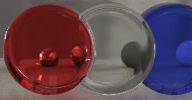 JF Nested Dielectric os64 shader arnold cppsrc
 Psyop and Psyop's Head of Lighting (NY) Jonah Friedman proudly present JF Nested Dielectric,
an open sourced nested dielectric shader for Solid Angle's Arnold Renderer (Psyop
blog entry).
In large part, this initiative is an implementation of the 2002 paper »Simple Nested Dielectrics in Ray-traced Images« nested_dielectrics.pdf by Charles M. Schmidt and Brian Budge and is meant to solve one problem: efficient,
physically-plausible rendering of nested dielectric surfaces in production. It's also
capable of spectral dispersion, direct refraction of light sources, production-feasible
ray traced blurry caustics. It has a few different optimization techniques built in
to improve render times, including Russian Roulette and energy tracking and clamping
throughout the ray tree.
nested_dielectrics.pdf by Charles M. Schmidt and Brian Budge and is meant to solve one problem: efficient,
physically-plausible rendering of nested dielectric surfaces in production. It's also
capable of spectral dispersion, direct refraction of light sources, production-feasible
ray traced blurry caustics. It has a few different optimization techniques built in
to improve render times, including Russian Roulette and energy tracking and clamping
throughout the ray tree.
Demo video: JF Nested Dielectric Demos. Illustrated documentation: jf_nested_dielectric_manual.pdf.
Testimonial by user AlexanderM in the si-community thread: Amazing shader. Arnold is now able to render ANYTHING.
In large part, this initiative is an implementation of the 2002 paper »Simple Nested Dielectrics in Ray-traced Images«
nested_dielectrics.pdf by Charles M. Schmidt and Brian Budge and is meant to solve one problem: efficient,
physically-plausible rendering of nested dielectric surfaces in production. It's also
capable of spectral dispersion, direct refraction of light sources, production-feasible
ray traced blurry caustics. It has a few different optimization techniques built in
to improve render times, including Russian Roulette and energy tracking and clamping
throughout the ray tree.
Demo video: JF Nested Dielectric Demos. Illustrated documentation:
jf_nested_dielectric_manual.pdf.
Testimonial by user AlexanderM in the si-community thread: Amazing shader. Arnold is now able to render ANYTHING.
author's site: http://www.jonahfriedman.com / download: ?p=1942 / vimeo channel / si-community thread / repository @github
 vfxShaderPack os64 shader arnold compilation
 From Platige Image (archive)'s download page: VFXShaderPack is our in-house collection of various shaders for Arnold renderer. Keep
in mind that they were never meant as universal shaders although some of them could
be. Most of them were written for specific projects or to achieve specific effect.
The collection includes: ThinFilm shader - creates Thin-film interference effects Scratches shader - creates scratches texture Sparkles - this shader mimics the sparkling effect which can sometimes be seen on a snow surface or some floors. At the moment the shader supports straight reflections (no falloff or Fresnel effects) Velvet shader - Velvet shader based on Stephen H. Westin's renderman shader.
The collection includes: ThinFilm shader - creates Thin-film interference effects Scratches shader - creates scratches texture Sparkles - this shader mimics the sparkling effect which can sometimes be seen on a snow surface or some floors. At the moment the shader supports straight reflections (no falloff or Fresnel effects) Velvet shader - Velvet shader based on Stephen H. Westin's renderman shader.
company site: http://www.platige.com (archive) / download: http://tools.platige.com/vfxShaderPack (archive)
 Kettle Shaders win64 shader arnold compilation cppsrc
 Kettle Shaders is Kettle Studio's in-house package of workhorse shaders and related utilities. Primarily developed
by Jules Stevenson, the project has been open sourced in acknowledgement of contributions
of many other individuals to this project, and in the hope of drawing more talent
to its ongoing development. The Kettle Shaders package currently consists of:
Kettle Uber - Kettle Uber is a generic physically plausible 'uber' shader. It is designed to form a 'base shader' for all shaders used in a scene to give you a consistent set of scene wide AOVs, yet is not prohibitive - you can still use whatever shaders you like by using it as the end node in your shading graph. Uber has various BRDFs (including refraction and anisotropy), coloured transmissive shadows, multiple fresnel modes and a powerful and flexible AOV setup. It also implements MIS for all reflective BRDFs Kettle Mix - The Kettle Mix shader is an efficient mixer designed specifically for the Kettle Uber shader. It is particularly well-suited to creating layered effects, such as scratched paint over metal. It will correctly mix the AOV outputs for Kettle Uber shaders, offers a bump slot for each individual layer, and will not process any layers which are 100% hidden under further layers, which can significantly speed up rendering. It offers the ability to mix up to four layers with the base input, but in contrast to the Softimage mix2layer/mix8layer shaders, only offers the default mix mode Kettle Bump - A special bump node that can be daisy-chained and plugged into the Kettle Uber bump slots. The standard Softimage bump nodes will not evaluate correctly when plugged into Kettle Uber, as they are designed for a reverse evaluation order Kettle Bake - The Kettle Bake lens shader was designed to bake data lighting information on an object to a texture. It integrates well with Softimage's rendering workflow, but does have some very specific requirements, so be sure to follow the usage instructions closely.
See the download page for detailed instructions.
Kettle Uber - Kettle Uber is a generic physically plausible 'uber' shader. It is designed to form a 'base shader' for all shaders used in a scene to give you a consistent set of scene wide AOVs, yet is not prohibitive - you can still use whatever shaders you like by using it as the end node in your shading graph. Uber has various BRDFs (including refraction and anisotropy), coloured transmissive shadows, multiple fresnel modes and a powerful and flexible AOV setup. It also implements MIS for all reflective BRDFs Kettle Mix - The Kettle Mix shader is an efficient mixer designed specifically for the Kettle Uber shader. It is particularly well-suited to creating layered effects, such as scratched paint over metal. It will correctly mix the AOV outputs for Kettle Uber shaders, offers a bump slot for each individual layer, and will not process any layers which are 100% hidden under further layers, which can significantly speed up rendering. It offers the ability to mix up to four layers with the base input, but in contrast to the Softimage mix2layer/mix8layer shaders, only offers the default mix mode Kettle Bump - A special bump node that can be daisy-chained and plugged into the Kettle Uber bump slots. The standard Softimage bump nodes will not evaluate correctly when plugged into Kettle Uber, as they are designed for a reverse evaluation order Kettle Bake - The Kettle Bake lens shader was designed to bake data lighting information on an object to a texture. It integrates well with Softimage's rendering workflow, but does have some very specific requirements, so be sure to follow the usage instructions closely.
See the download page for detailed instructions.
 aaOcean Suite osAll ICE shader mentalray arnold shadercompound cppsrc fluids
 The Open Source aaOcean Suite is a collection of Softimage ICE nodes and mental ray
shaders that implement Jerry Tessendorf's paper on simulating ocean waves, which is
currently the most widely used method for open water ocean surface modeling in the
industry.
This particular implementation presents itself as a 3D deforming grid inside Softimage, which then becomes the source of vector displacement map sequences that are sent to Mental Ray for final rendering. One of the benefits of using this approach is that it opens up the possibility of making other 3D objects inside Softimage react with the ocean grid via ICE. Another benefit is the speed that it brings in setting up your ocean right inside Softimage on a low resolution ocean grid to set basic parameters like wave height and speed, rather than rendering a sequence of images in Mental Ray. Works nicely in conjunction with Werner Ziemerink's Wave Curl.
local backup: aaocean.zip
This particular implementation presents itself as a 3D deforming grid inside Softimage, which then becomes the source of vector displacement map sequences that are sent to Mental Ray for final rendering. One of the benefits of using this approach is that it opens up the possibility of making other 3D objects inside Softimage react with the ocean grid via ICE. Another benefit is the speed that it brings in setting up your ocean right inside Softimage on a low resolution ocean grid to set basic parameters like wave height and speed, rather than rendering a sequence of images in Mental Ray. Works nicely in conjunction with Werner Ziemerink's Wave Curl.
local backup: aaocean.zip
author site: http://www.amaanakram.com / download: /?page_id=131 / si-community thread / repository @bitbucket.com (archive)
 Shader Collection - Essentials osAll shader mentalray arnold compilation
 Version 25.0 — The »Binary Alchemy Shader collection - Essentials«
is a free Mental Ray and Arnold shader collection. It contains shaders of various
types, from simple helpers like a clamp range shader up to advanced fractal or DOF
shaders. Updated in the latest release were: Texture coordinate: world drag Texture coordinate: arnold Point Reference Cell: New type »Smooth« (archive). For more on the latest updates, see this page (archive).
Testimonial from ActionArt (archive) on si-community.com: I'd just like to comment on one of the shaders in this package - the balight shader. I've seen MASSIVE increases in render speed with the same quality of lighting (especially area light shadows), as much as 5x faster in some scenes! If you haven't tried it, I highly recommend it! It puts some new life in MR! Only one thing I've found to watch out for is on some occasions, shadows mysteriously appear too dark, usually when you have more than one area light using this shader. Not sure why that is but it doesn't happen too often and the speed increases are worth some time experimenting with it. In the description Holger says a possible increase of 20-30% but my usage has shown WAY more than that. Maybe he meant 300% :) I use it almost exclusively now.
Holger asks that, if this shader is used in a production, you send him some feedback, if possible in the form of renders/videos, maybe a few production details.


Testimonial from ActionArt (archive) on si-community.com: I'd just like to comment on one of the shaders in this package - the balight shader. I've seen MASSIVE increases in render speed with the same quality of lighting (especially area light shadows), as much as 5x faster in some scenes! If you haven't tried it, I highly recommend it! It puts some new life in MR! Only one thing I've found to watch out for is on some occasions, shadows mysteriously appear too dark, usually when you have more than one area light using this shader. Not sure why that is but it doesn't happen too often and the speed increases are worth some time experimenting with it. In the description Holger says a possible increase of 20-30% but my usage has shown WAY more than that. Maybe he meant 300% :) I use it almost exclusively now.
Holger asks that, if this shader is used in a production, you send him some feedback, if possible in the form of renders/videos, maybe a few production details.
 OpenVDB ICE win64 ICE shader mentalray arnold compilation
 This is a Softimage ICE integration of the OpenVDB suite, Dreamworks Animation's volumetrics toolset which has been built around a new data
structure for efficient storage and manipulation of big volumes. See openvdb_dreamworks.pdf for slides of an OpenVDB feature presentation.
Oleg Bliznuk, author of Exocortex's Implosia FX and Explosia FX (archive) has created this ICE adapter. His fluid simulator »Explosia FX« (free as a noncommercial version) can be used to create VDB files. OpenVDB ICE covers the essential features of the OpenVDB suite:
Mental Ray/Arnold shaders included: VDBGridReaderScalar VDBGridReaderVec3 VDBGridReaderInt VDBVolumeShaderSimple VDBBlackbody
Compounds included: Voxelize Geometry Voxelize Particles Get VDB Grid Set VDB Grid File Grid IO Add Noise Fogvolume Filter LevelSet Boolean Operations LevelSet Morphology VolumeFog Boolean Operations Advection Get Value at Coordinate Set Value at Coordinate Grid To Mesh Mesh To Grid Get Grid Data Particles To Grid Grid IO Fill Box Grid Change Grid Class Noise Advect Level Set Morphological Filters Rebuild LevelSet Resample Grid Transform Platonic Create Grid CSG Deep Copy Grid Morpher Polygonize Grid Solidify Level Set Create Velocity Field Display Grid Info Platonic Sphere Resize Container to Active Volume Visualize Grid Slice Visualize Scalar Grid Visualize Scalar Grid Slice Visualize Vector Grid Visualize Vector Grid Slice
For feedback and questions, visit the si-community thread. There's also some info there on how to interoperate with emFluid. Here is a demo video (archive) by the author and another video (archive) from the thread, created by Rob Chapman using only OpenVDB ICE nodes and rendered using the included openVDB arnold shaders. Requirements: Microsoft Visual C++ 2012 Redistributable Package (x64)
local backup: OpenVDB_to_Softimage_v0.8.rar
openvdb_dreamworks.pdf for slides of an OpenVDB feature presentation.
Oleg Bliznuk, author of Exocortex's Implosia FX and Explosia FX (archive) has created this ICE adapter. His fluid simulator »Explosia FX« (free as a noncommercial version) can be used to create VDB files. OpenVDB ICE covers the essential features of the OpenVDB suite:
Mental Ray/Arnold shaders included: VDBGridReaderScalar VDBGridReaderVec3 VDBGridReaderInt VDBVolumeShaderSimple VDBBlackbody
Compounds included: Voxelize Geometry Voxelize Particles Get VDB Grid Set VDB Grid File Grid IO Add Noise Fogvolume Filter LevelSet Boolean Operations LevelSet Morphology VolumeFog Boolean Operations Advection Get Value at Coordinate Set Value at Coordinate Grid To Mesh Mesh To Grid Get Grid Data Particles To Grid Grid IO Fill Box Grid Change Grid Class Noise Advect Level Set Morphological Filters Rebuild LevelSet Resample Grid Transform Platonic Create Grid CSG Deep Copy Grid Morpher Polygonize Grid Solidify Level Set Create Velocity Field Display Grid Info Platonic Sphere Resize Container to Active Volume Visualize Grid Slice Visualize Scalar Grid Visualize Scalar Grid Slice Visualize Vector Grid Visualize Vector Grid Slice
For feedback and questions, visit the si-community thread. There's also some info there on how to interoperate with emFluid. Here is a demo video (archive) by the author and another video (archive) from the thread, created by Rob Chapman using only OpenVDB ICE nodes and rendered using the included openVDB arnold shaders. Requirements: Microsoft Visual C++ 2012 Redistributable Package (x64)
local backup: OpenVDB_to_Softimage_v0.8.rar
 Krakatoa for Softimage winAll renderer interop cppsrc
 A Softimage custom renderer plug-in for KrakatoaSR built on KrakatoaSR's C++ API.
It is featured on Krakatoa manufacturer Thinkbox Software's blog here. James has made video demos available on vimeo.com for the release and for the first update versions.
Features as outlined on the release's vimeo page: [..] Works with ICE driven point clouds All Krakatoa supported channels are mapped and pulled from ice if they exist (Emission, Absorption, etc) All parameters in KrakatoaSR exposed in the renderer options Region render support Scene lights can be restricted with a group Occlusion mesh support Multi-channel exr output supported
The Following ICE Channels are mapped for Krakatoa if they exist and are not being optimized away by ICE (see here for details on this (archive)): PointPosition Color Density Lighting MBlurTime Absorption Emission PointNormal Tangent PointVelocity Eccentricity PhaseEccentricity SpecularPower SpecularLevel DiffuseLevel GlintGlossiness GlintLevel GlintSize Specular2Glossiness Specular2Level Specular2Shift SpecularGlossiness SpecularShift
This addon is Open Source and available on github.com. Note that there are no binary releases available right now. In case someone has a build ready, please consider submitting it using the »Something missing?« form above.
local backup: KrakatoaForSoftimage-master.zip (repository snapshot from Feb 21st 2014)
Features as outlined on the release's vimeo page: [..] Works with ICE driven point clouds All Krakatoa supported channels are mapped and pulled from ice if they exist (Emission, Absorption, etc) All parameters in KrakatoaSR exposed in the renderer options Region render support Scene lights can be restricted with a group Occlusion mesh support Multi-channel exr output supported
The Following ICE Channels are mapped for Krakatoa if they exist and are not being optimized away by ICE (see here for details on this (archive)): PointPosition Color Density Lighting MBlurTime Absorption Emission PointNormal Tangent PointVelocity Eccentricity PhaseEccentricity SpecularPower SpecularLevel DiffuseLevel GlintGlossiness GlintLevel GlintSize Specular2Glossiness Specular2Level Specular2Shift SpecularGlossiness SpecularShift
This addon is Open Source and available on github.com. Note that there are no binary releases available right now. In case someone has a build ready, please consider submitting it using the »Something missing?« form above.
local backup: KrakatoaForSoftimage-master.zip (repository snapshot from Feb 21st 2014)
Partio Export for Softimage winAll interop exporter cppsrc
A particle export plugin using Disney's Partio library (archive) for Autodesk Softimage. Supports BGEO, BIN*, GEO, PDA, PDB, PDC, PRT file formats.
Note that for BIN to work properly, you'll have to use James' fixed fork of the Partio library instead of Disney's original library release. For full installation
and usage instructions see the github repo page. A video demo is available.
This addon is Open Source and available on github.com. Note that there are no binary releases available right now. In case someone has a build ready, please consider submitting it using the »Something missing?« form above.
local backup: PartioExportForSoftimage-master.zip (repository snapshot from Feb 21st 2014)
This addon is Open Source and available on github.com. Note that there are no binary releases available right now. In case someone has a build ready, please consider submitting it using the »Something missing?« form above.
local backup: PartioExportForSoftimage-master.zip (repository snapshot from Feb 21st 2014)
 phi distribution osAll ICE particle
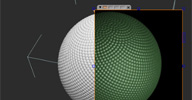
 Video demonstration. [..] Recently as I fiddled around I came across an interesting point about these kinds
of distributions that caught my attention: they are a very efficient way to pack particles
evenly on a surface. This is an important point to an effects artist, because not
only is a large part of this job mimicking nature, but distributing points efficiently
on surfaces lets us maximize the number of non-overlapping particles we emit.
So, I built some compounds, first to calculate phi (or simply return it as a stored constant, depending on the accuracy needed.) Another to convert phi into angles in degrees and radians (the "golden angle"), and finally I took these and made an emitter. Hooray, it indeed did allow me to emit a sphere of particles packed efficiently, and even better since I didn't have to use a "generate sample set" it allows millions of particles to be emitted much faster than simply emitting particles from spherical geometry, and without any resolution-dependence on the LOD of a polygonal sphere. And this "phi" distribution has a nice, natural look.
Related: Cesar Saez's »Fibonacci Golden Ratio compound« (moved below)
local backup: Emit From Phi Distribution.1.1.xsicompound Phi Distribution on Sphere.xsicompound
So, I built some compounds, first to calculate phi (or simply return it as a stored constant, depending on the accuracy needed.) Another to convert phi into angles in degrees and radians (the "golden angle"), and finally I took these and made an emitter. Hooray, it indeed did allow me to emit a sphere of particles packed efficiently, and even better since I didn't have to use a "generate sample set" it allows millions of particles to be emitted much faster than simply emitting particles from spherical geometry, and without any resolution-dependence on the LOD of a polygonal sphere. And this "phi" distribution has a nice, natural look.
Related: Cesar Saez's »Fibonacci Golden Ratio compound« (moved below)
local backup: Emit From Phi Distribution.1.1.xsicompound Phi Distribution on Sphere.xsicompound
 Fibonacci Golden Ratio osAll ICE particle
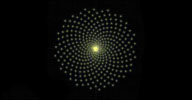
 This compound generates points arranged on a flower petal like structure based on
the Fibonacci sequence of numbers. This sequence is a
common property in biological growth and features derived from it (like the golden ratio) often seem to have a pleasing effect on the human eye.
Demonstration video of an old simulated version is available here (the new version available in the local backup doesn't require simulation)
local backup: Fibonacci Golden Number.xsicompound
Demonstration video of an old simulated version is available here (the new version available in the local backup doesn't require simulation)
local backup: Fibonacci Golden Number.xsicompound
 Quicklauncher V0.1.3 winAll workflow custommenu python
 Updated Dec 18th 2013 Today I want to share a tool I've been using for a while, it's a simple menu to search
and launch softimage commands and scripts (you can set the script directory on the
preferences). In order to make it fast I'm caching the commands and script paths (just
the paths, the script itself is loaded on runtime), so if you add a new script file
or connect/disconnect workgroups please make sure that the cache is reloaded (there's
a command just for that) and everything should be fine. The menu requires PyQtForSoftimage and it's available here. Give it a try and let me know what you think :-) Cheers!
video demo. Along with the recent update that introduces the concept of »script packages«, Cesar also shares a useful set of premade script packages including: animation, filter, misc, modeling, primitives, programming, rigging. Go here to browse/download the script packages repository on github.
local backup: quicklauncher-master.zip quicklauncher_packages-develop.zip (repository snapshots from Feb 21st 2014)
video demo. Along with the recent update that introduces the concept of »script packages«, Cesar also shares a useful set of premade script packages including: animation, filter, misc, modeling, primitives, programming, rigging. Go here to browse/download the script packages repository on github.
local backup: quicklauncher-master.zip quicklauncher_packages-develop.zip (repository snapshots from Feb 21st 2014)
author site: http://www.cesarsaez.me / download: ..launcher-v013.html (archive) / vimeo channel / repository @github / si-community thread
STL Export osAll exporter interop
This exporter for the popular STL mesh file format was recently shared by Vladimir
on the Softimage mailing list. here is a plugin I wrote that you can use. It's all in python so there should not
be any problems with it. You'll find it under File->Export->Export STL. Exporting
through the menu allows only for binary STLs but the command itself has a switch to
export in ascii format too. hope this helps.
local backup: STL_ExportPlugin.py
local backup: STL_ExportPlugin.py
author site: http://xsi.jankin.com / mailing list post @google groups
Weighted Arrays osAll ICE scene
From Julian's blog: Often you need to 'weight' the items of an array so that you can achieve a certain
ratio e.g for a particle cloud 25% red, 25% blue and 50% green. The archive below
contains a couple of sample scenes that show one specific technique (borrowed from
Greg Turk's Graphics Gems algorithm for weighting triangles by area) for weighting
an array and a couple of compounds kindly made by Dan Yargici making it easy to set
up the initial weighted array and then pull data from it. The weighting doesn't have
to be normalised - any ratios will work. Download the compounds and scenes here (archive).
local backup: Build Weighted Value Array.xsicompound Build Weighted Value Array.xsicompound weighted_array_sample_a.scn weighted_array_sample_b.scn (demo scenes)
local backup: Build Weighted Value Array.xsicompound Build Weighted Value Array.xsicompound weighted_array_sample_a.scn weighted_array_sample_b.scn (demo scenes)
author site: http://julianjohnsonsblog.blogspot.com
Clone with Index osAll ICE scene
From Julian's blog: A few months back Graham Fuller posted a great tip about how to retrieve the clones of a given point on the xsi mailing list. In this post Gustavo asks how to enumerate the individual clones so you can handle them separately.
This scene (archive) shows three methods - a couple of them use variants of Graham's method whilst one
uses a simple loop. They're useful techniques for creating hierarchies of particles
where numerous clones can act as 'children' of a master particle.
local backup: clone with index.scn
local backup: clone with index.scn
author site: http://julianjohnsonsblog.blogspot.com
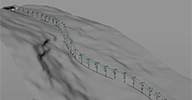 Ski Lift osAll ICE modeling scene
 Hello again Winter is coming! so be prepared and create Ski Lifts!!! This Compound
doesn't need simulation. although the cabins are moving, it's in an unsimulated IceTree.
No black magic involved, or at least not too much ;) Just create a Curve on your Terrain
and Connect Instances if needed. [..] reports are very welcome.
Requirement: »mt_strandfitting« by Helge Mathee (included in »mt_strandNodes« directly below).
local backup: skilift6a.scn
Requirement: »mt_strandfitting« by Helge Mathee (included in »mt_strandNodes« directly below).
local backup: skilift6a.scn
author link: n/a / si-community thread
mt_strandNodes winAll ICE strands compilation hair
A blast from the past from Helge's MindThink days - this one was 'hidden' inside the
ICE_tutorials project (directly below) and seems to be the predecessor/'light' version
of Melena.
mt_StrandNodes is a collection of strand manipulating compounds including a few compiled ones. From this mailing list post: It is an addon for simulating strands and much, much more. Basically it contains this: 1. a new custom icenode called "mt_strandFitting" which allows to reproject / refit a strand onto another one. You can use it for all sorts of things, such as refitting a curve or simply reprojecting a strand onto itself while maintaining length. — 2. a new geometry generator to create a mesh out of strands (cool!) with this you can create procedural geometry, such as a woven basket for example. — 3. a couple of compounds for creating strand effects. creating curling strands (strands curling around other strands), using strands as guides for other strands etc etc.. — 4. a project with sample scenes how to use this stuff...
The collection contains: Add Forces for Strands Add Guide from Spline Blend Stand Groom Create Curl Strands Create GuideHair Strands Create Strands from Curvelist Create Stroke Particle Curve Flow Force Directional Force Fill Interpolated Array FlowLines Force Get Array Ratio Get Position on Strand Get Regular Curve Locations Get Single Particle Attribute Get Strand Length Init Strand Simulation Init Strands Keep Every Nth Strand Modulate Strands by Null Move Strand with Geo Original Shape Force Prepare Strands For Extrusion Project Strands To Surface Push Strands Outside Geometry Random Scalar Value Array Random Value Along Strand Random Values Resample Strands Set Empty Strand Simulate Hair Simulate Strands With Constant Length Strand FCurve Strand Null Force Strand Stiffness Force Strand Surface Force Strand Turbulence Force Style Strands By Guides Turbulence Force
And some C++ compiled nodes and commands: HairSolver node strandFitting node hair2curves ice_strandExtrude strands2hair ice_strandExtrude.
local backup: mt_strandNodes.zip (doesn't include mentioned demo scenes - those are inside the ICE tutorials project directly below)
mt_StrandNodes is a collection of strand manipulating compounds including a few compiled ones. From this mailing list post: It is an addon for simulating strands and much, much more. Basically it contains this: 1. a new custom icenode called "mt_strandFitting" which allows to reproject / refit a strand onto another one. You can use it for all sorts of things, such as refitting a curve or simply reprojecting a strand onto itself while maintaining length. — 2. a new geometry generator to create a mesh out of strands (cool!) with this you can create procedural geometry, such as a woven basket for example. — 3. a couple of compounds for creating strand effects. creating curling strands (strands curling around other strands), using strands as guides for other strands etc etc.. — 4. a project with sample scenes how to use this stuff...
The collection contains: Add Forces for Strands Add Guide from Spline Blend Stand Groom Create Curl Strands Create GuideHair Strands Create Strands from Curvelist Create Stroke Particle Curve Flow Force Directional Force Fill Interpolated Array FlowLines Force Get Array Ratio Get Position on Strand Get Regular Curve Locations Get Single Particle Attribute Get Strand Length Init Strand Simulation Init Strands Keep Every Nth Strand Modulate Strands by Null Move Strand with Geo Original Shape Force Prepare Strands For Extrusion Project Strands To Surface Push Strands Outside Geometry Random Scalar Value Array Random Value Along Strand Random Values Resample Strands Set Empty Strand Simulate Hair Simulate Strands With Constant Length Strand FCurve Strand Null Force Strand Stiffness Force Strand Surface Force Strand Turbulence Force Style Strands By Guides Turbulence Force
And some C++ compiled nodes and commands: HairSolver node strandFitting node hair2curves ice_strandExtrude strands2hair ice_strandExtrude.
local backup: mt_strandNodes.zip (doesn't include mentioned demo scenes - those are inside the ICE tutorials project directly below)
ICE Tutorials winAll crowd scene ICE strands hair deformer compilation
A collection of ICE Demo scenes created by Helge Mathee for the 2009 Stuttgart FMX conference. It includes the sample scenes for mt_strandNodes. Scenes available are: Align Particle,
Atomic Model, Camera Projection for Particles, Cob Web, Crowd: Procedural Crabs, Crowd:
Two Wheelers, Filter Emission, FMX Folding Cubes, FMX Growing Flower, FMX Retro Trail,
FMX Swarm, Hair Dynamics: Basic Setup, Hair Dynamics: Turbulence, Hair Dynamics: Turbulence
Collision, ICE Bezier Deform, ICE Curve Deformer, ICE IK Solver, ICE IK Solver Spider,
ICE Roll Deform, Increment Rotation, Instancer Copy UVs, Instancer Kolosseum, Plants
Growing on Surface, RBD Bricks Cloning, RBD Cereals PostSimStack, Rolling Gate, Squares
Randomly following Footage, States: Bees, States: Tree, Strands Abstract Formula Shape,
Tank Chain, Text Dissolve to Particles.
local backup: ice_tutorials_part1.zip (Note that the mt_strandNodes plugin which is part of this backup does not work with current versions of Softimage — use the one above)
local backup: ice_tutorials_part1.zip (Note that the mt_strandNodes plugin which is part of this backup does not work with current versions of Softimage — use the one above)
author's current company: Fabric Software Inc. (archive)
dotXSI 3.0 Exporter (for 3DS Max) osAll exporter interop
Updated February 2014 - this is a 3DS Max R8 exporter for the Softimage dotXSI format.
Adds an export dialog option for custom scene root name Adds Export Options Dialog cancel button Adds some error trapping for Export Options Dialog inputs Adds Basepose transform export Updated SI_FileInfo template (now exports username, date/time, Max version used Fixes animation export for procedurally animated objects Fixes Export Options Dialog Cancel button Modified ProgressBar code to properly process the Cancel button Adds an animated XSI logo to the ProgressBar Fixes toggling between ASCII/Binary file types in Export Options Dialog Fixes 'Export Selected' feature
local backup: Max6-7-8 dotXSIExport v1.8.zip
local backup: Max6-7-8 dotXSIExport v1.8.zip
author site: http://mikelawlergallery.blogspot.com (archive) / download: http://www.maxplugins.de/max2014.php
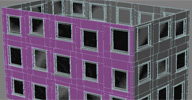 whWall win64 modeling
 This release is obsolete since whWall has become part of the new whXsiSuite release — Video demo. whWall lets you create detailed house walls. The walls, holes and frames including
the glass polygons are generated procedurally based on user defined parameters. Includes
the option to duplicate the result on all four sides, in which case you can setup
further variations of the user defined parameters. Finally you can create polygon
clusters for the elements, allowing you to select groups like all frames on the right
side, or other element groups.
Requirements: Microsoft Visual C++ 2012 Redistributable Package (x64)
local backup: whWall.xsiaddon whWall_OtherVersions.zip (for XSI 7.0/Mod Tool)
Requirements: Microsoft Visual C++ 2012 Redistributable Package (x64)
local backup: whWall.xsiaddon whWall_OtherVersions.zip (for XSI 7.0/Mod Tool)
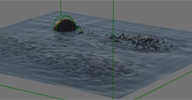 Shallow Water Sim osAll ICE scene fluids
 Disclaimer: This is from the resourcedump thread on si-community.com so »some restrictions may apply« (but usually don't)
For those in the need to simulate SIMPLE water interactions FAST this is a shallow (2d) water simulator coupled with Lagoa, so it does not look toooooo cheap. It can't do curls and rolling waves, but it will spit some Lagoa particles for your viewing pleasure :D. It served quite well on a little student short, so maybe it can help others. I would love to keep working in it but no time for it, so here it goes. [..]
Continue reading in the resourcedump thread linked above. Related: »Water Surface« by Felix Gebhard (moved below).
local backup: mFlow.scn
For those in the need to simulate SIMPLE water interactions FAST this is a shallow (2d) water simulator coupled with Lagoa, so it does not look toooooo cheap. It can't do curls and rolling waves, but it will spit some Lagoa particles for your viewing pleasure :D. It served quite well on a little student short, so maybe it can help others. I would love to keep working in it but no time for it, so here it goes. [..]
Continue reading in the resourcedump thread linked above. Related: »Water Surface« by Felix Gebhard (moved below).
local backup: mFlow.scn
author site: http://gustavoeb.com.br (archive)
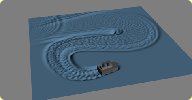 Water Surface osAll ICE scene fluids
 This scene demonstrates how to use ICE to simulate water ripples on a polygon grid.
local backup: ripple.zip
local backup: ripple.zip
author link: http://www.sukio.de/resources.htm (archive)
 Curve to Ribbon osAll curves ICE python modeling
 Video demo. Curve to Ribbon generates polygon mesh strips based on input curves. There are settings
for subdivision, thickness, center and offset as well as for the ribbon plane: XY,
XZ, YZ or auto. Works with multiple curves and even merged curves. Requirement: »keyvis Curve Tools« by Eugen Sares (moved directly below).
local backup: CurveRibbon.xsiaddon
local backup: CurveRibbon.xsiaddon
 keyvis Curve Tools winAll js curves workflow extrusion
 V1.4. A set of curve-related tools with the recent addition of a curve tool panel
PPG. From the download page:
This addon adds the most needed Curve Operators to Softimage, bringing it to a level of flexibility comparable to 3ds max. It does not make Softimage an »industrial strength« Curve modeller, like e.g. Rhino, but in many scenarios you won't need another application for Curve editing any more. Tools included: Attach Curves: attach one or many Curve(Lists) to the first in the selection. Blend Subcurves: connect Subcurves with a Segment (bridge) between every selected Curve Boundary pair. Delete Subcurves: delete one or many Subcurves. Duplicate Subcurves: duplicate one or many Subcurves, with Translate x, y, z parameters. Extract All Subcurves: »explode« a CurveList - every Subcurve becomes a Curve object. Invert (Sub)Curves: change curve direction. Like the factory tool, but with Subcurve support. Log Curve Data: for debugging purposes. Logs (Sub)Curve details in a Script Editor. Points, Knot vector, degree, etc. Merge Subcurves: connect Subcurves by »welding« selected Boundary pairs (2 endpoints -> 1 midpoint). Offset (Sub)Curves: draw an outline around selected (Sub)Curves. Open/Close (Sub)Curves: like the factory tool, but with a few more options and with Subcurve support. Scissor Knots/Isopoints: cut Subcurve(s) in two or more pieces at selected Knots or Isopoints. Curve Tools Panel: Custom PPG containing all Curve Tools plus options for Isopoint selection: Intersections and Subdivisions. Curve trims and booleans can be realized with it (although maybe not as comfortable as in 3ds max).
After installation, all operators can be found under Model > Modify > Curve, except »Extract All Subcurves«, which is in Model > Create > Curve
Related plugins: Power Extrude, TinyCurveExtrude, MX Loft, Custom Loft, KP CurveTools, ICE Rope Rig
local backup: keyvisCurveTools v1.4.xsiaddon
This addon adds the most needed Curve Operators to Softimage, bringing it to a level of flexibility comparable to 3ds max. It does not make Softimage an »industrial strength« Curve modeller, like e.g. Rhino, but in many scenarios you won't need another application for Curve editing any more. Tools included: Attach Curves: attach one or many Curve(Lists) to the first in the selection. Blend Subcurves: connect Subcurves with a Segment (bridge) between every selected Curve Boundary pair. Delete Subcurves: delete one or many Subcurves. Duplicate Subcurves: duplicate one or many Subcurves, with Translate x, y, z parameters. Extract All Subcurves: »explode« a CurveList - every Subcurve becomes a Curve object. Invert (Sub)Curves: change curve direction. Like the factory tool, but with Subcurve support. Log Curve Data: for debugging purposes. Logs (Sub)Curve details in a Script Editor. Points, Knot vector, degree, etc. Merge Subcurves: connect Subcurves by »welding« selected Boundary pairs (2 endpoints -> 1 midpoint). Offset (Sub)Curves: draw an outline around selected (Sub)Curves. Open/Close (Sub)Curves: like the factory tool, but with a few more options and with Subcurve support. Scissor Knots/Isopoints: cut Subcurve(s) in two or more pieces at selected Knots or Isopoints. Curve Tools Panel: Custom PPG containing all Curve Tools plus options for Isopoint selection: Intersections and Subdivisions. Curve trims and booleans can be realized with it (although maybe not as comfortable as in 3ds max).
After installation, all operators can be found under Model > Modify > Curve, except »Extract All Subcurves«, which is in Model > Create > Curve
Related plugins: Power Extrude, TinyCurveExtrude, MX Loft, Custom Loft, KP CurveTools, ICE Rope Rig
local backup: keyvisCurveTools v1.4.xsiaddon
author site: http://keyvis.at / download: ..Softimage/curve-tools/ / xsi-forum.de thread (german) / si-community thread
GOTETZ Curve Tools winAll curves
A set of curve related commands: merge curves attach curves detach curves. Video demo is available.
local backup: gtCurveTools.zip
local backup: gtCurveTools.zip
author @ vimeo / site: http://artifacts.sakura.ne.jp/sakanaya/works (archive) / blog: http://gotetz-log.blogspot.jp
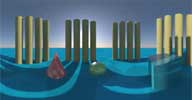 Latlong_Lens Shader osAll cppsrc shader mentalray interop
 Updated January 2014. This mental ray lens shader renders a full 360°; environment image using the
standard cartesian projection (aka spherical mapping) which can be used as a HDR environment/reflection
map. It is available for Softimage, Maya and Max and will output the same image in
any of those applications. Related: »wrapAround« factory shader (Softimage only).
local backup: latlong_lens_shader_for_Windows_x64.zip
local backup: latlong_lens_shader_for_Windows_x64.zip
author site: http://www.andrewhazelden.com / download: blog/...-011-x64-on-windows/
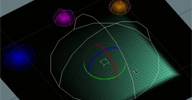 pb_EnvelopeByDistance osAll ICE rigging
 Creates a flexible envelope based on the points' distances to nulls with control over
falloff/shape/radius for each null. A group or groups are required and the group ID order must match the Deformers ID
order. [..] An update on pb_EnvelopeByRadius since I was feeling the need for more options per
null. Also one to use with single Weights. Compounds and script attached. The script
can be very slow to run (no idea why) and should be applied without the compound inputs
and outputs being connected.
Video demo for the current update as well as for the initial release.
local backup: pb_EnvelopeByDistance.xsicompound EnvelopeCPsets_1.0.pys (init script)
Video demo for the current update as well as for the initial release.
local backup: pb_EnvelopeByDistance.xsicompound EnvelopeCPsets_1.0.pys (init script)
pb_WeightByDistance osAll ICE
A simple version of the pb_EnvelopeByDistance script above outputting to a single
weightmap instead of to an envelope map.
local backup: pb_CopiesOnTarget.xsicompound
local backup: pb_CopiesOnTarget.xsicompound
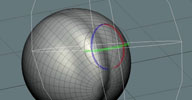 pb_TransformsFilter osAll ICE scene
 Demo video. From the si-community thread (link below): A utility to filter Matrices SRT transforms and use them on vectors. Only supports
SRT Matrices for now :/.
In another thread by Pedro on si-community.com there's some interesting discussion going on concerning transformations and matrices.
local backup: pb_TransformsFilter.xsicompound pb_TFilter_ADD.xsicompound pb_TFilter_SUB.xsicompound TransformFilterSamples.scn (demo scene)
In another thread by Pedro on si-community.com there's some interesting discussion going on concerning transformations and matrices.
local backup: pb_TransformsFilter.xsicompound pb_TFilter_ADD.xsicompound pb_TFilter_SUB.xsicompound TransformFilterSamples.scn (demo scene)