Softimage Resources: plugins, scripts, compounds and shaders
All 1119 entries of the Softimage Resources as a simple list, 651–700 on this page. To search and filter by tags, use the interactive Resources page.
ET_Pickup 3.0 osAll rigging workflow
The Pickup add-on provides a simple 3 button toolbar for animators to automate the
process of activating and de-activating pose constraints in Softimage.
Features: Pickup button to add a pose constraint with compensation Put Down button to deactivate the currently active constraint ) Remove button to remove the currently active constraint (leaves transform keys as to not ruin animation)
local backup: ET_Pickup.3.0.xsiaddon
Features: Pickup button to add a pose constraint with compensation Put Down button to deactivate the currently active constraint ) Remove button to remove the currently active constraint (leaves transform keys as to not ruin animation)
local backup: ET_Pickup.3.0.xsiaddon
Transform particle local osAll ICE particle
Transforms the particle in its local space. More useful than you might think.
local backup: Transform_Particle_Local.1.3.xsicompound
local backup: Transform_Particle_Local.1.3.xsicompound
Circularize osAll ICE deformer
This plugin circularizes a polygon, meaning it evenly distributes the polygon's points
on a circle which matches the polygon's orientation and area. Size correction and
rotation can be adjusted manually. Apply script written by Constantine Tarasenkov. Demo here (archive)
 rray.de »local backup« packed as xsiaddon. Command name is ApplyCGCircularize,
added to Modify->Deform menu.
rray.de »local backup« packed as xsiaddon. Command name is ApplyCGCircularize,
added to Modify->Deform menu.
Related plugins: MX_Roundish
local backup: cgCircularize.xsiaddon
rray.de »local backup« packed as xsiaddon. Command name is ApplyCGCircularize,
added to Modify->Deform menu.
Related plugins: MX_Roundish
local backup: cgCircularize.xsiaddon
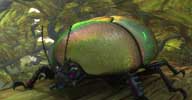 Coating Shader compound osAll shader mentalray shadercompound
 Coating is really usual in real life. Indeed, it is more unusual in 3D world! Color
obtained by coating is a mix of the color of coat and interferences of wavelength,
so it's not so easy to render. I made the choice of simulating and not spectral rendering.
It's easier, faster, and with more artistic controls!
So here is my 'Add Coating' Shader Compound for Autodesk® Softimage® 2011! It is made for adding nearly any kind of coating! With this compound, you can do: Colored glaze and varnish Antireflect and optical coatings on lens Oily Irisation Rainbow or color changing glaze [..]
Follow author link to continue reading. Test videos available here and here
Related plugins: Binary Alchemy Shader Collection 25 - Essentials (oily specular)
local backup: AddCoating.1.1.2.xsirtcompound
So here is my 'Add Coating' Shader Compound for Autodesk® Softimage® 2011! It is made for adding nearly any kind of coating! With this compound, you can do: Colored glaze and varnish Antireflect and optical coatings on lens Oily Irisation Rainbow or color changing glaze [..]
Follow author link to continue reading. Test videos available here and here
Related plugins: Binary Alchemy Shader Collection 25 - Essentials (oily specular)
local backup: AddCoating.1.1.2.xsirtcompound
author site: http://vadrouillegraphique.blogspot.com / download: /2010/06/add-coatin...for.html
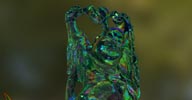 Dispersive Gem Shader compound osAll shader mentalray shadercompound
 One of the first things we can notice while watching Gems, is that they have high
dispersive effect. Dispersion is due to the difference of Index of Refraction between
colors, so there is a nice rainbow effect!
A friend tried to have this effect for a gem animation. It's not so easy, because nothing in Autodesk® Softimage® let you do it. So, I've made this shader compound. It's just RGB dispersion, with different IoR for R, G, and B. It's not really fast, but it was enough for the need, and the animation was made!
Although there is no spectral rendering, it's enough to have a cool visual effect. In fact, it is nice enough to be used in most case, when just the effect is needed, and not spectral accuracy.
As the result is interesting, I decided to release it as Educational Material. It is fully commented, ready to use and to be modified. Open the compound, and play with it! [..]
Follow author link to continue reading. Test video available here
Related plugins: Diffraction
local backup: GemRGBDispersion.1.4.1.xsirtcompound
A friend tried to have this effect for a gem animation. It's not so easy, because nothing in Autodesk® Softimage® let you do it. So, I've made this shader compound. It's just RGB dispersion, with different IoR for R, G, and B. It's not really fast, but it was enough for the need, and the animation was made!
Although there is no spectral rendering, it's enough to have a cool visual effect. In fact, it is nice enough to be used in most case, when just the effect is needed, and not spectral accuracy.
As the result is interesting, I decided to release it as Educational Material. It is fully commented, ready to use and to be modified. Open the compound, and play with it! [..]
Follow author link to continue reading. Test video available here
Related plugins: Diffraction
local backup: GemRGBDispersion.1.4.1.xsirtcompound
author site: http://vadrouillegraphique.blogspot.com / download: /2010/06/gem-disp...und.html
 Exocortex Momentum 3.0 osAll ICE particle rigging topo commercial shatter fabric
 Momentum 3 is a Softimage 2010-2012 implementation of the Bullet Physics engine, allowing you to do robust, precise and real-time multi-physics simulations with
full control over the simulation using the ICE framework. Simulates Rigid Bodies,
Soft Bodies, Cloth, Ropes, RBD Constraints, Soft Body Constraints, Interactions, Plasticity,
Deforming RBD, Collision Filtering, RBD Clustering and Attachments. Also offers built-in
fracturing and plotting.
Building upon the Bullet-based broad feature set of Momentum 2, Momentum 3 adds massive new features in the area of fracturing, simulation control, quality rendering and workflow.
Please see the Exocortex site for a full description. Prices start at $499 for an individual license, $4999 for a site license (<50 seats), or $5999 for a site/source code license. A trial version is also available.
Related plugins: Implosia FX, Emit SRT matched instances, StudioNEST Kratos, XSIShatter, Polygon Islands
Transformation using ICE, DafengIslandSeperation
Building upon the Bullet-based broad feature set of Momentum 2, Momentum 3 adds massive new features in the area of fracturing, simulation control, quality rendering and workflow.
Please see the Exocortex site for a full description. Prices start at $499 for an individual license, $4999 for a site license (<50 seats), or $5999 for a site/source code license. A trial version is also available.
Related plugins: Implosia FX, Emit SRT matched instances, StudioNEST Kratos, XSIShatter, Polygon Islands
Transformation using ICE, DafengIslandSeperation
author (company) site: http://www.exocortex.com / product page: /simulation/momentum
Alembic Plugin osAll interop cppsrc
Basic Alembic exporter for Softimage (Alembic is a compressed streaming format for baked mesh animations
which is becoming popular in bigger pipelines).
From Helge's comments, this plugin appears to be custom-tailored to his specific project needs and seems not ready to use »out of the box«. But source code is available for custom development from the google code page. Mercurial versioning is required for downloading.
From Helge's comments, this plugin appears to be custom-tailored to his specific project needs and seems not ready to use »out of the box«. But source code is available for custom development from the google code page. Mercurial versioning is required for downloading.
author site: n/a / download: @google-code / si-community thread
TapeMeasure winAll customtool cppsrc align measure
here is my contribution to the wave of custom tools coming out for softimage. the
source and the pre compiled plugin are hosted here...
direct link to the download is here.... other wise just click the 'Downloads' button on the github page. the current version is beta, i have a few more things that i want to address before i call it done, but it is useful at its current state.
For feedback, post to the mailing list thread, or on the github »issues page«.
local backup: TapeMeasure_0.4_beta.rar
direct link to the download is here.... other wise just click the 'Downloads' button on the github page. the current version is beta, i have a few more things that i want to address before i call it done, but it is useful at its current state.
For feedback, post to the mailing list thread, or on the github »issues page«.
local backup: TapeMeasure_0.4_beta.rar
author link: http://www.steven-caron.com / github project/download page
Spring Force compound osAll rigging ICE strands
Can be used to apply Spring Like behaviour - needs to have the Spring original positions
defined in a modelling stack onto a variable called 'orig_positions'
See download page for a comprehensive article on a use case of this compound (Simulating a field of flowers using strands).
local backup: Spring Force.xsicompound
See download page for a comprehensive article on a use case of this compound (Simulating a field of flowers using strands).
local backup: Spring Force.xsicompound
author site: https://sites.google.com/site/tekanoice / download: ../tutorials/ice-flowers-part-i / si-community thread
 Quadratic Bezier Strand Curves osAll ICE strands curves
 »3 point« beziers computing faster than the factory bezier compound. Download
link contains an article with a bit of theoretical background on the subject.
local backup: Quadratic Bezier_curves.xsicompound
local backup: Quadratic Bezier_curves.xsicompound
author site: https://sites.google.com/site/tekanoice / download: ../tutorials/quadratic-bezier-curve / si-community thread
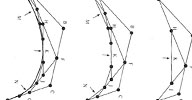 Rational and enhanced Bezier Curves Compound osAll ICE curves
 A set of compounds handling Bezier curves. Contains: Bezier3: A compound in the same line as the bezier4 factory compound DB_Bezier3: A compound with tangent, normal and up vectors outputs DB_Bezier4: the factory compound with tangent, normal and up vectors outputs DB_RationalBezier3: a quadratic bezier compound with weighting on each control point
DB_RationalBezier4: a cubic bezier compound also with weighting on each control point
local backup: DB_Bezier_Compounds.zip
local backup: DB_Bezier_Compounds.zip
author site: www.romanticdesigns.ca / si-community thread
WebGL Exporter osAll interop cppsrc
Exports the scene for web viewing with a WebGL supporting browser. Exports to JSON
mesh files / scene structure JSON file, texture folder / sample.html file.
The download link below contains some background and usage information.
local backup: SoftimageWebGLExport.zip
The download link below contains some background and usage information.
local backup: SoftimageWebGLExport.zip
author site: http://blog.nobel-joergensen.com / download: /2011/07/24/webgl_export_softimage/ / si-community thread
 Thea Render Plugin winAll renderer
 This plugin connects Autodesk's SoftImage modeler with Thea Render as external rendering
application. By downloading and installing the software, you agree to the license
agreement. Developed by Steven Caron.
The plugin version downloadable from the thearender website is not up-to-date. Download
from the forum link below (needs signup).
local backup: SoftimageTheaExport.zip
The plugin version downloadable from the thearender website is not up-to-date. Download
from the forum link below (needs signup).
local backup: SoftimageTheaExport.zip
Scalar To String osAll ICE workflow text
Very handy compound that converts a scalar into a string.
local backup: Scalar To String.xsicompound
local backup: Scalar To String.xsicompound
author site: n/a / si-community thread
AI Apply Thickness osAll ICE topo deformer thickness
A fast thickness compound with support for inner/outer push length, and length subdivisions.
No UV preservation. See video (archive) here for usage instructions.
local backup: AI_Apply Thickness.xsicompound
local backup: AI_Apply Thickness.xsicompound
author site: n/a / si-community thread
ICE procedural door osAll ICE topo deformer
Two procedural door systems/generators using ICE featuring automatic doors with folding
etc. See the si-community thread for videos on how these compounds are used.
local backup: Procedural Door v2.0.rar
local backup: Procedural Door v2.0.rar
author site: n/a / si-community thread
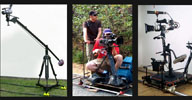 rp_CameraRig osAll ICE rigging private
 I was looking at some real-world dolly/crane/steady camera rigs and I've got inspired
to develop my own 3D solution about it. Please tag animations/jobs/productions/wtv »rp_CameraRig« or post a comment
with the link Ok? Would be lovely to see what you guys have been doing with it :)
This rig is free for personal use, if a studio/company wants to use it please contact
me. Let me know if you find it useful and feel free to drop me suggestions/comments/ideas
or anything.
local backup: rp_CameraRig_xsi2011.zip
local backup: rp_CameraRig_xsi2011.zip
author site: renatopolimeno.com / download: /?rp_camerarig
Fire Spreader osAll ICE deformer
My first plugin for Autodesk® Softimage® that makes procedurally growing value on
weightmap to simulate fire and other spreading effects.
local backup: Fire_Spreader.rar
local backup: Fire_Spreader.rar
author site: http://procedural.tumblr.com / download: /downloads/
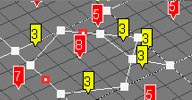 Test Quads osAll ICE
 A compound which test the quads on the number of points. Also can show triangle areas
and unconnected points. It's good for debugging geometry on modelling stage.
local backup: Test_Quads.xsicompound
local backup: Test_Quads.xsicompound
author site: http://procedural.tumblr.com / download: /downloads/
Rings Compound osAll ICE
Creates range of circles with ability to use harmonic motion, archimedean spiral,
polar coordinates and roses. Also each circle has local matrix, that means you can
create unique looking shapes in three dimensions.
local backup: Rings.rar
local backup: Rings.rar
author site: http://procedural.tumblr.com / download: /downloads/
Bind to Points osAll ICE bind
Create and bind nulls or point lights to object/curve/pointcloud points. Support normal/particle
orientation. Just copy compounds to corresponding project folder, select object in
scene and run one of the scripts. If »Instance« ICE Tree will be placed
above simulation or modelling stack you can get a nulls or lights that will stick
to object points. Rename standard »Null« and »Light« names
on scene, as well as »ICETree« name in object stack, script uses them
for own purposes. SI 2012 required.
local backup: Bind_to_Points.rar
local backup: Bind_to_Points.rar
author site: http://procedural.tumblr.com / download: /downloads/
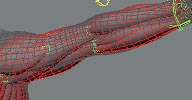 ICE Muscle Primitive osAll ICE rigging
 A muscle primitive, that works on ICE. Based on Shekn article (Russian). It support squash/stretch and spring motion. Copy compounds to corresponding
project folder, import »aMuscle« model to the scene. Y scale of curves
is responsible for size of a muscle in the control area, X scale change thickness
of geometry. To view options of model select the »Show Custom DisplayInfo Parameters« checkbox in Visibility Options of your scene. If you want activate
or deactivate spring motion, select model null and run »CreateSpring«
or »RemoveSpring« script. I've not see the way to envelope muscles yet,
so you can try it by yourself, there is example scene that you can use for tests.
SI 2012 required.
local backup: ICE_Muscle_Primitive.rar
local backup: ICE_Muscle_Primitive.rar
ezSpine osAll rigging python
This is my first attempt at creating an addon, so bear with me. It generates a custom
IK spine with fake FK controls. The setup is not really mine, I think it's based on
JSchleiffer spine setup. I just tried to automate and customize its creation.
I'm pretty newbie at scripting or rigging, so I would appreciate any comments or suggestions to improve it. As it's an 'experiment' I wouldn't use it in production, but feel free to do what you want with it.
USAGE/FEATURES: When you install the addon, you can find it under Create/Skeleton menu. You need python to run this. Use your Hips and Chest objects as IK controls or for offsetting main pseudo FK pose. Twist obeys Hips and Chest rotation. Hips and Chest don't need to be vertical, as long as Y is their longitudinal axis. They can also be rotated, generated curves rebuilds it's curvature. Custom number of IK and FK bones, and Curve Points. Squash&Stretch with volume preservation. Profile Curve Parameter for Shaping S&S Volume is under the same Spine Curve.
local backup: ezSpine.xsiaddon
I'm pretty newbie at scripting or rigging, so I would appreciate any comments or suggestions to improve it. As it's an 'experiment' I wouldn't use it in production, but feel free to do what you want with it.
USAGE/FEATURES: When you install the addon, you can find it under Create/Skeleton menu. You need python to run this. Use your Hips and Chest objects as IK controls or for offsetting main pseudo FK pose. Twist obeys Hips and Chest rotation. Hips and Chest don't need to be vertical, as long as Y is their longitudinal axis. They can also be rotated, generated curves rebuilds it's curvature. Custom number of IK and FK bones, and Curve Points. Squash&Stretch with volume preservation. Profile Curve Parameter for Shaping S&S Volume is under the same Spine Curve.
local backup: ezSpine.xsiaddon
author site: http://www.navassi.com
Adaptive Subdivision osAll ICE topo
An ICE modeling compound that applies a Catmull-Clark subdivision scheme only to polygons
with a neighbor adjacency angle greater than a user-specified value. The si-community
thread includes an interesting discussion with ICE Modeling Developer Guillaume Laforge.
local backup: ooAdaptive Subdivision.xsicompound
local backup: ooAdaptive Subdivision.xsicompound
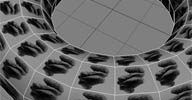 UV Mapping Per Face osAll shadingworkflow python
 This script maps the whole UV(0,0)-(1,1) space to each polygon (works best with four-sided
polygons). Select a polygon mesh object, then run the script. A documentation sample
converted by Piotrek Marczak.
local backup: ooSetPerFaceUV.pys
local backup: ooSetPerFaceUV.pys
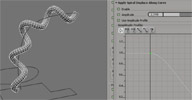 Power Extrude osAll ICE topo deformer curves extrusion
 (Update 3) An ICE implementation of an »extrude profile along path curve«
operator. New release features: rebuilt from scratch, packed as xsiaddon. menu based icetree builder/inspector reliable knot information retrieved through Data Providers added support for multi-subcurve profiles new extrusion profile center mode (choose between average subcurve point positions,
curve center or many other BBox options) exposed optimization settings for even subdivisions new per polygon/point/edge attributes (is cap polygon, path/profile segment, etc)
»evenly subdivision always hit knots« flag for path/profile. new compounds for advanced subcurve control new spiral displace modifier improved support for array based parameters angle threshold optimization for removing quasi linear segments mirror profile on XY / ZY planes
Last version's feature highlights: Default Extrusion Start/End vectors correct corner mitering support for multiple path subcurves support for open/closed profile and path curves path subdivision rules: Segment Length Based, Evenly Spaced - Fixed/Spacing Ratio, Wall (optimized), 1 to 1 extrusion segment for each curve segment, Custom Point Positions Per component (vertex and poly) ice attributes (cross section index, cross section normalized, path subcurve)
Planned features are: Auto UVs adaptive subdivisions depending on curvature
This tool is in development - See Fabricio's vimeo page and this thread on the Softimage Mailing List for current updates and downloads.
Related plugins: TinyCurveExtrude, MX Loft, Custom Loft, KP CurveTools, keyvis Curve Tools, ICE Rope
Rig
local backup: PowerExtrude_1.0.xsiaddon
Last version's feature highlights: Default Extrusion Start/End vectors correct corner mitering support for multiple path subcurves support for open/closed profile and path curves path subdivision rules: Segment Length Based, Evenly Spaced - Fixed/Spacing Ratio, Wall (optimized), 1 to 1 extrusion segment for each curve segment, Custom Point Positions Per component (vertex and poly) ice attributes (cross section index, cross section normalized, path subcurve)
Planned features are: Auto UVs adaptive subdivisions depending on curvature
This tool is in development - See Fabricio's vimeo page and this thread on the Softimage Mailing List for current updates and downloads.
Related plugins: TinyCurveExtrude, MX Loft, Custom Loft, KP CurveTools, keyvis Curve Tools, ICE Rope
Rig
local backup: PowerExtrude_1.0.xsiaddon
author site: http://iceduous.blogspot.com
Per Object Selection Event osAll workflow
I was tired to have to register siOnSelectionChange event for each particular case
I need, so I built a generic one. It kind of looks like maya's scriptJob, and as I
found that workflow better I thought I could share it. The event scans for a property
hosted by the selected objects, and execute any jscript code set in it. Just copy
the script in your plugin folder, then run the command from the property menu. It
will add a Custom property with a code field. You can use »selected« to
return the selected object and it's working with multi selection.
local backup: objSelectEvent.js
local backup: objSelectEvent.js
author on vimeo / source: mailing list @google groups
LivePaint win32 customtool deformer
Here is an alpha version of a paint tool that doesn't need weight maps to deform a
mesh. It's far from finished but is usable for painting push and smoothing. To install,
copy the dll in your plugin directory then run this jscript command in the script
editor: LivePaint()
Some things you need to know: only 32bit for now RMB to choose between push and smooth shift drag to change the brushopacity control drag to change the brush radius it only work on freezed objects undo will revert the object to its state before freeze there are many bugs, use it at your own risk — Have fun.
local backup: LivePaint.32.dll LivePaint.64.dll (copy to a Plugins directory)
Some things you need to know: only 32bit for now RMB to choose between push and smooth shift drag to change the brushopacity control drag to change the brush radius it only work on freezed objects undo will revert the object to its state before freeze there are many bugs, use it at your own risk — Have fun.
local backup: LivePaint.32.dll LivePaint.64.dll (copy to a Plugins directory)
gw::OBJ Importer winAll interop workflow
(2006) This was developed by the same company that did the factory 3DStudio Max Obj
import/export. Try this in case the Softimage factory Obj import should fail.
local backup: gwObjImp_v0.94b-xsi-guruware.zip
local backup: gwObjImp_v0.94b-xsi-guruware.zip
author site: http://www.guruware.at/ / download: /main/objio/index.html
gw::TER Importer win32 interop workflow
(2006) This importer makes it much easier to combine Terragen renders with Max/XSI 3d-objects.
Animation script import has not been implemented yet, but time permitting, will be
added at a later date.
This is Win32 only.
local backup: gwTerImp_v0.7b-xsi-guruware.zip
This is Win32 only.
local backup: gwTerImp_v0.7b-xsi-guruware.zip
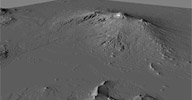 HeightField osAll ICE shader mentalray
 Displaces geometry using any ICE-readable image format. Includes a curvature-based
smoothing option. For usage instructions see inside the compound or the si-community
thread linked below.
local backup: HeightField.rar
local backup: HeightField.rar
author link: n/a / si-community thread
 Wake Pond effect osAll ICE fluids
 Per request in this si-community thread, user Matic posted this wave ripple effect using an ICE verlet/spring
simulation as a quicker alternative to other water simulations.
Yeah the problem is that these ripple compounds (like one I did a while back and a few others have made) they tend to use a spring-based approach which isn't a true simulation of water per se, but rather a simple spring network with some force propagation thrown in... you can get good results, but if you are looking for some of the fine details of behavior you would get in real life you need to go to a much more complex simulation. And right now for softimage that would mean maelstrom (proprietary) or a sph-like solver like lagoa. Realflow/realwave might be a good solution if you are willing to go outside softimage.
But if the spring-based solvers are close, you might be able to do some cheats and get them to do what you need. Here's the one I built... It's about as simple an approach as I could make, I slammed it together in a couple of hours to meet a sudden need in green lantern (we were developing the look for the scene where a woman gets whisked away by a flood of green-energy »water.«) So no promises on whether it will help or not, but it's at least simple enough you can hack at it. I hope it helps a bit.
local backup: wakePond.zip
Yeah the problem is that these ripple compounds (like one I did a while back and a few others have made) they tend to use a spring-based approach which isn't a true simulation of water per se, but rather a simple spring network with some force propagation thrown in... you can get good results, but if you are looking for some of the fine details of behavior you would get in real life you need to go to a much more complex simulation. And right now for softimage that would mean maelstrom (proprietary) or a sph-like solver like lagoa. Realflow/realwave might be a good solution if you are willing to go outside softimage.
But if the spring-based solvers are close, you might be able to do some cheats and get them to do what you need. Here's the one I built... It's about as simple an approach as I could make, I slammed it together in a couple of hours to meet a sudden need in green lantern (we were developing the look for the scene where a woman gets whisked away by a flood of green-energy »water.«) So no promises on whether it will help or not, but it's at least simple enough you can hack at it. I hope it helps a bit.
local backup: wakePond.zip
author site: author link: http://andy.moonbase.net / source: si-community thread
NormalizeWeights osAll cppsrc python workflow
Makes sure all points of an envelope are assigned at 100%. Adds a menu item to the
Deform->Envelope menu.
local backup: NormalizeWeights.zip
local backup: NormalizeWeights.zip
GrabBake osAll python rigging workflow
GrabBake is a custom tool to bake keyframes on a slave object while it is following
the master object during a range of frames. This mimics a pose constraint being keyed
on and off without the need to keep track of constraints.
Features: Easily accessible menu item in the »Animation« menu at the bottom of the UI Simplistic usage of selecting a master object, slave object, and running the command Asks for frame range to bake Returns time slider to initial frame after baking.
local backup: ET_GrabBake.zip
Features: Easily accessible menu item in the »Animation« menu at the bottom of the UI Simplistic usage of selecting a master object, slave object, and running the command Asks for frame range to bake Returns time slider to initial frame after baking.
local backup: ET_GrabBake.zip
author site: http://www.ethivierge.com / download: /grabbake/
Clean Curve osAll ICE curves workflow
Video usage instructions available here. From Simon's site:
I made this script when I discovered a decent way to clean a curve so that I could make a bike chain in ICE. There is an operator called 'reparametrize' but that doesn't do the job fully. Also I have attached my ICE Compound to distribute points along a curve but that's not entirely what this is about in case that has problems :)
Note: For CLOSED curves this seems to be working very well, OPEN curves are more trouble but I added something in so the script will close it for you and you have to do some manual work after. All is explained in the video above!
local backup: cleancurve.zip
I made this script when I discovered a decent way to clean a curve so that I could make a bike chain in ICE. There is an operator called 'reparametrize' but that doesn't do the job fully. Also I have attached my ICE Compound to distribute points along a curve but that's not entirely what this is about in case that has problems :)
Note: For CLOSED curves this seems to be working very well, OPEN curves are more trouble but I added something in so the script will close it for you and you have to do some manual work after. All is explained in the video above!
local backup: cleancurve.zip
author site: http://www.simonreeves.com / download: /2011/08/19/sr_cleancurve/
Ambient Light Rig osAll workflow
This 2008 script for older versions of XSI (<7.5) generates a light rig on the points
of a polygon mesh object, with the light color based on the object's texture color
at that point (HDR texture recommended). Concerning newer versions:
Hi, well ICE being out there made me stop the further development of this tool. It is now super easy to reproduce the light rig with a couple of nodes. If you are on 2011, do a simple emit from surface (total number of particles) and instance a point or spot light on the particles. Get the color from a texture map and apply the color attribute on the light render tree.
Related plugins: Banty's Lightrig Import, Light Dome
local backup: AmbientLightRig.zip
Hi, well ICE being out there made me stop the further development of this tool. It is now super easy to reproduce the light rig with a couple of nodes. If you are on 2011, do a simple emit from surface (total number of particles) and instance a point or spot light on the particles. Get the color from a texture map and apply the color attribute on the light render tree.
Related plugins: Banty's Lightrig Import, Light Dome
local backup: AmbientLightRig.zip
author site: http://iceduous.blogspot.com / download: @vimeo
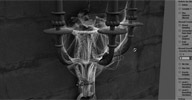 Aging cobwebs osAll ICE strands
 Simulating old/dusty objects.... higher strand counts are not realtime because of
the strand sampling density and geometry queries needed to make it look good.
To see the compound in action, have a look at Fabricio's video here.
local backup: Aging Cobwebs.xsicompound
To see the compound in action, have a look at Fabricio's video here.
local backup: Aging Cobwebs.xsicompound
author site: http://iceduous.blogspot.com / download: @vimeo
Smedgify osAll vbs
Smedgify is a submitter for the Smedge render management software: Allows submission of passes as separate jobs Also allows submission of multiple passes in a single job if the frame range, priority
and packet count is the same for each selected job Allows submission of FX Trees.
This was specifically written for Lola Post. If you use this you will need to make your own Smedge job module for FX Tree submission. You will also need to look at the code to adjust the paths to pools.ini (which is used to generate the list of active pools in your farm).
local backup: Smedgify.xsiaddon doc backup
This was specifically written for Lola Post. If you use this you will need to make your own Smedge job module for FX Tree submission. You will also need to look at the code to adjust the paths to pools.ini (which is used to generate the list of active pools in your farm).
local backup: Smedgify.xsiaddon doc backup
author site: http://www.sajjadamjad.com / download: /plugins.html#Smedgify
Paparazzo osAll js workflow
Paparazzo adds extra controls to the selected camera/interest: Set camera/interest to shake over three frequencies for layered control Set the filmback of the SI camera to match real world lenses (using the Presets tab)
Use provided material and nulls to render a Depth pass (in the Depth Pass tab)
Related plugins: Camera Shake
local backup: Paparazzo.xsiaddon doc backup
Related plugins: Camera Shake
local backup: Paparazzo.xsiaddon doc backup
author site: http://www.sajjadamjad.com / download: /plugins.html#Paparazzo
LayoutSelect osAll js workflow
This plugin adds a 'Layout' menu item to the main menu. The list shown under this
menu is customizable.
local backup: layoutSelect.xsiaddon doc backup
local backup: layoutSelect.xsiaddon doc backup
author site: http://www.sajjadamjad.com / download: /plugins.html#LayoutSelect
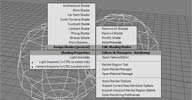 QMenu winAll workflow custommenu
 (new version, updated Aug 12th) QMenu is a custom quad-menu system for Softimage similar to 3dsMax's quad menu system.
Its main purpose is to speed up frequently used operations by bringing frequently
used functions and commands closer to the mouse. It can be configured in a user friendly
way by most users (that is: through clicking only) and is yet still extendable through
scripting by those who need the additional level of flexibility beyond the usual 3dsMax
quad menu functionality. In fact, many aspects of QMenu are script based so that
it's easily extendable and customisable without having to change the actual plugin
source code.
local backup: keyvisQMenu_Win32_Win64_097.xsiaddon
local backup: keyvisQMenu_Win32_Win64_097.xsiaddon
author site: http://keyvis.at / download: /cg-tools/tools-for-softimage/qmenu / google code project/download page / si-community thread
Banty's Lightrig import osAll js interop workflow
(new version, updated Aug 25th) Imports Lightrigs generated with Francesco Banterle's
HDRShop plugin. Version 1.3 (Aug 25th 2011): automatically loads *_latlon.hdr file present in light rig folder and sets up an
environment shader updates environment orientation with light rig orientation — Version 1.2.1:
bug fixes sets lights' photon energy values slider to dim photon energy for larger light rigs button for optimizing Photon Count based on overall light energy value »inspect all rig lights« button (removes the need for the »set
global...« sliders) 1.21: »select all rig lights« button persistent layout
Quick Usage Walkthrough: Google for HDRShop, Banterle, install, load HDR image (lat/long format) in HDRShop, use median_cut plugin, ca 32 - 256 lights, lights.txt ends up either in the directory of the HDR image or in the HDRShop program dir. Open that file with the plugin. For convenience, make a collection of those files.
Related plugins: Light Dome, Ambient Light Rig
local backup: ImportBantysLights13.xsiaddon
Quick Usage Walkthrough: Google for HDRShop, Banterle, install, load HDR image (lat/long format) in HDRShop, use median_cut plugin, ca 32 - 256 lights, lights.txt ends up either in the directory of the HDR image or in the HDRShop program dir. Open that file with the plugin. For convenience, make a collection of those files.
Related plugins: Light Dome, Ambient Light Rig
local backup: ImportBantysLights13.xsiaddon
author site: rray.de
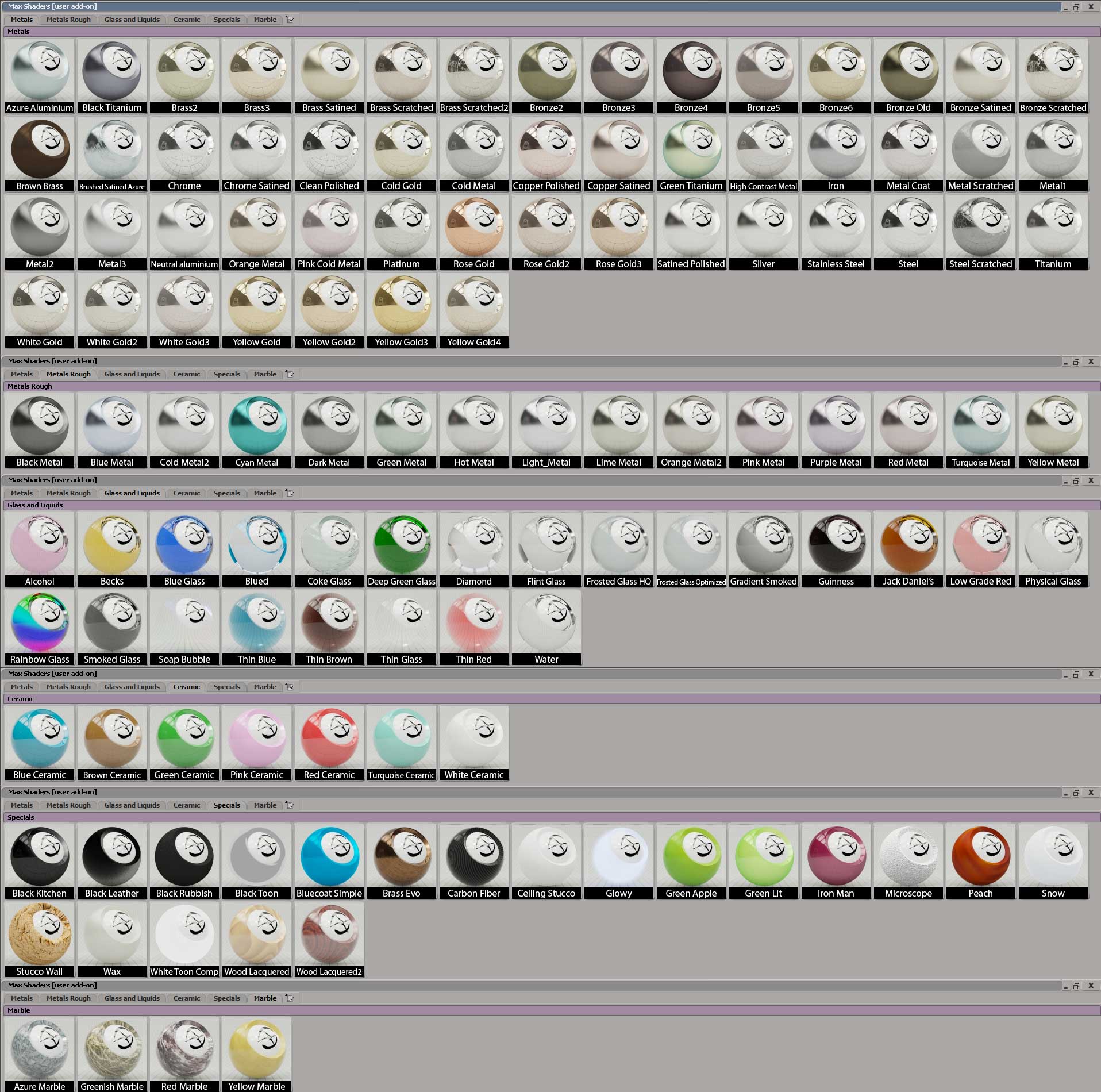
 Max shader presets osAll shader mentalray shader presets
 Maximus presents his expanding collection of shader presets. The .xsiaddon contains
a toolbar with thumbnail previews (See this image), a custom layout (having that toolbar integrated), and Material presets for the
Material Manager. Note that for some of the shaders to work, the Enhance XSI Shader
collection and/or Daniel Rind's Diffraction shader are required (for both see below).
The current version requires installation in USER directory (drag'n'drop does that)
for the toolbar to work.
For more details and updates see the si-community discussion thread.
local backup: Max_Shaders.xsiaddon
local backup: Max_Shaders.xsiaddon
author link: n/a / si-community thread
Fractal Point Transform Node osAll ICE particle
This compound creates fractal forms and patterns by repeatedly duplicating a cloud's
points and applying a different set of transforms each time, as defined by a series
of nulls. Video feature demonstration (archive) is available, as well as a making-of (archive) of this node.
local backup: Fractal Point Transform.xsicompound
local backup: Fractal Point Transform.xsicompound
author studio: http://www.bloom-studio.com / author blog/download: http://bloommartin.tumblr.com
Traffic osAll ICE particle strands
Simulates night traffic by animating path-following pairs of headlights and light
trail strands. Offers settings for car count, light color, road width etc. Video feature demonstration (archive) is available.
local backup: Traffic.xsicompound
local backup: Traffic.xsicompound
author studio: http://www.bloom-studio.com / author blog/download: http://bloommartin.tumblr.com
Generate Strand Filled Object osAll ICE particle strands
Fills an object with strands using a variety of placement options. Video feature demonstration (archive) is available.
local backup: Generate Strand filled Object.xsicompound
local backup: Generate Strand filled Object.xsicompound
author studio: http://www.bloom-studio.com / author blog/download: http://bloommartin.tumblr.com
XSI2AE osAll interop workflow aftereffects js
Exports camera 3D animation to After Effects. Spotted on the Polish max3D forum (see
link below). Google translation follows.
The script (under development) ... in the very early stages, but it is what it originally planned to do ... in the future as I have time, desire and ability will be expanded / improved. Description of use can be found in the script, here you explain what does this miracle: http://streaker.thetastudio.pl/xsi/XSI2AE_test.mov (gray grid - rendered in xsi, red superimposed in AE as a layer 3d).
Related plugins: AEtoXSI, ScreenInfo
local backup: XSI2AE.zip
The script (under development) ... in the very early stages, but it is what it originally planned to do ... in the future as I have time, desire and ability will be expanded / improved. Description of use can be found in the script, here you explain what does this miracle: http://streaker.thetastudio.pl/xsi/XSI2AE_test.mov (gray grid - rendered in xsi, red superimposed in AE as a layer 3d).
Related plugins: AEtoXSI, ScreenInfo
local backup: XSI2AE.zip
author site: http://streaker.thetastudio.pl (archive) / download: /xsi/XSI2AE.js / max3D forum thread
 XGoZ osAll interop workflow
 A 1-click solution for transferring Meshes between ZBrush and Softimage. Handles multiple
subtools, transfers the texture, normal and the displacement map, and sets up a finished
render tree for the object.
Note this plugin is an early version of Kostas' GoZ plugin, which is the official ZBrush GoZ plugin for Softimage.
Related plugins: GoSoftimageLite, GoZ
local backup: XGoZ Plugin Single Click.zip
Note this plugin is an early version of Kostas' GoZ plugin, which is the official ZBrush GoZ plugin for Softimage.
Related plugins: GoSoftimageLite, GoZ
local backup: XGoZ Plugin Single Click.zip
RenderMap Sequence Script osAll python interop shadingworkflow workflow
A load-edit-run type script that renders a sequence of rendermaps.
local backup: RendermapAutomizer.zip
local backup: RendermapAutomizer.zip
author site: n/a / si-community thread
Default Primitives Settings osAll python modeling workflow
Quickly set a preset for the most common poly and surface primitives. Softimage 2012
only.
ICE geometry is the next hot thing (and rightly so), but most users will still rely on the old primitive meshes created from the modeling menu. Unfortunately, one of the more annoying things in Softimage is an inability to store presets for any of those primitives. If you always work with a 32*32 subdivided grid you'd probably have to add a new button somewhere in the UI to run a script or command that generated your favorite primitive. Hardly a very dynamic solution.
This plugin attempts to make it easy for users to quickly store a primitive preset, without the need for custom buttons cluttering up the UI - just use the same Get > Primitive menu as always. New SDK features (siOnEndCommand and the undo complex) are being used, so this will only work with Softimage 2012.
Features: Supports cone, cube, cylinder, disc, grid, sphere, torus polygon and surface meshes. Store size, subdivision and SRT settings for each primitive in a custom preference. Pop-up menu allows the user to quickly store the settings from a selected primitive in the 3D view. (Alt-right-click on a single selected mesh that has a live primitive - select the Set Primitive Defaults menu).
Video documentation available here
local backup: CM_DefaultPrimitives-1.1.xsiaddon
ICE geometry is the next hot thing (and rightly so), but most users will still rely on the old primitive meshes created from the modeling menu. Unfortunately, one of the more annoying things in Softimage is an inability to store presets for any of those primitives. If you always work with a 32*32 subdivided grid you'd probably have to add a new button somewhere in the UI to run a script or command that generated your favorite primitive. Hardly a very dynamic solution.
This plugin attempts to make it easy for users to quickly store a primitive preset, without the need for custom buttons cluttering up the UI - just use the same Get > Primitive menu as always. New SDK features (siOnEndCommand and the undo complex) are being used, so this will only work with Softimage 2012.
Features: Supports cone, cube, cylinder, disc, grid, sphere, torus polygon and surface meshes. Store size, subdivision and SRT settings for each primitive in a custom preference. Pop-up menu allows the user to quickly store the settings from a selected primitive in the 3D view. (Alt-right-click on a single selected mesh that has a live primitive - select the Set Primitive Defaults menu).
Video documentation available here
local backup: CM_DefaultPrimitives-1.1.xsiaddon
author site: http://blog.blackredking.org (archive) / download: /?p=184 (archive) / si-community thread