Softimage Resources: plugins, scripts, compounds and shaders
All 1119 entries of the Softimage Resources as a simple list, 101–150 on this page. To search and filter by tags, use the interactive Resources page.
 Strand Collision Framework osAll ICE strands scene
 updated for Softimage 2015. This set of ICE nodes simulates inter-strand collisions as well as strand self-collisions.
Fwiw the author declares it to be in a »useable enough« state —
see the demonstration video to get an impression of its speed and stability.
[..] Usage should be largely self-explanatory, with the zip containing a number of example scenes. The length correction factor before collision takes place corresponds to the bidirectional length correction in the original strand dynamics framework. Think of it as a wobbliness factor. A lot of the compounds have a Range input. These compounds are driven by various values, usually the collision force. We divide the input by the range value and clamp it between 0 and 1, so a range of 10 and an input value of 1 would give you 0.1, or a 10% effect. The lower the range the stronger the effect, with 0 disabling it completely.
Read more in the thread linked below, including usage and limitations.
local backup: StrandCollisionFramework_2015.xsiaddon (includes patch from si-community thread) scf-demo_scenes.zip (demo scenes)
[..] Usage should be largely self-explanatory, with the zip containing a number of example scenes. The length correction factor before collision takes place corresponds to the bidirectional length correction in the original strand dynamics framework. Think of it as a wobbliness factor. A lot of the compounds have a Range input. These compounds are driven by various values, usually the collision force. We divide the input by the range value and clamp it between 0 and 1, so a range of 10 and an input value of 1 would give you 0.1, or a 10% effect. The lower the range the stronger the effect, with 0 disabling it completely.
Read more in the thread linked below, including usage and limitations.
local backup: StrandCollisionFramework_2015.xsiaddon (includes patch from si-community thread) scf-demo_scenes.zip (demo scenes)
author site: http://www.mayulive.com / si-community thread
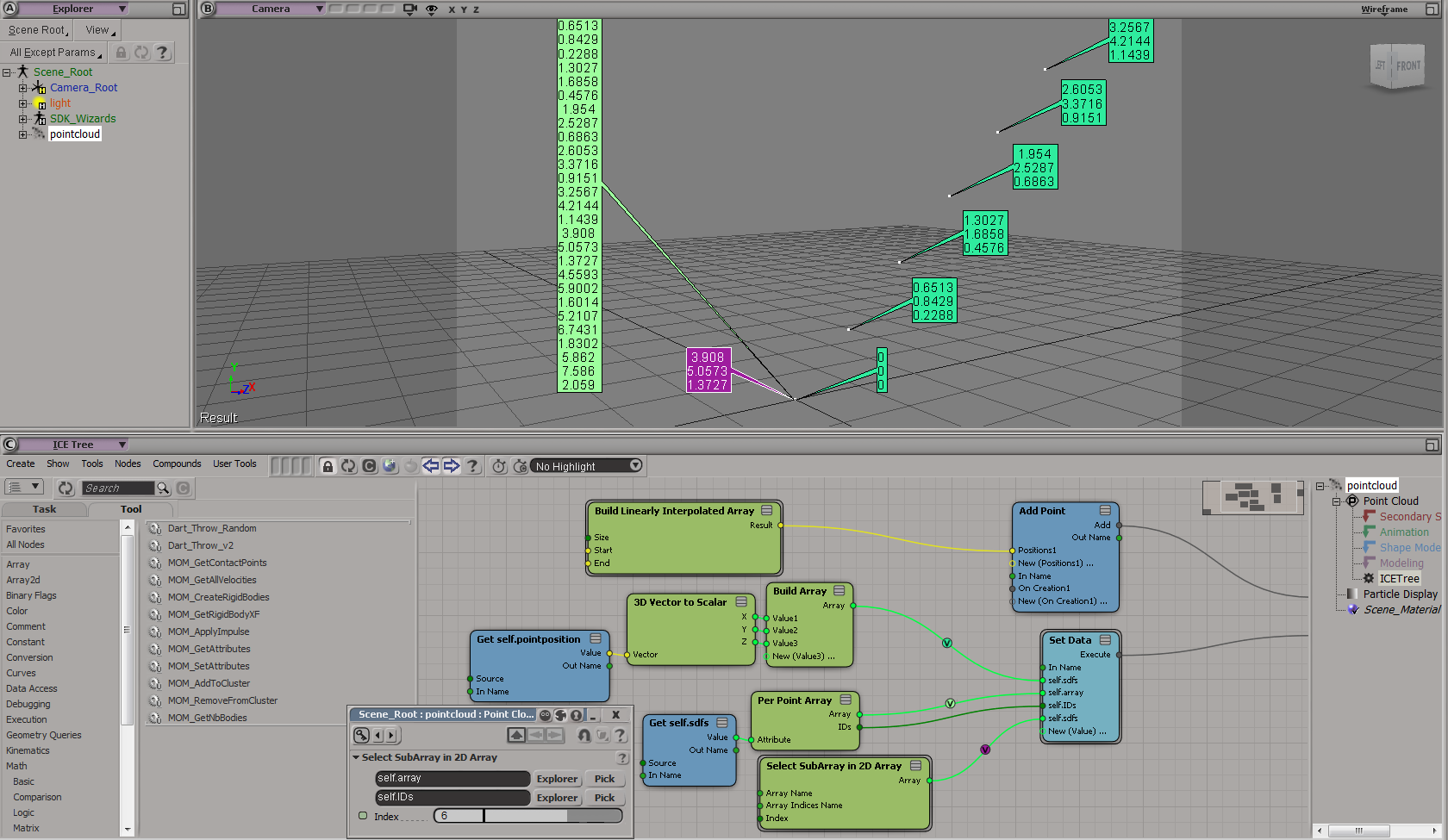
Concatenate Per-Point Attribute Arrays osAll ICE
was updated back in 2013 to v1.2 — Custom ICE node that concatenates per-point attribute arrays into a single object-context
array. Similar to the Build Array From Per Point Data node, but gives you the per-point
arrays for any given attribute in a single array — It also outputs IDs that
can be used with the factory 2D Array nodes, so you can select sub-arrays for specific
points.
Supports all data types other than string and custom data. Will return an error if the attribute plugged into it is already in the object context. I haven't tested the 32bit build, but it's probably fine. Haven't come across any other way to do this, so hopefully I'm not reinventing the wheel here.
Note this plugin is already included in »Strand Collision Framework«
local backup: Per_Point_Array_1.2_64.dll (copy to a Plugins directory) usage screenshot
Supports all data types other than string and custom data. Will return an error if the attribute plugged into it is already in the object context. I haven't tested the 32bit build, but it's probably fine. Haven't come across any other way to do this, so hopefully I'm not reinventing the wheel here.
Note this plugin is already included in »Strand Collision Framework«
local backup: Per_Point_Array_1.2_64.dll (copy to a Plugins directory) usage screenshot
author site: http://www.mayulive.com / download: http://www.mayulive.com/per_point_array/
XSI Multiple EPS/AI Files Importer win64 interop
This tool appears to work like this — The tool is started while XSI is running.
Next use XSI to import one EPS/AI object, then press F9. The tool detects the key
press, connects to XSI and batch imports all EPS/AI files that are in the same folder
as the first imported file.
Note: This is a Windows executable. Use at your own risk.
local backup: XSI Multiple EPS AI Files Importer v0.1.exe
Note: This is a Windows executable. Use at your own risk.
local backup: XSI Multiple EPS AI Files Importer v0.1.exe
author site: http://www.c3d.at/ (archive)
 Softimage Survival Pack 1.6 win64 compilation
 updated for the final versions 2015_SP2/2015_R2_SP2 — Softimage Survival Pack wraps a number of add-ons that can only be applied
by patching factory files. See the thread in the link section below for a preview.
Replaces the green Autodesk app icons with the old black 'X' icons XSI 5's splash screen graphics for Softimage 2015 (other versions are getting different splash screens) top-right toolbar logo replaced with the old version added feature for ICE: Menu item »select object(s)« in the context menu of get data scene reference nodes now supports multiple selection added feature for ICE: Executable compounds added to the lists in Preferences > Custom > ICE Operators (AKA »Custom ICE operators«) can now be applied to multiple selected objects at once using the specified menus.
Note: This is an installer executable which patches files inside the Softimage application directory. Backups of the original files are created (named *_original) and can be restored manually or using the included uninstaller (via Windows Control Panel > Software). Supported versions: Softimage 2013 SP1, 2014 (all SPs) and 2015. Not tested on Windows 8. Uses the Nullsoft NSIS Installer/VPatch addon. Use at your own risk.
local backup: Softimage_Survival_Pack_v1.6.exe
Replaces the green Autodesk app icons with the old black 'X' icons XSI 5's splash screen graphics for Softimage 2015 (other versions are getting different splash screens) top-right toolbar logo replaced with the old version added feature for ICE: Menu item »select object(s)« in the context menu of get data scene reference nodes now supports multiple selection added feature for ICE: Executable compounds added to the lists in Preferences > Custom > ICE Operators (AKA »Custom ICE operators«) can now be applied to multiple selected objects at once using the specified menus.
Note: This is an installer executable which patches files inside the Softimage application directory. Backups of the original files are created (named *_original) and can be restored manually or using the included uninstaller (via Windows Control Panel > Software). Supported versions: Softimage 2013 SP1, 2014 (all SPs) and 2015. Not tested on Windows 8. Uses the Nullsoft NSIS Installer/VPatch addon. Use at your own risk.
local backup: Softimage_Survival_Pack_v1.6.exe
si-community thread
Blur Studio API's, Libraries and Tools winAll rigging compilation workflow python fabric
New Version from August 2016. Blur kindly published their in-house XSI and MAX toolset for public use.
 If someone has information on the content of this toolkit, please submit it using
the form at the top of this page.
If someone has information on the content of this toolkit, please submit it using
the form at the top of this page.
If someone has information on the content of this toolkit, please submit it using
the form at the top of this page.
 BlurBeta toolkit winAll rigging compilation workflow python fabric
 The BlurBeta plugin suite from the earlier days, which was developed by a different
team than the »Blur Studio API's, Libraries and Tools« above, not directly
related to Blur Studio anymore.
XSI MAIN TOOLS
TreeGrunt.py - Blur Script Distribution, an explorer like interface where you can run scripts.
BlurInteractionAndUI.py - In File Menu, Loads Standard Layout, Macros and Keymap. Many functions already mapped to the keyboard. (Modeling/Animation/rigging oriented). If you load the Keymap hit Ctrl-F1 to load details about the mapping in Netview. Layout includes extra shelf with most used blur tools already on it
BlurCacheTool.py - Export of Caches from objects in the scene. Can export Pc2 (PointCache) and Tmc (TransformCache)
BlurRenamer.py - Rename objects in blur's naming convention
blurOpenScene.py - Open scenes with options for setting models to offloaded before opening. Speeds up opening of files with many characters if you only have to work on one of them.
blurImporter.py - Import of many different kinds of assets, Meshes, Rigs etc. Some functionality requires the Production Resources install
show more...
local backup: blurBeta_XSI.exe
XSI MAIN TOOLS
TreeGrunt.py - Blur Script Distribution, an explorer like interface where you can run scripts.
BlurInteractionAndUI.py - In File Menu, Loads Standard Layout, Macros and Keymap. Many functions already mapped to the keyboard. (Modeling/Animation/rigging oriented). If you load the Keymap hit Ctrl-F1 to load details about the mapping in Netview. Layout includes extra shelf with most used blur tools already on it
BlurCacheTool.py - Export of Caches from objects in the scene. Can export Pc2 (PointCache) and Tmc (TransformCache)
BlurRenamer.py - Rename objects in blur's naming convention
blurOpenScene.py - Open scenes with options for setting models to offloaded before opening. Speeds up opening of files with many characters if you only have to work on one of them.
blurImporter.py - Import of many different kinds of assets, Meshes, Rigs etc. Some functionality requires the Production Resources install
show more...
local backup: blurBeta_XSI.exe
author link: http://www.blur.com/
 Rolling Carpet Rig osAll rigging scene
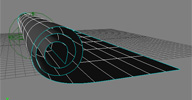
 This rolling carpet rig of unknown origin was recently posted on the Softimage mailing
list. It uses a null controller to roll/unroll the carpet.
Related plugins: pb_BendSet
local backup: roll_rug.scn
Related plugins: pb_BendSet
local backup: roll_rug.scn
author site: n/a / mailing list entry @google groups
Irregular Shape Roll osAll ICE animation rigging rollrig
Roll an Object driven by a Null. The new compound removes expensive geometry queries
in favour of filter and min/max in set. I think it's quicker on larger datasets although
the downside is I've had to use more nodes!
The lowest point in Y on the object at simulation start becomes the virtual floor. There are many other ways to do this but it seems like a sensible way to keep the compound fairly general. If you want other objects to contact the same floor then their lowest point in Y also needs to be at floor level. The Distance to Angle Ratio parameter controls the ratio of angular change to the distance the driving object travels each frame - higher values rotate the object more, lower values slow down the rotation. Let me know if you have any suggestions, improvements or performance tweaks or if you find any bugs.
Thanks to Helge and Martin Chatterjee for their resources on similar operators. (see rray.de entries directly below)
Short demo clip available here.
local backup: Roll_Object.xsicompound roll_object_v001.scn
The lowest point in Y on the object at simulation start becomes the virtual floor. There are many other ways to do this but it seems like a sensible way to keep the compound fairly general. If you want other objects to contact the same floor then their lowest point in Y also needs to be at floor level. The Distance to Angle Ratio parameter controls the ratio of angular change to the distance the driving object travels each frame - higher values rotate the object more, lower values slow down the rotation. Let me know if you have any suggestions, improvements or performance tweaks or if you find any bugs.
Thanks to Helge and Martin Chatterjee for their resources on similar operators. (see rray.de entries directly below)
Short demo clip available here.
local backup: Roll_Object.xsicompound roll_object_v001.scn
author site: http://julianjohnsonsblog.blogspot.com / download: /2009/05/roll-object-compound-and-sample-scene.html
Advanced Footroll osAll js animation rigging rollrig
Dates back to 2006, confirmed working in Softimage 2014. — In this post I would like to demonstrate a technique using a scripted operator to
roll something along its edges / boundary. The post includes the full code as well
as images / movies for further explanation.
I created an object, and extracted a curve from the boundary edges. Of course, you can always go the other route and create the curve first, and then afterwards create the mesh off the curve. What I now want to do is roll the object along this curve, like a footroll. [..]
Continue reading on the Softimageblog page.
local backup: rollScriptedOperator.txt (.js - use as a scripted operator) adv_footroll.scn (demo scene - rotate the pointed box null)
I created an object, and extracted a curve from the boundary edges. Of course, you can always go the other route and create the curve first, and then afterwards create the mesh off the curve. What I now want to do is roll the object along this curve, like a footroll. [..]
Continue reading on the Softimageblog page.
local backup: rollScriptedOperator.txt (.js - use as a scripted operator) adv_footroll.scn (demo scene - rotate the pointed box null)
author link: n/a / softimageblog.com entry
Rolling Ball Rig osAll animation rigging rollrig
2007, confirmed working in 2014 — This rig model by Softimage TD Martin Chatterjee shows how to automatically
rotate a ball depending on its X/Z position. See also this 2012 tutorial by Paul Smith on the same subject.
local backup: BALL_RIG.emdl (drag and drop into 3D viewport)
local backup: BALL_RIG.emdl (drag and drop into 3D viewport)
RollObjectKine osAll ICE kinematics animation rigging rollrig
This addon works similarly to Julian Johnson's ICE »Irregular Shape Roll«
above but uses a pure ICE kinematics approach. Spotted by si-community user NNois who notes: Create a simulated ice tree on your geometry with this compound plugged in, just input
an animated null position in to drive your geometry.
local backup: RollObjectKine.0.7.xsicompound (drag and drop into simulated ICE tree)
local backup: RollObjectKine.0.7.xsicompound (drag and drop into simulated ICE tree)
author site: http://www.sajjadamjad.com / si-community thread
 Dynamic Pivot Tumbling osAll ICE private rigging rollrig
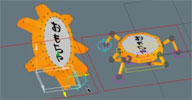
 These compounds enable Softimage riggers to use arbitrary shape pivoting. They support
arbitrary and even actively deforming polygonal objects.
Video instructions are available: ICE Dynamic Pivot Compounds.
local backup: pb_2DHullTumble.xsicompoundp pb_2DHull.xsicompound
Video instructions are available: ICE Dynamic Pivot Compounds.
local backup: pb_2DHullTumble.xsicompoundp pb_2DHull.xsicompound
author site: http://probiner.xyz / reel / vimeo channel / download @app.box.com / si-community thread
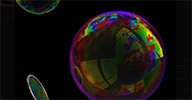 Bubble Shader osAll shader mentalray shadercompound
 A blast from the past (2010) that's never found its way onto rray.de. From the download page — Bubbles are really simple to do. A little bit of soap, some water, and voila! Unfortunately,
it's not so easy in 3D. Bubbles are so thin that light is interfering and a lot of
colors are visible. But interference colors are not rendered by MentalRay... So I've
made this Bubble Shader Compound for Autodesk Softimage 2011! It renders very well
on spherical ICE particles.
Bubbles are visible just because there is an environment. They are mix of transparency and reflections. To see bubbles, you have to connect an environment shader or have one plugged in your pass. To have bubbles render fast, you must have a low number of reflection rays (2 to 4 is enough), the number of refraction rays depends on the numbers of superposed bubbles in your picture. [..] (cont'd on download page)
For a demonstration of this shader, see Bubble Shader Compound for Autodesk softimage 2011.
local backup: Bubble.xsirtcompound
Bubbles are visible just because there is an environment. They are mix of transparency and reflections. To see bubbles, you have to connect an environment shader or have one plugged in your pass. To have bubbles render fast, you must have a low number of reflection rays (2 to 4 is enough), the number of refraction rays depends on the numbers of superposed bubbles in your picture. [..] (cont'd on download page)
For a demonstration of this shader, see Bubble Shader Compound for Autodesk softimage 2011.
local backup: Bubble.xsirtcompound
author site: http://vadrouillegraphique.blogspot.com / download: /2010/05/bubble-shader-compound-for-autodesk.html
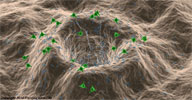 Electron Microscope Shader osAll shader mentalray shadercompound
 A blast from the past (2010) that's never found its way onto rray.de. From the download page — Bubbles are really simple to do. A little bit of soap, some water, and voila! Unfortunately,
it's not so easy in 3D. Bubbles are so thin that light is interfering and a lot of
colors are visible. But interference colors are not rendered by MentalRay... So I've
made this Bubble Shader Compound for Autodesk Softimage 2011! It renders very well
on spherical ICE particles.
So, I've made a shader compound for Autodesk Softimage 2011. The main interest of this compound is, of course, to simulate the electron microscope look, but also to show how to make it ready for passes, compositing, and easy to use.
This Shader Compound is made for Educational purpose, and it is fully commented. It's really easy to make Electron Microscope look. It's simply an incidence and an ambient occlusion. But to make this usable and adaptable is not so easy. That's the goal of this compound. Have a look inside it! [..] (cont'd on download page)
For a demonstration of this shader, see Electron Microscope Shader Compound for Autodesk Softimage.
local backup: ElectronMicroscope.1.1.xsirtcompound
So, I've made a shader compound for Autodesk Softimage 2011. The main interest of this compound is, of course, to simulate the electron microscope look, but also to show how to make it ready for passes, compositing, and easy to use.
This Shader Compound is made for Educational purpose, and it is fully commented. It's really easy to make Electron Microscope look. It's simply an incidence and an ambient occlusion. But to make this usable and adaptable is not so easy. That's the goal of this compound. Have a look inside it! [..] (cont'd on download page)
For a demonstration of this shader, see Electron Microscope Shader Compound for Autodesk Softimage.
local backup: ElectronMicroscope.1.1.xsirtcompound
author site: http://vadrouillegraphique.blogspot.com / download: /2010/06/electron-microscope-for-autodesk.html
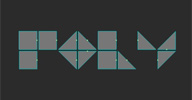 POLY osAll ICE compilation array
 A motion graphics toolkit for procedural manipulation of polygons. For a demo/introduction,
watch POLY manipulating polygons.
Its core functionality is about applying per polygon transforms such as scale, rotate and translate, in either global or local space, using a pivot either on one of the edges, or at the polygon center. From the vimeo page: A set of ICE nodes I developed during a recent job. A lot of this technology is taken from Christian Götzinger and Cesar Saez. I just rewired together and compounded to ergonomic- easy to use purpose. If someone is interested, I can share the compound and some demo scene, just drop a line below.
local backup: OJ_POLY.xsiaddon OJ_POLY_demo_scenes.zip
Its core functionality is about applying per polygon transforms such as scale, rotate and translate, in either global or local space, using a pivot either on one of the edges, or at the polygon center. From the vimeo page: A set of ICE nodes I developed during a recent job. A lot of this technology is taken from Christian Götzinger and Cesar Saez. I just rewired together and compounded to ergonomic- easy to use purpose. If someone is interested, I can share the compound and some demo scene, just drop a line below.
local backup: OJ_POLY.xsiaddon OJ_POLY_demo_scenes.zip
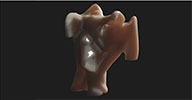 Bodycloud osAll ICE scene
 si-community user anhungxadieu inquired about how to create an effect like the one Vladimir Jankijevic used in his
popular Bodycloud video. Oleg and Rob posted two solutions; Oleg's solution (vdbaccum.scn) uses his
OpenVDBtoSoftimage plugin. A video demo of Rob's solution (mocap_kick_test.scn) can be seen here: volume_shell_over_time5
local backup: vdbaccum.scn mocap_kick_test.scn
local backup: vdbaccum.scn mocap_kick_test.scn
oleg's youtube channel / rob's website: https://sites.google.com/site/tekanoice / si-community thread
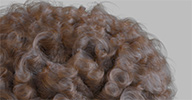 Groomtools osAll ICE strands hair
 A set of compounds for creating hair (ICE strands) by using groups of curves as guides
(By using groups, guides can be easily duplicated/removed). The generated strands
can themselves be used as guides, which lets you generate a number of effects including
clumping.
Hair can be styled using a layered approach: a layer represents a simple 'groom' that can be blended with other layers into more complex shapes. Blending of different layers can be done using a simple weight slider, or parametrically using guide distance, painted weightmaps or distance nulls. Each layer can have its own guide group; guide groups or individual guides can also be shared between layers. The provided sample scenes show most of the available options.
See the si-community thread for more examples.
Requires: ICE Array Nodes
download: Hair Emit.2.0.xsicompound Hair Layer.2.0.xsicompound Morph To UV.xsicompound groomtools_1.52_demoscenes.zip
Hair can be styled using a layered approach: a layer represents a simple 'groom' that can be blended with other layers into more complex shapes. Blending of different layers can be done using a simple weight slider, or parametrically using guide distance, painted weightmaps or distance nulls. Each layer can have its own guide group; guide groups or individual guides can also be shared between layers. The provided sample scenes show most of the available options.
See the si-community thread for more examples.
Requires: ICE Array Nodes
download: Hair Emit.2.0.xsicompound Hair Layer.2.0.xsicompound Morph To UV.xsicompound groomtools_1.52_demoscenes.zip
 Kraken rigging framework osAll js workflow rigging fabric-engine
 updated to V1.1 — From the announcement on the new fabric engine forums (archive): I'm excited to announce that we have released version 1.1.0 of the Kraken Rigging
Framework. This is our second release which mainly focused on UI / UX work and also
updating the system to work with Fabric Engine 2.0 and higher.
Kraken is a cross-platform Rigging Framework that provides a flexible, customizable and extendable framework. Kraken leverages Fabric Engine's Splice / Canvas API to maintain consistent evaluation of solvers and deformers. Kraken's abstracted Python graph provides a layer where complex rigs are defined, with which DCC plug-ins translate into DCC specific build instructions then scene elements are output. [..]
With the update to use Fabric 2.0, users are now able to construct solvers using the Canvas interface. Users who are familiar with Softimage's ICE interface should feel at home using Canvas for creating solvers using a nodal interface. [..] (cont'd in the announcement post (archive))
Documentation is available here (archive). Also available: Installation Tutorial and the release notes (archive).
To quickly get started, watch the videos Eric posted in this thread (archive)
Kraken is a cross-platform Rigging Framework that provides a flexible, customizable and extendable framework. Kraken leverages Fabric Engine's Splice / Canvas API to maintain consistent evaluation of solvers and deformers. Kraken's abstracted Python graph provides a layer where complex rigs are defined, with which DCC plug-ins translate into DCC specific build instructions then scene elements are output. [..]
With the update to use Fabric 2.0, users are now able to construct solvers using the Canvas interface. Users who are familiar with Softimage's ICE interface should feel at home using Canvas for creating solvers using a nodal interface. [..] (cont'd in the announcement post (archive))
Documentation is available here (archive). Also available: Installation Tutorial and the release notes (archive).
To quickly get started, watch the videos Eric posted in this thread (archive)
 FESRetopo osAll js remesh workflow fabric-engine
 updated to 0.75, information about the update can be found here — A retopology/remesh tool built with the Fabric Engine - meaning it will run
in other applications like Maya and Houdini as well. Note that it's using a Softimage
specific initialization plugin (installed in Create > Polygon Mesh > FESRetopo), so
in other applications it would have to be initialized manually.
Shekn's description from the si-community thread: There are three parameters: Reference - The path to the hi-poly file. Hide reference - when checked, the hi-poly reference is not drawn in the viewport. Hide HUD - when checked, edges and points are not drawn in viewport in case the splice manipulator is disabled (for example, when rotating the camera).
In fact, the global purpose of this tool is to build the analogue of Topogun for Softimage and take the retopology process of some small models inside one 3d-program without import-export actions.
An interesting timelapse is available on his Angel07 channel: Ear retopology sample, as well as installation instructions: FESRetopo tool.
local backup: FESRetopo 0.75.zip
Shekn's description from the si-community thread: There are three parameters: Reference - The path to the hi-poly file. Hide reference - when checked, the hi-poly reference is not drawn in the viewport. Hide HUD - when checked, edges and points are not drawn in viewport in case the splice manipulator is disabled (for example, when rotating the camera).
In fact, the global purpose of this tool is to build the analogue of Topogun for Softimage and take the retopology process of some small models inside one 3d-program without import-export actions.
An interesting timelapse is available on his Angel07 channel: Ear retopology sample, as well as installation instructions: FESRetopo tool.
local backup: FESRetopo 0.75.zip
S-remesher recently-updated remesh modeling workflow
last updated November 2019 — A retopology tool that creates a quad remesh of the selected object. This
addon implements two open-source algorithms for remeshing of polygon mesh objects:
Instant Meshes and QuadriFlow.
For installation instructions, see the download page.
For installation instructions, see the download page.
download page: https://ssoftadd.github.io/sRemesherPage.html / all of Shekn's plugins / author on vimeo / si-community thread
Quad remesher recently-updated remesh modeling workflow
last updated July 2021 — A retopology tool that creates a quad remesh of the selected object.
See the download page for more information.
See the download page for more information.
download page: https://ssoftadd.github.io/quadRemeshPage.html / all of Shekn's plugins / author on vimeo / si-community thread
 Fabric Engine 2.1 osAll deformer customtool rigging interop workflow fabric-engine commercial
 updated, read about the new features here (archive) — Fabric Engine is a common framework for extending 3D applications like Maya,
Modo, Houdini, Unreal Engine and Softimage. Fabric wraps the base functionality of
each of these programs in the same programming interface — this extra »layer«
makes it possible to use the same code (or visual node graph if preferred by the user)
to extend any of these programs.
At its core, Fabric is a combined CPU/GPU visual FX computing engine that comes with a set of tools built around it making it accessible for a wide range of uses. The python-like programming language (KL) forms the basis. On top of that there's a visual programming interface ( »Canvas« (archive) ) and plugins for several DCC applications (formerly »splices«, now »integrations«). These tools work in a complementary fashion - they can be used separately, together, as part of a pipeline or not. The Fabric team focuses on ease-of-use, performance and portability between applications. Fabric is modular by design so existing modules like those for Oculus Rift, MIDI, Leap Motion, »fabric vegetation« or the »rigging toolbox« can be used to shorten development cycles. Users can wrap and share their own modules - a growing public library of extensions already exists (see company site).
Have a look at the main site linked below as well as the Fabric vimeo channel to get a first overview. For the Softimage installation instructions and first usage steps, see Installing Fabric for Softimage (archive) — similar videos exist for the other applications.
For the unofficial Japanese documentation please visit: 日本語版
Fabric Engine is free as a 1-per-person license (named »evaluation« even though it can be used commercially), and studios can also apply for »Fabric 50«, a starter program with 50 free licenses. For anything beyond, Fabric Software offers a tiered pricing model (archive).
At its core, Fabric is a combined CPU/GPU visual FX computing engine that comes with a set of tools built around it making it accessible for a wide range of uses. The python-like programming language (KL) forms the basis. On top of that there's a visual programming interface ( »Canvas« (archive) ) and plugins for several DCC applications (formerly »splices«, now »integrations«). These tools work in a complementary fashion - they can be used separately, together, as part of a pipeline or not. The Fabric team focuses on ease-of-use, performance and portability between applications. Fabric is modular by design so existing modules like those for Oculus Rift, MIDI, Leap Motion, »fabric vegetation« or the »rigging toolbox« can be used to shorten development cycles. Users can wrap and share their own modules - a growing public library of extensions already exists (see company site).
Have a look at the main site linked below as well as the Fabric vimeo channel to get a first overview. For the Softimage installation instructions and first usage steps, see Installing Fabric for Softimage (archive) — similar videos exist for the other applications.
For the unofficial Japanese documentation please visit: 日本語版
Fabric Engine is free as a 1-per-person license (named »evaluation« even though it can be used commercially), and studios can also apply for »Fabric 50«, a starter program with 50 free licenses. For anything beyond, Fabric Software offers a tiered pricing model (archive).
company site: http://fabricengine.com (archive) / fabric engine forums (archive) / si-community thread
jpbMultiExtrusion osAll js topo deformer curves extrusion
Replying to a request on the mailing list by Olivier Jeannel: Simple one: Do we have something to extrude a curve along multiple curves at once
(a group of curves or multi selected)?
Juan quickly replied with: no... but I have a script for that. ;-) actually two scripts. one creates polymeshes, the other a nurbs surfaces. select all the curves you want to extrude on run script pick the curve you want to extrude. hope that helps.
local backup: Model___extrusion_on_multi_crvs.zip (also contains a python script by Gareth Bell who posted his solution a short while later.)
Juan quickly replied with: no... but I have a script for that. ;-) actually two scripts. one creates polymeshes, the other a nurbs surfaces. select all the curves you want to extrude on run script pick the curve you want to extrude. hope that helps.
local backup: Model___extrusion_on_multi_crvs.zip (also contains a python script by Gareth Bell who posted his solution a short while later.)
author site: http://www.timcrowson.com / mailing list entry @mail-archive.com
Convert to Redshift Proxy osAll python redshift rendering workflow
Adds a new command to the context menu for objects in the Scene Explorer: 'Convert to Redshift Proxy'.
Features: Exports the selected items to a Redshift Proxy, then re-imports the result back into the scene Optionally maintains parenting, but only to the parent of the first selected item Appends a suffix (defaults to '_RSPROXY') to the name of the proxy mesh, to distinguish it from other polymeshes Locks the Construction stack on the proxy mesh to prevent it being frozen by accident Optionally lets you specify a display mesh for GL previewing Options for handling the source items: 1. Group the source items in a group called '[proxyname]_SOURCE_ITEMS' and hides the group / 2. Delete the source items / 3. Do nothing with the source items. (From the plugin source code)
Related: Redshift Proxy Manager
local backup: ConvertToRedshiftProxy.xsiaddon
Features: Exports the selected items to a Redshift Proxy, then re-imports the result back into the scene Optionally maintains parenting, but only to the parent of the first selected item Appends a suffix (defaults to '_RSPROXY') to the name of the proxy mesh, to distinguish it from other polymeshes Locks the Construction stack on the proxy mesh to prevent it being frozen by accident Optionally lets you specify a display mesh for GL previewing Options for handling the source items: 1. Group the source items in a group called '[proxyname]_SOURCE_ITEMS' and hides the group / 2. Delete the source items / 3. Do nothing with the source items. (From the plugin source code)
Related: Redshift Proxy Manager
local backup: ConvertToRedshiftProxy.xsiaddon
author site: http://www.timcrowson.com / source: https://gist.github.com/...
Disable Viewport Vertex Color Display osAll python workflow snippet
(From the github page) Set the 'Vertex Color' display option to 'Never Show' for all cameras and 3d viewports
(lights excluded). This can be very useful when working with normal maps, due to the
crazy performance hit from Tangent properties.
from win32com.client import constants


for camera in [cam for cam in Application.ActiveSceneRoot.FindChildren2("", constants.siCameraPrimType)]:

    Application.SetValue("%s.camdisp.vcdisplay" %camera, 0)


for viewport in Application.Desktop.ActiveLayout.Views.Find("View Manager").Views:

    Application.SetValue("Views.View%s.UserCamera.camdisp.vcdisplay"
   %viewport, 0)

    Application.SetValue("Views.View%s.TopCamera.camdisp.vcdisplay"
   %viewport, 0)

    Application.SetValue("Views.View%s.FrontCamera.camdisp.vcdisplay"
   %viewport, 0)

    Application.SetValue("Views.View%s.RightCamera.camdisp.vcdisplay"
   %viewport, 0)
author site: http://www.timcrowson.com / source: https://gist.github.com/...
Run annotation as Python osAll python workflow snippet
(From the github page) A quick snippet for running the text in an Annotation property as Python code. This
allows you to store Python code in an Annotation property, as part of a scene or model,
and run in later. Running this will drop you into a pick session, asking you to choose
an Annotation property whose text it will then run as Python code. No special error
handling for now, it's brute-force...
from win32com.client import constants


annotation = Application.PickElement(constants.siPropertyFilter,'Choose an Annotation
   Property','Choose an Annotation Property')[2]

exec annotation.Text.Value
author site: http://www.timcrowson.com / source: https://gist.github.com/...
Gather Framebuffers osAll python shadingworkflow workflow snippet
(From the github page) Searches for 'Store_Color_In_Channel' nodes and adds their channels to the scene channel
list. Loops through shader nodes in the scene, identify 'store_color_in_channel'
nodes and adds them to the scene globals. Avoids duplicate channels.
for x in Application.FindObjects("", "{6495C5C1-FD18-474E-9703-AEA66631F7A7}" ):

    if str(x.ProgID) == "Softimage.sib_color_storeinchannel.1.0":

        chanName = Application.GetValue(x.Channel)

        addChan = Application.CreateRenderChannel("%s"%(chanName),
   "siRenderChannelColorType", "")

        newChan = (addChan[-1])

        if newChan.isdigit():

            Application.RemoveRenderChannel(addChan)
author site: http://www.timcrowson.com / source: https://gist.github.com/...
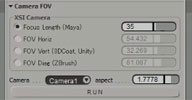 m|CameraFOV osAll js interop workflow
 From the plugin demo video mCameraFOV: Softimage: A simple script to change FOV values. You can convert Maya Focal Length or ZBrush
Field of View Diagonal to Softimage Field of View Horizontal / Vertical. It is only
for Softimage(*), but the converter function code is pure Python, so it can be easily applied to any
Python compatible software as long as you create a GUI.
Installation: Copy this file into your Plugins Directory, Ex: %USERPROFILE%AutodeskSoftimage_2015ApplicationPlugins Or your Workgroup Plugins Directory. You'll find a button called [mCamera FOV] in your Get > Primitive > Camera menu.
(*) Since then, Martin wrote mCameraFOV: Maya.
local backup: mCameraFOV.py (script) mCameraFOV_Plugin.py (copy to a Plugins folder)
Installation: Copy this file into your Plugins Directory, Ex: %USERPROFILE%AutodeskSoftimage_2015ApplicationPlugins Or your Workgroup Plugins Directory. You'll find a button called [mCamera FOV] in your Get > Primitive > Camera menu.
(*) Since then, Martin wrote mCameraFOV: Maya.
local backup: mCameraFOV.py (script) mCameraFOV_Plugin.py (copy to a Plugins folder)
UV netalign osAll shadingworkflow vbs workflow
Updated with new demo video: mXB_UVnetalign — VBS script that aligns a UV island's rows and columns horizonally/vertically.
The island should have quad topology. Spacing is sampled from the first row/column,
alternatively a custom constant row/column spacing can be specified (The default value
is the average row/column distance - meaning the total island size wouldn't change
using the default settings).
Usage: Select the samples (= polygon UV corners in the texture editor) you wish to affect - usually Ctrl+A will work unless you want to affect only a part of an island. Then run the script, which asks you to pick the top left sample. For irregular UV layouts, the UVs have to be broken up as demonstrated here (archive) by the author. Find more information on the author download page linked below (Japanese - English translation by Google here). Martin Yara's modified version of the script (which adds the option to modify rows only or columns only) is available in the local backup. Note that the script freezes the object's modeling stack before operating.
local backup: mXB_UVnetalign.zip
Usage: Select the samples (= polygon UV corners in the texture editor) you wish to affect - usually Ctrl+A will work unless you want to affect only a part of an island. Then run the script, which asks you to pick the top left sample. For irregular UV layouts, the UVs have to be broken up as demonstrated here (archive) by the author. Find more information on the author download page linked below (Japanese - English translation by Google here). Martin Yara's modified version of the script (which adds the option to modify rows only or columns only) is available in the local backup. Note that the script freezes the object's modeling stack before operating.
local backup: mXB_UVnetalign.zip
author blog: http://xb1080.blog105.fc2.com (archive) / download: ../UVnet.html (archive) / author @ vimeo (archive) / si-community thread
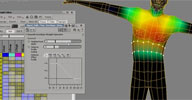 m|Skin_WeightSpectrum osAll python rigging workflow
 From the video page of mSkin_WeightSpectrum — I wrote this as a test while writing a weight tool (that I haven't finished yet),
but the test GUI turned out to be somewhat usable as it is, so I'm releasing it. The
goal: I wanted to have something like the Maya Weight Painting tool (but without using
a painting tool) to have more control of where a deformer weights are spread.
It is a simple ICE compound that colorize the object according to it's weights, the more weight it has, the warmer the color. One thing I like about it is that even if the weight is 0.0001 the point will be blue, so it will be easy to spot. It's not a Plugin or addon, but a simple script file. Create a button, drag it to your Script Editor or whatever and run it.
You'll need to specify the xsicompound path in the PPG, or you can edit the .py file (The third line is the xsicompound path, and is very easy to edit, just write your own local path)
A video of a test session by furiakez: mSkin test
local backup: mSkin_WeightSpectrum.py mSkin_WeightSpectrum.xsicompound (needs to be installed for the plugin to work)
It is a simple ICE compound that colorize the object according to it's weights, the more weight it has, the warmer the color. One thing I like about it is that even if the weight is 0.0001 the point will be blue, so it will be easy to spot. It's not a Plugin or addon, but a simple script file. Create a button, drag it to your Script Editor or whatever and run it.
You'll need to specify the xsicompound path in the PPG, or you can edit the .py file (The third line is the xsicompound path, and is very easy to edit, just write your own local path)
A video of a test session by furiakez: mSkin test
local backup: mSkin_WeightSpectrum.py mSkin_WeightSpectrum.xsicompound (needs to be installed for the plugin to work)
m|SI2Maya osAll js interop
Martin releases this converter as 'untested' so some restrictions may apply —
In any case it should serve as a template/starting point for writing custom Softimage/Maya
converters.
From the vimeo page mSI2Maya — Converts Softimage to Maya, using FBX and Mayabatch. I had to convert a lot of character data from SI to Maya so I wrote this. [..]
I tried to make it usable for general usage but I'm not sure if I'll be updating this because the version we are using has a lot of project specific code in it. [..]
What it does: Exports FBX Creates a Maya project folder and copies the textures that are being used in Softimage Copies the workspace.mel that is in the documents folder to the Maya Project folder Creates a Maya mel script for the automatization Opens Mayabatch, loads the FBX and runs the script Saves as .ma and closes Mayabatch
What it doesn't: You can't specify FBX settings through the GUI; you'll need to edit the code if you want to. Look for the string "FBX Settings" in the code It comes with a mel script that fixes name spaces and textures paths You'll need to code your own mel script to automatize more complicated things It only copies textures that are in the Pictures folder.
Warning: It has been tested only in our environment so it may still have some bugs here and there that I couldn't find. I'm not responsible if your PC explodes, but if you report me a bug, I'll try to fix it.
local backup: mSI2Maya.xsiaddon
From the vimeo page mSI2Maya — Converts Softimage to Maya, using FBX and Mayabatch. I had to convert a lot of character data from SI to Maya so I wrote this. [..]
I tried to make it usable for general usage but I'm not sure if I'll be updating this because the version we are using has a lot of project specific code in it. [..]
What it does: Exports FBX Creates a Maya project folder and copies the textures that are being used in Softimage Copies the workspace.mel that is in the documents folder to the Maya Project folder Creates a Maya mel script for the automatization Opens Mayabatch, loads the FBX and runs the script Saves as .ma and closes Mayabatch
What it doesn't: You can't specify FBX settings through the GUI; you'll need to edit the code if you want to. Look for the string "FBX Settings" in the code It comes with a mel script that fixes name spaces and textures paths You'll need to code your own mel script to automatize more complicated things It only copies textures that are in the Pictures folder.
Warning: It has been tested only in our environment so it may still have some bugs here and there that I couldn't find. I'm not responsible if your PC explodes, but if you report me a bug, I'll try to fix it.
local backup: mSI2Maya.xsiaddon
author blog: http://myara.blog.fc2.com / download: /blog-entry-197.html
ar_prod_shadow os64 shader arnold src
The first and currently only »Keller Shader« from Munich based vfx studio
Keller.io.
ar_prod_shadow is designed to help integrate CG elements into live shots. It offers the following features: uses tracesets to manage object visibility masking ability to avoid double shadowing (needs accurate env geo) independent sample settings for Diffuse, Glossy and AO limits for ray cutoffs and falloffs catches diffuse light both from env geo and CGI writes AOVs for all outputs user definable AOV names zip includes example scenes for Softimage and Maya
Linux build by Marc-Antoine Desjardins
ar_prod_shadow is designed to help integrate CG elements into live shots. It offers the following features: uses tracesets to manage object visibility masking ability to avoid double shadowing (needs accurate env geo) independent sample settings for Diffuse, Glossy and AO limits for ray cutoffs and falloffs catches diffuse light both from env geo and CGI writes AOVs for all outputs user definable AOV names zip includes example scenes for Softimage and Maya
Linux build by Marc-Antoine Desjardins
company site: www.keller.io / download: http://slaptree.de/k_shaders.html
DirectTrans (Viewport Transform Capture) osAll
This gem, sharp-eyedly spotted by si-community user FXDude, directly captures/records any transforms of an object in the viewport without messing with device capture or
mouse range remapping. Also great for realistic camera anims.
See this video for a demonstration. Japanese-to-English translation of the download page provided by Microsoft Translator.
local backup: DirectTrans1.0.0.xsiaddon
See this video for a demonstration. Japanese-to-English translation of the download page provided by Microsoft Translator.
local backup: DirectTrans1.0.0.xsiaddon
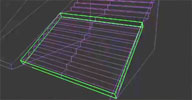 Collision Generator Tool compilation
 This tool lets you quickly find optimally oriented bounding boxes for objects using
a genetic algorithm. Finding bounding boxes poses an interesting technical challenge
which Homam describes in more detail in his blog article linked below.
Demo available: Collision Generator Tool.
local backup: boundingBox.js (plugin)
Demo available: Collision Generator Tool.
local backup: boundingBox.js (plugin)
author link: http://www.inframez.com / blog: http://blog.inframez.com/ / article: ../post/bounding-box-evolved / company @facebook
Universal Joint osAll scene
si-community user Grubber asked the board for a method of setting up a rig for a universal joint (For an explanation,
see TechArtAndStuff UniversalJoints). User pooby promptly replied posting the scene file found below. Additional instructional screenshots
were provided by Hirazi Blue; see the linked thread below.
local backup: universal joint.scn
local backup: universal joint.scn
author site: http://www.bustykelp.com (archive) / vimeo channel / download @dropbox / si-community thread
csGlue osAll bind
Another item from the pre ICE era that's never found its way here. This snaps selected objects to a surface, either along a world axis or the view plane
axis. Optionally aligns snapped objects with the surface normal.
Also features a »Draw Mode«. From the instruction video's page csGlue revisited — Fully rewritten in Python using raycast algorithm (much faster). Features: Project into a surface the selected objects using Global or Screen space New Draw Mode! the drawed object is a clone/instance of the original object/model New "Follow surface normal" option in all modes.
local backup: csGlue_v1.xsiaddon
Also features a »Draw Mode«. From the instruction video's page csGlue revisited — Fully rewritten in Python using raycast algorithm (much faster). Features: Project into a surface the selected objects using Global or Screen space New Draw Mode! the drawed object is a clone/instance of the original object/model New "Follow surface normal" option in all modes.
local backup: csGlue_v1.xsiaddon
 gm Script Browser osAll compilation
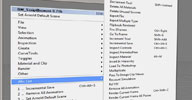
 geminicgi shares his custom scripts, most of which wrap commonly used UI steps for
the purpose of hotkey binding. The scripts can also be accessed using the provided
popup menu. Quoted from geminicgi's si-community thread:
ApplySelectedAction - The selected action clips can be applied to models which they stored from. Bkw5Frames Frw5Frames - Jumping by 5 Frames on the Timeline BreakCurve2Tubes - I really don't remember what I used it for.. :) Maybe one can use it.. BreakCurveAtIsoPoints CaptureView -Nice tool for capturing fast to a folder structure ( _Captures ) in your project. A Note for it you can hide the PPG view by call the script again.. CreateGridFromClip - Select an image clip in the xsi explorer and call this script. Useful for setting the grid from the resolution of the image.. CreateGroupModel - Select a model and then select a pass(es) it creates a partition for it.. Sorry this tool is not ready. And maybe won't be.. :( CreateMeshFromEps CreateNull - Select a point, object, cluster, etc. and create a null for it.. Similar like create transform group. Curve2MeshMultiSelection - If you create a mesh with Curve To Mesh it creates one mesh only, this creates separated meshes.. Curves2Tubes - Tools for creating tubes from curves more than one. DecrementTool IncrementTool - If you find hard to move something in space by a small amount of value. Use this. Tools for decreasing the transform increment easily by steps. It show small signs '+-' at the corner of views. It should be assigned to a keyboard shortcut to call it fast. DeleteAllMaterials - Deleting all material from the scene. DeleteUnusedSources - Deleting all unused sources. ExportFbx - Exporting the selected mesh, model automatically ( without any dialog ) to a folder named from the scene itself ( without version number) for easier to find and load to other apps. ExportMultipleType ( CTRL+E ) The most used by me. Depending on the selection, exports Selected Actions, operators from stack, Shader, Passes to dspreset and to Fusion Settings, models to Project Model folder and dfmo (I used it so long ago) .. maybe Digital Fusion motion path was this format. The easiest thing is every export is one key press. It should be assigned to a keyboard shortcut to call it fast.
show more...
local backup: GM_ScriptBrowser_1_01.xsiaddon
ApplySelectedAction - The selected action clips can be applied to models which they stored from. Bkw5Frames Frw5Frames - Jumping by 5 Frames on the Timeline BreakCurve2Tubes - I really don't remember what I used it for.. :) Maybe one can use it.. BreakCurveAtIsoPoints CaptureView -Nice tool for capturing fast to a folder structure ( _Captures ) in your project. A Note for it you can hide the PPG view by call the script again.. CreateGridFromClip - Select an image clip in the xsi explorer and call this script. Useful for setting the grid from the resolution of the image.. CreateGroupModel - Select a model and then select a pass(es) it creates a partition for it.. Sorry this tool is not ready. And maybe won't be.. :( CreateMeshFromEps CreateNull - Select a point, object, cluster, etc. and create a null for it.. Similar like create transform group. Curve2MeshMultiSelection - If you create a mesh with Curve To Mesh it creates one mesh only, this creates separated meshes.. Curves2Tubes - Tools for creating tubes from curves more than one. DecrementTool IncrementTool - If you find hard to move something in space by a small amount of value. Use this. Tools for decreasing the transform increment easily by steps. It show small signs '+-' at the corner of views. It should be assigned to a keyboard shortcut to call it fast. DeleteAllMaterials - Deleting all material from the scene. DeleteUnusedSources - Deleting all unused sources. ExportFbx - Exporting the selected mesh, model automatically ( without any dialog ) to a folder named from the scene itself ( without version number) for easier to find and load to other apps. ExportMultipleType ( CTRL+E ) The most used by me. Depending on the selection, exports Selected Actions, operators from stack, Shader, Passes to dspreset and to Fusion Settings, models to Project Model folder and dfmo (I used it so long ago) .. maybe Digital Fusion motion path was this format. The easiest thing is every export is one key press. It should be assigned to a keyboard shortcut to call it fast.
show more...
local backup: GM_ScriptBrowser_1_01.xsiaddon
author site: n/a / si-community thread
 DanyTools osAll ICE strands compilation
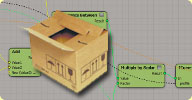
 A grab bag of tools Dan developed for his professional work; here they are grouped
into categories, as quoted from the si-community thread:
Array: Pick Random Value from Array Per Point Self explanatory! Pick Random Value from Array - Same as above, but exposes the ID (can be per poly or whatever you like) Build Weighted Value Array' & 'Pull Value from Weighted Value Array - Please see Julian Johnson's excellent post here for a full explanation (he created it, I just made some compounds based on his idea).
Conversion Nodes Boolean to String Integer to String Scalar to String Kinda redundant. These were just an exercise to see if I could do this with the native nodes (I also use them in my Debug Pointcloud compound iirc). emTools already has these...
Deformation Bind Matrix from Object' & 'Bind Matrix to Object Use these to bind geometry or pointclouds from a static source to a deforming target. The 'Bind Strands' option will bind each strandposition (very slow if you have lots of strands, obviously, but not terrifyingly so). When off, the whole strand is transformed by it's point. Blend to Line
Debug Debug Pointcloud - just displays data about a pointcloud Debug Strand Orientation - displays StrandOrientation axes *in place* on strands Debug Vector on Strand - displays a vector array *in place* on strands
show more...
local backup: danyTools.zip (workgroup)
Array: Pick Random Value from Array Per Point Self explanatory! Pick Random Value from Array - Same as above, but exposes the ID (can be per poly or whatever you like) Build Weighted Value Array' & 'Pull Value from Weighted Value Array - Please see Julian Johnson's excellent post here for a full explanation (he created it, I just made some compounds based on his idea).
Conversion Nodes Boolean to String Integer to String Scalar to String Kinda redundant. These were just an exercise to see if I could do this with the native nodes (I also use them in my Debug Pointcloud compound iirc). emTools already has these...
Deformation Bind Matrix from Object' & 'Bind Matrix to Object Use these to bind geometry or pointclouds from a static source to a deforming target. The 'Bind Strands' option will bind each strandposition (very slow if you have lots of strands, obviously, but not terrifyingly so). When off, the whole strand is transformed by it's point. Blend to Line
Debug Debug Pointcloud - just displays data about a pointcloud Debug Strand Orientation - displays StrandOrientation axes *in place* on strands Debug Vector on Strand - displays a vector array *in place* on strands
show more...
local backup: danyTools.zip (workgroup)
author site: n/a / si-community thread
Automatic Cubic Texture Projection winAll shader mentalray shadercompound
From the si-community post: [..] It sets up the same Cubic texture Projection in World space for all objects that
share the shader. It saves you the time to connect and update your texture projections
manually, and it makes complex shaders with lots of different texture projections
easier to handle.
How it works: use it just like an image node in the render tree. It lets you set up the size of the Texture in scene units, Rotate the texture simultaneously on all three axis and lets you apply a gamma correction to the texture(set this to 1 for no gamma correction)
I do architectural Visualisations and I use this or a similar shader mainly for abstract materials like concrete, asphalt, plaster etc. that i have in a predefined library and can put on any scene object without having to think too much about texture projections, wrapping and updating projections after changes to the objects. [..] cont'd in link above
local backup: AutoCubeTex_101.xsirtcompound
How it works: use it just like an image node in the render tree. It lets you set up the size of the Texture in scene units, Rotate the texture simultaneously on all three axis and lets you apply a gamma correction to the texture(set this to 1 for no gamma correction)
I do architectural Visualisations and I use this or a similar shader mainly for abstract materials like concrete, asphalt, plaster etc. that i have in a predefined library and can put on any scene object without having to think too much about texture projections, wrapping and updating projections after changes to the objects. [..] cont'd in link above
local backup: AutoCubeTex_101.xsirtcompound
author site: n/a / si-community thread
NN_SItoAEPlugin osAll interop importexport
A plugin for exporting Softimage cameras and nulls to After Effects. See the si-community
thread below for other solutions for getting Softimage scene data into After Effects.
local backup: nnSItoAEPlugin.pytxt (plugin, rename to .py)
local backup: nnSItoAEPlugin.pytxt (plugin, rename to .py)
author site: n/a / si-community thread
 LK Fabric early test scene osAll ICE strands scene particle
 A sample scene file for LK Fabric (find LK Fabric directly below). From the accompanying
blog article : This scene demonstrates: A basic setup of a single evolving swatch of fabric, with the most basic pattern
and the modifiers we used most often Using the "slide profile over U/V" compound and other techniques to shape the leading
edge of fabric growth Using the "offset" core parameter to make the leading strands animate and form a
shape for the thread tips Using a second ICE "post" effect to add per-strand variance and "frizz" effects.
local backup: LKFabric_AMexample1.scn
local backup: LKFabric_AMexample1.scn
 LK Fabric osAll strands ICE compilation fabric
 A large toolset of over 50 nodes for creating/animating the creation of fabric down
to the threads and even to the fiber level. introduction video (archive).
[..] it supports motionblur, strand-texturing directly in ICE, fabric flowing over multiple surfaces and many more things. This tool has come out of a series of commercials for Nike, which I got to work on at Royale this summer. They have graciously allowed me to share this tool-set with the community. Major thanks for that! Big thanks also go to Billy Morrison, Ciaran Moloney, Steven Caron and Andy Moorer who provided pages and pages of feedback during production and then used the tools to create all the pretty images.
Andy did a nice write-up about the production on the Softimage-mailing-list [..] (continue reading on the download page)
Watch these two spots on vimeo which feature this plugin extensively: Nike Tech Fleece / Nike Evolution.
[..] it supports motionblur, strand-texturing directly in ICE, fabric flowing over multiple surfaces and many more things. This tool has come out of a series of commercials for Nike, which I got to work on at Royale this summer. They have graciously allowed me to share this tool-set with the community. Major thanks for that! Big thanks also go to Billy Morrison, Ciaran Moloney, Steven Caron and Andy Moorer who provided pages and pages of feedback during production and then used the tools to create all the pretty images.
Andy did a nice write-up about the production on the Softimage-mailing-list [..] (continue reading on the download page)
Watch these two spots on vimeo which feature this plugin extensively: Nike Tech Fleece / Nike Evolution.
author link: http://leonardkoch.com / download: /blog/2013/10/9/new-plugin-lk-fabric (archive) / si-community thread
 ehRSCamera osAll python workflow rigging redshift
 updated to V1.1, information about the update can be found here — From the si-community thread: I am releasing the ehRSCamera addon v1.0 for Softimage to use with Redshift. The addon will allow you to use real camera parameters in Softimage along with the
combination of RSPhotographic Exposure, RS Bokeh and Motion Blur, to get accurate
real world DoF and cinematographic motion blur. These parameters are driven by the
f/stop, lens focal length and shutter speed.
DoF is calculated using the lens focal length and lens aperture with very accurate results. Visual aids for focus target, near distance focus and far distance focus are visible, and change interactively when you drive the camera parameters, or change the distance to focus to place your objects inside or outside the focal range.
A rotary shutter speed option is available as well to set the degrees of the rotary shutter. This will drive the time the shutter exposes the 'film' to light in terms of the actual frame rate, and do the math to set the Redshift motion blur parameters. A white balance option in °K has been implemented. You can set your RS Physical Light and RS IES Light to color temperature, and have accurate white balance in the camera with no more guessing of what the RGB values should be. [..] (cont'd in the thread)
With the 1.1 update, Emilio made a video introduction available: ehRSCamera Intro. Here's a screenshot with a description/property pages.
local backup: ehRSCamera.xsiaddon ehRSCamera_UsersManual.pdf
DoF is calculated using the lens focal length and lens aperture with very accurate results. Visual aids for focus target, near distance focus and far distance focus are visible, and change interactively when you drive the camera parameters, or change the distance to focus to place your objects inside or outside the focal range.
A rotary shutter speed option is available as well to set the degrees of the rotary shutter. This will drive the time the shutter exposes the 'film' to light in terms of the actual frame rate, and do the math to set the Redshift motion blur parameters. A white balance option in °K has been implemented. You can set your RS Physical Light and RS IES Light to color temperature, and have accurate white balance in the camera with no more guessing of what the RGB values should be. [..] (cont'd in the thread)
With the 1.1 update, Emilio made a video introduction available: ehRSCamera Intro. Here's a screenshot with a description/property pages.

local backup: ehRSCamera.xsiaddon
ehRSCamera_UsersManual.pdf
 Unit UV osAll ICE shadingworkflow
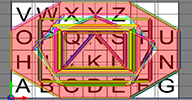
 This ICE compound creates UVs so each polygon is spread over the whole UV range. It
has options to maximize all polygons, or just the largest and scale the others accordingly.
Also offers options to orient the polygon UVs. See this screencast (archive) for a quick overview.
Related: UV Mapping Per Face
local backup: UnitUVPolygon.xsicompound
Related: UV Mapping Per Face
local backup: UnitUVPolygon.xsicompound
Stargrav BCS osAll workflow commercial
From the product page: The BCS (BlendShape Combination System) is a plugin available for Autodesk Maya and
Softimage XSI. It enables you to create high-end setups for facial animation.
The main features include: Combination-Sculpting: You can place deformation knots (called dataPoints) anywhere in the n-dimensional weight space. This means you get vertex-level control over the facial expression in every situation Smooth Inbetweens: A flexible inbetweening system with linear, spline and arc interpolation, among others Automatic Left-Right Separation: Fast left-right workflow with editable falloff curves for automatically created individual shapes.
Link to the manual — Ed's note: This plugin seems to have been written for Softimage 2013 but stargrav would have to be contacted to see whether it is still available for purchase (Price per license: €299.00 / free for non-commercial use)
The main features include: Combination-Sculpting: You can place deformation knots (called dataPoints) anywhere in the n-dimensional weight space. This means you get vertex-level control over the facial expression in every situation Smooth Inbetweens: A flexible inbetweening system with linear, spline and arc interpolation, among others Automatic Left-Right Separation: Fast left-right workflow with editable falloff curves for automatically created individual shapes.
Link to the manual — Ed's note: This plugin seems to have been written for Softimage 2013 but stargrav would have to be contacted to see whether it is still available for purchase (Price per license: €299.00 / free for non-commercial use)
author site: http://www.stargrav.com / plugin page: /bcs.php
 pb_BendSet osAll ICE private deform bend
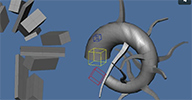
 A very versatile bend compound that can bend, lathe, taper, shear, twist, etc.
Demonstrated here. You can also find a lot of information in the si-community thread linked below.
Make sure to look at Pedro's TD reel Nodal Setups and Utilities Reel 2015.
local backup: pb_BendSet.xsicompoundp bend_DemoScene_2014_web.scn
Demonstrated here. You can also find a lot of information in the si-community thread linked below.
Make sure to look at Pedro's TD reel Nodal Setups and Utilities Reel 2015.
local backup: pb_BendSet.xsicompoundp bend_DemoScene_2014_web.scn
 LK Lightning 2.5 osAll strands ICE vegetation FX
 Updated November 2015 — LK Lightning is now free. Version 2.5 is a major update of LK Lightning. LK Lightning is a toolset which gives
the artist deep but user-friendly control over the creation of many types of strand
systems (not only lightning effects but many things which can be created procedurally
using strands like trees, algae, feathers, ivy). Even though it is a fully ICE based
system, it is designed so that no previous knowledge of ICE is needed. From the product
page about the 2.5 update: The headlining feature for version 2.5 is Stages which allows you to create much more
complicated behaviours by assigning different sets of controllers to particles based
on which stage they are in. With these stages also comes a new category of compounds.
Triggers that allow you to move particles between them.
You can assign a new stage to strands that have been split off as well and thus give them a different set of rules. This is something that was requested many times by 2.0 users and is indeed super useful. Additionally there are a bunch of other useful tools for particle effects in here that stem from an awesome job I got to do at Digital Golem: Detroit Electric - SP01
For some of the features, see LKL 2.0's changelog page (archive) — also worth mentioning is this LKL 2.0 tutorial (archive) which shows step-by-step how British channel 4's 4seven ~ On Screen Presentation was created.
local backup: LK-Lightning-250.xsiaddon LKL_25_SampleScenes.zip
You can assign a new stage to strands that have been split off as well and thus give them a different set of rules. This is something that was requested many times by 2.0 users and is indeed super useful. Additionally there are a bunch of other useful tools for particle effects in here that stem from an awesome job I got to do at Digital Golem: Detroit Electric - SP01
For some of the features, see LKL 2.0's changelog page (archive) — also worth mentioning is this LKL 2.0 tutorial (archive) which shows step-by-step how British channel 4's 4seven ~ On Screen Presentation was created.
local backup: LK-Lightning-250.xsiaddon LKL_25_SampleScenes.zip
author link: http://leonardkoch.com / product page: /blog/ ... -now-free (archive) / mailing list thread @google groups / si-community thread for 2.0 / 2.5
Vertex Color from Polygon Cluster osAll workflow texturing js
The 1000th plugin added to rray.de! — Matt recently shared this one on the Softimage mailing list. Running »VertexColor from PolygonCluster« fills each polygon cluster
using the cluster's display color inside a newly created Color at Vertices map.
Usage: Drag-and-drop the link below into XSI to install, select a mesh, run Render > Property > Map Paint Tools > ML VertexColor from PolygonCluster.
local backup: ML_VertexColorsFromPolygonCluster.xsiaddon
Usage: Drag-and-drop the link below into XSI to install, select a mesh, run Render > Property > Map Paint Tools > ML VertexColor from PolygonCluster.
local backup: ML_VertexColorsFromPolygonCluster.xsiaddon
author @LinkedIn / mailing list thread @google groups
 DepthPass Viewport osAll python realtime
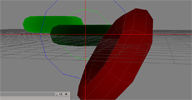
 This script creates a realtime depth shader/OpenGL viewport, configurable with two
interactive controllers. Usage: Execute Render > Pass > Edit > DepthPass.
After picking a camera and clicking »Apply«, the command sets up the shaders, the controllers, and then switches to OpenGL viewport output. Grouped under the camera, you'll find the two controllers which you can move along local Z to modify the near/far settings. Inside the RT Material properties, you can also edit the near/far colors. The author credits jojoba as the creator of the original CGFX shader which he optimized.
local backup: DepthPass.xsiaddon (restart required)
After picking a camera and clicking »Apply«, the command sets up the shaders, the controllers, and then switches to OpenGL viewport output. Grouped under the camera, you'll find the two controllers which you can move along local Z to modify the near/far settings. Inside the RT Material properties, you can also edit the near/far colors. The author credits jojoba as the creator of the original CGFX shader which he optimized.
local backup: DepthPass.xsiaddon (restart required)
 Explosia FX win64 topo ICE particle commercial fluids
 Not to be confused with Oleg's Implosia FX, a mesh scattering simulator— A new gaseous fluids (fire and smoke) simulator from the Ukraine-based company Blackcore
tech. This product features dynamic voxel grids, a CPU accelerated raymarched preview,
OpenVDB export, the »render from camera« feature — (see videos)
— all built around an ICE node-based workflow.
From the product page: ExplosiaFX is a fluid dynamics simulation tool currently integrated in Autodesk Softimage. It is constructed based on a dynamically resizing voxel grid with a modern multigrid solver and thus provides high quality results in reasonable time. Intensive usage of AVX instructions when available makes it extremely fast without any compromises. By supporting the OpenVDB volumetric format, ExplosiaFX removes the need to render simulated data in Softimage, makes easy pipelining possible, as well as external cache processing on the Softimage side. [..] cont'd on the product page (link at bottom).
For demo videos, see Oleg's vimeo and the youtube channel. Also, the ExplosiaFX google group was set up.
Discontinued - the product is not available for purchase anymore but a fully functional noncommercial version is still available in the si-community thread (and in local backup)
local backup: XSI_EFX_Workgroup_1.007_win64.zip XSI_EFX_Workgroup_1.007_win64_AVX.zip (for CPUs supporting AVX) XSI_EFX_SampleScenes.zip Documentation.pdf Package overview slides.pdf
From the product page: ExplosiaFX is a fluid dynamics simulation tool currently integrated in Autodesk Softimage. It is constructed based on a dynamically resizing voxel grid with a modern multigrid solver and thus provides high quality results in reasonable time. Intensive usage of AVX instructions when available makes it extremely fast without any compromises. By supporting the OpenVDB volumetric format, ExplosiaFX removes the need to render simulated data in Softimage, makes easy pipelining possible, as well as external cache processing on the Softimage side. [..] cont'd on the product page (link at bottom).
For demo videos, see Oleg's vimeo and the youtube channel. Also, the ExplosiaFX google group was set up.
Discontinued - the product is not available for purchase anymore but a fully functional noncommercial version is still available in the si-community thread (and in local backup)
local backup: XSI_EFX_Workgroup_1.007_win64.zip XSI_EFX_Workgroup_1.007_win64_AVX.zip (for CPUs supporting AVX) XSI_EFX_SampleScenes.zip
Documentation.pdf Package overview slides.pdf
company page: www.blackcore.technology / product page: /softimage_efx (archive) / CGChannel article / si-community thread