Softimage Resources: plugins, scripts, compounds and shaders
All 1119 entries of the Softimage Resources as a simple list, 351–400 on this page. To search and filter by tags, use the interactive Resources page.
Align Pivot scripts osAll js modeling compilation align measure
6 scripts that let you align the object center with an object's or a picked component's
orientation or translation separately, for more flexibility than the built-in »Move
Center« commands.
For instructions on how to install/use the plugin, watch this video.
local backup: AlignPivot.rar
For instructions on how to install/use the plugin, watch this video.
local backup: AlignPivot.rar
author site: http://staplex.ru / download: /?p=612
 Faster Polygon Islands osAll cppsrc ICE scene
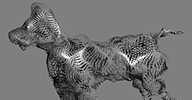
 This plugin identifies »polygon islands« — connected areas of a
mesh and outputs the result as ICE data for further processing in one of 3 possible
formats. This is a compiled operator, running faster than all current ICE implementations.
Eric Mootz'semTools (archive) has a suite of compounds to manipulate polygon islands with a particle cloud. They
require a pre-calculated index array mapping vertices to their island index. Doing
this in ICE directly is relatively slow - quite a bit of work has been done to get
these ICE compounds as fast as possible (see Guillaume Laforge's original blog (archive) post and this thread on si-community.com) but a C++ ice node can usually run orders of magnitude faster.
In the case of the node provided here it has proved to be as much as 10-15x faster
than the ICE implementations (depending on the scene). I'm sure there's scope for
more optimal C++ coding to make it faster still.
You can use the node to feed data into Eric's vertex island tools (sample scene in the .rar file, remember to install emTools first) or as a standalone utility node if you're manipulating islands in your own way. It takes geometry and point positions as inputs and can output the index array of points and their island index, a per point island index and an array of island centres. It's been compiled against 2013 SP1 64bit. Source code is included with the addon.
local backup: jj_Island_Indexer.1.0.0.xsiaddon emTools_islands_combo.scn
Eric Mootz's
You can use the node to feed data into Eric's vertex island tools (sample scene in the .rar file, remember to install emTools first) or as a standalone utility node if you're manipulating islands in your own way. It takes geometry and point positions as inputs and can output the index array of points and their island index, a per point island index and an array of island centres. It's been compiled against 2013 SP1 64bit. Source code is included with the addon.
local backup: jj_Island_Indexer.1.0.0.xsiaddon emTools_islands_combo.scn
author site: http://julianjohnsonsblog.blogspot.com / download: /2013/07/faster-polygon-islands.html
 Dart Throw osAll cppsrc ICE particle scene scatter
 Updated. Julian's Dart Throw compound evenly distributes non-overlapping points on any polygonal geometry by using
a random »dart throwing« approach. Density depends on the number of iterations.
The August 2013 update adds support for an input array of multiple sizes which enables instancing multiple objects of a group over the mesh. A scene file demonstrating that is included. Another new feature you'll find is the weightmap based size adjustment of the absolute/scaled size. Read more about the update on the download link at the bottom. Here is a blog entry on an earlier version of the Dart Throw.
Watch a video here http://www.vimeo.com/6483842.
local backup: Dart Throw Multisize.xsiaddon dart_throw_multiple_basic_randomise.scn dart_throw_multiple_size_a.scn dart_throw_multiple_size_with_size_map.scn
The August 2013 update adds support for an input array of multiple sizes which enables instancing multiple objects of a group over the mesh. A scene file demonstrating that is included. Another new feature you'll find is the weightmap based size adjustment of the absolute/scaled size. Read more about the update on the download link at the bottom. Here is a blog entry on an earlier version of the Dart Throw.
Watch a video here http://www.vimeo.com/6483842.
local backup: Dart Throw Multisize.xsiaddon dart_throw_multiple_basic_randomise.scn dart_throw_multiple_size_a.scn dart_throw_multiple_size_with_size_map.scn
author site: http://julianjohnsonsblog.blogspot.com / download: /2013/07/dart-throw-multiple-size.html
 Scale UVs 2.0 osAll ICE particle shadingworkflow render
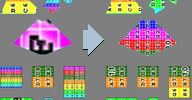
 Updated. Answering a question on the mailing list from Manuel Huertas Marchena, I am wondering if someone knows how to set uv island ratio to many objects or even
into uv islands of the same object. In maya I use a really useful plugin called »uv
ratio pro«, it's a nifty plugin that allows you to set uv ratio from a uv island
or object and as I ve said previously, re-apply it across many objects / uv islands.
Vincent posted a reply along with a compound which does just that in ICE. Version 2 has since been posted, adding the features Works with PolyIslands and multiple Objects Can normalize to 0-1-Space, based on first Input (in this Case the Grid)
local backup: Scale_UVs.2.0.xsicompound
Vincent posted a reply along with a compound which does just that in ICE. Version 2 has since been posted, adding the features Works with PolyIslands and multiple Objects Can normalize to 0-1-Space, based on first Input (in this Case the Grid)
local backup: Scale_UVs.2.0.xsicompound
 Wang Tiles osAll ICE topo scatter
 From http://en.wikipedia.org/wiki/Wang_tile: Wang tiles (or Wang dominoes), first proposed by mathematician, logician, and philosopher
Hao Wang in 1961, are a class of formal systems. They are modelled visually by equal-sized
squares with a color on each edge which can be arranged side by side (on a regular
square grid) so that abutting edges of adjacent tiles have the same color; the tiles
cannot be rotated or reflected. The basic question about a set of Wang tiles is whether
it can tile the plane or not, i.e., whether copies of the tiles can be arranged to
fill an infinite plane, following the adjacency rules. [..]
Here's Vincent's ICE implementation of Wang Tiles, including a comprehensive video introduction to wang tiles. Note the addon installs a number of wang tile samples into its folder.
local backup: vu_Wang_Tiles.xsiaddon
Here's Vincent's ICE implementation of Wang Tiles, including a comprehensive video introduction to wang tiles. Note the addon installs a number of wang tile samples into its folder.
local backup: vu_Wang_Tiles.xsiaddon
Brick Wall compound osAll ICE topo private scatter
Chris Marshall, author of the popular tutorial »Softimage ICE tree (as in vegetation) building« shares this procedural wall generator.
Something to play with. Create an empty pointcloud with non sim ice tree. Plug in this compound. Plug curve into compound.
local backup: quickbrick_three_private.xsicompoundp
Something to play with. Create an empty pointcloud with non sim ice tree. Plug in this compound. Plug curve into compound.
local backup: quickbrick_three_private.xsicompoundp
author blog: http://dot3d.blogspot.com / download @dropbox / author on vimeo / mailing list thread @google groups
Stone Wall osAll ICE topo scene scatter
2ndreality shares a demo scene that uses ICE to procedurally generate a stone wall.
The scene is for Softimage 2014+, but the ICE tree can be seen in the video for an
attempt at reproducing it in older versions. See the plugin link below for a demo
video.
local backup: wall generatorStones07.scn
local backup: wall generatorStones07.scn
 Pavement Compound osAll shader mentalray shadercompound ICE topo private scatter
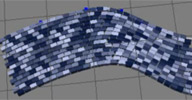
 A scene including an ICE compound that places same-spaced rows of boxes or mesh instances
between two curves.
local backup: pavement.xsicompoundp ShaderCompoundPavement.xsirtcompound
local backup: pavement.xsicompoundp ShaderCompoundPavement.xsirtcompound
 Stone Floor Tiles osAll ICE topo scene scatter
 Another procedural structures generator kindly shared by 2ndreality. This time it's
a floor tile generator that works similarly to MJD Boukhari's «AI Repeat Geometry»
but allows for random orientations of the source mesh.
local backup: wall generatorStones02Floor.scn
local backup: wall generatorStones02Floor.scn
Bones Post Motion osAll ICE deformer scene
AKA »Animation-bones post motion (spring force+linear+angular velocity)«. 2ndreality shares a demo scene that uses linear and angular velocities to compute
a spring effect. See the plugin link below for a demo video.
local backup: bonesVelocityMotion.scn
local backup: bonesVelocityMotion.scn
myGreeble Compound osAll ICE topo private scatter
An ICE compound for adding greeble on top of polygonal geometry. See the plugin link
below for a video showing its features/usage.
local backup: myGreeble.xsicompound buildTop.xsicompoundp extrudeBaseGeom.xsicompoundp
local backup: myGreeble.xsicompound buildTop.xsicompoundp extrudeBaseGeom.xsicompoundp
 Flatten Polygons osAll ICE deformer modeling
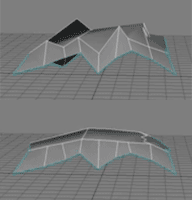
 An ICE compound that uses an iterative approach to flatten all polygons of a mesh
while trying to maintain the overall shape. The algorithm offers an option for »ascending sort« that works better on some models. See the plugin link below for a video demo.
local backup: flattenPolys.xsicompound
local backup: flattenPolys.xsicompound
Strands on Steroids osAll ICE strands tutorialfiles scene vegetation
AKA its full name »Softimage ICE - strands on steroids - spice must flow«. These are the downloadable scene files from Nika's ongoing online tutorial exploring
creative possibilities around ICE strands. Part one:
empowering the softimage ice strands - lots of possibilities i see here my padavans - furry caterpillars , coniferous trees, skin scales and all sorts of crazy surrealistic stuff could be created. also for example you could make a cloned particles with different color - one color for berries, other for pine needles and so on - endless possibilities.
local backup: ice_strand_on_steroids_tutorial2.scn ice_strand_on_steroids_tutorial3.scn ice_strand_profile3_simple_randomdistribution_explanation1.scn
empowering the softimage ice strands - lots of possibilities i see here my padavans - furry caterpillars , coniferous trees, skin scales and all sorts of crazy surrealistic stuff could be created. also for example you could make a cloned particles with different color - one color for berries, other for pine needles and so on - endless possibilities.
local backup: ice_strand_on_steroids_tutorial2.scn ice_strand_on_steroids_tutorial3.scn ice_strand_profile3_simple_randomdistribution_explanation1.scn
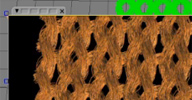 ICE Knitting osAll ICE strands tutorialfiles scene fabric
 Downloadable files from Nika's online tutorial AKA its full name »3D knitting in softimage ICE retribution to Pingo - pain is temporary pride
is forever )))« — recreating Pingo van der Brinkloev's cloth building approach from Cinema4D.
local backup: ice_knit_tut7.scn
local backup: ice_knit_tut7.scn
Voronoi Shattering osAll ICE topo tutorialfiles scene shatter
AKA its full name »Building your own Voronoi shattering effect with blackjack and hookers in Softimage
ICE«.
In this 2-part tutorial, Nika builds a voronoi fragmentation setup from scratch using ICE and shares the resulting scene files. Links below point to the individual tutorial parts.
local backup: voronoi_shattering_tutorial_4.scn
In this 2-part tutorial, Nika builds a voronoi fragmentation setup from scratch using ICE and shares the resulting scene files. Links below point to the individual tutorial parts.
local backup: voronoi_shattering_tutorial_4.scn
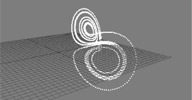 Lorenz Attractor osAll ICE topo tutorialfiles scene fluids
 AKA its full title »Monkey style code retyping from C to Softimage ICE«.
In this 3-part tutorial, Nika shows how to go from a C algorithm available on wikipedia to a finished ICE compound. In part 1, his subject of implementing Lorenz Attractors utilizes Ángel Pavón's »agMathParser«.
Part 2 focuses on building a fluid-like distribution scheme with them, and part 3 takes this even a bit further by building a flow around the eye of Sauron.
local backup: lorenz_attractor_tutorial_new5.scn lorenz_attractor_fluid_tutorial_3.scn ice_lorenz_fluid_fire1.scn ice_lorenz_fluid_fire2.scn ice_lorenz_fluid_fire3.scn ice_lorenz_fluid_fire4.scn ice_lorenz_fluid_fire5.scn
In this 3-part tutorial, Nika shows how to go from a C algorithm available on wikipedia to a finished ICE compound. In part 1, his subject of implementing Lorenz Attractors utilizes Ángel Pavón's »agMathParser«.
Part 2 focuses on building a fluid-like distribution scheme with them, and part 3 takes this even a bit further by building a flow around the eye of Sauron.
local backup: lorenz_attractor_tutorial_new5.scn lorenz_attractor_fluid_tutorial_3.scn ice_lorenz_fluid_fire1.scn ice_lorenz_fluid_fire2.scn ice_lorenz_fluid_fire3.scn ice_lorenz_fluid_fire4.scn ice_lorenz_fluid_fire5.scn
rsCleanShapes winAll rigging python
This tool is used to clean shapes. When you clean the shapes the refresh of the scene
will be better and will reduce the size on disk of the models and scenes.
Demo video. Also have a look at the rigstudio team members' reels: Roberto Rubio, Juan Lara (archive) and Jaime Bescansa (archive)
local backup: rsCleanShapes.xsiaddon
Demo video. Also have a look at the rigstudio team members' reels: Roberto Rubio, Juan Lara (archive) and Jaime Bescansa (archive)
local backup: rsCleanShapes.xsiaddon
rsRemoveUnusedDeformers osAll rigging python
This tool removes all deformers from the envelope that do not affect the deformation
of the mesh.
Demo video. Also have a look at the rigstudio team members' reels: Roberto Rubio, Juan Lara (archive) and Jaime Bescansa (archive)
local backup: rsRemoveUnusedDeformers.xsiaddon
Demo video. Also have a look at the rigstudio team members' reels: Roberto Rubio, Juan Lara (archive) and Jaime Bescansa (archive)
local backup: rsRemoveUnusedDeformers.xsiaddon
author site: http://rigstudio.com (archive) / download: /rsremoveununseddeformers (archive) / repository @github
rsInspectConstraints osAll rigging python
This tool is used to inspect the constraints of the selected objects. It is very useful
for riggers.
Demo video. Also have a look at the rigstudio team members' reels: Roberto Rubio, Juan Lara (archive) and Jaime Bescansa (archive)
local backup: rsInspectConstraints.xsiaddon
Demo video. Also have a look at the rigstudio team members' reels: Roberto Rubio, Juan Lara (archive) and Jaime Bescansa (archive)
local backup: rsInspectConstraints.xsiaddon
author site: http://rigstudio.com (archive) / download: /tool-rsinspectconstraints (archive) / repository @github
rsCreateBoundingVolume osAll rigging python
This tool allows the creation of bounding volume objects through a selection. You
can define if the new objects acquire the original transformations. You can create
only one object with a multiple selection,
or you can create one new object for each object in selection. It is also possible
to create new objects with a subcomponent selection. With a polymesh subcomponent
selection, you can create one new object for each subcomponent island.
Demo video. Also have a look at the rigstudio team members' reels: Roberto Rubio, Juan Lara (archive) and Jaime Bescansa (archive)
local backup: rsCreateBoundingVolume.xsiaddon
Demo video. Also have a look at the rigstudio team members' reels: Roberto Rubio, Juan Lara (archive) and Jaime Bescansa (archive)
local backup: rsCreateBoundingVolume.xsiaddon
author site: http://rigstudio.com (archive) / download: /tools/rscreateboundingvolume/ (archive) / repository @github
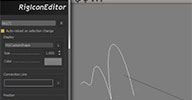 RigIcon winAll workflow rigging python controllers
 RigIcon is a simple icon library for Softimage, a convenient tool to store and manage
curves/animation-controls in your rigs [..] There's also a brief documentation and a pre-packed xsiaddon (archive) in case you don't want to mess with the source code, dependencies and so on... if
you have no idea what I'm talking about take a look at the old preview.
You will need PyQtForSoftimage installed in your system, other than that everything should work fine OOTB. Cheers!
local backup: RigIcon.xsiaddon
You will need PyQtForSoftimage installed in your system, other than that everything should work fine OOTB. Cheers!
local backup: RigIcon.xsiaddon
author site: http://www.cesarsaez.me / old blog / author on vimeo / download: /2013/06/rigicon-goes-open-source.html / repository @github / author on vimeo
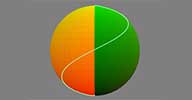 Texture UV to location osAll ICE shadingworkflow cppsrc scene
 I was motivated by this thread on the mailing list (and Gustavo's excellent Motion Tools (archive)) to work on a C++ ice node to provide a quick way of finding positions from an input
texture uv array (the factory-installed UV to Location node doesn't work on polygonal
geometry). The method doesn't require triangulated geometry.
Since we don't have access to pointlocators in the ICE SDK, the node doesn't actually get locations directly but it does generate a position on the polygonal surface from an input UV. The custom ice node is built into a compound that then takes the output positions and generates locations using Get Closest Location. You have the option of using the position directly or using the location port.
The addon is below for 2013 SP1 (64bit only) and contains C++ source code with comments on the barycentric and triangulation methods as well as notes on some of the problems/choices related to building a custom ice node. A sample scene is also included. If you find a circumstance where it doesn't work correctly I'd be very interested in the scene file.
local backup: Texture UV to Location 1.1.xsiaddon Texture UV To Location.scn
Since we don't have access to pointlocators in the ICE SDK, the node doesn't actually get locations directly but it does generate a position on the polygonal surface from an input UV. The custom ice node is built into a compound that then takes the output positions and generates locations using Get Closest Location. You have the option of using the position directly or using the location port.
The addon is below for 2013 SP1 (64bit only) and contains C++ source code with comments on the barycentric and triangulation methods as well as notes on some of the problems/choices related to building a custom ice node. A sample scene is also included. If you find a circumstance where it doesn't work correctly I'd be very interested in the scene file.
local backup: Texture UV to Location 1.1.xsiaddon Texture UV To Location.scn
author site: http://julianjohnsonsblog.blogspot.com / download: /2013/06/texture-uv-to-location.html
 SymmThings winAll workflow rigging compilation vbs symmetry
 This is a collection of simple(ish) scripts I came up with packaged into a toolbar
made primarily to make my workflow a lot easier. My main focus was on improving my
symmetry modelling and making it a lot easier to quickly edit a fully rigged character
(through the use of gator) without having to worry about anything. There is a small
renaming bug outlined in the manual, if anyone has any tips on fixing that please
let me know :)
SymmThings currently includes the following VBS scripts (individually downloadable on this pastebin page): Cloned Symmetry With Cutting Cloned Symmetry Create ShrinkCenter Shrink CL Cluster Scale CL Cluster Scale Component Reset CL Cluster Add to CL CLuster Zero X Delete-X Mirror Clone Mirror Instance Obj To Model.
For a video introduction of all the scripts, go here. On Alex's youtube page (link below), you'll also find a lot of useful tutorial videos mostly about character creation in Softimage.
local backup: SymmThings2.0.xsiaddon zipped html docs
SymmThings currently includes the following VBS scripts (individually downloadable on this pastebin page): Cloned Symmetry With Cutting Cloned Symmetry Create ShrinkCenter Shrink CL Cluster Scale CL Cluster Scale Component Reset CL Cluster Add to CL CLuster Zero X Delete-X Mirror Clone Mirror Instance Obj To Model.
For a video introduction of all the scripts, go here. On Alex's youtube page (link below), you'll also find a lot of useful tutorial videos mostly about character creation in Softimage.
local backup: SymmThings2.0.xsiaddon zipped html docs
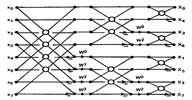 FFT ICE node winAll ICE math fluids
 Amaan Akram, author of aaOcean, recently shared this versatile ICE node (compiled)
on the Softimage mailing list:
Since there's been a recent request on FFT nodes, here's one that I made a while back: http://www.amaanakram.com/plugins/aaFFT/1.0a/aaFFT.zip. This is a radix-2 FFT, meaning that it only works on input data sets that are powers of 2. Sample scene included. Windows only. If any linux users want this, please get in touch. I'll grant access to my repo. Hope someone finds this useful.
Following some further inquiries, he replied, This node is just an interface to the FFTW library's 1D and 2D transforms, both forward and backward. The only thing added on top is the ability to apply Centre Shifts, but only for 2D transforms for the moment. more at www.fftw.org [..] Some practical applications: Jos Stam's classic fluid dynamics paper that uses fourier transforms, FFTs applied to images. People create noise textures in FFTs, or analyze noise via FFTs, there's also the classic spectrum visualization that is also dependent on FFTs. [..] The classic 'low-cut' or high-pass filters in photoshop are also applications of ffts.
More information in the mailing list thread (link below).
local backup: fft.scn FFT.xsiaddon (packaged for drag and drop)
Since there's been a recent request on FFT nodes, here's one that I made a while back: http://www.amaanakram.com/plugins/aaFFT/1.0a/aaFFT.zip. This is a radix-2 FFT, meaning that it only works on input data sets that are powers of 2. Sample scene included. Windows only. If any linux users want this, please get in touch. I'll grant access to my repo. Hope someone finds this useful.
Following some further inquiries, he replied, This node is just an interface to the FFTW library's 1D and 2D transforms, both forward and backward. The only thing added on top is the ability to apply Centre Shifts, but only for 2D transforms for the moment. more at www.fftw.org [..] Some practical applications: Jos Stam's classic fluid dynamics paper that uses fourier transforms, FFTs applied to images. People create noise textures in FFTs, or analyze noise via FFTs, there's also the classic spectrum visualization that is also dependent on FFTs. [..] The classic 'low-cut' or high-pass filters in photoshop are also applications of ffts.
More information in the mailing list thread (link below).
local backup: fft.scn FFT.xsiaddon (packaged for drag and drop)
author site: http://www.amaanakram.com / mailing list thread @google groups
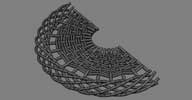 stBasket osAll ICE topo strands deformer scene
 We had to make a basket model for some poster, so I built a set of compounds to create
sennit-like mesh on NURBS surfaces. It was my first experience with ICE modeling,
so it took a little time.. and a little more and a little more than a little more�.
But it was done in time and I'm satisfied at last :)
Extrusion base shape's points must be in local XY plane — as in standard Circle primitive, for example. So use Front View to draw them correctly.
Compounds that create strands extrusion are faster and more accurate than standard one, but they don't create UV coordinates on the mesh. [..]
Follow the 'author link' below to continue reading. A workflow video is available. There is also a video demonstrating the fast strand extrusion compounds included in the stBasket set.
local backup: stBasket_Braid.xsicompound stBasket_Rattan.xsicompound
stCreate_Mesh_From_TopoDesc.xsicompound stCreate_Strands_TopoDesc.xsicompound stbasket_sample.scn
Extrusion base shape's points must be in local XY plane — as in standard Circle primitive, for example. So use Front View to draw them correctly.
Compounds that create strands extrusion are faster and more accurate than standard one, but they don't create UV coordinates on the mesh. [..]
Follow the 'author link' below to continue reading. A workflow video is available. There is also a video demonstrating the fast strand extrusion compounds included in the stBasket set.
local backup: stBasket_Braid.xsicompound stBasket_Rattan.xsicompound
stCreate_Mesh_From_TopoDesc.xsicompound stCreate_Strands_TopoDesc.xsicompound stbasket_sample.scn
 local backup:
author site: http://staplex.ru / download: /?p=589
Clone Pointcloud osAll ICE particle
Clones a pointcloud with attributes - can be executed consecutively as a means to
clone several pointclouds into one as requested by Adrian Wyer on the Softimage mailing
list. See the thread (link below) for some other solutions from other users like using
»generate sample set«.
local backup: LK Clone Pointcloud.xsicompound
local backup: LK Clone Pointcloud.xsicompound
author site: http://leonardkoch.com/ / source: mailing list @google groups
 Simple SI Version Manager osAll python workflow
 Here is my simple versioning python tool for Softimage. Some notes: python scene, render, cache, passes, capture, camera-slates versioning nuke setup builder (passes, channels) rendermap sequence arnold automatic .tx builder
To install, copy the script in your ...workgroupapplicationplugins location, copy the compound in your ...workgroupdatacompounds location. In scriptline 484 you can set the preferred make.tx path.
Demo video.
local backup: Simple_SI_Version_Manager.zip
To install, copy the script in your ...workgroupapplicationplugins location, copy the compound in your ...workgroupdatacompounds location. In scriptline 484 you can set the preferred make.tx path.
Demo video.
local backup: Simple_SI_Version_Manager.zip
author site: http://www.enoni.de / download: /wp/?p=682
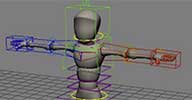 gc_bony 1.01 osAll rigging scene
 A biped rig, created by Gerardo Castellanos with a Gear Model by Ugur Ulvi Yetiskin (archive).
Also have a look at Gerardo's creature reel.
local backup: bony_rig.emdl
Also have a look at Gerardo's creature reel.
local backup: bony_rig.emdl
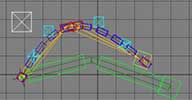 gc_bendyPart 1.2 osAll rigging scene
 Setup for bendy arms or legs. IK, IK autostretch, FK, Twist envelopers.
How it works: Make a two bone chain Run gc_bendypart Select any part of your chain Set up your rig press Ok
local backup: GC_BendyPart_v1.2.py
How it works: Make a two bone chain Run gc_bendypart Select any part of your chain Set up your rig press Ok
local backup: GC_BendyPart_v1.2.py
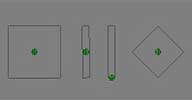 gc_controllers 1.0 osAll rigging scene controllers
 Graphic controllers to facial animation. Just import, duplicate, and connect.
local backup: gc_controlls_v1.0.scn
local backup: gc_controlls_v1.0.scn
 Custom Opengl Icons primitives osAll curves rigging controllers
 This plugin use a json file as definition so you can add as many shapes you want.
Things to know: It have SRT offset and size parameters, and currently support only one closed curve per icon The icon.json file must be in the same directory than the dll (in the plugin folder), and the definition is a flat array of formatted like this [x0,x1,x2...,y0,y1,y2...,z0,z1,z2...] Performance wise, a quick benchmark showed that it's ~7% slower than a curve equivalent, but the good thing is that it has it's own type (Icon) and can be filtered The primitive is located in the create>primitive menu You need to install this It's not tested that much, use it at your own risk!!!
local backup: AL_Icons.xsiaddon (packaged for drag+drop)
Things to know: It have SRT offset and size parameters, and currently support only one closed curve per icon The icon.json file must be in the same directory than the dll (in the plugin folder), and the definition is a flat array of formatted like this [x0,x1,x2...,y0,y1,y2...,z0,z1,z2...] Performance wise, a quick benchmark showed that it's ~7% slower than a curve equivalent, but the good thing is that it has it's own type (Icon) and can be filtered The primitive is located in the create>primitive menu You need to install this It's not tested that much, use it at your own risk!!!
local backup: AL_Icons.xsiaddon (packaged for drag+drop)
author on vimeo
 cgBreakDown osAll js animation
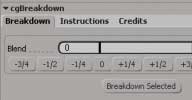
 cgBreakdown creates breakdown keys, based on a percentage of the previous and next
keyframes. Based on Justin Barrett's TweenMachine (a thing of beauty and a joy forever) for Maya . Very useful for blocking in stepped
mode.
Respects marked parameters Handy quick preset buttons Can work on a whole model, or a single control. Whatever you've got selected. Fast! Full of object-model goodness.
local backup: cgBreakdownPlugin_1.33.xsiaddon (packaged for drag+drop)
Respects marked parameters Handy quick preset buttons Can work on a whole model, or a single control. Whatever you've got selected. Fast! Full of object-model goodness.
local backup: cgBreakdownPlugin_1.33.xsiaddon (packaged for drag+drop)
author link: http://www.chris-g.net / download: /tools/cgbreakdown/
cgNukeIO osAll js interop workflow
Somewhat obsolete with Nuke's new FBX importer, but this will let you move .chan files
between XSI and Nuke. Camera FOV values are used, if you've got a camera selected.
Will also work with Houdini, seeing as it uses the same .chan format.
local backup: cgNukeIO.xsiaddon (packaged for drag+drop)
Will also work with Houdini, seeing as it uses the same .chan format.
local backup: cgNukeIO.xsiaddon (packaged for drag+drop)
author link: http://www.chris-g.net
Localise matLib osAll js shadingworkflow workflow
Quick script for nAngus — this will import the material library from a referenced
model and change the object assignments from the referenced to the local. Saves importing
the refModel completely.
local backup: localiseMatLib.js
local backup: localiseMatLib.js
author link: http://www.chris-g.net / download: /2012/07/11/localise-matlib-in-softimage/
FitImageToCamera osAll modeling ICE
»Fit Image to Camera« allows you to fit and align an image to the camera's
frustum. By adjusting the »Custom Z Depth«, it will automatically scale
the image and offset it from the camera in z space.
Usage: Create a null to hold the »Rig« Create a grid with a size set to the resolution you want to use (1920, 1080) Parent the grid to a null On Rig null, create nonsimulated ICE Tree .... Camera -> DW_FitImageToCamera -> Set Data (self._mySRT)->ICE On parented image null, create Simulated ICE Tree .... Get Data (Rig._mySRT) -> Set Data (self.kine.global)->ICE
local backup: DW_FitImageToCamera.xsicompound
Usage: Create a null to hold the »Rig« Create a grid with a size set to the resolution you want to use (1920, 1080) Parent the grid to a null On Rig null, create nonsimulated ICE Tree .... Camera -> DW_FitImageToCamera -> Set Data (self._mySRT)->ICE On parented image null, create Simulated ICE Tree .... Get Data (Rig._mySRT) -> Set Data (self.kine.global)->ICE
local backup: DW_FitImageToCamera.xsicompound
author site: n/a / si-community thread
 Generate Instance On Curve 1.3 osAll curves modeling ICE particle scatter
 Updated June 2013 (info) — Based on a part of the »Create Copies along Curve« Compound of Felix Geremus,
I try with this tool to cover many possible situation as possible with copies on curves.
It work with multiple curves, even merged, and generate as many point cloud as necessary.
We can easily edit all of then with the Multi Edit PPG.
The 1.2 update adds these new features and functions: Exposed »accuracy« parameter Adjust scale with real space in X,Y Or Z Delete Last Instance on open Curve Delete Neighbors with distance Random scale on X,Y,Z independently Offset scale on X,Y,Z independently Create from preset Save preset Randomize Update instances
Demonstration videos available here (V1.0) and here (V1.1) and here (V1.2).
Note that the download in the first post of the si-community thread isn't the most current version. Look further down in the thread to find it.
local backup: InstanceOnCurve_v1.3.xsiaddon
The 1.2 update adds these new features and functions: Exposed »accuracy« parameter Adjust scale with real space in X,Y Or Z Delete Last Instance on open Curve Delete Neighbors with distance Random scale on X,Y,Z independently Offset scale on X,Y,Z independently Create from preset Save preset Randomize Update instances
Demonstration videos available here (V1.0) and here (V1.1) and here (V1.2).
Note that the download in the first post of the si-community thread isn't the most current version. Look further down in the thread to find it.
local backup: InstanceOnCurve_v1.3.xsiaddon
 QuickInset osAll cppsrc modeling customtool
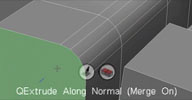
 Updated May 2013 (info) — Rewrite of the original QuickExtrude tool. This tool performs quick modo-like
interactive extrude, bevel and inset operations without showing a property page. Piotrek's
notes from the si-community thread: Extruding along normal is available only in 2012 SAP
for operations that relies on SI units you drag in component's normal direction,
for other ops (like point skirting ratio/bevel subdivisions) just drag across screen
subdivision highlighting is supported only for level 1 and only catmull-clark
J, L hotkeys change subdivision on extrude K hotkey is for repeating operation on highlighted component/subselection ENTER shows op PPG shift makes operations 10x slower
LMB is extruding, LMB and then RMB - changes inset ratio of extrusion MMB is beveling, , MMB and then RMB - changes bevel subdivisions RMB is insetting tool can also work in supra mode if you hotkey the tool
I've used it to model few production objects and it's pretty useful.
Developed with the interactive tool SDK. See Piotrek's video for a quick introduction
local backup: quickextrude_0.2.xsiaddon (June 2013) pmQuickExtrude2012.xsiaddon (older but SI 2012 compatible version) quickextrude_src.rar
Developed with the interactive tool SDK. See Piotrek's video for a quick introduction
local backup: quickextrude_0.2.xsiaddon (June 2013) pmQuickExtrude2012.xsiaddon (older but SI 2012 compatible version) quickextrude_src.rar
TR Add Override js osAll shadingworkflow workflow
Single-click solution for adding overrides in Softimage. For a short demonstration,
see this video on Tomas' vimeo channel.
local backup: TR_AddOverride1.0.xsiaddon
local backup: TR_AddOverride1.0.xsiaddon
author site: http://sobexsi.blogspot.cz / si-community thread
TR Precise Toggle js osAll workflow
As demonstrated here, toggles between normal and slow interaction state, making object scaling/placement/rotation
ten times slower than normal for temporary precise placement.
Installed as MCP->Transform->Transform precise and MCP->Transform->Camera precise (which does the same thing for camera orbiting).
local backup: TR_Preciese_V1.1.xsiaddon
Installed as MCP->Transform->Transform precise and MCP->Transform->Camera precise (which does the same thing for camera orbiting).
local backup: TR_Preciese_V1.1.xsiaddon
author site: http://sobexsi.blogspot.cz / si-community thread
.ScnToc Manager osAll python interop workflow
Updated October 2013 with bug fixes, see here — Allows mass-editing of all referenced models' resolution (including »off-loaded«)
and resolution path settings before loading the full scene in Softimage. Supports
find and replace, multi-edit, file history, optional Softimage onOpenScene event integration.
This plugin works by modifying .scntoc files which Softimage saves along with every .scn Scene file and is particularly useful for scenes with many referenced models, like crowd scenes. Video demonstrations: Scntoc Res Manager v 1.02 Standalone / Scntoc Res Manager Softimage Addon
local backup: srm.xsiaddon (Addon version - Standalone not needed) scntocResManager-master.zip (Standalone version)
Visit Alok's blog for some well written tutorials, the latest being a very comprehensive and highly readable one about barycentric coordinates.
This plugin works by modifying .scntoc files which Softimage saves along with every .scn Scene file and is particularly useful for scenes with many referenced models, like crowd scenes. Video demonstrations: Scntoc Res Manager v 1.02 Standalone / Scntoc Res Manager Softimage Addon
local backup: srm.xsiaddon (Addon version - Standalone not needed) scntocResManager-master.zip (Standalone version)
Visit Alok's blog for some well written tutorials, the latest being a very comprehensive and highly readable one about barycentric coordinates.
author blog: http://alokgandhi.com / author company: modusfx.com (archive) / mailing list thread / project on github
agBend winAll modeling deformer bend workflow
This is my own Bend deformer. agBend simulates 3D Studio MAX's bend deformer.
local backup: agBend 2.1.xsiaddon
local backup: agBend 2.1.xsiaddon
agTeapot winAll modeling workflow
Here is the XSI teapot. This is an example of an polygon primitive operator.
local backup: agTeapot 1.2.1.xsiaddon
local backup: agTeapot 1.2.1.xsiaddon
 Legolize 0.2.1 beta osAll ICE particle scatter
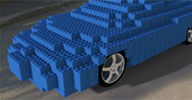
 Legolize 0.2 is a particle system inside Softimage ICE, created as a hobby. List of
features :: Auto Construct slider, at random or uniform height Hollow trigger Transforms constraints Randomize rotation by 90o (useful when only one edge of the piece is beveled) Slight turbulence Offset in X and or Z Debug mode for the hollow effect You can change the input geometry's topology and the pieces won't jump around.
These below are NOT features, but useful tips that are shown in the video :: Define a color for the pieces from texture maps, vertex colors or randomize it by a gradient Delete pieces inside a null. UPDATE :: I've just made some modifications and released version 0.2.1, including the "Generate 3D Point Grid from Center" compound.
Mentioned video demo to be found here. Also, a Gloob (Children's channel) bumper (archive) created with this compound.
local backup: Legolize.0.2.1.xsicompound Generate 3D Point Grid from Center.xsicompoundp (needs to exist for the first compound to import correctly)
These below are NOT features, but useful tips that are shown in the video :: Define a color for the pieces from texture maps, vertex colors or randomize it by a gradient Delete pieces inside a null. UPDATE :: I've just made some modifications and released version 0.2.1, including the "Generate 3D Point Grid from Center" compound.
Mentioned video demo to be found here. Also, a Gloob (Children's channel) bumper (archive) created with this compound.
local backup: Legolize.0.2.1.xsicompound Generate 3D Point Grid from Center.xsicompoundp (needs to exist for the first compound to import correctly)
author site: http://edschiffer.com / author demo reel
Emulating Maya's bones display osAll ICE
You've probably heard of ICE keywords like "self", "this" or "this_model"... but did
you know about "this_parent"?
It's not undocumented, but it's often forgotten. If you've ever seen a Maya rig, you've probably seen their joints system which draws "fake" bones. Fake as in that it's just an OpenGL virtual representation of the hierarchy/parenting, not an actual object. I'm not a big fan, but I do like the concept of being able to sketch out a skeleton by duplicating and reparenting joints, and thanks to "this_parent" we can do the same in ICE!
local backup: Draw Line To Parent.1.0.xsicompound Debug Parent Position.1.0.xsicompound
It's not undocumented, but it's often forgotten. If you've ever seen a Maya rig, you've probably seen their joints system which draws "fake" bones. Fake as in that it's just an OpenGL virtual representation of the hierarchy/parenting, not an actual object. I'm not a big fan, but I do like the concept of being able to sketch out a skeleton by duplicating and reparenting joints, and thanks to "this_parent" we can do the same in ICE!
local backup: Draw Line To Parent.1.0.xsicompound Debug Parent Position.1.0.xsicompound
author link: http://darkvertex.com / download: /..13/ice-emulating-maya-bones/
 XOcean win64 ICE scene fluids
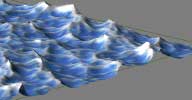
 Another project of mine was to create an ICE Node using the HOT (Houdini Ocean Toolkit).
The HOT is a very stable implementation of the Tessendorf algorithm for ocean waves.
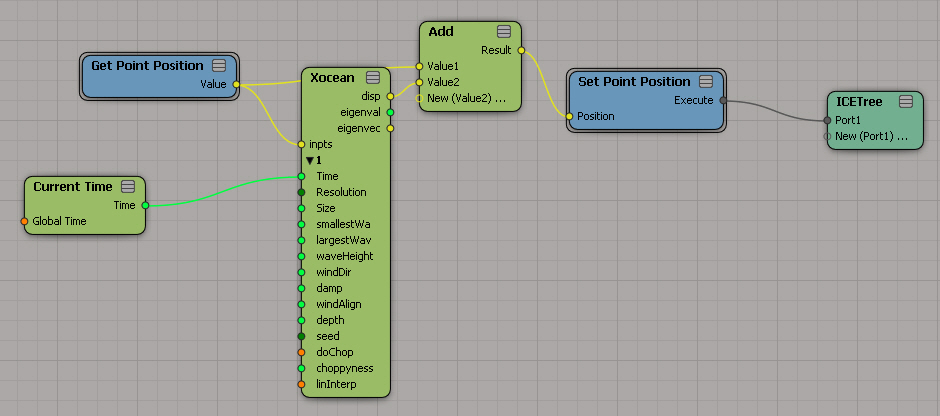
The Xocean node can be used as a deformer (by using a non-simulated ICETree on geometry objects) or for creating interesting particle simulations. The node outputs the displacement values as well as the eigenvectors and eigenvalues for each point in world space. The advantage using an ICE Node is that the outputs can be combined and reused in the ICE Tree (e.g. colorize foam or emitting particles where foam occurs)
local backup: xocean_XSI2012_x64.xsiaddon (works on 2013+) XOcean_Basic_Setup.scn how-to screenshot
The Xocean node can be used as a deformer (by using a non-simulated ICETree on geometry objects) or for creating interesting particle simulations. The node outputs the displacement values as well as the eigenvectors and eigenvalues for each point in world space. The advantage using an ICE Node is that the outputs can be combined and reused in the ICE Tree (e.g. colorize foam or emitting particles where foam occurs)
local backup: xocean_XSI2012_x64.xsiaddon (works on 2013+) XOcean_Basic_Setup.scn
 how-to screenshot
author site: http://schnellhammer.net (archive) / download: /..using-the-houdini-ocean-toolkit/ (archive)
 Exocortex Species 1.6 osAll commercial rigging rigtoolset
 Updated April 2013 — read about the updates here. Species is a production quality character and rig creation kit based on Chris Covelli's
»Grow Rig« system. From the product page:
Exocortex Technologies, in collaboration with CG Artists Chris Covelli and Eric Thivierge, is pleased to introduce Exocortex Species. Exocortex Species simplifies the process of human character creation from designing your character's unique attributes, integrating sculpting results, to rig creation, even animation. With Species, you will create higher quality animated characters faster and at a lower cost, while avoiding the generic look that often come when purchasing off-the-shelf models. [..] We'd also like to give credit to all of our awesome beta testers for the great feedback which helped us make an amazing plug-in. A special thanks goes out to Mitch Lotierzo for creating the custom Species synoptics. [..]
Continue reading on the product page. Video demonstrations available: Species Introduction / Species 1.6 new features
Price is $299 for individual/RLM-based licenses (node locked or floating) or $999 for a site license.
Exocortex Technologies, in collaboration with CG Artists Chris Covelli and Eric Thivierge, is pleased to introduce Exocortex Species. Exocortex Species simplifies the process of human character creation from designing your character's unique attributes, integrating sculpting results, to rig creation, even animation. With Species, you will create higher quality animated characters faster and at a lower cost, while avoiding the generic look that often come when purchasing off-the-shelf models. [..] We'd also like to give credit to all of our awesome beta testers for the great feedback which helped us make an amazing plug-in. A special thanks goes out to Mitch Lotierzo for creating the custom Species synoptics. [..]
Continue reading on the product page. Video demonstrations available: Species Introduction / Species 1.6 new features
Price is $299 for individual/RLM-based licenses (node locked or floating) or $999 for a site license.
author (company) site: http://www.exocortex.com / product page: /simulation/species
ET_ProjectTools osAll workflow
This is a custom Project Manager plug-in for Softimage. This is a more stable project
manager UI for Softimage though it does not integrate with the built in file browsers.
It uses an .sqlite database to keep track of the project names and file paths.
It's not meant to be a full featured well integrated tool but more of a base to build some pipeline tools off of. It uses the built in CreateProject() command to build the scene structure so it doesn't support custom project directories at this point.
local backup: ET_ProjectTools.xsiaddon
It's not meant to be a full featured well integrated tool but more of a base to build some pipeline tools off of. It uses the built in CreateProject() command to build the scene structure so it doesn't support custom project directories at this point.
local backup: ET_ProjectTools.xsiaddon
 RcTools 5.3 winAll python vbs js workflow shadingworkflow symmetry
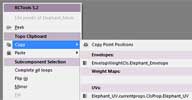
 Updated April 2013 — 5.3's main new feature TopoClipboard lets you copy map data from a point/edge/polygon/sample selection and paste it somewhere
else on the same or a different mesh into a selection that has the same »shape«
as the first selection. Also works for complete selections, which makes sense when
pasting across two meshes that have the same topology, but differing point orders.
TopoClipboard transfers: Vertex Colors UVs Envelope weights (with a remapping option) weight maps tangents point positions (local »shape« of the selected area). Works across different
maps of the same type and across scenes inside one instance of Softimage. Other new
features are a topology based mirror/flip selection and a couple of new settings for
the custom filters like point position compare components, edge on UV border, edge
orientation.
The RCTools plug-in is a collection of workflow helpers and filters for Softimage. The supplied popup menu (Script command »rcToolsPopup«) gives you quick access to all the tools. [..] List of features: Peek (Align camera along selected edge/facing selection @90°;) TopoClipboard Flip Selection Mirror Selection Fill Selection Walk Patterned Loop selections Apply Pattern Customizable Filters (by polygon area, aspect ratio, orientation, edge length, point distance and 30 others) subcomponent clipboard subcomponent clipboard booleans (e.g. Select intersection of current and clipboard selection) Cap holes Repeat
local backup: rcTools.5.3.xsiaddon
The RCTools plug-in is a collection of workflow helpers and filters for Softimage. The supplied popup menu (Script command »rcToolsPopup«) gives you quick access to all the tools. [..] List of features: Peek (Align camera along selected edge/facing selection @90°;) TopoClipboard Flip Selection Mirror Selection Fill Selection Walk Patterned Loop selections Apply Pattern Customizable Filters (by polygon area, aspect ratio, orientation, edge length, point distance and 30 others) subcomponent clipboard subcomponent clipboard booleans (e.g. Select intersection of current and clipboard selection) Cap holes Repeat
local backup: rcTools.5.3.xsiaddon
 Edge Shading winAll shader mentalray shadingworkflow shadercompound
 A render tree compound that renders worn/chipped off/colored/funny edges. Mental Ray
only. But built from only a few factory nodes, so it should be fairly easy to reproduce
this in other renderers.
The letters in the thumbnail were rendered by plugging the node's color output into a phong diffuse port, and into a bump map node at the same time. Let me know if you have issues/ideas about this shader.
local backup: Edge Shading.xsirtcompound
The letters in the thumbnail were rendered by plugging the node's color output into a phong diffuse port, and into a bump map node at the same time. Let me know if you have issues/ideas about this shader.
local backup: Edge Shading.xsirtcompound
 Explosion Forces osAll ICE
 Downloadable file from Bradley's 2-part video tutorial Secret Recipes - Blowing Stuff Up in Softimage ICE
part 1 and part 2. The »secret recipes« page also features the tutorials »How to rig a train in 5 minutes« and »Midi Player Piano«
local backup: Explosion Forces 3.xsicompound
part 1 and part 2. The »secret recipes« page also features the tutorials »How to rig a train in 5 minutes« and »Midi Player Piano«
local backup: Explosion Forces 3.xsicompound
author site: http://bradlewisdemoreel.com / download: /secretrecipes.php