Softimage Resources: plugins, scripts, compounds and shaders
All 1119 entries of the Softimage Resources as a simple list, 301–350 on this page. To search and filter by tags, use the interactive Resources page.
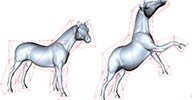 Positive Mean Value Coordinates Deformations osAll deformer ICE workflow bind
 A new ICE based cage deformer utilizing positive mean value coordinates (PMVC) resulting
in a deformation with superior quality to that of the factory/legacy cage deformers.
(PMVC is described in  this (archive) Eurographics paper by Yaron Lipman et al.).
One requirement has to be met: the deformed object must be fully enclosed by the cage object.
local backup: PMVC_deformer.xsiaddon
this (archive) Eurographics paper by Yaron Lipman et al.).
One requirement has to be met: the deformed object must be fully enclosed by the cage object.
local backup: PMVC_deformer.xsiaddon
 Silhouette Edge Drawing - Alpha osAll ICE strands
 A technique by VFX designer/director Jakob Schindegger, employing ICE to draw sketchy
ink lines following the contour of a polygon mesh object. Research based on papers
such as Artistic Silhouettes: A Hybrid Approach (archive) and Object Space Silhouette Algorithms.
Currently in alpha with the following author warnings: Performance problems when used on meshes with a higher polycount temporal consistency not yet implemented.
For example images and tree setup instructions, see the download page — link below.
local backup: fak_SED.xsiaddon
Artistic Silhouettes: A Hybrid Approach (archive) and Object Space Silhouette Algorithms.
Currently in alpha with the following author warnings: Performance problems when used on meshes with a higher polycount temporal consistency not yet implemented.
For example images and tree setup instructions, see the download page — link below.
local backup: fak_SED.xsiaddon
author site: http://www.fakob.com / download: /2013/silh...development/
Push objects outside of Null osAll ICE
Disclaimer: This is from the resourcedump thread on si-community.com so »some restrictions may apply« (but usually don't)
Deformer that takes a null or group of nulls and pushes the object's points outside the nulls. The nulls can also be rotated and scaled. It can be useful for "muscle type" deformation or correcting volumes in characters etc.
local backup: spherize.xsicompound spherize.scn (demo scene)
Deformer that takes a null or group of nulls and pushes the object's points outside the nulls. The nulls can also be rotated and scaled. It can be useful for "muscle type" deformation or correcting volumes in characters etc.
local backup: spherize.xsicompound spherize.scn (demo scene)
author link: http://www.mantelli.be (archive)
 4 Point 3D Grid osAll ICE
 Disclaimer: This is from the resourcedump thread on si-community.com so »some restrictions may apply« (but usually don't)
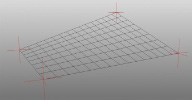
i'm trying to get used to arrays. so after playing around a bit i got a »4 point 3d corner pin«. the downside is: only works for grids you need to match the Resolution of the Grid and ICE compound manually. (is it really impossible to get or set the resolution from the geometry operator? i guess so...)
local backup: 4 Point Corner Pin.xsicompound
i'm trying to get used to arrays. so after playing around a bit i got a »4 point 3d corner pin«. the downside is: only works for grids you need to match the Resolution of the Grid and ICE compound manually. (is it really impossible to get or set the resolution from the geometry operator? i guess so...)
local backup: 4 Point Corner Pin.xsicompound
author link: n/a
 Cable through Surfaces osAll ICE strands
 Disclaimer: This is from the resourcedump thread on si-community.com so »some restrictions may apply« (but usually don't)
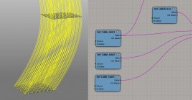
This plugin was spotted by si-community user caledonian tartan: A small modification of the »Bezier Movement along Surfaces« compound. unfortunately i can't remember who was the author of this source... anyway, you can now use the new compound to create strands by/through many surfaces.
local backup: Cable through Surfaces.xsicompound
This plugin was spotted by si-community user caledonian tartan: A small modification of the »Bezier Movement along Surfaces« compound. unfortunately i can't remember who was the author of this source... anyway, you can now use the new compound to create strands by/through many surfaces.
local backup: Cable through Surfaces.xsicompound
author link: n/a
 Normal Align osAll modeling align measure
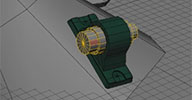
 A plugin that "magnetizes" any subcomponent selection of two objects, making it easy
to align them perfectly.
Available videos: Introduction and Version 0.5 updates.
local backup: NormalAlign.xsiaddon
Available videos: Introduction and Version 0.5 updates.
local backup: NormalAlign.xsiaddon
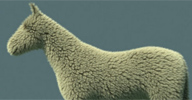 Fuzz osAll ICE strands python
 A set of compounds along with a script that automates the setup of this ICE based
system for realistic fur. Features automatic flow computation from a starting selection
of points, as well as paintable ridges (matting effect) and clumping of the fur.
After the initial application, the fur remains configurable, including curve-based modification of the flow. This plugin is a good example of how to use scripting to deploy ICE based tools for users that don't have a deep knowledge of ICE. On the same topic, have a look at Paul's ongoing scripting tutorial series on his vimeo channel.
Post any renders you create with this plugin in the si-community thread linked below. Also available: An introduction video (archive) (with a tip bucket).
local backup: fuzz.zip (follow the included instructions to install)
After the initial application, the fur remains configurable, including curve-based modification of the flow. This plugin is a good example of how to use scripting to deploy ICE based tools for users that don't have a deep knowledge of ICE. On the same topic, have a look at Paul's ongoing scripting tutorial series on his vimeo channel.
Post any renders you create with this plugin in the si-community thread linked below. Also available: An introduction video (archive) (with a tip bucket).
local backup: fuzz.zip (follow the included instructions to install)
author site: http://www.bustykelp.com (archive) / vimeo channel / download @dropbox / si-community thread
 ns_ThreadFromCurve osAll ICE strands fabric
 Niclas shares this compound resulting from following Vincent's tutorial »Strands from Strands«, which shows how to dynamically create strands following another strand which is
created following the source curve object.
Demo video.
local backup: ns_ThreadFromCurve.xsicompound.
Demo video.
local backup: ns_ThreadFromCurve.xsicompound.
author site: http://www.enoni.de / download: /wp/?p=522
 ns_SimpleText osAll ICE python text scene
 Niclas shares this model file which demonstrates how to use ICE to create dynamic
instances of letters out of the entered string.
Demo video.
local backup: ns_SimpleText.emdl.
Demo video.
local backup: ns_SimpleText.emdl.
author site: http://www.enoni.de / download: /wp/?p=522 (bottom video)
ns_StrandNet osAll ICE strands
As part of his ICE experimentation series, Niclas shares these compounds creating
strands from a source mesh/nulls using four different methods.
Demo video.
local backup: ns_StrandNetAll.xsicompound ns_StrandNetNearest.xsicompound ns_StrandNetNearestNull.xsicompound ns_StrandNetRepeat.xsicompound
Demo video.
local backup: ns_StrandNetAll.xsicompound ns_StrandNetNearest.xsicompound ns_StrandNetNearestNull.xsicompound ns_StrandNetRepeat.xsicompound
author site: http://www.enoni.de / download: /wp/?p=522
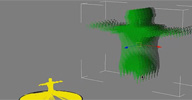 ns_Scanner osAll ICE
 Niclas shares this model file which demonstrates how to use ICE to create a 3D scanner
effect (sliced points) *better description needed*
Demo video.
local backup: ns_Scanner.emdl.
Demo video.
local backup: ns_Scanner.emdl.
author site: http://www.enoni.de / download: /wp/?p=522
ns_Spiral osAll ICE
As part of his »daily little ICE« experimentation series, Niclas shares
this compound creating a spiral.
Demo video.
local backup: ns_CreateSpiral.xsicompound.
Demo video.
local backup: ns_CreateSpiral.xsicompound.
author site: http://www.enoni.de / download: /wp/?p=522&page=2
ns_PointsOnCurve osAll ICE
As part of his ICE experimentation series, Niclas shares this compound which distributes
points along a curve.
Demo video.
local backup: ns_PointsOnCurves.xsicompound.
Demo video.
local backup: ns_PointsOnCurves.xsicompound.
author site: http://www.enoni.de / download: /wp/?p=522&page=2
 OpenGL Mix8Colors 1.05 osAll shader mentalray shadercompound realtime shader
 Updated September 2013 »OpenGL Mix 8 colors« is a realtime version of the rendertree node of
the same name. This OpenGL realtime shader provides a lot of possibilities for viewport
previewing such as: Mix several textures, Paint the influence of your textures in
realtime, Visualize several weightmaps, Use the vertexcolors as clusters.
Instructions are included inside the rtcompounds. Video instructions here. Testimonials from the vimeo comment thread:
Working blind for years...this would give new light, »literally« to the artist side of softimage. Hyper good stuff! —Active Motion Pictures
Finally we can see the light :) —Kwesto
local backup: OpenGL Mix8colors-1.05beta.xsirtcompound OpenGL Mix4colors-1.05.xsirtcompound (recommended if no more than 4 colors used) OpenGLMix8colors-1.05.zip (zip w/full readme and compatibility versions)
Instructions are included inside the rtcompounds. Video instructions here. Testimonials from the vimeo comment thread:
Working blind for years...this would give new light, »literally« to the artist side of softimage. Hyper good stuff! —Active Motion Pictures
Finally we can see the light :) —Kwesto
local backup: OpenGL Mix8colors-1.05beta.xsirtcompound OpenGL Mix4colors-1.05.xsirtcompound (recommended if no more than 4 colors used) OpenGLMix8colors-1.05.zip (zip w/full readme and compatibility versions)
author site: http://clementmallard.free.fr / author's demo reel
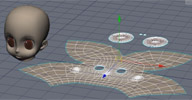 Convert between Mesh and UV osAll ICE shadingworkflow deformer
 Similar to ringpull's »UV Edit by Mesh« but utilizing ICE, the first of these two compounds converts a mesh into a flat representation
of itself using the existing UV coordinates, disconnecting edges if necessary.
The second compound lets you transfer the flat shape back as UVs to the original mesh, enabling in-viewport UV editing, and possibly opening up a lot more potential applications. Video introduction.
local backup: Convert Mesh to UV.xsicompound / Convert UV to Mesh.xsicompound (drag and drop from netview to an ICE tree)
The second compound lets you transfer the flat shape back as UVs to the original mesh, enabling in-viewport UV editing, and possibly opening up a lot more potential applications. Video introduction.
local backup: Convert Mesh to UV.xsicompound / Convert UV to Mesh.xsicompound (drag and drop from netview to an ICE tree)
author @ vimeo / site: http://artifacts.sakura.ne.jp/sakanaya/works (archive) / blog: http://gotetz-log.blogspot.jp
Non-registered Script Launcher osAll js rigging compilation
Dynamically creates menu entries for (non-plugin-structured) scripts found inside
a specified folder and runs them on menu selection. A menu entry for the last called
script (accelerator key 'R') is created as well as entries for browsing the script
folder and for displaying the configuration dialog which lets you set an external
editor and the script folder location. The scripts can be edited by ctrl clicking
them.
Notes: Some UI items are in Japanese Plugin is from 2010, but verified running in SI2014.
local backup: NRScriptLauncher.xsiaddon
Notes: Some UI items are in Japanese Plugin is from 2010, but verified running in SI2014.
local backup: NRScriptLauncher.xsiaddon
author @ vimeo / site: http://artifacts.sakura.ne.jp/sakanaya/works (archive) / download: ../08/softimagenonregistered_script.htm / blog: http://gotetz-log.blogspot.jp
 Scripting Property osAll js rigging compilation
 This adds a »scripting property« on an object — coming with a property
page with a script text box, a description, a language selector and an execute button.
Notes: Some UI items are in Japanese Plugin is from 2010, but verified running in SI2014.
local backup: ScriptingProperty.zip
local backup: ScriptingProperty.zip
author @ vimeo / site: http://artifacts.sakura.ne.jp/sakanaya/works (archive) / download: ../08/softimage_2.htm / blog: http://gotetz-log.blogspot.jp
JSON Cam osAll interop python updated
Cross-application importer/exporter for camera animation data using javascript/python's
native JSON format for data exchange.
JSON Cam is a free open-source camera I/O suite. The goal of this effort is to have a spec in an open format that is easy to read/write from any 3D application, while keeping things as lightweight and reliable as possible. Json (a bit like XML) is a very popular file type that is a 1:1 python dictionary. This makes it easy to support, update and add new applications to the list. It also makes it easy to drop into an existing pipeline. Simply create a dictionary that contains the data needed by the spec and save it out to a json (.cam extension) file. That's it. If you have any interest in supporting an application that isn't in the list. Please feel free to fork the repo and send me a pull request.
Currently supported apps are: Softimage Houdini Maya (coming very soon)
All code provided in the JSON Cam repo is provided under the LGPL license.
Video demo available here (archive).
JSON Cam is a free open-source camera I/O suite. The goal of this effort is to have a spec in an open format that is easy to read/write from any 3D application, while keeping things as lightweight and reliable as possible. Json (a bit like XML) is a very popular file type that is a 1:1 python dictionary. This makes it easy to support, update and add new applications to the list. It also makes it easy to drop into an existing pipeline. Simply create a dictionary that contains the data needed by the spec and save it out to a json (.cam extension) file. That's it. If you have any interest in supporting an application that isn't in the list. Please feel free to fork the repo and send me a pull request.
Currently supported apps are: Softimage Houdini Maya (coming very soon)
All code provided in the JSON Cam repo is provided under the LGPL license.
Video demo available here (archive).
m|Combine osAll js modeling
Lets you quickly merge objects while respecting hierarchy and enveloping. Video introduction. Details from the si-community thread (link below):
An update to my old and simple mCombine tool. It merges, reparent, renames, matches center, copy animation, copy envelope, vertex colors, and re-paints weight colors (matching them to their bone color) [..] Custom Preference Menu: You can access this menu through the SI Preferences window, or by pressing ctrl or alt or shift and clicking in "m.Combine Polygons". It now also supports groups, layers and partitions.
You can also use it as a custom command: mCombine ( objects, tolerance, moveCenter, copyAnimation, Gator, ReColor )
Ex: mCombine ( "cube, cube1", 0.1 , true, false, true, true ). It will merge cube with cube1 with a weld tolerance of 0.1, move the center to match cube1 center, it won't copy any animation even if cube1 is animated, it will acquire cube1 properties like envelope and vertex colors through gator and it will re-color points and weight maps to match their deformers wire colors.
local backup: mCombine.xsiaddon
An update to my old and simple mCombine tool. It merges, reparent, renames, matches center, copy animation, copy envelope, vertex colors, and re-paints weight colors (matching them to their bone color) [..] Custom Preference Menu: You can access this menu through the SI Preferences window, or by pressing ctrl or alt or shift and clicking in "m.Combine Polygons". It now also supports groups, layers and partitions.
You can also use it as a custom command: mCombine ( objects, tolerance, moveCenter, copyAnimation, Gator, ReColor )
Ex: mCombine ( "cube, cube1", 0.1 , true, false, true, true ). It will merge cube with cube1 with a weld tolerance of 0.1, move the center to match cube1 center, it won't copy any animation even if cube1 is animated, it will acquire cube1 properties like envelope and vertex colors through gator and it will re-color points and weight maps to match their deformers wire colors.
local backup: mCombine.xsiaddon
Evenly Spaced Edges osAll python deformer modeling
Averages the edge lengths in a selected edgeloop or a closed edgeloop. This is a plugin
file; copy it to a Plugins directory of your choice (user, workgroup). It will add
a menu entry 'Evenly Spaced Edge' inside the MCP transform menu. Demonstration video
available here.
Based on Alan Fregtman's evenCurves.py script which does the same for curves. Loosely related to Andy Nicholas' popular »Taut« plugin.
local backup: mEvenlySpaceEdge.py (copy to a Plugins folder)
Based on Alan Fregtman's evenCurves.py script which does the same for curves. Loosely related to Andy Nicholas' popular »Taut« plugin.
local backup: mEvenlySpaceEdge.py (copy to a Plugins folder)
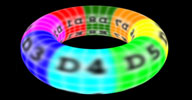 mhBlur osAll texturing shader mentalray
 This shader applies a blur effect to an image in texture space. Blur filter type (Gauss,
..) and sampling mode (Grid, ..) are configurable, as well as sample count and blur
strength.
The following two images point out the difference between image space (as available in Softimage) and texture space (this node) blur: image space vs texture space. Related: Alan Jones' »UVWBlur«.
local backup: mhBlur.xsiaddon
The following two images point out the difference between image space (as available in Softimage) and texture space (this node) blur: image space vs texture space. Related: Alan Jones' »UVWBlur«.


local backup: mhBlur.xsiaddon
author link: http://www.michaelheberlein.com / download: /files/dev/si_mr_blur/mhBlur.xsiaddon
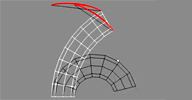 rsNonLinearShapes winAll rigging python ICE
 The shape animation produces a linear interpolation. With this tool you can create
non linear shapes. This tool creates an ICE tree to manage the shape information.
It is possible to add several non linear shapes to the same object. This tool is inspired
on a procedure of Paul Smith: Arrays / Bezier Shape sequence.
Demo video on free3dtutorials.com. Also have a look at the rigstudio team members' reels: Roberto Rubio, Juan Lara (archive) and Jaime Bescansa (archive)
local backup: rsNonLinearShape.zip (put in a plugins folder)
Demo video on free3dtutorials.com. Also have a look at the rigstudio team members' reels: Roberto Rubio, Juan Lara (archive) and Jaime Bescansa (archive)
local backup: rsNonLinearShape.zip (put in a plugins folder)
author site: http://rigstudio.com (archive) / download: /rsnonlinearshape (archive) / repository @github
World Units conversion osAll ICE workflow js math align measure
The node is used to convert unit lengths into several world length units: SI units,
kilometres, metres, decimetres, centimetres, millimetres, miles, yards, feet, or inches.
The node can be expanded as required using the properties of the unit length input
combo list of the node to suit your needs. The node is based on two values for the
conversion: one (1) SI unit equal to 10 centimetres, and one (1) inch equal to 2.54 centimetres.
The node uses an input value and a combo box to convert the value in two ways: Convert the input value from SI units to the user selected unit (meter, inch, etc) in the combo box, and/or Convert the input value from the user selected unit of conversion (input combo box) to a new value in SI units.
Visit the si-community thread where Daniel shows different use cases of these nodes.
local backup: Unit_Scaler.xsicompound / Units_Converter.xsicompound
The node uses an input value and a combo box to convert the value in two ways: Convert the input value from SI units to the user selected unit (meter, inch, etc) in the combo box, and/or Convert the input value from the user selected unit of conversion (input combo box) to a new value in SI units.
Visit the si-community thread where Daniel shows different use cases of these nodes.
local backup: Unit_Scaler.xsicompound / Units_Converter.xsicompound
author site: www.romanticdesigns.ca / si-community thread
Jester's Toolkit osAll python vbs shadingworkflow compilation
A collection of python/VB helper plugins written/collected by the author back in 2010.
It contains:
Align2SC - Like the factory »Match transform« with the additional feature of flipping on the x/y/z axis depending on whether shift/ctrl/mmb is pressed CenterOnSC - Like factory »move center to vertices«, but for edges and polys as well, and matching the local reference frame RandomTransform - apply random S/R/T, similar to the factory R(..) syntax but with UI, remembering values UVFit - fits UVs into default (0,1) space, preserving aspect ratio UVFill - fits UVs into default (0,1) space UV Move and Sew - sort of a "heal edge loop"? idk please submit info UV Straighten Edge - idk please submit info FlattenPolys - Flatten polygons (=scale 0 in local Y) Attach - Quick 1-step merge second selected object into first, keeping all of first's properties, no residuals (see also the m|Combine plugin above) DisplayModes - commands for setting the viewport display modes for hotkey mapping XRay toggle - command for toggling Xray mode for hotkey mapping FixSymmetry - resymmetrizes selected point positions on an object with an existing symmetry map in either direction FlowConnect - similar to »InsertSmoothEdgeloop« that exists in newer versions of Softimage 3/4 point scaling - like 3-point scaling in 'Architectural modeling tools'? idk please submit info Preserve plugin - uses GATOR to preserve mesh properties on a temporary duplicate
local backup: JesterAddon.xsiaddon
Align2SC - Like the factory »Match transform« with the additional feature of flipping on the x/y/z axis depending on whether shift/ctrl/mmb is pressed CenterOnSC - Like factory »move center to vertices«, but for edges and polys as well, and matching the local reference frame RandomTransform - apply random S/R/T, similar to the factory R(..) syntax but with UI, remembering values UVFit - fits UVs into default (0,1) space, preserving aspect ratio UVFill - fits UVs into default (0,1) space UV Move and Sew - sort of a "heal edge loop"? idk please submit info UV Straighten Edge - idk please submit info FlattenPolys - Flatten polygons (=scale 0 in local Y) Attach - Quick 1-step merge second selected object into first, keeping all of first's properties, no residuals (see also the m|Combine plugin above) DisplayModes - commands for setting the viewport display modes for hotkey mapping XRay toggle - command for toggling Xray mode for hotkey mapping FixSymmetry - resymmetrizes selected point positions on an object with an existing symmetry map in either direction FlowConnect - similar to »InsertSmoothEdgeloop« that exists in newer versions of Softimage 3/4 point scaling - like 3-point scaling in 'Architectural modeling tools'? idk please submit info Preserve plugin - uses GATOR to preserve mesh properties on a temporary duplicate
local backup: JesterAddon.xsiaddon
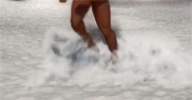 Impact Compound osAll ICE deformer scene
 This is a Softimage ICE compound that I made recently for a project and I decided
to share it .I made a simple example what you can do with it and combination with
XSI man and some softimage motion files :)
For the example I also used emFluid 5 beta which is a great and very flexible fluid simulator.
Video available here. See the thread linked below for all the details.
local backup: Tim_Impact.xsicompound / Impact_demo.scn
For the example I also used emFluid 5 beta which is a great and very flexible fluid simulator.
Video available here. See the thread linked below for all the details.
local backup: Tim_Impact.xsicompound / Impact_demo.scn
author on vimeo
 pb_CopiesOnTarget osAll ICE scatter
 Places an instance randomly picked from a group of objects on each polygon of a target
mesh.
[..] just an addition to what is found here: http://xsisupport.com/2011/12/14/ice-modeling-placing-copies-on-another-object/. I've made this to ease up when I model with instances in LightWave and want to replicate them in SI without baking them.
local backup: pb_CopiesOnTarget.xsicompound
[..] just an addition to what is found here: http://xsisupport.com/2011/12/14/ice-modeling-placing-copies-on-another-object/. I've made this to ease up when I model with instances in LightWave and want to replicate them in SI without baking them.
local backup: pb_CopiesOnTarget.xsicompound
ReadPC2ICENode osAll ICE interop workflow
This ICE node reads/streams .pc2 files directly, combining the abilities of Kai Wolter's
KP_PointCache non-ICE operator (which it is based on) and the factory cache-on-file
ICE node, adding features like:
access to the pc2 data without an existing mesh move geometry around in the scene even after a pc2 file has been applied support for files >2GB read just one frame time warp/morphing select different modes of interpolation (linear, bezier, hermite or cubic, which really affects motion blur) options for loading the file in memory, streaming it or reading and closing it every frame (preferable so that you can read/write from different machines simultaneously)
ReadPC2ICENode outputs the position data (as a single array of points) and information about the start and end frame of the pc2 file itself (2 scalars). For more details refer to the mailing list thread.
local backup: ReadPC2ICENode_1.1.xsiaddon
access to the pc2 data without an existing mesh move geometry around in the scene even after a pc2 file has been applied support for files >2GB read just one frame time warp/morphing select different modes of interpolation (linear, bezier, hermite or cubic, which really affects motion blur) options for loading the file in memory, streaming it or reading and closing it every frame (preferable so that you can read/write from different machines simultaneously)
ReadPC2ICENode outputs the position data (as a single array of points) and information about the start and end frame of the pc2 file itself (2 scalars). For more details refer to the mailing list thread.
local backup: ReadPC2ICENode_1.1.xsiaddon
author blog: http://alokgandhi.com / download @dropbox / author company: modusfx.com (archive) / mailing list thread / project on github
 Select in Array until Max Sum ICE math osAll
 This compound uses a repeat loop to select random or sequential entries of an input
array until their cumulative sum reaches a given threshold. For the sequential selection
it offers the options to loop/clamp/bounce through the array with a user defined pivot
index. Related: »Cumulative Array Sum« compound by Julian Johnson. Go
here for an introduction video.
local backup: Select in Array until Max Sum.xsicompound
local backup: Select in Array until Max Sum.xsicompound
 Delete Particles Near to Boundaries Edges osAll curves modeling ICE particle scatter
 I want to share with you a simple compound that delete particles near to boundaries
edges.
Nothing extraordinary but can be useful in some case. This compound is commented, so feel free to open and read it..
Video available here
local backup: Delete Particles Near to Boundaries Edges.xsicompound
Nothing extraordinary but can be useful in some case. This compound is commented, so feel free to open and read it..
Video available here
local backup: Delete Particles Near to Boundaries Edges.xsicompound
 Speedometer osAll align measure
 Creates and attaches an annotation object to another object which measures and displays
its own speed. Features a customizable scale factor and the ability to have several
speedometers. See the links below for more information.
local backup: AF_Speedometer.xsiaddon
local backup: AF_Speedometer.xsiaddon
purgeUnused osAll python rigging
Purges unused deformers from an envelope. A paste-and-run script from Alan's Gist
repository.
local backup: purgeUnused.py
local backup: purgeUnused.py
author link: http://darkvertex.com / download: @Github Gist repository
gatormulti osAll python
GATOR for multiple objects. A paste-and-run script from Alan's Gist repository.
local backup: gatormulti.py
local backup: gatormulti.py
author link: http://darkvertex.com / download: @Github Gist repository
evenCurves osAll python
Evenly distributed points on a Softimage curve. A paste-and-run script from Alan's
Gist repository.
local backup: evenCurves.py
local backup: evenCurves.py
author link: http://darkvertex.com / download: @Github Gist repository
randomXSISelectionsExample osAll python
XSI Example: Random Component or Object Selections. A paste-and-run script from Alan's
Gist repository.
local backup: andomXSISelectionsExample.py
local backup: andomXSISelectionsExample.py
author link: http://darkvertex.com / download: @Github Gist repository
Variable FK osAll ICE rigging private
Here is my approach on Jeff Brodsky's Maya technique using Softimage ICE kinematics. [..]
Continue reading on the download site. A demo video is available. Note: download requires a twitter account and granting transactsocially.com rights to access it.
Continue reading on the download site. A demo video is available. Note: download requires a twitter account and granting transactsocially.com rights to access it.
author site: renatopolimeno.com / download: /variable-fk-using-softimage-ice
Instances to Mesh osAll ICE topo
Here's a set of compounds for converting an instance particle cloud to a polygon mesh.
You can transfer UVs, etc. It's designed to work when you use a group for the instance
shapes. Note that if you are using a small number of shapes (small enough that you
can reference each one directly), then Guillaume Laforge's compounds are probably
faster. You can get them here.
Usage Notes: To use, put Convert Instances to Mesh in an ICE tree on an empty mesh. It works only with the »self« object. You also need to store the shape index on the point cloud and reference it in the compound's ppg. To transfer attributes, attach one of the Transfer compounds to the Execute port — there's one for each component type.
If you transfer the MaterialIDs, then you can use the Copy Materials checkbox. This works only if all objects in the group have identical Materials arrays. The transfer is based on finding locations on the group geometry, so it's best to move the instance masters apart if they overlap. It uses the 2013 version of »Build Array from Set« which supports topology-type attributes. To use it with Softimage v2012, you'll need to replace it with »Build Array from Per Point Data«.
local backup: Convert Instances to Mesh.2.0.xsicompound Convert Instances to Mesh.2.0.xsicompound Transfer Edge Attribute.xsicompound Transfer Polygon Attribute.xsicompound Transfer PolyNode Attribute.xsicompound Transfer Vertex Attribute.xsicompound
Usage Notes: To use, put Convert Instances to Mesh in an ICE tree on an empty mesh. It works only with the »self« object. You also need to store the shape index on the point cloud and reference it in the compound's ppg. To transfer attributes, attach one of the Transfer compounds to the Execute port — there's one for each component type.
If you transfer the MaterialIDs, then you can use the Copy Materials checkbox. This works only if all objects in the group have identical Materials arrays. The transfer is based on finding locations on the group geometry, so it's best to move the instance masters apart if they overlap. It uses the 2013 version of »Build Array from Set« which supports topology-type attributes. To use it with Softimage v2012, you'll need to replace it with »Build Array from Per Point Data«.
local backup: Convert Instances to Mesh.2.0.xsicompound Convert Instances to Mesh.2.0.xsicompound Transfer Edge Attribute.xsicompound Transfer Polygon Attribute.xsicompound Transfer PolyNode Attribute.xsicompound Transfer Vertex Attribute.xsicompound
author link: n/a / si-community thread
 OctaneRender for Softimage renderer commercial win64
 Otoy releases the Softimage plugin for the unbiased GPU render engine »OctaneRender« for purchase. After the initial announcement was posted about a year ago, a lot of work has been put into the current integration
by plugin author Stephan Woermann AKA face.
We are proud to announce the release of the long awaited OctaneRender™ for Softimage plug-in, which fully integrates the OctaneRender™ engine into the modelling environment of Softimage, drastically improving the workflow by making the need to export your scene from Softimage to OctaneRender obsolete. OctaneRender™ is currently recognized by many industry professionals and 3D graphic visualization artists as the most advanced and fastest GPU-based physically-based render engine with an advanced and flexible node based workflow and user interface. Now, with our new plugin products, you can have the unparalleled quality and ease of use of the fastest physically-based render engine on the market tightly integrated into your 3D modeling and animation software.
OctaneRender and the plugin are available as a bundle for 379€. A demo is available on the otoy site. Documentation available here. Many more details and videos are available on the forum announcement page linked below.
We are proud to announce the release of the long awaited OctaneRender™ for Softimage plug-in, which fully integrates the OctaneRender™ engine into the modelling environment of Softimage, drastically improving the workflow by making the need to export your scene from Softimage to OctaneRender obsolete. OctaneRender™ is currently recognized by many industry professionals and 3D graphic visualization artists as the most advanced and fastest GPU-based physically-based render engine with an advanced and flexible node based workflow and user interface. Now, with our new plugin products, you can have the unparalleled quality and ease of use of the fastest physically-based render engine on the market tightly integrated into your 3D modeling and animation software.
OctaneRender and the plugin are available as a bundle for 379€. A demo is available on the otoy site. Documentation available here. Many more details and videos are available on the forum announcement page linked below.
TCPServer For Softimage osAll interop cppsrc workflow
Updated April 2013 for Softimage 2013 and Linux compatibility. This addon allows to remote connect to Softimage and control it in a similar way to
Maya®'s commandPort command. It has been created as a replacement for sIBL_GUI_XSI_Server
addon for two main reasons:
The fact that sIBL_GUI_XSI_Server was a C# addon needing to be recompiled for each
Autodesk® Softimage® version.
The need for a generic socket server that could be easily extended and modified because
it's written in Python.
Instead of keeping it dedicated to sIBL_GUI, I decided to make it generic so that people can modify and extend it for their own needs.
Source code is available here on github. A fork made by Alan Fregtman from the older 0.1.0 release which makes TCPServer runnable under Linux is available here.
local backup: TCPServer_For_Softimage-0.1.0-alpha.zip (with Linux support for versions < 2013) TCPServer_For_Softimage-0.2.0.zip (> 2013 compatibility)
Instead of keeping it dedicated to sIBL_GUI, I decided to make it generic so that people can modify and extend it for their own needs.
Source code is available here on github. A fork made by Alan Fregtman from the older 0.1.0 release which makes TCPServer runnable under Linux is available here.
local backup: TCPServer_For_Softimage-0.1.0-alpha.zip (with Linux support for versions < 2013) TCPServer_For_Softimage-0.2.0.zip (> 2013 compatibility)
author site: http://smartibl.com / http://www.thomasmansencal.com
 Loki's vRayMtl Compound winAll shader vray shadercompound
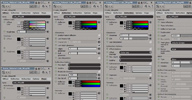
 I just built a Compound shader that extends the current VRayMtl shader with texture
inputs and multiplier values for each texture. I reorganized a bit the PPG, due to
integrate the texture input ports on bottom of each Tab.
With this compound you can independently manage the color and the texture of each texturable parameter like Diffuse, Reflection, Refraction and so on... as the 3dsmax VRayMtl shader do. On the Compound node I exposed only the texturable ports.
local backup: Loki_VRayMtl.xsirtcompound
With this compound you can independently manage the color and the texture of each texturable parameter like Diffuse, Reflection, Refraction and so on... as the 3dsmax VRayMtl shader do. On the Compound node I exposed only the texturable ports.
local backup: Loki_VRayMtl.xsirtcompound
author site: n/a / si-community thread
 GIT for Softimage winAll workflow python
 Git is a free and open source distributed version control system designed to handle
everything from small to very large projects with speed and efficiency. GitForSoftimage
brings Git version control features to Softimage projects. [..] It implements Commit history Branching Remotes. If you don't want to continue the 'incremental save' madness, or if you
are looking for an easy way to collaborate with others in small projects, give it
a try, it's free and open!
Dependencies: Git, PyQtForSoftimage
Installation: Get a pre-packed xsiaddon from here (archive) and drop it on a softimage viewport
or: install/download the package from the Python Package Index (pip install gitforsoftimage). Once it's installed just copy »gitforsoftimage_plugin.py« to a softimage plugin directory.
By the way, if you're not familiar with distributed version control systems there are a few key concepts that must be considered, don't forget to check the documentation.
local backup: GitForSoftimage.xsiaddon
Dependencies: Git, PyQtForSoftimage
Installation: Get a pre-packed xsiaddon from here (archive) and drop it on a softimage viewport
or: install/download the package from the Python Package Index (pip install gitforsoftimage). Once it's installed just copy »gitforsoftimage_plugin.py« to a softimage plugin directory.
By the way, if you're not familiar with distributed version control systems there are a few key concepts that must be considered, don't forget to check the documentation.
local backup: GitForSoftimage.xsiaddon
author site: http://csaez.blogspot.com / download: /2013/07/gitforsoftimage.html / repository @github / author on vimeo
 Hyperbolic function compounds osAll ICE math
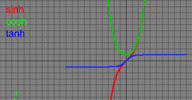
 Here's some simple compounds for the hyperbolic functions sinh, cosh, and tanh.
local backup: sinh.xsicompound cosh.xsicompound tanh.xsicompound
local backup: sinh.xsicompound cosh.xsicompound tanh.xsicompound
author link: http://xsisupport.wordpress.com / download: ..hyperbolic-function-compounds/
 GEAR_mc osAll python rigging rigtoolset
 Miquel Campos of TD Survival fame is actively continuing development on Jeremie Passerin's popular modular rigging
toolset for his personal work and his work at Shed Montreal. With the original GEAR no longer being in development, GEAR_mc can be viewed
as GEAR 2.0 even though today it's officially still a project fork.
GEAR is an open source project to provide a complete and production quality toolset for rigging and animation inside Autodesk® Softimage®. It includes a lot of things to ease the rigging and animation workflows. Anyone should be able to build custom rigs using GEAR. It has been designed to be flexible and relatively easy to use. Even non-riggers can create advanced rigs and animate them easily, but the system is also open to further expansion so TDs can create their own »components« and use them inside of the GEAR Rigging System. Furthermore, everything is accessible through scripting with a complete API to automate as much as possible.
What's new [in GEAR_mc]: New Menu re-arrange New Facial components New options for icon creator Selection sets and poseLib not part of Gear poseLib should work now in Linux (but not tested) Zipper tool for curves New solvers Wireframe color tool Guides support for store wireframe color New commands for inspect Guides PPG and solvers options Command for merge symmetry mapping templates.
Miquel demoing some of the additions to GEAR_mc: Installation (archive) / Icons (archive) / Zipper / Wireframe Colorizer (archive) / Solvers (archive). Original GEAR Videos are available on Jeremie's blog and original GEAR page (archive) as well as on Jeremie's vimeo channel. Note that this plugin includes the »Shed Tools« addon (below).
local backup: GEAR_mc-1.0.15.zip
GEAR is an open source project to provide a complete and production quality toolset for rigging and animation inside Autodesk® Softimage®. It includes a lot of things to ease the rigging and animation workflows. Anyone should be able to build custom rigs using GEAR. It has been designed to be flexible and relatively easy to use. Even non-riggers can create advanced rigs and animate them easily, but the system is also open to further expansion so TDs can create their own »components« and use them inside of the GEAR Rigging System. Furthermore, everything is accessible through scripting with a complete API to automate as much as possible.
What's new [in GEAR_mc]: New Menu re-arrange New Facial components New options for icon creator Selection sets and poseLib not part of Gear poseLib should work now in Linux (but not tested) Zipper tool for curves New solvers Wireframe color tool Guides support for store wireframe color New commands for inspect Guides PPG and solvers options Command for merge symmetry mapping templates.
Miquel demoing some of the additions to GEAR_mc: Installation (archive) / Icons (archive) / Zipper / Wireframe Colorizer (archive) / Solvers (archive). Original GEAR Videos are available on Jeremie's blog and original GEAR page (archive) as well as on Jeremie's vimeo channel. Note that this plugin includes the »Shed Tools« addon (below).
local backup: GEAR_mc-1.0.15.zip
author site: http://www.miqueltd.com / author @ vimeo (archive) / download: repository @github / API Docs / si-community thread
 Shed Tools osAll python animation compilation rigtoolset
 Contains the »Shed Selection Sets« and »Shed Pose Library«
addons. This plugin can be installed as a standalone but is also included in the »GEAR_mc«
distribution (above).
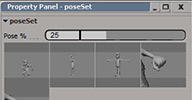
»Shed Pose Library« is a simple but versatile tool to manage poses and share them between animators and projects. The poses are stored in XML format, and distributed in two main repositories, one global and another base in the current Softimage database. Once we have the poses stored we can create the Poses Sets. The poses sets are the final interface for the animators and doesn't need to be for only one character. They offer a very simplify interface and allow the exchange between scenes, animators and projects. [..]
»Shed Selection Sets« is a handy tool to manage selection groups. This tool creates groups with a special prefix "selSet_" under the model or scene root if the model is referenced.
Video demos for Pose Library (archive) and Selection Sets. More details on the author's download page linked below.
local backup: Shed_Tools.xsiaddon
»Shed Pose Library« is a simple but versatile tool to manage poses and share them between animators and projects. The poses are stored in XML format, and distributed in two main repositories, one global and another base in the current Softimage database. Once we have the poses stored we can create the Poses Sets. The poses sets are the final interface for the animators and doesn't need to be for only one character. They offer a very simplify interface and allow the exchange between scenes, animators and projects. [..]
»Shed Selection Sets« is a handy tool to manage selection groups. This tool creates groups with a special prefix "selSet_" under the model or scene root if the model is referenced.
Video demos for Pose Library (archive) and Selection Sets. More details on the author's download page linked below.
local backup: Shed_Tools.xsiaddon
author site: http://www.miqueltd.com (archive) / download: /p/tools.html (archive) / author company: shed
 Spherical Harmonics in ICE osAll ICE shadingworkflow cppsrc
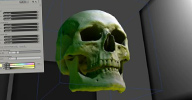
 Vladimir tests an application of spherical harmonics by using them to store a directional irradiance cache, subsequently using ICE to
light the scene with global illumination inside the Softimage OGL viewport.
The primary motivation behind this, was to better understand what Spherical Harmonics were and how the math behind them works.
The scene in this video contains a polygon mesh which serves as environment. The lighting on the environment is calculated by an ICETree and contains only the direct component. Additionally the scene contains an Icosahedron which is used as the sampler. The evenly distributed points on the Icosahedron are used as direction vectors to shoot rays into the environment to calculate the Spherical Harmonic coefficients of the surrounding global illumination for each color channel separately. [..]
Continue reading here. This page also includes a video demonstration.
local backup: SphericalHarmonics.xsiaddon (packaged for drag and drop) spherical_harmonics.scn sh_src.zip (source code)
The primary motivation behind this, was to better understand what Spherical Harmonics were and how the math behind them works.
The scene in this video contains a polygon mesh which serves as environment. The lighting on the environment is calculated by an ICETree and contains only the direct component. Additionally the scene contains an Icosahedron which is used as the sampler. The evenly distributed points on the Icosahedron are used as direction vectors to shoot rays into the environment to calculate the Spherical Harmonic coefficients of the surrounding global illumination for each color channel separately. [..]
Continue reading here. This page also includes a video demonstration.
local backup: SphericalHarmonics.xsiaddon (packaged for drag and drop) spherical_harmonics.scn sh_src.zip (source code)
author site: http://xsi.jankin.com
 SliceSymmetrize osAll modeling symmetry
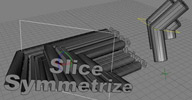
 This Command mimics the 3ds max Symmetry Modifier. First it creates a Curve Rectangle
of the size of the selection BBox, then applies a Slice and a Symmetrize Op to the
selected polymeshes and links their Custom Planes to the Rectangle.
The rectangle can now be used to define the symmetry plane. Since the factory Symmetry Op does not have a convenient option to link it's symmetry plane to an object (as the Slice Op does), SCOPs are needed on the Symm Op's Custom Plane's posx, posy, posz, rotx, roty, rotz parameters.
Note: this does not circumvent the problem in Softimage that you cannot work beneath Topology Operators in the Operator Stack and see the end-result live.
Usage: Select one or more object(s) Model > Modify > Poly.Mesh > SliceSymmetrize.
local backup: SliceSymm.xsiaddon (packaged for drag and drop)
The rectangle can now be used to define the symmetry plane. Since the factory Symmetry Op does not have a convenient option to link it's symmetry plane to an object (as the Slice Op does), SCOPs are needed on the Symm Op's Custom Plane's posx, posy, posz, rotx, roty, rotz parameters.
Note: this does not circumvent the problem in Softimage that you cannot work beneath Topology Operators in the Operator Stack and see the end-result live.
Usage: Select one or more object(s) Model > Modify > Poly.Mesh > SliceSymmetrize.
local backup: SliceSymm.xsiaddon (packaged for drag and drop)
author site: http://keyvis.at / download: /2011/slicesymmetrize/
 Box Primitive osAll modeling
 Brilliant, isn't it? ;) Can you believe it: Softimage still only has a »Cube«
Primitive with just one length parameter.
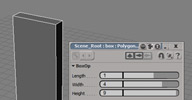
This command adds an empty Polygon Mesh to the scene and applies the Generator Operator »BoxOp« with parameters Length, Width, Height.
Usage: Get > Primitive > Polygon Mesh > Box
local backup: Box.xsiaddon (packaged for drag and drop)
This command adds an empty Polygon Mesh to the scene and applies the Generator Operator »BoxOp« with parameters Length, Width, Height.
Usage: Get > Primitive > Polygon Mesh > Box
local backup: Box.xsiaddon (packaged for drag and drop)
author site: http://keyvis.at / download: /2010/box-primitive/
DissolveModel osAll workflow
Dissolves a Model by moving the Model's children out and deleting the remaining empty
Model Null.
Usage: Select a Model Model > Modify > Model > DissolveModel
local backup: DissolveModel.xsiaddon (packaged for drag and drop)
Usage: Select a Model Model > Modify > Model > DissolveModel
local backup: DissolveModel.xsiaddon (packaged for drag and drop)
author site: http://keyvis.at / download: /2011/dissolvemodel/
 6-Point Align osAll modeling align measure
 Align object(s) to another one by defining source and target plane to match.
Usage: Select one or more objects MCP > Transform > SixPointAlign Pick 3 source and 3 target points.
local backup: SixPointAlign.xsiaddon (packaged for drag and drop)
Usage: Select one or more objects MCP > Transform > SixPointAlign Pick 3 source and 3 target points.
local backup: SixPointAlign.xsiaddon (packaged for drag and drop)
author site: http://keyvis.at / download: /2010/6pointalign/
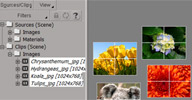 Image Plane osAll modeling align measure
 This Command creates a Grid Primitive for each selected Image Source, with the correct
proportions, Constant Shader and Texture Support.
Usage: Drag&Drop Images from Windows Explorer into SI Explorer / Clips / Images, Select Image(s) in the list Create > Primitive > Polygon Mesh > ImagePlane
local backup: ImagePlane.xsiaddon (packaged for drag and drop)
Usage: Drag&Drop Images from Windows Explorer into SI Explorer / Clips / Images, Select Image(s) in the list Create > Primitive > Polygon Mesh > ImagePlane
local backup: ImagePlane.xsiaddon (packaged for drag and drop)
author site: http://keyvis.at / download: /2010/image-plane/
 Disconnect Outline osAll ICE topo modeling
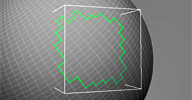
 In a reply post to a question by Mario Domingos about how to disconnect the polygons
inside a null using ICE while keeping polygon islands connected, the author posted
this compound as his suggested solution. Here's an updated compound with per-polygon input. You can use it the same way as
in your picture (i.e. connect a Test Polygon Inside Null or whatever else you like)..
local backup: DisconnectOutline.xsicompound
local backup: DisconnectOutline.xsicompound
author site: http://www.digipiction.de / mailing list @google groups