Softimage Resources: plugins, scripts, compounds and shaders
All 1119 entries of the Softimage Resources as a simple list, 151–200 on this page. To search and filter by tags, use the interactive Resources page.
ICE Topo Symmetry Analyser osAll ICE deformer symmetry
Updated. This ICE compound analyzes the topology of an input polygon mesh and resymmetrizes
it / transfers ICE attributes from one side to the other.
local backup: Topo Symmetry Analyser1_5.xsicompound
local backup: Topo Symmetry Analyser1_5.xsicompound
author site: n/a / author on vimeo
 HDRI Light Studio Connection win64 workflow interop
 updated to work with HDRI Light Studio 4 and 5. The HDR Light Studio Connection is an independently developed plugin that provides
a live connection between Softimage and HDRI Light Studio. HDR Light Studio provides
lighting for your shot via the creation of a spherical HDRI map. As you light your
shot in HDR Light Studio see the results in Softimage update interactively.
The plugin works with Redshift 3D, Mental Ray, and Arnold. It does not currently work with 3Delight.
Demo video: HDRI LS RX8 3B. For documentation and in order to support Ben's plugin development with a donation, follow the author link.
local backup: HDRLS_SI.xsiaddon HDRLSForSoftimage.pdf (documentation)
The plugin works with Redshift 3D, Mental Ray, and Arnold. It does not currently work with 3Delight.
Demo video: HDRI LS RX8 3B. For documentation and in order to support Ben's plugin development with a donation, follow the author link.
local backup: HDRLS_SI.xsiaddon
HDRLSForSoftimage.pdf (documentation)
author link: http://www.shaders.moederogall.com (archive)
Group Meshes by Model osAll python workflow
Gathers all the polymeshes for affected models and places them in model-specific groups
(i.e. one group for each model). This can be done on all the models in the scene at
once, or on a selection of models.
local backup: GroupMeshesByModel.xsiaddon
local backup: GroupMeshesByModel.xsiaddon
 Redshift Proxy Manager osAll python redshift rendering workflow
 As the name implies, this is a tool for managing Redshift proxies in your scene.
Features: Identify unresolved proxies (will appear in red) Repath proxy files Run Find-and-Replace operations on paths Manage display modes Manage mesh linking for custom preview meshes Manage material modes Set custom prefix for material name matching Quickly rename meshes to include a custom suffix
Requirements: PyQt4
local backup: RedshiftProxyManager.xsiaddon
Features: Identify unresolved proxies (will appear in red) Repath proxy files Run Find-and-Replace operations on paths Manage display modes Manage mesh linking for custom preview meshes Manage material modes Set custom prefix for material name matching Quickly rename meshes to include a custom suffix
Requirements: PyQt4
local backup: RedshiftProxyManager.xsiaddon
author site: http://www.timcrowson.com / download and instructions: /redshift-proxy-manager/ (archive) / thread @redshift3d.com forums
Loop Redshift Proxy Sequence osAll python redshift rendering workflow
Compound for looping Redshift proxy sequences, with offset, and support for various
behaviors (Loop, Bounce, etc). Add a non-simulated ICE Tree to your proxy mesh, wire
up the compound, point it to your proxy sequence, then configure the values. The Start
Frame and End Frame parameters are analogous to a Clip's start and end values, defining
the maximum range. These will usually be the first and last frames of the proxy sequence
you exported.
Requirements: EMTools
local backup: Loop Redshift Proxy Sequence.xsicompound
Requirements: EMTools
local backup: Loop Redshift Proxy Sequence.xsicompound
author site: http://www.timcrowson.com / download and instructions: /loop-redshift-proxy-sequence/ (archive) / thread @redshift3d.com forums
QuickThickness osAll python thickness
This addon adds thickness to the surface layer of a polygon mesh. Compared to existing
solutions like the built-in push or InteractiveThickness, it offers some enhancements:
multiple selection
progress bar multi inspect parameters invert normals if value is negative
local backup: quickThickness_v1.6.xsiaddon
local backup: quickThickness_v1.6.xsiaddon
author's youtube channel / si-community thread
 Snow Compound osAll ICE private FX
 This is a snow generator compound posted on the Russian softimage.ru forums. The thread links these two youtube videos: Softimage ICE snow build and Softimage ICE Snow V2.0 compound
I'm not sure about the actual author of this plugin — mufunya is the youtube account name — if you have more information, post it using the form above -rr
local backup: Snow_V2_0.xsicompoundp
I'm not sure about the actual author of this plugin — mufunya is the youtube account name — if you have more information, post it using the form above -rr
local backup: Snow_V2_0.xsicompoundp
 In|Framez Tools (2002-2004) compilation
 A better description for rray.de is needed - if you have any kind of information about
these plugins, please submit it using the form above
Blast from the past — a big grab bag with a number of scripts and plugins from the earlier days of XSI: addrandomanim.vbs averagenormals.vbs behaviorinstanceactors.vbs bones2chains.vbs buildnullhier.vbs clusters2objs.vbs createdefaultlighting.vbs curvelength.vbs envdatamove.vbs fcurvesopt.vbs fillsrtchannels.vbs ik2fkplot.vbs legacyparticles.xsiaddon mergestaticclips.vbs normalizedweightscheck.vbs rangefromobject.vbs replaceimageclips.vbs replacemats.vbs roundparams.vbs roundpointspos.vbs scaleref.vbs srtkeysmatch.vbs togglepass.vbs transactionsource.vbs visualoffset.vbs recordingsamples renderpassesqueriespack rtincidence rtreflectionmask swfi_xsi64 transpblend xsimessengerpack
local backup: inframez.zip
Blast from the past — a big grab bag with a number of scripts and plugins from the earlier days of XSI: addrandomanim.vbs averagenormals.vbs behaviorinstanceactors.vbs bones2chains.vbs buildnullhier.vbs clusters2objs.vbs createdefaultlighting.vbs curvelength.vbs envdatamove.vbs fcurvesopt.vbs fillsrtchannels.vbs ik2fkplot.vbs legacyparticles.xsiaddon mergestaticclips.vbs normalizedweightscheck.vbs rangefromobject.vbs replaceimageclips.vbs replacemats.vbs roundparams.vbs roundpointspos.vbs scaleref.vbs srtkeysmatch.vbs togglepass.vbs transactionsource.vbs visualoffset.vbs recordingsamples renderpassesqueriespack rtincidence rtreflectionmask swfi_xsi64 transpblend xsimessengerpack
local backup: inframez.zip
author link: http://www.inframez.com/ / company @facebook
 Squash & Stretch with Volume Preservation osAll ICE deformer
 From the video description of Squash Stretch Volume Preservation Softimage ICE:
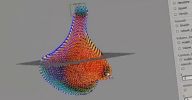
Squash stretch and volume preservation like the fstretch plugin on Maya. Example of use during the video : deform a mesh drive tension and compression point position to rendering (via weightmap) deform mesh with volume preservation deform by blendshape or custom pointposition...
for this video, i've use malcom rig from animschool.com
Available for $/€0+ here at gumroad.
Squash stretch and volume preservation like the fstretch plugin on Maya. Example of use during the video : deform a mesh drive tension and compression point position to rendering (via weightmap) deform mesh with volume preservation deform by blendshape or custom pointposition...
for this video, i've use malcom rig from animschool.com
Available for $/€0+ here at gumroad.
author site: http://silvestrejulien.blogspot.com/ download: /2014/11/squash-stretch-with-volume-preservation.html
Simple Self Collide osAll ICE deformer
Julien's take on Paul Smith's Skin Collide concept. This deformer attempts to avoid self intersections by using ICE raycasting
to push »inside« points to the outside.
Demo: selfCollide softimage ICE
local backup: SelfCollide_JS.xsicompound
Demo: selfCollide softimage ICE
local backup: SelfCollide_JS.xsicompound
author site: http://silvestrejulien.blogspot.com / si-community thread
 Foam Effect osAll ICE scene
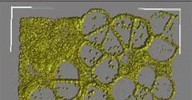
 Soap bubble effect using ICE which simulates a dynamics system in which a few large
bubbles push away many small bubbles. Based on TDSurvival's video Spherical push with ICE.
Video Demo: Foam effect in Softimage ICE Promo (archive)
local backup: ice_foam1.scn ice_foam2.scn
Video Demo: Foam effect in Softimage ICE Promo (archive)
local backup: ice_foam1.scn ice_foam2.scn
 BOm Rule of Thirds ICE osAll workflow ICE
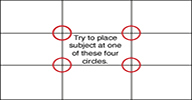
 This was posted on the mailing list a while ago: [..] A simple approach to camera rule of thirds using ICE particles. Thanks to Andy
Moorer for sharing your Example – Camera Planes and Projections in ICE (archive).
How to use it: Create an empty pointcloud create an unsimulated Ice Tree drag your camera to Ice Tree connect to BOm Particle Rule of Thirds compound.
Tip: you may want to change the thickness of the lines. For this, change Point Size (pixels) in pointcloud Particle Display. Enjoy!
local backup: BOm Particle Rule of Thirds.1.1.xsicompound
How to use it: Create an empty pointcloud create an unsimulated Ice Tree drag your camera to Ice Tree connect to BOm Particle Rule of Thirds compound.
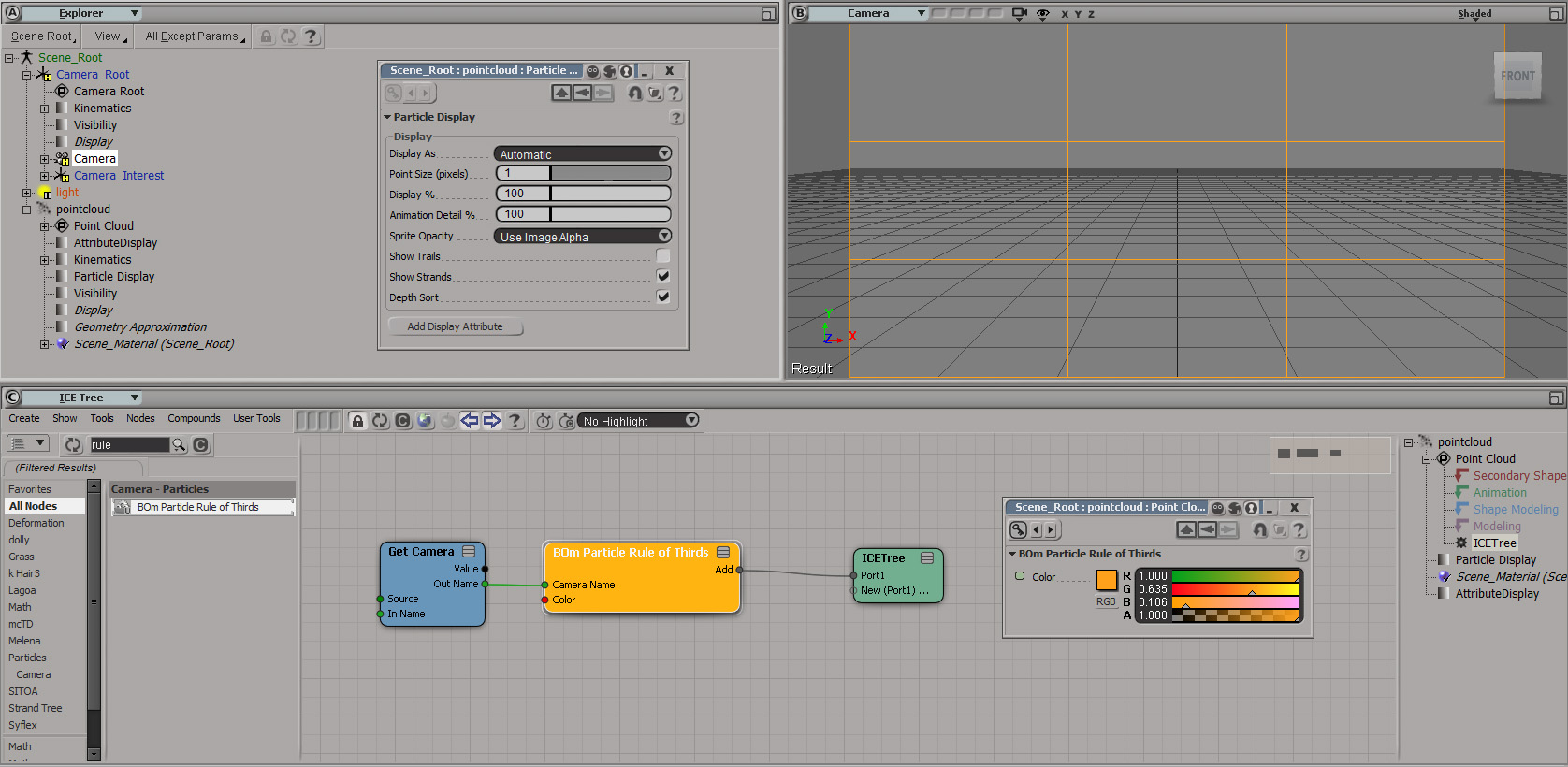
Tip: you may want to change the thickness of the lines. For this, change Point Size (pixels) in pointcloud Particle Display. Enjoy!
local backup: BOm Particle Rule of Thirds.1.1.xsicompound
author studio: www.baloom.co (archive)
alShaders osAll shader arnold compilation cppsrc
alShaders provides a suite of shaders, procedural textures and utility nodes that
forms a complete, production-oriented shader library for SolidAngle's Arnold renderer.
Installation tips from Stephen Blair.
The collection includes surface shaders: alSurface: alSurface is a physically plausible, energy-conserving, general-purpose surface shader — suitable for any dielectric or metallic material including skin, plastic, wood, metal, glass, etc. This document is a reference guide to the parameters. alLayer: Shader to layer two surface shaders together alHair: Dual-scattering, multiple-importance-sampled hair shader — create believable hair shading with a plausible direct lighting model and approximate multiple scattering. The scattering from a hair fibre is a complex interaction of multiple lobes, often referred to in the literature as R, TT and TRT. Those related to the Specular 1, Transmission and Specular 2 lobes, respectively. The Diffuse lobe represents multiple scattering between hair fibres. This document is a reference guide to the parameters.
Texture shaders: alFractal: Fractal noise pattern generator — The classic shading artist's best friend with support for both fractal Brownian motion and turbulent noise types. alCellNoise: Cell noise pattern generator — fractal cell noise with support for both distance-based effects and chips can be useful for a variety of procedural effects. alGaborNoise: Gabor noise pattern generator — an advanced noise type alFlowNoise: Flow noise pattern generator — Useful for creating noise patterns that feel similar to fluid flows. alPattern: Simple pattern generator — generate different periodic wave signals to be used as the basis for other effects. alTriplanar: Projects a texture orthographically in three axes — useful for quickly adding bombing patterns of texture to objects to add variation and breakup. alBlackbody: Generates a Rec709 color from the blackbody spectrum for the given temperature — useful for fire, lava, light colors and any self-illuminated object. alFlake: Generate a normal map of randomly-oriented flakes — useful for car paint shaders, granite and other polished minerals. To use, connect it as a tangent-space normal map to alSurface, making sure Gamma is set to 1. Then connect a smooth normal (alInputVector set to Ns) to the Diffuse and Specular 1 Normal parameters. This will use the flake normal for Specular 2 only and the original smooth normal for Diffuse and Specular 1.
And utility shaders: alCombineFloat and alCombineColor: Utility shaders to combine float and color types in various ways (multiply, mix etc.) alRemapFloat and alRemapColor: Utility shaders for remapping and adjusting float and color values. alLayerFloat: Layer multiple floats together with alpha blending — This can be handy for stacking multiple image or procedural channels together and blending between them in different areas, for example for a displacement shader. alLayerColor: Layer multiple colors together — layer up to eight color channels together with a variety of Photoshop-style blending modes. alSwitchFloat: Eight-way switch between inputs — use this to select between multiple float values based on the value of a float input. alSwitchColor: Eight-way switch between inputs — use this to select between multiple color values based on the value of a float input. alCache: Caches the input value for optimization of multiple shader calls — useful for optimizing complex networks where you know that multiple evaluations of a particular subnet are slowing your render down. alCurvature: Measure the local curvature of the surface — can be used to create effects such as stretch maps and dirt maps, or to simulate wear and tear. For best results remap and combine with a noise function then use it to drive layering effects in your surface shader. alInputVector: Grab useful vectors from the shader state and use them in a network — combining these vectors can be useful as building blocks for more complex effects. alInputScalar: Grab useful scalar values from the shader state and use them in a network — combining these vectors can be useful as building blocks for more complex effects. alJitterColor: Applies random color variation within a range — use this in a network attached to multiple objects to add random color variation to each object.
Installation tips from Stephen Blair.
The collection includes surface shaders: alSurface: alSurface is a physically plausible, energy-conserving, general-purpose surface shader — suitable for any dielectric or metallic material including skin, plastic, wood, metal, glass, etc. This document is a reference guide to the parameters. alLayer: Shader to layer two surface shaders together alHair: Dual-scattering, multiple-importance-sampled hair shader — create believable hair shading with a plausible direct lighting model and approximate multiple scattering. The scattering from a hair fibre is a complex interaction of multiple lobes, often referred to in the literature as R, TT and TRT. Those related to the Specular 1, Transmission and Specular 2 lobes, respectively. The Diffuse lobe represents multiple scattering between hair fibres. This document is a reference guide to the parameters.
Texture shaders: alFractal: Fractal noise pattern generator — The classic shading artist's best friend with support for both fractal Brownian motion and turbulent noise types. alCellNoise: Cell noise pattern generator — fractal cell noise with support for both distance-based effects and chips can be useful for a variety of procedural effects. alGaborNoise: Gabor noise pattern generator — an advanced noise type alFlowNoise: Flow noise pattern generator — Useful for creating noise patterns that feel similar to fluid flows. alPattern: Simple pattern generator — generate different periodic wave signals to be used as the basis for other effects. alTriplanar: Projects a texture orthographically in three axes — useful for quickly adding bombing patterns of texture to objects to add variation and breakup. alBlackbody: Generates a Rec709 color from the blackbody spectrum for the given temperature — useful for fire, lava, light colors and any self-illuminated object. alFlake: Generate a normal map of randomly-oriented flakes — useful for car paint shaders, granite and other polished minerals. To use, connect it as a tangent-space normal map to alSurface, making sure Gamma is set to 1. Then connect a smooth normal (alInputVector set to Ns) to the Diffuse and Specular 1 Normal parameters. This will use the flake normal for Specular 2 only and the original smooth normal for Diffuse and Specular 1.
And utility shaders: alCombineFloat and alCombineColor: Utility shaders to combine float and color types in various ways (multiply, mix etc.) alRemapFloat and alRemapColor: Utility shaders for remapping and adjusting float and color values. alLayerFloat: Layer multiple floats together with alpha blending — This can be handy for stacking multiple image or procedural channels together and blending between them in different areas, for example for a displacement shader. alLayerColor: Layer multiple colors together — layer up to eight color channels together with a variety of Photoshop-style blending modes. alSwitchFloat: Eight-way switch between inputs — use this to select between multiple float values based on the value of a float input. alSwitchColor: Eight-way switch between inputs — use this to select between multiple color values based on the value of a float input. alCache: Caches the input value for optimization of multiple shader calls — useful for optimizing complex networks where you know that multiple evaluations of a particular subnet are slowing your render down. alCurvature: Measure the local curvature of the surface — can be used to create effects such as stretch maps and dirt maps, or to simulate wear and tear. For best results remap and combine with a noise function then use it to drive layering effects in your surface shader. alInputVector: Grab useful vectors from the shader state and use them in a network — combining these vectors can be useful as building blocks for more complex effects. alInputScalar: Grab useful scalar values from the shader state and use them in a network — combining these vectors can be useful as building blocks for more complex effects. alJitterColor: Applies random color variation within a range — use this in a network attached to multiple objects to add random color variation to each object.
 Mitsuba Exporter winAll interop renderer cppsrc
 v0.8.1 updated Oct 15th 2017 (first listed here as v0.7.2 in April 2015). This plugin is called Mitsuba and Softimage synchronizer (shortly MaSs). I start to
develop it for understanding how the Mitsuba renderer works. So, some tool for export scenes needed. Of course, there are some other exporters
from Softimage to Mitsuba. One of them here. I try to understand how it works, but then decide to create my one exporter with
Python and GUI.
The latest update adds the ability to render volumes. For that purpose, the package includes ICE compounds that create 3D-grids which can be manipulated further in ICE, exported with the 'Store VOL' compound, then rendered using Mitsuba. Supports rendering of OpenVDB volumes through Oleg Bliznuk's OpenVDB ICE package. More in the si-community thread.
Slava Shumikhin made a fork of an older version of Shekn's plugin available here on github.
Version 0.8.1 contains the Mitsuba distribution, so Mitsuba does not have to be downloaded separately; it requires the Visual C++ 2013 x64 redistributable. The addon also contains ICE compounds for generating point grids and rendering them as vol objects.
local backup: MaSs_0.8.1.xsiaddon / older version: MaSs plugin 0.7.2 package.zip Mitsuba 0.5.0 x64 Win.zip (compatible version of Mitsuba)
The latest update adds the ability to render volumes. For that purpose, the package includes ICE compounds that create 3D-grids which can be manipulated further in ICE, exported with the 'Store VOL' compound, then rendered using Mitsuba. Supports rendering of OpenVDB volumes through Oleg Bliznuk's OpenVDB ICE package. More in the si-community thread.
Slava Shumikhin made a fork of an older version of Shekn's plugin available here on github.
Version 0.8.1 contains the Mitsuba distribution, so Mitsuba does not have to be downloaded separately; it requires the Visual C++ 2013 x64 redistributable. The addon also contains ICE compounds for generating point grids and rendering them as vol objects.
local backup: MaSs_0.8.1.xsiaddon / older version: MaSs plugin 0.7.2 package.zip Mitsuba 0.5.0 x64 Win.zip (compatible version of Mitsuba)
 FC TD Pack osAll ICE compilation python js commercial
 Fabricio, one of the most notable Softimage plugin developers, just released the »FC
TD Pack«, a productivity toolkit with over 150 ICE compounds, scripts and commands
which he developed and uses for his daily work at CLAN vfx (archive).
The tools are targeted towards TDs/generalists and cover every aspect of the software like modeling, animation, rigging, particles, interoperability, layers, groups, CrowdFX, math, weightmaps, strands, utilities, tracking etc.
Have a look at a FC TD Pack (archive), a video demo he created showcasing just some of the tools included. For the full listing, see FC_TD_Pack_Documentation.pdf.
Available for $15 (plus voluntary amount) here at gumroad.
The tools are targeted towards TDs/generalists and cover every aspect of the software like modeling, animation, rigging, particles, interoperability, layers, groups, CrowdFX, math, weightmaps, strands, utilities, tracking etc.
Have a look at a FC TD Pack (archive), a video demo he created showcasing just some of the tools included. For the full listing, see
FC_TD_Pack_Documentation.pdf.
Available for $15 (plus voluntary amount) here at gumroad.
author's vimeo page / author blog: http://iceduous.blogspot.com / product page @gumroad / si-community thread
 QuickShatter osAll python shatter
 aka QuickShutter. An easy to use shatter script working on any object, polygon or
polygon islands selection. Includes unmerge.pys and unmergeParent.pys, two scripts
which convert the polygon islands that were created to individual objects.
local backup: quickShatterAll.pys Unmerge.pys UnmergeParent.pys
local backup: quickShatterAll.pys Unmerge.pys UnmergeParent.pys
sortSequence osAll python workflow
A file automation script that works in a given Windows folder. It detects any existing
sequence of files and for each one, creates a folder with the same base name and then
copies the files of the sequence into that folder.
local backup: sortSequence.pys
local backup: sortSequence.pys
 Afanasy osAll python render
 Afanasy, a free open source render farm manager, was created in a collaboration of
15 mostly Ukrainian and Russian studios like Cinelab VFX and Terminal FX.
This is the Softimage integration of Afanasy. While the setup of the renderfarm itself is probably a little challenging, there seems to be a lot of helpful information available on the main cgru site, as well as on various other websites like this one on blogspot.
Some helpful hints might also be found in links from this recent mailing list thread.
local backup: afanasy.zip
This is the Softimage integration of Afanasy. While the setup of the renderfarm itself is probably a little challenging, there seems to be a lot of helpful information available on the main cgru site, as well as on various other websites like this one on blogspot.
Some helpful hints might also be found in links from this recent mailing list thread.
local backup: afanasy.zip
m|MirrorFCurve osAll js animation
This addon comes with a PPG UI and lets you transfer animation from one object to
another with the option to negate selected SRT parameters. Supports time offset. Note
that some UI items are in Japanese. Video introduction: mMirrorFCurve
local backup: mMirrorFCurve.xsiaddon
local backup: mMirrorFCurve.xsiaddon
author blog: http://myara.blog.fc2.com / download: /blog-entry-166.html (jp)
m|EditKeyframes osAll js animation
Short preface from the addon's vimeo page: This is an old experiment, and it doesn't flip tangents so it is a quite unfinished.
mMirrorFCurve is a little more developed, but it still needs some work.
This script lets you modify all selected bones FCurves at the same time. This script is something like an advanced version of my previous script mChangePosKeys. A simple script to make easier modifications in your bones FCurves, and pretty useful to mirror animations. Of course you can do it with SI built in tools but I think this is faster. At least, for me.
The button Get Values get the selected object Scl, Rot and Pos values. Just like my previous script.
The button Copy Paste Animation, Copy and Paste animation from the first selected (or branch selected) object(s) to the second one(s).
You can use - + * / ^ in the operator cell. I'm not using a drop menu because I think is faster to just type the symbol.
local backup: mEditKeyFrames.js
This script lets you modify all selected bones FCurves at the same time. This script is something like an advanced version of my previous script mChangePosKeys. A simple script to make easier modifications in your bones FCurves, and pretty useful to mirror animations. Of course you can do it with SI built in tools but I think this is faster. At least, for me.
The button Get Values get the selected object Scl, Rot and Pos values. Just like my previous script.
The button Copy Paste Animation, Copy and Paste animation from the first selected (or branch selected) object(s) to the second one(s).
You can use - + * / ^ in the operator cell. I'm not using a drop menu because I think is faster to just type the symbol.
local backup: mEditKeyFrames.js
author blog: http://myara.blog.fc2.com / download: /blog-entry-115.html (jp)
 m|LockX0 osAll ICE align modeling
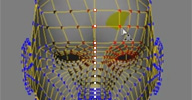
 From the addon's vimeo page: Selects points near to X=0 and locks them to X=0. It will create a point cluster and
an ICE deformer under the Shape Modeling stack. This deformer will move those points
to X=0 everytime they are moved. Y and Z axis are not locked (you can lock them too
in the ICE Tree).
Instructions: Select an object, run the script, lock Select an object and run the script to freeze and delete the lock deformer. Note : This will freeze everything below this deformer.
local backup: mLockX0.js
Instructions: Select an object, run the script, lock Select an object and run the script to freeze and delete the lock deformer. Note : This will freeze everything below this deformer.
local backup: mLockX0.js
author blog: http://myara.blog.fc2.com / download: /blog-entry-135.html (jp)
 m|Lock osAll ICE align js modeling
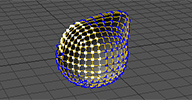
 Locks selected points of a polygon mesh in position using an ICE tree in the Shape
Modeling part of the op stack. Watch fake lock points for a preliminary (but similar) version of the script.
local backup: mLockPointsICE.py (run inside the script editor / make a toolbar button)
local backup: mLockPointsICE.py (run inside the script editor / make a toolbar button)
author blog: http://myara.blog.fc2.com / download: /blog-entry-177.html (jp)
m|EditBones osAll js animation
From the addon's vimeo page: What does it do:
First Click: Mute Envelope and Turn on Child and Constrain Compensation, and toggle selectability in the selected polymeshes
Second Click: (Run the script again) it will set a reference pose in your model, turn on Envelope and change Child and Constrain to its previous state.
local backup: mEditBones.js
First Click: Mute Envelope and Turn on Child and Constrain Compensation, and toggle selectability in the selected polymeshes
Second Click: (Run the script again) it will set a reference pose in your model, turn on Envelope and change Child and Constrain to its previous state.
local backup: mEditBones.js
author blog: http://myara.blog.fc2.com/ download: /blog-entry-113.html (jp)
m|xRay osAll js workflow
Video introduction: mXRay 3. mxRay is a script which controls viewport x-Ray display.
Run with nothing selected: It will toggle Xray in all views (a global xray), and deactivate Xray property in all objects (local xray) (+ Alt = Xray Transparent) (+ Shift = Xray Overlay) (+ Ctrl = Xray Screen)
Run with a polygon mesh or surfacemesh selected: It will create a Custom Parameter in the Root and associate all selected objects Xray with it (+ Ctrl + Shift, it will open the parameter GUI) (+ Shift = Xray Transparent) (+ Ctrl = Xray Screen)
Running the script with an object selected + Alt mess up the expression link so I disabled Alt when something has been selected and changed Transparent to Shift instead.
local backup: mXRay.js
Run with nothing selected: It will toggle Xray in all views (a global xray), and deactivate Xray property in all objects (local xray) (+ Alt = Xray Transparent) (+ Shift = Xray Overlay) (+ Ctrl = Xray Screen)
Run with a polygon mesh or surfacemesh selected: It will create a Custom Parameter in the Root and associate all selected objects Xray with it (+ Ctrl + Shift, it will open the parameter GUI) (+ Shift = Xray Transparent) (+ Ctrl = Xray Screen)
Running the script with an object selected + Alt mess up the expression link so I disabled Alt when something has been selected and changed Transparent to Shift instead.
local backup: mXRay.js
author blog: http://myara.blog.fc2.com / download: /mXraySel.html (jp/en)
Retime/Smooth ICECache osAll ICE workflow
Two live operators directly manipulating the output of an ICE file cache. The example
scene is a mini tutorial introducing its usage with a sample 'shaky' point cloud.
An unusual example application of this could be the combination with Paul Smith's recently posted method of using point clouds as bones: 'Zero Rig' Rig (or Point cloud driven envelope via Cache) (archive).
local backup: SmoothCacheAnimation.xsicompound TimeStretch.xsicompound CacheReaders.scn (example scene)
An unusual example application of this could be the combination with Paul Smith's recently posted method of using point clouds as bones: 'Zero Rig' Rig (or Point cloud driven envelope via Cache) (archive).
local backup: SmoothCacheAnimation.xsicompound TimeStretch.xsicompound CacheReaders.scn (example scene)
author site: http://www.3d-generalist.com
 ICE Surface Deformer osAll ICE deformer bind
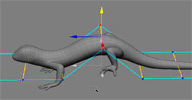
 This is a preview of a ICE based surface deformer. It interpolates points of low poly
mesh using subdivision surface.
[..] Usage: create mesh>subdivision from lowpoly surface. Higher subdivision level will give
better interpolation duplicate it and freeze only this one plug freezed subdivided mesh to base port and another one to dynamic port of cage
compound plug clusters and weightmaps if you need to.
It is possible to simulate subdivided mesh to get complex simulated deformation from lowpoly mesh. This workflow was used to create jellyfish in this video [..]
Related: Anto Matkovic's »Deform by UV«, ... (click 'bind' label)
local backup: cage defomer.2.0.xsicompound cageDeformer_01.scn (example scene)
It is possible to simulate subdivided mesh to get complex simulated deformation from lowpoly mesh. This workflow was used to create jellyfish in this video [..]
Related: Anto Matkovic's »Deform by UV«, ... (click 'bind' label)
local backup: cage defomer.2.0.xsicompound cageDeformer_01.scn (example scene)
author site: http://rstr.tv/
 Harmonic Coordinates Deformer osAll ICE deformer bind scene
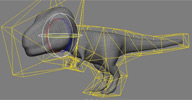
 This is a bit outdated preview of a pixar's harmonic coordinates deformer made with
ICE. It deforms target geometry by points of a closed triangular cage mesh with influence
distributed in a volume of a cage.
First cage mesh is filled with grid of points. Then barycentric coordinates are calculated for boundary points. Later those coordinates are diffused in volume with fixed boundary values. The slice plane shows gradient representation of weight distribution in volume for corresponding point. In this example one frame makes one diffusion iteration. After desired iterations reached data is cached and then loaded to separate point cloud for binding. Binding is done dynamically with trilinear interpolation from 8 surrounding grid points.
This method can be used to calculate skin weights. In given example scene cage points are represented as envelope deformers with harmonic coordinates used as skin weights. With skinning results are the same as with harmonic coordinates deformer, but now target mesh can be exported to game engine with smooth deformations (deformer limit should be considered though) [..]
Related: Ahmidou Lyazidi's »Positive Mean Value Coordinates Deformations«, ... (click 'bind' label)
local backup: harmonicCoordinatesSimple_01.scn example ice cache: trexHC_1.icecache
First cage mesh is filled with grid of points. Then barycentric coordinates are calculated for boundary points. Later those coordinates are diffused in volume with fixed boundary values. The slice plane shows gradient representation of weight distribution in volume for corresponding point. In this example one frame makes one diffusion iteration. After desired iterations reached data is cached and then loaded to separate point cloud for binding. Binding is done dynamically with trilinear interpolation from 8 surrounding grid points.
This method can be used to calculate skin weights. In given example scene cage points are represented as envelope deformers with harmonic coordinates used as skin weights. With skinning results are the same as with harmonic coordinates deformer, but now target mesh can be exported to game engine with smooth deformations (deformer limit should be considered though) [..]
Related: Ahmidou Lyazidi's »Positive Mean Value Coordinates Deformations«, ... (click 'bind' label)
local backup: harmonicCoordinatesSimple_01.scn example ice cache: trexHC_1.icecache
author site: http://rstr.tv/ / si-community thread
 Every nth Row or Column osAll ICE array
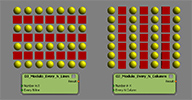
 Following the previous "Build Array / Modulo" discussion here are 2 compounds that
will select particles every N Columns or Every N Lines in a Pointcloud grid. No rocket
science, but if it can help someone...
A big thank to Vladimir Jankijevic for putting me in the right path yesterday.
local backup: OJ_Modulo_Every_N_Columns.xsicompound OJ_Modulo_Every_N_Lines.xsicompound
A big thank to Vladimir Jankijevic for putting me in the right path yesterday.
local backup: OJ_Modulo_Every_N_Columns.xsicompound OJ_Modulo_Every_N_Lines.xsicompound
author's vimeo page / source: mailing list post
Generate Simple Name Hash osAll ICE workflow
Generates an integer hash from the object's name that can be used for a random seed,
sort index, etc.
local backup: Generate Simple Name Hash.1.3.xsicompound
local backup: Generate Simple Name Hash.1.3.xsicompound
author site: n/a / source: mailing list thread
Strand Growth osAll ICE strands deformer curves
A compound which cuts existing strands down to a given fraction of their original
length.
local backup: Strand Growth.xsicompound
local backup: Strand Growth.xsicompound
author company: http://www.polynoid.tv
Curve Flow osAll ICE deformer strands curves scene
updated with a demo scene by si-community user angelous4x (MT_curve.scn). Here's an ICE compound that lets you have your (of course, unsimulated) points flow
along a curve. The cheap trick is to wrap the points around the curve, so you have
a neverending flow of particles- but you always have the same amount of points. Using
the awesome modulo node is the way to do it and, as always, no big magic involved
here. Rotation is linked to the timeline, so you can animate a constant roll and the
usual turbulence nodes are in there, too. The compound has an output called PointonCurvePos,
which lets you drive whatever value you wish along the curve. Click below for demo
scene and compound, comment section is open for your thoughts... Enjoy!
local backup: Strand Growth.xsicompound demo scene 1: CurveFlow.scn demo scene 2: MT_curve.scn
For curve guided flows also have a look at Paul Smith's videos on his channel.
local backup: Strand Growth.xsicompound demo scene 1: CurveFlow.scn demo scene 2: MT_curve.scn
For curve guided flows also have a look at Paul Smith's videos on his channel.
author company: http://www.polynoid.tv
Jiggly Bits osAll ICE secondary motion
Alan helps out fellow artist Sergio Mucino here, who asked about creating secondary jiggly motion on an animated mesh similar to Tim Marinov's
Syflex_Jiggle — which produces highly realistic results but is computationally quite expensive.
Alan wrote these two scenes demonstrating an approach using the quick verlet integration method for simulating cloth/skin.
local backup: ICE_verletJigglyBits_alan.scn ICE_jigglyVerlet_example_si2012.emdl
Alan wrote these two scenes demonstrating an approach using the quick verlet integration method for simulating cloth/skin.
local backup: ICE_verletJigglyBits_alan.scn ICE_jigglyVerlet_example_si2012.emdl
author link: http://darkvertex.com
Alembic Selective Attach win64 importexport workflow cppsrc
From a mailing list post: Hi Nuno, Attached is a plugin that you could use to attach an object from Alembic
file to a SoftImage object. Hopefully it is sufficient for your use.
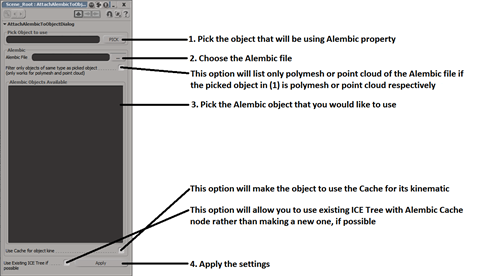
Instruction to Use: Unzip the file Put the file into your SoftImage Plug-in folder, or load it from Plug-in manager Open Plug-in Manager Expand AlembicSelectiveAttach Right click on AttachAlembicToObjectDialog (Property) and choose Create Property The dialog below will pop up. Configure your settings and click Apply.
usage png file attached in the thread. Note: Requires PyAlembic (below)
local backup: AlembicSelectiveAttach.py (copy to a Plugins folder)
Instruction to Use: Unzip the file Put the file into your SoftImage Plug-in folder, or load it from Plug-in manager Open Plug-in Manager Expand AlembicSelectiveAttach Right click on AttachAlembicToObjectDialog (Property) and choose Create Property The dialog below will pop up. Configure your settings and click Apply.
usage png file attached in the thread. Note: Requires PyAlembic (below)
local backup: AlembicSelectiveAttach.py (copy to a Plugins folder)
author site: n/a / repository @sourceforge
PyAlembic win64 importexport workflow cppsrc
Allows reading/writing alembic files using Python. To install, copy the zip's »Site
Packages« folder contents to %INSTALLDIR%/Application/python/Lib/Site Packages
and the »Bin« folder contents to %INSTALLDIR%/Application/bin.
local backup: PyAlembic.zip
local backup: PyAlembic.zip
author site: n/a / repository @sourceforge
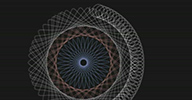 Spirograph osAll ICE strands private
 Paul Grisworld's question on the mailing list — Out of curiosity, has anyone built any sort of hypotrochoid or other spirograph-like
tools in ICE?
prompted a quick reply by Eric Turman — Chris Marshall has: Spirograph 1 in XSI with ICE , followed by Chris himself posting the compound used to create that video - and another non simulated version of the compound.
local backup: spiro_2_private.xsicompoundp spiro_3_private.xsicompoundp
prompted a quick reply by Eric Turman — Chris Marshall has: Spirograph 1 in XSI with ICE , followed by Chris himself posting the compound used to create that video - and another non simulated version of the compound.
local backup: spiro_2_private.xsicompoundp spiro_3_private.xsicompoundp
author blog: http://dot3d.blogspot.com / author vimeo
LM_ProjectionPlane winAll workflow
Creates a projection plane in front of the selected camera, equipped with a custom
property set which controls distance and X/Y screen offset. This is an alternative
to the factory method, where the (virtual) projection plane is always at an infinite
distance to the camera.
local backup: lmProjectionPlane.xsiaddon
local backup: lmProjectionPlane.xsiaddon
author link: http://www.alamaison.fr/ (archive)
 Ghosting Toolbar osAll
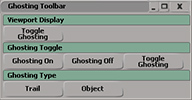
 Following a mailing list request, Hello everyone, I need help creating a toolbar button which will turn ghosting of
selected object on/off and switch it onto trail mode.
i would be really thankful to anyone who help :) posted by Mladen Kevic,
Gareth uploaded this 'quick and dirty' toolbar for easy control of ghosting visibility parameters.
local backup: Ghosting Toolbar.xsitb
Gareth uploaded this 'quick and dirty' toolbar for easy control of ghosting visibility parameters.
local backup: Ghosting Toolbar.xsitb
author site: n/a
 Curvature win64 ICE cppsrc surface property
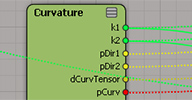
 return the principal directions and curvature of a mesh as well as the mean curvature.
This is a first brick for a toon strands ice framework. Usage: connect all the inputs
from the geometry.
Note: The package uploaded to rray.de includes a helper compound so there's no need to connect geometry/point attributes.
Note: There's a name conflict with another Curvature compound (see 'related plugins'). Install only one of the two.
local backup: Curvature.xsiaddon source code: src.zip
Note: The package uploaded to rray.de includes a helper compound so there's no need to connect geometry/point attributes.
Note: There's a name conflict with another Curvature compound (see 'related plugins'). Install only one of the two.
local backup: Curvature.xsiaddon source code: src.zip
 ArrayAccumulate win64 ICE cppsrc array
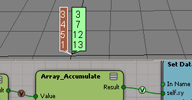
 you can accumulate the values of an array, it is useful to avoid using the repeat
node. what it does: addition for integer, scalar, and vectors. multiplication for rotation, quaternions, and matrices
usage: just plug an array of values
Related: ICEArrayNodes (Cumulative sum)
local backup: ArrayAccumulate.xsiaddon source code: src.zip
usage: just plug an array of values
Related: ICEArrayNodes (Cumulative sum)
local backup: ArrayAccumulate.xsiaddon source code: src.zip
Parallel Transport Frame win64 ICE cppsrc
This one is to correct the normal flipping on curves (for example with S shape curves)
usage: plug an array of tangents, and an initial normal
local backup: ParallelTransportFrame.xsiaddon source code: src.zip
local backup: ParallelTransportFrame.xsiaddon source code: src.zip
 Voxelizator osAll ICE particle voxelize
 Creates a voxelized point cloud representation of a polygon mesh. Unlike the other
voxelizers, this one operates on the surface of the mesh only rather than filling
the volume.
Includes options for thickness and for deleting planar parts. A second compound, the »subVoxelizator« can be used to voxelize different areas of a model using different settings. Video instructions for the Voxelizator, and for the subVoxelizator.
Still missing is a third compound of this set, the Voxelizator_multi_res which seems to have allowed a change of the voxel resolution for different areas. Please submit using the »Something Missing?« form above if you happen to have it in your collection.
local backup: voxelizator.xsicompound subVoxelizator.xsicompound
Includes options for thickness and for deleting planar parts. A second compound, the »subVoxelizator« can be used to voxelize different areas of a model using different settings. Video instructions for the Voxelizator, and for the subVoxelizator.
Still missing is a third compound of this set, the Voxelizator_multi_res which seems to have allowed a change of the voxel resolution for different areas. Please submit using the »Something Missing?« form above if you happen to have it in your collection.
local backup: voxelizator.xsicompound subVoxelizator.xsicompound
SoftCry osAll importexport
From the project's github homepage: CryENGINE 3 exporter for Softimage — Intuitive workflow for exporting No special setup required for a basic export CryEngine specific material properties directly interface with Softimage materials,
so there is no restriction on the type of shaders/materials you can use in XSI Batch export Support for different grid-units (1 unit = 1cm or 1m) Animation export + straight forward animation clip editor Supports XSI ModTool 7.5, Softimage 2014 64bit (, Softimage 2012 SP1 64bit).
Watch SoftCry - CryENGINE 3 exporter for Softimage and SoftCry - Exporting Hard-Body Animations.
local backup: Schlechtwetterfront-softcry.zip
Watch SoftCry - CryENGINE 3 exporter for Softimage and SoftCry - Exporting Hard-Body Animations.
local backup: Schlechtwetterfront-softcry.zip
author's youtube channel / project on github
 mbFeatherTools 3.2 osAll commercial ICE particle rigging python
 Pricing change as of May 17th (see below) mbFeatherTools is a production proven plugin for Autodesk® Softimage® which features
styling, animation and simulation of bird feathers. While the primary focus of this
tool is indeed feathers, it is also beneficial for all kinds of tasks: Leafs on a
tree, spines of a hedgehog or clammy fur, to name a few.
The 3.0 major upgrade adds features such as: Direction Controls Collision Constraint during setup Drive the feather type with the Type Envelope Mesh Filter the feather type for easy exporting »Use Live Feather Controls« option allows baking the standard styling. See the 3.0 new features video and this interview with Michael on the area. A video tutorial is available here
In the same thread, Michael mentions: In case you are worried about support: I'm planning to give support for this plugin for at least 6 more years.
Price has been permanently reduced from €200 to €80 — volume discount is available
The 3.0 major upgrade adds features such as: Direction Controls Collision Constraint during setup Drive the feather type with the Type Envelope Mesh Filter the feather type for easy exporting »Use Live Feather Controls« option allows baking the standard styling. See the 3.0 new features video and this interview with Michael on the area. A video tutorial is available here
In the same thread, Michael mentions: In case you are worried about support: I'm planning to give support for this plugin for at least 6 more years.
Price has been permanently reduced from €200 to €80 — volume discount is available
author site: http://www.michael-buettner.com / plugin: http://feathertools.michael-buettner.com / si-community thread
 Delta Mush ICE win64 ICE deformer rigging cppsrc secondary motion
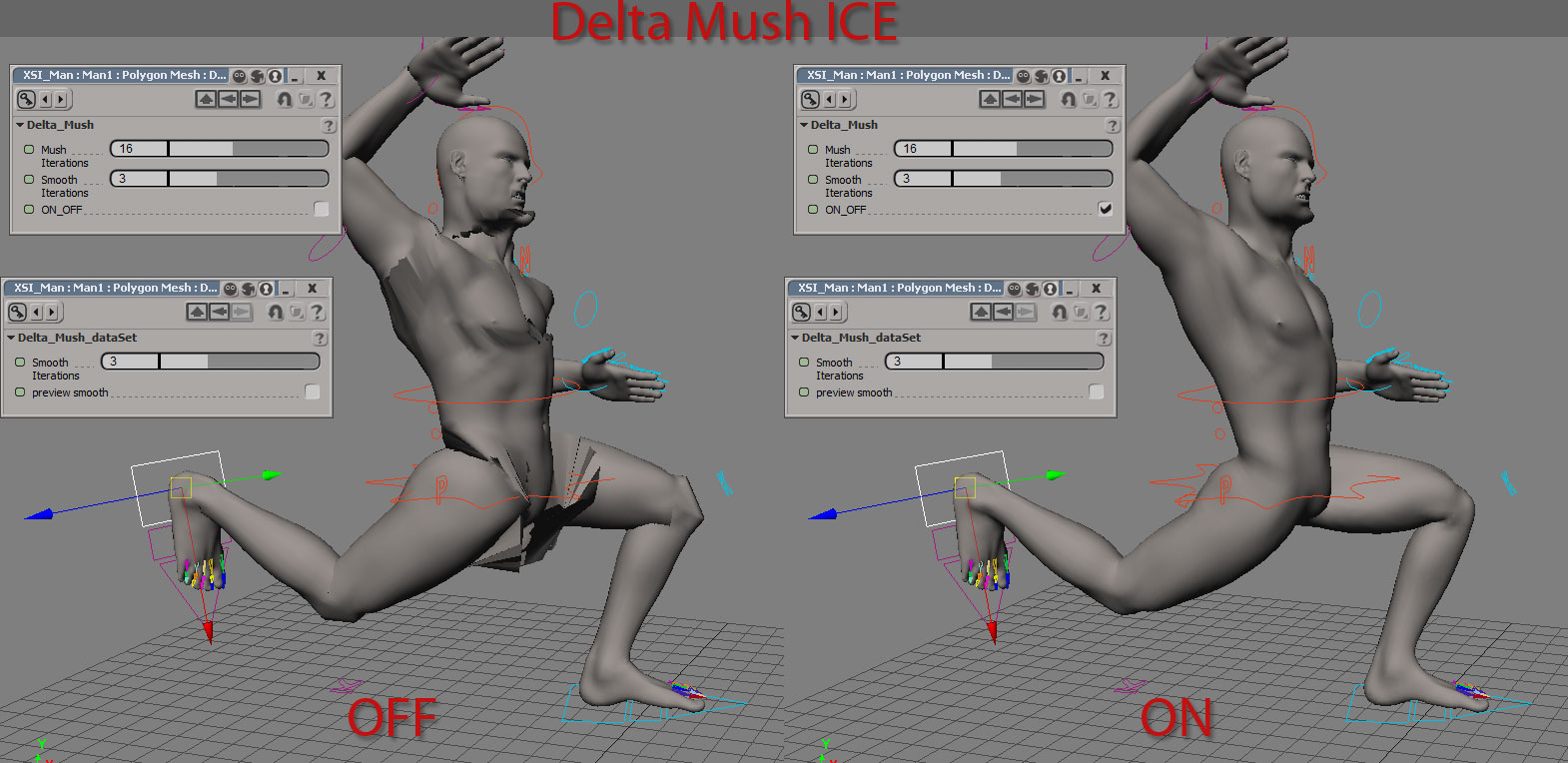
 updated with a compiled version by Guillaume Baratte. »Delta Mush« is a mesh deformer that fixes/softens the effect of other
deformers without affecting high-res details of the mesh. It was developed in 1997
but was only made public recently in demo videos of former Rhythm & Hues in-house software »Voodoo« where it was exclusively
used. The idea behind Delta Mush is simple but clever:
Local mesh detail (=per point offsets from a smoothed to the original undeformed mesh)
is precomputed and stored.
Then the 'to-be-fixed-deformer' is applied, directly after which the mesh is smoothed
again with the same smoothing algorithm. This removes newly introduced detail which
could potentially include unwanted artefacts from the deformer. Finally, the stored offsets are applied, restoring the original
detail.
This works not only for envelopes, but for all kinds of deformers like cloth sims. On envelopes, it is similar to what weight smoothing does, but (at least in theory) should be able to enhance the envelope effect by adding some sliding movement along the surface of the smoothed mesh. This can't be achieved using enveloping which only does rotations around the joints.
There are two implementations for Softimage. The first one is Miquel's original ICE compounds. The precomputation is done using the »Delta_Mush_dataSet« compound in the modeling stack, with the post effect applied in the animation stack after the envelope using the »Delta_Mush« compound.
local backup: Delta_Mush_dataSet.1.1.xsicompound Delta_Mush.1.1.xsicompound DeltaMush_sample.scn
The following is Guillaume's C++ implementation of Miquel's version, same nodes but performing faster and allowing attenuation of the effect by a weightmap. demo video and author downloads of the C++ version. Have a look at Guillaume's vimeo page including his 2014 showreel.
local backup: Delta_Mush.xsiaddon Softimage_DeltaMush_SourceCode.zip
This works not only for envelopes, but for all kinds of deformers like cloth sims. On envelopes, it is similar to what weight smoothing does, but (at least in theory) should be able to enhance the envelope effect by adding some sliding movement along the surface of the smoothed mesh. This can't be achieved using enveloping which only does rotations around the joints.
There are two implementations for Softimage. The first one is Miquel's original ICE compounds. The precomputation is done using the »Delta_Mush_dataSet« compound in the modeling stack, with the post effect applied in the animation stack after the envelope using the »Delta_Mush« compound.
local backup: Delta_Mush_dataSet.1.1.xsicompound Delta_Mush.1.1.xsicompound DeltaMush_sample.scn
The following is Guillaume's C++ implementation of Miquel's version, same nodes but performing faster and allowing attenuation of the effect by a weightmap. demo video and author downloads of the C++ version. Have a look at Guillaume's vimeo page including his 2014 showreel.
local backup: Delta_Mush.xsiaddon Softimage_DeltaMush_SourceCode.zip
author site: http://www.miqueltd.com (archive) / author company: shed/ mailing list @google groups / si-community thread
 FC Feathers osAll ICE scene scatter
 Introducing Fabricio's newest plugin FC Feathers, a free toolset for procedurally
generating and simulating feathers in an artist friendly way. Its workflow is based
on tangential guide curves and an added layer of guide feathers. For a basic setup,
see FC Feathers (archive); for a Syflex collision setup, visit FC Feather Syflex simulation.
From the first video : FC Feathers is an ICE based feather system tool I've been working for some months now. It's production proven and suitable for a wide range of feathery characters. Please consider donating if you find it useful, a lot of work has been put into it to make as fast and artist friendly as possible. Thanks!
Included compounds: FCF Build Instances Topo Array.xsicompound FCF Constraint to Polygon.xsicompound FCF Create Feathers.xsicompound FCF Density Weightmap from Guides.xsicompound FCF Feather Display.xsicompound FCF Frizz by Null.xsicompound FCF Grooming Force.xsicompound FCF Set Guide Feather.xsicompound FCF Simulate Feathers.xsicompound FCF Spring Force.xsicompound FCF Wind.xsicompound
local backup: FC_Feathers.xsiaddon FC Feathers for Softimage — Documentation.pdf FC_Feathers_Sample_Project.rar Feather_Syflex.scn
From the first video : FC Feathers is an ICE based feather system tool I've been working for some months now. It's production proven and suitable for a wide range of feathery characters. Please consider donating if you find it useful, a lot of work has been put into it to make as fast and artist friendly as possible. Thanks!
Included compounds: FCF Build Instances Topo Array.xsicompound FCF Constraint to Polygon.xsicompound FCF Create Feathers.xsicompound FCF Density Weightmap from Guides.xsicompound FCF Feather Display.xsicompound FCF Frizz by Null.xsicompound FCF Grooming Force.xsicompound FCF Set Guide Feather.xsicompound FCF Simulate Feathers.xsicompound FCF Spring Force.xsicompound FCF Wind.xsicompound
local backup: FC_Feathers.xsiaddon
FC Feathers for Softimage — Documentation.pdf FC_Feathers_Sample_Project.rar Feather_Syflex.scn
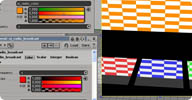 SJ_Radio osAll shader arnold mentalray
 SJ_Radio allows 'broadcasting' values from a 'radio_station' node in one render tree
to 'radio' nodes in other render trees. You can transmit color, scalar, boolean, vector
and integer values. Note that the transmission only works if the receiving tree is
invoked from the sending tree (For example: Send from reflective object — receive works in reflected objects Send from shadow receiver — receive works in shadow casters or lights)
From a mailing list post: They were pretty useful (or 'are' if you sometimes use MR). You could 'transmit' different versions of settings like colors, toggles, levels, that drive existing shader parameters in different 'channels' (hence the name) going to receptors where other nodes are plugged-in those receptors anywhere in the scene, outputting the result of whatever you plugged in as if that something else in the scene using a given channel had different settings. say if you wanted less light sampling for your fog volume, And very good for ray switching where you could have entirely different settings for what was seen by secondary rays and such. The applications were very wide varying.
Available as Mental Ray and Arnold versions. Docs: SJ_Radio for Mental Ray / SJ_Radio for Arnold.
local backup: SJ_Radio_win64.xsiaddon (Mental Ray version) sj_shaders.zip (incl. Arnold version) DemoScenes_MentalRay_2015SP1.zip
From a mailing list post: They were pretty useful (or 'are' if you sometimes use MR). You could 'transmit' different versions of settings like colors, toggles, levels, that drive existing shader parameters in different 'channels' (hence the name) going to receptors where other nodes are plugged-in those receptors anywhere in the scene, outputting the result of whatever you plugged in as if that something else in the scene using a given channel had different settings. say if you wanted less light sampling for your fog volume, And very good for ray switching where you could have entirely different settings for what was seen by secondary rays and such. The applications were very wide varying.
Available as Mental Ray and Arnold versions. Docs: SJ_Radio for Mental Ray / SJ_Radio for Arnold.
local backup: SJ_Radio_win64.xsiaddon (Mental Ray version) sj_shaders.zip (incl. Arnold version) DemoScenes_MentalRay_2015SP1.zip
author link: n/a
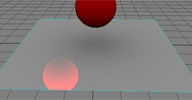 SJ_Trace osAll shader arnold
 SJ_Trace is an Arnold shader that lets you intercept the ray at the current geometry
intersection point and change its direction or even the intersection point itself.
There are a number of other options all explained in the sj_trace documentation.
Related mental ray shader: Tracer
local backup: sj_shaders.zip (incl. SJ_Trace)
Related mental ray shader: Tracer
local backup: sj_shaders.zip (incl. SJ_Trace)
author link: n/a
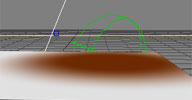 SJ_Blocker osAll shader arnold
 From the SJ_Blocker docs: sj_blocker is an Arnold light filter, that alters a light's color by a blocker. A
blocker is a simple implicit object (either a grid, a sphere, a cube or a cylinder)
that can be srt transformed.
local backup: sj_shaders.zip (incl. SJ_Blocker)
local backup: sj_shaders.zip (incl. SJ_Blocker)
author link: n/a
Clone Shader osAll shadingworkflow
Duplicates a node and creates expressions on each parameter of the clone to have them
driven by the original parameter. Installs into the context menu of render tree nodes.
local backup: CloneShaderNode.xsiaddon (repackaged/fix for local backup)
local backup: CloneShaderNode.xsiaddon (repackaged/fix for local backup)
author link: n/a / si-community thread
 Domemaster3D Lens Shader osAll cppsrc shader mentalray scene
 Updated January 2015 with LatLon Stereo Rendering — The Domemaster stereo shader for Softimage is designed to create 2D & 3D fulldome
renderings for use in planetariums and other fulldome theaters, and spherical/equirectangular
renderings with the latlong_lens shader. Roberto Ziche created the domemaster stereo
shader for 3D Studio Max and I added the Autodesk Maya and Softimage support. [..]
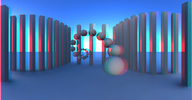
The latest alpha build of the Domemaster3D v1.6 shader for Softimage (and Maya/3DS Max too) has added a new LatLong_Stereo shader feature that allows you to render spherical stereoscopic images using mental ray. This is helpful if you want to render stereoscopic content for VR devices like the Oculus Rift. There is also a new "S3D View" toolbar item that creates an FX Tree comp that merges the left and right camera render passes into a red/cyan anaglyph stereo preview.
Continue reading here. The latest releases add: A realtime OpenGL and rendertime polygon subdivision smoothing on the 'starry sky' quadsphere mesh The new Domemaster3D toolbar (see thumbnail) with a fulldome media viewer a revised stereo camera rig an improved starglobe tool a reference grid an automagic fulldome tool and new resolution presets.
See Andrew's homepage for more information. A demo created by Max Crow.
local backup: domemaster3D.xsiaddon domemaster3D_sample_projects.zip src.zip (source code)
The latest alpha build of the Domemaster3D v1.6 shader for Softimage (and Maya/3DS Max too) has added a new LatLong_Stereo shader feature that allows you to render spherical stereoscopic images using mental ray. This is helpful if you want to render stereoscopic content for VR devices like the Oculus Rift. There is also a new "S3D View" toolbar item that creates an FX Tree comp that merges the left and right camera render passes into a red/cyan anaglyph stereo preview.
Continue reading here. The latest releases add: A realtime OpenGL and rendertime polygon subdivision smoothing on the 'starry sky' quadsphere mesh The new Domemaster3D toolbar (see thumbnail) with a fulldome media viewer a revised stereo camera rig an improved starglobe tool a reference grid an automagic fulldome tool and new resolution presets.
See Andrew's homepage for more information. A demo created by Max Crow.
local backup: domemaster3D.xsiaddon domemaster3D_sample_projects.zip src.zip (source code)
author site: http://www.andrewhazelden.com / download: blog/downloads / project @github / si-community thread