Softimage Resources: plugins, scripts, compounds and shaders
All 1119 entries of the Softimage Resources as a simple list, 501–550 on this page. To search and filter by tags, use the interactive Resources page.
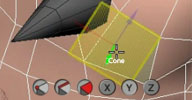 QuickPrimitive v0.93 osAll customtool
 Updated September 2012 to support light primitives, new preference options. Following
the popular QuickInset modeling tool (listed below), Piotrek releases this new custom tool, allowing the
user to draw primitives interactively.
This can be done using a number of preset objects (pickable from a radial array), and using a variety of placement/creation options such as on surface/on scene grid, along curve, align along X/Y/Z axis, create UV projections, snapping, merge etc.
A video introduction is available here. See the si-community thread linked below for more details.
local backup: quickprimitive_093.xsiaddon
This can be done using a number of preset objects (pickable from a radial array), and using a variety of placement/creation options such as on surface/on scene grid, along curve, align along X/Y/Z axis, create UV projections, snapping, merge etc.
A video introduction is available here. See the si-community thread linked below for more details.
local backup: quickprimitive_093.xsiaddon
 Motion Tools 1.1 osAll ICE python
 Updated September 2012 to support polygon island pivots/rotation fixes. Motion Tools is a small collection of tools that aims to aid Motion Graphic work being
created inside Softimage. The idea is to create a workflow for the creation, distribution
and animation of instances as intuitive as the ones found in commercial solutions.
Since it is created ontop of ICE the tools have speed and combustibility considerably
superior to similar solutions.
Demo video available here. For demos of the previous beta versions, see here for v0.1, here for v0.2 and here for v0.3.
local backup: motiontools.zip
Demo video available here. For demos of the previous beta versions, see here for v0.1, here for v0.2 and here for v0.3.
local backup: motiontools.zip
 Align Particles to UV osAll ICE particle shadingworkflow texturing
 A compound that aligns particles along the UV coordinates of the underlying emitter.
Video demonstration available here.
Loosely related: Paul Smith aka. pooby's »Vector Flow« themed videos including this, texture instancing shader.
local backup: 120720_Align_to_UV.xsicompound
Video demonstration available here.
Loosely related: Paul Smith aka. pooby's »Vector Flow« themed videos including this, texture instancing shader.
local backup: 120720_Align_to_UV.xsicompound
WeightMap Tools v1 osAll python workflow weightmaps
It allows the user to select an object which may have one or multiple weightmaps.
Users can specify the weightmap and then do a wide variety of things to their weights:
Specify Value for selected points Mirror Weights – a symmetry map is needed Smooth Weight (does a linear smooth) – you can specify the amount of points you want
it to take into consideration and a percentage you want to apply Copy Weights from a specific point onto Selected point.
It came to be due to the fact that I was doing alot of shape work and needing to use weights to modulate them.
local backup: xsi-plugins-2-sa-weighttool.xsiaddon
It came to be due to the fact that I was doing alot of shape work and needing to use weights to modulate them.
local backup: xsi-plugins-2-sa-weighttool.xsiaddon
author blog: http://vinyldevelopment.wordpress.com / article: /2012/08/22/weight-map-tools-v1/ / download @ cghub
 ICE Tree Trace osAll ICE python workflow
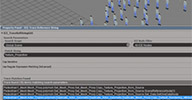
 Tool for tracing instances of strings inside ICE Trees. Can be used, for example,
to track down the number of times a specific attribute is called. Via filters, may
also be used to determine how an attribute is called, whether by Get Data, Set Data,
or other ICE nodes that handle string parameters [..]
Usage: Specify search options, enter a Match String, then press the trace button. If matches are found, the address of the ICE Nodes are listed in the Match List at the bottom of the GUI. If items are selected in the Match List, their corresponding nodes are selected in the scene. [..]
Continue reading in the SI-Support blog entry linked to below. Installs under ICE Tree View->User Tools
local backup: ICETreeTrace.zip
Usage: Specify search options, enter a Match String, then press the trace button. If matches are found, the address of the ICE Nodes are listed in the Match List at the bottom of the GUI. If items are selected in the Match List, their corresponding nodes are selected in the scene. [..]
Continue reading in the SI-Support blog entry linked to below. Installs under ICE Tree View->User Tools
local backup: ICETreeTrace.zip
submit bug plugin osAll
Adds two menu items to the help menu linking to the bug report and feature suggestion forms on autodesk.com.
local backup: GreatestPluginEver.xsiaddon
local backup: GreatestPluginEver.xsiaddon
author link: n/a / si-community thread
 Blending Displacement using Raylength osAll shader mentalray scene
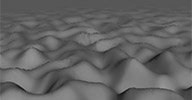
 Chris Marshall asked this question on the mailing list: I have a camera very close to a surface which has some displacement detail in the
very foreground. I'm using the BA raylength shader to try and blend this so the displacement
reduces the further away from the camera the object is. But it doesn't appear to be
working. I've tried to clamp the scalar range, but even though the BA Raylength is
showing a grad from black to white on the object, the displacement never reduces.
Any thoughts on how this might be achieved?
Guillaume posted this scene file as a response, demonstrating a way to combine displacement and raylength, with raylength taking the undisplaced surface into consideration instead of the displaced surface. In the August 12th »Screenshots of the week« series, Stephen Blair shows some more screenshots from the thread looking at some other methods of doing the same thing.
local backup: BlendingDisplacementUsingRayLength_Advantage_Beer_Pack_SP1.scn
Guillaume posted this scene file as a response, demonstrating a way to combine displacement and raylength, with raylength taking the undisplaced surface into consideration instead of the displaced surface. In the August 12th »Screenshots of the week« series, Stephen Blair shows some more screenshots from the thread looking at some other methods of doing the same thing.
local backup: BlendingDisplacementUsingRayLength_Advantage_Beer_Pack_SP1.scn
author site: http://frenchdog.wordpress.com / download: @ mailing list/
Bake ICE Data osAll js ICE
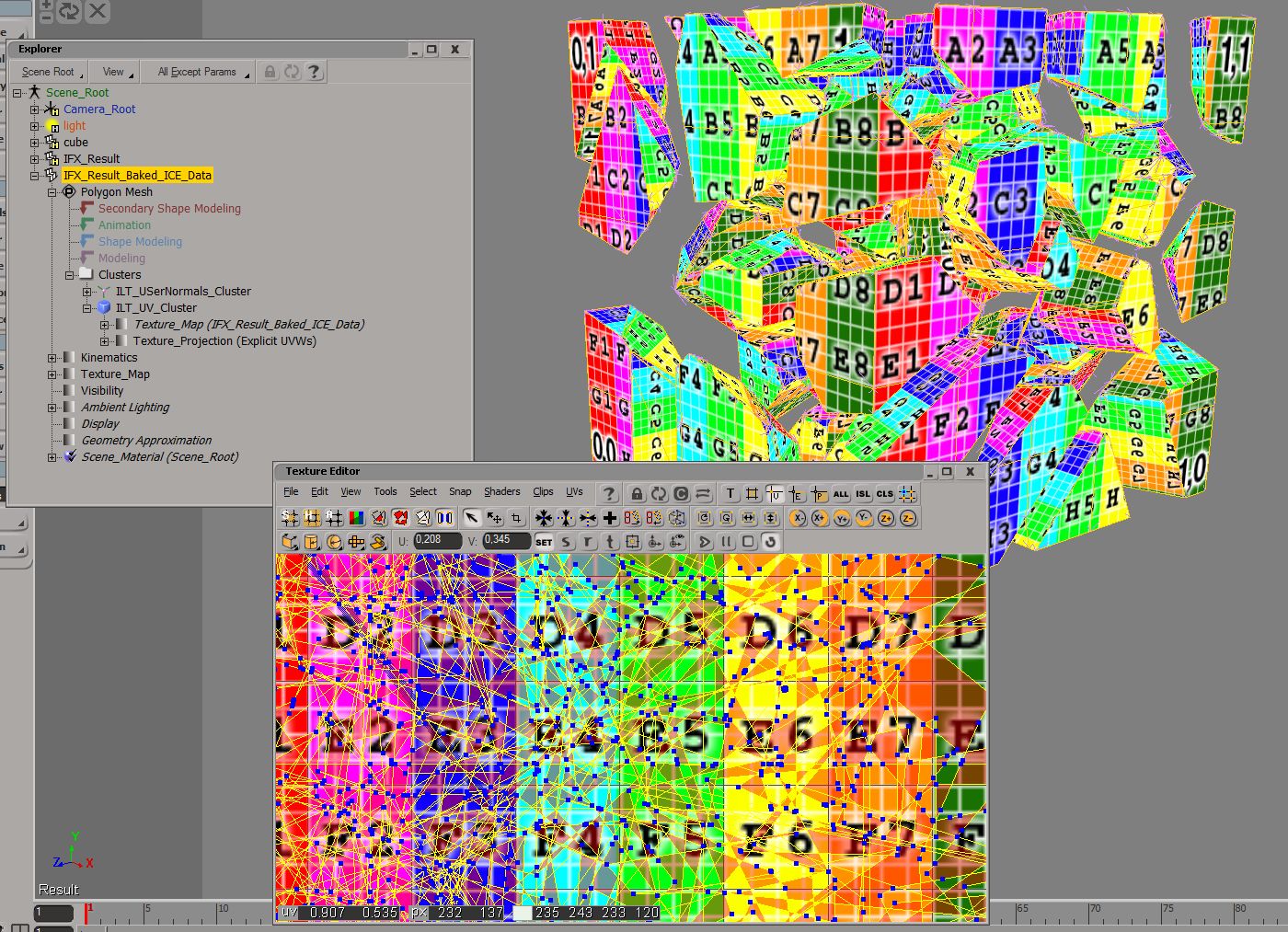
This script bakes all ICE attributes containing UVs, User Normals and Materials on
a mesh to cluster data on a new mesh, ready to be accessed from regular program operations.
The UV ICE attribute must be named »self.Texture_projection«. Click here for a demo screenshot.
Further down in the mailing list thread where this was posted (which is linked below), Vincent Ullman suggests a »live« method for UVs that doesn't require a second mesh object.
 Show related plugins: Bake ICE UV Script
local backup: BakeICEData.zip
Further down in the mailing list thread where this was posted (which is linked below), Vincent Ullman suggests a »live« method for UVs that doesn't require a second mesh object.
Show related plugins: Bake ICE UV Script
local backup: BakeICEData.zip
ICE Greeble osAll ICE scatter
Instantiates randomly scaled objects on a surface, moving them above the surface.
Demo scene available here.
local backup: Greeble.xsicompound
local backup: Greeble.xsicompound
 Emit from Points as Dots osAll ICE
 aka »ICE LED Compound«. An easy-to-use compound which converts an animated
or static texture to a colored point cloud grid, using 1 point per texture pixel.
Options offered include a 2-color mode with threshold, various point shapes, using
image alpha.
Available video material: Introduction part 1 and part 2.
Show related plugins: PixelParticles
local backup: Emi from Points as Dots.xsicompound
Available video material: Introduction part 1 and part 2.
Show related plugins: PixelParticles
local backup: Emi from Points as Dots.xsicompound
m|ImageChanger osAll js modeling
Lets you quickly switch the file extensions of all Image Clips matching a given prefix.
In the same process, it converts PSD files using the Photoshop CS5 Automation API,
offering various options for output file formats/rescaling/compression. For PIC, use
Photoshop Optional Plugins (archive). Using presets is also possible with this addon.
local backup: mImageChanger.xsiaddon
local backup: mImageChanger.xsiaddon
String Custom Nodes win64 ICE text
A set of compiled custom ICE nodes that do string manipulations/conversions. Contained
in this package are: integerToString removeSubStringFromString scalarToString stringToASCII stringToInteger stringToScalar.
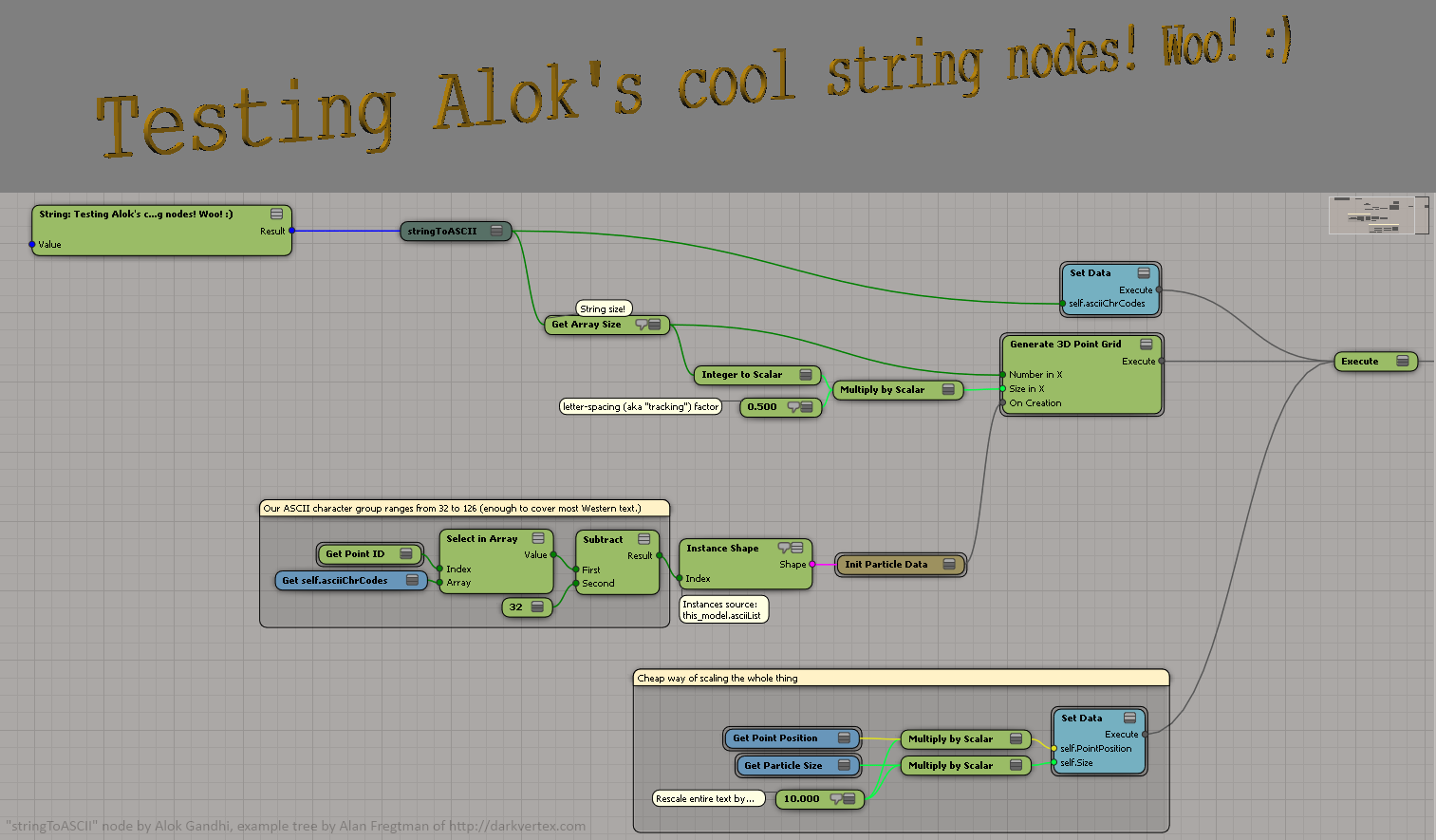
These nodes were created at the request of Alan Fregtman, and then posted by Alok in the mailing list thread linked below. In there, Alan also shares this scene (click here for a screenshot), demonstrating how to use the stringToASCII node to convert a string into ICE instances of letters. See also here for Alan's alternative version that's not using this node.
local backup: customNodesString.zip
These nodes were created at the request of Alan Fregtman, and then posted by Alok in the mailing list thread linked below. In there, Alan also shares this scene (click here for a screenshot), demonstrating how to use the stringToASCII node to convert a string into ICE instances of letters. See also here for Alan's alternative version that's not using this node.
local backup: customNodesString.zip
ICE to Text osAll ICE topo kinematics extrusion text
A demo scene file where the numerical X position of a null is converted to a text
polygon mesh object using ICE. Vincent posted this as a reply on the mailing list
to a request from Jeff McFall. He notes: Yes its possible, but a bit tricky...
here is a little compound i made some time ago. The Naming of the ports are currently
in german, because it was just a Test a made. You could also check out the emTool_NumberToString-Compund
from the free emTools by Eric Mootz. It does basically the same (also internally)
local backup: ICE_text.zip
local backup: ICE_text.zip
DW_2 Bone IK With UpVector osAll ICE kinematics rigging
Here's an ICE 2 Bone IK chain with UV support that I've been working on for a while.
I think I've got it stable now (no weird flipping). If you've got ideas to maybe optimize
or expand this, I'd love to hear it.
I'll try to make a video sometime, but in the meantime hopefully you can follow my screenshot. First I create 4 nulls and 2 implicit bones. 2 of the nulls are the root and effector controllers, 1 of the nulls is the Up Vector controller, and 1 of the nulls is for the ICE rig. I had problems with reference names, that's why you see the same name in the screenshot. [..]
Continue reading in the si-community thread linked to below.
local backup: DW_2 Bone IK With UV.1.1.xsicompound
I'll try to make a video sometime, but in the meantime hopefully you can follow my screenshot. First I create 4 nulls and 2 implicit bones. 2 of the nulls are the root and effector controllers, 1 of the nulls is the Up Vector controller, and 1 of the nulls is for the ICE rig. I had problems with reference names, that's why you see the same name in the screenshot. [..]

Continue reading in the si-community thread linked to below.
local backup: DW_2 Bone IK With UV.1.1.xsicompound
author site: n/a / si-community thread
Add Nulls to Points osAll vbs workflow controllers
A script from 2001, recently posted by Claudio Pavan on the mailing list in reply
to Gerbrand Nel asking for an extended version of the factory script, that he remembers
having used. From the script code:
This tool will create a single Null for each point of the selected object(s) (you can also select a point cluster, or tag points). Then based on the dialog choice, it will either Constrain the Null to the Point using Object to Cluster constraint, or Deform the point to the Null with a Cluster Center operator.
Possibly still working in current versions. Installation instructions can be found inside the script.
local backup: OO_AddNullToPoints.zip
This tool will create a single Null for each point of the selected object(s) (you can also select a point cluster, or tag points). Then based on the dialog choice, it will either Constrain the Null to the Point using Object to Cluster constraint, or Deform the point to the Null with a Cluster Center operator.
Possibly still working in current versions. Installation instructions can be found inside the script.
local backup: OO_AddNullToPoints.zip
author site: n/a / mailing list thread
 MX Loft 2 winAll curves modeling extrusion
 Updated July 2012. MX_Loft 2 creates a polymesh extrusion of 2 »blendable«
profile curves along a guide curve. Parameter controls include subdivision, adaptive
subdivision, automatic UV generation, path twist fcurve, capping, growing. This new
release adds a lot of control over the resulting extrusion. See the author download
page for more details.
Note that for linear guide curves, MX Loft automatically makes the corner profile longer, resulting in all cross sections of the extrusion matching the original profile shape.
related plugins: Power Extrude, TinyCurveExtrude, Custom_Loft, KP CurveTools, keyvis Curve Tools, ICE Rope Rig
local backup: MX_Loft_2_v1.0.xsiaddon
Note that for linear guide curves, MX Loft automatically makes the corner profile longer, resulting in all cross sections of the extrusion matching the original profile shape.
related plugins: Power Extrude, TinyCurveExtrude, Custom_Loft, KP CurveTools, keyvis Curve Tools, ICE Rope Rig
local backup: MX_Loft_2_v1.0.xsiaddon
ICE Rope Rig osAll ICE topo kinematics extrusion
This compound creates a rope/tube along a series of Null controllers. Allows adding
controllers between existing ones, controls edge-hardness with controller scale. Automatic
even mesh subdivision. Configurable using an fcurve for thickness, roll parameters,
custom profile etc.
Show related plugins: Power Extrude, TinyCurveExtrude, Custom_Loft, KP_CurveTools, keyvis Curve Tools, MX_Loft
local backup: 120706_Rope_Rig_v01.xsicompound
Show related plugins: Power Extrude, TinyCurveExtrude, Custom_Loft, KP_CurveTools, keyvis Curve Tools, MX_Loft
local backup: 120706_Rope_Rig_v01.xsicompound
 Image ICE Node winAll ICE shadingworkflow scene
 The ICE equivalent of the render tree »Image Lookup« node. This C++ compiled
node receives an image path and a UV coordinate or coordinate array and outputs a
color or color array. It allows a lot of interesting workflows without having to use
a temporary object to hold the texture. A video introduction by the author.
For a related endeavor, see Paul Smith's videos on ICE image manipulation here and here.
Show related plugins: Image I/O from ICE, Pixel Particles
local backup: 120629_Image_ICE_Node_v01.rar
For a related endeavor, see Paul Smith's videos on ICE image manipulation here and here.
Show related plugins: Image I/O from ICE, Pixel Particles
local backup: 120629_Image_ICE_Node_v01.rar
Nyu Project osAll js workflow
Creates XSI Projects, minus unwanted subfolders, plus arbitrary subfolders....stuff
like that. Written & tested only on 2012.
Show related plugins: Default Project Directory Structure
Instruction page here (archive) (in Japanese, click here for an English translation by google translate). Look at the rray.de jhBatchie entry
for links to Junki's massive page and a translation of it.
local backup: NyuProject.xsiaddon
Show related plugins: Default Project Directory Structure
Instruction page here (archive) (in Japanese, click here for an English translation by google translate). Look at the rray.de jhBatchie entry
for links to Junki's massive page and a translation of it.
local backup: NyuProject.xsiaddon
author site: junkithejunkie.cocolog-nifty.com / author @ vimeo
Anatoto Isshoni Isasete (Match Anything) osAll js workflow
It basically is »Match Layer/Groups/Partitions/Parent« tool. You select
something, start the tool, (select one or more of »Layer«, »Groups«,
»Partitions« and »Parent«), hit OK, pick an existing object
and done. The objects you selected rush into the same layer, same groups, same partitions
under all passes, same parent as the picked object.
Instruction page here (archive) (in Japanese, click here for an English translation by google translate). Look at the rray.de jhBatchie entry
for links to Junki's massive page and a translation of it.
local backup: AnatatoIsshoniIsasete.zip
Instruction page here (archive) (in Japanese, click here for an English translation by google translate). Look at the rray.de jhBatchie entry
for links to Junki's massive page and a translation of it.
local backup: AnatatoIsshoniIsasete.zip
author site: junkithejunkie.cocolog-nifty.com / author @ vimeo
Delete Double Edges osAll ICE topo
In a response on the mailing list to Olivier Jeannel asking for a quick way to remove
double edges from a Cityengine import, Guillaume posted this compound which should
also work in similar situations.
local backup: Delete Double Edges.xsicompound
local backup: Delete Double Edges.xsicompound
author site: http://frenchdog.wordpress.com / download: @ mailing list/
Vertex Blur Plus Plus osAll ICE scene
This compound generates a blurred vertex color map from an input vertex color map.
The input color map must be set inside the compound. See this post for details. Has parameters for strength and distance.
Rob posted this in a si-community thread started by Pete, asking for a way to blur vertex colors using ICE.
local backup: Vertex_blur_plus_plus.xsicompound
Rob posted this in a si-community thread started by Pete, asking for a way to blur vertex colors using ICE.
local backup: Vertex_blur_plus_plus.xsicompound
author site: https://sites.google.com/site/tekanoice / si-community thread
AI Repeat Geometry osAll ICE topo modeling scatter
AI Repeat Geometry creates a pattern from a mesh by repeating its geometry in an endless-mirrors
kind of way. The extent of the repetitions is configurable interactively for each
dimension, not only by the number of repetitions but also by the exact length. Has
an option for welding boundary points.
local backup: AI Repeat Geometry.xsicompound
local backup: AI Repeat Geometry.xsicompound
author site: n/a / si-community thread
 Digiboard osAll ICE strands
 Digiboard displays a tronesque animated effect as shown in the thumbnail and this
video.
The compound emits particles with strands, so create an empty point cloud with simulated ICE tree, and plug in a grid as emitter object..
local backup: Digi_Board_Strands.xsicompound
The compound emits particles with strands, so create an empty point cloud with simulated ICE tree, and plug in a grid as emitter object..
local backup: Digi_Board_Strands.xsicompound
 MM_ShaderTools osAll js shader mentalray
 MM ShaderTools is a plugin which helps you to batch replace, create or modify shaders
in all your materials at once. This can save huge amounts of time, especially in later
stages of a project. You can select multiple materials or lights and run the plugin
to modify your render trees with three different operations:
Replace shaders: will replace all instances of the same shader by a new one. You have options which will help you to keep all connections in and out of the shaders intact. Additionally you can set parameters in the newly created shader, either directly or based on parameter values of the old shader
Insert shader: insert a new shader between a specified connection. Similar to replace shaders you have options to keep all connections intact and additionally set parameters in the new shader. You can also use this to simply import and connect a shader without inserting it into an existing connection.
Set Shader Parameters: allows you to set parameters of all kinds in a target shader.
Includes numerous presets. Visit Felix's blog for a much more detailed explanation and a small use case scenario.
local backup: mossman/MM_Shadertools.rar
Replace shaders: will replace all instances of the same shader by a new one. You have options which will help you to keep all connections in and out of the shaders intact. Additionally you can set parameters in the newly created shader, either directly or based on parameter values of the old shader
Insert shader: insert a new shader between a specified connection. Similar to replace shaders you have options to keep all connections intact and additionally set parameters in the new shader. You can also use this to simply import and connect a shader without inserting it into an existing connection.
Set Shader Parameters: allows you to set parameters of all kinds in a target shader.
Includes numerous presets. Visit Felix's blog for a much more detailed explanation and a small use case scenario.
local backup: mossman/MM_Shadertools.rar
 Soft Transform osAll cppsrc customtool
 AKA its full name Screen Space Proportional Object Transform. This tool works similarly to the built-in Proportional Transform Tool, but operates on objects instead of on points. Features as listed in the si-community
thread:
TAB switches modes translate/rotate/scale (like in tweak tool) l/m/r mouse button for t/r/s (like in view space transform tool) .Rot. and scale is temporary, after releasing m/r button, tool switches to translate mode fcurve falloff from Move Proportional tool R hotkey for size change (like tweak tool) auto key handling for animation distance is measured to object's pivot point lock transformation to selected objects fancy buttons basic collisions (raw triangle mesh vs swept bounding sphere)
video demo / video demo (updated version) . Source available here. More details inside the si-community thread.
local backup: SoftTransform_x64_v11.xsiaddon
TAB switches modes translate/rotate/scale (like in tweak tool) l/m/r mouse button for t/r/s (like in view space transform tool) .Rot. and scale is temporary, after releasing m/r button, tool switches to translate mode fcurve falloff from Move Proportional tool R hotkey for size change (like tweak tool) auto key handling for animation distance is measured to object's pivot point lock transformation to selected objects fancy buttons basic collisions (raw triangle mesh vs swept bounding sphere)
video demo / video demo (updated version) . Source available here. More details inside the si-community thread.
local backup: SoftTransform_x64_v11.xsiaddon
Compiled Cubic Bezier Curve Node osAll ICE strands cppsrc curves
SO Cubic Bezier Curve is an ICE node for Autodesk® Softimage® 2011 SAP and above that
computes a position on a Bezier curve, where the curve is defined by four input control
points (P0, P1, P2, P3), and the distance along the curve is controlled using a parametric
input parameter »S«.
It's possible to replicate this functionality using nothing more than the basic ICE math nodes, but my tests showed that the performance in that case is unacceptably slow; typical results were 500 milliseconds per evaluation for the native math nodes compared to 20 milliseconds for the C++ implementation.
Source code is available here.
local backup: BezierCurvePlugin.zip
It's possible to replicate this functionality using nothing more than the basic ICE math nodes, but my tests showed that the performance in that case is unacceptably slow; typical results were 500 milliseconds per evaluation for the native math nodes compared to 20 milliseconds for the C++ implementation.
Source code is available here.
local backup: BezierCurvePlugin.zip
Cache Retime 1.2 osAll ICE retime
here is a compound that could be useful. It may not work for you but it is has so
far got me out of a difficult corner. A very simple retime cache node, as we know
that the substeps implementation does not always work with all compounds as its based
on the simulation using velocity and not point positions and sometimes the director
says 'exactly that but 1.5 times slower' and having to go through someone else's complicated
ICE tree that has already had umpteen revisions, simply adding substeps is not always
the easiest solution right now - if it works at all. But if you have already cached
and all you want to do is slow down or speed up the existing cache point positions
with a linear interpolate between the frames then this compound might be just for
you.
Firstly its annoying that I can't have an external file read node, if so I could make this compound a lot easier to setup. so for this compound to work you have to manually go inside and edit the two cache on file nodes to point to your cache location. Or set up a cache on file node already and copy and paste the path into these two nodes. Once thats done you are good to go. It is still very limited and for now it only interpolates between point positions. This is only version 1.2 it has speed up / slow down amount with a toggle between the two and these values can be key-framed or have fcurves plugged in and if anyone wants to enhance it with rotations and colour etc then be my guest.
local backup: retime a cache.1.2.xsicompound
Firstly its annoying that I can't have an external file read node, if so I could make this compound a lot easier to setup. so for this compound to work you have to manually go inside and edit the two cache on file nodes to point to your cache location. Or set up a cache on file node already and copy and paste the path into these two nodes. Once thats done you are good to go. It is still very limited and for now it only interpolates between point positions. This is only version 1.2 it has speed up / slow down amount with a toggle between the two and these values can be key-framed or have fcurves plugged in and if anyone wants to enhance it with rotations and colour etc then be my guest.
local backup: retime a cache.1.2.xsicompound
author site: https://sites.google.com/site/tekanoice / si-community thread
 Syflex Jiggle osAll ICE deformer scene secondary motion
 Someone from the softimage mailing list was asking how to use ICE to create a jiggle
effect.Most popular way is to use verlet integration in ICE but this one has some
limitations, mainly because you have to have second copy of the mesh.So I remember
that while back I did some tests with Syflex and it seems to work pretty well.
Video available here. See the thread linked below for all the details.
local backup: tim_SyflexJiggle.xsicompound Syflex_Jiggle.scn (demo scene)
Video available here. See the thread linked below for all the details.
local backup: tim_SyflexJiggle.xsicompound Syflex_Jiggle.scn (demo scene)
 Procedural Feather osAll ICE strands scene
 Generates a procedural feather. Includes a number of useful strand-related compounds
that can operate on their own. From the si-community thread: you have to create the curve along Y axis the center of the curve has to be on the first point the pointcloud has to be parented under the curve and to be at 0.0.0 TR ‐ Then
you can transform or deform your curve and the feather will follow.
Video available here. See the thread linked below for all the details.
local backup: FeatherTool.rar
Video available here. See the thread linked below for all the details.
local backup: FeatherTool.rar
 WaveToSpectrum osAll ICE deformer cppsrc
 In case someone is interested, I've set up a Custom ICE Node that uses simple WAVE
file loader and feeds it in a Fast Fourier Transform to get a Spectrum decomposition.
I've checked in the code on Github. I am by no mean a C++ expert nor a Softimage Plugin developer on that matter! So mileage may vary, better use a plain vanilla stereo WAVE (the one generated by Itunes worked for me), And I'd appreciate anything I would have missed or done wrongly. [..]
Cont'd on si-community. For visuals, see the demo, this introduction and this tutorial.
local backup: wave_spectrum.xsiaddon
I've checked in the code on Github. I am by no mean a C++ expert nor a Softimage Plugin developer on that matter! So mileage may vary, better use a plain vanilla stereo WAVE (the one generated by Itunes worked for me), And I'd appreciate anything I would have missed or done wrongly. [..]
Cont'd on si-community. For visuals, see the demo, this introduction and this tutorial.
local backup: wave_spectrum.xsiaddon
 GoZ osAll interop exporter importer workflow
 GoZ for Softimage is a One Click Solution for 3d mesh exchange between ZBrush and
Softimage using GoZ file format.
This is the official Pixologic-approved GoZ addon for Softimage. It is developed using the GoZ SDK and the Softimage C++ API and provides the functionality to automatically set up a proper render tree in Softimage ready for rendering with Mental Ray. It supports both 32 bit and 64 bit versions of Softimage on Windows.
Related plugins: GoSoftimageLite, XGoZ
local backup: GoZ For Softimage.zip
This is the official Pixologic-approved GoZ addon for Softimage. It is developed using the GoZ SDK and the Softimage C++ API and provides the functionality to automatically set up a proper render tree in Softimage ready for rendering with Mental Ray. It supports both 32 bit and 64 bit versions of Softimage on Windows.
Related plugins: GoSoftimageLite, XGoZ
local backup: GoZ For Softimage.zip
Camera Shake osAll js python
Creates a shaky camera or adds shake to an existing one. Independent control of movement
frequency/amplitude for the camera and interest position and camera roll. Leaves the
camera and interest free to animate, shake applied on parent nulls. (XSI v6.5, 7.0,
7.01)
Usage: 1. Get > Primitive > Camera > ShakyCam (creates a new camera)
Or: 1. select an existing camera / 2. Get > Primitive > Camera > ApplyShakeOnCamera
Related plugins: Paparazzo
local backup: cameraShake.xsiaddon
Usage: 1. Get > Primitive > Camera > ShakyCam (creates a new camera)
Or: 1. select an existing camera / 2. Get > Primitive > Camera > ApplyShakeOnCamera
Related plugins: Paparazzo
local backup: cameraShake.xsiaddon
author site: http://iceduous.blogspot.com / download @area
 CrowdFX - Material Compounds osAll crowd ICE
 Helper compounds for dealing with material randomization in crowdFX: Append Materials: simple compound to add new materials to Actor copies (I think there's already one
in the sample scenes) Randomize Materials by Weights: assign and control the distribution of added materials, supports unlimited number
of ports. Port creation/deletion, weight normalization (up to 20) and value locking
handled by PPG Logic. It already comes preseted for the default pedestrian model (
Original mat ID to be replaced = 2 (shirt) )
Usage screenshot / Introduction video (archive)
local backup: CrowdFX_Materials_Compounds.rar
Usage screenshot / Introduction video (archive)

local backup: CrowdFX_Materials_Compounds.rar
author site: http://iceduous.blogspot.com / download /p/ice-compounds-plugins.html
Bake ICE UVs Script osAll ICE texturing js
Javascript code to bake ICE UVs onto a regular texture projection. Freeze your ice
operator without losing object UVs.
Bake ICE UVs/Loft Introduction video
Show related plugins: Bake ICE Data
local backup: bake_ICE_UVs.rar
Bake ICE UVs/Loft Introduction video
Show related plugins: Bake ICE Data
local backup: bake_ICE_UVs.rar
author site: http://iceduous.blogspot.com / download /p/ice-compounds-plugins.html
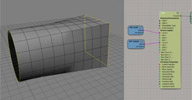 Loft osAll ICE topo
 ICE Loft Operator that supports an unlimited number of curves and generates automatic
UVs.
Usage screenshot, Bake ICE UVs/Loft Introduction video. Netview drag'n'drop link
local backup: Loft.xsicompound
Usage screenshot, Bake ICE UVs/Loft Introduction video. Netview drag'n'drop link

local backup: Loft.xsicompound
author site: http://iceduous.blogspot.com / download /p/ice-compounds-plugins.html
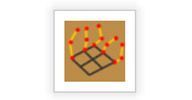 Strand Utils osAll ICE strands
 Set of utilitary nodes for the everyday strand needs. Basic getters, setters and a
few modifiers.
local backup: StrandNodes.zip (all nodes, for installation) Get First Strand.xsicompound Get Last Strand.xsicompound Get Strand Count.xsicompound Get Strand Length.xsicompound Get Strand Orientation.xsicompound Get Strand Position.xsicompound Get Strand Size.xsicompound Remove First Strand.xsicompound Remove Last Strand.xsicompound Reverse Strands.xsicompound Set Strand Color.xsicompound Set Strand Deform.xsicompound Set Strand Orientation.xsicompound Set Strand Position.xsicompound Set Strand Shape Resolution.xsicompound Set Strand Shape Size.xsicompound Set Strand Size.xsicompound
local backup: StrandNodes.zip (all nodes, for installation) Get First Strand.xsicompound Get Last Strand.xsicompound Get Strand Count.xsicompound Get Strand Length.xsicompound Get Strand Orientation.xsicompound Get Strand Position.xsicompound Get Strand Size.xsicompound Remove First Strand.xsicompound Remove Last Strand.xsicompound Reverse Strands.xsicompound Set Strand Color.xsicompound Set Strand Deform.xsicompound Set Strand Orientation.xsicompound Set Strand Position.xsicompound Set Strand Shape Resolution.xsicompound Set Strand Shape Size.xsicompound Set Strand Size.xsicompound
author site: http://iceduous.blogspot.com / download /p/ice-compounds-plugins.html
Gradient/Debug Distance to Camera osAll ICE
Generates per point gradient data with values relative to input camera.
Usage screenshot 1 / screenshot 2
local backup: GradientByDistToCamera.rar
Usage screenshot 1 / screenshot 2


local backup: GradientByDistToCamera.rar
author site: http://iceduous.blogspot.com / download /p/ice-compounds-plugins.html
 Slice to Pieces osAll ICE topo
 I'm trying to work with K.I.S.S. principle keeping in head now. This compound is a
result of 2 hour full of fun work. Extremely simple and fast.
So what it does it slice geometry with capping in a super fast way because of merge topo array technique. You can dive into the compound and see how it works, there's not so many nodes actually. Accepts arrays on input. It means that we can create a procedural exploding pizza boxes simulator with use of momentum in four steps!
Also included in Constantine's Procedural Topo Pack. See the si-community thread for comments, updates and an illustrated step-by-step instruction.
local backup: Slice to Pieces.rar
So what it does it slice geometry with capping in a super fast way because of merge topo array technique. You can dive into the compound and see how it works, there's not so many nodes actually. Accepts arrays on input. It means that we can create a procedural exploding pizza boxes simulator with use of momentum in four steps!
Also included in Constantine's Procedural Topo Pack. See the si-community thread for comments, updates and an illustrated step-by-step instruction.
local backup: Slice to Pieces.rar
Select Polygons Interactive osAll ICE
An interesting application of ICE PPG logic event handling code, originally meant
to operate »inside« the PPG, to control the polygon selection on an object
(selects polygons greater than/smaller than a specified area).
Also included in Constantine's Procedural Topo Pack. Youtube demo.
local backup: Select Polygons Interactive.rar
Also included in Constantine's Procedural Topo Pack. Youtube demo.
local backup: Select Polygons Interactive.rar
author site: http://procedural.tumblr.com / si-community thread
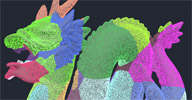 K-Means Clustering osAll ICE scene
 Partitions a polygon mesh with the k-means method.
In the thread linked below, Constantine shows some applications of that method.
local backup: k-means.rar
In the thread linked below, Constantine shows some applications of that method.
local backup: k-means.rar
author site: http://procedural.tumblr.com / si-community thread
Draw Bones Inside Mesh osAll python
Inspired by Cesar Saez's Bone Sketching tool. Select desired mesh and click on Animate -> Skeleton -> Draw Bones Inside Mesh menu.
You can quickly choose prefix name and color for the chain which will be drawn.
Youtube demo.
local backup: DrawBonesInsideMesh.rar
Youtube demo.
local backup: DrawBonesInsideMesh.rar
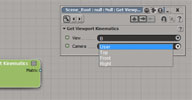 Get Viewport Kinematics osAll ICE topo
 ICE can do it too. Steve's scene objects list was a good starting point to try to get hidden attributes, like I was doing earlier
with accessing FxTree nodes. You can set viewport transformations also. I don't know how useful it can be, but
here it is.
See the si-community thread for comments, updates and an illustrated step-by-step instruction.
local backup: Get%20Viewport%20Kinematics.rar
See the si-community thread for comments, updates and an illustrated step-by-step instruction.
local backup: Get%20Viewport%20Kinematics.rar
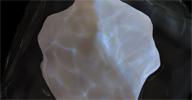 SSS2 Compounds osAll shader mentalray shadercompound
 Conversion of the SkinSSS and SimpleSSS compounds using the new Mental Ray 3.10 fastSSS2
shader. This shader renders more realistic looking imagery by allowing a different
radius to be set for each of the red, green and blue components, simulating wavelength
dependency.
Usage: Drag and drop the SkinSSS2 or the SimpleSSS2 node into the render tree, connect its »Surface« and »Lightmap« outputs to the main material, pick »User Tools->Create SSS Lightmap«, connect the new lightmap to SSS2's Lightmap input. More information can be found in the si-community thread, including some great looking test renders by Kzin.
local backup: SkinSSS2.xsirtcompound SimpleSSS2.xsirtcompound
Usage: Drag and drop the SkinSSS2 or the SimpleSSS2 node into the render tree, connect its »Surface« and »Lightmap« outputs to the main material, pick »User Tools->Create SSS Lightmap«, connect the new lightmap to SSS2's Lightmap input. More information can be found in the si-community thread, including some great looking test renders by Kzin.
local backup: SkinSSS2.xsirtcompound SimpleSSS2.xsirtcompound
 Strands Grid/Fence Mesh osAll ICE topo strands fabric
 These two compounds create a grid with a strands pattern following a woven grid/fence-like
structure.
Demo and downloads: Strands Fence Mesh / Strands Grid
local backup: strands_fence_mesh.xsicompound strands_grid.xsicompound
Demo and downloads: Strands Fence Mesh / Strands Grid
local backup: strands_fence_mesh.xsicompound strands_grid.xsicompound
Winding compound osAll ICE topo
Similar to Simon Reeves' Dynamic XSI ICE Bar Tape, this compound allows wrapping a polygon strip around a cylinder-like object employing
collision detection/noise/thickness etc. Results can serve as a starting point for
organic modeling for objects like taped wrists/ankles etc.
Demos: introduction / taped forearm demo.
local backup: Winding generator.xsicompound
Demos: introduction / taped forearm demo.
local backup: Winding generator.xsicompound
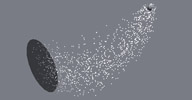 Blend Between Sim and Absolute osAll ICE particle scene
 This scene file demonstrating the blending of particle positions between simulation
and a static goal was posted in the mailing list, following a question by Byron Nash.
the results you are seeing with a combination of forces (one to move particles along
a curve, the other to draw particles towards a curve) is one I'm familiar with. It's
easy to fall into the »simulation trap«, where you drive yourself crazy
trying to find a perfect balance of forces to get the results you want. There are
a couple of suggestions I can give you [..]
Continue reading in the mailing list thread linked below.
local backup: example_BlendBetweenSimAndAbsolute.zip
Continue reading in the mailing list thread linked below.
local backup: example_BlendBetweenSimAndAbsolute.zip
author link: http://andy.moonbase.net / mailing list thread
Sound to Curve osAll python
This addon asks for a wav file which it then converts to an fcurve animation on 1
null (mono) or 2 nulls (stereo). The fcurve value represents the RMS power of the
input sound which works well for audio synchronization tasks.
See the download page for more information. This addon is from 2003 but still works with current versions of Softimage.
local backup: Sound2Curve.v0.2.xsiaddon
See the download page for more information. This addon is from 2003 but still works with current versions of Softimage.
local backup: Sound2Curve.v0.2.xsiaddon
author site: http://www.grabiller.com (archive) / download: /site/content/addons_s2c_eng.html (archive)
Default Project Directory Structure osAll python
This addon lets you alter the default directory structure (Actions, Audio, Backup,
Composites, ...) for new projects including the creation of subdirectories.
See the download page for more information. Softimage has to be started from an admin account. This addon is from 2003 but still works with current versions of Softimage.
Related plugins: Nyu Project
local backup: ProjectDirectoryStructure.v1.1.xsiaddon
See the download page for more information. Softimage has to be started from an admin account. This addon is from 2003 but still works with current versions of Softimage.
Related plugins: Nyu Project
local backup: ProjectDirectoryStructure.v1.1.xsiaddon
author site: http://www.grabiller.com (archive) / download: /site/content/addons_pds_eng.html (archive)
Key Cam osAll vbs
Current versions of Softimage support Camera autokeying and keying from the camera
property page, but this addon might offer a bit more control/a different workflow.
See the download page for more information. This addon is from 2002 but should still work with current versions of Softimage.
local backup: KeyCam.v1.5.xsiaddon
See the download page for more information. This addon is from 2002 but should still work with current versions of Softimage.
local backup: KeyCam.v1.5.xsiaddon
author site: http://www.grabiller.com (archive) / download: /site/content/addons_keycam_eng.html (archive)