Softimage Resources: plugins, scripts, compounds and shaders
All 1119 entries of the Softimage Resources as a simple list, 751–800 on this page. To search and filter by tags, use the interactive Resources page.
PoseBalls winAll workflow
This gives similar functionality to pressing the 'alt' key to move the objects pivot
during manipulation. The benefit of this plugin is that it allows you to create persistent
pivots for scenarios where you will want to rotate an object around a static pivot
in relation to itself. Reading of the documentation is a must for this one!
Most of Mike's tools require the VC++ 2010 runtime libraries installed, which are available here (archive).
local backup: poseballs.zip
Most of Mike's tools require the VC++ 2010 runtime libraries installed, which are available here (archive).
local backup: poseballs.zip
author link: http://www.softmonkey.org
 Grow Rig osAll rigging rigtoolset
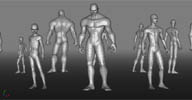
 I'd like to share a little plugin I've been developing over the past year or so, in
between jobs. I call it The Grow Rig System, and it's basically a simple auto rigger
with a character mesh already attached. Sort of a combination of a rigging tool and
a modeling tool.
Here's a demo video (archive).
It's a very simple tool, definitely a work in progress. I've certainly seen more advanced rig builders out there, but I feel the ideas my system centers around are very strong. There are many features I have in mind to add to this system but I must admit my scripting and rigging skills are limited. Any feedback would be a great help, but what I'm really hoping for are any riggers and scripters who would be up for working with me to improve and add to it.
Here's a demo video (archive).
It's a very simple tool, definitely a work in progress. I've certainly seen more advanced rig builders out there, but I feel the ideas my system centers around are very strong. There are many features I have in mind to add to this system but I must admit my scripting and rigging skills are limited. Any feedback would be a great help, but what I'm really hoping for are any riggers and scripters who would be up for working with me to improve and add to it.
author site: http://www.kylevargas.net/ / download: /growrig/beta.html (archive) / si-community thread
 Rig Collection osAll rigging
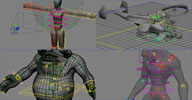
 Some of Constantine's (a.k.a. iamVFX) rigs. This collection includes the »Troll«
rig, a standard rig with verlet belly/muscle deforms, the »Shadow« rig
which has been created as a test for the GEAR rig system. Also, a »Scorpion
Helicopter« rig (Avatar-type Gyro Heli), and lastly a fully ICE-based »Robot«
Rig.
local backup: Rigs.rar
local backup: Rigs.rar
author site: http://procedural.tumblr.com / si-community thread
ENmenu winAll workflow custommenu
This plugin shows a Maya-like radial menu with built-in customization options. See
the author link for screenshots and instructions.
local backup: keyvisQMenu_Win32_Win64_091.xsiaddon
local backup: keyvisQMenu_Win32_Win64_091.xsiaddon
author link: http://jugemurye.blogspot.com/...plugin.html / download: /?page_id=68 / si-community thread
 XSI Tab Menu winAll workflow custommenu
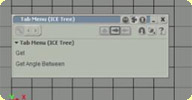
 The XSI Tab Menu tool lets you accelerate your workflow by allowing easy access to
run common commands and add nodes to your ICE tree and Render tree. It does this using
a pop up window (accessed by hitting <Tab>) which temporarily captures keyboard input
to determine what to do. You'll probably recognise that this is similar to the functionality
found in Houdini and Nuke.
local backup: fxnut_TabMenu.xsiaddon
local backup: fxnut_TabMenu.xsiaddon
author link: http://www.andynicholas.com/?p=913
 Fake Menu winAll workflow custommenu
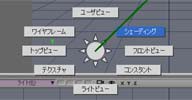
 Radial menu that recreates Maya's hotbox. Configurable using a local web page.
See the si-community thread for details on its usage (like double-clicking the center to open the configuration page)
local backup: FakeMenu_v1_1.xsiaddon
See the si-community thread for details on its usage (like double-clicking the center to open the configuration page)
local backup: FakeMenu_v1_1.xsiaddon
author @ vimeo / video / site: http://artifacts.sakura.ne.jp/sakanaya/works (archive) / blog: http://gotetz-log.blogspot.jp / si-community thread
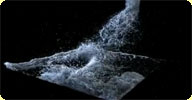 SPH fluids osAll ICE particle scene fluids
 A suite of free production-proven fluid simulation ICE nodes based on the Smoothed
Particle Hydrodynamics method. Demonstration videos are available in this vimeo group. The latest (Sprite) TV ad created with SPH can be viewed here.
local backup: SPH_v1.xsiaddon SPH.zip
Demo scenes for drag and drop: Collisions_with_Soft_Repulsion.scn high_viscosity_101.scn HighRes_100k_particles.scn HighRes_50000_Particles.scn Lava_101.scn Miscible_Fluids.scn NJ_pour_ip5.scn NoSlip_Condition.scn Rain_roof_101.scn SPH_Pouring_101.scn SPH_With_Null_Force.scn Viscous_101.scn Water_101.scn Water_102.scn Water_103.scn Water_104.scn Water_105.scn Water_105_med_res.scn Water_turbulence_force_101.scn Collisions_with_Soft_Repulsion.scn
Documentation: ICESPH-HELP.pdf
local backup: SPH_v1.xsiaddon SPH.zip
Demo scenes for drag and drop: Collisions_with_Soft_Repulsion.scn high_viscosity_101.scn HighRes_100k_particles.scn HighRes_50000_Particles.scn Lava_101.scn Miscible_Fluids.scn NJ_pour_ip5.scn NoSlip_Condition.scn Rain_roof_101.scn SPH_Pouring_101.scn SPH_With_Null_Force.scn Viscous_101.scn Water_101.scn Water_102.scn Water_103.scn Water_104.scn Water_105.scn Water_105_med_res.scn Water_turbulence_force_101.scn Collisions_with_Soft_Repulsion.scn
Documentation: ICESPH-HELP.pdf
author site: http://thiagocosta.net / http://grantkot.com
Boundary Edges osAll ICE tutorialfiles
ICE compound that outputs a boolean attribute for each edge that lies on a polygon
mesh boundary. Fabricio's page features an illustrated making-of and embedded videos
for this addon.
Note this is deprecated for SI 2012 and up because these versions have factory attributes for boundary components.
local backup: Is Edge Boundary.xsicompound
Note this is deprecated for SI 2012 and up because these versions have factory attributes for boundary components.
local backup: Is Edge Boundary.xsicompound
author link: http://iceduous.blogs....dary-edges.html
 ICE transfer of FxTree Tracking operator osAll js ICE deformer workflow
 The compound internally builds a camera frustum and translates fxtree tracking data
to 3d data. Two things you should know before using: be sure to align camera and interest Y position before applying the compound. (that's
because frustum rotation is not being calculated yet) change the image resolution inside the compound to fit your dimensions. (didn't find
a way of retrieving image resolution right inside the ice tree)
...Being using this one a lot in shots involving simple 2d tracking (no rotation, or hand keyed rotations) for object replacements, prop attachments, etc..
Compound will be stored under Tools > Tracking. Also have a look at the introduction vimeo video.
local backup: Apply 2d Tracking.xsicompound
...Being using this one a lot in shots involving simple 2d tracking (no rotation, or hand keyed rotations) for object replacements, prop attachments, etc..
Compound will be stored under Tools > Tracking. Also have a look at the introduction vimeo video.
local backup: Apply 2d Tracking.xsicompound
author link: http://iceduous.blogspot.com/...fxtree-tracking.html
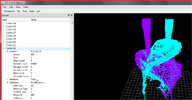 ICE Cache Explorer osAll ICE external application
 (Quoting from Guillaume Laforge's blog)Before Christmas, I was speaking around a coffee with Marc-André Belzile (Mr
Softimage SDK and many more) about a little viewer to see our ICE particles simulation
without opening Softimage and then he created this nice open source project ! - A
Python viewer to scrub your icecache, Nice :)
 Related plugins: Drag and Drop for ICE Cache
Related plugins: Drag and Drop for ICE Cacheplugin link: http://frenchdog.wordpress.com/2011/01/11/i... (archive) / google code project/download page
Generate Points from Strands osAll ICE strands
Generates a point for each segment of each strand. WARNING It can generate a lot of points if you've got large point count and/or large
strand segments count.
local backup: Generate Points From Strands.xsicompound
local backup: Generate Points From Strands.xsicompound
author blog: frenchdog.wordpress.com
Delete Particles Below Geometry osAll js ICE particle private
Deletes particles which fall below a specified ground surface. Surface can be curved
etc. Useful for culling particles and rigid body instances which escape collisions
and are no longer visible.
local backup: delete_particles_below_geometry.1.2.xsicompoundp
local backup: delete_particles_below_geometry.1.2.xsicompoundp
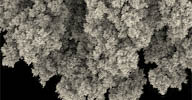 Diffusion limited aggregation osAll js ICE particle private
 Creates DLA fractal structures out of points. Usage details are included in the downloadable
zip archive.
local backup: DLA_IceCompound_PublicRelease.zip
local backup: DLA_IceCompound_PublicRelease.zip
Emit SRT matched instances osAll js ICE particle private shatter
Use in an unsimulated ICE tree to create a series of instances which match their instance
masters precisely. Very powerful! Use to create shattering or exploding effects, RBD
simulations like a classic »car through brick wall« and so on. Usage:
Pre-fragment a model, place the fragments into a group as instance masters, and supply
the group to this compound.... then you can animate in a simulated ICE tree.
Related plugins: Implosia FX, Momentum, StudioNEST Kratos, XSIShatter, Polygon Islands Transformation
using ICE, DafengIslandSeperation
local backup: emit_instances_matched_to_master_srts.1.2.xsicompoundp
Related plugins: Implosia FX, Momentum, StudioNEST Kratos, XSIShatter, Polygon Islands Transformation
using ICE, DafengIslandSeperation
local backup: emit_instances_matched_to_master_srts.1.2.xsicompoundp
Filter Emission by Sillhouette osAll js ICE particle private
V1.1 - Can be used for a variety of neat effects, including the world's least efficient
toon shading... Filters an emission to only emit particles which are perpendicular
to a supplied 3d vector, if this 3d vector is the camera's global position, then the
particles appear to be emitted only at the silhouette of the emitter geometry. Because
it's an emission filter, large emission rates are often needed. Usage: plug into »execute
on emit« port of emitter, supply an input vector (usually a camera position
or a null position).
local backup: filter_emission_by_sillhouette.1.1.xsicompoundp
local backup: filter_emission_by_sillhouette.1.1.xsicompoundp
Limit Velocity osAll js ICE particle private
V1.1 - Clamps velocities which exceed a user threshold. Highly recommended, a frequent-use
compound. Handy for keeping particle simulations from getting overly energetic. Usage:
Apply just prior to simulation node, set threshold.
local backup: limit_velocity.1.1.xsicompoundp
local backup: limit_velocity.1.1.xsicompoundp
Surface Gravity Force osAll js ICE particle private
V1.1 - Similar to »surface force« except particle mass is taken into account.
Use to create orbiting effects or to act as gravity in certain situations where gravity
vectors are not of constant direction (meteor shards and debris hitting a planet surface,
escher-esque fantasy environments etc.)
local backup: surface_gravity_force.1.1.xsicompoundp
local backup: surface_gravity_force.1.1.xsicompoundp
User OBJ Library osAll js interop importer workflow
A menu builder for a library of .obj files. As the first step, you'll have to create
a folder named »ObjLib« under (UserFolder)/Data. When installed, creates
a menu in Get>Primitive. Folder structure in the ObjLib will be recreated as the menu
structure in Get->Primitive->User Object Library. Works for wavefront obj file format
only — (Update) new version also scans all existing workgroups for Data/ObjLib
submenus.
This addon is now integrated in the STL/OBJ Import/Export addon: AdditionalFileFormats.xsiaddon
This addon is now integrated in the STL/OBJ Import/Export addon: AdditionalFileFormats.xsiaddon
author link: http://rray.de / si-community thread
ngbLightLister osAll python workflow
ngbLightLister is a little tool for XSI written in Python, in the spirit of 3ds Max's
light lister. It gives the user an easy overview of all the lights in a scene for
more comfortable comparison and tweaking of the main feature. The user can choose
to view either all or a selection of the lights in the scene. Currently, the editable
parameters are the render visibility (On), name, intensity, color, shadow on/off,
umbra, falloff on/off, falloff mode, falloff exponent and the falloff start and end
[..]
Follow author link to continue reading.
local backup: ngbLightLister.zip
Follow author link to continue reading.
local backup: ngbLightLister.zip
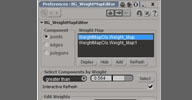 BG Weight Map Editor osAll python workflow
 Provides tools for selecting components by weight map value, and editing weights of
those components.
local backup: BG_WeightMapEditor.zip
local backup: BG_WeightMapEditor.zip
JSMultiLayers winAll shader mentalray
JSMultiLayers is a shader that works like photoshop layers. Assign JSMultiLayers as
the object's material and connect other materials and textures to the different layers
to build your layered material. It has 10 layers with opacity and 19 different blend
modes. You can also control each layer's alpha channel with 4 alpha modes.
Converted from Maya to Softimage format by Jonathan Baecker @pixelcrusher.de
local backup: JS_MultiLayers.xsiaddon
Converted from Maya to Softimage format by Jonathan Baecker @pixelcrusher.de
local backup: JS_MultiLayers.xsiaddon
author site: http://www.pixero.com / download: http://www.pixelcrusher.de/?page=shader
sssSkinMultipleOutputs winAll shader mentalray shadercompound
Subsurface-scattering skin compound that supports multiple outputs (22 in total).
Desired outputs can be requested inside the compound property page, at any composition
stage (Result, Level or Raw). Framebuffers and outputs are created automatically.
See this germanmentalray.de forum thread for comments (in German) and screenshots of the property pages.
local backup: sssSkinMultipleOutputs.xsirtcompound
See this germanmentalray.de forum thread for comments (in German) and screenshots of the property pages.
local backup: sssSkinMultipleOutputs.xsirtcompound
author site: pixelcrusher.de / download: /?page=shader
 Expression Manager osAll workflow
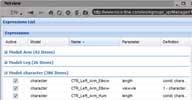
This tool is made for manage expressions that are nested under a selection. You can
deal with multiple expressions that are listed in a GridData, and edit their definitions
in mass. You can make your own variables in order to make your expressions more clear.
Advanced grid listing: grouping by model,name,parameter... sorting,paging,filtering on each column context menu for selection,apply...
Editor: create variables for easily understandable definitions toggle variable error handling
There is no download, this tool is a javascript extJS development hosted on the author's
site. Use this link (archive) to open and use it in Softimage Netview. A general introduction video is available.
Related plugins: Mia Expression Manager, Edit multiple parameters
Advanced grid listing: grouping by model,name,parameter... sorting,paging,filtering on each column context menu for selection,apply...
Editor: create variables for easily understandable definitions toggle variable error handling
There is no download, this tool is a javascript extJS development hosted on the author's
site. Use this link (archive) to open and use it in Softimage Netview. A general introduction video is available.
Related plugins: Mia Expression Manager, Edit multiple parameters
ooShrinkWrap osAll ICE deformer
ooShrinkWrap is an ICE compound that recreates part of the functionality of the built-in
ShrinkWrap operator. As an added feature, it has a shaping fcurve that allows additional
tuning of the resulting deformation.
local backup: ooShrinkWrap.xsicompound
local backup: ooShrinkWrap.xsicompound
author on vimeo
ooRelax osAll ICE deformer
ooRelax is an ICE compound that relaxes a mesh. Mesh relaxing means averaging (smoothing)
its points and reprojecting the result on the original unsmoothed polygons.
Requires ooSimpleSmooth to be installed.
local backup: ooRelax.xsicompound
Requires ooSimpleSmooth to be installed.
local backup: ooRelax.xsicompound
author on vimeo
ooSimpleSmooth osAll ICE deformer
ooSimpleSmooth is an ICE compound that smooths a mesh. Mesh smoothing means moving
each point towards the average location of its neighbors.
local backup: ooSimpleSmooth.xsicompound
local backup: ooSimpleSmooth.xsicompound
author on vimeo
 sj_pc (Point Cloud Based Rendering) osAll shader mentalray
 sj_pc is a small set of shaders allowing to write and read point clouds. It's provided
for both Softimage and Maya (version 2011 and above).
It does not have all the subtleties of a real point cloud system like you could find
in renderman, but it's very flexible and easy to use.
You can control the density of the cloud, and also edit it in Softimage or Maya.
Spotting credits for this gem (and a lot of others) go to Hirazi Blue of si-community.com fame.
Documentation on the author's site includes an example of how to create point-cloud based blurred reflections and hair self shadowing. For viewing and editing the clouds in Softimage, you will also need the pdc import/export plugin (See directly below).
local backup: sj_pc.zip
Spotting credits for this gem (and a lot of others) go to Hirazi Blue of si-community.com fame.Documentation on the author's site includes an example of how to create point-cloud based blurred reflections and hair self shadowing. For viewing and editing the clouds in Softimage, you will also need the pdc import/export plugin (See directly below).
local backup: sj_pc.zip
author link: n/a
SjPdcImport and SjPdcExport osAll interop
This plugin allows to import and export pdc (Maya's native particle format) sequences
with custom attributes to and from Softimage. For information about how to manage
the pdc files in maya, see [..]
Follow author link to continue reading.
local backup: SjPdc.zip
Follow author link to continue reading.
local backup: SjPdc.zip
author link: n/a
 XSI to Nuke osAll python interop
 This plugin runs Nuke from the Softimage interface and sends all the passes to Nuke.
Also sets up the resolution, frame rate and frame range in Nuke
[..] Read on under the si-community link.
local backup: tim_XSItoNuke_v1.2.xsiaddon
[..] Read on under the si-community link.
local backup: tim_XSItoNuke_v1.2.xsiaddon
author site: n/a / si-community thread
 Mudwalker osAll interop
 MudWalker is a free Plug-in specially developed by Wayne Robson that allows you to
easily send your model, textures or screenshots to other applications with a single
click.
MudWalker 1.5 now exports your displacement maps via fBX to the application of your choice.MudWalker was beta tested at Pixar to assure it worked well in production pipelines It's free to all freelance artists and companies with less than 5 artists(of any type).
An introduction video (archive) is available.
local backup: mudwalker.zip
MudWalker 1.5 now exports your displacement maps via fBX to the application of your choice.MudWalker was beta tested at Pixar to assure it worked well in production pipelines It's free to all freelance artists and companies with less than 5 artists(of any type).
An introduction video (archive) is available.
local backup: mudwalker.zip
 GoSoftimageLite osAll interop
 Szabolcs Matefy from Crytek Budapest has developed this addon for a quick »1-click«
interchange of geometry, UVs and (unflipped) textures between ZBrush and Softimage.
Pixologic plans on implementing GoZ for Softimage itself; this was done to have something
until Pixologic's GoZ is finished.
Related plugins: XGoZ, GoZ
local backup: GoSoftimageLiteAddon.xsiaddon
Related plugins: XGoZ, GoZ
local backup: GoSoftimageLiteAddon.xsiaddon
Krakatoa exporter (KIES) winAll cppsrc interop renderer workflow
Updated Apr 18, 2010. KieS is a plug-in for Autodesk® Softimage® which supports reading and writing of the
PRT file format used with Prime Focus' volumetric particle renderer Krakatoa™
for ICE particles. Currently this plug works only on Windows 32 bit and 64 bit platforms.
Please contact me about Linux compilations.
old version link.
local backup: Krakatoa.zip
old version link.
local backup: Krakatoa.zip
author link: http://www.steven-caron.com / google code project/download page
 ExportToKrakatoa osAll renderer interop
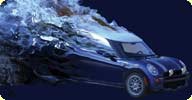
 Georgy's first version of a Softimage to Krakatoa exporter.
Features: Exports Vector3, Float, Integer, Color attributes (only defined attributes display in GUI) Supports Half type to reduce file size Supports partitioning (for simulation randomness increments Seed values) Individual parameters for every selected object.
For a video tutorial please visit Georgy's channel.
local backup: ExportToKrakatoa.xsiaddon
Features: Exports Vector3, Float, Integer, Color attributes (only defined attributes display in GUI) Supports Half type to reduce file size Supports partitioning (for simulation randomness increments Seed values) Individual parameters for every selected object.
For a video tutorial please visit Georgy's channel.
local backup: ExportToKrakatoa.xsiaddon
author link: http://www.geosamfx.com
Dop2Xsi v1.0 osAll vbs interop
Pop2Xsi v1.0b osAll vbs interop
 sIBL GUI osAll interop workflow
 sIBL is a program that manages a library of HDR environments and allows the user to
quickly set up IBL (image based lighting) in many 3D applications.
A Softimage Server add-on required for direct communication with the sIBL GUI software.
A Softimage Server add-on required for direct communication with the sIBL GUI software.
author site: http://smartibl.com
DXF Importer winAll interop
2d and 3d dxf importer plugins for Softimage XSI v6, v7.01, v7.5 & 2010/2011. Please
note that dxf file format is incredibly varied and it is impossible for me to cover
every valid iteration of the format (and keep it free). I have therefore stuck to
the dxf formats that come from the two main CAD programs available.
Note that loading a dxf file off the internet and trying to import it may or may not work (for the reason discussed previously.) The best way to get an importable format is to use Autocad or Microstation to export the data.
See the si-community discussion for more details.
local backup: dxfimport2011.zip
Note that loading a dxf file off the internet and trying to import it may or may not work (for the reason discussed previously.) The best way to get an importable format is to use Autocad or Microstation to export the data.
See the si-community discussion for more details.
local backup: dxfimport2011.zip
author site: http://www.redmotion.com / si-community thread
AEtoXSI osAll js aftereffects interop
A toolset for transferring AfterEffects' layer transformation data to Softimage|XSI.
AEtoSomething is an exporter script for Adobe AfterEffects CS4, which exports AE's layer transformation data to text file.
AEtoXSI is an importer plugin for XSI, which imports the text file generated by AEtoSomething and re-generates nulls in XSI.
The author of AEtoSomething is curryegg, a nasty friend of mine. His blog with bunch of AE stuffs. The author of AEtoXSI is me.
We worked together tightly for this toolset.
For exporting 2D screen position data into AE, you could consider using the ScreenInfo
plugin found on this site.
local backup: AEtoXSI_v1-1.zip
AEtoSomething is an exporter script for Adobe AfterEffects CS4, which exports AE's layer transformation data to text file.
AEtoXSI is an importer plugin for XSI, which imports the text file generated by AEtoSomething and re-generates nulls in XSI.
The author of AEtoSomething is curryegg, a nasty friend of mine. His blog with bunch of AE stuffs. The author of AEtoXSI is me.
We worked together tightly for this toolset.
For exporting 2D screen position data into AE, you could consider using the ScreenInfo
plugin found on this site.
local backup: AEtoXSI_v1-1.zip
author site: junkithejunkie.cocolog-nifty.com / author @ vimeo
Replace ICE String winAll python workflow
The Replace ICE String tool lets you effortlessly change attribute names in your ICE
trees. This is often a common yet error prone task when tidying up compounds for release,
due to long forgotten attributes hidden in the depths of other compounds.
local backup: ReplaceICEString.py
local backup: ReplaceICEString.py
author link: http://www.andynicholas.com/?p=1096
Incremental Backup v1.0 win32 workflow
backup system for XSI scene files. zip contains swf tutorial movie.
local backup: IncrementalBackup_enhanced.zip
local backup: IncrementalBackup_enhanced.zip
author site: http://w3filter.de
ColorBlendModes osAll ICE
Allows mixing of color values in ICE using photoshop layer blend modes like multiply,
add, screen, etc. Illustrated documentation and an embedded video can be found under
the si-community link.
local backup: DW_ColorBlendModes.xsicompound
local backup: DW_ColorBlendModes.xsicompound
author site: n/a / si-community thread
SaveRewind winAll js workflow
Rewinds your scene before saving (to prevent lengthy simulation when reloading). Comes
into action only if more than a total of 10.000 particles are present in the scene.
Prompts before rewinding.
local backup: SaveRewind.xsiaddon
local backup: SaveRewind.xsiaddon
author link: http://rray.de/xsi/
Copying ICE nodes with input connections osAll ICE workflow
Duplicates an ICE node, but - unlike copying/pasting - keeps its input connections.
Installs into the ICE nodes right-click menu.
local backup: CM_CopyWithInputs.xsiaddon
local backup: CM_CopyWithInputs.xsiaddon
 SpongeBobViewCube osAll
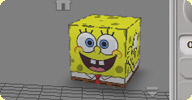
 Skin for the ViewCube. From the zip file, copy VCFacemap.png to C:Program FilesAutodeskSoftimage 2011 Subscription Advantage PackApplicationAutoCamTextures
and VCFacetext.png to the ENU subfolder.
local backup: spongebob.zip
local backup: spongebob.zip
author link: n/a
Sound Plugin osAll ICE particle
A set of particle generating ICE compounds based on a sound file as input. Offers
fast Fourier transform / 7-Band equalizer. See Stephan's videos for a detailed look at its features.
local backup: sound.xsiaddon
local backup: sound.xsiaddon
author link: http://vimeo.com/8582638
 SlipstreamVX osAll commercial ICE particle scene renderer fluids
 SlipstreamVX introduces a new method of simulating fluids to the VFX artist community.
Rather than employing a voxel simulation method that uniformly divides up space whether
or not anything interesting is happening, the patent pending SlipstreamVX focuses
on the interesting aspects of the fluid, the turbulence, wherever it is and it represents
in explicitly.
This innovative approach to fluid simulation gives SlipstreamVX two unique and powerful benefits: First, SlipstreamVX does not limit its fluid simulations to any type of bounding box. Fluid simulations are free to go where they want. You can have detail where you want it [..]
Continue reading on the product page. Price for 1 license is $399, including the HW-accelerated particle renderer Fury 1, and 1 year of support. An upgrade of the internal renderer from Fury 1 to Fury 2 is available for $299
This innovative approach to fluid simulation gives SlipstreamVX two unique and powerful benefits: First, SlipstreamVX does not limit its fluid simulations to any type of bounding box. Fluid simulations are free to go where they want. You can have detail where you want it [..]
Continue reading on the product page. Price for 1 license is $399, including the HW-accelerated particle renderer Fury 1, and 1 year of support. An upgrade of the internal renderer from Fury 1 to Fury 2 is available for $299
company site: http://www.exocortex.com / product page: http://www.exocortex.com/simulation/slipstreamvx
 Pinart Compound osAll ICE particle
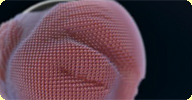
 An ICE compound that simulates the pin art effect.
See the author link for usage details. For a detailed breakdown/tutorial on how to create this effect from scratch using ICE, see this vimeo video. Also, some experiments are here.
local backup: Pinart.xsicompound
See the author link for usage details. For a detailed breakdown/tutorial on how to create this effect from scratch using ICE, see this vimeo video. Also, some experiments are here.
local backup: Pinart.xsicompound
author site: http://charkins.com (archive)
Dafeng Renamer osAll workflow python
Dafeng_Renamer is a rename plugin for XSI , 'EN' is English Version , and 'CN' is
Chinese .This Plug-in offers a series of ways to rename objects . You can rename (of
course), add prefix or suffix , insert characters , search and replace , or replace
slices of strings (from start position to end position you defined) , change character
case.
If you need a certain pattern of padding number in new names , like xxx_03_xx, xxx_05_xx,
xxx_07_xx [..]
Continue reading on the area download page.
local backup: Dafeng_Renamer_EN.xsiaddon (english version) Dafeng_Renamer_CN.xsiaddon (chinese version)
Continue reading on the area download page.
local backup: Dafeng_Renamer_EN.xsiaddon (english version) Dafeng_Renamer_CN.xsiaddon (chinese version)
Sliding Skin osAll ICE particle scene
Sliding Skin is a set of ICE compounds that enables sliding the one mesh along surface
of another, underlying mesh. Here I've used it for skin sliding, but it can be used
anywhere where you need the sliding effect. Instead of well known approaches, such
as shrink wrapping or constraining envelope's deformers to NURBS surface, it using
UVs of underlying mesh. Transformation offset between nulls is sampled to UVs, then
it's projected back to point positions. Which means, that just one pair of controllers
can slide the mesh along whole surface of underlying mesh, without stretching. Also,
there is no need for enveloping, so you can use it together with Softimage's envelope
or any other deformation operator. Whole setup is connected to mesh only by applying
the ICE tree. Performance rely on mesh resolution, cutoff distances, viewport display
[..] Continue reading under the si-community link.
local backup: am-sliding-skin-25oct09.rar
[..] Continue reading under the si-community link.
local backup: am-sliding-skin-25oct09.rar
author site: http://www.matkovic.com / si-community thread
gShapeTools osAll python workflow
There are good things with shapes in XSI but when I started to use them a lot (for
production, and for generation of a lot of character's facial expressions), I realized
it missed a lot of simple tools. So one of the first thing I did was to write some
script to help me perform some basic action. I really wanted to deal with shape easily
: duplicating, merging, splitting it...
And because it's only an array of coordinates, you can easily manipulate those data
and re-arrange the shape you've created for your character. On top of that I'm starting
playing with ICE. I've created a simple Shape Combiner [..]
Follow author link to continue reading.
local backup: gShapeTools.zip
Follow author link to continue reading.
local backup: gShapeTools.zip