Softimage Resources: plugins, scripts, compounds and shaders
All 1119 entries of the Softimage Resources as a simple list, 851–900 on this page. To search and filter by tags, use the interactive Resources page.
EdgeDetection osAll ICE workflow
I'm experimenting with a very simple edge detection algorithm. For now it only works
on grids with planar projections and greyscale images as it's based on pixel brightness.
Next goal is to enhance detection by decomposing rgb channels and comparing colors.
Stored under Particle > Effects
Usage: create a grid, planar XZ projection, texturemap property and assign any black/white image. then create an empty pointcloud with unsimulated icetree, add edge detection compound and plug the grid name. have fun!
See author link for more details. Also have a look at the introduction vimeo video.
local backup: Edge Detection.xsicompound
Usage: create a grid, planar XZ projection, texturemap property and assign any black/white image. then create an empty pointcloud with unsimulated icetree, add edge detection compound and plug the grid name. have fun!
See author link for more details. Also have a look at the introduction vimeo video.
local backup: Edge Detection.xsicompound
author link: http://iceduous.blogspot.com/2010/05/edg... / si-community thread
ET_ControlSetup osAll rigging workflow
This plug-in imports controllers and constrains the selected objects to the imported
copy of the control. You have the option to constrain by Position, Orientation, Scale,
and Pose. You can optionally select the »Import« button and have the control
imported and placed at world 0.
This plug-in is meant to be expandable by the end user. Inside the add-on's »Data« folder there is a »Models« and »Images« folder. Users can export their own controls to this »Models« folder by putting the control under a model null and going to File > Export > Model. You can additionally create an icon for it by going to the »Images« folder and editing the *.psd file and saving it in the same naming convention as per the supplied controls.
Video available on vimeo (also embedded in author link).
local backup: ET_ControlSetup_1.3.xsiaddon
This plug-in is meant to be expandable by the end user. Inside the add-on's »Data« folder there is a »Models« and »Images« folder. Users can export their own controls to this »Models« folder by putting the control under a model null and going to File > Export > Model. You can additionally create an icon for it by going to the »Images« folder and editing the *.psd file and saving it in the same naming convention as per the supplied controls.
Video available on vimeo (also embedded in author link).
local backup: ET_ControlSetup_1.3.xsiaddon
ET_PassManager osAll workflow
This plug-in allows users to export the current scene's passes and partitions and
import them to other scenes. The exported *.sipass file is XML and stores the following
information about passes and partitions: Visibility - Members - Overrides - Materials. 2 files are exported during the export command. The *.sipass file and
it's related *.xsi material library. All materials used on partitions prior to export
will be packaged into the material library and exported. If the same material is used
on multiple passes and partitions, it is only exported once.
Video available on vimeo (also embedded in author link)
 This plugin is part of Eric's ET_Tools collection which he released here on github under an open source license.
local backup: ET_PassManager_3.127.xsiaddon
Video available on vimeo (also embedded in author link)
This plugin is part of Eric's ET_Tools collection which he released here on github under an open source license.
local backup: ET_PassManager_3.127.xsiaddon
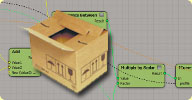 Joe's Compounds osAll compilation ICE math fluids
 A big grab bag of ICE compounds. Maybe you'll find something that suits your needs.
For details, see the si-community discussion thread. Joe's descriptions of the compounds
follow:
Emit Particle Tree - Create a tree structure made from particles. See the si-community thread for a detailed description.
Melt Geometry - Melting effect for geometry.
Align Sprite - aligns the sprite to the camera, lets you set the initial orientation of the sprite, and the rate of spin. (NOTE - plug a set self.spriteangleinitialized data into execute on emit, set to FALSE)
Bounding Center -
Bend - I'm proud of having figured out the math I used to make this. play with it, to figure it out.
Bulge - same as the Animation bulge operator...but icier.
Olde Skool Noise - friend of mine wanted noise like it was implemented for particles in <7.0 This was my best guess of how it worked.
Cool Graph - f(x) try the range -5<x<5, -20<y<20
show more...
local backup: Compounds.zip
Emit Particle Tree - Create a tree structure made from particles. See the si-community thread for a detailed description.
Melt Geometry - Melting effect for geometry.
Align Sprite - aligns the sprite to the camera, lets you set the initial orientation of the sprite, and the rate of spin. (NOTE - plug a set self.spriteangleinitialized data into execute on emit, set to FALSE)
Bounding Center -
Bend - I'm proud of having figured out the math I used to make this. play with it, to figure it out.
Bulge - same as the Animation bulge operator...but icier.
Olde Skool Noise - friend of mine wanted noise like it was implemented for particles in <7.0 This was my best guess of how it worked.
Cool Graph - f(x) try the range -5<x<5, -20<y<20
show more...
local backup: Compounds.zip
ICE compound pack v1.5 osAll compilation curves strands ICE particle deformer A collection of 10 ICE compounds from Michele Sandroni. For details, see the author
link page.
Flocking Target Force - a force that drives particles towards a target using steering behaviors
Mitosis - a compound that simulates cellular nuclear separation
Xsi Perlin Noise v3 - Noise Displacement
Displace by Texture Map
Displace by Weight Map
F-Curves to strands - a compound that converts F-Curves to strands
Distribute instances on surface - a compound that distributes instances on a polygonmesh surface
Curve to cloud - a compound that generates particles from curves
Deform Smooth with Weight Map - built-in deformer re-created as ICE compound with Weight Map support
Deform by Volume with Weight Map - built-in deformer re-created as ICE compound with Weight Map support
local backup: ms_asxICE_compounds_v1-5.zip
Flocking Target Force - a force that drives particles towards a target using steering behaviors
Mitosis - a compound that simulates cellular nuclear separation
Xsi Perlin Noise v3 - Noise Displacement
Displace by Texture Map
Displace by Weight Map
F-Curves to strands - a compound that converts F-Curves to strands
Distribute instances on surface - a compound that distributes instances on a polygonmesh surface
Curve to cloud - a compound that generates particles from curves
Deform Smooth with Weight Map - built-in deformer re-created as ICE compound with Weight Map support
Deform by Volume with Weight Map - built-in deformer re-created as ICE compound with Weight Map support
local backup: ms_asxICE_compounds_v1-5.zip
author link: http://michelesandroni.com (archive)
Xsi Increment And Save osAll workflow
After installing the addon, a new item (»Increment and Save«) will appear
under the File menu in the main Menubar.
The Custom Command »ms_asxIncrementAndSave« is automatically mapped to »Ctrl + Alt + Shift + S«
local backup: ms_asxIncrementAndSave.xsiaddon ms_asxIncrementAndSave documentation.txt
The Custom Command »ms_asxIncrementAndSave« is automatically mapped to »Ctrl + Alt + Shift + S«
local backup: ms_asxIncrementAndSave.xsiaddon ms_asxIncrementAndSave documentation.txt
author link: http://michelesandroni.com (archive)
Xsi Text fx osAll workflow
After installing the addon, a new item (»Text Fx«) will appear under Model
> Create > Text.
The text used by this operator overrides the text contained in the native Text operator.
The font options and styles are still set as usual directly in the native Text operator.
The operator supports 3 animation modes: 1. Static - no animation — 2. Animated - letters are revealed depending on the »Time Control« range — 3. Randomized - same as Animated, but letters are revealed with random characters.
local backup: ms_asxText_fx.xsiaddon ms_asxText_fx documentation.txt
The text used by this operator overrides the text contained in the native Text operator.
The font options and styles are still set as usual directly in the native Text operator.
The operator supports 3 animation modes: 1. Static - no animation — 2. Animated - letters are revealed depending on the »Time Control« range — 3. Randomized - same as Animated, but letters are revealed with random characters.
local backup: ms_asxText_fx.xsiaddon ms_asxText_fx documentation.txt
author link: http://michelesandroni.com (archive)
Metaballs osAll commercial
Metaballs v3 is the latest version of the metaball animation and simulation plug-in
for Autodesk® Softimage®. In the Video Gallery (on the author link page) you can watch
some movieclips of the plug-ins in action. Also there, you can download the evaluation
version of the plug-ins, the manual and the example scenes, or purchase a License
Key.
Price is €100 for a 1 workstation, 10 rendernode license.
Price is €100 for a 1 workstation, 10 rendernode license.
author link: http://michelesandroni.com (archive)
XSIMetaBalls osAll shader scene mentalray
metaballs system/shader (compiled operator, C++)
local backup: ms_xsiMetaballs_v2-0.xsiaddon ms_xsiMetaballs_v2-0 documentation.txt ms_xsiMetaballs_misc.zip (64 bit dlls and sample scene)
local backup: ms_xsiMetaballs_v2-0.xsiaddon ms_xsiMetaballs_v2-0 documentation.txt ms_xsiMetaballs_misc.zip (64 bit dlls and sample scene)
author link: http://michelesandroni.com (archive)
XSIPerlinNoiseDeformer osAll cppsrc deformer
perlin noise mesh deformer plugin (with offset/swimming)
local backup: ms_xsiPerlinNoise_v1-0.xsiaddon ms_xsiPerlinNoise_v1-0 documentation.txt ms_xsiPerlinNoise_v1-0.src.zip (source code and 64bit DLLs)
local backup: ms_xsiPerlinNoise_v1-0.xsiaddon ms_xsiPerlinNoise_v1-0 documentation.txt ms_xsiPerlinNoise_v1-0.src.zip (source code and 64bit DLLs)
author link: http://michelesandroni.com (archive)
XSIInstanceDisplay winAll cppsrc
Particle instance viewport display (compiled operator + display callback, C++). From
XSI 7.5 on, this is a built-in feature.
local backup: ms_xsiRTInstanceDisplay_v1-0.xsiaddon ms_xsiRTInstanceDisplay_v1-0 documentation.txt ms_xsiRTInstanceDisplay src.zip (source code)
local backup: ms_xsiRTInstanceDisplay_v1-0.xsiaddon ms_xsiRTInstanceDisplay_v1-0 documentation.txt ms_xsiRTInstanceDisplay src.zip (source code)
author link: http://michelesandroni.com (archive)
XSIAmp win32 curves
WAV audio files to animation fcurves (compiled, Visual Basic). Win32 only.
local backup: ms_xsiAMP_v1-0.xsiaddon ms_xsiAMP_v1-0 documentation.txt
local backup: ms_xsiAMP_v1-0.xsiaddon ms_xsiAMP_v1-0 documentation.txt
author link: http://michelesandroni.com (archive)
XSIFlowPolygons osAll shatter vbs
Break polygon object into polygons at runtime (scripted operator)
local backup: ms_xsiFlowPolygons_v2-0.xsiaddon ms_xsiFlowPolygons_v2-0 documentation.txt
local backup: ms_xsiFlowPolygons_v2-0.xsiaddon ms_xsiFlowPolygons_v2-0 documentation.txt
author link: http://michelesandroni.com (archive)
XSIMirror / Side select v1 osAll vbs workflow
Fast subcomponent selection / mirroring helpers
local backup: ms_xsiSelection_v1-0.xsiaddon ms_xsiSelection_v1-0 documentation.txt
local backup: ms_xsiSelection_v1-0.xsiaddon ms_xsiSelection_v1-0 documentation.txt
author link: http://michelesandroni.com (archive)
XSICameraConverter osAll vbs workflow
Crossplatform camera converter (Xsi - Maya - Max)
local backup: ms_CameraConverter_v2-2.zip ms_CameraConverter_v2-2 documentation.txt
local backup: ms_CameraConverter_v2-2.zip ms_CameraConverter_v2-2 documentation.txt
author link: http://michelesandroni.com (archive)
XSIImageClipToWeightmap osAll vbs workflow
Generate weightmaps from image clips (scripted operator)
local backup: ms_xsiImageClipToWeightMap_v1-0.xsiaddon
local backup: ms_xsiImageClipToWeightMap_v1-0.xsiaddon
author link: http://michelesandroni.com (archive)
XSIGeometryDisplacer osAll vbs workflow deformer
Displace geometry via image clips (scripted operator)
local backup: ms_xsiGeometryDisplacer_v1-0.xsiaddon
local backup: ms_xsiGeometryDisplacer_v1-0.xsiaddon
author link: http://michelesandroni.com (archive)
XSIWire osAll vbs
Rope/Cable/Wire simulator (scripted operator)
local backup: ms_xsiWire_v1-0.xsiaddon ms_xsiWire_v1-0 documentation.txt
local backup: ms_xsiWire_v1-0.xsiaddon ms_xsiWire_v1-0 documentation.txt
author link: http://michelesandroni.com (archive)
XSIShatter osAll vbs shatter
Break up polygon objects into 3D fragments
Related plugins: Implosia FX, Momentum, Emit SRT matched instances, StudioNEST Kratos, Polygon Islands
Transformation using ICE, DafengIslandSeperation, Islands To Clusters
local backup: ms_xsiShatter_v4-1.xsiaddon ms_xsiShatter_v4-1 documentation.txt
Related plugins: Implosia FX, Momentum, Emit SRT matched instances, StudioNEST Kratos, Polygon Islands
Transformation using ICE, DafengIslandSeperation, Islands To Clusters
local backup: ms_xsiShatter_v4-1.xsiaddon ms_xsiShatter_v4-1 documentation.txt
author link: http://michelesandroni.com (archive)
Per-Object Antialiasing winAll shader mentalray
This shader is designed to provide a mechanism for per-object anti-aliasing customization.
The benefits include: Only increase sampling/anti-aliasing for those objects in your scene that need it.
This way, you can have low sampling settings for objects (or blank screen areas) that
don't need high sampling values You can animate sampling/anti-aliasing based on distance to camera, for example,
to better control sampling for complex scenes.
documentation is included in the archive.
local backup: objSampling1.01.zip
documentation is included in the archive.
local backup: objSampling1.01.zip
author site: http://warpedspace.org / source: XSI mailing list
miLabel winAll shader mentalray
Set tags for identifying objects in mental ray. Makes it possible to implement selective
ambient occlusion as demonstrated here for Maya.
documentation is included in the archive.
local backup: miLabel.zip
documentation is included in the archive.
local backup: miLabel.zip
author site: http://warpedspace.org / source: XSI mailing list
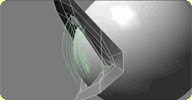 Arc Shape Interpolation osAll ICE curves workflow
 This compound does non-linear interpolation (quadratic) between the neutral pose and
a shape.
It needs a shape as input, then you can use the vector input to define the 2nd point
or an inbetween shape.
Please note that it's still a work in progress!
Video available on vimeo.
local backup: Arc Interpolation.xsicompound
Please note that it's still a work in progress!
Video available on vimeo.
local backup: Arc Interpolation.xsicompound
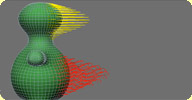 Shape Interpolation osAll ICE workflow
 ICE compound used to blend, with a bezier curve, shapes of a mesh. Ahmidou Lyazidi's
video on arc interpolation using ICE was very interesting and I tried to make a compound
that can do the same thing. Here is the result.
Made of some nodes from Phil's ICE Pack like Build linearly interpolated array, Display Line, and more. The »Shape name« reference is only to clarify the compound when you use 2 shapes or more, it's a text field, nothing more. The »Add value« defines the orientation of the curve and the »Control points« how it is shaped.
Special thanks to Benoit Robert for the control points of the curve and Guillaume Pelletier for the test drive and the text field idea.
Video available on vimeo.
local backup: Shape_Interpolation_v3.xsicompound
Made of some nodes from Phil's ICE Pack like Build linearly interpolated array, Display Line, and more. The »Shape name« reference is only to clarify the compound when you use 2 shapes or more, it's a text field, nothing more. The »Add value« defines the orientation of the curve and the »Control points« how it is shaped.
Special thanks to Benoit Robert for the control points of the curve and Guillaume Pelletier for the test drive and the text field idea.
Video available on vimeo.
local backup: Shape_Interpolation_v3.xsicompound
author site: n/a / source: the area
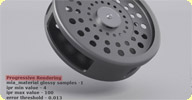 mr 3.8 Options Geoshader winAll shader mentalray
 This experimental geometry shader enables the hidden mental ray 3.8 progressive rendering
option for Softimage.
Documentation and installation instructions are available in the si-community discussion. A sample scene is provided in this germanmentalray forum discussion
This (archive) shader by ctrl.studio for Max 2011 might or might not work using the sandboxing principle
of Softimage 2011 (mi file interpretation). For help with installing mi files in SI
2011, Hirazi Blue has kindly written an article on  -community. There are currently issues rendering strands with this shader.
Related plugins: ctrl_ghost_settings
local backup: mr3.8Options.zip
Documentation and installation instructions are available in the si-community discussion. A sample scene is provided in this germanmentalray forum discussion
This (archive) shader by ctrl.studio for Max 2011 might or might not work using the sandboxing principle
of Softimage 2011 (mi file interpretation). For help with installing mi files in SI
2011, Hirazi Blue has kindly written an article on -community. There are currently issues rendering strands with this shader.
Related plugins: ctrl_ghost_settings
local backup: mr3.8Options.zip
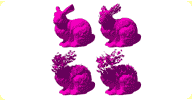 Polygon Islands Transformation using ICE osAll ICE workflow shatter
 Polygon Islands are groups of interconnected polygons. If you want to animate those
chunks independently, you could for example create some cluster centers (you would
need to use a script for a lot of chunks) and then animate those cluster nulls. It
is not a very nice solution when you've got a lot of islands and/or need to often
edit the number of chunks. With ICE, we can dynamically create one particle per polygon
island. This way you can move, rotate or scale your particles and the chunks will
get the same transformation. It can be used for various effects like basic shatter
animation with realtime feedback.
(cont'd on author link page - including a »making-of« ICE tutorial)
Related plugins: Emit SRT matched instances, Implosia FX, Momentum, StudioNEST Kratos, XSIShatter,
DafengIslandSeperation, Islands To Clusters.
local backup: PolygonsParticles.rar
(cont'd on author link page - including a »making-of« ICE tutorial)
Related plugins: Emit SRT matched instances, Implosia FX, Momentum, StudioNEST Kratos, XSIShatter,
DafengIslandSeperation, Islands To Clusters.
local backup: PolygonsParticles.rar
DafengIslandSeperation osAll python workflow
V1.3. If you select several polymesh objects, this plug-in will extract every island.
If you select several pointsedgespolygons of several polymesh objects, this plug-in will extract every island which contains these components. Anyway, island polymeshes use their source objects as parents and are named »SourcePolyName + '_Island_' + IslandID«. Source polymeshes will be hidden.
Related plugins: JP_Separate, Islands To Clusters
local backup: Dafeng Island Seperation v1.3.xsiaddon
If you select several pointsedgespolygons of several polymesh objects, this plug-in will extract every island which contains these components. Anyway, island polymeshes use their source objects as parents and are named »SourcePolyName + '_Island_' + IslandID«. Source polymeshes will be hidden.
Related plugins: JP_Separate, Islands To Clusters
local backup: Dafeng Island Seperation v1.3.xsiaddon
 Parametric Formula osAll workflow js math
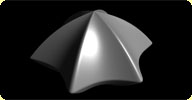
 Creates a NURBS surface based on parametric formulas. See the Area discussion thread
for a full description by the author. For Related plugins see directly below.
local backup: PFormula_v11.zip
Related plugins see directly below.
local backup: PFormula_v11.zip
 Function Graphs osAll ICE particle math
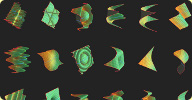
 With a bunch of graphs going from basic functions like y = x^2 * z^2 to complex things
using sin and cos functions like y=|sin(x) * ( sin(x) + cos(z) )|^0.2, this compound
tries to make it easy to visualize these functions as a graph over a surface.
Try it out on a flat plane, you can also have fun playing with this as forces, using y as weight maps, mixing it together, etc... Change it as much as you want, feel free to use any function inside of the main compound to create your own effects.
local backup: tc_graphs.xsicompound
Try it out on a flat plane, you can also have fun playing with this as forces, using y as weight maps, mixing it together, etc... Change it as much as you want, feel free to use any function inside of the main compound to create your own effects.
local backup: tc_graphs.xsicompound
author link: http://thiagocosta.net
 FormulaXSI osAll vbs curves workflow math
author link: n/a
 Merge and Render Curves osAll ICE curves strands
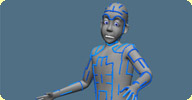
 Updated March 2010, now available for win64, linux64. Renders curves as ICE strands
without the need for a custom geometry shader. Includes the »Merge Curves«
C++ operator that merges curves into a curvelist object which is useful so you don't
have to apply the compound to each curve individually.
The xsiaddon here (archive) installs the Merge Curves op and V1.1 of the Render Curve compound. There is a 1.2 update of the Render Curve compound available here (archive) that you can replace the 1.1 version with.
local backup: MergeCurves.xsiaddon Render Curves.1.2.xsicompound
The xsiaddon here (archive) installs the Merge Curves op and V1.1 of the Render Curve compound. There is a 1.2 update of the Render Curve compound available here (archive) that you can replace the 1.1 version with.
local backup: MergeCurves.xsiaddon Render Curves.1.2.xsicompound
author link: http://frenchdog.wordpress.com/?s=render+curve
 Interactive Thickness osAll js thickness
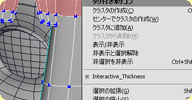
 Similar to the max shell modifier, this adds thickness to an open patch of polygons.
Select all polygons, then pick Modify->Polygon Mesh->Interactive_Thickness.
Demonstration video available here.
local backup: Interactive_Thickness.xsiaddon
Demonstration video available here.
local backup: Interactive_Thickness.xsiaddon
author @ vimeo / site: http://artifacts.sakura.ne.jp/sakanaya/works (archive) / blog: http://gotetz-log.blogspot.jp / download: http://artifacts.sakura.ne.jp/sakanaya/2008/0... (archive)
 Wiremaker osAll js thickness
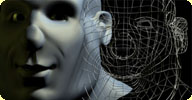
 Similar to a max lattice modifier, this adds thickness to the wires of a polygon mesh
object. Adjust wire thickness and subdivision in the first two lines of the script.
Select object, run this script.
Related plugins: Strandwire compound, WireD, DL3D Wireframe Shader
local backup: wiremaker.js
Related plugins: Strandwire compound, WireD, DL3D Wireframe Shader
local backup: wiremaker.js
author site: rray.de
Fat osAll rigging ICE deformer
Simulates spring-based wiggly fat deformation on a body, controllable using a weight
map. Usage: Duplicate the animated mesh. Freeze the new mesh and apply a weight map. Paint where you want fat. * Create Simulated ICE Tree, connect the Fat Compound and set values. enjoy.
Video available on vimeo.
local backup: Fat_ICE_Compound_v4.xsicompound
Video available on vimeo.
local backup: Fat_ICE_Compound_v4.xsicompound
author site: n/a / source: The Area
SoftEffector that respects existing constraints osAll rigging js
This is a modified version of the Soft Effector Operator by © Andrew Nicholas 2006. I changed it so that it can be applied to complex Rigs
with constraints. Instead of ignoring them, it moves constraints (if any) that affect
position from the Effector to the created SoftEffector Null. I haven't heavily tested
it, so use it at your own risk.
local backup: ApplySoftEffector_withConstraints.zip
local backup: ApplySoftEffector_withConstraints.zip
author site: n/a / source: The Area
 MaterialID Setup osAll workflow vbs
 Automatically sets up an additional MaterialID framebuffer for the current pass and
modifies all the applied materials to store a unique color in that framebuffer.
local backup: Make_MaterialID_Framebuffer.rar
local backup: Make_MaterialID_Framebuffer.rar
author site: n/a / -community thread
-community thread  ObjectID Shader winAll shader mentalray
 Assigns each object a unique color and can be used to create an ObjectID render pass
(to later on separate objects in compositing). Original Maya development, packed for
XSI by Nassos Yiannopoulos.
local backup: minObjectID.rar
local backup: minObjectID.rar
author site: n/a / -community thread
-community thread
Dual Quaternion Deformation v2.0 osAll ICE deformer
Implements the volume preserving Dual Quaternion envelope deformation. Updates Phil's
ICE pack version - fixes flipping issues. Mod by matheus that supports scaling and
some other convenient improvements. See readme.txt or si-community link for setup
details.
local backup: Dual Quaternion Deformation.2.0.xsicompound readme-dualq.txt by Anto
local backup: Dual Quaternion Deformation.2.0.xsicompound readme-dualq.txt by Anto
author link: n/a
 MT Spring osAll workflow rigging js
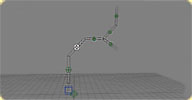
 MT Spring allows for a very quick setup of a simple dynamic, poseable rig based on
spring motion. All sorts of branching are supported, as well as a wind controller.
There's an introductory video available on youtube
local backup: mt_spring.xsiaddon
local backup: mt_spring.xsiaddon
author site: n/a
 Fragmenting objects for animation in ICE osAll js ICE shatter private
 Currently ICE has no provisions for creating or destroying faces or edges, which means
we can't create compounds directly in ice which for instance shatter objects. So what
do you do if you need a »blastcode« type destruction effect in XSI? One
solution is to approach the problem with XSI's rigid bodies, but they have their own
issues and it's frustrating not to be able to leverage some of ICE's power for this
kind of thing.
The good news is .. (cont'd on author link page).
local backup: emit instances matched to master srts.1.2.xsicompoundp extractpolys_sam.js
The good news is .. (cont'd on author link page).
local backup: emit instances matched to master srts.1.2.xsicompoundp extractpolys_sam.js
author link: http://andy.moonbase.net
 PolyMesh Duplicator winAll ICE topo workflow cppsrc
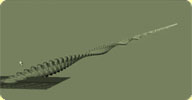
 V1.2.1 Nassos' recreation of Guillaume Laforge's addon (see video). Creates multiple procedural copies of a mesh which can be accessed from an ICE
tree. Just like Houdini's Copy/Duplicate SOP. See video tutorial on vimeo, and for more details see the si-community discussion link.
local backup: PolyMeshDuplicator1.2.1.zip
local backup: PolyMeshDuplicator1.2.1.zip
author site: n/a / si-community thread
 ICE MoGraph osAll ICE workflow scene
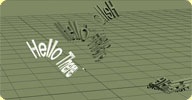
 A suite of motion graphics related ICE compounds. This is intended to mimic cinema4d's
»MoGraph Tracer« functionality. Instructions for one of the compounds
(Deform by Strand) are available here. The RAR file includes demo scenes.
local backup: ICE MoGraph v1.2.rar
local backup: ICE MoGraph v1.2.rar
author site: n/a / -community thread
-community thread 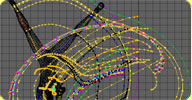 Ghosting Trails osAll ICE
 am Ghosting Trails compound is an animation utility that displays motion trails behind
animated objects. Advantage over standard Softimage's animation ghosting is speed
- even with a huge number of objects, impact on playback speed is minimal. The disadvantage
is that it can only display already evaluated motion; also, it has fewer options.
See the si-community discussion for more information and screenshots.
local backup: am Ghosting Trails.xsicompound
See the si-community discussion for more information and screenshots.
local backup: am Ghosting Trails.xsicompound
Vorlex - ICE Rigid Body osAll ICE scene fluids
VorleX is a set of ICE compounds that lets you simulate any polygonal object as a
rigid body, independently of point clouds, instances etc.
Note that the center of object must be placed in the object geometrical center to
work correctly ( Transform -> Move Center to Vertices ). But it's not necessary.
See the si-community discussion for more information and video examples. Note that these compounds can be made to interact with fluids (SPH).
local backup: Compounds_Scene.rar
See the si-community discussion for more information and video examples. Note that these compounds can be made to interact with fluids (SPH).
local backup: Compounds_Scene.rar
author link: n/a / -community thread
-community thread
Pointcloud deInstance osAll ICE particle workflow python scatter
the attached script will convert instanced objects in an ice cloud to normal
objects and respect the S/R/T. It doesn't do anything fancy such as bind
them back to the particles, it literally snapshots the frame you're on. word
of warning - it relies on the duplicate command, and this can mean it's very
slow if you've got thousands of objects. Select your point cloud and run the
script. We posted on the xsi list for some help with this, but ended up making our
own script. but this sounds like it could be useful too..
The version available here at rray.de has some small fixes. It didn't work for pointclouds
that had an instance shape defined only for a portion of the points (like leaves on
trees), as well as for pointclouds that had the same instance shape for all the points
(isConstant=true for ICEAttribute object).
local backup: pointcloud_deInstance.zip
The version available here at rray.de has some small fixes. It didn't work for pointclouds
that had an instance shape defined only for a portion of the points (like leaves on
trees), as well as for pointclouds that had the same instance shape for all the points
(isConstant=true for ICEAttribute object).
local backup: pointcloud_deInstance.zip
author link: n/a
Geometry Constraint osAll workflow js
This plug-in is a scripted operator that constrains an object's position and (optionally)
rotation to the surface of a polygonal mesh. I've seen it requested a few times on
the forums, and I thought I should take a stab at it.
Here it is in action: vimeo (archive). Please note that it doesn't work with live subdivided surfaces. Meaning that if the constraining geometry is subdivided using the Plus key on the keypad, the constrained object will continue to follow the hull, and not the subdivided geometry. The workaround in this case is to pre-subdivide the mesh (using Create > Poly. Mesh > Subdivision) before applying the operator.
# v1.2 (10/2/2009) Added a Blended Geometry Constraint. Updated version in action: @vimeo (archive).
local backup: SO_GeometryConstraint.js
Here it is in action: vimeo (archive). Please note that it doesn't work with live subdivided surfaces. Meaning that if the constraining geometry is subdivided using the Plus key on the keypad, the constrained object will continue to follow the hull, and not the subdivided geometry. The workaround in this case is to pre-subdivide the mesh (using Create > Poly. Mesh > Subdivision) before applying the operator.
# v1.2 (10/2/2009) Added a Blended Geometry Constraint. Updated version in action: @vimeo (archive).
local backup: SO_GeometryConstraint.js
 WOM_Archilight osAll shader mentalray cppsrc
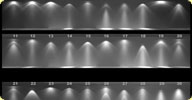
 Physically accurate light shader for mental ray.
Features: Support for IES light profiles with real light profile intensities, and ability to scale profile intensity using real world units Support for photometric (candela, lumen, lux) or radiometric (watt, watt/s, watt/m2) real world-units A photon emitter that supports light profiles, area lights, and is linked to direct light intensity Ability to use area lights with soft shadows while retaining IES profile sharpness/definition Support for color temperatures Light profile rotation A shader to create object/geometry lights A separate simple texture shader to add light profile support to other nodes Works with both Softimage and Maya on Windows 64-bit and 32-bit, Linux 64-bit, and MacOSX (Maya only). Completely free and fully open source (BSD license) with minimal restrictions, so you can compile for other platforms, incorporate the code into other free or commercial projects and redistribute. Comprehensive manual
The goal of the shader is really to be the only light shader for mental ray you will ever need to use. Please post if you run into any trouble or bugs. Any comments, feedback or nice renders are always appreciated. Enjoy! If it doesn't work with 2010 (yet), try these dlls.
local backup: wombat/wom_archlight_1.2.zip
Features: Support for IES light profiles with real light profile intensities, and ability to scale profile intensity using real world units Support for photometric (candela, lumen, lux) or radiometric (watt, watt/s, watt/m2) real world-units A photon emitter that supports light profiles, area lights, and is linked to direct light intensity Ability to use area lights with soft shadows while retaining IES profile sharpness/definition Support for color temperatures Light profile rotation A shader to create object/geometry lights A separate simple texture shader to add light profile support to other nodes Works with both Softimage and Maya on Windows 64-bit and 32-bit, Linux 64-bit, and MacOSX (Maya only). Completely free and fully open source (BSD license) with minimal restrictions, so you can compile for other platforms, incorporate the code into other free or commercial projects and redistribute. Comprehensive manual
The goal of the shader is really to be the only light shader for mental ray you will ever need to use. Please post if you run into any trouble or bugs. Any comments, feedback or nice renders are always appreciated. Enjoy!
If it doesn't work with 2010 (yet), try these dlls.
local backup: wombat/wom_archlight_1.2.zip
author link: http://www.dshowgirl.highend3d.com/users/wombat778
 Shape Tools osAll rigging workflow js
 If you have read Stop Staring, then think of this add-on as the Softimage equivalent
of the SS2_blend_taper scripts mentioned in that book.
Watch an introductory video on vimeo (archive). Basically, this add-on is a collection of plug-ins for Autodesk® Softimage® that help with the process of creating blend shapes for facial rigging and animation.
In the process of facial rigging, several blend shapes (also called morphs or endomorphs) are used to recreate common facial expressions, such as smiles, blinks, squints, etc. These blend shapes are often symmetrical, but need to be split into asymmetrical halves that blend together smoothly to form the original shape. Splitting can be done manually, which is tedious to say the least, or it can be greatly automated using the Shape Tools included in this add-on.
local backup: DefaultDisplayOptionsPlugin.js
local backup: SO_ShapeTools_v1.0.xsiaddon
Watch an introductory video on vimeo (archive). Basically, this add-on is a collection of plug-ins for Autodesk® Softimage® that help with the process of creating blend shapes for facial rigging and animation.
In the process of facial rigging, several blend shapes (also called morphs or endomorphs) are used to recreate common facial expressions, such as smiles, blinks, squints, etc. These blend shapes are often symmetrical, but need to be split into asymmetrical halves that blend together smoothly to form the original shape. Splitting can be done manually, which is tedious to say the least, or it can be greatly automated using the Shape Tools included in this add-on.
local backup: DefaultDisplayOptionsPlugin.js
local backup: SO_ShapeTools_v1.0.xsiaddon
author link: http://shaderop.com/softimage/shape-tools (archive)
Default Display Options osAll workflow js
When I start Softimage, I always set viewport B to User, textured, and headlight. It's not a big deal, but it gets boring after a while.
So, I thought I should make a little plug-in to do the job for me. Here it is in action: vimeo (archive). Please note that this plug-in has no effect on existing scenes. It only configures the viewports when a new scene is created.
local backup: DefaultDisplayOptionsPlugin.js
So, I thought I should make a little plug-in to do the job for me. Here it is in action: vimeo (archive). Please note that this plug-in has no effect on existing scenes. It only configures the viewports when a new scene is created.
local backup: DefaultDisplayOptionsPlugin.js
Evenly Spaced Curve Positions osAll ICE
This compound takes an input curve (or the first subcurve in a crvlist) and outputs
the point positions of evenly spaced lengths along the curve. Following on from a
post by Brad Gabe on the mailing list it looked like the existing normalised u compounds
on The Area didn't seem to take an array of u values as an input so I decided to revisit
Even Spacing on Curve and reformulate so that the user could input an array of (or
a single) normalised U value.
local backup: Evenly Spaced Curve Positions.2.0.xsicompound Evenly Spaced Curve Positions.xsicompound (old version) readme.txt
local backup: Evenly Spaced Curve Positions.2.0.xsicompound Evenly Spaced Curve Positions.xsicompound (old version) readme.txt
Deduplicate Array osAll ICE
This compound takes an array as input and removes any duplicates. Works fine with
integer, scalar, location and vector arrays. Deduped elements don't have to be sequential
- the compound removes any duplicate it finds. For eliminating sequences only, see
the Remove Duplicates compound.
local backup: Deduplicate Array.1.2.xsicompound
local backup: Deduplicate Array.1.2.xsicompound