








































I can't get any Texture Projection from the source object when the projection is named anything else but Texture_Projection (default) when using the Create Copies from Polygon Meshes Compound. Anyone else getting this?
The error is: "Error: The declared attribute reference could not be resolved" in the get data node.
(2014, didn't check 2013)
Texture Projection Error w. Copies from Polymesh
-
Lord Futzi Voldemort
- Posts: 440
- Joined: 06 Jun 2009, 12:01
Texture Projection Error w. Copies from Polymesh
I'm now part of an endangered species...
-
nixx

- Posts: 42
- Joined: 09 Jun 2009, 18:25
Re: Texture Projection Error w. Copies from Polymesh
Did you check inside the compound ? Maybe there's a texture reference that is not exposed, but directly set to "Texture_Projection" instead. If so, change it there or even better, expose it so you have better control.
-
Lord Futzi Voldemort
- Posts: 440
- Joined: 06 Jun 2009, 12:01
Re: Texture Projection Error w. Copies from Polymesh
Yes I followed the "path" of the reference through the compound. The error is from the innermost get data node. No matter where I pick or manually enter the texture reference string, as long as it is not the default string I get the error. Renaming the Unfold projection to Texture_Projection works immediately.nixx wrote:Did you check inside the compound ? Maybe there's a texture reference that is not exposed, but directly set to "Texture_Projection" instead. If so, change it there or even better, expose it so you have better control.
I'm now part of an endangered species...
-
thomashogben
- Posts: 15
- Joined: 21 Oct 2012, 21:07
Re: Texture Projection Error w. Copies from Polymesh
I find that when using texture projections there are some strange goings ons in the ice tree too.
Not sure you are using the texture map the same way i am, for coloring a particle emission, but here area couple of things i learnt..
I use a get particle emit location plugged into the get texture map color node, which helps to force the color.
Also if you are using an instance in a ICE tree which is then making use of the texture map color, you will need to have the same material applied to both the instance object and the ICE tree or it will not apply the texture map color in the render.
As for changing the root of the texture map once the ice tree is built, i have not tracked down a solution, it seems you need to do things in order for them to work.. texture projection on object > build ICE tree > add get texture map node
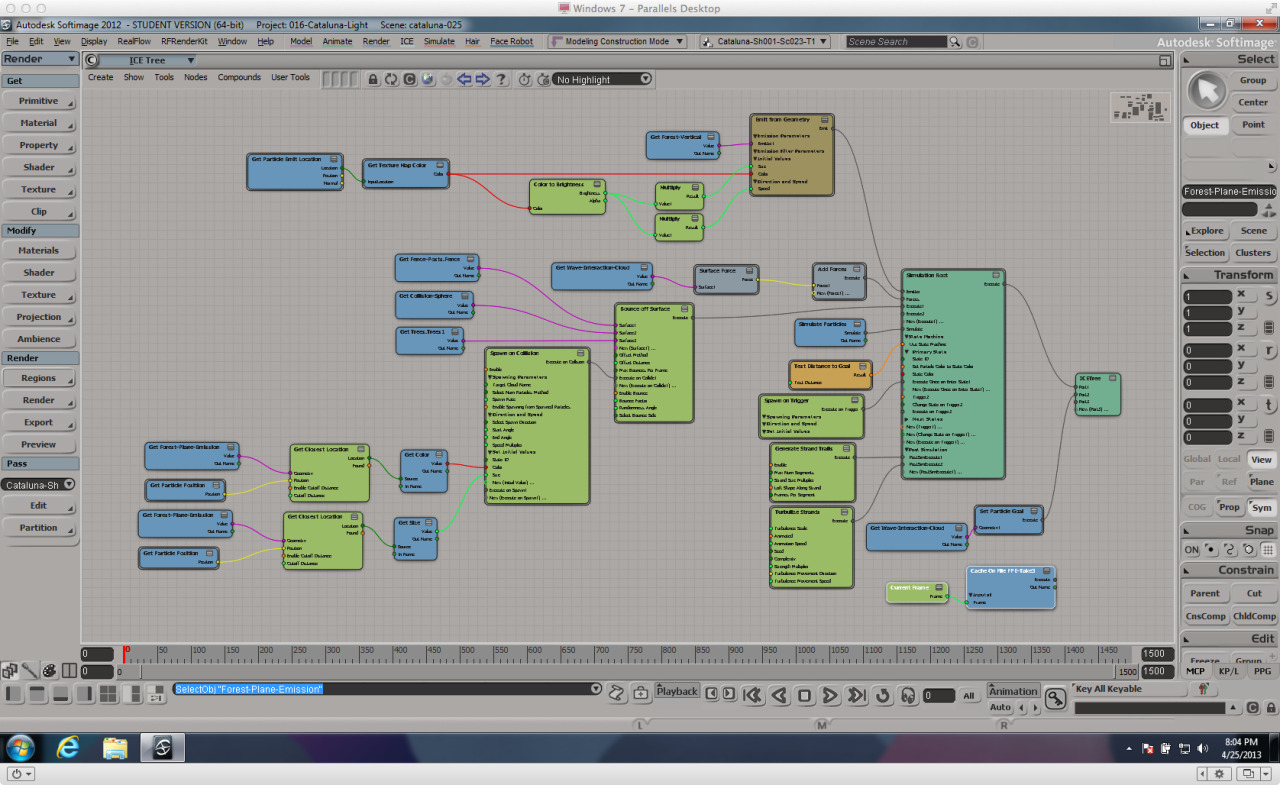
Not sure you are using the texture map the same way i am, for coloring a particle emission, but here area couple of things i learnt..
I use a get particle emit location plugged into the get texture map color node, which helps to force the color.
Also if you are using an instance in a ICE tree which is then making use of the texture map color, you will need to have the same material applied to both the instance object and the ICE tree or it will not apply the texture map color in the render.
As for changing the root of the texture map once the ice tree is built, i have not tracked down a solution, it seems you need to do things in order for them to work.. texture projection on object > build ICE tree > add get texture map node