ice modeling

Discussions about SOFTIMAGEs© Interactive Creative Environment©
rouhollah
Posts: 6
Joined: 30 Sep 2011, 09:19

ice modeling

Post by rouhollah » 03 Apr 2013, 15:09

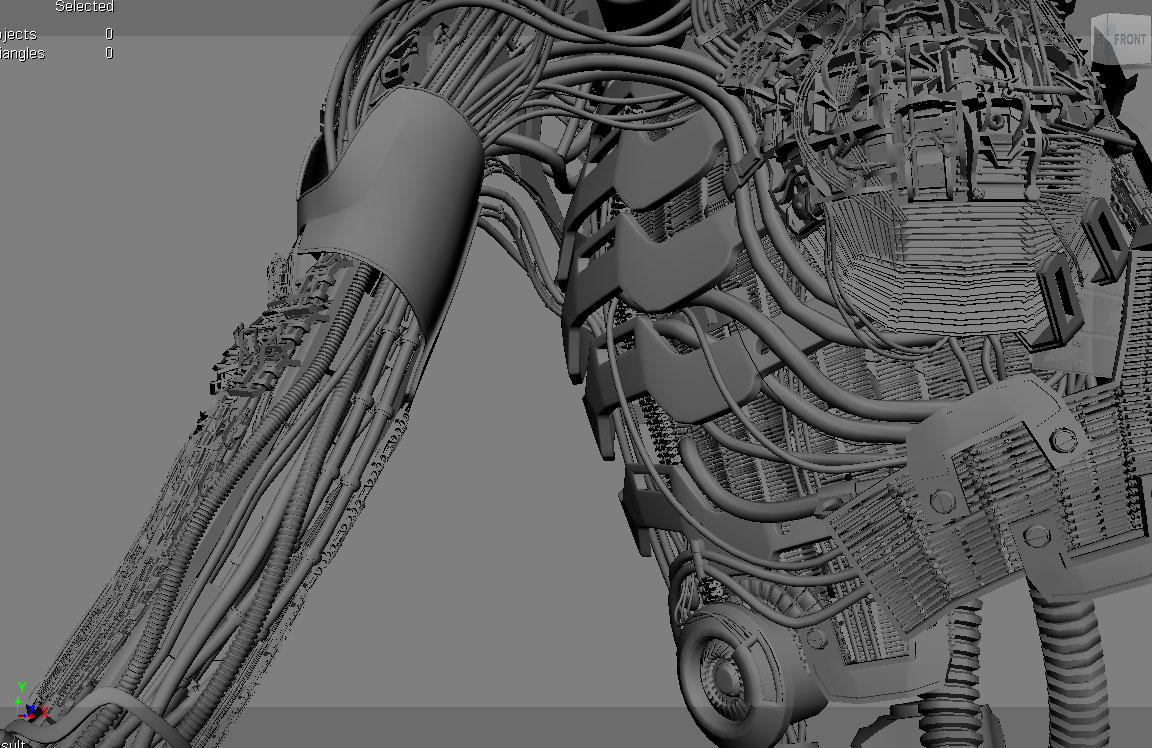
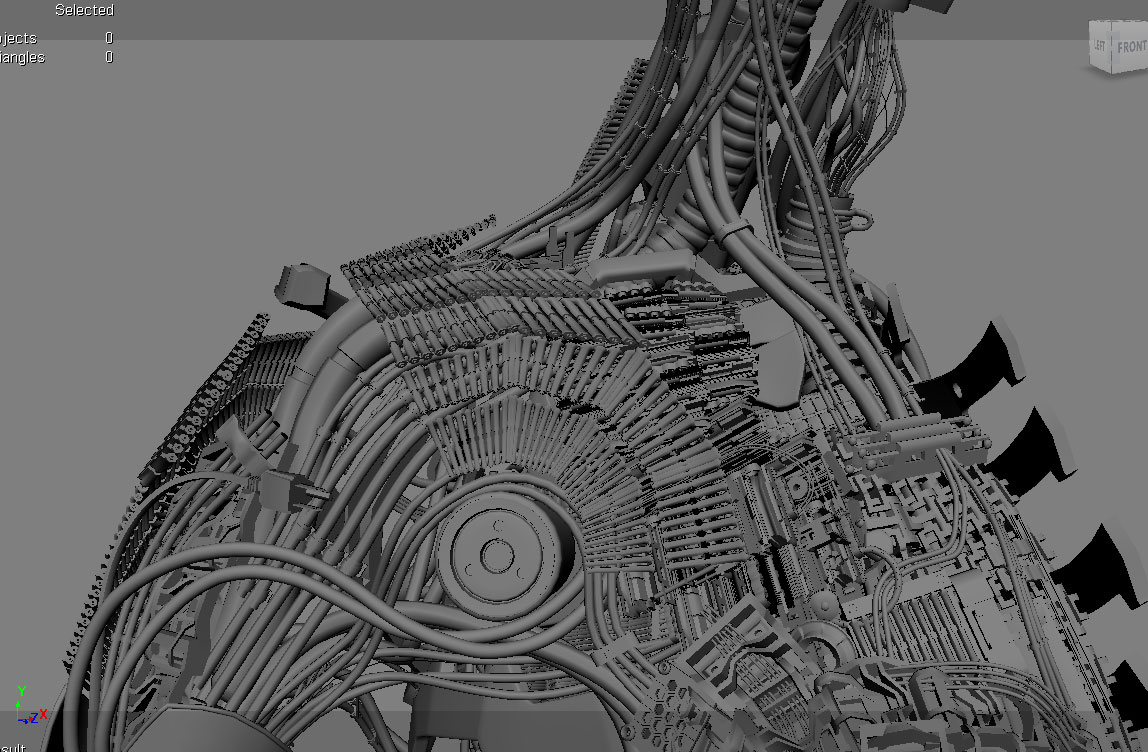
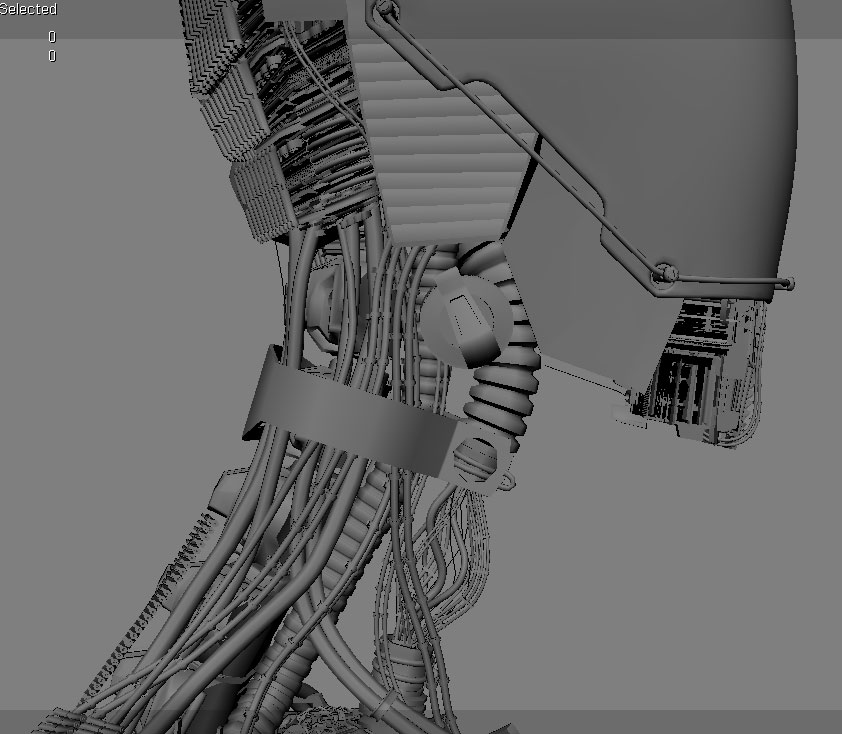
hi. I'm almost new to ice and here i need your help to create some polygon wiring and pipes over my curves. I'm modeling a robot full of thin and thick pipes all over the model. I want to know if there is a way to draw curves and then model polygonal pipes over them using ICE modeling solutions. any help is really appreciated. cheers :-bd

something like this
Image

User avatar
Daniel Brassard
Posts: 878
Joined: 18 Mar 2010, 22:38
Location: St. Thomas, Ontario

Re: ice modeling

Post by Daniel Brassard » 03 Apr 2013, 16:56

Go to RRay site, many solutions and plugins there.

http://rray.de/xsi/

I like the Keyvis curve tool myself, it's not an ICE solution but a topology operator thought, highly recommended.

http://www.keyvis.at/cg-tools/tools-for ... rve-tools/

You can also use ICE Strands to do what you want.
$ifndef "Softimage"
set "Softimage" "true"
$endif

rouhollah
Posts: 6
Joined: 30 Sep 2011, 09:19

Re: ice modeling

Post by rouhollah » 03 Apr 2013, 19:36

Daniel Brassard wrote:Go to RRay site, many solutions and plugins there.

http://rray.de/xsi/

I like the Keyvis curve tool myself, it's not an ICE solution but a topology operator thought, highly recommended.

http://www.keyvis.at/cg-tools/tools-for ... rve-tools/

You can also use ICE Strands to do what you want.
thank you Daniel, that curve tool was great but i need something to create tube meshes. i think the ice stand is the answer but it's out of my little ice knowledge. please can you give me a brief step by step for tubing using ice strand. i'm really thankful.
this is where i going to put my tubing
Image
Image
Image

NNois
Posts: 754
Joined: 09 Jun 2009, 18:33

Re: ice modeling

Post by NNois » 03 Apr 2013, 19:52

hello, i think you need to consider using power extrude, a really great topo generator for curve AND subcurves, it's perfect for tons of tubes.
Just don't forget he keept a dynamic link between curves and regenerate the topo, so, use clones and freezeM

https://vimeo.com/27256396

you also can consider using kevis curve tools to merge/detatch your surves/subcurves

EDIT: But, if you need to generate tubes from geo it's not really an option because the input need to be curve/subcurve object. In this case ice strands is the way to go like building strand from polygons on a point cloud ,and in an empty mesh meshing them with the factory compounds ;-)


Just a side message here about power extrude, this set of compounds are very well done and with small modification can generate also particles or even strands, it's a must ;-)

Falam

Re: ice modeling

Post by Falam » 03 Apr 2013, 19:59

Please, tell me your not going to animate that, what you are making ? :) If you are, you better prepare it for animation right away :)

edit by owei: please don´t quote such large pics. thanks ;)

Chris_TC
Posts: 411
Joined: 22 Mar 2010, 16:43

Re: ice modeling

Post by Chris_TC » 03 Apr 2013, 21:01

Dayum, that is one awesome looking robot!

rouhollah
Posts: 6
Joined: 30 Sep 2011, 09:19

Re: ice modeling

Post by rouhollah » 04 Apr 2013, 08:46

thank you NNois, i tested power extrude and it was really handy, it's in my tool set for sure. thanx a lot
Falam I'm a character modeler and it's just for my personal portfolio, no animation. but maybe when i want to kill a crazy rigger ;)
Chris_TC thank you man, there are tones of stuff waiting to model

Eugen
Posts: 331
Joined: 10 Jan 2010, 11:40
Location: Vienna/Austria

Re: ice modeling

Post by Eugen » 04 Apr 2013, 11:25

Hi rouholla,
nice to hear you are using my curve tools addon! If you have any trouble, raise your hand.

Curve editing and extrusions are a sore spot in Softimage... not even the SDK is mature enough to give you all you need to write such operators yourself (because cluster updates are unsupported in custom topology operators - a shame), and ICE modeling does not support setting, or even properly getting, nurbs curves and surfaces yet.

What makes this so important is the fact that for architecture or design visualizations you need proper, watertight extrusions and curve tools practically 80% of the time - at least in my experience. Motion graphics is another field where good extrusions are a must.

I'm pressing for those things in the beta for a while now. Not much of it made it in the 2014 release, but there's hope in the next cycle it's going to happen.

User avatar
ace63
Posts: 176
Joined: 07 Jun 2009, 10:30

Re: ice modeling

Post by ace63 » 04 Apr 2013, 13:08

Btw Eugen I use your curve tools all the time here at work - they are awesome!
For extrusions I still sometimes have to resort to Maya -_-

Eugen
Posts: 331
Joined: 10 Jan 2010, 11:40
Location: Vienna/Austria

Re: ice modeling

Post by Eugen » 04 Apr 2013, 13:25

Thanks! =)
Corner rounding is in the making... I've got all the building blocks, only need some more time.

rouhollah
Posts: 6
Joined: 30 Sep 2011, 09:19

Re: ice modeling

Post by rouhollah » 04 Apr 2013, 14:53

Eugen wrote:Hi rouholla,
nice to hear you are using my curve tools addon! If you have any trouble, raise your hand.

Curve editing and extrusions are a sore spot in Softimage... not even the SDK is mature enough to give you all you need to write such operators yourself (because cluster updates are unsupported in custom topology operators - a shame), and ICE modeling does not support setting, or even properly getting, nurbs curves and surfaces yet.

What makes this so important is the fact that for architecture or design visualizations you need proper, watertight extrusions and curve tools practically 80% of the time - at least in my experience. Motion graphics is another field where good extrusions are a must.

I'm pressing for those things in the beta for a while now. Not much of it made it in the 2014 release, but there's hope in the next cycle it's going to happen.
Hi Eugen
congratulation for this great tool. finally i found out how to do extrusion so much close to what i want using ice strands, and now your curve tool is a must be for me to define the tubing structure over the model. artists always need such a great tools and i really appreciate your efforts and amazing people like you. cheers :ymapplause:

Eugen
Posts: 331
Joined: 10 Jan 2010, 11:40
Location: Vienna/Austria

Re: ice modeling

Post by Eugen » 04 Apr 2013, 16:34

Thank you!
Be aware, though, that due to restrictions in the SDK, some factory curve tools, move component for example, can mess up the operator stack when mixed with my operators. To be precise, the clusters which are input to my ops can be changed, and then things get screwy. No way around it yet. Better use FreezeM frequently.

Quite frustrating to be honest. I nag for years now for a fix.