7x7 Grids with textures to Sphere

Discussions regarding modelling with SOFTIMAGE©
User avatar
sant0s
Posts: 353
Joined: 05 Sep 2011, 20:57
Location: São Pedro de Moel

7x7 Grids with textures to Sphere

Post by sant0s » 26 Mar 2013, 10:24

Hey guys,
wondering if this is possible:

I have 7x7 grids aligned, each has a texture of a part of the world map.
Now I would like the result image of all 49 grids, projected on a sphere with a spherical texture control.
Dunno if you understand what I mean :)

Problem is, that each texture is 5k and I can not merge them together in PS, would be to big.

I thought something like a camera projection could work, but somehow I dont get it.

Anybody has an idea?

Thx alot :)
You do not have the required permissions to view the files attached to this post.

User avatar
mattmos
Posts: 445
Joined: 02 Dec 2009, 15:59

Re: 7x7 Grids with textures to Sphere

Post by mattmos » 26 Mar 2013, 12:43

Merge the grids into one object, making sure to copy over materials, clusters etc, then create a surface mesh/sphere and deform by surface and the grid should wrap around the poles of the sphere as in your pic.

User avatar
sant0s
Posts: 353
Joined: 05 Sep 2011, 20:57
Location: São Pedro de Moel

Re: 7x7 Grids with textures to Sphere

Post by sant0s » 26 Mar 2013, 14:11

we did this. the problem is, that I cannot strech the image as one part after I merged the grids, the 49 pieces move independent.

User avatar
mattmos
Posts: 445
Joined: 02 Dec 2009, 15:59

Re: 7x7 Grids with textures to Sphere

Post by mattmos » 26 Mar 2013, 14:43

Do you mean the polygons move independently or the uvs? The uvs will end up sitting over each other using this method so scaling might nto work well, translation should be ok though.

Might want to consider a different setup though, using uv offsets to recreate the grid in the texture layout. Bit more convoluted but better methodology.

User avatar
sant0s
Posts: 353
Joined: 05 Sep 2011, 20:57
Location: São Pedro de Moel

Re: 7x7 Grids with textures to Sphere

Post by sant0s » 27 Mar 2013, 09:20

first, thx! :)
but Ill try to explaint it a bit better:

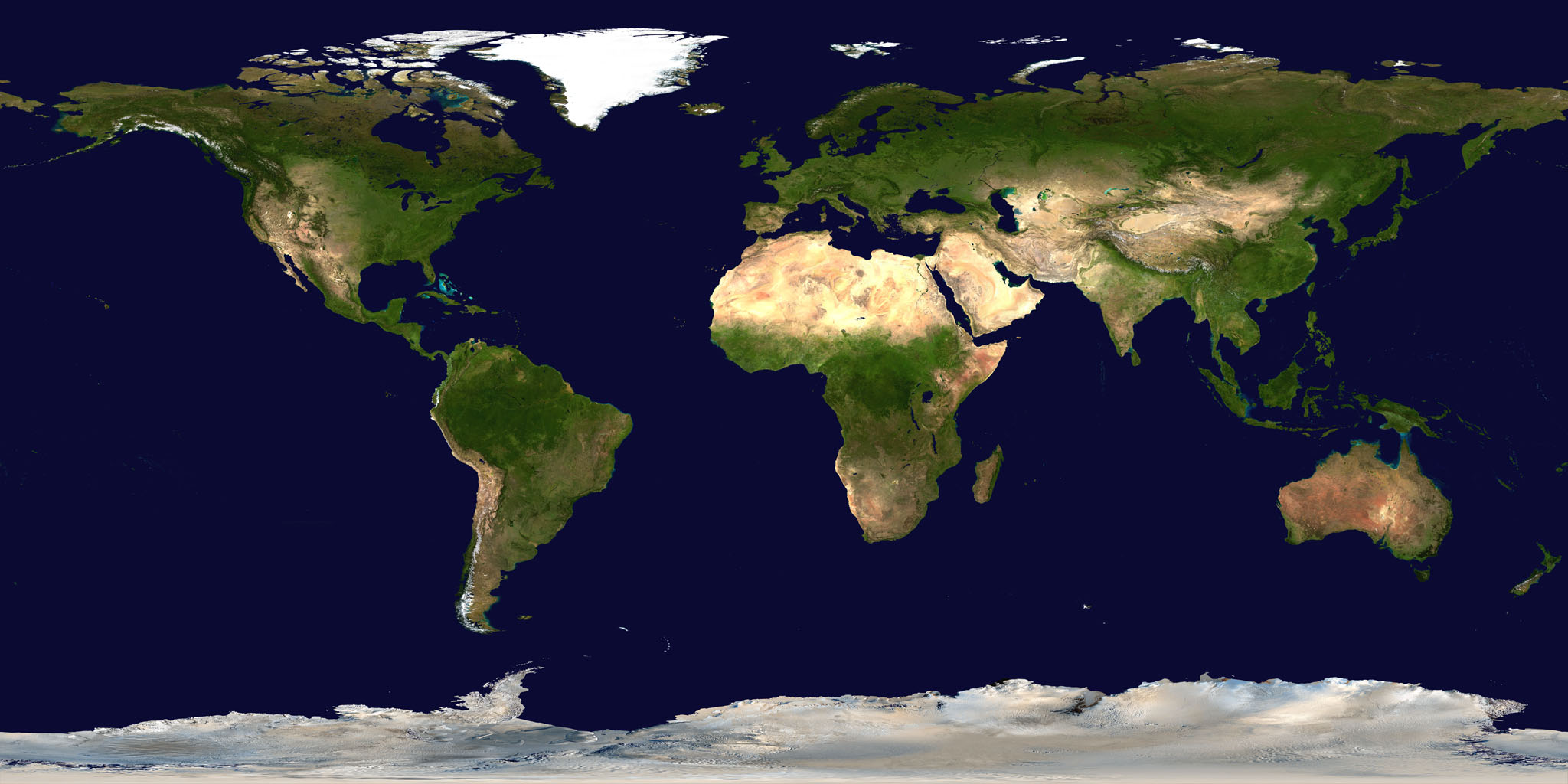
If i use a NASA world map like this, http://eoimages.gsfc.nasa.gov/images/im ... o_2048.jpg, the streching of the continents is almost correct and I can wrap it around a sphere.
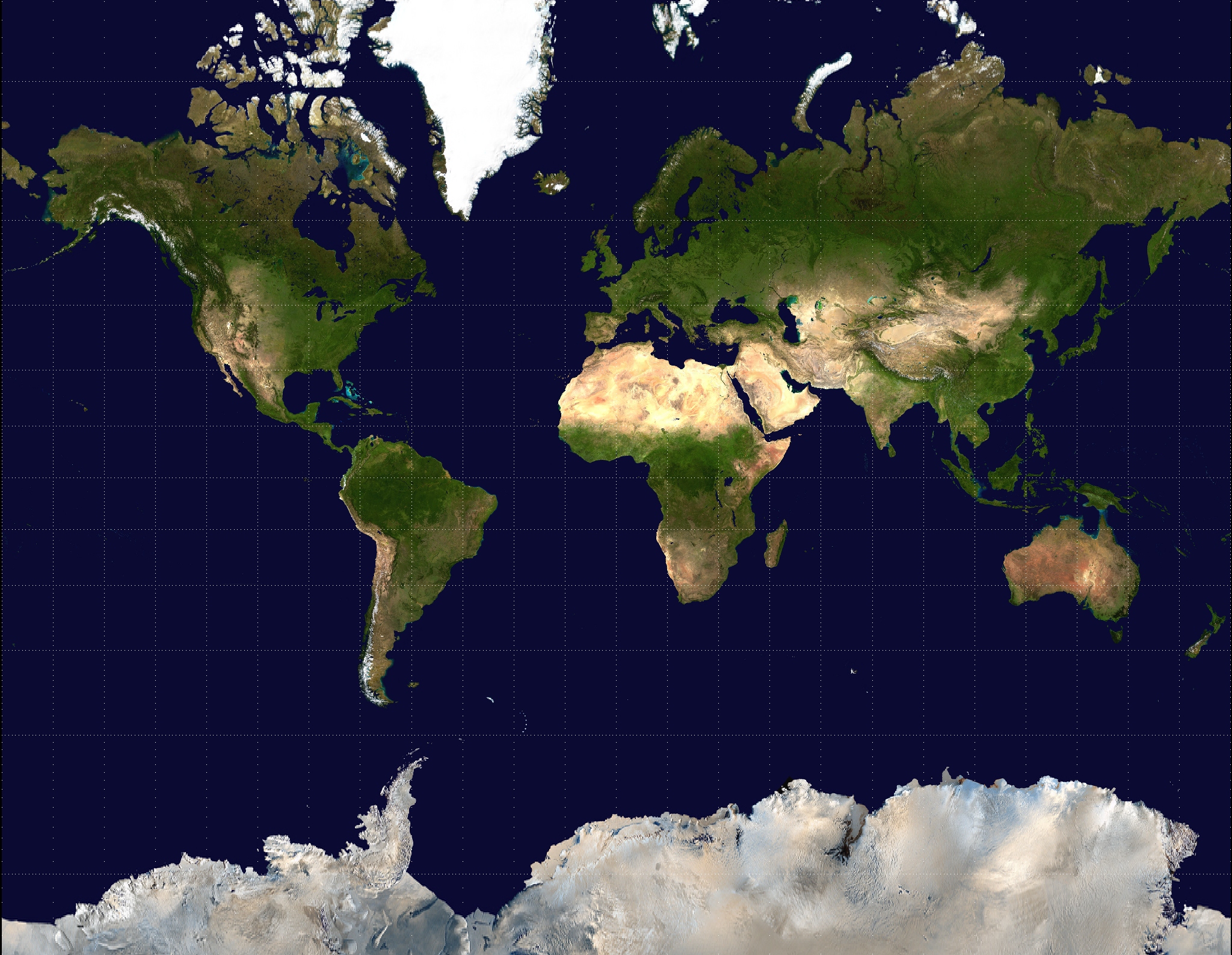
But I have a mercator projection like this, http://upload.wikimedia.org/wikipedia/c ... ection.jpg. The streching is, specially at north and southpole, uncorrect.GHreenland is bigger than africa for example.
If i project the mercator projection around a sphere, I can strech the spherical projection in the Y-axis and get the result I need - but thats where I stuck.
All works well if I use a single texture but not with my setup.

hmm, need to try what you mean with offset the uv's...

NNois
Posts: 754
Joined: 09 Jun 2009, 18:33

Re: 7x7 Grids with textures to Sphere

Post by NNois » 27 Mar 2013, 10:12

So you need to pre-deform your 7x7 grid.
I see it like this:
1.Freeze the projections on your grid then Merge your grids together
2.Deform you grid so you keep the good proportions
Ther is several way to do this.
Using the scale tool with a falloff: selecting the north and south points and doing a scale with the falloff tool set to the distance to the equator, you can after adjust the curve in the operator
Or using an ice tree...
3.Clone the result
3.Deform the clone to your sphere so you can adjust the deformed grid

this should work

Pancho
Posts: 659
Joined: 19 Sep 2010, 09:28

Re: 7x7 Grids with textures to Sphere

Post by Pancho » 27 Mar 2013, 10:36

Can't you throw all the grids into a group and then use ice to deform/morph them into a sphere?

The point ids on a grid follow a certain rule. If you use modulo it's easy to assign coordinate numbers to all of them. Then you could use these coordinates to find the position on a sphere (e.g. -90 - 90/ 0 - 360).

User avatar
rray
Moderator
Posts: 1810
Joined: 26 Sep 2009, 13:51
Location: Bonn, Germany

Re: 7x7 Grids with textures to Sphere

Post by rray » 27 Mar 2013, 11:58

Photoshop is actually very good with huge images. Unless you have a very old machine this image size (35000X35000) shouldn't be a big problem for it. You could then do the anti stretch stuff in PS.
softimage resources section updated Sep 26th 2026

User avatar
sant0s
Posts: 353
Joined: 05 Sep 2011, 20:57
Location: São Pedro de Moel

Re: 7x7 Grids with textures to Sphere

Post by sant0s » 27 Mar 2013, 14:44

@Pancho and NNois, will try that - thank you so far.

@rray: yea, we did that and Photoshop can handle 35k images. But if I get it to run with that setup, I could also use bigger files and dont need any blending tricks while flying from space to earth and than I have close to 60k. And we had problems with pictures bigger than 2 gb.

Actually it is just another try on founding out how to handle large images... so thx for your help guys, will give that a try.

NNois
Posts: 754
Joined: 09 Jun 2009, 18:33

Re: 7x7 Grids with textures to Sphere

Post by NNois » 27 Mar 2013, 15:57

Sorry if i was not clear I mean deforming your merged grid to obtain the anti stretch.
then deform to surface the grid, i don't seen any needs here using ice to deform to a sphere, but using it to antistretch perfectly is a good idea and simple to do.
NNois wrote:So you need to pre-deform your 7x7 grid.
I see it like this:
1.Freeze the projections on your grid then Merge your grids together
2.Deform you grid so you keep the good proportions
Ther is several way to do this.
Using the scale tool with a falloff: selecting the north and south points and doing a scale with the falloff tool set to the distance to the equator, you can after adjust the curve in the operator
Or using an ice tree...
3.Clone the result
3.Deform the clone to your sphere so you can adjust the deformed grid

this should work