Discussions regarding Materials, Material-Compounds or Shaders, etc.
-
clankill3r
- Posts: 131
- Joined: 21 Oct 2012, 13:36
Post
by clankill3r » 14 Mar 2013, 22:12
I need something like this:
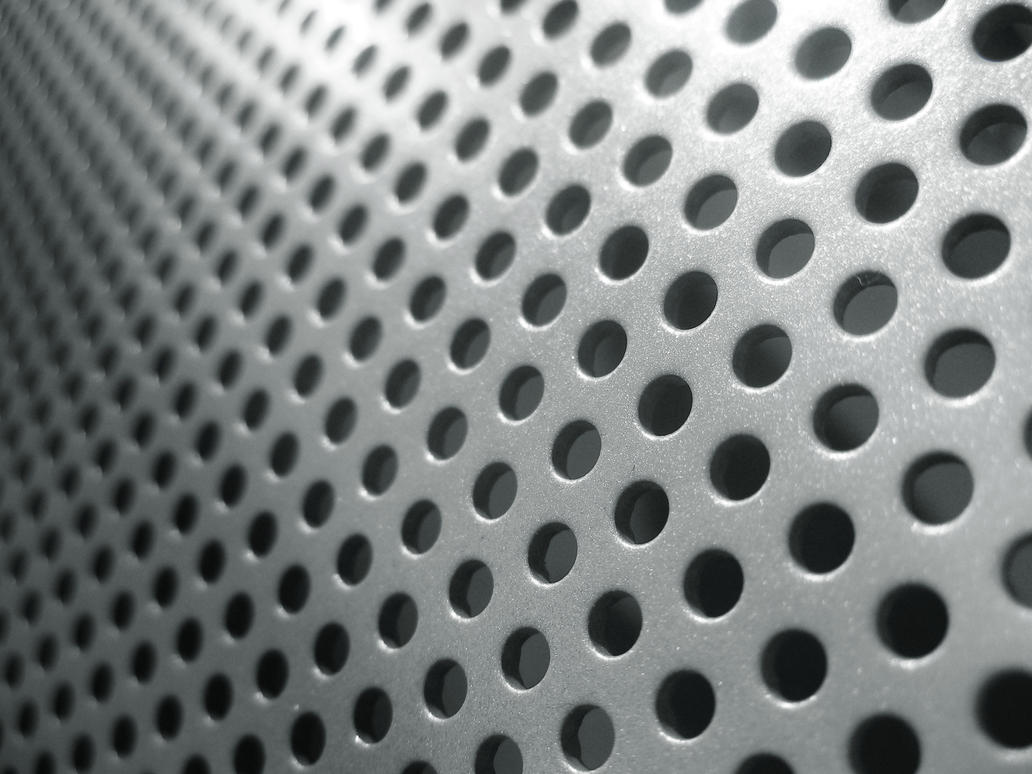
It doesn't have to have any thickness (so if it looks like a paper with holes it's fine).
How can i do something like that?
I asume it's possible with materials, so that's why i post it here. If it is possible another way then it's also fine.
O yeah, it would be nice if it allows light to go threw.
-
Superpositivo
- Posts: 123
- Joined: 18 Feb 2013, 13:48
Post
by Superpositivo » 14 Mar 2013, 23:16
Use a dots texture (black with white dots) and connect it in the Trasparency node of the shader (Phong, lambert, Mia, etc...).
-
Falam
Post
by Falam » 15 Mar 2013, 00:36
Superpositivo wrote:Use a dots texture (black with white dots) and connect it in the Trasparency node of the shader (Phong, lambert, Mia, etc...).
Or the
cut out slot of a MIA material.
-
Rork
- Posts: 1359
- Joined: 09 Jul 2009, 06:59
- Location: Close to The Hague, Netherlands
Post
by Rork » 15 Mar 2013, 08:29
Or, when the dimension are known, create the pattern in Illustrator and export/import the file.
Extrude, bevel etc. and be happy.
Multiple ways to skin a cat ;)
-
clankill3r
- Posts: 131
- Joined: 21 Oct 2012, 13:36
Post
by clankill3r » 18 Mar 2013, 19:56
thanks, i will try later.
-
clankill3r
- Posts: 131
- Joined: 21 Oct 2012, 13:36
Post
by clankill3r » 25 Mar 2013, 22:26
The mia_material has no cut out slot, is it named different maybe?
Also to get the depth, is extrude, bevel etc. the only way?
I got it working with a texture now but the shadow of the object itself is like there is no transparency on the object at all.
I can understand why this is the default, but how can i change this?
-
mattmos
- Posts: 445
- Joined: 02 Dec 2009, 15:59
Post
by mattmos » 26 Mar 2013, 00:20
You can use displacement for the thickness, though the mesh will need to be subdivided enough:
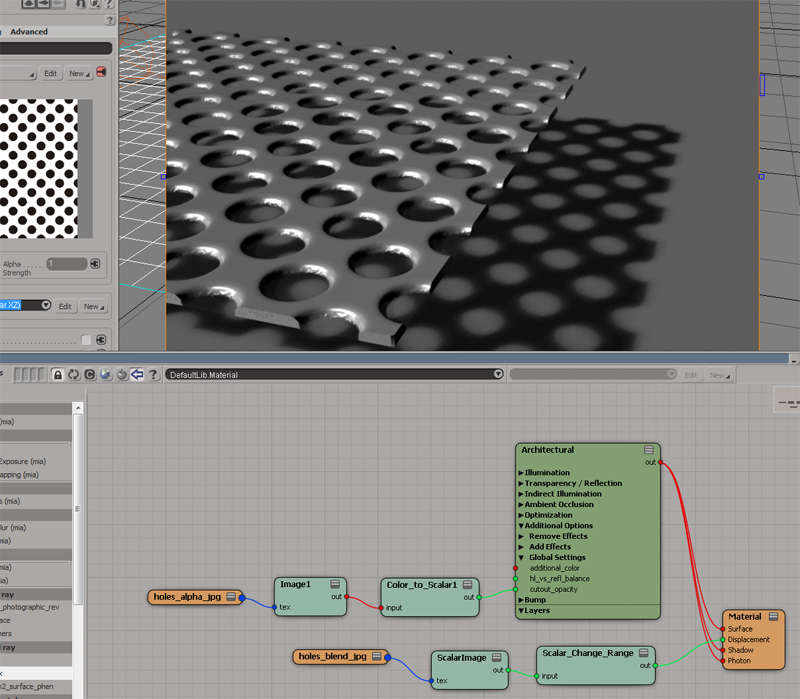
use one polka dot image for the cutout, and then create a second for the displacement in photoshop by either blurring a duplicate layer or use the handy layer blending outer glow options to make a black glow with different edge bevelling styles. Hat tip to Jules Stevenson for that one.
If you use larger dots and a repeatable pattern you won't get the pixel noise I've got in the image above.
-
origin
- Posts: 619
- Joined: 09 Jun 2009, 09:59
- Location: warsaw
Post
by origin » 26 Mar 2013, 08:35
I usually model 1-4 holes depending on pattern, duplicate polys and snap & move with help of temp pivot, weld boundary vertices, then again with bigger chunk duplicate, snap, move, weld, and so on...and with final shape apply thickness








































