Comments on work in progress
-
SquirrelSa
- Posts: 53
- Joined: 25 Oct 2010, 07:44
- Location: South Africa
Post
by SquirrelSa » 23 Oct 2012, 11:26
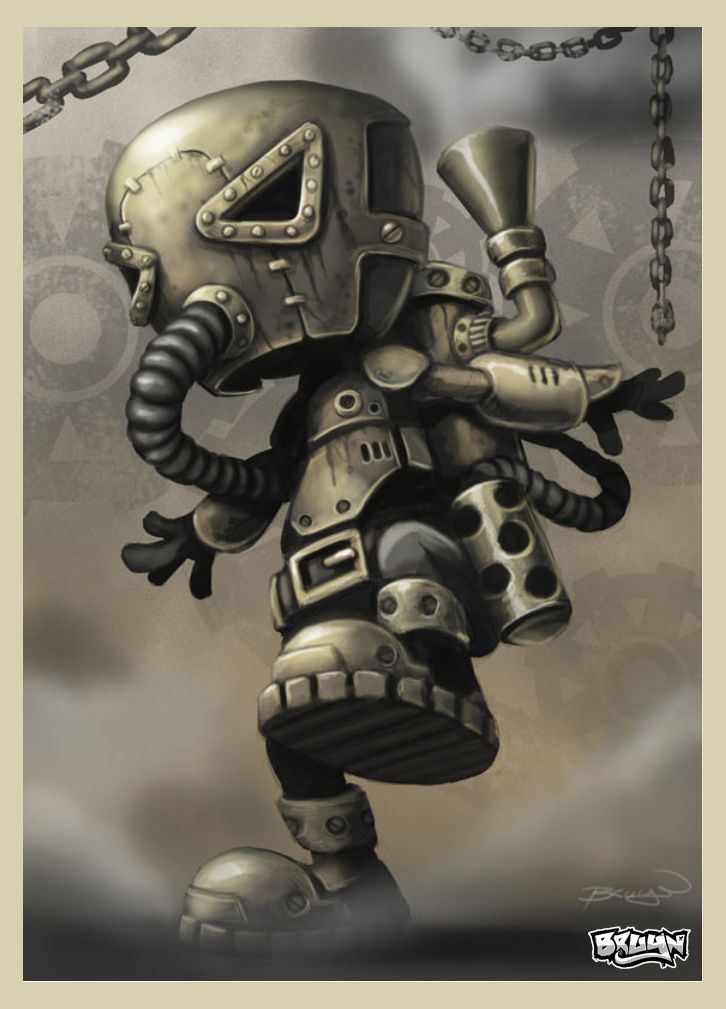
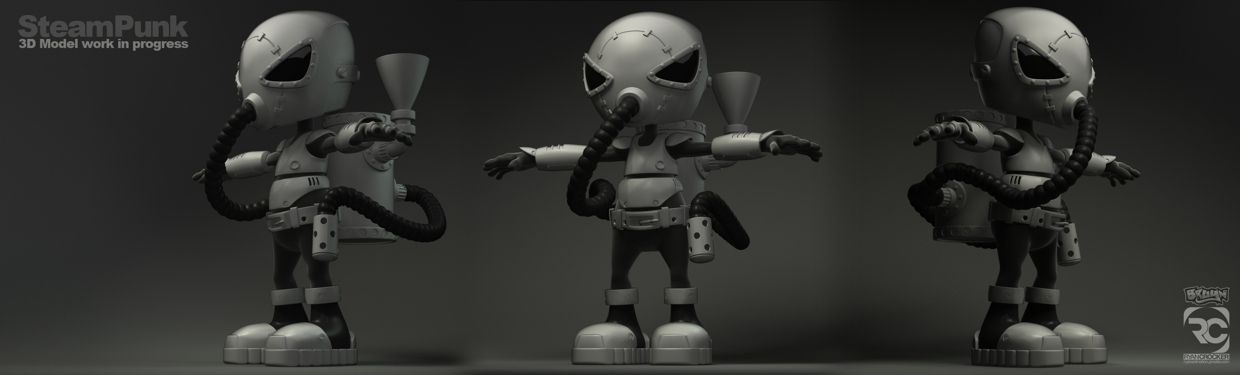
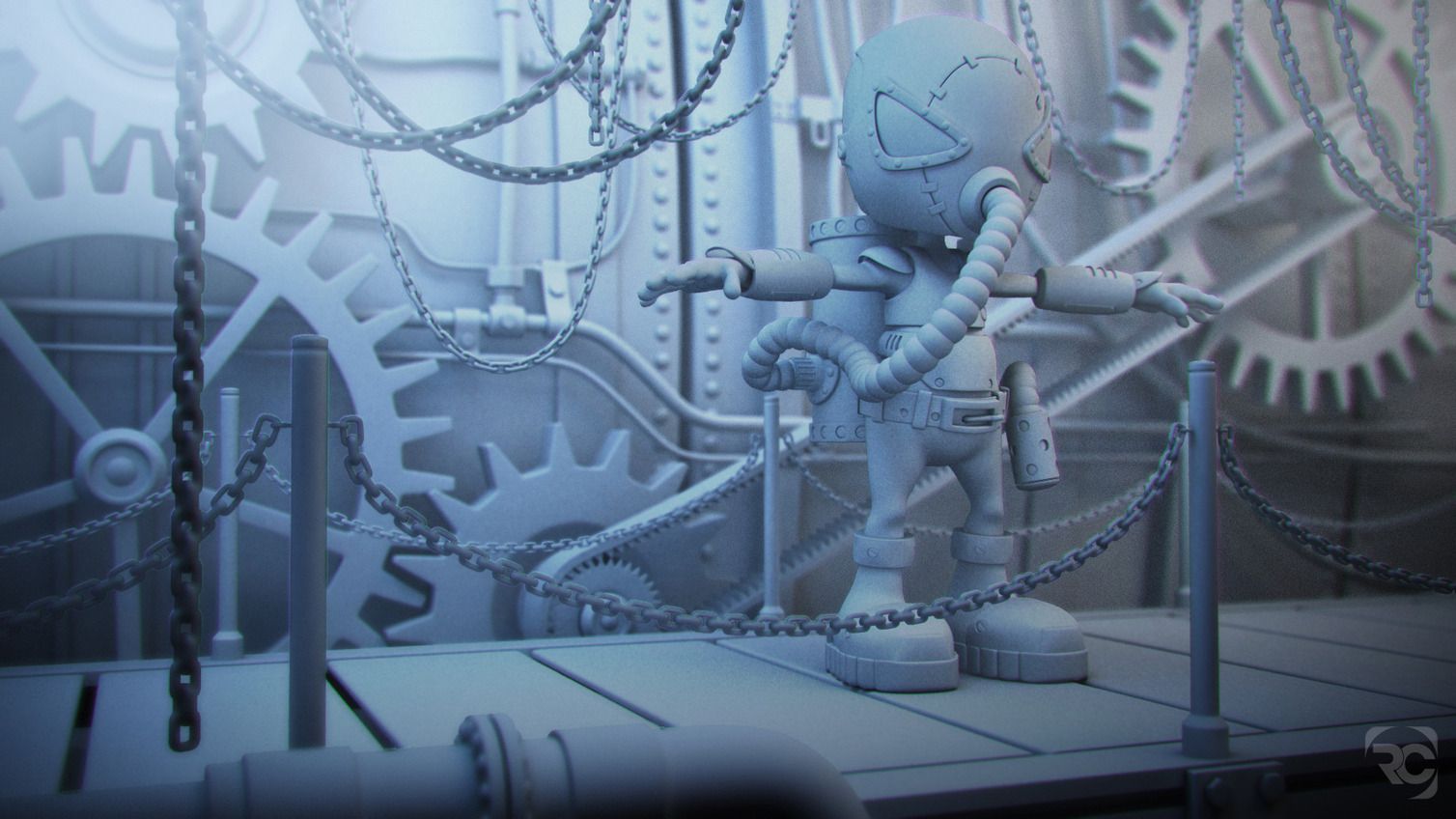
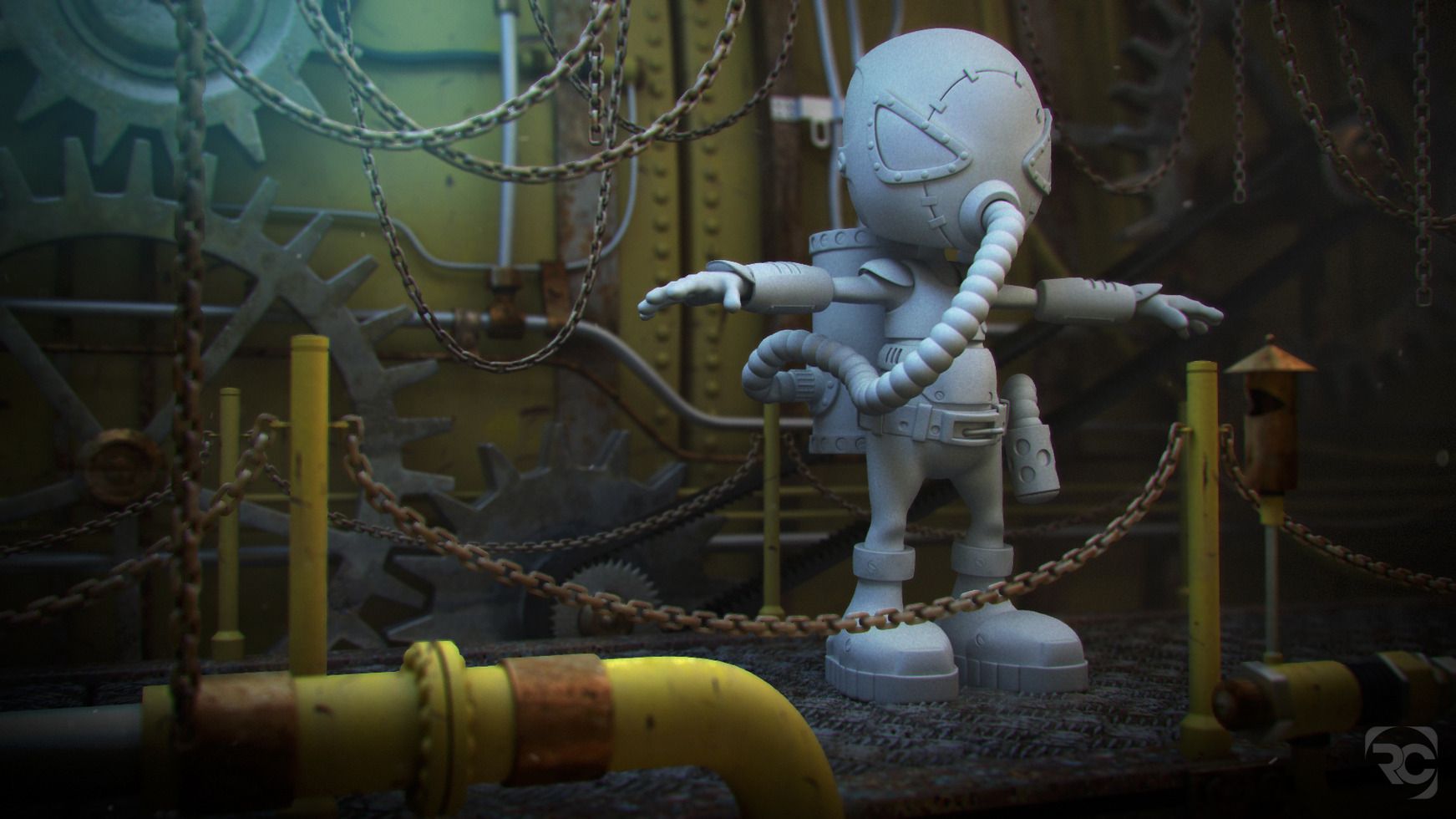
Hey folks - here is a work in progress of something that I have been working on in my own time . . . Essentially it is a collaboration with myself and Craig Bruyn (Australian Artist). It's titled SteamPunk, named by Craig. His original artwork looked awesome, so I asked if I could do a 3D Replica, and here we are. All work is done in SI 2013 and rendered with VRay, initial comp is done in PhotoShop. For final, I would like to Rig and Animate this character with a 'crane' type camera move? All background elements would be animated too. C&C's are welcome. Check out some other work in progresses I've been busy with on Behance.
Original Artwork
3D Model WIP
Lighting Test - VRay
Texture WIP - VRay
See more works here:
http://www.behance.net/ryananimation
-
Nizar
- Posts: 725
- Joined: 30 May 2010, 20:54
Post
by Nizar » 23 Oct 2012, 18:44
Good Job

-
ActionArt
- Posts: 853
- Joined: 25 Nov 2010, 17:23
- Location: Canada
Post
by ActionArt » 24 Oct 2012, 02:49
Very nice modeling. Looking forward to seeing more, keep it up ;)
There seems to be some pretty noticeable chroma separation in the renders. Specifically purple on the left and green on the right. Is that intentional?
-
SquirrelSa
- Posts: 53
- Joined: 25 Oct 2010, 07:44
- Location: South Africa
Post
by SquirrelSa » 24 Oct 2012, 07:18
Thanks for the coments - the chromatic split is not intentional, but now that you mentioned it . . . I can't stop trying to figure out why this is? Probably a blending mode on another layer. For final, this won't be. But thanks anyways.
-
ActionArt
- Posts: 853
- Joined: 25 Nov 2010, 17:23
- Location: Canada
Post
by ActionArt » 24 Oct 2012, 12:21
I'm not a V-ray user so I'm not sure what that would be. Looks almost like chromatic aberration from a camera lens. Is there an effect active by mistake?
-
SquirrelSa
- Posts: 53
- Joined: 25 Oct 2010, 07:44
- Location: South Africa
Post
by SquirrelSa » 24 Oct 2012, 12:26
The chromatic aberration is a post effect - no worries, I know how to fix this. Yeh - VRay is awesome.
-
ghonma
- Posts: 1
- Joined: 09 Jun 2009, 14:11
Post
by ghonma » 24 Oct 2012, 17:02
How are you doing the DoF ? Cause it's looking very odd in some places, like eg the yellow pipe in the foreground and that one blurry chain on the top left. It's looking as if the defocus is happening within the borders of the objects only and not beyond, if that makes any sense.
Nice work otherwise...
-
SquirrelSa
- Posts: 53
- Joined: 25 Oct 2010, 07:44
- Location: South Africa
Post
by SquirrelSa » 24 Oct 2012, 18:04
The DOF is done in photoshop, apply lens blur filter and use a DOF render buffer as the channel matte. Yeh, I also noticed this and I honestly don't know the cause of this edge issue - it remains crisp? It might be a fault of lens blur or the fact that the DOF channel is not 16 bit. For final renders I hope to render a 16bit DOF pass and use Frischluft as the filter. I find I get better results with Frischluft. I'm open to suggestion though. Thank for the interest though.
-
ActionArt
- Posts: 853
- Joined: 25 Nov 2010, 17:23
- Location: Canada
Post
by ActionArt » 25 Oct 2012, 01:38
I've noticed this several times when trying to use Lensblur in Photoshop on some of my projects. It leaves really bad aliased edges where one object is much closer than another (or the background) making it look like a cutout. Unless there is some trick I don't know about, Lensblur in Photoshop is crap. It doesn't matter if it's 16 bit or not. I'm not sure if there is a better one available but it's probably worth a look.
-
Falam
Post
by Falam » 25 Oct 2012, 02:25
SquirrelSa wrote:The DOF is done in photoshop, apply lens blur filter and use a DOF render buffer as the channel matte. Yeh, I also noticed this and I honestly don't know the cause of this edge issue - it remains crisp? It might be a fault of lens blur or the fact that the DOF channel is not 16 bit. For final renders I hope to render a 16bit DOF pass and use Frischluft as the filter. I find I get better results with Frischluft. I'm open to suggestion though. Thank for the interest though.
Interesting, since Ps Lens Blur is garbage, what other add-ons does anyone find useful for compositing in Ps ? I was going to ask the same question for the other compositors that can do video/animation but that is too broad
-
Rork
- Posts: 1359
- Joined: 09 Jul 2009, 06:59
- Location: Close to The Hague, Netherlands
Post
by Rork » 25 Oct 2012, 09:13
DofPro, Frischluft?
-
milanvasek
- Posts: 143
- Joined: 09 Jun 2009, 10:12
- Location: Czech Republic
Post
by milanvasek » 25 Oct 2012, 09:21
first i have to say i really like this project. looking forward to see updates
about the foreground DOF, i would recommend rendering those elements in separate layers and then using simple defocus filter (i guess animation will be comped in nuke/fusion or something like that)
-
ActionArt
- Posts: 853
- Joined: 25 Nov 2010, 17:23
- Location: Canada
Post
by ActionArt » 25 Oct 2012, 13:35
Rork wrote:DofPro, Frischluft?
Both look pretty good. I was hoping someone might know of a free one that works well...just wishful thinking.
Has anyone used the node in FX tree with any success? How about Toxic, anyone ventured there?
-
Rork
- Posts: 1359
- Joined: 09 Jul 2009, 06:59
- Location: Close to The Hague, Netherlands
Post
by Rork » 25 Oct 2012, 14:29
yes... and no

-
ActionArt
- Posts: 853
- Joined: 25 Nov 2010, 17:23
- Location: Canada
Post
by ActionArt » 25 Oct 2012, 14:42
OK, then. Did your keyboard quit working or is that just enough typing for one day?

-
anyheart
- Posts: 46
- Joined: 26 Jun 2011, 04:42
Post
by anyheart » 27 Oct 2012, 03:34
nice !i like it so much!








































