















RGBA_Smooth_Keyer

Plugins linking to this thread: (hide)

RGBA Smooth KeyerAuthor: Reinhard Claus
Isolates a color based on either it being inside an RGBA color range, or using key color+HSV tolerance values. Works similarly to the built-in RGBA_Keyer node, but works in HSV space and allows not only a boolean output (inside/outside of color range), but also a gradient output depending on a falloff around the user defined color range. Installed in Render Tree/Image Processing/Processing. Compound format, so it can be easily modified.

Some more information in the si-community thread.

local backup: RGBA_Smooth_Keyer.1.6.xsirtcompound

User avatar
rray
Moderator
Posts: 1810
Joined: 26 Sep 2009, 13:51
Location: Bonn, Germany

RGBA_Smooth_Keyer

Post by rray » 28 Dec 2011, 19:51

RGBA_Smooth_Keyer
rsk.jpg
Isolates a color based on either it being inside a RGBA color range, or using key color+HSV tolerance values. Works similar to the the built-in RGBA_Keyer node, but works in HSV space and allows not only a boolean output (inside/outside of color range), but a gradient output depending on a falloff around the user defined color range. Installed in Render Tree/Image Processing/Processing. Compound format so it can be easily modified.

Outputs isolated/matte color and a scalar 0 to 1 value.

Download:
RGBA_Smooth_Keyer.1.6.xsirtcompound
some "notes"...
  • If the result you want is easy seperable by one channel (for example only hue, only red, or only value) then you can also use the built-in Color_Matte node
  • If you don't need a blending area around the resuilt & it's separable by RGBA range, you can also use the built-in RGBA_keyer node.
  • The "Falloff location" parameter specifies where the falloff begins. Using "Outside", the user defined range is fully included, and the falloff begins at the range limits, falling off as the values go further outside the range. Using "Inside", the falloff begins inside the range and ENDS at the range limits. "Border" is in-between, meaning that the center of the falloff is exactly on the range limits.
  • when using a range, if you want the Alpha channel ignored, just set it to 0 for "From", and to 1 for "To"
You do not have the required permissions to view the files attached to this post.
softimage resources section updated Sep 26th 2026

fabricio.chamon
Posts: 94
Joined: 09 Jun 2009, 21:47

Re: RGBA_Smooth_Keyer

Post by fabricio.chamon » 05 Jan 2012, 17:34

Hi Reinhard,

thanks a lot for sharing, this is really neat!

User avatar
rray
Moderator
Posts: 1810
Joined: 26 Sep 2009, 13:51
Location: Bonn, Germany

Re: RGBA_Smooth_Keyer

Post by rray » 05 Jan 2012, 22:55

Hi Fabricio, glad you find it useful!

Updated in Version 1.6

* separated methods inside the compound: should render faster
* falloff is reduced by factor 5 for hue component because hue goes through 6 "areas" for the 0-1 range, instead of 2 "areas" for saturation and value==>better blending
* fixed alpha bug for range method
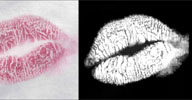
* option for inverting color output (create matte/isolated color), example:
rsk2.jpg
You do not have the required permissions to view the files attached to this post.
softimage resources section updated Sep 26th 2026