








































Tool was rewritten few times, so please report bugs...
- Extruding along normal is available only in 2012 SAP
- for operations that relies on SI units you drag in component's normal direction, for other ops (like point skirting ratio/bevel subdivisions) just drag across screen
- subdivision highlighting is supported only for level 1 and only catmull-clark
- J, L hotkeys change subdivision on extrude
- K hotkey is for repeating operation on highlighted component/subselection
- ENTER shows op PPG
- shift makes operations 10x slower
- LMB is extruding, LMB and then RMB - changes inset ratio of extrusion
- MMB is beveling, , MMB and then RMB - changes bevel subdivisions
- RMB is insetting
- tool can also work in supra mode if you hotkey the tool
- I've used it to model few production objects and it's pretty useful
quickinset
Plugins linking to this thread: (hide)
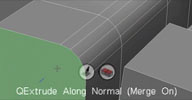 QuickInset
 Updated May 2013 (info) — Rewrite of the original QuickExtrude tool. This tool performs quick modo-like
interactive extrude, bevel and inset operations without showing a property page. Piotrek's
notes from the si-community thread: Extruding along normal is available only in 2012 SAP
for operations that relies on SI units you drag in component's normal direction,
for other ops (like point skirting ratio/bevel subdivisions) just drag across screen
subdivision highlighting is supported only for level 1 and only catmull-clark
J, L hotkeys change subdivision on extrude K hotkey is for repeating operation on highlighted component/subselection ENTER shows op PPG shift makes operations 10x slower
LMB is extruding, LMB and then RMB - changes inset ratio of extrusion MMB is beveling, , MMB and then RMB - changes bevel subdivisions RMB is insetting tool can also work in supra mode if you hotkey the tool
I've used it to model few production objects and it's pretty useful.
Developed with the interactive tool SDK. See Piotrek's video for a quick introduction
local backup: quickextrude_0.2.xsiaddon (June 2013) pmQuickExtrude2012.xsiaddon (older but SI 2012 compatible version) quickextrude_src.rar
Developed with the interactive tool SDK. See Piotrek's video for a quick introduction
local backup: quickextrude_0.2.xsiaddon (June 2013) pmQuickExtrude2012.xsiaddon (older but SI 2012 compatible version) quickextrude_src.rar
-
origin

- Posts: 619
- Joined: 09 Jun 2009, 09:59
- Location: warsaw
quickinset
You do not have the required permissions to view the files attached to this post.
Last edited by origin on 14 May 2013, 19:52, edited 4 times in total.
-
Memag

- Posts: 339
- Joined: 08 Aug 2010, 23:37
- Location: Tits
Re: C++ custom tool SDK programming tip
WOW!!
That's what Softimage needs, interactive extrude and quick tools like your hybrid.
Oh, and I love poly highlighting!
Now if you could throw in edge bevel/extrude into same tool it would be killer.
Do you use modifiers, or just mouse buttons?
Please proceed.
That's what Softimage needs, interactive extrude and quick tools like your hybrid.
Oh, and I love poly highlighting!
Now if you could throw in edge bevel/extrude into same tool it would be killer.
Do you use modifiers, or just mouse buttons?
Please proceed.
-
origin
- Posts: 619
- Joined: 09 Jun 2009, 09:59
- Location: warsaw
Re: C++ custom tool SDK programming tip
Right now I only use left/middle mouse button (repeat last extrude) and TAB to switch between extrude/inset mode.
-
bottleofram

- Posts: 355
- Joined: 17 Aug 2010, 09:21
Re: C++ custom tool SDK programming tip
That is indeed an impressive tool, Piotrek. The reason why i always liked silo (and im sure it applies to other well known modelers) is it combines as many operation into one tool as possible. Quite a fewer hotkeys would be needed if the modeling tools in xsi were designed this way...
-
origin
- Posts: 619
- Joined: 09 Jun 2009, 09:59
- Location: warsaw
Re: C++ custom tool SDK programming tip
thanks, It is more a training tool to get familiar with c++ after 15 years of not using it. hopefully things will go faster now cause this tool took me 3 long days to get done.
-
Memag
- Posts: 339
- Joined: 08 Aug 2010, 23:37
- Location: Tits
Re: C++ custom tool SDK programming tip
That's great, it means you can make 100 tools per year!
-
origin
- Posts: 619
- Joined: 09 Jun 2009, 09:59
- Location: warsaw
-
Hirazi Blue

- Administrator
- Posts: 5113
- Joined: 04 Jun 2009, 10:15
Re: C++ custom tool SDK programming tip
Looks great... 
Is this more of a "proof of concept", an "inhouse tool" or do you plan to release it someday?
Is this more of a "proof of concept", an "inhouse tool" or do you plan to release it someday?
Stay safe, sane & healthy!
-
origin
- Posts: 619
- Joined: 09 Jun 2009, 09:59
- Location: warsaw
Re: quickinset
mostly for learning, I plan to do more and will be sharing this as soon as possible.
-
Ramon
- Posts: 111
- Joined: 19 Aug 2010, 20:47
Re: quickinset
gr8 origin!
Possible to show value numbers of insets and extrude?
Possible to show value numbers of insets and extrude?
-
origin
- Posts: 619
- Joined: 09 Jun 2009, 09:59
- Location: warsaw
Re: quickinset
uploaded new video with point and edge working and spacebar as inset/skirting ratio mod while extruding
ramon: yes definitly
ramon: yes definitly
-
Memag
- Posts: 339
- Joined: 08 Aug 2010, 23:37
- Location: Tits
Re: quickinset
You are nailing it Piotrek! Really exciting stuff.
Love the purple highlight color.
Will you release the code with the tools?
Thanks.
Love the purple highlight color.
Will you release the code with the tools?
Thanks.
-
rray

- Moderator
- Posts: 1810
- Joined: 26 Sep 2009, 13:51
- Location: Bonn, Germany
Re: quickinset
cool tool 
I'm still undecided if I'd prefere a big number of new tools that do a small number of things, or vice-versa xD
I'm still undecided if I'd prefere a big number of new tools that do a small number of things, or vice-versa xD
softimage resources section updated Sep 26th 2026
-
origin
- Posts: 619
- Joined: 09 Jun 2009, 09:59
- Location: warsaw
Re: quickinset
OK here's "release candidate", let me know if it's working for you, suggestions are welcome!
x64 only as .xsiaddon
menu modify->Quick Inset or run command pmQuickInset()
this help is displayed in status bar:
tab - switch between inset and extrude mode
hold SPACE when extruding to adjust inset (bevel)
hold SHIFT to do 0.1 increments when extruding/insetting
middle mouse button = repeat last op
enter - show last op PPG
Please do not learn from my c++ code...
x64 only as .xsiaddon
menu modify->Quick Inset or run command pmQuickInset()
this help is displayed in status bar:
tab - switch between inset and extrude mode
hold SPACE when extruding to adjust inset (bevel)
hold SHIFT to do 0.1 increments when extruding/insetting
middle mouse button = repeat last op
enter - show last op PPG
Please do not learn from my c++ code...
You do not have the required permissions to view the files attached to this post.
-
Zafar Iqbal
- Moderator
- Posts: 169
- Joined: 26 Oct 2009, 09:04
-
scaron
- Posts: 119
- Joined: 08 Jul 2009, 03:16
Re: quickinset
thanks for sharing the code, i hope it encourages more programmers/TDs to develop using the new sdk.