








































Alright nevermind what i said, there is clearly a problem with Softimage, this isnt the correct behaviour and i still cant figure out whats going on.
@Daniel, i've been using both, in those images i've posted tho i used gamma correction
New Mental Ray shaders development
-
Kzin
- Posts: 432
- Joined: 09 Jun 2009, 09:36
Re: New Mental Ray shaders development
max, are you sure you are using the right gamma correction?
did now tests with textures and colors from textures which i took in ps and used in si as color in diffuse reflection node.

the concrete texture has in middle a 50 to 60% grey. the grey sphere is simple color with 50 percent grey and they are the same.
for red i used a red color in diffuse node and a red color texture created in ps and rendered in xsi with proper linear workflow.
on top, one time the brich texture and under it the bright color i used in diffuse node and which i get in ps with color selector. and they are all the same.
did now tests with textures and colors from textures which i took in ps and used in si as color in diffuse reflection node.
the concrete texture has in middle a 50 to 60% grey. the grey sphere is simple color with 50 percent grey and they are the same.
for red i used a red color in diffuse node and a red color texture created in ps and rendered in xsi with proper linear workflow.
on top, one time the brich texture and under it the bright color i used in diffuse node and which i get in ps with color selector. and they are all the same.
-
Maximus

- Posts: 1121
- Joined: 09 Jun 2009, 13:45
Re: New Mental Ray shaders development
I'm not using photo exposure, i've set the preference like this:Kzin wrote:max, are you sure you are using the right gamma correction?
did now tests with textures and colors from textures which i took in ps and used in si as color in diffuse reflection node.
the concrete texture has in middle a 50 to 60% grey. the grey sphere is simple color with 50 percent grey and they are the same.
for red i used a red color in diffuse node and a red color texture created in ps and rendered in xsi with proper linear workflow.
on top, one time the brich texture and under it the bright color i used in diffuse node and which i get in ps with color selector. and they are all the same.

and usin render region, can u share that scene? i'm going nuts
-
Kzin
- Posts: 432
- Joined: 09 Jun 2009, 09:36
Re: New Mental Ray shaders development
send you a pm,
and report if its work for you or not.
and report if its work for you or not.
-
Maximus
- Posts: 1121
- Joined: 09 Jun 2009, 13:45
Re: New Mental Ray shaders development
This is how i setup my softimage

-
Maximus
- Posts: 1121
- Joined: 09 Jun 2009, 13:45
Re: New Mental Ray shaders development
I've opened your file and everything works like expected. Have no idea whats happening.
-
Kzin
- Posts: 432
- Joined: 09 Jun 2009, 09:36
Re: New Mental Ray shaders development
i always use linear in color profile and put a color correction node between a texture and a color input.
can you try this. i never used the automatic option. other settings are the same, except i also check the fx viewers, but its for comptool only i think?
can you try this. i never used the automatic option. other settings are the same, except i also check the fx viewers, but its for comptool only i think?
-
Kzin
- Posts: 432
- Joined: 09 Jun 2009, 09:36
Re: New Mental Ray shaders development
this is strange, can you send me a simple scenefile with your woodtexture so i can take a look.Maximus wrote:I've opened your file and everything works like expected. Have no idea whats happening.
-
Maximus
- Posts: 1121
- Joined: 09 Jun 2009, 13:45
Re: New Mental Ray shaders development
here is your scene rendered

gonna setup a scene for you
ps. i've added another red ball just in case lol
gonna setup a scene for you
ps. i've added another red ball just in case lol
-
Maximus
- Posts: 1121
- Joined: 09 Jun 2009, 13:45
Re: New Mental Ray shaders development
can you try with this texture?
http://img201.imageshack.us/img201/659/77664320.jpg
in your scene try applyin to a sphere then get a mia material and set the weight to .318 i still cant match them..
Need to hold a bit, i'm quite confused atm.
I'm starting to think that its my textures and how they are exported from photoshop with color profile.
http://img201.imageshack.us/img201/659/77664320.jpg

in your scene try applyin to a sphere then get a mia material and set the weight to .318 i still cant match them..
Need to hold a bit, i'm quite confused atm.
I'm starting to think that its my textures and how they are exported from photoshop with color profile.
-
rray

- Moderator
- Posts: 1810
- Joined: 26 Sep 2009, 13:51
- Location: Bonn, Germany
Re: New Mental Ray shaders development
Don't know if this works but for the light relative setting try this addon, should allow to set arbitrary string options...
__
*edit2* made a new thread about it, download and info is here
__
*edit2* made a new thread about it, download and info is here
Last edited by rray on 26 Jan 2013, 14:06, edited 6 times in total.
Reason: update
Reason: update
softimage resources section updated Sep 26th 2026
-
Tekano

- Posts: 488
- Joined: 09 Jun 2009, 12:49
- Location: London, UK
Re: New Mental Ray shaders development
whaaaat? havnt quite a few folk being asking Autodesk to implement this for quite some time? you should send them an invoice!

Gossip is what no one claims to like, but everybody enjoys.
-
Kzin
- Posts: 432
- Joined: 09 Jun 2009, 09:36
Re: New Mental Ray shaders development
here is the rendering with mila and mia with 0.318 for diffuse weight, booth spheres looks the same.
upper one is the mila, lower is the mia with divide by pi.
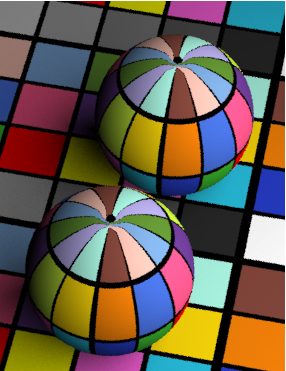
but i would not mix them two, there is no need for this. otherwise, i dont know whats wrong with your scene max.
upper one is the mila, lower is the mia with divide by pi.
but i would not mix them two, there is no need for this. otherwise, i dont know whats wrong with your scene max.
-
Maximus
- Posts: 1121
- Joined: 09 Jun 2009, 13:45
Re: New Mental Ray shaders development
Alright, trying to shed some light.
Here is what bart says about this:
"Well, getting the lighting right, identifying them and using light relative scale is proving to be challenging. Sometimes they're physically falling off, sometimes area, sometimes not any of this.
We think we may provide a set of mila lights to guarantee the right light transport. This may be a second step."
"JJHop, light relative scale of 0.318 is what you want. Inside of mila, we will try to do the right thing hopefully based on knowing what kind of light is lighting. Currently, since most traditional light, transports light with a value pre-divided by pi, by modern expectations, mila inverts that light relative scale, therefore multiplying by pi.
If you cannot set light relative scale, try physical_light which does not have a pre-divided light tranport unit."
source: http://forum.nvidia-arc.com/showthread. ... #post44056
From my understanding: if you use mila material only in your scene you dont need anything, you dont need the light relative scale option, you need this only if you are using mila together with other shaders like mia etc.
He also says that getting the lighting right is quite a challenge, and this is what happened to me i think, because when i loaded your scene Kzin everything was working fine to me too, but after i made a new scene from scratch i had the issue back so i think its a randomness due to the fact that its hard to get the light right, as bart says too.
Now regarding the last bart words i'm confused again on if i should apply or not the multiply by PI or if hes just giving out a techincal information of what happens under the hood.
That said he admits that there gonna be some light setup for this, clearing out that honestly it wasnt implemented yet, hence why a bit of a mess on my part.
@kzin I am a bit burn out from tests and still a bit confused atm, on your scene with that colored texture everything works flawlessly to me too, but if for example i use another texture everything starts to be quite weird due to light intensity, its not a gamma problem i've tested it 100%.
So for now i'll just try to test with physical light only as you and bart say and see what happens, without multiplying the weight as i was doing before.
Ty for help
edit: just noticed that most of the "issues" i have with the shading is when i'm not using a physical light, portal light in this case gave me different shading, so i'll stick with physical for those shaders for now.
Here is what bart says about this:
"Well, getting the lighting right, identifying them and using light relative scale is proving to be challenging. Sometimes they're physically falling off, sometimes area, sometimes not any of this.
We think we may provide a set of mila lights to guarantee the right light transport. This may be a second step."
"JJHop, light relative scale of 0.318 is what you want. Inside of mila, we will try to do the right thing hopefully based on knowing what kind of light is lighting. Currently, since most traditional light, transports light with a value pre-divided by pi, by modern expectations, mila inverts that light relative scale, therefore multiplying by pi.
If you cannot set light relative scale, try physical_light which does not have a pre-divided light tranport unit."
source: http://forum.nvidia-arc.com/showthread. ... #post44056
From my understanding: if you use mila material only in your scene you dont need anything, you dont need the light relative scale option, you need this only if you are using mila together with other shaders like mia etc.
He also says that getting the lighting right is quite a challenge, and this is what happened to me i think, because when i loaded your scene Kzin everything was working fine to me too, but after i made a new scene from scratch i had the issue back so i think its a randomness due to the fact that its hard to get the light right, as bart says too.
Now regarding the last bart words i'm confused again on if i should apply or not the multiply by PI or if hes just giving out a techincal information of what happens under the hood.
That said he admits that there gonna be some light setup for this, clearing out that honestly it wasnt implemented yet, hence why a bit of a mess on my part.
@kzin I am a bit burn out from tests and still a bit confused atm, on your scene with that colored texture everything works flawlessly to me too, but if for example i use another texture everything starts to be quite weird due to light intensity, its not a gamma problem i've tested it 100%.
So for now i'll just try to test with physical light only as you and bart say and see what happens, without multiplying the weight as i was doing before.
Ty for help
edit: just noticed that most of the "issues" i have with the shading is when i'm not using a physical light, portal light in this case gave me different shading, so i'll stick with physical for those shaders for now.
Last edited by Maximus on 25 Jan 2013, 17:47, edited 1 time in total.
-
Kzin
- Posts: 432
- Joined: 09 Jun 2009, 09:36
Re: New Mental Ray shaders development
dont know what went wrong. but in the ibl thread you wrote you changed your xsi renderpresets. have you tryed to restore the orig settings and tryed with them?
-
Maximus
- Posts: 1121
- Joined: 09 Jun 2009, 13:45
Re: New Mental Ray shaders development
Yeah i tried that too, i've only changed filter type and some few things, didnt touch any serious had a backup tho.Kzin wrote:dont know what went wrong. but in the ibl thread you wrote you changed your xsi renderpresets. have you tryed to restore the orig settings and tryed with them?
What i'm noticing is that physical light is the most accurate one, and when i'm using it i have no issue, when i switch lighting set, even with portal is more "random"