








































>Could you please elaborate on (or document) what options would be affected?
just turn on Information in the Diagnostics panel of Render Options in SI. It outputs a list of String options set by SI just before rendering starts. Any options in that list (bsp, ray tracing/scanline, trace depth etc.) you can't override. You can set them, but SI will override them at render time.
Geometry Shader for the hidden Options in mr 3.8
Plugins linking to this thread: (hide)
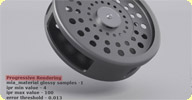 mr 3.8 Options Geoshader
 This experimental geometry shader enables the hidden mental ray 3.8 progressive rendering
option for Softimage.
Documentation and installation instructions are available in the si-community discussion. A sample scene is provided in this germanmentalray forum discussion
 This (archive) shader by ctrl.studio for Max 2011 might or might not work using the sandboxing principle
of Softimage 2011 (mi file interpretation). For help with installing mi files in SI
2011, Hirazi Blue has kindly written an article on
This (archive) shader by ctrl.studio for Max 2011 might or might not work using the sandboxing principle
of Softimage 2011 (mi file interpretation). For help with installing mi files in SI
2011, Hirazi Blue has kindly written an article on  -community. There are currently issues rendering strands with this shader.
Related plugins: ctrl_ghost_settings
local backup: mr3.8Options.zip
Documentation and installation instructions are available in the si-community discussion. A sample scene is provided in this germanmentalray forum discussion
This (archive) shader by ctrl.studio for Max 2011 might or might not work using the sandboxing principle
of Softimage 2011 (mi file interpretation). For help with installing mi files in SI
2011, Hirazi Blue has kindly written an article on -community. There are currently issues rendering strands with this shader.
Related plugins: ctrl_ghost_settings
local backup: mr3.8Options.zip
-
Hirazi Blue

- Administrator
- Posts: 5113
- Joined: 04 Jun 2009, 10:15
Re: Geometry Shader for the hidden Options in mr 3.8
Thanks for the info... ;)
Stay safe, sane & healthy!
-
Maximus

- Posts: 1121
- Joined: 09 Jun 2009, 13:45
Re: Geometry Shader for the hidden Options in mr 3.8
hello, is there any update in your geometry shader jb_alvarado ? 
i've just tried those parameters in maya and they work really good, especially IBL wich i cant manage to make it work in XSI :/
thanks
i've just tried those parameters in maya and they work really good, especially IBL wich i cant manage to make it work in XSI :/
thanks
-
Gabba
- Posts: 35
- Joined: 18 Apr 2010, 12:31
Re: Geometry Shader for the hidden Options in mr 3.8
It's just a guess but... in 3ds IBL doesn't work and we have the same ctrl.ghost right now. In XSI I have problems too (sometimes it seems to work, rerender and all it's black, rerender again and I have a completly different result respect to the first render =S
-
redmotion

- Posts: 150
- Joined: 09 Jun 2009, 16:38
- Location: London
Re: Geometry Shader for the hidden Options in mr 3.8
Apparently the MR 3.8 standalone is out now and some Maya people have managed to create a hack to get iRay working...
http://forums.cgsociety.org/showthread.php?f=7&t=877874
http://forums.cgsociety.org/showthread.php?f=7&t=877874
-
Hirazi Blue
- Administrator
- Posts: 5113
- Joined: 04 Jun 2009, 10:15
Re: Geometry Shader for the hidden Options in mr 3.8
But it seems to be for owners of the standalone only, or did I just stop reading too early in the aforementioned thread (the part where it says "I cannot distribute the dlls")?
Then again, I doubt if it's ultimately really worth the effort anyway...
Then again, I doubt if it's ultimately really worth the effort anyway...
Stay safe, sane & healthy!
-
redmotion
- Posts: 150
- Joined: 09 Jun 2009, 16:38
- Location: London
Re: Geometry Shader for the hidden Options in mr 3.8
For sure. Just thought I'd post the link.Hirazi Blue wrote:But it seems to be for owners of the standalone only, or did I just stop reading too early in the aforementioned thread (the part where it says "I cannot distribute the dlls")?
Then again, I doubt if it's ultimately really worth the effort anyway...
-
Maximus
- Posts: 1121
- Joined: 09 Jun 2009, 13:45
Re: Geometry Shader for the hidden Options in mr 3.8
I've got a problem with this shader, once i turn the IBL on, i cant turn it off anymore
Could be some error in the code you compiled Alvarado?
i just have a simple scene and iBL is working, i'm using your shader not the ctrl one, once i turn IBL on it starts using the environment and renders just fine, but i cant turn it off anymore. I have to close and reopen the scene, its like it doesnt read the command to turn it off.
Thanks again !
Could be some error in the code you compiled Alvarado?
i just have a simple scene and iBL is working, i'm using your shader not the ctrl one, once i turn IBL on it starts using the environment and renders just fine, but i cant turn it off anymore. I have to close and reopen the scene, its like it doesnt read the command to turn it off.
Thanks again !
-
RoN43
- Posts: 18
- Joined: 09 Nov 2009, 17:32
Re: Geometry Shader for the hidden Options in mr 3.8
I have the same problem that Maximus. it work once and no effect with turn on\off!
-
jb_alvarado
- Posts: 10
- Joined: 18 Apr 2010, 08:07
Re: Geometry Shader for the hidden Options in mr 3.8
Sorry @all, that I never writing here! I have no time for nothing  ...
...
I rewriting the Code, and now you have a bit more Options (Subsampling Size, etc.).
By the IBL Mode I have a little problem... When I type the Mode, for example "approximate", it have no Effect and when I am delete the string, or re- render it works. Also with the mode light.
Pleas read the doku for the Options. An plugin/spdl comes, but I don't no when.
...I rewriting the Code, and now you have a bit more Options (Subsampling Size, etc.).
By the IBL Mode I have a little problem... When I type the Mode, for example "approximate", it have no Effect and when I am delete the string, or re- render it works. Also with the mode light.
Pleas read the doku for the Options. An plugin/spdl comes, but I don't no when
.You do not have the required permissions to view the files attached to this post.
-
Maximus
- Posts: 1121
- Joined: 09 Jun 2009, 13:45
Re: Geometry Shader for the hidden Options in mr 3.8
Thanks a Lot Alvarado!!!
-
Hirazi Blue
- Administrator
- Posts: 5113
- Joined: 04 Jun 2009, 10:15
Re: Geometry Shader for the hidden Options in mr 3.8
I haven't tried this yet, but ctrl.studio has made a Softimage-friendly (as in: including "spdl") version of their
ctrl_ghost_settings shader available on CGTalk: go to this post
As it's an attachment, you have to login to CGTalk first to be able to download it...
edit: I just sent ctrl.studio a private message, if they'd allow us to host it here locally... I'll get back to you...

ctrl_ghost_settings shader available on CGTalk: go to this post
As it's an attachment, you have to login to CGTalk first to be able to download it...
edit: I just sent ctrl.studio a private message, if they'd allow us to host it here locally... I'll get back to you...
Stay safe, sane & healthy!
-
Hirazi Blue
- Administrator
- Posts: 5113
- Joined: 04 Jun 2009, 10:15
Re: Geometry Shader for the hidden Options in mr 3.8
Okay, I received the necessary permission to host this file locally.
Please note: this is the second version posted by ctrl.studio
FYI - This zip-file includes a file called "ctrl_ghost_settings.dll" and a file called "ctrl_ghost_settings.dll.x64". The first one is the 32 bits dll, which you won't need if you're using a 64 bits Softimage. In that case you'll have to rename the file "ctrl_ghost_settings.dll.x64" to "ctrl_ghost_settings.dll" for Softimage to be able to work with it...
Please note: this is the second version posted by ctrl.studio
Download it from here: ctrl_ghost_settings_2011bquoted from ctrl.studio @ CGTalk:
sry.. I packaged the wrong dlls.. there's some fg settings overwriting with prev addon. here a new one .. importons and ip are there so you may use them together with fg ..
FYI - This zip-file includes a file called "ctrl_ghost_settings.dll" and a file called "ctrl_ghost_settings.dll.x64". The first one is the 32 bits dll, which you won't need if you're using a 64 bits Softimage. In that case you'll have to rename the file "ctrl_ghost_settings.dll.x64" to "ctrl_ghost_settings.dll" for Softimage to be able to work with it...
Stay safe, sane & healthy!
-
pBarrelas
- Posts: 19
- Joined: 15 May 2010, 11:47
- Location: Portugal
Re: Geometry Shader for the hidden Options in mr 3.8
I definitely have to experiment this! Thanks!Hirazi Blue wrote:Okay, I received the necessary permission to host this file locally.
Please note: this is the second version posted by ctrl.studioDownload it from here: ctrl_ghost_settings_2011bquoted from ctrl.studio @ CGTalk:
sry.. I packaged the wrong dlls.. there's some fg settings overwriting with prev addon. here a new one .. importons and ip are there so you may use them together with fg ..
FYI - This zip-file includes a file called "ctrl_ghost_settings.dll" and a file called "ctrl_ghost_settings.dll.x64". The first one is the 32 bits dll, which you won't need if you're using a 64 bits Softimage. In that case you'll have to rename the file "ctrl_ghost_settings.dll.x64" to "ctrl_ghost_settings.dll" for Softimage to be able to work with it...
I've installed ctrl.studio shaders. In your opinion which is better or lets say "with more implementations"? Ctrl.studio or jp_alvarado?
-
Hirazi Blue
- Administrator
- Posts: 5113
- Joined: 04 Jun 2009, 10:15
Re: Geometry Shader for the hidden Options in mr 3.8
Well, it's hard to say...
The "ctrl.ghost..." obviously has more options, but if you're main interest is the progressive rendering you might as well use the one jb_alvarado wrote. In my opinion jb_alvarado gave up a little too soon. Given time he could've included more options. But that just my opinion (and I can understand the appearance of the "ctrl.ghost..." shader demotivated him somewhat)
Some of the "ctrl.ghost..." settings are superfluous as the options it tries to unhide are unhidden in Softimage to begin with.
The best part however about the "ctrl.ghost..." shader is the included SPDL, which creates a nice Softimage-style PPG for you... This doesn't sound like much, but is actually very nice...
The "ctrl.ghost..." obviously has more options, but if you're main interest is the progressive rendering you might as well use the one jb_alvarado wrote. In my opinion jb_alvarado gave up a little too soon. Given time he could've included more options. But that just my opinion (and I can understand the appearance of the "ctrl.ghost..." shader demotivated him somewhat)
Some of the "ctrl.ghost..." settings are superfluous as the options it tries to unhide are unhidden in Softimage to begin with.
The best part however about the "ctrl.ghost..." shader is the included SPDL, which creates a nice Softimage-style PPG for you... This doesn't sound like much, but is actually very nice...
Stay safe, sane & healthy!
-
pBarrelas
- Posts: 19
- Joined: 15 May 2010, 11:47
- Location: Portugal
Re: Geometry Shader for the hidden Options in mr 3.8
Thanks for the explanation!Hirazi Blue wrote:Well, it's hard to say...
The "ctrl.ghost..." obviously has more options, but if you're main interest is the progressive rendering you might as well use the one jb_alvarado wrote. In my opinion jb_alvarado gave up a little too soon. Given time he could've included more options. But that just my opinion (and I can understand the appearance of the "ctrl.ghost..." shader demotivated him somewhat)
Some of the "ctrl.ghost..." settings are superfluous as the options it tries to unhide are unhidden in Softimage to begin with.
The best part however about the "ctrl.ghost..." shader is the included SPDL, which creates a nice Softimage-style PPG for you... This doesn't sound like much, but is actually very nice...
Actually I was more interested on using FG with IR or Importons. I have to make some tests to see which are the advantages of this new feature!