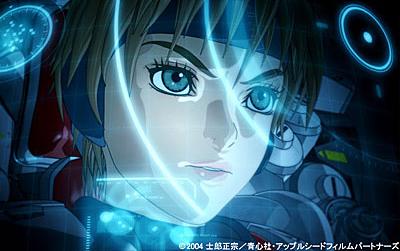
sometimes going 2.5 d works better for some things... new april in background
850 frames of shot, but I think it looks a little smoother..
one is the old model, one is the new one. wonder if anyone notices a difference..
About 8 shots to update/fix in act one... some april shots have to totally replace the old model with the new one. Act two fixups are complete. then on to act three and about a months break before finishing up fixing the Big Blow Out, Act 2...
As you expressed some unhappiness with the way April looks in your shots, let me make a small (and probably unhelpful) suggestion. The skin tone you are using would seem a bit to dark (I attached a small comparison below) and maybe you should even somehow exclude April's face and possibly all her skin from too much shading at all (go for a more "flat" look, so to speak).
You do not have the required permissions to view the files attached to this post.
like that with a constant? I also made the eyes farther apart and moved the hair around a bit. If I can get april to look right, I can use that as a base model for the jones project women.
Also, does anyone have a 3D printer? I'd love to see these in the 3rd dimension.. I could upload OBJ files for people to print if anyone wants..you'd have to paint the final thing of course ;o)
Speaking of the April, apart Hirazi's comments (which arent at all useless :]) , the turtles' gaze seem quite a bit more tweaked than April's, as April's eyes look more like paper cutouts rather than drawings, in contrast to the rest of April and other characters.
How about making a new face technique prototype?
Also, since you are simulating drawings, have you tried cutting the frame rate down from 24 (or 30?) to 10 or 15?
And I wouldnt use Vegas' frame blending (turning off 'sampling') as it smudges out everything.
FXDude wrote:Speaking of the April, apart Hirazi's comments (which arent at all useless :]) , the turtles' gaze seem quite a bit more tweaked than April's, as April's eyes look more like paper cutouts rather than drawings, in contrast to the rest of April and other characters.
How about making a new face technique prototype?
Also, since you are simulating drawings, have you tried cutting the frame rate down from 24 (or 30?) to 10 or 15?
And I wouldnt use Vegas' frame blending (turning off 'sampling') as it smudges out everything.
Otherwise Nice work!
sometimes Vegas causes blurring too, and I can't figure out how to turn it off...maybe that sampling option would work on that as well...
What I would love is a library of images...from faces, to plates, to chairs, to cars.....stuff I could modify and not start from scratch.
Frame rate as in character movements? I used to have characters move from every 15 frames. now I cut it down to 10 to 5.
and yeah, the eyes look rather flat. If I keep more detail, it doesn't look right for the toon ness. IF I pull it out a bit, it makes her cheeks look 'puffy..'
Actually in Vegas, if you right click -> properties on a clip , there is the sampling option.
But rather than do that on each clip, you can output in "preview mode" in the output options (which otherwise wont affect quality unless you have certain effects on your clips)
And yeah Eyes are the hardest! but I thick you can bring Aprils eyes to at least the lame level as the turtles. :]
if anyone wants to print the turtle model with a 3D printer.. I'd be curious as to how it turned out.
I sent it off to a 3D printing company myself, but maybe you guys can have better results
I deleted the cube phong that was dark blue. taking to long to render withthat anyway, slowed it down times ten.
I darkned all the colors naturally, put a phong around the long. attached a light to the candle so it moved when his arm did...and animated the light to make it look like the candle was flickering....It actually doesn't work that bad and adds more atmosphere than the original animators bothered with.
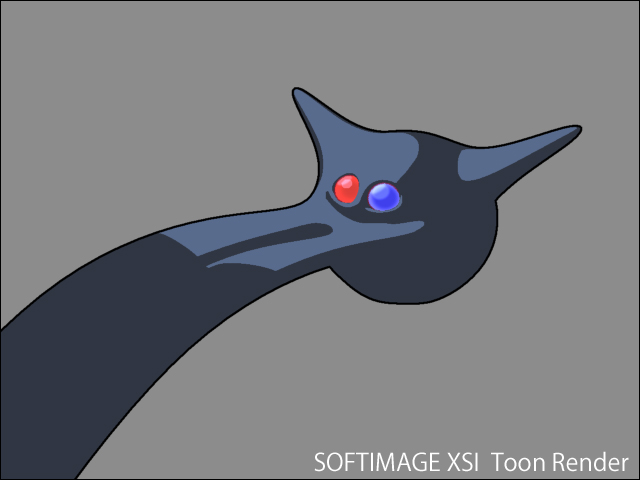
Have you thought of perhaps not having gradients in your shading? but having only steps (between shadow and lit areas) instead?
Also, you shouldn't need cubes to tint your images.
If you can bear one more output for tinted shots, you can tint them very easily in the FXTree just by doing "import passes" and apply an HSV Adjust or ColorCorrect, or I think there is even an output shader that you could use, OR you could also do it in Vegas before outputting.
And, for the glow of the candles, if you would like a gradual glow, it could be a wide textured grid with a radial gradient (white or gray in the middle going to black) in the alpha (black alpha made transparent), and the orangey color of the candles as a constant color in the RGB,
.. with it's center or parent positioned at the candles, but the grid geo itself being offset in front of the candles
and then have it's direction (or parent) constained in direction towards (always facing) the cam.
(you may have to reorient the constraint for the proper axis)
I've never even heard of the steps method.. all I know is basic stuff . one reason why I wish there was a class that taught how to use this program properly. i'm just figuring it out as i go along..
I'll see about messing around with the pass though...it would be nice not to have to deal with those cubes..











































 . one reason why I wish there was a class that taught how to use this program properly. i'm just figuring it out as i go along..


 )
)