Greetz! sorry for the delay, it's been a while

The changes in this update were made while revisiting the lambo scene,
so this 'update 4' is in the same previous (2.81) version,
and the switch to whichever is the latest BforA version will be next
BforArtistsXT-0.1-u4.zip ( 8mb )
Installation::
Like previous updates, drop the "BforArtistsXT 0.1" folder in the zip file
on top of your existing installation folder of the same name.
(replaces various files in different folders)
On next first run after replacing .py files, takes a few seconds to recompile the precompiled .pycache files.
First install update 3 if not already installed (which inludes all previous updates)
BforArtistsXT-0.1_update3.zip ( 5mb )
______________
It includes the lambo sample scene which also features a working multi-instanced scenes setup (like passes)
merging Evee beauty and Cycles AOV's,
renderable all at once in one comp pass to a single EXR sequence..
(just had to figure-out sampling issues between different scenes)
_____
Also, various notes about the node editor, and making grouped nodes (compounds)
are included in the floor's material.
(Lambo model itself was tweaked a bit to look less angry-looking lol)
__
BTW, I hope "XT" isn't too PC sounding ?
it initially stood for 'extended' (or whatever) : )
Otherwise, am I wrong to think that all the modified .py files can be transposed straight to BforA on linux (?)
(also probably to regular Blender of the same 2.81 version including keymap and theme )
Release Notes
_________________________
Scene Output Summary,
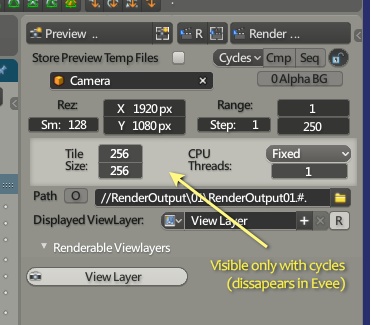
-- when scene renderer is Evee,
Cycles Tiles and CPU settings will dissapear.
( settings that don't apply to Eevee)
-- the Scene Output Summary was placed above the outliner,
eases side-by-side display of different render property settings
(when sliding the outliner down to reveal summary)
- In it's place is a BforA toolbar,
where you can fairly easily put your own buttons that do things,
('edit source' on existing buttons displayable from the dropdown,
to swap or add functions defined with registered classes in startup scripts)
And this (empty by default) pane, also allows the property pane to be moved up or down.
(without necessarily having something in the upper pane)
* when changing toolbar visibility
for toolbar changes to persist (not being saved with the default scene),
go to preferences and click 'Save Preferences'.
_________
Bottom Pane tweaks
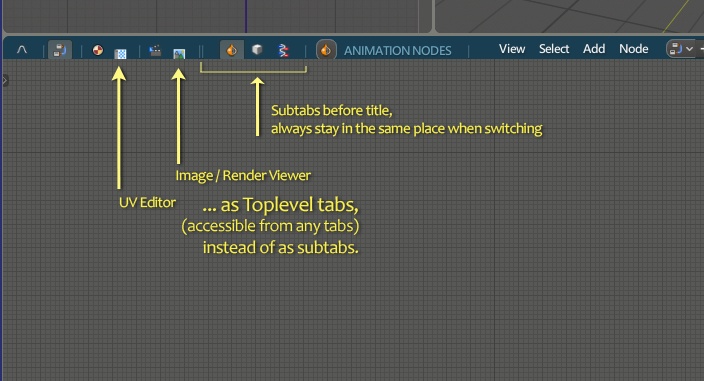
-- The UV and Image editors now have their own main toplevel tabs,
to not imply having to go through typically populated viewers,
to go to typically often used views.
(at the expense of 2 more toplevel tabs)
Also note that when starting a render,
if the last active image viewer was the UV editor (almost the same as image/render viewer) ,
renders will show up in UV editor,
so before next render you can switch once to the image viewer.
-- Subtabs are now placed before the view titles,
for them to always be in the same place when switching between them.
(except for the 1 sequencer view in the 'output/post ' tab, which has a single subtab [Sequencer] )
-- Removed Texture node editor from tabs
( legacy thing for pre-cycles renderer which I hope they might eventually re-emplement lol )
_______________
View3D
-- Added an expanded 3dView-centric workspace.
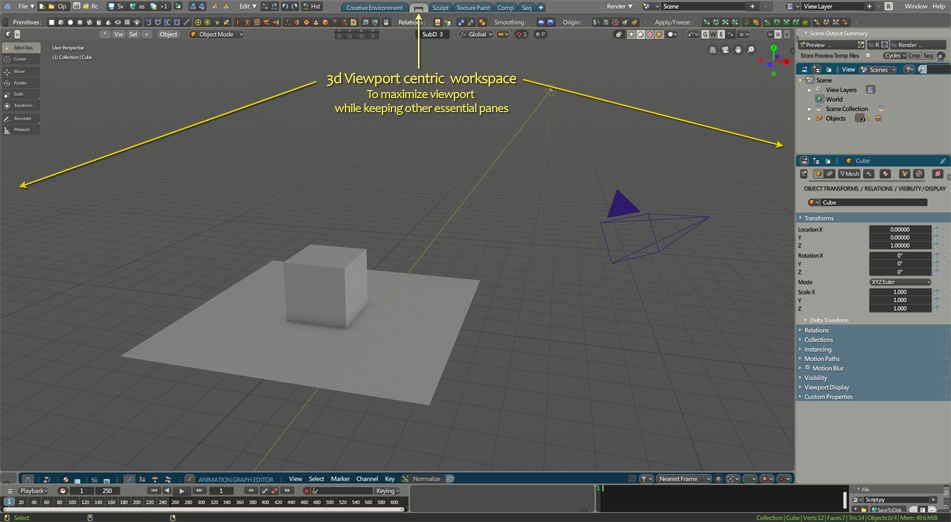
because maximizing the 3dView (ctrl space) leaves really nothing else than the 3dView,
making it impractical to work without things like the timeline etc..
( use 'memo-views' to store / restore your current view position to other workspaces )
-- When Closing the 'Toolsetting' top bar,
most of layout element transpose to the single bar
( for wide viewports )
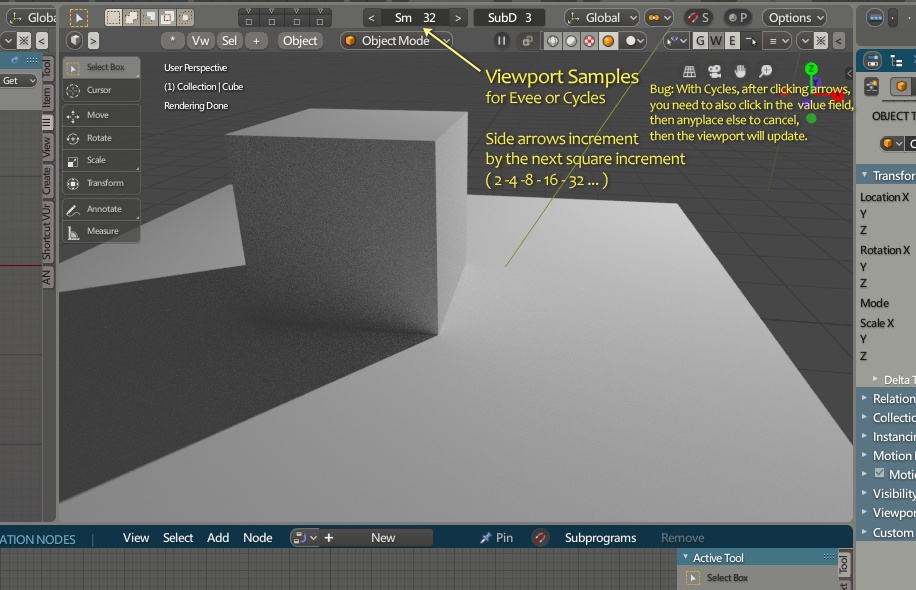
-- Added Sampling settings viewport top bar
for Cycles and Eevee
____________
UV Editor
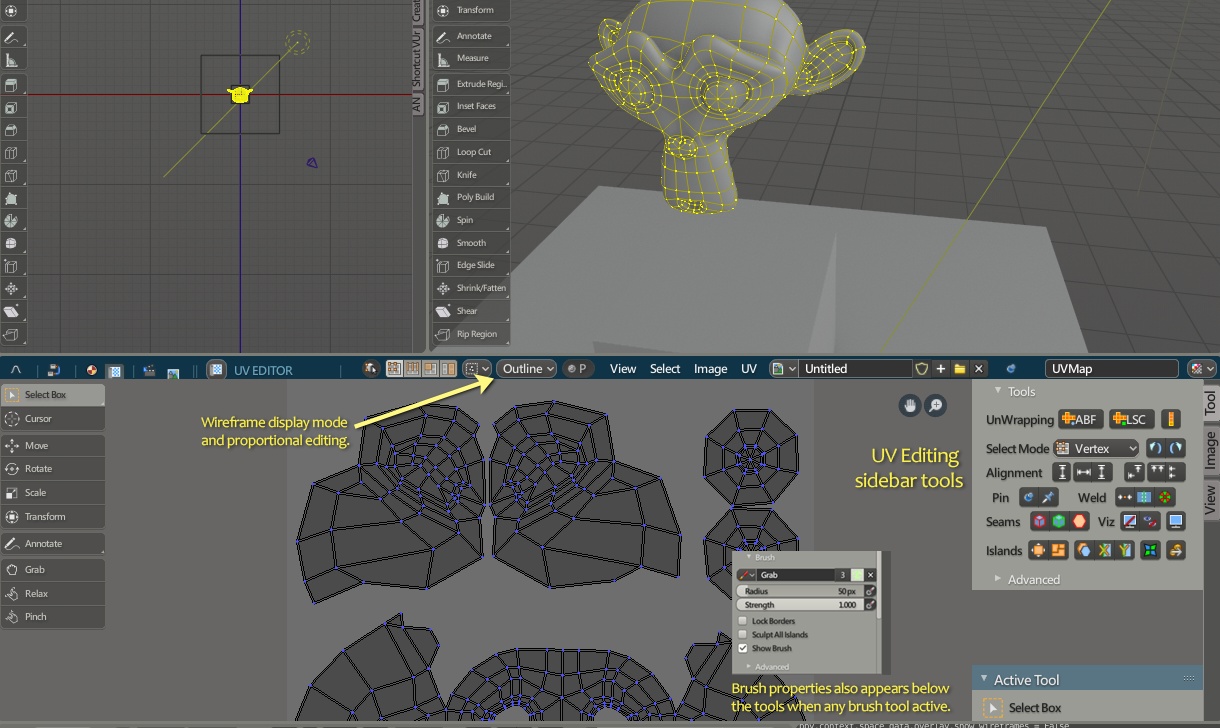
Added UV Tools to the side bar.
- Brush tools appear under tool buttons,
(left sidebar brush tools, or pressing 'G' for the 'Grab' brush)
The Grab brush is very much like proportional editing with some differences.
Space returns to box select, like 'T', except also deselects everything.
_________
Compositor
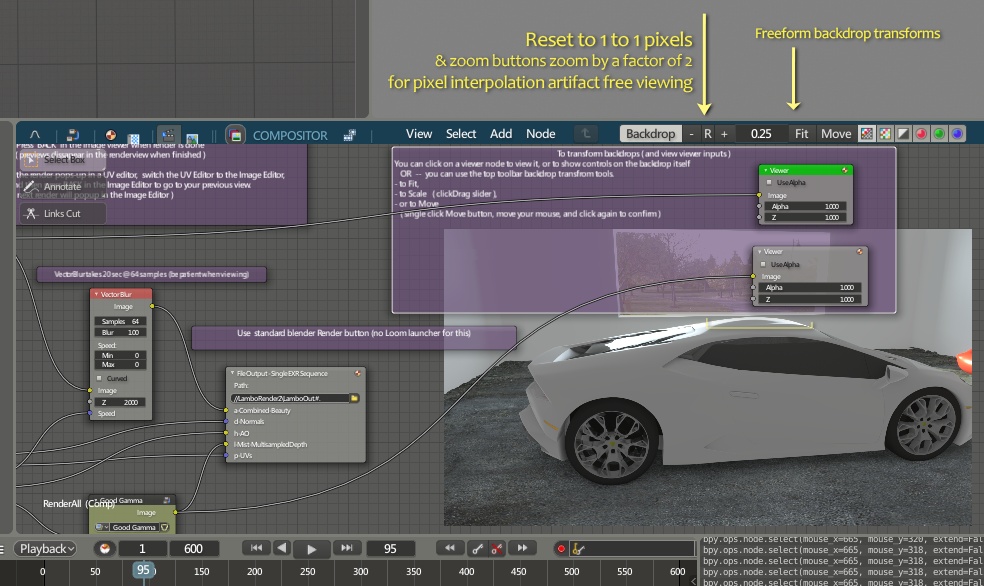
-- For some reason (maybe because of my poking),
the compositor node editor had no 'go up a level' when entering node groups (compounds),
so now it does.
-- For the comp backdrop viewer,
the toolbar backdrop transform tools also includes the Reset (to 100%) button for 1 to 1 pixels,
and the + / - zoom buttons multiply / divide the zoomfactor by an even factor of 2.
(for interpolation-artifact-free viewing )
You can still 'Fit' the image to view size,
or clickDrag the scale number field to zoom to any (float) levels.
_______________
Vertical Panes (Properties, Outliner, Preferences)
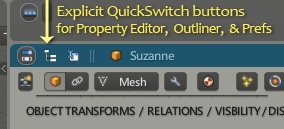
Also have tabs to quickswitch between them.
_____________
Timeline

Rearranged layout
__________
Save startup File toolbar button
__________
Cheers, let me know if any issues, and hope everyone is well !