








































Unwrapping Like Paper Sheet
-
grahamef
- Posts: 281
- Joined: 23 Jun 2009, 19:01
Re: Unwrapping Like Paper Sheet
What is the exact shape of the object? Is it something with a central axis such that all points are a single radius value +/- a variable offset away from the center? E.g. a star-shaped cross section or a corrugated tube?
-
Frank1000
- Posts: 349
- Joined: 16 Oct 2011, 12:13
- Skype: the2he
Re: Unwrapping Like Paper Sheet
Hi Grahamef,
here is a screenshot of it.

here is a screenshot of it.

-
grahamef
- Posts: 281
- Joined: 23 Jun 2009, 19:01
Re: Unwrapping Like Paper Sheet
Hm. That's not obvious because there's no clear radius. At least it's smooth though. Let me think and I'll post again if I get an idea.
-
Frank1000
- Posts: 349
- Joined: 16 Oct 2011, 12:13
- Skype: the2he
-
Frank1000
- Posts: 349
- Joined: 16 Oct 2011, 12:13
- Skype: the2he
Re: Unwrapping Like Paper Sheet
Hi Mateaus,
was hoping you could help me understand the step with the UV seams ... so I can continue with your method.
Regards,
Frank
was hoping you could help me understand the step with the UV seams ... so I can continue with your method.
Regards,
Frank
-
Bullit
- Moderator
- Posts: 2621
- Joined: 24 May 2012, 07:44
Re: Unwrapping Like Paper Sheet
Frank there are several titorials around. From youtube to vimeo.
-
Frank1000
- Posts: 349
- Joined: 16 Oct 2011, 12:13
- Skype: the2he
Re: Unwrapping Like Paper Sheet
k checking
-
Mathaeus

- Posts: 1778
- Joined: 08 Jun 2009, 19:11
- Location: Zagreb, Croatia
Re: Unwrapping Like Paper Sheet
Once edge is selected, it's RMB > disconnect component (or something like that) - in 3d window.Frank1000 wrote:Hi Mateaus,
was hoping you could help me understand the step with the UV seams ... so I can continue with your method.
Regards,
Frank
With last mesh you showed, it seems there is no need to disconnect anything, it looks like there is no any UV seam on this one. With first mesh you showed, there is need for disconnecting.
If you can't figure out what's happening, I'd say, just follow the steps, exactly. Especially follow steps exactly, when it comes to ICE nodes, entering attributes, so on. I'm pretty sure, people will be much more motivated to help you, if you'll show some real effort, instead asking for all possible explanations in advance.
-
Frank1000
- Posts: 349
- Joined: 16 Oct 2011, 12:13
- Skype: the2he
Re: Unwrapping Like Paper Sheet
Hi Mathaeus,
thx for info. I went ahead and was able to bring the object in a planar state, very cool technique indeed ! I followed your other videos and the page you've linked. Quite advanced stuff.
I want to simulate a planar sticker that is like an inset of the planar object and then animate it to bend and wrap onto the original model.
I saw that you can create a polymesh on the planar object and have it wrapped back on the original model in your video here and in other videos too, very cool.
But having a hard time to understand how I would “activate” the created planar object to accept a new created polymesh to wrap it back to the original model.
Also the question would be how I could animate between the planar and the wrapped sticker-polymesh.
This so far took me 20+ hours to try out different methods.
I really appreciate if you can share the steps I have to take from my current state.
Regards,
Frank
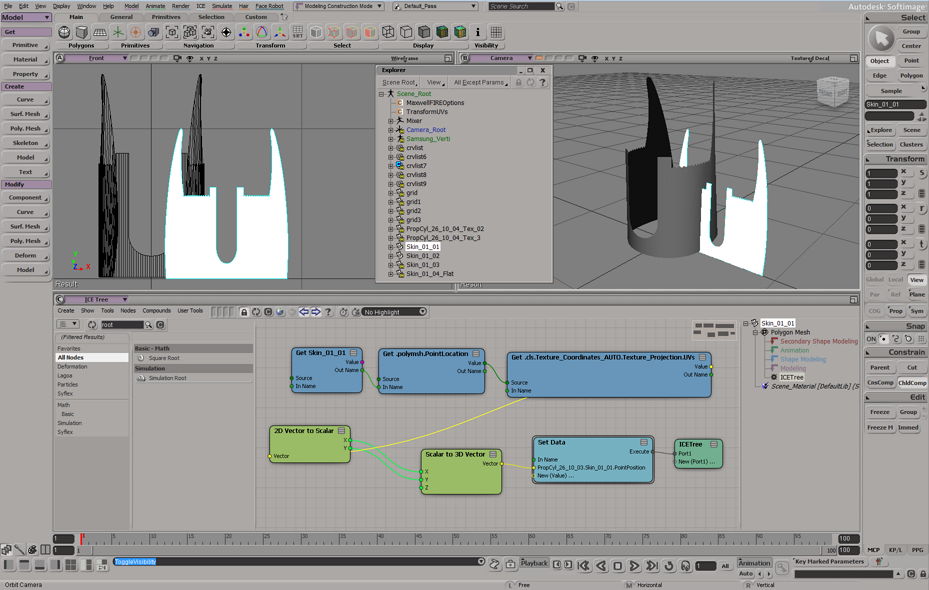
thx for info. I went ahead and was able to bring the object in a planar state, very cool technique indeed ! I followed your other videos and the page you've linked. Quite advanced stuff.
I want to simulate a planar sticker that is like an inset of the planar object and then animate it to bend and wrap onto the original model.
I saw that you can create a polymesh on the planar object and have it wrapped back on the original model in your video here and in other videos too, very cool.
But having a hard time to understand how I would “activate” the created planar object to accept a new created polymesh to wrap it back to the original model.
Also the question would be how I could animate between the planar and the wrapped sticker-polymesh.
This so far took me 20+ hours to try out different methods.
I really appreciate if you can share the steps I have to take from my current state.
Regards,
Frank

-
Frank1000
- Posts: 349
- Joined: 16 Oct 2011, 12:13
- Skype: the2he
Re: Unwrapping Like Paper Sheet
... had an idea to
a) make a shape key with the UV-Map / ICE deforming, which makes the object nicely planar and
b) disconnect the ICE root, which brings the object back to its original shape and make another shape key
but it didn't work. I also dragged the ICE-Tree up and down in the construction stack to be under or above the Cluster Shape Combiner", but the changes through ICE in those terms are not accessible to Shape. The Shape Key does not recognize ICE deforms as a shape change.
Any Idea around on how I can animate between the 2 states of the object ?
Regards,
Frank
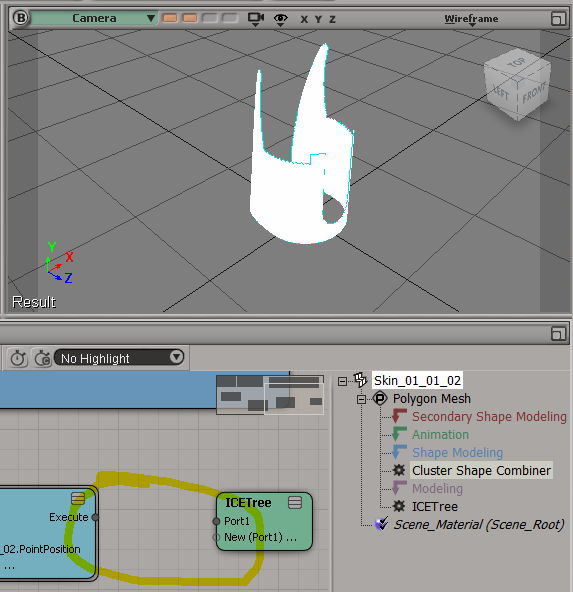
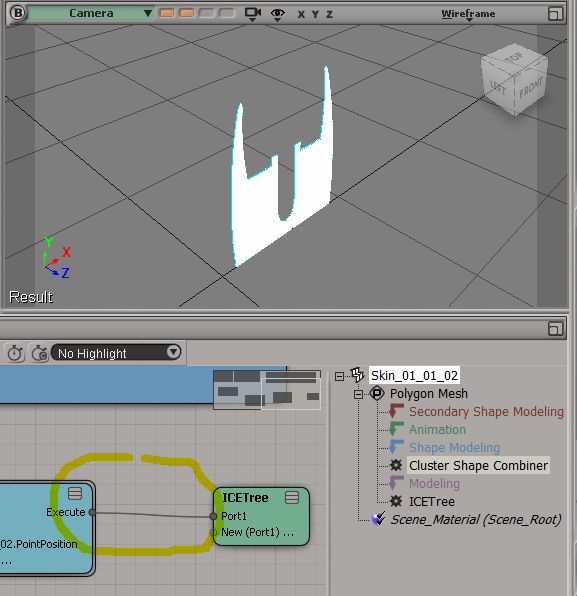
a) make a shape key with the UV-Map / ICE deforming, which makes the object nicely planar and
b) disconnect the ICE root, which brings the object back to its original shape and make another shape key
but it didn't work. I also dragged the ICE-Tree up and down in the construction stack to be under or above the Cluster Shape Combiner", but the changes through ICE in those terms are not accessible to Shape. The Shape Key does not recognize ICE deforms as a shape change.
Any Idea around on how I can animate between the 2 states of the object ?
Regards,
Frank
-
NNois
- Posts: 754
- Joined: 09 Jun 2009, 18:33
Re: Unwrapping Like Paper Sheet
Hi, If you want to do that, you could for example
- use a duplicate of your geometry
- set de deformed state on it and
- with the original object (no deformed) use the "select shape key" and pick your duplicate deformed geometry
the result is a "live shape key" so don't forget to freeze your modeling stack (Si also create for you a custom parameter to animate easyly)
But... i've readed this thread in diagonal, maybe i'm wrong but you would like to animate from flat to deformed with a morph ? this would never give you a good animation because shape are simple point coordinates and your point will always go in a linear point to point animation ;-)
Thinking about it do you have tried simple methods like:
- an simple rig envelope with bones or nulls on a curve
- the cage deformer with cage animated via an envelope or clusters
- a simple bend ? if you have not really a circular form you can always apply a morph shape after the bend operator (by the way there is a very handy bend deformer in ice)
- use a duplicate of your geometry
- set de deformed state on it and
- with the original object (no deformed) use the "select shape key" and pick your duplicate deformed geometry
the result is a "live shape key" so don't forget to freeze your modeling stack (Si also create for you a custom parameter to animate easyly)
But... i've readed this thread in diagonal, maybe i'm wrong but you would like to animate from flat to deformed with a morph ? this would never give you a good animation because shape are simple point coordinates and your point will always go in a linear point to point animation ;-)
Thinking about it do you have tried simple methods like:
- an simple rig envelope with bones or nulls on a curve
- the cage deformer with cage animated via an envelope or clusters
- a simple bend ? if you have not really a circular form you can always apply a morph shape after the bend operator (by the way there is a very handy bend deformer in ice)
-
Frank1000
- Posts: 349
- Joined: 16 Oct 2011, 12:13
- Skype: the2he
Re: Unwrapping Like Paper Sheet
Hi NNois,
yes, I tried Bend and ShrinkWarp too. I also used Deform by Curve etc. but finally ended up scaling the flat object outcome from Mathaeus UV and ICE method and made a 2nd shape with it by point snap to the original object each single point ... only 1584 counts.
Now it looks good ...
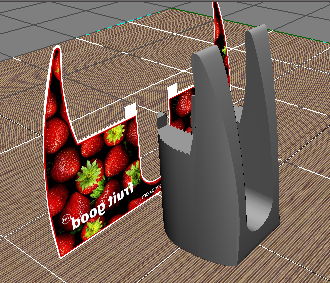
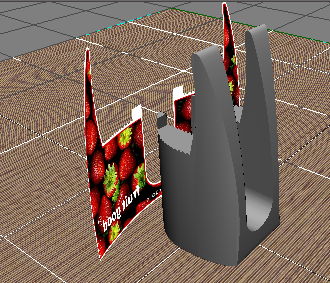
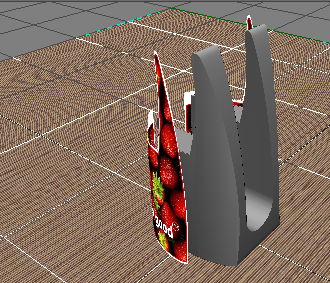
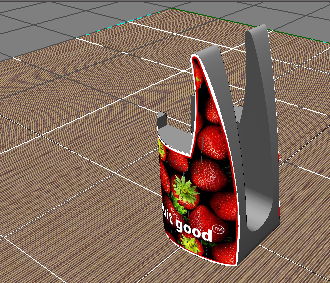
The right solution probably would have been ICE, but i'm not knowledged enough to get it going.
yes, I tried Bend and ShrinkWarp too. I also used Deform by Curve etc. but finally ended up scaling the flat object outcome from Mathaeus UV and ICE method and made a 2nd shape with it by point snap to the original object each single point ... only 1584 counts.
Now it looks good ...
The right solution probably would have been ICE, but i'm not knowledged enough to get it going.