








































New SItoA with the latest 7.3 core.
https://github.com/JenusL/sitoa/releases/tag/v7.3.7.1
SItoA-7.3.7.1
Plugins linking to this thread: (hide)
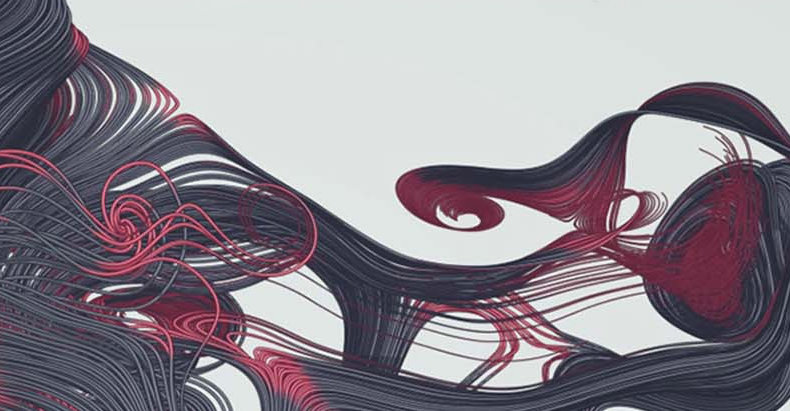 SItoA 7.3.7.1
 Updated April 2025 —
Jens Lindgren brings us a new release of SItoA, the Softimage to Arnold Plugin, with the latest Arnold 7.3 core. From the github releases page:
Be sure to read the Arnold core release notes from version 7.3.6.0 to 7.3.7.1 to see all the performance improvements, bug fixes and other changes that comes »for free« with the updated core.
SItoA specific improvements: Added OpenPBR to Arnold Shaders menu Made OpenPBR the default shader in Scene Material Added transmission_shadow_density to standard_surface and openpbr_surface
See the github link at the bottom for more. Previous version additions include:
(show more...)
download links are on Jens' github releases page / manual:A5SItoAUG_small.pdf (compressed)
Jens Lindgren brings us a new release of SItoA, the Softimage to Arnold Plugin, with the latest Arnold 7.3 core. From the github releases page:
Be sure to read the Arnold core release notes from version 7.3.6.0 to 7.3.7.1 to see all the performance improvements, bug fixes and other changes that comes »for free« with the updated core.
SItoA specific improvements: Added OpenPBR to Arnold Shaders menu Made OpenPBR the default shader in Scene Material Added transmission_shadow_density to standard_surface and openpbr_surface
See the github link at the bottom for more. Previous version additions include:
(show more...)
download links are on Jens' github releases page / manual:A5SItoAUG_small.pdf (compressed)
-
xavier2001
- Posts: 9
- Joined: 06 Aug 2022, 10:13
Re: SItoA-7.3.7.1
Awesome. Thank you!Jenus wrote: 07 Apr 2025, 07:07 New SItoA with the latest 7.3 core.
https://github.com/JenusL/sitoa/releases/tag/v7.3.7.1


-
Maximus

- Posts: 1121
- Joined: 09 Jun 2009, 13:45
Re: SItoA-7.3.7.1
anyone have any clue how to use stand-ins? how to export a geometry like a tree and import it back trough stand-ins for arnold? i really cant manage this process.
-
KrzysztofGryzka
- Posts: 16
- Joined: 26 Jan 2024, 18:37
- Skype: krzysztofgryzka
Re: SItoA-7.3.7.1
Hi,
I’m running Softimage 2015 (R2/SP2) with SItoA 7.3.7.1 and Arnold 7.4.x.
OCIO is working correctly (OCIO env var set, Built-in OCIO enabled, rendering color space is ACEScg).
However, I can’t find any way to add an OCIO Imager / View Transform (e.g. ACEScg → Output-sRGB).
There is no Imagers section in Arnold Render Options, and I don’t see any OCIO / Color Space imager available in Pass Shaders → Output.
Where is the correct place to add an OCIO View Transform in this SItoA version?
Is it exposed under a different name, or is it not available in this build?
Thanks!
I’m running Softimage 2015 (R2/SP2) with SItoA 7.3.7.1 and Arnold 7.4.x.
OCIO is working correctly (OCIO env var set, Built-in OCIO enabled, rendering color space is ACEScg).
However, I can’t find any way to add an OCIO Imager / View Transform (e.g. ACEScg → Output-sRGB).
There is no Imagers section in Arnold Render Options, and I don’t see any OCIO / Color Space imager available in Pass Shaders → Output.
Where is the correct place to add an OCIO View Transform in this SItoA version?
Is it exposed under a different name, or is it not available in this build?
Thanks!
-
Jenus
- Posts: 58
- Joined: 15 Jul 2009, 16:19
- Location: Sweden
Re: SItoA-7.3.7.1
Hi!
Imagers in SItoA are added as Lens Shaders on either a Camera or on the Pass.
But there are no OCIO imagers in Arnold.
Softimage is also to old to have built in OCIO support. So what I do is I use ociobakelut to bake the OCIO view transforms to a .csp-lut that I then can use in Softimages color management system.
I have attached some screenshots so you can see how it looks like. The Lut needs to be put in a Data\Preferences\ColorManagement\ folder inside you Softimage user folder or in a Workgroup.
Imagers in SItoA are added as Lens Shaders on either a Camera or on the Pass.
But there are no OCIO imagers in Arnold.
Softimage is also to old to have built in OCIO support. So what I do is I use ociobakelut to bake the OCIO view transforms to a .csp-lut that I then can use in Softimages color management system.
I have attached some screenshots so you can see how it looks like. The Lut needs to be put in a Data\Preferences\ColorManagement\ folder inside you Softimage user folder or in a Workgroup.
KrzysztofGryzka wrote: 05 Feb 2026, 20:42 Hi,
I’m running Softimage 2015 (R2/SP2) with SItoA 7.3.7.1 and Arnold 7.4.x.
OCIO is working correctly (OCIO env var set, Built-in OCIO enabled, rendering color space is ACEScg).
However, I can’t find any way to add an OCIO Imager / View Transform (e.g. ACEScg → Output-sRGB).
There is no Imagers section in Arnold Render Options, and I don’t see any OCIO / Color Space imager available in Pass Shaders → Output.
Where is the correct place to add an OCIO View Transform in this SItoA version?
Is it exposed under a different name, or is it not available in this build?
Thanks!
-
KrzysztofGryzka
- Posts: 16
- Joined: 26 Jan 2024, 18:37
- Skype: krzysztofgryzka
Re: SItoA-7.3.7.1
Thanks! I have an additional question. Is there any documentation available on how to properly connect textures and displacement maps with UDIMs?

-
opoppopopp
- Posts: 213
- Joined: 16 Jun 2009, 04:23
Re: SItoA-7.3.7.1
I guess we have to rely on outdated doc.
and we would have sample scenes if it were SI
and we would have sample scenes if it were SI
-
stevejjd
- Posts: 10
- Joined: 04 Nov 2018, 09:02
- Location: Sydney
Re: SItoA-7.3.7.1
I installed this by downloading the XSI Addon and installing it with Install Add-On. It works but sometimes when I render my entire monitor goes black, looses video signal, computer freezes up. I can't even restart the computer or shut it down by pressing power off for 6 seconds. Have to actually flip the power switch on my PSU. My computer is very powerful with 64 cores CPU and an RTX 4090. I try to remove the addon by uninstalling it but Softimage freezes during the process.
Legends Never Die
-
Jenus
- Posts: 58
- Joined: 15 Jul 2009, 16:19
- Location: Sweden
Re: SItoA-7.3.7.1
That sounds very strange. I doubt it has anything to do with Softimage or Arnold though. My hunch is that it's more of a driver or hardware issue. Or that you simply runs out of resources, like RAM or VRAM.stevejjd wrote: 22 Mar 2026, 08:03 I installed this by downloading the XSI Addon and installing it with Install Add-On. It works but sometimes when I render my entire monitor goes black, looses video signal, computer freezes up. I can't even restart the computer or shut it down by pressing power off for 6 seconds. Have to actually flip the power switch on my PSU. My computer is very powerful with 64 cores CPU and an RTX 4090. I try to remove the addon by uninstalling it but Softimage freezes during the process.
-
Maximus
- Posts: 1121
- Joined: 09 Jun 2009, 13:45
Re: SItoA-7.3.7.1
are there new versions with good core update on arnold Jenus? worth compiling? 
-
kilin_studio
- Posts: 4
- Joined: 12 Aug 2019, 09:14
Re: SItoA-7.3.7.1
The SItoA-7.3.7.1-windows-2015.xsiaddon package does not include cryptomatte.dll.
-
KrzysztofGryzka
- Posts: 16
- Joined: 26 Jan 2024, 18:37
- Skype: krzysztofgryzka
Re: SItoA-7.3.7.1
Hello!
Since last time, I've learned how to properly use the shaders, settings, etc., and I've successfully rendered several scenes using Arnold. I have just one question left: how should I manage, generate, and use Arnold's native .tx texture format? Is there a way to generate .tx files on the fly, like in Maya, or should I prepare them separately beforehand?
Since last time, I've learned how to properly use the shaders, settings, etc., and I've successfully rendered several scenes using Arnold. I have just one question left: how should I manage, generate, and use Arnold's native .tx texture format? Is there a way to generate .tx files on the fly, like in Maya, or should I prepare them separately beforehand?