Discussions concerning programming of SOFTIMAGE©
-
Talik
- Posts: 63
- Joined: 09 May 2017, 09:13
- Skype: nihao00042
Post
by Talik » 10 Sep 2025, 10:49
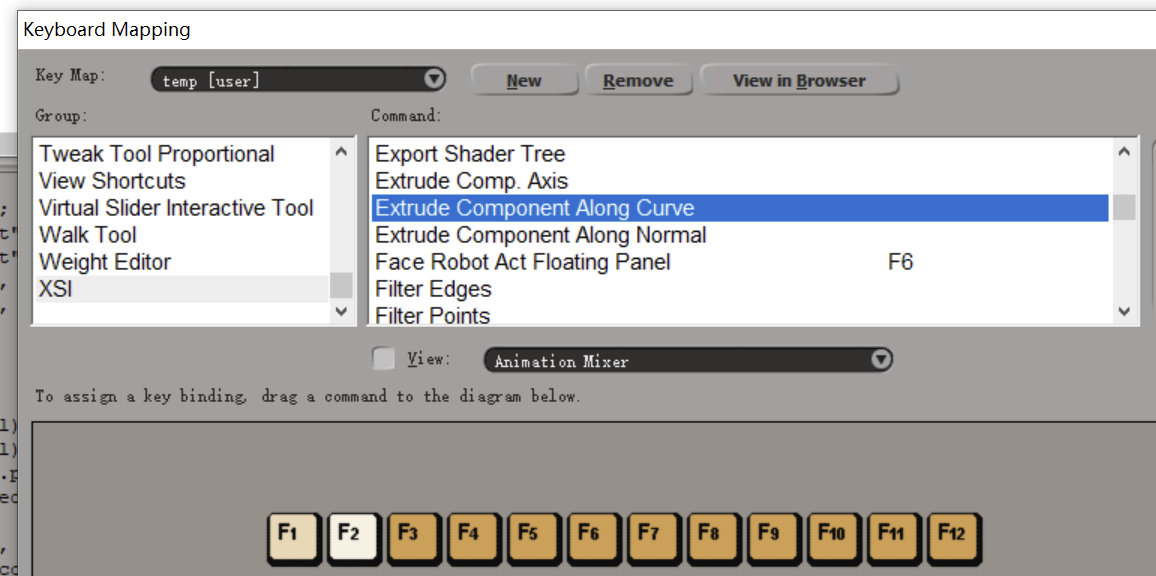
Hi guys. I want to make hotkey for "Extrusion along curve" command. But the script code cannot be used to create a button. This happens always when I try to make a button for a tool that needs to select an object in viewpport. What am I dong wrong?

Code

-
opoppopopp
- Posts: 213
- Joined: 16 Jun 2009, 04:23
Post
by opoppopopp » 10 Sep 2025, 17:26
So why not just set a hot key for that tool?
-
Talik
- Posts: 63
- Joined: 09 May 2017, 09:13
- Skype: nihao00042
Post
by Talik » 10 Sep 2025, 19:56
opoppopopp wrote: 10 Sep 2025, 17:26
So why not just set a hot key for that tool?
That's not this command. I need to extrude nurbs circle along the curve
-
Kolya
- Posts: 45
- Joined: 03 Oct 2017, 17:17
Post
by Kolya » 11 Sep 2025, 11:03
Code: Select all
var oList = GetValue("SelectionList");
if(oList.Count !== 0)oList = oList.Filter("crvlist");
//oList.Unique = true;//optional to keep only unique objects
var objectsNeeded = 2;

while(oList.Count < objectsNeeded){

	var pick2 = PickElement(siCurveFilter);
	if(pick2(0) == 0)break;//pick cancelled
	oList.Add(pick2(2))

}


if(oList.Count >= 2){

	var op = ApplyGenOp("Extrusion", "MeshSurface", oList);
	InspectObj(op);

}
-
opoppopopp
- Posts: 213
- Joined: 16 Jun 2009, 04:23
Post
by opoppopopp » 11 Sep 2025, 16:54
Then search for 'Power Extrude' at resource section.
It cover all you need, and way more robust than re-write everything your self.